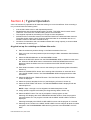
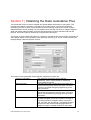
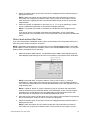
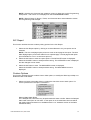
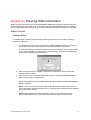
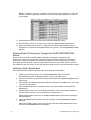
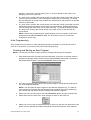
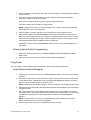
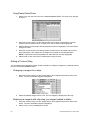
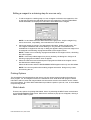
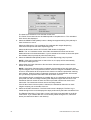
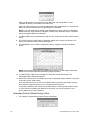
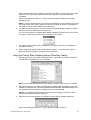
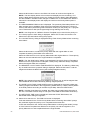
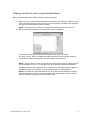
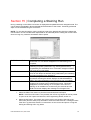
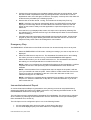
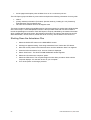
1
Dako Autostainer Plus | User Guide Document Number 0003107 Revision D March 2007 For In Vitro Diagnostic Use UL and cUL Dako Colorado, Inc. 4850 Innovation Drive Ft. Collins, CO 80525 USA 970-226-2200 Dako Autostainer Plus | User Guide 1 Dako Autostainer Plus Universal Staining System Dako Autostainer Plus Information Dako Autostainer Model: _______________________ Serial Number: _______________________ Software Version: _______________________ Computer Configuration: _______________________ CPU: _______________________ Hard Drive: _______________________ Floppy Drive: _______________________ Internal Memory: _______________________ Monitor: _______________________ Dako Autostainer Software Product License IMPORTANT: Please read the license carefully before using this Software. The right to use this Software is granted only if the Customer agrees to the terms of this license. If you do not agree to the terms of this license, you may return the unused Software for a refund. HOWEVER, USE OF THIS SOFTWARE INDICATES YOUR ACCEPTANCE OF THESE TERMS AND CONDITIONS. In return for the payment of the applicable one-time license fee included with the purchase price of the Dako Autostainer, Dako grants the user a license to use one copy of the Software subject to the following terms and conditions. No title or ownership of the Software is conferred with this license. 1. The Software may be used on one Dako Autostainer Plus. 2. The Software may not be copied. 3. The Software may not be disassembled, decompiled, decrypted or reverse engineered. 4. Dako reserves the right to terminate this license upon breach. In the event of termination at Dako’s election, all copies of the Software must be returned to Dako. 5. No title or ownership of the Software is conferred with this license. Copyright © 2007 Dako Colorado, Inc. All rights reserved. This document may not be copied in whole or in part or reproduced in any other media without the express written permission of Dako. Please note that under copyright law, copying includes translation into another language. 2 Dako Autostainer Plus | User Guide Contact Dako Australia Tel. 2 9316 4633 Fax 2 9316 4773 Austria Tel. 0800 0800 7153 Fax 0800 0800 7154 Corporate Headquarters Denmark +45 44 85 95 00 Fax 44 85 95 95 www.dako.com Distributors in more than 50 countries Belgium Tel. 016 38 72 20 Fax 016 38 72 21 Canada Tel. 905 858 8510 Fax 905 858 8801 Czech Republic Tel. 420 541 423 710 Fax 420 541 423 711 Denmark Corporate Headquarters Tel. 44 85 95 00 Fax 44 85 95 95 Sales Tel. 44 85 97 56 Fax 44 85 84 29 Dako Autostainer Plus | User Guide France Tel. 1 30 50 00 50 Fax 1 30 50 00 11 Germany Tel. 040 69 69 470 Fax 040 69 52 741 Ireland Tel. 353 91 768150 Fax 353 91 763674 Spain Tel. 93 499 05 06 Fax 93 499 02 08 Sweden Tel. 08 556 20 600 Fax 08 556 20 619 Switzerland Tel. 041 760 11 66 Fax 041 760 11 77 United Kingdom Tel. (0)1 353 66 99 11 Fax (0)1 353 66 89 89 Italy Technical Support Tel. 02 58 078 1 Tel. (0) 1 353 66 99 65 Fax 02 58 078 292 Japan Tel. 075 211 3655 Fax 075 211 1755 The Netherlands Tel. 020 42 11 100 Fax 020 42 11 101 Norway Tel. 23 14 05 40 Fax 23 14 05 42 Poland Tel. 058-661 1879 Fax 058-661 3390 United States of America Carpentaria, California Tel. 805 566 6655 Fax 805 566 6688 Technical Support Tel. 800 424 0021 Customer Care Tel. 800 235 5763 United States of America Fort Collins, Colorado Flow Instrumentation Tel. 800 822 9902 Fax 970 226 0107 3 This page is intentionally blank. 4 Dako Autostainer Plus | User Guide Table of Contents Section 1 | Introduction ........................................................................................................ 9 Dako Autostainer Plus Features.......................................................................................... 9 Universal System............................................................................................................. 9 Quick Start-up.................................................................................................................. 9 Flexible Programming...................................................................................................... 9 Economic Use.................................................................................................................. 9 Data Management and Report Generation.................................................................... 10 Slide and Reagent Labels.............................................................................................. 10 Differences from the Autostainer System ...................................................................... 10 Section 2 | System Specifications..................................................................................... 11 Hardware Specifications.................................................................................................... 13 Software Specifications ..................................................................................................... 13 Accessories included with the Dako Autostainer Plus....................................................... 14 Section 3 | Installation Requirements ............................................................................... 15 Requirements .................................................................................................................... 15 Recommendations ............................................................................................................ 15 Section 4 | Typical Operation............................................................................................. 17 Section 5 | Programming Overview................................................................................... 19 Menu Bar Options ............................................................................................................. 20 Slides Function .............................................................................................................. 20 File Menu ....................................................................................................................... 20 Edit Lists Menu .............................................................................................................. 21 Copy Function................................................................................................................ 22 Auto Function................................................................................................................. 22 Command Buttons ......................................................................................................... 22 Section 6 | Accessing the Dako Autostainer Plus Software ........................................... 23 Section 7 | Initializing the Dako Autostainer Plus............................................................ 25 Entering Institution Information.......................................................................................... 26 Editing Institution Information ............................................................................................ 27 Entering Staff Information.................................................................................................. 27 Editing User Information.................................................................................................... 28 Deleting User Information.................................................................................................. 29 Adding a New Doctor ........................................................................................................ 29 Deleting Doctor Information............................................................................................... 30 Entering Tissue Information .............................................................................................. 30 Adding a New Tissue..................................................................................................... 30 Deleting a Tissue ........................................................................................................... 30 Entering Default Reagent Information ............................................................................... 30 Assigning Default Reagent Dispense Volumes ............................................................. 30 Assigning Reagent Drop Zone....................................................................................... 31 Cleaning Schedule......................................................................................................... 31 Label Printing Initialization................................................................................................. 32 Slide Labels ................................................................................................................... 32 Slide Labels with Bar Codes.......................................................................................... 32 Slide Labels without Bar Code....................................................................................... 33 Reagent Labels.............................................................................................................. 34 Label Adjustment ........................................................................................................... 35 Scanner Port.................................................................................................................. 35 Communication Port ...................................................................................................... 35 Printer Selection ............................................................................................................ 36 Dako Autostainer Plus | User Guide 5 The Options Screen .......................................................................................................... 36 Program Grid ................................................................................................................. 36 IHC Report..................................................................................................................... 37 Custom Options ............................................................................................................. 37 Section 8 | Entering Slide Information .............................................................................. 39 Slides Function.................................................................................................................. 39 Adding Slides................................................................................................................. 39 Deleting a Slide.............................................................................................................. 40 The SLIDE INFORMATION Button ................................................................................... 40 Entering Slide Information Through the SLIDE INFORMATION Button ........................ 41 Deleting Slide ID Information Through the SLIDE INFORMATION Button.................... 42 Deleting a Slide Identification ........................................................................................ 42 Deleting a Case # .......................................................................................................... 43 Deleting a Block ID ........................................................................................................ 43 Deleting a Specific Slide ................................................................................................ 44 Slide Rearrangement ........................................................................................................ 44 Rearranging slide positions on the Programming Grid .................................................. 44 Section 9 | Designing a Protocol ....................................................................................... 45 Protocol Elements ............................................................................................................. 46 Standard Protocol Elements include:............................................................................. 46 Rinse Buffer ................................................................................................................... 46 Rinse Water ................................................................................................................... 46 Standard Rinse Replacement........................................................................................ 46 Substrate-Batch ............................................................................................................. 47 Switch (*Swtch).............................................................................................................. 47 Creating and Editing a Protocol Template ..................................................................... 47 Saving a Protocol Template........................................................................................... 48 Deleting a Protocol Template ........................................................................................ 49 Using a New Protocol Template Without Saving It ........................................................ 49 Using a Saved Protocol Template ................................................................................. 49 Using a Saved Protocol Template for a Specific Auto Program .................................... 50 Selecting and Editing the Reagent Dispense Volume ....................................................... 50 Selecting and Editing the Reagent Dispense Volume for All Steps in a Protocol .......... 50 Selecting and Editing the Reagent Dispense Volume for a Specific Step in a Protocol 51 Section 10 | Programming Slides ...................................................................................... 53 Defining Slide Specific Reagents ...................................................................................... 53 Defining Detection Reagents (Secondary, Tertiary, Substrate, etc.) ............................. 53 Defining Primary Antibodies .......................................................................................... 54 Assigning Positive and Negative Control Reagents ...................................................... 54 Negative Controls .......................................................................................................... 55 Assigning Negative Control Type to Antibodies............................................................. 55 Using the Negative Control Tool.................................................................................... 56 Defining Specific Rinses ................................................................................................ 56 Auto Programming ............................................................................................................ 57 Creating and Saving an Auto Program .......................................................................... 57 Deleting an Auto Programming Item.............................................................................. 58 Using an Auto Programming Item.................................................................................. 58 Getting Help with Auto Programming ............................................................................ 59 Copy/Paste........................................................................................................................ 59 Copy/Paste Individual Reagents.................................................................................... 59 Copy/Paste Entire Rows................................................................................................ 60 Editing a Protocol Step...................................................................................................... 60 Changing a reagent for a step: ...................................................................................... 60 6 Dako Autostainer Plus | User Guide Replacing a reagent with skip step (no reagent added to slide): ................................... 60 Editing a reagent in a staining step for one run only:..................................................... 61 Printing Options................................................................................................................. 61 Slide Labels ................................................................................................................... 61 Reagent Labels.............................................................................................................. 62 The Main Grid Report .................................................................................................... 63 Immunohistochemical Report (IHC Report)................................................................... 63 Run Log Printout............................................................................................................ 64 Viewing Programmed Slides ............................................................................................. 64 When the Bar Code feature is disabled ......................................................................... 64 Assigning Reagent Dispense Locations ........................................................................ 65 Viewing Programmed Slides ............................................................................................. 65 When the Bar Code feature is enabled.......................................................................... 65 ALL SLIDES Tool........................................................................................................... 66 Printing a Slide Layout Map........................................................................................... 67 Section 11 | Reagent Management.................................................................................... 69 Adding New Reagents to Reagent Lists............................................................................ 69 Adding Detection Reagents (Secondary, Tertiary, Substrate, etc.) ............................... 69 Adding Primary Antibodies ............................................................................................ 70 Editing Reagent Lists ........................................................................................................ 72 Deleting Reagents from Reagent Lists.............................................................................. 73 Updating a Reagent Lot Number and Expiration Date ...................................................... 73 Printing Reagent Labels .................................................................................................... 74 Printing reagent labels from a programmed run. ........................................................... 74 Printing reagent labels not in a program........................................................................ 74 Compatibility Check........................................................................................................... 75 Section 12 | Loading Reagents.......................................................................................... 77 Reagent Layout Map Screen............................................................................................. 77 Reagent List Screen.......................................................................................................... 78 Missing Reagent Error....................................................................................................... 78 Paused to Add Reagent................................................................................................. 79 Slides Skipped ............................................................................................................... 79 Partial Reagent Application ........................................................................................... 79 Section 13 | Loading and Scanning Slides....................................................................... 81 Loading Microscope Slides ............................................................................................... 81 Scanning Slides................................................................................................................. 82 Section 14 | Starting a Run ................................................................................................ 83 Slides................................................................................................................................. 83 Racks ................................................................................................................................ 83 Reagents ........................................................................................................................... 83 Buffer................................................................................................................................. 83 Water................................................................................................................................. 83 Waste ................................................................................................................................ 83 Starting a Run without Delay............................................................................................. 83 Starting a staining run immediately................................................................................ 83 Delaying the Start of a Run ............................................................................................... 85 Starting a staining run at a later time. ............................................................................ 85 Adding Priority Slides ........................................................................................................ 86 Using the Priority Slide Handling with Slide Bar Coding................................................ 86 Unloading Priority Slides During a Run ......................................................................... 88 Using the Priority Slide Handling without Slide Bar Coding........................................... 89 Delaying the Start of a Run using Substrate-Batch ....................................................... 91 Section 15 | Completing a Staining Run ........................................................................... 93 Dako Autostainer Plus | User Guide 7 Printing a Run Log............................................................................................................. 94 Printing a Run Log Without Saving................................................................................ 94 Printing and Saving a Run Log ...................................................................................... 94 Printing a Temporary Run Log .......................................................................................... 94 Emergency Stop................................................................................................................ 95 Immunohistochemical Report............................................................................................ 95 Shutting Down the Autostainer Plus.................................................................................. 96 Section 16 | Programming During Staining Run .............................................................. 97 Reviewing the Current Program during a Staining Run .................................................... 98 Section 17 | System Maintenance ..................................................................................... 99 Automated Cleaning Cycle................................................................................................ 99 Cleaning Log................................................................................................................ 100 Reservoir Cleaning.......................................................................................................... 100 Wash Buffer and Water Container Cleaning ................................................................... 100 Slide Rack Cleaning ........................................................................................................ 101 Reagent Vial Cleaning..................................................................................................... 101 Computer Maintenance ................................................................................................... 101 Backing Up Files.......................................................................................................... 101 Annual Preventative Maintenance................................................................................... 101 Section 18 | Reagent Tracking......................................................................................... 103 Printing the Reagent Tracking Report ............................................................................. 103 Printing the entire Reagent Tracking Report ............................................................... 103 Printing only selected reagents from the Reagent Tracking Report: ........................... 103 Remove Reagent from the Reagent Tracking Log.......................................................... 104 Remove all Reagents from the Reagent Tracking Log................................................ 104 Remove Selected Reagents from the Reagent Tracking Log ..................................... 104 Section 19 | Wash Buffers................................................................................................ 105 Dako Autostainer Plus Wash Buffer ................................................................................ 105 Intended Use ............................................................................................................... 105 Materials Required....................................................................................................... 105 Reagent Preparation.................................................................................................... 105 Shelf Life and Storage ................................................................................................. 106 Tris-Buffered Saline......................................................................................................... 106 Intended Use ............................................................................................................... 106 Materials Required....................................................................................................... 107 Reagent Preparation.................................................................................................... 107 Shelf Life and Storage ................................................................................................. 108 Dako Phosphate Buffered Saline .................................................................................... 108 Intended Use ............................................................................................................... 108 Materials Required....................................................................................................... 108 Reagent Preparation.................................................................................................... 108 Shelf Life and Storage ................................................................................................. 109 Phosphate Buffered Saline.............................................................................................. 109 Intended Use ............................................................................................................... 109 Reagent Preparation.................................................................................................... 109 Shelf Life and Storage ................................................................................................. 110 Section 20 | Troubleshooting........................................................................................... 111 Section 21 | Warnings and Symbols ............................................................................... 119 Symbol Definitions........................................................................................................... 120 Section 22 | General Limitations ..................................................................................... 121 8 Dako Autostainer Plus | User Guide Section 1 | Introduction The Dako Autostainer Plus System is an automated slide processing system compatible with currently available reagents for the staining of paraffin-embedded and frozen tissue sections, cytospins, cell smears and fine needle aspirates. This system is designed to automate manual staining methods routinely used in immunohistochemistry and cytochemistry, enabling the transfer of established protocols from the bench to the Autostainer Plus. Alteration of standard reagents or experimental conditions may not be required. This document is a comprehensive User Guide for the Dako Autostainer Plus System. Dako Autostainer Plus Features Universal System The Dako Autostainer Plus is a universal system enabling the direct transfer of routine staining protocols from the laboratory bench. Quick Start-up Dako’s Autostainer Plus Support Team installs and tests the system to ensure proper operation. The factory-installed software includes standard reagent protocols and commonly used Dako reagents such as Dako LSAB2, Dako EnVision +, Dako EnVision Dual Link +, and HercepTest™ visualization systems. The complete line of ready-to-use Dako N and NP-series primary antibodies and their recommended protocols are also listed. Flexible Programming The Dako Autostainer Plus enables the use of slide-specific programmed or user defined protocols. The system provides intuitive programming routines, reagent and slide loading maps and start/finish run time displays. You can build and save an unlimited number of protocols containing up to 35 steps (including rinse and blow steps between reagent incubations) and 64 different reagents. A staining run can process 1 to 48 microscope slides. Individual slides can be programmed to receive different reagents, reagent dispense volumes and reagent dispense locations. The Autostainer Plus also enables the addition of Priority Slides during a run, permitting the repeated addition of new slides in unoccupied positions while maintaining the integrity of the slides running. Economic Use The Dako Autostainer Plus provides the flexibility to program reagent volumes of 100, 150, 200, 400 and 600 µL for any step in a staining protocol. Each step can be programmed with a different reagent dispense volume. In addition, waste can be segregated into hazardous and nonhazardous collection containers, reducing disposal costs. Dako Autostainer Plus | User Guide 9 Data Management and Report Generation The Dako Autostainer Plus is designed to track a variety of data. It can generate patient, reagent and real-time operation data reports, as well as track reagent usage and log instrument maintenance. Slide and Reagent Labels The Dako Autostainer Plus software provides a simple and efficient means to print slide labels through one-time programming of information for the staining run. Each label has a bar code to assure accuracy. The bar code feature also eliminates the need to insert slides in the proper position; the system will scan the bar codes and maintain the correct order of all slides in the run. The software enables items from the program (slide ID, slide #, case #, block ID, technician, antibody(s), pretreatment, date, doctor, tissue, run name, and static text) to be printed directly on the slide labels. You can also create reagent labels that include information stored in the reagent list (reagent name, lot number, expiration date, incubation time, and date). The printed label text is protected by a heat and chemical resistant laminate, allowing you to apply the labels to the slides at the start of the staining procedure. Differences from the Autostainer System If you are familiar with the earlier Autostainer System, the primary improvements in the Dako Autostainer Plus are: • • • • • Addition of bar codes to slide labels, inclusion of Seymour label printer as part of the package Insertion of Priority Slides during a run Inclusion of a Universal Negative Control Modifications to the Programming Screen to simplify the programming of your protocols Through the Initialize screen, the Autostainer Plus may now be uniquely identified These new features, plus others, are fully described in the appropriate section of this User Guide. 10 Dako Autostainer Plus | User Guide Section 2 | System Specifications The Dako Autostainer Plus is a combination of hardware and software integrated with the appropriate reagents to automate immunohistochemical and immunocytochemical staining methods. This section describes the hardware and software specifications and the accessories provided with the system. Dako Autostainer Plus | User Guide 11 Slide Rack Glass Slide Reagent Racks 1 and 2 Reagent Probe Wash Station Sink Y Axis Mechanism X Axis Mechanism Z Head Assembly 12 is a slide carrier holding 12 microscope slides in a horizontal position. The instrument holds a maximum of 4 racks. These racks are removable and interchangeable for slide loading and unloading. is a standard microscope slide to which specimen(s) is mounted for processing on the instrument. Slide dimensions are 25 mm x 75 mm x 1 mm. hold the reagent vials. There are 2 reagent racks: reagent rack 1 (white) sits in the front right side of the sink; reagent rack 2 (blue) sits behind reagent rack 1. The racks are identical in shape and size. Each rack holds up to 32 reagent vials and is marked with letters A-D and numbers 1-8 to designate each reagent vial position. The computer always assigns reagents to the front whit rack first. If additional reagents are required for a procedure or for running the cleaning protocol the computer will assign reagents to the blue rack. is a white, plastic assembly located in the rear right corner of the instrument and is used as a cleaning station for the Teflon™-coated reagent probe. The probe is washed in the wash station at the beginning of every run, prior to checking reagent volumes, and application of each reagent. is the Teflon-coated tray that sits underneath the slide racks and channels the buffer/DI water washes and reagents into the waste reservoir. is the robotic arm extending from the back of the instrument towards the front carrying with it the Z head assembly. The Y arm moves from right to left across the instrument. When the Autostainer Plus is not in operation the Y arm rests on the left side of the machine, When the instrument is in operation and slides are incubating, the arm is located on the right side. enables the Y arm to move from left to right across the instrument. The X axis is stationary across the back of the instrument. is the dome-shaped assembly that sits over the Y arm. The Z head consists of three components: the probe tip; the wash head and the blow head. These components move up and down along the Z axis while the instrument is in operation. The Z head moves back and forth along the Y axis mechanism, allowing access to all slides and reagents. Dako Autostainer Plus | User Guide Hardware Specifications Dako Autostainer Plus Dimensions Weight Electrical Requirements Normal operating temperature Slide rack capacity Total slide capacity Reagent capacity Reagent dispense volumes Reagent probe volume capacity Computer Controller These are the minimum features provided. Dako reserves the right to change the computer controller specifications at any time. Monitor Printer Surge Protector 1.02m W x 0.69 m D x 0.61 m H 40” W x 27” D x 24” H 140 lb. (63.5 kg) 120 V 110/120 V (±10%) 60 Hz (±2Hz) 220 V 220/240 V (±10%) 50 Hz (±2Hz) 18º C-26º C (64º F-79º F) 1 – 12 glass slides 1 – 48 glass slides 64 different reagents (15 Ml/reagent vial) 100, 150, 200, 400 and 600 µL 100 µL minimum, 1200 NOTE: Computer specifications may vary. 14” color LaserJet or Inkjet Printer 120 VAC, 15 Amps, 50/60 Hz Software Specifications Operating System Operating Logic Protocol Logic Idle Rinse Rinse Default Settings Incubation Time Dako Autostainer Plus | User Guide Windows® 98, XP or equivalent. Designed to calculate the most time-efficient sequence to complete a programmed staining run. Flexible selection of steps including rinses. Maximum of 35 protocol steps (including rinse steps) Buffer is applied to slides during a staining run to keep specimens we when no reaction is occurring. Buffer rinse every 30 minutes prior to the start of a run, when delayed start is selected. Buffer rinse every 30 minutes during a staining run. Water rinse every 60 minutes after completion of run. Default setting for time and the amount of buffer dispensed can be changed by a Dako representative upon request. Minimum time is 2 minutes. 13 Accessories included with the Dako Autostainer Plus Slide Racks Reagent Racks Reagent Vials Buffer Container Deionized Water Container Waste Containers User Guide Seymour Glass Label Printer 14 4 non-disposable slide racks with a 12-slide capacity/rack. The slide racks are suitable for standard glass slides; they are removable and interchangeable 2 removable reagent racks. Each reagent rack holds a maximum of 32 reagent vials. 100 reagent vials and caps. Each vial holds a maximum of 15 mL of reagent. 1 ten-liter plastic container. 1 ten-liter plastic container (not available with the “01” hardware version of the Dako Autostainer Plus). 2 ten-liter plastic containers. 1 User Guide with detailed operating instructions. The Seymour slide labeling system is a simple, efficient label printing system for histology, cytology and research laboratories. This system allows you to print only the labels you need – when you them – for samples, microscope slides, reagent vials and other items. Dako Autostainer Plus | User Guide Section 3 | Installation Requirements For installation of the Dako Autostainer Plus, the following requirements should be met to ensure that the instrument functions properly. Requirements Surface Size Environment Buffer Container Deionized Water Container Waste Containers User Guide Seymour Glass Label Printer Prior to unpacking the Dako Autostainer Plus, ensure that the area to be used for instrument is a solid, level surface that can safely support the weight of the system (approximately 240 lbs. for instrument plus computer). Minimum dimensions for the Dako Autostainer Plus work area are 2.00 m wide x 0.8 m deep x 1.0 m height (78” w x 30” d x 37” h) clearance. The work area must also be an environment with an ambient temperature between 18° C-26° C (64° F-79° F), not facing direct sunlight and not affected by a hood or vent. 1 ten-liter plastic container. 1 ten-liter plastic container (not available with the “01” hardware version of the Dako Autostainer Plus). 2 ten-liter plastic containers. 1 User Guide with detailed operating instructions. The Seymour slide labeling system is a simple, efficient label printing system for histology, cytology and research laboratories. This system allows you to print only the labels you need – when you them – for samples, microscope slides, reagent vials and other items. Recommendations Power source Dako Autostainer Plus | User Guide Dako recommends a dedicated power source for the Dako Autostainer Plus to prevent interference from other instruments or equipment. 15 This page is intentionally blank. 16 Dako Autostainer Plus | User Guide Section 4 | Typical Operation A few “off instrument” preparations will make the staining run more time-efficient. Prior to starting a run you should have the following items: • • • • • A list of slide cases to be run with requested protocols. Deparaffinized and rehydrated slides soaking in buffer. This buffer should contain 0.05% Tween 20. A minimum of 5 minutes soaking time is recommended. The reagents required for the staining run brought to room temperature. Sufficient buffer in the buffer reservoir and deionized water in the deionized water reservoir. The buffer should contain 0.05% Tween 20 (deionized water is not available with the “01” hardware version of the Dako Autostainer Plus). Containers for hazardous and non-hazardous waste with enough capacity to accommodate the waste from the staining run. A typical set up for a staining run follows this order: 6. Start the software by double clicking on the Dako Autostainer Plus icon. 7. Enter your user name and password (see Accessing the Dako Autostainer Plus Software, Section 6). 8. Select the PROGRAM button on the MAIN MENU screen. 9. Select the SLIDE INFO button from the PROGRAMMING GRID, or Slides from the menu bar. When the SLIDE INFO button is selected the SLIDE INFORMATION screen is displayed. When the Slides menu item is selected the SLIDE COUNT window is displayed. 10. Enter slide information or slide count for the staining run (see Entering Slide Information, Section 8). 11. Select the FINISH ENTRY button when entering slide information or select OK when using SLIDE COUNT window. The PROGRAMMING GRID is displayed with the slide information. 12. Select the PROTOCOL TEMPLATE button. The PROTOCOL TEMPLATE DESIGN screen is displayed. 13. Select the protocol template for the run (see Designing a Protocol, Section 9). 14. Select the USE TEMPLATE button. The PROGRAMMING GRID is displayed with the selected protocol. NOTE: Steps 7 through 9 can be skipped if the default template is used. 15. Assign specific reagents to all slides (see Programming Slides, Section 10). 16. Select the NEXT button. The user is prompted to “Save program on disk”. Selecting YES displays the SAVE PROGRAM ON DISK window. Enter the program’s name and select OK. The program is saved and the PRINT SLIDE LABELS screen is displayed. Selecting NO displays the PRINT SLIDE LABELS screen and the program is not saved. 17. Selecting the ALL button in the PRINT SLIDE LABELS screen will print all labels for slides assigned in the PROGRAMMING GRID and bring the user to the REAGENT LAYOUT MAP. Dako Autostainer Plus | User Guide 17 Selecting the UNPRINTED LABELS button will print all labels that were not printed through the PRINT feature and bring the user to the REAGENT LAYOUT MAP. Selecting the NONE button will direct the user to the REAGENT LAYOUT MAP. The CANCEL button will return the user to the PROGRAMMING GRID. 18. Load reagents using the REAGENT LAYOUT MAP. 19. Select the NEXT button. The LOAD AND SCAN SLIDES screen appears. 20. If the Bar Code feature is disabled, load slides using the SLIDE LAYOUT MAP. If the Bar Code feature is enabled, slides may be loaded into positions at the discretion of the user. It is recommended that each slide be flooded gently with buffer after it is placed on the instrument. This buffer should contain 0.05% Tween 20 (see Loading Slides, Section 13). At no time should the slides dry out. 21. Select the SCAN SLIDES button to scan all slides on the instrument. 22. The IS THE ARM CLEAR TO MOVE? Screen is displayed. Select OK to proceed. If no obstructions exist, select OK. 23. The SET START TIME screen is displayed (see Starting a Run, Section 14). The Autostainer Plus calculates the run time and amount of buffer and DI water needed to complete the run. 24. Select the PRIME PUMP (WATER) button. The DELAYED START dialog box appears (deionized water is not available with the “01” hardware version of the Dako Autostainer Plus). The user is prompted: “Is the pathway clear for the arm to move.” 25. Select the OK button and the pump is activated. Deionized water is flushed through the water intake line. 26. Select the PRIME PUMP (BUFFER) button and the pump is activated, flushing buffer through the buffer intake line. For the “01” hardware version of the Dako Autostainer Plus the user is prompted: “Is the pathway clear for the arm to move.” 27. Set Reagent Levels to Check Volumes or Do Not Check Volumes (see Starting a Run, Section 14). 28. Select the START RUN button and the run starts. 18 Dako Autostainer Plus | User Guide Section 5 | Programming Overview The Dako Autostainer Plus is a computer controlled system. The PROGRAMMING GRID is the main screen used to define slide information, primary antibodies, staining reagents and staining protocols. 1. Five menus are accessible from the menu bar. The Slides menu item is used to enter the number of slides to be run on the Autostainer Plus. The File menu is used for general information such as opening, saving and printing previously saved runs. The Edit Lists menu is used to establish lists of reagents utilized in programming a staining protocol. The Copy and Auto menu items are used during programming. 2. The grid header lists the steps and dispense volumes of the selected protocol template for the current staining run. Each column represents one step of the protocol template. 3. The programming grid is divided into rows and columns. Each row represents one slide and displays the complete slide identification (e.g. Slide ID, Case #, Block DI, Doctor Name, and Tissue) and all reagents applied. The grid will accommodate a maximum of 48 slides per staining run. 4. The 6 command buttons, located at the bottom of the screen, are used to enter slide information, develop staining protocols (templates) and print reports. 5. Below the command buttons is a line of text that is displays the software version, date/time, user name, security level, institution name, and Autostainer Plus serial number. This information is edited from the INITIALIZE screen (see Initializing the Dako Autostainer Plus, section 7). This line is on the bottom of most screens of the Autostainer Plus software. 6. The ALL SLIDES tool enables the user to alter drop zones and reagent application amounts for all slides in the program. 7. The INDIVIDUAL SLIDE tools enable the user to alter the drop zone and reagent application amount for that particular slide. Dako Autostainer Plus | User Guide 19 Menu Bar Options Slides Function The Slides option may be used as an alternative to expedite programming by reducing the amount of information required to program a staining run. The Slides option may be used to enter the total number of slides for the current staining run. The Slides function can be accessed by moving the mouse pointer to Slides on the menu bar and pressing the left mouse button. This selection displays the SLIDE COUNT window for entering the number of slides for the current staining run. This function is used to bypass the SLIDE INFORMATION screen when programming a staining run. Enter the desired number of slides in the text box or use the scroll bar to select the desired number of slides. Once a run has been set up using the SLIDE COUNT window, slide ID, case number, doctor, block ID or tissue information cannot be added to the run. Selecting the SLIDE INFO button displays the SLIDE COUNT window. NOTE: Slide Identification, Case #, Block ID, Tissue or Doctor Name will not be associated/displayed in the Programming Grid if the Slides function is used. File Menu The File menu can be accessed by moving the mouse pointer to File on the menu bar and pressing the left mouse button. The File menu commands include: 20 Dako Autostainer Plus | User Guide New Open Save Save As Print Note: displays a blank grid to program a new staining run displays the LOAD PROGRAM FROM DISK window with a list of all saved staining runs available to be opened. saves the current staining run program. saves an existing staining run program under a new name while the original program remains under its saved name. prints the current Program Grid, IHC Report, Slide Labels, Reagent Labels, Reagent List, or any Run Log. The list at the bottom of the file menu displays the last five programs accessed in the computer. This list is constantly updated. Edit Lists Menu The Edit Lists menu can be accessed by moving the mouse pointer to Edit lists on the menu bar and pressing the left mouse button. For instruction on the features of the Edit List menu item, see Reagent Management, section 11. The Edit Lists menu commands include: End. Enz. Block Protein Block Primary Antibody Pretreatment Secondary Reagent Tertiary Reagent Labeled Polymer Dako Autostainer Plus | User Guide displays the EDIT REAGENT LIST screen for endogenous enzyme block, allowing programming and editing of endogenous enzyme block reagents. displays the EDIT REAGENT LIST screen for protein block, allowing programming and editing of protein block reagents. displays the EDIT REAGENT LIST screen for primary antibodies, allowing programming and editing of primary antibody reagents. The PRETREATMENT list is also accessible from this screen. displays the EDIT REAGENT LIST screen for primary antibody pretreatment, allowing programming and editing of pretreatment reagents. displays the EDIT REAGENT LIST screen for secondary reagents (e.g. biotinylated secondary antibodies or link), allowing programming and editing of secondary reagents. displays the EDIT REAGENT LIST screen for tertiary reagents (e.g. enzyme-labeled streptavidin or label), allowing programming and editing of tertiary reagents. displays the EDIT REAGENT LIST screen for labeled polymer reagents used in the Dako EnVision visualization systems, allowing programming and editing of labeled polymer reagents. 21 Substrate Auxiliary displays the EDIT REAGENT LIST screen for substrates, allowing programming and editing of substrate reagents. displays the EDIT REAGENT LIST screen for auxiliary reagents (e.g. counterstain), allowing programming and editing of auxiliary reagents. Copy Function The Copy function can be accessed by moving the mouse pointer to Copy on the menu bar and pressing the left mouse button. This function activates the Select and Paste commands which allow selection of programmed tiles in the Programming Grid. The selected tiles can be copied over (pasted) on either unprogrammed or programmed tiles (see the Copy section of Programming Slides, section 10). Auto Function The Auto function can be accessed by moving the mouse pointer to Auto on the menu bar and pressing the left mouse button. This function is used to save all or any portion of a protocol to be used in other programs (see the Auto Programming section of Programming Slides, section 10). The Help function is also accessible from this menu. Command Buttons The command buttons on the PROGRAMMING GRID and their respective functions are: Slide Info Protocol Template Next Print Exit Help 22 displays the SLIDE INFORMATION screen to enter new or edit existing slide information (e.g. Slide ID, Case #, Block ID, # Slides, Tissue and Doctor Name). displays the PROTOCOL TEMPLATE DESIGN screen where a saved protocol template can be retrieved or a new one created. This template is applied to the current staining run displays the PRINT SLIDE LABELS screen prints the Slide Labels, Reagent Labels, Main Grid, IHC Report, Reagent List, or Run Logs. returns to the MAIN MENU screen without saving the program. displays information to aid in the understanding and utilization of features in the PROGRAMMING GRID. Dako Autostainer Plus | User Guide Section 6 | Accessing the Dako Autostainer Plus Software The SIGN IN screen is the first screen that appears after the Dako Autostainer Plus icon is double clicked. The SIGN IN screen allows you to enter your assigned user name (up to 28 alpha-numeric characters) and password (up to 8 alpha-numeric characters). Your user security status (programmed in the INITIALIZE screen) determines the functions you are able to access. If the sign-in process is executed correctly (i.e., valid user name and password entered), the system displays the MAIN MENU screen. To add a new user or change a password of an existing user, see Initializing the Dako Autostainer Plus, Section 7. 1. The cursor is located in the name box. Type your name and press the ENTER key. The cursor moves to the password box. 2. Type your password and press ENTER. Only asterisks (*) will be displayed in the entry box during keystroke entry. The MAIN MENU screen is displayed. If an unrecognizable name and/or password is entered, the software does not allow you to continue to the next entry. For example, if an unrecognized name is entered and the ENTER key is pressed the cursor remains in the name box and does not move to the password box. If EXIT is selected a dialog box prompts, “Quit using Autostainer Plus?”. Select YES to return to the main Windows screen. Select NO to return to the SIGN IN screen. The MAIN MENU screen appears when the sign-in process is properly executed. This screen allows high security level users access to all the software features. The INITIALIZE button is displayed for only high security level users. A user’s security status is entered from the INITIALIZE screen (see Initializing the Dako Autostainer Plus, section 7). Dako Autostainer Plus | User Guide 23 If the accessing operator is assigned a middle or low security level, the INITIALIZE button is replaced with the CHANGE PASSWORD button. A middle or low security level does not allow access to set or change the parameters for slide labels, Main Grid and IHC Report printing formats, cleaning schedule or signing on new users and doctors. NOTE: In the example above, the INITIALIZE button is displayed, indicating this user is set at high security level. NOTE: The software version number, current date and time, user name, security level (indicated by asterisks), institution name, and Autostainer Plus serial number are displayed across the bottom of this screen. NOTE: A cleaning run is recommended after 150 slides have been processed on the Autostainer Plus. Once the cleaning cycle is set up (see System Maintenance, section 17) this number and the number of slides processed since the last cleaning appear in red letters. Once the instrument has processed 150 slides, a message will prompt the user to clean the instrument. The software allows up to 200 slides to be run between cleaning cycles. The additional 50 slides allows for flexibility in the laboratory work flow to perform an additional run before cleaning the instrument. If more than 200 slides have been run the instrument must be cleaned. The PROGRAM button becomes unavailable and the software does not allow additional programming until the instrument has gone through a cleaning cycle. PROGRAM INITIALIZE CHANGE PASSWORD CLEAN REAGENT TRACKING PRIME PUMP HELP SIGN OFF 24 is used during routine operation of the Autostainer Plus and allow access to the PROGRAMMING GRID displays the INITIZLIZE screen used to establish and update default information for institution, staff, the number of slides per routine cleaning cycle, the default reagent volume and drop zone for reagent dispense. You may also name your system or identify your system by serial number on this screen. This button is only displayed for high security level users. displays the CHANGE PASSWORD screen used to edit the signed on user’s password. This button replaces the INITIALIZE button for users with middle and low security access. allows you to initiate a cleaning run. It gives a status report on the number of slides since the last cleaning cycle and the total number of runs and generates a Cleaning Log. allows users to monitor the total volume of each reagent that has been used on the Autostainer Plus. displays the PRIME PUMP screen used to flush the intake tubing with buffer or DI water without initiating an actual run. displays information to aid in understanding and utilizing the features on the MAIN MENU screen. exits the Autostainer Plus program. Dako Autostainer Plus | User Guide Section 7 | Initializing the Dako Autostainer Plus The INITIALIZE screen is used to establish and update default information for the system. This includes the institution information, Autostainer Plus serial number, user names, the doctors requesting IHC tests, a library of tissues that may be used during staining, the number of slides allowed between routine cleaning runs, the default volume and the drop zone for reagent dispense. Slide and reagent label formatting, and user-defined printing formats for the Main Grid and IHC Reports, and custom options can also be configured from this screen. This screen is used to enter information for: Institution, Autostainer Plus serial number, instrument ID, staff, default reagent volume and drop zone, slides per cleaning cycle, and to access the Slide and Reagent Design Label and Options screens. The buttons on the INITIALIZE screen and their respective functions are: Institution Information Staff Information Tissue Information Default Reagent Information Dako Autostainer Plus | User Guide The Institution Information (name, address, department, phone, serial number) is stored and incorporated into reports The Staff Information includes lists of the Users and Doctors who frequently request IHC tests. The list of Doctors is accessed during the programming of the slide information The Tissue Information list is used to save a list of tissues that are frequently used IHC tests. This list of tissues is accessed during the programming of slide information. The Default Reagent Volume allows the selection of the default reagent volume to be used for all steps in any staining protocol. Reagent volume choices are: 100, 150, 200, 400, and 600 µL. The Default Reagent Drop Zone is also selected, allowing application of reagent to single or multiple locations on each slide. 25 Cleaning Schedule The Slides/Cleaning permits you to program the number of slides stained between routine cleanings. Dako recommends a cleaning cycle after every 150 slides. Once the programmed number is exceeded, the MAIN MENU screen displays the number of slides since the last cleaning. The maximum slides allowed between cleaning cycles is 200. Once this number is exceeded, the PROGRAM button is not available. The buttons on the INITIALIZE screen and their respective functions are: SLIDE LABELS REAGENT LABELS OPTIONS OK CANCEL PRINT HELP displays the DESIGN SLIDE LABEL screen used to define slide label printing of bar-coded slide labels. displays the DESIGN REAGENT LABEL screen used to define the printing of reagent labels. displays the OPTION screen used to define the format for the Program Grid, Slide Layout Map, and printing format for IHC Reports. saves the entered information and returns to the MAIN MENU screen. cancels any entries made and returns to the MAIN MENU screen. prints a report listing all of the institution, staff, tissue, default volume, default dispense zones, and cleaning schedule information. displays information to aid in understanding and utilizing the INITIALIZE screen. Entering Institution Information 1. Select INITIALIZE on the MAIN MENU screen. The INITIALIZE screen is displayed with the cursor in the Name box. 2. Type in the institution’s name and press ENTER or TAB. The cursor moves to the Address box. NOTE: Information entry is limited to the space displayed on the screen. When the end of an entry box is reached, an audible tone is made by the computer and no additional information can be added in that box. 3. Type in the institution’s address and press ENTER or TAB. The cursor moves to the Department/Lab box. 4. Type in the laboratory or department where the Dako Autostainer Plus will be operating and press ENTER or TAB. The cursor moves to the Contact Phone/Ext. box. 5. Type in the laboratory’s phone number and press ENTER or TAB. The cursor moves to the Serial Number box. 6. Type in the Autostainer Plus serial number located on the right side of the instrument. The number should start with “S38-“ and followed by 6 additional numbers. Press ENTER or TAB. The cursor moves to the Users box. NOTE: Once entered, the instrument serial number will be located in the lower right corner of many of the screens in the Autostainer Plus software. 26 Dako Autostainer Plus | User Guide 7. Type in serial number, name, or unique identifier, for your Autostainer Plus and press ENTER or TAB. 8. Select the OK button to save the entered information. The MAIN MENU screen is displayed. Select the CANCEL button to escape without saving the entered information. The MAIN MENU screen is displayed. Editing Institution Information 1. Select INITIALIZE on the MAIN MENU screen. The INITIALIZE screen is displayed with the cursor in the Name box and the previously entered information listed. 2. Select the information to be changed and enter the new information. 3. Select the OK button to save the entered information. The MAIN MENU screen is displayed. Select the CANCEL button to escape without saving the changes. The MAIN MENU screen is displayed. Entering Staff Information Adding a New User 1. Select INITIALIZE on the MAIN MENU screen. The INITIALIZE screen is displayed with the cursor in the Name box and the previously entered information is listed. 2. Press ENTER or TAB key until the cursor flashes in the Users box. 3. Type a user’s name and press ENTER. The PASSWORD AND SECURITY LEVEL screen appears. 4. Type in a password for the new user in the Enter box and press ENTER. The cursor moves to the Reenter box. NOTE: Passwords are not case sensitive; capital and lower case letters may be interchanged. Dako Autostainer Plus | User Guide 27 5. Type in the same password again and press ENTER. The High security level option becomes highlighted. If a different password is entered the window “TRY AGAIN: Password must be identical” appears. 6. Using the mouse, select the desired security level. A mark appears in the raised diamond. Selecting the High Level option allows full access to the software features. Select OK and the INITIALIZE screen appears. NOTE: Each security level is displayed at the bottom of each screen with asterisks in parenthesis “()”. (See below for details). The security levels are defined as follows: High Level (**): Users have full access to all features of the software. Middle Level (*): Users do not have access to the INITIALIZE button in the MAIN MENU screen. This button is replaced with a CHANGE PASSWORD button. Middle level users cannot set or change the parameters for Institution info, default slide settings, slide/reagent labels, Main Grid and IHC printing formats, cleaning schedule, entering in new users and doctors, or adding new tissues. Low Level: Users do not have access to the INITIALIZE button in the MAIN MENU screen. This button is replaced with a CHANGE PASSWORD button. Users with low level security are also restricted from the same features as users with middle level security and the following: no access to Reagent Tracking, the Edit List function, setting up Auto Program, creating/editing Protocol Templates. 7. Select the OK button to save the entered information. The new user name and password is added to the current list of users and MAIN MENU screen appears. Select the CANCEL button to escape without saving the entered information. The MAIN MENU screen appears. Editing User Information 1. Select INITIALIZE on the MAIN MENU screen. The INITIALIZE screen is displayed with the cursor in the Name box and the previously entered information listed. 2. Press ENTER or TAB key until the cursor flashes in the Technologists box. 3. Select the user name from the list and press ENTER. The PASSWORD AND SECURITY LEVEL screen appears. NOTE: The Users list can be displayed by positioning and clicking the mouse pointer in the Users box and pressing the DOWN arrow key on your keyboard until the desired user’s name is highlighted in the Users box. The scroll arrows in the drop down list can also be used. 4. The Password boxes are empty. Enter the new password information. 5. To change a user’s security status, move the mouse pointer over the desired security level and press the left mouse button. A mark will appear next the selected security level. Select the OK button to save the changes. Selecting the CANCEL button displays the INITIALIZE screen without saving the newly entered information. 28 Dako Autostainer Plus | User Guide Deleting User Information 1. Select INITIALIZE on the MAIN MENU screen. The INITIALIZE screen is displayed with the cursor in the Name box and the previously entered information listed. 2. Press ENTER or TAB key until the cursor flashes in the Users box. 3. Select the user name from the list and press ENTER. The PASSWORD AND SECURITY LEVEL screen appears. The DELETE USER button located to the right of the entry boxes becomes available. 4. Select the DELETE USER button. A dialog box asking if you want to delete the selected user (by name) appears. 5. Select the YES button to delete the user from the current list of users and the INITIALIZE screen appears. Select the NO button and the PASSWORDS AND SECURITY LEVEL screen is displayed without deleting the selected user. Select CANCEL to return to the INITIALIZE screen. NOTE: A user cannot be deleted from the current user list if his/her name was used to sign in for the current session. The DELETE USER button is grayed out and not available. Adding a New Doctor 1. Select INITIALIZE on the MAIN MENU screen. The INITIALIZE screen is displayed with the cursor in the Name box and the previously entered information listed. 2. Press ENTER or TAB key until the cursor flashes in the Doctors box. 3. Type in the Doctors name and press ENTER. A dialog box appears asking if you want to add the current doctor to the list. 4. Select the YES button. The INITIALIZE screen appears and the newly entered doctor’s name is added to the list. Select the NO button. The INITIALIZE screen is displayed and the information is not saved. 5. To set the displayed doctor as the Default Doctor, move the mouse pointer over the Default Doctor check box and press the left mouse button. A check mark is placed in the box and the doctor’s name is displayed in the SLIDE INFORMATION screen as the default doctor. This name also appears in the Doctor column in the PROGRAMMING GRID. To change the Default Doctor, select the name of the new default and select the Default Doctor check box. A check is placed in the box. The initial doctor is no longer set as the default. NOTE: To edit a doctor’s name, first delete the name, then enter the new information. Dako Autostainer Plus | User Guide 29 Deleting Doctor Information 1. Select INITIALIZE on the MAIN MENU screen. The INITIALIZE screen is displayed with the cursor in the Name box and the previously entered information listed. 2. Press ENTER or TAB key until the cursor flashes in the Doctors box. 3. Select a doctor from the current list of doctors. 4. Press ENTER. A dialog box appears asking if you want to delete the selected doctor. 5. Select the YES button. The selected doctor is deleted from the current list and the INITIALIZE screen appears. Select the NO button and the INITIALIZE screen is displayed and the highlighted doctor is not removed from the list. Entering Tissue Information Adding a New Tissue 1. Select INITIALIZE on the MAIN MENU screen. The INITIALIZE screen is displayed with the cursor in the Name box and the previously entered information listed. 2. Press ENTER or TAB key until the cursor flashes in the Tissue box. 3. Type in the tissue and press ENTER. A dialog box appears asking if you want to add the current tissue to the list. 4. Select the YES button. The INITIALIZE screen appears and the newly entered tissue is added to the list. Select the NO button. The INITIALIZE screen is displayed and the information is not saved. NOTE: To edit a tissue, first delete the tissue, then enter the new information. Deleting a Tissue 1. Select INITIALIZE on the MAIN MENU screen. The INITIALIZE screen is displayed with the cursor in the Name box and the previously entered information listed. 2. Press ENTER or TAB key until the cursor flashes in the Tissue box. 3. Select a tissue from the current list of tissues. 4. Press ENTER. A dialog box appears asking if you want to delete the selected tissue. 5. Select the YES button. The selected tissue is deleted from the current list and the INITIALIZE screen appears. Select the NO button and the INITIALIZE screen is displayed and the highlighted tissue is not removed from the list. Entering Default Reagent Information Assigning Default Reagent Dispense Volumes 1. Select INITIALIZE on the MAIN MENU screen. The INITIALIZE screen is displayed. 2. Select a default reagent volume by clicking on a raised diamond next to the appropriate volume. A smaller black diamond appears next to the selected volume. 3. Select the OK button to save. The MAIN MENU screen is displayed. 30 Dako Autostainer Plus | User Guide Select the CANCEL button to escape without saving. The MAIN MENU screen is displayed. NOTE: The dispense volume selected on this screen is the default volume assigned to all reagents in any programmed staining run. The volume for all reagents as well as for specific reagents applied to all slides in a particular staining run can be changed in the PROTOCOL TEMPLATE DESIGN screen. In addition, the dispense volume can also be changed on an individual slide in the PROGRAM SLIDES screen (see Programming Slides, Section 10). 4. To change the Default Reagent Dispense volume, click on the raised diamond next to the new volume. A smaller black diamond appears next to the selected volume. Assigning Reagent Drop Zone The area(s) on the microscope slide where the reagent is dispensed is defined as the Drop Zone(s). The default drop zone information is used when a new Protocol Template is created. 1. Move the mouse pointer over the top, middle or bottom portion of the microscope slide image and press the left mouse button. A yellow bar appears on the slide in the selected position. During the staining run, the selected Default Reagent Volume is dispensed on this zone of the slides for all steps of the protocol. 2. Multiple drop zones can be selected by clicking on multiple (2 or 3) areas while holding down the CONTROL (CTRL) key on the keyboard. Multiple zones are colored yellow. During the staining run the selected Default Reagent Volume is dispensed on each of the selected zones. 3. Select the OK button to save and the MAIN MENU screen is displayed. Select the CANCEL button to escape without changing the Drop Zone. The MAIN MENU screen is displayed. NOTE: The drop zones(s) are selected to correspond to the location of tissues on the slide. Cleaning Schedule This selection determines the number of slides the instrument will stain prior to prompting the user to start a cleaning cycle. Dako recommends setting the cleaning schedule to 150 slides. The MAIN MENU screen always displays the total number of slides processed since the last cleaning cycle in red. 1. Move and click the mouse pointer on the Slides/Cleaning box and type in the number of slides to stain between maintenance cleanings. Select the OK button and the MAIN MENU screen is displayed. Dako Autostainer Plus | User Guide 31 Select the CANCEL button to escape without saving. The MAIN MENU screen is displayed. NOTE: This number can be changed by highlighting the entered number and typing the new number of slides. Select the OK button and the MAIN MENU screen is displayed. NOTE: The maximum number of slides allowed per cleaning cycle is 200 slides. If a number greater than 200 is placed in this field, then you will be prompted to reduce your slide number to 200 or less. Once more than 200 slides have been run on the Autostainer Plus, the PROGRAM button will not be available. Label Printing Initialization Slide Labels The SLIDE LABELS button is displayed on the INITIALIZE screen and it is used to access the DESIGN SLIDE LABEL screen for configuring and adjusting slide label printing. Slide Labels with Bar Codes The Autostainer Plus adds a Bar Code identification to each slide label. The identification is assigned under the Instrument ID portion of the INITIALIZE screen. NOTE: Slide labels are printed from the print button on the PROGRAMMING GRID or the PRINT SLIDE LABELS screen accessed by the NEXT button in the PROGRAMMING GRID. Do not print labels while the Autostainer Plus is operating. 1. Select the SLIDE LABELS button. The DESIGN SLIDE LABEL screen appears with three fields displayed representing the three lines of information to be printed on each slide label. NOTE: Each field offers 10 options: Slide ID, Case #, User, Primary 1, Primary 2, Pretreatment, Today’s Date, Run Name, Doctor and Tissue. The information printed for each field is the data entered in the SLIDE INFORMATION screen and appearance of the Programming Grid. NOTE: If Slide ID, Doctor or Tissue is selected to print on the label, then these items must be selected from the OPTIONS button in the INITIALIZE screen. If these Program Grid items are not selected from the OPTIONS button in the INITIALIZE screen, then these fields will not be present in the SLIDE INFORMATION screen. 2. Move the mouse pointer over the down arrow to the right of the information box and press the left mouse button. A list box with the 10 options is displayed. 32 Dako Autostainer Plus | User Guide 3. Select the desired option for the field. The list box disappears and the selected option is displayed in the field. NOTE: Static information can be entered into the field. This information is printed on every label. For example, the institution name can be printed on every label. To enter static information, highlight the text in the desired field and type the text in the text box. Press ENTER. 4. Select the number of characters for each line (10, 12, 14, or 16) by selecting a number from the LENGTH list (Selecting 10 characters will display bold text). NOTE: The greater the number of characters, the smaller the text will appear on the labels. If you do not wish to use the Bar Code feature for slide labels, go to the CUSTOM OPTIONS area of the OPTIONS menu on the INITIALIZE screen, and select “Disable Bar Code.” Slide Labels without Bar Code If you have selected the “Disable Bar Code” option, the Autostainer Plus will provide labels in the same way as the earlier Autostainer, as follows. NOTE: Slide labels are printed from the print button on the PROGRAMMING GRID or the PRINT SLIDE LABELS screen accessed by the NEXT button in the PROGRAMMING GRID. Do not print labels while the Autostainer Plus is operating. 1. Select the SLIDE LABELS button. The DESIGN SLIDE LABEL screen appears with six fields displayed representing the six lines of information to be printed on each slide label. NOTE: Each field offers 10 options: Slide ID, Case #, User, Primary 1, Primary 2, Pretreatment, Today’s Date, Run Name, Doctor and Tissue. The information printed for each field is the data entered in the SLIDE INFORMATION screen and appearance of the Programming Grid. NOTE: If Slide ID, Doctor or Tissue is selected to print on the label, then these items must be selected from the OPTIONS button in the INITIALIZE screen. If these Program Grid items are not selected from the OPTIONS button in the INITIALIZE screen, then these fields will not be present in the SLIDE INFORMATION screen. 2. Move the mouse pointer over the down arrow to the right of the information box and press the left mouse button. A list box with the 10 options is displayed. 3. Select the desired option for the field. The list box disappears and the selected option is displayed in the field. NOTE: Static information can be entered into the field. This information is printed on every label. For example, the institution name can be printed on every label. To enter Dako Autostainer Plus | User Guide 33 static information, highlight the text in the desired field and type the text in the text box. Press ENTER. 4. Select the number of characters for each line (10, 12, 14, or 16) by selecting a number from the LENGTH list (selecting 10 characters will display bold text). NOTE: The greater the number of characters, the smaller the text will appear on the labels. Reagent Labels The REAGENT LABELS button is displayed on the INITIALIZE screen and it is used to access the DESIGN REAGENT LABEL screen for configuring and adjusting reagent label printing. NOTE: Reagent labels are printed from the print button in the PROGRAMMING GRID. Do not print labels while the Autostainer Plus is in operation. 1. Select the REAGENT LABELS button. The DESIGN REAGENT LABEL screen appears with six fields displayed representing the six lines of information to be printed on the reagent label. NOTE: Each field offers 8 options: Reagent Name, Short Name, Lot, Exp. Date, Incubation Time, Today’s Date, Reagent Name 1/2, Reagent Name 2/2. The information printed for each field is the data entered from the EDIT REAGENT LIST screens for each reagent. NOTE: Reagent Name 1/2 and Reagent Name 2/2 are used together on adjacent lines to split a long reagent name into 2 separate lines. Reagent Name 1/2 will contain the first half of the reagent name, and Reagent Name 2/2 will contain the second half of the reagent name. The length of each line is set up using the LENGTH tool (See below). 2. Move the mouse pointer over the down arrow to the right of the information box and press the left mouse button. A list box with the 8 options is displayed. 3. Select the desired option for the field. The list box disappears and the selected option is displayed in the field. NOTE: Static information can be entered into the field. This information is printed on every label. For example, the institution name can be printed on every label. To enter static information, highlight the text in the desired field and type the text in the text box. Press ENTER. 4. Select the number of characters for each line (10, 12, 14, or 16) by selecting a number from the LENGTH list (Selecting 10 characters will display bold text). NOTE: The greater the number of characters, the smaller the text will appear on the labels. 34 Dako Autostainer Plus | User Guide Label Adjustment To check the position of the text on the slide or reagent label and to generate a test label, select the ADJUST LABEL button from the DESIGN SLIDE LABEL or DESIGN REAGENT LABEL screen. The ADJUST LABEL screen is displayed. 1. Select the TEST PRINT button. A label is generated by the label printer. 2. Adjust the printing on the label using the scroll bar on the right side of the displayed information field. The displayed image moves on the screen in relation to the image on the label. 3. Check the adjusted image position by selecting the TEST PRINT button. Continue to move the image until the text is located in the center of the label. 4. Select the OK button to save the adjusted image location. The DESIGN SLIDE LABEL or DESIGN REAGENT LABEL screen is displayed. 5. Select the CANCEL button to escape without saving. The DESIGN LABEL screen is displayed. 6. Select the OK button to save the label format. The INITIALIZE screen is displayed. 7. Select the CANCEL button to escape without saving. The INITIALIZE screen is displayed and the changes are not saved. NOTE: The horizontal adjustment is automatically positioned by the Seymour Label Printer. If the text does not begin along the left edge of the label (text is too far over to the right), the Seymour Label Printer may need to be reset. To reset the Seymour Label Printer, turn off the printer. Hold down the green label feed button on top of the printer and turn the printer on again. Continue holding the button for 3 seconds. The labels advance forward and printer will print. Release the feed button. Press and release the feed button one more time to advance one label. Perform a TEST PRINT. The print will be lined up along the left slide of the label. Scanner Port 1. To select the scanner port on the DESIGN SLIDE LABELS screen, move the mouse pointer over the down arrow to the right of the port box and press the left mouse button. Scroll through the list using the keyboard arrows or use the scroll bar. Select the scanner port where the bar code scanner is attached and press the left mouse button or TAB. NOTE: The scanner port for the printer is identified using the Port box on the DESIGN SLIDE LABEL screen. The number displayed in the box must match the computer serial port where the bar code reader is connected. 2. Select the OK button to save. The INITIALIZE screen is displayed. Communication Port 1. To select the communication port on the DESIGN SLIDE LABELS screen, move the mouse pointer over the down arrow to the right of the port box and press the left mouse button. Scroll through the list using the keyboard arrows or use the scroll bar. Select the communication port where the printer is attached and press the left mouse button or TAB. Dako Autostainer Plus | User Guide 35 NOTE: The communication port for the printer is identified using the Port box on the DESIGN SLIDE LABEL screen. The number displayed in the box must match the computer serial port where the label printer is connected. 2. Select the OK button to save. The INITIALIZE screen is displayed. Select the CANCEL button to escape without saving. The INITIALIZE screen is displayed. Printer Selection 1. To select the proper Seymour printer type on the DESIGN SLIDE LABEL screen, move the mouse pointer over the down arrow to the right of the Printer box and press the left mouse button. Scroll though the list using the keyboard arrows or the scroll bar. Select the printer model and press the left mouse button or TAB. NOTE: If the incorrect printer is selected, then error messages will appear on the screen when slide or reagent labels are printed. To find the model number of your Seymour Glass Label printer, check the cover of the printer for a number (ie.TPL2634). The last 4 digits represent the model number (i.e., 2642). 2. Select the OK button to save. The INITIALIZE screen is displayed. Select the CANCEL button to escape without saving. The INITIALIZE screen is displayed. The Options Screen The OPTIONS button is displayed on the INITIALIZE screen. This screen enables the user to select format options for the Programming Grid, IHC Report; and customer options for rinsing, and Slide Layout Maps. Program Grid This function enables the user to select format options for the PROGRAMMING GRID . 1. Select the OPTIONS button. The OPTIONS screen appears. 2. Select the items to be included on the Program Grid. Any or all of the listed options can be marked. Only checked items are displayed on the SLIDE INFO screen and the Programming Grid. 36 Dako Autostainer Plus | User Guide NOTE: Selecting the Comment item creates a column for data entry on the Programming Grid printout. This column is not displayed on the PROGRAMMING GRID. NOTE: Slide ID, Block ID, Doctor, Tissue, and Comment items were selected to create this Programming Grid example. IHC Report This function enables the user to select printing options for the IHC Report. 1. Select the IHC Report option by clicking on a raised diamond. Only one option can be selected. NOTE: The One case/page option prints one case on each page of the report. The One slide ID/page option prints each Slide ID on a separate page. The No page break option prints all slides for a run in a continuous print out. 2. Select the OK button to save the report options. The INITIALIZE screen is displayed. Select the CANCEL button to escape without saving. The INITIALIZE screen is displayed and the changes are not saved. 3. Select the OK button to save. The MAIN MENU screen is displayed. Select the CANCEL button to escape without saving. The MAIN MENU screen is displayed. Custom Options This function enables the user to select rinse or blow options, to modify the Slide Layout Map or to disable the Bar Code feature. 1. Select any items to be made active by clicking the check box next to each option. If a check is present then the option is activated. Delayed Start Water Rinse: For a delayed start, idle rinses may be performed with water or buffer. Select the Delayed Start water rinse option to use water. If this option is not checked then idle rinse will be with buffer (deionized water is not available with the “01” hardware version of the Dako Autostainer Plus). Dako Autostainer Plus | User Guide 37 NOTE: The Delayed Start Water Rinse options cannot be selected while the No PreRinse option is selected. Add Rinse to Protocol Steps: When creating a new protocol template, a buffer rinse can be added automatically, following each step. Select the Add Rinse to Protocol Steps option to automatically add buffer rinses. If this option is not checked, the rinse step must be manually selected. No Pre-Rinse: When creating a new protocol template, the default pre-rinse step may be removed. Select the No Pre-rinse option to remove the default pre-rinse. If this option is not checked, then in the Protocol Template there will be a default buffer rinse step. NOTE: The No Pre-Rinse option cannot be selected while the Delayed Start Water Rinse option is selected. Flex-time Blow: When a blow is needed instead of a rinse, this option enables the Autostainer Plus to carry out the blow when it has time instead of interrupting other functions. Show only Programmed Slides: To display only the programmed slides on the Slide Layout Maps, select the Show only Programmed Slides option. If this option is not checked, the Slide Layout Maps shows all slide positions, displaying programmed and unprogrammed slides. Disable Bar Code: If you do not wish to use the Bar Code feature on Autostainer Plus, check this option. 2. Select the OK button to save. The INITIALIZE screen is displayed. Select the CANCEL button to escape without saving. The INITIALIZE screen is displayed and the changes are not saved. 3. Select the OK button to save. The MAIN MENU screen is displayed. Select the CANCEL button to escape without saving. The MAIN MENU screen is displayed. 38 Dako Autostainer Plus | User Guide Section 8 | Entering Slide Information Slides can be programmed from the PROGRAMMING GRID either through the Slides function for quick programming of total slide count, or through the SLIDE INFORMATION button for entering specific slide identification information. This section describes both options for programming slides. Slides Function Adding Slides The Slides option expedites programming by reducing the amount of information required to program a staining run. 1. The Slides function can be accessed from the PROGRAMMING GRID by moving the mouse pointer to Slides on the menu bar and pressing the left mouse button. This selection displays the SLIDE COUNT window for entering the total number of slides for the current staining run. This function is used to bypass the SLIDE INFORMATION screen when programming a staining run. 2. Enter the desired number of slides in the text box or use the scroll bar to select the desired number of slides. 3. Select the OK button to save the entered information. The PROGRAMMING GRID is displayed and ready for programming. Select the CANCEL button to escape without saving the changes. The PROGRAMMING GRID is displayed. NOTE: Once a run has been set up using the SLIDE COUNT window, slide, tissue or doctor information cannot be added to the run. Selecting the SLIDE INFO button displays the SLIDE COUNT window. NOTE: Slide Identification, Case #, Block ID, Tissue or Doctor Name will not be associated/displayed in the Programming Grid when the Slides function is used. Dako Autostainer Plus | User Guide 39 Deleting a Slide When using the Slides option to program a staining run, a slide can be deleted if there is at least one entirely blank (unprogrammed) row. 1. Select the Slides menu item. 2. Adjust the number of slides and click OK. NOTE: If all rows have a programmed tile the slide must be deleted from the PROGRAMMING GRID (see Deleting a Specific Slide, later in this section.) The SLIDE INFORMATION Button The SLIDE INFO button enables the entry of specific information for every slide to be stained. Slide identification information is entered on the SLIDE INFORMATION screen. The data entry fields may include: Slide ID, Case #, Doctor, Block ID, Tissues, and # Slides. The specific combination of information fields is determined by an authorized user during initialization (See Initializing the Dako Autostainer Plus, Section 7). When the Bar Code feature is enabled, only 3 user text fields may be used. A summary line indicates the number of slide identifications, cases and slides entered for the current staining run. This status line is updated as new slide information is added, providing a useful point of reference during programming. NOTE: Slide ID, Doctor, Block ID, and Tissue fields were selected through the OPTIONS button on the INITIALIZE screen during software initialization. Case # and slides/case fields are required and are always present. The buttons on the SLIDE INFORMATION screen and their functions are: FINISH ENTRY DELETE CANCEL HELP 40 saves the entered information and returns to the PROGRAMMING GRID. deletes selected programmed cases for the selected Slide Identification or Case #. cancels any entries made and returns to the PROGRAMMING GRID. displays information to aid in understanding and utilizing the features of the SLIDE NFORMATION screen. Dako Autostainer Plus | User Guide Entering Slide Information Through the SLIDE INFORMATION Button 1. Select the PROGRAM button on the MAIN MENU screen. The PROGRAMMING GRID is displayed. 2. Select the SLIDE INFO button on the PROGRAMMING GRID. The SLIDE INFORMATION screen is displayed. The information to be entered on this screen is determined by a user, with high security level, during initialization (see Initializing the Dako Autostainer Plus, Section 6). The minimum entry required is a Case # and the # slides/case. NOTE: The following describes the steps required if all options are selected during initialization. Information entry is required in all activated fields except Doctor, Block ID, and/or Tissue. NOTE: An entry is required to proceed from one field to the next. Each field requires at least one key stroke. Type the specified information or press the SPACE BAR before moving to the next field. The Slide/case box requires entry of the actual number of slides. 3. Type in the slide identification’s last name and press TAB or ENTER. Boxes for the first name and middle initial appear with the cursor in the First name box. 4. Type in the first name or press TAB or ENTER. The cursor moves to the middle initial box. 5. Type in the middle initial or press TAB or ENTER. The cursor moves to the Case # box. NOTE: The software allows the entry of as many characters as can be displayed in each entry box. Once the box is filled an audible signal is made and no additional characters can be entered. A maximum of 33 characters (last name 28 characters, first name 5 characters and middle initial) will be displayed on the programming grid. The software shortens name entries to fit available space on the PROGRAMMING GRID. NOTE: Steps 2-4 can be condensed by entering slide identification’s last name, (comma) first name, (comma), and middle initial. Press ENTER to move to the Case # box. 6. Type in the case # and press TAB or ENTER. The cursor moves to the Doctor box. 7. If a default doctor was selected during initialization the name appears in the Doctor box. To maintain the defaulted doctor, press TAB or ENTER. The cursor moves to the Block ID box. To select an alternative doctor press the DOWN arrow key on the keyboard until the name appears highlighted in the Doctor box and press ENTER. If the doctor’s name is not listed it can be typed in the box followed by pressing the ENTER key. The cursor moves to the Block ID box. 8. Type in the Block ID information for the case and press TAB or ENTER. The cursor moves to the Tissue box. 9. Type in the tissue information for the slide identification and press TAB or ENTER. The cursor moves to the # Slides box. To select a Tissue that was entered at the INITIALIZE screen, press the DOWN arrow key on the keyboard until the tissue appears highlighted in the Tissue box and press ENTER. If the tissue is not listed, it can be typed in the box followed by pressing the ENTER key. The cursor moves to the # Slides box. 10. Type in the number of slides for the case and press TAB or ENTER. The cursor returns to the Block ID box. Enter next block if necessary. Dako Autostainer Plus | User Guide 41 NOTE: A maximum number of 48 slides can be entered for each staining run. If the total number of slides programmed exceeds 48, a warning message displays the number of excess slides. 11. Press ENTER to return to the Case # box and enter additional cases. 12. Press ENTER to return to the Slide ID box and enter additional slide identifications. 13. Select the FINISH ENTRY button or press ENTER until the FINISH ENTRY button is highlighted to complete the slide identification entry process. The PROGRAMMING GRID appears. Deleting Slide ID Information Through the SLIDE INFORMATION Button There are three methods for deleting slide identification information: deleting the slide identification, case # or a specific slide. Deleting a slide identification enables the removal of a large group of slides associated with a specific ID. Deleting a case # removes only the slides associated with the specified case for the specified ID and allows other slides from the same ID with a different case # to remain on the grid. Deleting a slide removes a specific slide from the grid. Deleting a Slide Identification This method deletes all slides associated with the selected slide identification. 1. Select the SLIDE INFO button from the PROGRAMMING GRID. The SLIDE INFORMATION screen is displayed with the cursor in the Slide ID box. 2. Press the DOWN arrow key until the desired slide identification appears highlighted in the Slide ID box. 3. Press ENTER and the selected slide identification appears in the Slide ID box. The cursor moves to the Case # box. 4. Select the DELETE button. A dialog box asks if you want to delete the selected slide identification. 5. Select the YES button. The record (Slide identification, Case #'s and slides) is deleted from the system and the cursor is positioned in the Slide ID box. Select the NO button to return to the SLIDE INFORMATION screen without deleting the selected Slide ID. 6. Select the FINISH ENTRY button to save the changes. The PROGRAMMING GRID is displayed. Select the CANCEL button to undo any changes made to the slide identification record and the PROGRAMMING GRID is displayed. 42 Dako Autostainer Plus | User Guide Deleting a Case # This method deletes all slides associated with the selected slide identification’s case. 1. Select the SLIDE INFO button on the PROGRAMMING GRID. The SLIDE INFORMATION screen is displayed. 2. If the cursor is in the Slide ID box, press the DOWN arrow key until the desired slide identification appears highlighted in the Slide ID box. Press ENTER and the selected slide identification appears in the Slide ID box. The cursor moves to the Case # box. 3. When the cursor is in the Case # box, press the DOWN arrow key on your keyboard until the desired case appears highlighted in the Case # box. The number of slides for this record is displayed in the # Slides/case box. 4. Select the DELETE button and a dialog box asks if you want to delete the selected Case #. 5. Select the YES button. The record (all slides associated with the selected case #) is deleted and the cursor is positioned in the Slide ID or Case # box. Select the NO button to return to the SLIDE INFORMATION screen without deleting the selected Case #. 6. Select the FINISH ENTRY button to save changes. The PROGRAMMING GRID is displayed. 7. Select the CANCEL button to undo any changes made to the slide identification record and the PROGRAMMING GRID is displayed. Deleting a Block ID This method deletes all Block IDs associated with the selected case number. 1. Select the SLIDE INFO button on the PROGRAMMING GRID. The SLIDE INFORMATION screen is displayed. 2. Is the cursor is in the Slide ID box, press the DOWN arrow key until the desired slide identification appears highlighted in the Slide ID box. Press ENTER and the selected slide identification appears in the Slide ID box. The cursor moves to the Case # box. 3. When the cursor is in the Case # box, press the DOWN arrow key on your keyboard until the desired case appears highlighted in the Case # box. 4. Press ENTER and the selected Case # appears in the Case # box and Doctor appears in the Doctors box. The cursor moves to the Block ID box. 5. Press the DOWN arrow key on your keyboard until the desired block appears highlighted in the Block ID box. 6. Press ENTER and the selected Block ID appears in the Block ID box and the Tissue and the number of slides for this record is displayed in the # Slides (per case) box. 7. Select the DELETE button and a dialog box asks if you want to delete the selected Block. 8. Select the YES button. The record (all slides associated with the selected Block ID) is deleted and the cursor is positioned in the Slide ID or Case # box. Select the NO button to return to the SLIDE INFORMATION screen without deleting the selected Block ID. 9. Select the FINISH ENTRY button to save changes. The PROGRAMMING GRID is displayed. Select the CANCEL button to undo any changes made to the slide identification record and the PROGRAMMING GRID is displayed. Dako Autostainer Plus | User Guide 43 Deleting a Specific Slide This method deletes one slide at a time. 1. On the PROGRAMMING GRID select the slide number on the row representing the slide. A dialog box asks if you want to delete the selected slide. 2. Select the YES button and the selected slide is deleted from the current program and all subsequent rows in the programming grid shift up one line. Select the NO button to return to the PROGRAMMING GRID. Slide Rearrangement Slides can be rearranged into a user defined sequence before you scan the slides. This feature is used to move a slide to a different position on the grid. Once you have scanned the slides, you can no longer rearrange the slides. The Bar Code feature will track the position and number of each slide. NOTE: Adding slides to the grid is done using the Slides function in the menu bar or the SLIDE INFO screen. Added slides are inserted at the bottom of the Programming Grid as blank rows of tiles. Rearranging slide positions on the Programming Grid 1. Right click on the Slide # located on the PROGRAMMING GRID for the slide to be moved. NOTE: When the mouse pointer is positioned on the Slide # and a right click is made the slide number, Slide ID, Case #, and Block ID are displayed in a highlighted box. The reagent tiles for the selected slide disappear from the grid. 2. Move the mouse pointer to the position where the slide is to be inserted and press the left mouse button. The slide information is inserted in the new position. NOTE: As the cursor is moved the highlighted box moves. 44 Dako Autostainer Plus | User Guide Section 9 | Designing a Protocol Protocol templates are defined as a sequential series of steps required to stain a microscope slide. Each template is built by selecting the individual protocol steps listed under the Protocol Elements column in the correct order to complete a staining protocol. Protocol templates can be saved for future use. The PROTOCOL TEMPLATE DESIGN screen enables you to create a staining protocol template. An unlimited number of protocol templates can be saved for future use. The buttons on the PROTOCOL TEMPLATE DESIGN screen are: DELETE STEP deletes a highlighted step from the protocol template displayed in the Protocol Outline column. NEW TEMPLATE displays a blank Protocol Outline to build a new template. GET TEMPLATE retrieves an existing template. SAVE saves a newly created or modified protocol template. USE TEMPLATE installs the template displayed in the Protocol Outline column and returns to the PROGRAMMING GRID. CANCEL cancels any entries made and returns to the previous PROGRAMMING GRID. HELP displays information to aid in understanding and utilizing the features of the PROTOCOL TEMPLATE DESIGN screen. REAGENT VOLUME assigns a reagent dispense volume to a highlighted step (or to all steps if a specific step has not been selected) in the Protocol Outline. The volume for Rinse steps cannot be changed. Dako Autostainer Plus | User Guide 45 Protocol Elements The Protocol Elements are categories of reagents used to build the Protocol Outline in the PROTOCOL TEMPLATE DESIGN screen. Reagents can be added, deleted and edited by choosing Protocol Element categories from the Edit Lists menu item on the PROGRAMMING GRID. Standard Protocol Elements include: • • • • • • • • • Endogenous Enzyme Block Protein Block Primary Antibody Pretreatment Secondary Reagent Tertiary Reagent Labeled Polymer Substrate Auxiliary Other Protocol Elements may be defined as steps in the template: Rinse Buffer A buffer rinse step consists of a buffer wash and air blow cycle and should be programmed between each protocol template step. Each buffer rinse is displayed as a blue droplet in the programming grid with a “droplet” icon in each programmed row. The buffer icon is printed out on the Main Grid printout as a filled in droplet. Rinse Water A water rinse step consists of a water wash and air blow cycle and is an option that can be selected in the Protocol Template. Each water rinse is displayed as a white droplet in the programming grid with a “droplet” icon in each programmed row. The water icon is printed out on the Main Grid printout as a white droplet. NOTE: The rinse water option is not available with the “01” hardware configuration of the Dako Autostainer Plus. Standard Rinse Replacement The standard rinse cycle can be replaced by a blow only step (reagent is blown off the slide but no buffer is applied) by clicking on the droplet icon in the programming grid using the right mouse button. The droplet icon is replaced by a “blow” icon. The blow icon is printed out on the Main Grid printout as a wind symbol. 46 Dako Autostainer Plus | User Guide Substrate-Batch This step splits the staining run into two distinct operations. The first includes all steps prior to the application of the substrate and the second batches all steps starting with the substrate application. This feature allows you to use unstable substrates that need to be prepared immediately prior to application. The Autostainer Plus stops after the steps in the first operation (non-Substrate protocol steps) are completed. An audible signal indicates when the substrate should be loaded and the screen displays where it should be placed (typically in position D8 of reagent rack #1). NOTE: The Substrate-Batch step can only be used once in a Protocol Template. Switch (*Swtch) This step programs the switching of waste disposal from one container to another for the separation of hazardous from non-hazardous waste. The Switch step is displayed in the Programming Grid as a “skull and cross bones” icon in each programmed row. The Switch step can be used multiple times in any Protocol Template. When programming successive switch steps the “skull and cross bones” icon will be alternated with a “flower” icon to indicate switching from hazardous to non-hazardous waste. The switch icons are printed out on the Main Grid printout as “skull and cross bones” or “flower” symbols. NOTE: The switch step must be preceded by a rinse step in the protocol template. NOTE: The first switch step in any protocol template will be a hazardous waste switch. Creating and Editing a Protocol Template NOTE: Low level security does not allow access to creating or editing Protocol Templates. 1. Select the PROTOCOL TEMPLATE button on the PROGRAMMING GRID. The PROTOCOL TEMPLATE DESIGN screen appears with the default protocol template displayed in the Protocol Outline column. 2. Select the NEW TEMPLATE button. The default Protocol Template disappears and the default first step (Rinse Buffer) is displayed. NOTE: If No Pre-Rinse is selected at the OPTIONS screen, then the first Rinse Buffer is not displayed (See Initializing the Dako Autostainer Plus, section 7). 3. Build the new protocol template from the Protocol Elements list. To select a reagent move the mouse pointer over the protocol element and press the left mouse button. The item is copied to the Protocol Outline column and sequentially numbered. NOTE: If Add Rinse to Protocol Steps is selected at the OPTIONS screen (see Initializing the Autostainer Plus, section 7), then rinses will be automatically added after each step, except following a Substrate step. NOTE: Buffer/Water rinses and hazardous/non-hazardous switches are represented in the protocol outline with the appropriate icon for easy differentiation between the different selections. 4. To delete a step, select it in the Protocol Outline box. The name is highlighted. Select the DELETE STEP button. The step is removed. Dako Autostainer Plus | User Guide 47 5. Additional steps can be inserted in the Protocol Outline by highlighting a step in this column and then clicking on the desired step from the Protocol Elements. The selected step will be inserted above the highlighted area in the Protocol Outline. NOTE: The Dako Autostainer Plus can accommodate protocol templates containing as many as 35 steps (including rinse steps between reagent incubations). Saving a Protocol Template NOTE: Low level security does not allow access to saving a Protocol Template. Protocol templates can be used with or without saving. A saved protocol template may be accessed for designing a future run. 1. To save a newly created template select the SAVE button on the PROTOCOL TEMPLATE DESIGN screen. The SAVE TEMPLATE window appears with the cursor in the file name box. 2. To save an edited template, select the USE TEMPLATE button from the PROTOCOL TEMPLATE DESIGN screen. The TEMPLATE CHANGED dialog box appears. Select the YES button to save and the SAVE TEMPLATE window appears with the cursor in the file name box. Select the NO button and the PROGRAMMING GRID appears. 3. Type the name of the new Protocol Template in the File Name box. The name cannot exceed 8 alpha-numeric characters; symbols and spaces cannot be used. NOTE: If the new protocol will be used frequently, click on the Default Template button. A check mark appears. The default protocol template automatically appears as the header on the PROGRAMMING GRID and the new template is saved. NOTE: A default template is a template that appears each time a new staining run is programmed. 4. Select the OK button or press ENTER. The PROGRAMMING GRID displays the newly programmed protocol template. NOTE: When assigning a new template to an existing programmed staining run, a dialog box appears if the new template lacks protocol elements present in the previous template. Select the YES button and the columns of missing protocol elements disappear from the grid while newly programmed columns appear. Select the NO button and the PROGRAMMING GRID appears unchanged. 48 Dako Autostainer Plus | User Guide Deleting a Protocol Template NOTE: Low level security does not allow access to deleting Protocol Templates. 1. Select the PROTOCOL TEMPLATE button on the PROGRAMMING GRID. The PROTOCOL TEMPLATE DESIGN screen appears. 2. Select the GET TEMPLATE button. The GET TEMPLATE screen is displayed with the cursor flashing in the File Name box. 3. Select the template to be deleted by either scrolling and clicking on the file name or using the DOWN arrow key. The name appears in the file name box. 4. Select the DELETE TEMPLATE button. A dialog box asks if you want to delete the selected protocol template. NOTE: If the Default Template is deleted, a new template must be selected from the GET TEMPLATE window and saved as the default template from the SAVE TEMPLATE window. Deleting the Default Template will result in an error message when attempting to program a new run. 5. Select the YES button. The selected Protocol Template is deleted and the GET TEMPLATE screen is displayed. Select the NO button to return to the GET TEMPLATE screen without deleting. 6. Select the CANCEL button to return to the PROTOCOL TEMPLATE DESIGN screen. Using a New Protocol Template Without Saving It 1. After a Protocol Template has been created or modified, click on the USE TEMPLATE button in the PROTOCOL TEMPLATE DESIGN screen. A dialog box asking “Save on disk now?” is displayed. 2. Select the NO button and the PROGRAMMING GRID is displayed with the new protocol template in the header row. NOTE: If a staining run had already been programmed and the new protocol template omits previously programmed steps, a warning message is displayed stating that programmed steps will be discarded if the new protocol template is applied. Using a Saved Protocol Template 1. Select the PROTOCOL TEMPLATE button in the PROGRAMMING GRID. The PROTOCOL TEMPLATE DESIGN screen appears with the default protocol template displayed in the Protocol Outline column. Dako Autostainer Plus | User Guide 49 2. Select the GET TEMPLATE button. The GET TEMPLATE screen is displayed with the cursor in the File Name box. 3. Select the template by clicking on it. The name appears in the file name box. 4. Press ENTER or click on the OK button. The PROTOCOL TEMPLATE DESIGN screen appears with the selected protocol template displayed in the Protocol Outline column. 5. Click on the USE TEMPLATE button. The PROGRAMMING GRID appears with the selected protocol template displayed in the grid header. Using a Saved Protocol Template for a Specific Auto Program NOTE: Auto Programming is a feature for making slide programming more efficient (see Programming Slides section 10). 1. Select the PROTOCOL TEMPLATE button in the PROGRAMMING GRID. The PROTOCOL TEMPLATE DESIGN screen appears with the default protocol template displayed in the Protocol Outline column. 2. Select the GET TEMPLATE button. The GET TEMPLATE screen is displayed with the cursor in the File Name box. 3. Check the Auto file check box. All Auto Program names will be displayed. 4. Select the desired Auto Program by clicking on it. The name appears in the file name box. 5. Press ENTER or click on the OK button. The PROTOCOL TEMPLATE DESIGN screen appears with the selected Auto Program protocol template displayed in the Protocol Outline column. 6. Click on the USE TEMPLATE button. The PROGRAMMING GRID appears with the selected protocol template displayed in the grid header. Selecting and Editing the Reagent Dispense Volume NOTE: Low security level does not allow access to changing the reagent volumes for a Protocol Template. Low level security users can change the volume for all slides using the All Slides control on the SLIDE LAYOUT:PROGRAM SLIDES screen (see Programming Slides, section 10). Selecting and Editing the Reagent Dispense Volume for All Steps in a Protocol 1. Select the REAGENT VOLUME button in the upper right corner of the PROTOCOL TEMPLATE DESIGN screen. The PROTOCOL STANDARD VOLUME dialog box appears. 50 Dako Autostainer Plus | User Guide 2. Select the desired reagent dispense volume by clicking on the raised diamond next to the appropriate volume. The diamond becomes recessed and a smaller black diamond appears. The selected volume is applied to all steps in the Protocol Template. 3. Select the OK button to save. The PROTOCOL TEMPLATE DESIGN screen appears. 4. Select the USE TEMPLATE button. The TEMPLATE CHANGED dialog box is displayed asking “Save on Disk now”. Select the YES button and the SAVE TEMPLATE dialog box is displayed. Enter a template name and select OK. Template names must be 8 alphanumeric characters or less; no symbols or spaces can be used. Select the NO button to use the template without saving the change. The newly selected dispense volume is displayed in the grid header of the PROGRAMMING GRID. Selecting and Editing the Reagent Dispense Volume for a Specific Step in a Protocol 1. Select a Protocol Template Step in the Protocol Outline column to assign a new reagent dispense volume. The selected step will be highlighted. 2. Select the REAGENT VOLUME button in the upper right corner of the PROTOCOL TEMPLATE DESIGN screen. A dialog box with the dispense volume choices for the selected reagent step appears. 3. Select the diamond next to the desired reagent dispense volume by clicking on the raised diamond next to the appropriate volume. The diamond becomes recessed and a smaller black diamond appears. The selected volume is applied to the specific step in the Protocol Template. 4. Select the OK button. The PROTOCOL TEMPLATE DESIGN screen displays the new reagent dispense volume next to the reagent step in the Protocol Outline. Select the USE TEMPLATE button. The TEMPLATE CHANGED dialog box is displayed asking “Save on Disk now”. Select the YES button and the SAVE TEMPLATE dialog box is displayed. Enter a template name and select OK. Template names must be 8 alpha-numeric characters or less; no symbols or spaces can be used. Select the NO button to use the template without saving the change. The newly selected dispense volume is displayed in the grid header of the PROGRAMMING GRID. Dako Autostainer Plus | User Guide 51 This page is intentionally blank. 52 Dako Autostainer Plus | User Guide Section 10 | Programming Slides The Dako Autostainer Plus can process a maximum of 48 microscope slides in a single staining run. Each slide can be stained using an independently designed protocol. After the slide information is entered and protocol template is selected, specific reagents are assigned to each slide. This is accomplished from the PROGRAMMING GRID. The following section describes how to program the specific reagents for a staining run. Defining Slide Specific Reagents Defining Detection Reagents (Secondary, Tertiary, Substrate, etc.) 1. Enter slide information and select a protocol template as described previously (see sections 8 and 9). The PROGRAMMING GRID is displayed listing the slides identified during Slide Count or Slide Information entry. The first programmable field is highlighted (blinking) and a list of available reagents for the step is displayed. 2. Select the desired reagent from the list using the UP and DOWN arrow keys on the keyboard, and press enter. Use the mouse pointer to insert the desired reagent by clicking over the name. A dialog box prompts “Assign to the following unprogrammed slides?”. Select YES to assign the selected reagent to the remaining slides in the grid and the next programmable step is highlighted. Select NO and the next programmable step is highlighted without assigning the reagent to the remaining slides. 3. Select the NEXT button to complete the slide programming after all reagents are programmed. The PROGRAMMING GRID will be checked for missing rinses. If there is a rinse missing between two reagents, a message will ask if you want to continue. Select YES and a dialog box prompts “save program on disk?” if the program is new. Otherwise the PRINT SLIDE LABELS window is displayed. Select NO to return to the PROGRAMMING GRID and the missing rinse will appear on the screen. Dako Autostainer Plus | User Guide 53 Defining Primary Antibodies Each primary antibody reagent is programmed individually and will appear in the PROGRAMMING GRID with its programmed pretreatment (see Reagent Management, section 11). Primary antibodies and/or pretreatments can be manual steps and are noted on the PROGRAMMING GRID and printouts. If a reagent is a manual step, then that step is preformed before the slides are loaded on the Autostainer Plus (i.e., overnight incubations, Target Retrieval, etc.). NOTE: A primary antibody’s pretreatment will automatically appear with the primary antibody, only if the protocol template contains a pretreatment protocol element (see Designing a Protocol, section 9). 1. Enter slide information and select a protocol template as described previously (see sections 8 and 9). The PROGRAMMING GRID is displayed listing the slides identified during Slide Count or Slide Information entry. Add any detection reagents as described above. When the first programmable Primary Antibody is highlighted (blinking), a list of available Primary Antibodies for the step is displayed. 2. Select the desired antibody from the list using the UP and DOWN arrow keys on the keyboard and press enter. The mouse pointer, the reagent list scroll bar or typing the first letter of the antibody name will allow the user to navigate through the antibody list. The selected antibody and its pretreatment will appear on the PROGRAMMING GRID. NOTE: Pretreatments can be made a manual step (for more information on manual steps, see Reagent Management, section 11) by positioning the mouse pointer over a pretreatment, and pressing the right mouse button. To change the pretreatment back to a step preformed on the Autostainer Plus, position the mouse pointer over the pretreatment to be changed and press the left mouse button. The list of available pretreatments is displayed. Select the desired pretreatment from the list. 3. Universal negative controls and previously assigned and saved matched negative controls are listed at the end of the primary antibody list and can be accessed on the keyboard by pressing the SHIFT key and typing “_”. Once the correct negative control is selected, press ENTER and the selected negative reagent and pretreatment will appear on the PROGRAMMING GRID. 4. After selecting NEXT, the PROGRAMMING GRID will be checked for missing rinses. If there is a rinse missing between two reagents, a message will ask if you want to continue. Select YES and a dialog box prompts “save the program on disk?” if the program is new, otherwise the PRINT SLIDE LABELS window is displayed. Select NO to return to the PROGRAMMING GRID and the missing rinse will appear on the screen. Assigning Positive and Negative Control Reagents Positive and negative control reagents can be automatically added for each primary antibody that is added to the Programming Grid. The controls will be added as new slides and will contain the matching detection reagents of the test specimen. 1. Enter Slide Information and select a protocol template. A minimum of one slide must be programmed through SLIDE COUNT or the SLIDE INFORMATION screen. Press OK or the FINISH ENTRY button. The PROGRAMMING GRID is displayed. 2. Fill in the PROGRAMMING GRID columns with specific reagents for one slide. After the primary antibody is applied, NEG.CTL and POS.CTL buttons will appear in the menu bar. Continue entering the detection reagents from that slide. 54 Dako Autostainer Plus | User Guide 3. To insert a matching positive control, click on the POS.CTL button. One slide will be added to the PROGRAMMING GRID with matching reagents to the last programmed slide. In the slide number column, PC will be displayed signifying that this is a positive control reagent. Negative Controls Two options are available for Negative Controls: • Individually matched Negative Controls where unique negative controls for each primary antibody are used. • Universal Negative Controls where a generic negative control for all antibodies of a certain species is used. The Dako Autostainer Plus uses two different types of negative control, N series (mouse and rabbit) and NP series (mouse and rabbit). Choosing the NEGATIVE CONTROL button automatically assigns the appropriate universal negative control. For example UNC for N- series antibodies or UNC+ for NP-. NOTE: The NP series is used with higher sensitivity kits (i.e.,: EnVision+, LSAB+). Dako Universal Negative Controls (UNC) are available for ready-to-use antibodies. If the Universal Negative Control option is chosen, all matching negative controls designated as “_NC” (i.e., : NCVimentin) on the primary antibody list must be deleted from the reagent list. NOTE: If you require assistance with deleting the matched negative controls, please contact your Dako representative. Assigning Negative Control Type to Antibodies 1. From the PROGRAMMING GRID select Edit Lists from the menu bar. The reagent lists categories are displayed. 2. Select the Primary Antibody category. The Primary Antibody EDIT REAGENT LIST SCREEN is displayed. 3. Select a previously defined antibody from the list or add a new antibody to the list (see Adding Primary Antibodies in the Reagent Management section). Dako Autostainer Plus | User Guide 55 4. A compatibility code must be entered. Enter the correct compatibility code for the antibody (see Compatibility Check, Reagent Management section). 5. Assign the Universal Negative Control by selecting the Neg.Ctl Type. Select UNC or UNC plus. A UNC is assigned to any Dako N-series ready-to-use antibodies for detection systems such as LSAB2 or EnVision. A UNC plus is assigned to any Dako NP-series, high sensitivity antibodies for detection systems such as LSAB+ or EnVision+. NOTE: Four Universal Negative Controls exist in the reagent list: • UNC Universal Neg. Ctrl. Ms N1698 • UNC Universal Neg. Ctrl. Rb N1699 • UNC plus Universal Neg. Ctrl. Plus Ms NP001 • UNC plus Universal Neg. Ctrl. Plus Rb NP015 The controls are preloaded on the instrument or added during an upgrade. Using the Negative Control Tool To insert a Universal Negative control, click on the NEG.CTL button in the PROGRAMMING GRID screen (see Assigning Positive and Negative Control Reagents, Programming Slides section). NOTE: The NEG.CTL tool selects one of the four Universal Negative Controls based on the compatibility and negative control type defined for the primary antibody. If the Primary Antibody does not have either a compatibility or negative control type defined, an error will appear stating that there is not matching negative control reagent. NOTE: After the NEG.CTL or POS.CTL feature is used, the button will disappear until the next primary is programmed. NOTE: If you do not wish to use this feature noted above, then continue programming as usual. This feature is not active when using Auto Program. Defining Specific Rinses Rinses are automatically added following every programmed reagent (except for Protein Block; a blow step is added following a Protein Block) when assigned as described above. The type of rinse is selected in the Protocol Template (see Designing a Protocol, section 9). The type of rinse can also be changed from the PROGRAMMING GRID. 1. In a rinse column, position the mouse pointer over an activated tile and click the left mouse button. Each time the button is pressed, this will change the rinse to a different 56 Dako Autostainer Plus | User Guide selection: rinse buffer, rinse (DI) water, blow, or none (for details of each option, see Designing a Protocol, section 9). 2. In a rinse column, position the mouse pointer over a tile with a (blue) rinse buffer icon and click the right mouse button. This will change the buffer rinse to a blow step. To change the blow step back to a buffer rinse, position the mouse pointer over the blow icon and left click the mouse button. 3. In a rinse column, position the mouse pointer over a tile with a (blue) rinse buffer icon and hold down the left mouse button and click the right mouse button. Release both buttons. This will change the buffer rinse to a DI water rinse step. To change the water rinse back to a buffer rinse, position the mouse pointer of the water rinse icon and left-click the mouse button. NOTE: Rinses that precedes a switch (see Designing a Protocol, section 9) cannot be changed from the PROGRAMMING GRID. The rinse at the end of a run cannot be changed into a blow step. Auto Programming Auto Programming is a feature to make slide programming more efficient. This function is used to save all, or any portion, of a protocol to be used in future programming. Creating and Saving an Auto Program NOTE: Low level security does not allow access to creating and saving Auto Programs. 1. Enter Slide Information and select a protocol template. A minimum of one slide must be programmed through SLIDE COUNT or the SLIDE INFORMATION screen. Press OK or the FINISH ENTRY button. The PROGRAMMING GRID is displayed. 2. Fill in the programming grid columns with specific reagents, except primary antibody for one of the programmed slides. NOTE: This will create an Auto Program for the detection reagents only. To create an Auto Program for a protocol that includes the primary antibody, fill in the programming grid columns with the specific primary antibody and detection reagents. 3. Select Auto from the menu bar on the PROGRAMMING GRID using the mouse pointer. 4. Select Setup from the Auto menu. Auto changes to Setup on the menu bar. 5. Select one or more rows of programmed tiles by clicking on the first row. Move the mouse pointer over the desired rows while holding down the left mouse button. Each selected Dako Autostainer Plus | User Guide 57 row is high-lighted. Release the mouse button and the Save Auto Program window is displayed. NOTE: An Auto Program can consist of one or more rows of programming. 6. Enter a file name for the saved protocol. The Auto Program file name must be 8 alphanumeric characters or less; symbols and spaces cannot be used. Select the OK button. The PROGRAMMING GRID appears. 7. Select Setup from the menu bar. Setup changes to Auto and exits the Auto program function. NOTE: To use a saved “Auto program,” the current template being programmed must contain the same protocol elements listed in the same order as the saved Auto Program. To find the correct protocol template, use the Auto file function. (See Using a Saved Protocol Template for a specific Auto Program, earlier in this section). The dispense volumes do not have to be the same. Deleting an Auto Programming Item 1. Select Auto from the menu bar on the PROGRAMMING GRID. 2. Select Setup from the Auto menu. The word Auto changes to Setup. 3. Select any activated tile in the PROGRAMMING GRID to display the SAVE AUTO PROGRAM window. 4. Use the mouse to scroll through the list of available Auto Programs. Select the Auto Program to be deleted by clicking on it with the mouse. 5. Click on the DELETE PROGRAM button. Select the YES button to delete the Auto Program and return to the SAVE AUTO PROGRAM window. Select the NO button to cancel changes and return to the SAVE AUTO PROGRAM window. Using an Auto Programming Item 1. Select Auto from the menu bar in the PROGRAMMING GRID. 2. Select Program from the Auto menu. The word Auto changes to Program. 3. Select a tile in the row where the Auto program is to be inserted. A list displays the saved Auto Program files that can be assigned for this slide. 58 Dako Autostainer Plus | User Guide 4. Select the desired Auto program file name. The Auto program is inserted where indicated in step 3 above. 5. If the Auto Program does not contain a primary antibody a message box appears prompting: “Assign to all following slides”. Click YES to assign this Auto Program to all unprogrammed slides. Click NO to assign Auto Program to only this slide. NOTE: (Skip) is the first item in the Auto Program list. To leave a slide unprogrammed, select (Skip) from the Auto Program list. 6. Select Program. Program changes to Auto and exits the Auto program function. 7. After selecting NEXT, the PROGRAMMING GRID will be checked for missing rinses. If there is a rinse missing between two reagents, a message will ask if you want to continue. Select YES and a dialog box prompts “save the program on disk?” if the program is new, otherwise the PRINT SLIDE LABELS window is displayed. Select NO to return to the PROGRAMMING GRID and the missing rinse will appear on the screen. Getting Help with Auto Programming 1. Select Auto from the menu bar in the PROGRAMMING GRID:PROGRAM STAINING RUN screen. 2. Select Help from the Auto menu. Help for Auto Program is displayed. Copy/Paste The Copy feature copies reagents from one slide to another during slide programming. Copy/Paste Individual Reagents 1. Select Copy from the menu bar on the PROGRAMMING GRID. The word Copy changes to Select. 2. Move the mouse pointer over the tiles to be copied. As the pointer is moved, hold the left mouse button down, multiple items may be selected and highlighted. Entire rows and/or parts of rows and columns can be copies at a time. NOTE: When copying individual reagents, be sure to select the rinse following each step. 3. Release the left mouse button after all the desired items are highlighted. The word Select changes to Paste. 4. Move the mouse pointer to the slide(s) where the items are to be pasted and press the left mouse button. The copied reagents are inserted for the selected slides. For previously assigned rows a dialog box “COPY OVER STEPS ALREADY PROGRAMMED?” appears. NOTE: Copied sections can only be pasted under the same heading and cannot be pasted over areas that are currently highlighted. 5. Select Paste on the main menu to deactivate the Copy function. Dako Autostainer Plus | User Guide 59 Copy/Paste Entire Rows 1. Select Copy from the menu bar on the PROGRAMMING GRID. The word Copy changes to Select. 2. Move the mouse pointer over the slide number to be copied. As the pointer is moved, hold the left mouse button down, multiple rows may be selected and highlighted. 3. Release the left mouse button after all the desired rows are highlighted. The word Select changes to Paste. 4. Move the mouse pointer to the slide(s) where the items are to be pasted and press the left mouse button. The copied rows of reagent are inserted for the selected slides. NOTE: Copied rows cannot be pasted over areas that are currently highlighted. 5. Select Paste on the main menu to deactivate the Copy function. Editing a Protocol Step The Autostainer Plus software provides multiple methods for editing the reagents in a defined staining run from the PROGRAMMING GRID. Changing a reagent for a step: 1. Move the mouse pointer over the reagent step to be changed and press the left mouse button. The list of available reagents is displayed. 2. Select the desired reagent from the list. The new reagent is displayed for the step. Replacing a reagent with skip step (no reagent added to slide): 1. Move the mouse pointer over the reagent step to be changed and press the left mouse button. The list of available reagents is displayed. 2. Select (none), (none) is displayed in the tile. 60 Dako Autostainer Plus | User Guide Editing a reagent in a staining step for one run only: 1. To edit a reagent in a staining step or to use a reagent not listed in the reagent list, click on the step and select the (edit slide) item from the reagent list. The EDIT INDIVIDUAL SLIDE REAGENT box displays the information associated with the reagent. NOTE: Lot and date cannot be edited here and are grayed out. Only the reagent long name, short name, compatibility, and incubation time can be edited. 2. Add a new reagent by typing in the appropriate information. Select the OK button. The new reagent is added for the current staining run only and will not be added to the available list of reagents for this step. A dialog box appears asking if the new reagent is to be assigned to all following unprogrammed fields of the reagent column. NOTE: If there are no remaining unprogrammed fields of the reagent column, this dialog box will not appear. NOTE: If the newly added reagent is a primary antibody, the dialog box “Assign to all following unprogrammed slides” does not appear. 3. Select the YES button and all subsequent unprogrammed fields of the reagent column are filled with the edited reagent. Select the NO button and the PROGRAMMING GRID appears with only one slide edited. NOTE: Do not use symbols when entering reagent information. Doing so may cause errors during the run. Printing Options The Autostainer Plus software allows the user to print out various reports including information on each program, run, and reagents stored in the Autostainer Plus. Slide labels with program related information and bar codes and reagent labels with information stored in the software can be created using the software. The Print Slide Labels feature provides the option to print all, none, or those labels not previously printed. Slide Labels There are two options for printing slide labels: here or by selecting the NEXT button at the bottom of the PROGRAMMING GRID screen. When that is selected, a pop-up box will appear, offering a PRINT SLIDE LABELS option. Dako Autostainer Plus | User Guide 61 1. From the PROGRAMMING GRID, select the PRINT button. The WHICH REPORT? screen appears. 2. Select the SLIDE LABELS button. The PRINT SLIDE LABELS window appears. 3. To print all slide labels for the program, select the ALL LABELS button. All slide labels for the current program will be printed. The format of each slide label is determined by the SLIDE LABEL DESIGN screen that is accessed from the INITIALIZE screen (see Initializing the Dako Autostainer Plus, section 6). To print a range of labels, type the range of labels with a hyphen between the starting and ending numbers in the range (i.e., 5-12). To print individual labels, type the label number with commas between each number (i.e., 1,14,22). These two formats can be used together to print a combination of a range of labels with individual labels (i.e., 5-12,14,22). NOTE: When entering individual or a range of labels, do not use a space between the numbers. NOTE: If you are adding a Priority Slide, select the UNPRINTED LABELS option in the PRINT SLIDE LABELS screen that follows the programming grid when the NEXT button is selected, and the system will print the Priority Slide label(s). Reagent Labels Printing reagent labels from a programmed run. 1. Program or retrieve a previously saved run on the PROGRAMMING GRID, select the PRINT button. The WHICH REPORT? screen appears. 2. Select REAGENT LABELS button. The PRINT REAGENT LABELS screen appears displaying all reagents from the programmed run on the PROGRAMMING GRID. 3. To print all reagent labels, select the PRINT ALL button. To print only selected reagents, select desired reagents by positioning the mouse pointer over a reagent and clicking the left mouse button. To select more than one reagent, repeat this step. To de-select a selected reagent, position the mouse pointer over the highlighted reagent and click with the left mouse button. The reagent will become un-highlighted, or deselected. Once all desired reagents are highlighted, select the OK button. 62 Dako Autostainer Plus | User Guide Printing reagent labels not from a program. 1. From the PROGRAMMING GRID, select the PRINT button. The WHICH REPORT? screen appears. 2. Select REAGENT LABELS button. The PRINT REAGENT LABELS screen appears. 3. Select the OTHER REAGENTS button. Another PRINT REAGENT LABELS screen appears displaying all reagents available from the reagent list. To print all reagent labels, select the PRINT ALL button. To print only selected reagents, select desired reagents by positioning the mouse pointer over a reagent and clicking the left mouse button. To select more than one reagent, repeat this step. To de-select a selected reagent, position the mouse pointer over the highlighted reagent and click with the left mouse button. The reagent will become un-highlighted, or deselected. 4. Once all desired reagents are highlighted, select the OK button. The Main Grid Report 1. From the PROGRAMMING GRID, select the Print button. The WHICH REPORT? screen appears. 2. Select the PROGRAM GRID button. The Program Grid Report is a printout of the Programming Grid. All slide information, protocol headings, and specific reagents are displayed in this report. All rinses and switch(es) are represented by corresponding icons for easy identification of each step. Each Program Grid Report also contains institution information (institution name, address, department), user, date printed, number of slide ID’s, number of case #’s, and the Autostainer Plus serial number. Immunohistochemical Report (IHC Report) 1. From the PROGRAMMING GRID, select the Print button. The WHICH REPORT? screen appears. 2. Select the IHC button. The IHC Report can also be printed from the RUN LOG screen after the completion of a run. 1. After a run is completed, a PRINT IHC button appears at the bottom of the screen. 2. Select the PRINT IHC button. The IHC Report format is selected during Autostainer Plus initialization. This format can be changed when necessary by selecting the OPTIONS button from the INITIALIZE screen (see Initializing the Dako Autostainer Plus, Section 6). Dako Autostainer Plus | User Guide 63 The IHC Report can be configured to print in one of the following formats: • • • The One case/page option prints one case on each page of the report. The One slide ID/page option prints each Slide ID on a separate page. The No page break option prints all slides for a run in a continuous print out. The IHC Report groups all slides by case number and prints the following information for every slide: • • • slide # primary antibody information (Full name, Species reactivity, Catalog #, Lot # (if entered), Expiration date, and Incubation time) full name and incubation time for all reagents used Run Log Printout During a staining run a Run Log is created containing each step performed during the run. The run log can be printed at the end of the run after saving the Run Log (see Completing a Run, section 14). The Run Log can also be printed from the Programming Grid: 1. From the PROGRAMMING GRID, select the Print button. The WHICH REPORT? screen appears. 2. Select the RUN LOG button. Viewing Programmed Slides When the Bar Code feature is disabled The SLIDE LAYOUT MAP can be accessed from the REAGENT LAYOUT MAP by selecting the NEXT button. The SLIDE LAYOUT MAP screen is a representation of all 48 slides as they would be viewed facing the front of the Autostainer Plus. The information presented for each slide includes the slide number, the primary antibody, the case number and reagent dispense volume. The location for reagent dispense is displayed by a yellow highlight. NOTE: The SLIDE LAYOUT MAP is no longer used for adjusting the dispense zone or adjusting reagent application amounts. This function can now be done using the all slides tool or the individual slides tool. NOTE: If the Show Only Programmed Slide option is selected at the Options screen, then only the sides that are programmed will be displayed on this screen (see Initializing the Dako Autostainer Plus, section 7). 64 Dako Autostainer Plus | User Guide Each cell on the screen represents a microscope slide. Cells contain the position number, case number and primary antibody short name. If case number and primary antibody name have not been assigned, the cells contain only the position number. The buttons and their functions are: NEXT BACK TO GRID PRINT HELP Displays the RUN TIME CALCULATION window to calculate the optimal run time for the current staining run. Returns to the PROGRAMMING GRID. Generates a printout of the slide layout map. Displays information to aid in understanding and utilizing the features of the SLIDE LAYOUT MAP screen. Slide Number Position Primary Antibody Dispense Volume N/P Notation Abbreviated Primary Case Number Yellow Highlight (Drop Zone) Is located in the upper left corner and identifies the slide rack position. Is located in the upper middle section and displays the volume of primary antibody to be dispensed on each highlighted section of every slide. Is located in the upper right corner and displays a P or N if this slide is programmed as a Positive or Negative control with the Pos.Ctl or Neg.Ctl tool (see Programming Slides, section 10) Is located at the bottom and displays the primary antibody name. Is located in the middle and list the Case # assigned to the slide. Indicates the reagent dispense location. This bar appears on all programmed slides. Assigning Reagent Dispense Locations The non-frosted area of each slide is equally divided into three horizontal sections or dispense locations. Each slide can have one to three dispense locations. The maximum dispense volume of a slide cannot exceed 800 µL (controlled by the software). The default dispense location is programmed during initialization. Any modifications to the dispense volume or dispense location of a slide in the PROGRAMMING GRID: SLIDE LAYOUT MAP screen will change the text color of that slide from black to red in the SLIDE LAYOUT MAP. Viewing Programmed Slides When the Bar Code feature is enabled Note to users of previous AutoStainer systems: When the Bar Code feature is enabled, the SLIDE LAYOUT MAP no longer exists and is no longer used for adjusting dispense zone or Dako Autostainer Plus | User Guide 65 adjusting reagent application amounts. These functions may be performed in the PROGRAMMING GRID, using the ALL SLIDES tool. ALL SLIDES Tool At the upper left corner of the PROGRAMMING GRID screen is an ALL SLIDES tool. This tool allows users to change the dispense pattern and volume for all slides with one click. 1. Select a new reagent dispense location on the slide in the ALL SLIDES tool by clicking on the desired dispense location using the mouse pointer. The yellow highlight appears in the selected location on each programmed slide. To assign multiple dispense locations on the ALL SLIDES tool, press (and hold) the CTRL key while clicking on the desired dispense locations with the mouse pointer. multiple yellow highlights appear on the slide identifying the selected dispense locations. 2. Move the mouse pointer over the dispense volume in the ALL SLIDES tool and press the left mouse button. A reagent dialog box displays the dispense volume choices. 3. Select the dispense volume by clicking in the diamond of the desired dispense volume. A smaller black diamond appears. 4. Select the OK button or press ENTER. The PROGRAMMING GRID screen is displayed and the new reagent dispense volume and all slide information appear. Select CANCEL and the reagent volume is not changed. NOTE: If the reagent dispense volume is changed for all slides, the heading of the Programming Grid will be changed to reflect that all the volumes for this program have been changed to the new volume. The INDIVIDUAL SLIDE tool enables the user to make these changes for a specific slide. 66 Dako Autostainer Plus | User Guide NOTE: The INDIVIDUAL SLIDE TOOL functions identically to the ALL SLIDES TOOL except the user is only able to manipulate drop zone and reagent application amount to the individual slide selected. Printing a Slide Layout Map The Slide Layout Map provides a record of reagent dispense volume and dispense location. It is useful for ensuring that slides are loaded in the proper location. 1. Select the NEXT button on the REAGENT LAYOUT MAP. The SLIDE LAYOUT MAP:LOAD SLIDES screen appears. 2. Select the PRINT button. The Slide Layout Map is printed. NOTE: This option is only active when the bar code feature is disabled. Dako Autostainer Plus | User Guide 67 This page is intentionally blank. 68 Dako Autostainer Plus | User Guide Section 11 | Reagent Management Reagent lists are defined using the commands on the Edit lists menu on the PROGRAMMING GRID. A new reagent can be created and existing reagents can be modified or deleted from the reagent list using this function. Changes can be made to all reagent-related information (reagent name, abbreviation, compatibility code, lot #, expiration date, and incubation time). The following procedures are applicable to all lists except Primary Antibody (see Notes below). Adding New Reagents to Reagent Lists Adding Detection Reagents (Secondary, Tertiary, Substrate, etc.) 1. From the PROGRAMMING GRID select Edit lists from the menu bar. The reagent lists categories are displayed. 2. Select the reagent category. The corresponding EDIT REAGENT LIST screen is displayed with the cursor in the Reagent Name box. NOTE: The Reagent Type box displays the name of the selected list. All symbol characters such as (*), (:), (/) and (-), etc. are incompatible with the Autostainer Plus software. Do not use any symbol characters. The use of symbol characters may interrupt the Autostainer Plus during operation. 3. Type the full name of the reagent you want to add to the current list and press TAB or ENTER. The software allows the entry of 33 alpha-numeric characters for detection reagents. No symbols can be used in the reagent long name. Once the box is filled an audible signal alerts that no additional characters can be entered. The cursor moves to the Short Name box. 4. Enter an abbreviated name for the reagent in the short name box and press TAB or ENTER. The abbreviated name cannot exceed 10 alpha-numeric characters and should be unique to distinguish it from other reagents. No symbols can be used in the reagent short name. The cursor moves to the Compatibility box. Dako Autostainer Plus | User Guide 69 5. Enter the correct compatibility code and press TAB or ENTER. Assigning compatibility information to reagents is optional (See Compatibility Check at the end of this section). The cursor moves to the Lot box. 6. Enter the reagent lot number and press TAB or ENTER. The lot # cannot exceed 8 alphanumeric characters. Assigning lot number information to reagents is optional. The cursor moves to the Exp. Date box. 7. Enter the reagent expiration date and press TAB or ENTER. The reagent expiration date entry is optional. To enter, use XXYY where XX is a two-digit numeric character symbolizing a month and YY signifies a year. A maximum of 5 characters can be entered. The entry of expired reagents is not accepted by the software. The cursor moves to the Time box. NOTE: All expiration dates entered are limited to a maximum of 10 years from the date of entry. 8. Enter the reagent incubation time and press TAB or ENTER. The cursor moves the Reagent Name box to allow addition of the next reagent within the same reagent category. Follow steps 3-8 until all reagents have been added. NOTE: A minimum of 2 minutes incubation time is required for proper operating conditions. 9. Select the OK button to add the new reagent(s) to the reagent list. The system also prompts “Save changes on disk?”. Select the YES button and the new reagent is saved to the appropriate list. Select the NO button and the new reagent is not saved. The PROGRAMMING GRID is displayed. Select the CANCEL button to escape without saving. The PROGRAMMING GRID is displayed. Adding Primary Antibodies A primary antibody can be added to the reagent list with a specific pretreatment reagent. This will facilitate automatic selection of the pretreatment whenever a primary antibody is selected at the PROGRAMMING GRID. 1. From the PROGRAMMING GRID select Edit lists from the menu bar. The reagent lists categories are displayed. 2. Select the Primary Antibody category. The Primary Antibody EDIT REAGENT LIST screen is displayed with the cursor in the text box in the Antibody section. NOTE: All symbol characters such as (*), (:), (/) and (-), etc. are incompatible with the Autostainer Plus software. Do not use any symbol characters. The use of symbol characters may interrupt the Autostainer Plus during operation. 70 Dako Autostainer Plus | User Guide 3. Type the full name of the antibody you want to add to the current list and press TAB or ENTER. The software allows the entry of 32 alpha-numeric characters for primary antibodies. No symbols can be used in the reagent long name. Once the box is filled an audible signal alerts that no additional characters can be entered. The cursor moves to the Short Name box. NOTE: To add a matching negative control be sure to use the exact same name as the positive control and add the prefix “_NC” to the beginning of the reagent name (see Programming Slide, section 10). 4. Enter an abbreviated name for the reagent in the short name box and press TAB or ENTER. The abbreviated name cannot exceed 10 alpha-numeric characters and should be unique to distinguish it from other reagents. No symbols can be used in the reagent short name. The cursor moves to the Manual Step check box. 5. If the primary antibody is a step that is preformed off the Autostainer Plus (i.e., overnight incubation or requires heating) then check the Manual Step check box by pressing the SPACE BAR. When this reagent is selected at the PROGRAMMING GRID, “(Manual Step)” is displayed in the reagent tile, signifying that this step is preformed before the slides are loaded on the Autostainer Plus. Press TAB or ENTER. The cursor moves to the Compatibility box. 6. Enter the correct compatibility code and press TAB or ENTER. Assigning compatibility information to reagents is optional (see Compatibility Check at the end of this section). The cursor moves to the Lot box. 7. Enter the reagent lot number and press TAB or ENTER. The lot # cannot exceed 8 alphanumeric characters. Assigning lot number information for reagents is optional. The cursor moves to the Exp. Date box. 8. Enter the reagent expiration date and press TAB or ENTER. The reagent expiration date entry is optional. To enter, use XXYY where XX is a two-digit numeric character symbolizing a month and YY signifies a year. A maximum of 5 characters can be entered. The entry of expired reagents is not accepted by the software. The cursor moves to the Time box. NOTE: All expiration dates entered are limited to a maximum of 10 years from the date of entry. 9. Enter the reagent incubation time and press TAB or ENTER. The cursor moves the Pretreatment section. 10. Select the Pretreatment from the box by using the UP and DOWN arrows. When the correct pretreatment is listed in the text box, press TAB or ENTER. The pretreatment short name, manual step, and incubation time will appear in the proper text boxes. The cursor moves to the Short Name box. NOTE: To add a new pretreatment, type the name of the pretreatment name, and press TAB or ENTER. The cursor moves to the Short Name box. 11. Make any necessary changes to the pretreatment Short Name, and press TAB or ENTER. The cursor moves to the Manual Step Check box. 12. Make any necessary changes to the Manual Step check box by pressing the SPACE BAR. If the pretreatment is a step that is preformed off the Autostainer Plus (i.e., Target Retrieval) then select the Manual Step check box. When this reagent is assigned at the PROGRAMMING GRID, “(Manual Step)” is displayed in the reagent tile, signifying that this step is preformed before the slides are loaded on the Autostainer Plus. Press TAB or ENTER. The cursor moves to the Time box. Dako Autostainer Plus | User Guide 71 NOTE: Manual Step setting can also be changes from the Programming Grid, see Programming Slides, section 10. NOTE: A minimum of 2 minutes incubation time is required for proper operating conditions. 13. Enter the reagent incubation time and press TAB or ENTER. NOTE: If Manual Step was selected, the incubation time will be “0”. Do not change this time. The cursor moves to the first text box to allow addition of the next primary antibody. Follow steps 3-13 until all antibodies have been added. NOTE: If a new pretreatment was used for this antibody, message appears asking if this pretreatment should be added to the Pretreatment list. Select Yes to add reagent to the pretreatment list. 14. Select the OK button to add the new antibodies to the reagent list. The system prompts “Save changes on disk?”. Select the YES button and the new antibodies are saved to the Primary Antibody list. Select the NO button and the new antibodies are not saved. The PROGRAMMING GRID is displayed. Select the CANCEL button to escape without saving. The PROGRAMMING GRID is displayed. Editing Reagent Lists 1. From the PROGRAMMING GRID select Edit lists on the menu bar. The reagent list commands are displayed. 2. Select the reagent category. The corresponding EDIT REAGENT LIST screen is displayed with the cursor in the Reagent Name box. 3. Display the specific reagent by using the scroll bar or press the UP or DOWN key on the keyboard until the target reagent appears highlighted. Press ENTER or click the left mouse button and reagent information is displayed. Appropriate negative controls are listed at the end of each primary antibody list. Use the list scroll bar or type “_” and software moves the highlight to the negative controls. 4. Edit fields by highlighting the information and typing over it. When changing the reagent name, the software saves the change as a new reagent. NOTE: No symbols should be used in the addition or editing of reagents. 5. Select the OK button or press ENTER until a dialog box prompts “Save changes on disk?” 6. Select YES to save the changes. Select the NO button and the reagent is not edited. The PROGRAMMING GRID is displayed. NOTE: Changes saved in a reagent category using Edit Reagents Lists will be reflected in the appropriate reagent list displayed during subsequent programming sessions. 72 Dako Autostainer Plus | User Guide Deleting Reagents from Reagent Lists 1. From the PROGRAMMING GRID select Edit lists on the menu bar. The reagent list categories are displayed. 2. Select the reagent category. The corresponding EDIT REAGENT LIST screen is displayed and the cursor will be flashing in the Reagent Name box. 3. Display the specific reagent by using the down arrow button in the Reagent Name box or press the UP or DOWN arrow key on the keyboard until the target reagent appears highlighted. Press ENTER and the reagent information is displayed. 4. Select the DELETE button. A dialog box asks if you want to delete the selected reagent. 5. Select the YES button. The EDIT REAGENT LIST screen appears and the reagent is deleted. Selecting the NO button displays the EDIT REAGENT LIST screen and the reagent is not deleted. 6. Select the OK button. A dialog box asks if you want to save the changes made to the reagent file. Select the YES button to save changes. Selecting the NO button deletes the reagent. Select the CANCEL button to discard changes. The PROGRAMMING GRID is displayed. Updating a Reagent Lot Number and Expiration Date 1. From the PROGRAMMING GRID, select Edit lists on the menu bar. The reagent list commands are displayed. 2. Select the reagent category. The corresponding EDIT REAGENT LIST screen is displayed with the cursor in the Reagent Name box. 3. Display the specific reagent by selecting the scroll bar in the Reagent Name box or press the UP or DOWN key on the keyboard until the target reagent appears highlighted. Press ENTER or select the left mouse button and reagent information is displayed. Negative controls are listed at the end of the primary antibody list. The symbols for the Universal Negative Controls are “_UNC” and “_UNC+”. Use the list scroll bar or type “_NC” and software moves the highlight to the negative control antibodies. 4. Highlight the current lot number displayed in the lot box. Type the new lot number and the CHANGE button appears. 5. Press the TAB key to move to the Exp. Date box. Highlight the date displayed in the box and type the new expiration date. 6. Select the CHANGE button. All fields are cleared. 7. Select the OK button or press ENTER until a dialog box prompts “Save changes on disk?” 8. Select YES to save the new lot number and expiration date. Select the NO button and the reagent is not edited. The PROGRAMMING GRID is displayed. Dako Autostainer Plus | User Guide 73 Printing Reagent Labels Printing reagent labels from a programmed run. 1. Program or retrieve a previously saved run on the PROGRAMMING GRID, select the PRINT button. The WHICH REPORT? screen appears. 2. Select REAGENT LABELS button. The PRINT REAGENT LABELS screen appears displaying all reagents from the programmed run on the PROGRAMMING GRID. 3. To print all reagent labels, select the PRINT ALL button. To print only selected reagents, select desired reagents by positioning the mouse pointer over a reagent and clicking the left mouse button. To select more than one reagent, repeat this step. To de-select a selected reagent, position the mouse pointer over the highlighted reagent and click with the left mouse button. The reagent will become un-highlighted, or deselected. Once all desired reagents are highlighted, select the OK button. Printing reagent labels not in a program. 1. From the PROGRAMMING GRID, select the PRINT button. The WHICH REPORT? screen appears. 2. Select REAGENT LABELS button. The PRINT REAGENT LABELS screen appears. 3. Select the OTHER REAGENTS button. Another PRINT REAGENT LABELS screen appears displaying all reagents available from the reagent list. 4. To print all reagent labels, select the PRINT ALL button. To print only selected reagents, select desired reagents by positioning the mouse pointer over a reagent and clicking the left mouse button. To select more than one reagent, repeat this step. To de-select a selected reagent, position the mouse pointer over the highlighted reagent and click with the left mouse button. The reagent will become un-highlighted, or deselected. 5. Once all desired reagents are highlighted, select the OK button. 74 Dako Autostainer Plus | User Guide Compatibility Check A compatibility check has been built into the Dako Autostainer Plus software to minimize programming errors resulting from assigning incompatible reagents (such as alkaline phosphatase-labeled streptavidin and DAB substrate) to a slide protocol. This feature has two check levels. The first check is the species reactivity compatibility of the primary antibody and the secondary reagent used. The second addresses the compatibility rules dictated by the enzyme used in the detection system. The following tables summarize the compatibility rules and codes assigned to each reagent type. Every reagent in the reagent categories lists (Protocol Element) can be programmed with an appropriate compatibility code or combination of codes. For example a linking reagent that reacts with mouse and rabbit can be marked with compatibility codes AB. The software verifies that these compatibility rules are not violated during the programming of a staining run. If an incompatible reagent is assigned to a tile in the programming grid, an INCOMPATIBLE REAGENTS dialog box displays the two reagents which are incompatible. Select the NO button to replace an incompatible reagent. The incompatible reagent is removed from the last programmed tile and the reagent list corresponding to that tile is displayed. Select the YES button to override the warning message. The next available tile for programming flashes and the corresponding reagent list is displayed. A. Species Reactivity Reagent Type (Protocol Element) Primary Antibody Primary Antibody Secondary Reagent Secondary Reagent Secondary Reagent Description All monoclonal primary antibodies raised in mouse (e/b., mouse anti-human All polyclonal primary antibodies raised in rabbit (e.g., rabbit anti-human All secondary reagents (antibodies) compatible with monoclonal antibodies raised in mouse (e.g., biotinylated antimouse lgG) All secondary reagents (antibodies reacting with polyclonal antibodies raised in rabbit (e.g., biotinylated anti-rabbit lgG) All secondary reagents (antibodies) reacting with moth monoclonal and polyclonal antibodies raised in mouse or rabbit, respectively. Compatibility Code A B A B AB B. Enzyme System Compatibility Reagent Type (Protocol Element) Endogenous Enzyme Endogenous Enzyme Tertiary Reagent Tertiary Reagent Substrate Substrate Dako Autostainer Plus | User Guide Description Block, HRP-compatible Block, AP-compatible HRP-labeled streptavidin AP-labeled streptavidin HRP-compatible substrates (i.e., DAB, AEC) AP-compatible substrates (i.e., Fast Red, New Fuchsin) Compatibility Code X Y X Y X Y 75 This page is intentionally blank. 76 Dako Autostainer Plus | User Guide Section 12 | Loading Reagents After programming is completed the Dako Autostainer Plus calculates the time required for the staining run, the amount of wash buffer/deionized water required and the most efficient placement for the reagent vials. 1. When the Bar Code feature is disabled, select the NEXT button in the PROGRAMMING GRID screen. 2. A dialog box prompts “Save program on disk”. 3. Select the YES button and the “Save program on disk” window is displayed. Enter a name for the program and select the OK button. The name cannot exceed 8 alpha-numeric characters; symbols and spaces cannot be used. The REAGENT LAYOUT MAP screen is displayed. Selecting the NO button displays the REAGENT LAYOUT MAP:LOAD REAGENTS screen and the program is not saved. Selecting the CANCEL button reverts back to the programming grid. NOTE: When the Bar Code feature is enabled, select an option other than CANCEL in the dialog box SAVE PROGRAM ON DISK?screen. The PRINT SLIDE LABELS screen will be displayed. Reagent Layout Map Screen The REAGENT LAYOUT MAP documents the rack positions of the reagents including the fill volume needed for completing the staining run. The REAGENT LAYOUT MAP displays a maximum of 32 reagent vials per rack. The abbreviations for the reagents are displayed in their appropriate alpha-numeric rack positions. Each reagent position is color coded to correspond to Dako reagent colors and the colors from the PROGRAMMING GRID. If more than 32 reagent vials are required by the run, a SECOND RACK button becomes available at the bottom of the screen. Dako Autostainer Plus | User Guide 77 The buttons and their functions are: 1. The reagent volume displayed in the REAGENT LAYOUT MAP screen includes a dead volume of at least 200 µL. 2. Load the reagent vials according to the reagent map. NOTE: Using the Reagent Layout map information, make sure that enough reagent is in the vials to complete the programmed run and that the reagent rack is properly seated in its correct location and orientation. NOTE: Check that the reagent vials have no bubbles on top of the solution. Remove any bubbles. The buttons and their functions are: REAGENT LIST NEXT BACK TO GRID SLIDE MAP FIRST/SECOND RACK PRINT Displays a detailed listing of the reagents used in the current staining run. When the Bar Code feature is disabled, the SLIDE LAYOUT MAP:LOAD SLIDES screen will be displayed. When the Bar Code feature is enabled, the LOAD AND SCAN SLIDES screen will be displayed Returns to the PROGRAMMING GRID. Displays the SLIDE LAYOUT MAP:REVIEW SLIDES screen. If you are using the Bar Code feature, you will not need this display Displays the alternate reagent rack when more than 32 reagents are used in a run. If more than 32 reagents are required for a run, this button is labeled SECOND RACK and a second rack can be accessed from this button. The background for the second rack is blue and the vial positions appear with a “b” suffix (for example, A2b indicates position As in the second/back rack). When the second is not available, this button is labeled FIRST RACK and is grayed out and inactive. Prints the reagent layout map. Reagent List Screen To view a detailed listing of the reagents used in the current run, click on the REAGENT LIST button in the REAGENT LAYOUT MAP screen. Select the PRINT button to generate a detailed reagent list. Select the OK button to return to the REAGENT LAYOUT MAP screen. Missing Reagent Error The Dako Autostainer Plus prompts the user when an insufficient volume of reagent is measured for a run. The Autostainer Plus can be paused to allow the user to add more reagent to the specified 78 Dako Autostainer Plus | User Guide reagent vial. If sufficient volume of a reagent is not available, the Autostainer Plus will provide a list on the Run Log of skipped or partially applied slides. To program the Autostainer Plus to check for insufficient volumes at the start of the run, select the Check volumes option on the SET START TIME screen (see Starting a Run, section 14). Paused to Add Reagent Reagent vials are loaded on the Autostainer Plus and a run has been started. 1. The reagent probe senses insufficient or a missing reagent. The MORE REAGENT window is displayed on the screen. The screen states the reagent vial position, amount needed and reagent that is missing. A 60 second count begins to count down and an alarm sounds. 2. If the user notices the MORE REAGENT alarm and clicks the OK button, the ADD REAGENT dialog box is displayed. This box contains a message notifying the user how much reagent needs to be added. 3. The specified reagent volume is added and the user clicks the OK button. 4. The probe returns to the reagent vial and picks up the reagent. The Run Log records the pause to add reagent. Slides Skipped Reagent vials are loaded on the Autostainer Plus and a run has been started. 1. The reagent probe senses insufficient or a missing reagent. The MORE REAGENT window is displayed on the screen. The screen states the reagent vial position, amount needed and reagent that is missing. 2. A 60 second count begins to count down and an alarm sounds. 3. If the user does not notice the MORE REAGENT alarm, after 60 seconds the RUN LOG screen appears and the pause in the run is recorded. 4. The Autostainer Plus tries again to pump reagent into the probe. If no reagent is found, this reagent is skipped and the Autostainer Plus continues with the next reagent. The Run Log records no reagent was found and reports the skipped slides. 5. When the run is completed, the user is prompted with a list of slide(s) that have been skipped. This list can be printed by selecting PRINT. Partial Reagent Application Reagent vials are loaded on the Autostainer Plus and a run has been started. 1. The reagent probe senses insufficient or a missing reagent. The MORE REAGENT window is displayed on the screen. The screen states the reagent vial position, amount needed and reagent that is missing. Dako Autostainer Plus | User Guide 79 2. A 60 second count begins to count down and an alarm sounds. 3. If the user does not notice the MORE REAGENT alarm, after 60 seconds the RUN LOG screen appears and the pause in the run is recorded. 4. The Autostainer Plus pumps and dispenses all the reagent available. A Low Reagent button appears at the right of the screen. Selecting this button exposes the ADD REAGENT window (reagent layout map) with the low reagent location and volume displayed. 5. Once sufficient reagent has been added to the vial, select the BACK button or click on the reagent circle in the ADD REAGENT window. The run will continue. 6. If the initial MORE REAGENT error screen is not noticed, a second MORE REAGENT screen is displayed. This screen informs the user how much additional reagent is needed for the run. This message is displayed for 30 seconds. 7. If the user does not notice the MORE REAGENT alarm, the RUN LOG screen appears and the pause in the run is recorded. Also listed on the RUN LOG screen is: The amount of reagent not present. The number of slides the Autostainer Plus was able to process with the amount of reagent present. Which slides have a partial amount of reagent and how much was applied to each slide. Any slides that were skipped. 8. When the run is completed, the user is prompted with a list of slides that have a partial application of reagent and which slides were skipped. This list can be printed by selecting PRINT. 80 Dako Autostainer Plus | User Guide Section 13 | Loading and Scanning Slides After programming is completed and the reagents have been loaded, you are ready to load the slides on the slide racks and scan the slides. When the bar code feature is disabled, print the Slide Layout Map by selecting the PRINT button in the SLIDE LAYOUT MAP:LOAD SLIDES screen. This map provides a guide for loading slides and can be saved as part of your staining record. When the Bar Code feature on Autostainer Plus is enabled, you may load the slides in random order. The Bar Code system will track them in the order they were assigned on the PROGRAMMING GRID. Loading Microscope Slides NOTE: The slides should soak in a buffer solution containing 0.05% Tween 20 for a minimum of 5 minutes prior to loading on the Autostainer Plus. 1. Tilt the slide rack at a 30° angle away from you, allowing the back of the rack handles to rest in the loading slots. 2. Hold the slide by placing your thumb and forefinger on each side of the slide’s unfrosted end. 3. Load the slide into the slide rack by gently pushing the frosted end into position. The slide is securely held to the rack (see photo). 4. Once all of the slides have been loaded into the slide rack, secure the slide rack in the instrument by aligning the holes in the handles over the pins in the sink frame. Gently flood the slides with buffer containing 0.05% Tween 20 using a squirt bottle to prevent the slides from drying while loading additional slides. Dako Autostainer Plus | User Guide 81 Scanning Slides 1. Select SCAN SLIDES from the LOAD AND SCAN SLIDES screen. 2. The system will ask you to verify that the arm is clear. 3. The Autostainer Plus will then scan the slides, beginning at Position #12. It will scan the number of slides that have been programmed. For example, if you have programmed 6 slides and loaded 7 slides, it will only scan 6. If all slides have been located, the SET START TIME screen will appear. 4. If a slide is omitted, the software will prompt the user to identify and manually select the position of the missing slide in the LOAD AND SCAN SLIDES screen. 5. Once slides have been manually identified and the OK button has been selected in the LOAD AND SCAN SLIDES screen, the SET START TIME screen will be displayed. NOTE: Through the LOAD AND SCAN SLIDES screen, if the slide location is manually inserted (via software), an asterisk (*) will appear next to that particular slide position in the PROGRAMMING GRID, Run Log, and IHC Report. 82 Dako Autostainer Plus | User Guide Section 14 | Starting a Run After the specimen-containing slides and reagent vials have been loaded and scanned, it is advisable to go through the following checklist: Slides • • should be flooded with buffer containing 0.05% Tween 20 using a squirt bottle to prevent slides from drying while loading additional slides. should be seated securely in slide rack. Racks • should be properly seated in the Autostainer Plus. Reagents • • • • should be at room temperature. should be placed at proper locations in the reagent racks. should contain no air bubbles. should contain at least the reagent volume in each vial as specified in the Reagent Layout Map. Buffer • reservoir should contain at least the volume of buffer indicated in the Reagent Layout Map plus any additional volume listed for the completion of a delayed run. Water • reservoir should contain at least the volume of water indicated in the Reagent Layout Map. Waste • containers should have enough room to accommodate the volume of buffer and water used during the staining run. After the above checks have been made the Start Run sequence can be initiated. The Dako Autostainer Plus enables the user to add Priority Slides during a run. See instructions later in this section. Starting a Run without Delay Starting a staining run immediately. 1. When the bar code feature is disabled, select the NEXT button on the SLIDE LAYOUT MAP:LOAD SLIDES screen during slide loading. The SET START TIME window is displayed. When the bar code feature is enabled, the SET START TIME window is displayed immediately after the slides have been scanned in the LOAD AND SCAN SLIDES screen. Dako Autostainer Plus | User Guide 83 The Start Time is listed as +0:01 and the current time. The Finish Time is listed as the +HH:MM required to complete the run. The calculated finish time is also displayed. 2. Select the PRIME PUMP (Water) button. A dialog box appears asking if the pathway is clear for the arm to move. Select the YES button. The Autostainer Plus calibrates the reagent dispensing mechanism and primes the water-dispensing pump. Select the NO button and the SET START TIME window is displayed. NOTE: The “01” hardware version of the Dako Autostainer Plus does not have an additional reservoir for deionized water. If your Autostainer Plus does not have this option the software does not prompt to prime the water pump. 3. Select the PRIME PUMP (Buffer) button. The buffer dispensing pump is primed. NOTE: If this step is omitted prior to start of the run, the pump will be automatically primed upon starting the run. 4. Select either the Check Volumes or Do Not Check Volumes options located near the bottom of the screen. NOTE: If the Check Volumes option is selected, the Autostainer Plus will check each required reagent vial to verify that the minimum amount of reagent is available at the start of the run. Extra buffer will be required for this function to clean the probe after checking each reagent. When this option is selected, the amount of required buffer will increase and you will be prompted to add extra buffer at the start of the run. If the reagent volume is insufficient to complete the run, the Autostainer Plus will stop and prompt the user with a message indicating that adequate reagent was not found. The Autostainer Plus will sound an alarm and will not proceed until the user returns and selects OK. The instrument will then resume checking volumes. If the Do Not Check Volumes option is selected, the Autostainer Plus will not check reagent volumes prior to the start of the run. 5. Select the START RUN button. The RUN LOG screen is displayed. The Run Log is visible throughout the run and displays the steps performed by the Dako Autostainer Plus. The Elapsed, Remaining, Total, Start, Current, and Finish times are listed on the RUN LOG screen. If you need to add one or more Priority Slides during the run, select that button (see instructions later in this Section). 84 Dako Autostainer Plus | User Guide The current step, total and current time are always displayed in blue at the bottom of the Run Log. NOTE: If the current time is not accurate do not change it during the run. Adjust the time at the completion of the run. To reset time refer to the Windows 98 or XP documentation. NOTE: After the completion of the run, the slides will be rinsed with deionized water every 60 minutes until the slides are removed from the Autostainer Plus (the deionized water feature is not available for the “01” hardware version of the Dako Autostainer Plus). Delaying the Start of a Run Starting a staining run at a later time. 1. Select the gray scroll bar and hold the left mouse button down. Move the scroll bar to the right until the desired Start Time and Finish Time is displayed. Release the mouse button. The staining run will start and finish at the times indicated. NOTE: The total amount of buffer is calculated and displayed below the scroll bar. 2. Select the PRIME PUMP (Water) button. A dialog box appears asking if the pathway is clear for the arm to move. Select the YES button. The Autostainer Plus calibrates the reagent dispensing mechanism and primes the water-dispensing pump. Select the NO button and the SET START TIME window is displayed. Dako Autostainer Plus | User Guide 85 NOTE: The “01” hardware version of the Dako Autostainer Plus does not have an additional reservoir for deionized water. If your Autostainer Plus does not have this option the software does not prompt to prime the water pump. 3. Select the PRIME PUMP (Buffer) button. The buffer dispensing pump is primed. 4. Select the START RUN button. The RUN LOG screen is displayed. The Run Log is visible throughout the run and displays the steps performed by the Autostainer Plus. The elapsed, remaining and total times are listed on the RUN LOG screen. The Start, Current, and Finish times are also listed. The current step, total and current time are always displayed in blue at the bottom of the Run Log. NOTE: If the current time is not accurate do not change it during the run. Adjust the time at the completion of the run. To reset time refer to the Windows 98/XP documentation. NOTE: The slides are rinsed with buffer every 30 minutes until the staining run begins. After the completion of the run, the slides will be rinsed with DI water every 60 minutes until the slides are removed from the Autostainer Plus. (The deionized water feature is not available for the “01” hardware version of the Dako Autostainer Plus. Therefore, following completion of the run, the slides will be rinsed with buffer every 60 minutes until the slides are removed from the instrument). Adding Priority Slides Priority Slide Handling provides the ability to repeatedly add new slides in unoccupied positions during a run on a priority basis. The integrity of slides running on the instrument is maintained while new slides are added to the run. This feature allows you to load the instrument as your workflow permits. After Priority Slides are added to an on-going run, these slides can be completed before the original run is completed, or all the slide can be finished at the same time. If the Protocol Template for the added Priority Slides is not the same as the Protocol Template for the original run, the Priority Slides are always completed first. NOTE: The Priority Slides feature can be used with or without the bar code feature. Dako recommends that The Priority Slides feature should not be used during a PharmDx™ run. Using the Priority Slide Handling with Slide Bar Coding 1. Start the staining run on the Dako Autostainer Plus. The RUN LOG screen is displayed. The PRIORITY SLIDES button is not available. 86 Dako Autostainer Plus | User Guide NOTE: The Priority Slides feature is not available until the initial Pre-Rinse is complete. 2. After the Pre-Rinse is completed, the PRIORITY SLIDES button is available. Select the PRIORITY SLIDES button. NOTE: The NEW PROGRAM and REVIEW PROGRAM buttons are not available after the PRIORITY SLIDES button has been selected. NOTE: The PRIORITY SLIDES button changes to a time display countdown, which represents the wait time before continuing. 3. When the wait time has expired, the “Ready for Priority Slides” dialog is displayed. Select the time display button (i.e., 0:09) to add priority slides to the run. Select the NO button to return to the RUN LOG screen to continue the original run. NOTE: The time display button will count down and display the time remaining. If no action is taken before the time expires, the “Ready for Priority Slides” dialog disappears and the PRIORITY SLIDES button changes to TIMED OUT. If the TIMED OUT button is selected, the time display button will display the next time the Priority Slides option is available. 4. The PROGRAMMING GRID screen is displayed. The previously filled slide positions and slide numbers are not available. Enter the protocol template (see Designing a Protocol section) and slides (see Entering Slide Information section) for the priority run. A program can be retrieved from disk (see Programming During Staining Run section). Select the NEXT button. The Warning “Slides may dry out while instrument is paused” dialog is displayed. Select the OK button. NOTE: Auto Programs or a different Protocol Template may be used for the priority run. 5. The LOAD AND SCAN SLIDES screen is displayed with the slides from the original run. Load the priority slides in any empty position (see Slide Bar Coding section). Select the SCAN SLIDES button to locate the slide positions of the priority slides. 6. The “Set Slide Priority” dialog is displayed asking “Finish Priority Slides before continuing other slides”. Dako Autostainer Plus | User Guide 87 Select the NO button to combine the priority slides with the original slide run and complete the staining of all slides at the same time. Select the YES button to run the priority slides before the original slide run. These priority slides can be removed before the original slides are completed. NOTE: The “Set Slide Priority” dialog is not displayed if the priority Protocol Template is different than the original Protocol Template. These priority slides are always completed before the original slides are completed. 7. The RUN TIME screen recalculates the total run time, buffer and DI water. Select the OK button. 8. The “Save program to disk” dialog is displayed. Select YES to name and save the run. Select NO to proceed without saving the program. 9. The REAGENT LAYOUT MAP is displayed. Load the reagents and select the NEXT button. NOTE: New reagents that need to be added for the priority run and reagents that need additional volume are indicated with flashing reagent positions. 10. The SET START TIME screen is displayed. Select the START RUN button, the DELAYED START dialog box appears. 11. Select OK to start the run. The RUN LOG screen is displayed. Select CANCEL to go back to the SET START TIME screen. If NO was selected for the “Finish Priority Slides before continuing other slides” prompt, the combined original and priority run is completed at the same time. If YES was selected for the “Finish Priority Slides before continuing other slides” prompt, or if the Protocol Templates are different for the priority run and the original run, the priority slides are run and completed. Unloading Priority Slides During a Run 1. The “Ready to Unload Priority Slides” dialog is displayed. 88 Dako Autostainer Plus | User Guide Select the NO button for the “Ready to Unload Priority Slides” prompt if the priority slides should remain on the Dako Autostainer Plus. The original run will resume and be completed. Select the time display button (i.e., 0:09) to remove the priority slides from the Dako Autostainer Plus. NOTE: The time display button will count down and display the time remaining to remove the priority slides. If the Priority Slides are not removed after 10 minutes, the original run will continue and the Priority Slides will be idle rinsed. 2. The Warning “Slides may dry out while instrument is paused” dialog is displayed. Select OK before removing slides from the instrument. The “Print IHC report for unloaded slides” dialog is displayed. Select YES to print out the IHC report. Select NO to continue without printing the IHC report. 3. The SLIDE LAYOUT MAP screen is displayed. The priority slides to be unloaded are indicated by flashing. 4. After unloading the priority slides, select the NEXT button. The RUN LOG screen is displayed and the original run continues and is completed. Using the Priority Slide Handling without Slide Bar Coding 1. Start the staining run on the Dako Autostainer Plus. The RUN LOG screen is displayed. The PRIORITY SLIDES button is not available. NOTE: The Priority Slides feature is not available until the initial Pre-Rinse is complete. 2. After the Pre-Rinse is completed, the PRIORITY SLIDES button is available. Select the PRIORITY SLIDES button. The NEW PROGRAM and REVIEW PROGRAM buttons are not available after the PRIORITY SLIDES button has been selected. NOTE: The PRIORITY SLIDES button changes to a time display countdown, which represents the wait time before continuing. 3. When the wait time has expired, the “Ready for Priority Slides” dialog is displayed. Select the time display button (i.e., 0:08) to add priority slides to the run. Dako Autostainer Plus | User Guide 89 Select the NO button to return to the RUN LOG screen to continue the original run. NOTE: The time display button will count down and display the time remaining. If no action is taken before the time expires, the “Ready for Priority Slides” dialog disappears and the PRIORITY SLIDES button changes to TIMED OUT. If the TIMED OUT button is selected, the time display button will display the next time the Priority Slides option is available. 4. The PROGRAMMING GRID screen is displayed. The previously filled slide positions and slide numbers are not available. Enter the protocol template (see Designing a Protocol section) and slides (see Entering Slide Information section) for the priority run. A program can be retrieved from disk (see Programming During Staining Run section). NOTE: Auto Programs or a different Protocol Template may be used for the priority run. 5. The “Save program to disk” dialog is displayed. Select YES to name and save the run. Select NO to proceed without saving the program. 6. The “Set Slide Priority” dialog is displayed asking “Finish Priority Slides before continuing other slides”. Select the NO button to combine the priority slides with the original slide run and complete the staining of all slides at the same time. Select the YES button to run the priority slides before the original slide run. These priority slides can be removed before the original slides are completed. NOTE: The “Set Slide Priority” dialog is not displayed if the priority Protocol Template is different from the original Protocol Template. These priority slides are always completed before the original slides are completed. 7. The REAGENT LAYOUT MAP:LOAD REAGENTS is displayed. The Warning “Slides may dry out while instrument is paused” dialog is displayed. Select the OK button. Load the reagents and select the NEXT button (see Loading Reagents section). NOTE: New reagents that need to be added for the priority run as well as reagents that need additional volume are indicated by flashing reagent positions. 8. The SLIDE LAYOUT MAP:LOAD SLIDES screen is displayed for the priority slides (see Viewing Programmed Slides in the Programming Slides section). Load the Priority Slides in the slide positions according to the Slide Layout Map. Select the NEXT button. NOTE: If the Bar Code feature is enabled, the slides can be loaded at the discretion of the user. The slides are then ready to scan (see LOAD AND SCAN SLIDES instruction). 9. The SET START TIME screen is displayed. Select the START RUN button, the DELAYED START dialog box appears. 10. Select OK to start the run. The RUN LOG screen is displayed. If NO was selected for the “Finish Priority Slides before continuing other slides” prompt, the combined original and priority run is completed at the same time. If YES was selected for the “Finish Priority Slides before continuing other slides” prompt, or if the Protocol Templates are different for the priority run and the original run, the priority slides are run and completed before the original slides. 90 Dako Autostainer Plus | User Guide Delaying the Start of a Run using Substrate-Batch Batch Time indicates when to load the freshly prepared substrate. 1. Select the gray scroll bar and hold the left mouse button down. Move the scroll bar to the right until the desired Start Time and Finish Time is displayed. The Batch Time indicates the time when the substrate should be loaded. NOTE: The total amount of buffer is calculated and displayed below the scroll bar. 2. Select the START RUN button. The RUN LOG screen is displayed. The elapsed, remaining and total times are listed on the RUN LOG screen. The Start, Current, Finish, and Batch times are also listed. The current step, total and current time are always displayed in blue at the bottom of the Run Log. NOTE: If the current time is not accurate do not change it during the run. Adjust the time at the completion of the run. To reset time refer to the Windows 95/98 documentation. If Substrate-Batch is used, the Batch Time is listed as the +HH:MM required to apply all reagents except for the substrate. The calculated batch time is also displayed. NOTE: The slides are rinsed with buffer every 30 minutes until the staining run begins. After the completion of the run, the slides will be rinsed with DI water every 60 minutes until the slides are removed from the Autostainer Plus. Dako Autostainer Plus | User Guide 91 This page is intentionally blank. 92 Dako Autostainer Plus | User Guide Section 15 | Completing a Staining Run During a staining run the RUN LOG screen is displayed and updated with each step performed. The current step is highlighted in blue and displayed at the bottom of the screen. Previously performed steps can be reviewed using the scroll bars. NOTE: To view previous steps, use the scroll bar to get to the desired view field, then release the mouse button. Do not hold the button depressed for an extended period. Holding the mouse button down too long may cause the Autostainer Plus to pause. EMERGENCY STOP PRINT LOG PRINT IHC NEW PROGRAM REVIEW PROGRAM can be used to stop the run at any time. Selecting this button pauses the run. This button disappears once the staining run is complete. Prints the Run Log for the current run. Selecting this button during a staining run prints a partial Run Log, showing the last event completed by the Autostainer Plus. This button changes to PRINT IHC once the run has ended. Is displayed only after the run has ended. Selecting this button prints an IHC Report as defined during Initialization (see Initializing the Dako Autostainer Plus, Section 6). Is used to program a new run while the current run is being processed. Selecting this button displays the PROGRAMMING GRID. This button disappears once the staining run is complete. Is used to return to the Programming Grid to review the run in progress. No changes can be made at this screen. This button disappears once the staining run is complete. At the end of a staining run an audible tone sounds every few seconds and the RUN LOG screen displays the message “End Program Run”. 1. Select the PRINT IHC button to print the Immunohistochemical Report. NOTE: If the Print IHC button is not pressed, then a Run Log Report will not be printed. To print out an IHC report at a later time, see Programming Slides, section 10. 2. Select the OK button. The robotic arm moves to the home position (left side of the instrument) and the waste pump activates to drain the waste reservoir. A dialog box asks if the Run Log should be saved. For instructions on how to save and print a run log see Saving and Printing a Run Log below. Dako Autostainer Plus | User Guide 93 3. Position the slide rack for unloading slides by picking up the slide rack, tilting it at a 30° angle away from you and mounting the posts on the rack handles into the slots in the sink frame. 4. Unload slides by placing your thumb and forefinger on each slide of the slide (away from the frosted end) and pull the slide straight out. NOTE: If the run is not ended immediately after the program is finished, then the instrument will idle rinse the slides with deionized water every hour until the run is ended (idle rinses will be with buffer every hour until the run is ended with “01” hardware versions of the Dako Autostainer Plus). Printing a Run Log Printing a Run Log Without Saving 1. At the completion of the staining run select the OK button on the RUN LOG screen. A dialog box appears: “Save Run Log?” 2. Select NO. A dialog box appears: “Print Run Log?” 3. Select the YES button to print the Run Log. Select NO to display the MAIN MENU screen. Printing and Saving a Run Log 1. At the completion of the staining run select the OK button on the RUN LOG screen. A dialog box appears: “Save Run Log?” 2. Select the YES button. The SAVE LOG screen appears with the cursor in the file name box and a suggested file name identical to the saved program file name is displayed. 3. Select the OK button or type a new Run Log name. Press ENTER. The Run Log name cannot exceed 8 alpha-numeric characters; symbols and spaces cannot be used. A dialog box prompts “Print Run Log?” 4. Select the YES button. The Run Log is printed and the MAIN MENU screen appears. 5. Select the NO button to display the MAIN MENU screen. Printing a Temporary Run Log If the Autostainer Plus comes to an unexpected stop (i.e., power failure), a temporary copy of the Run Log is maintained on the computer. This record can be retrieved and the current step of each slide can be identified so that a run can be restarted. 1. Restart the computer. NOTE: If the Autostainer Plus was not shut down properly, then a Scan Disk may occur when you start up the computer. Follow the instructions on the screen if a Scan Disk occurs. 2. Select the Start button from the Task Bar at the lower-left hand corner of the screen. Select Programs and then select Windows Explorer. THE EXPLORING – (C:) window will appear. 3. Under the Folders section on the left side of this window, click on the Autostain folder to highlight this folder. All the contents of this folder will appear on the right side of the window. At the top of this list are the headings of each column: Name, Size, Type, and Modified. 94 Dako Autostainer Plus | User Guide 4. Position the mouse pointer over the Name heading and press the mouse button. All the files will be listed in alphabetical order (if pressing this button sorts all files in reverse alphabetical order, then click again on Name to sort again). At the top of the list, there will be files that are preceded by the following symbol: ~. 5. Double click on the file named: ~runlog. This will launch the temporary Run Log. NOTE: If the Run Log does not automatically launch, an OPEN WITH window will be displayed. Scroll through the list and select Note Pad. Check the check box near the bottom of this screen to always use this application to open the temporary Run Log. Select OK. 6. Once the Run Log is displayed the screen, this report can be printed by selecting File, and selecting Print. Reviews the Run Log to find what step the slides on the Autostainer Plus are currently in. 7. Compare steps that have already been treated with the original program. Create a new program by removing steps already performed and restart the new run. Re-check vial map as this may cause vials to be reassigned to new locations. Emergency Stop The EMERGENCY STOP button on the RUN LOG screen can be used to stop the run at any time. 1. Select the EMERGENCY STOP button. A dialog box asking if you want to stop the run is displayed. 2. Select the YES button to stop the run. The Autostainer Plus aborts the run and a dialog box asks if you want to save the run log. The PROGRAMMING GRID appears. Select the NO button if you do not want to abort the run. The Autostainer Plus resumes the staining run and the paused time is recorded in the Run Log. NOTE: When a run is aborted, the Autostainer Plus does not stop immediately. It will first complete the function it was performing when the EMERGENCY STOP button was selected. NOTE: If the Autostainer Plus is stopped when there is reagent in the probe, it will ask you if you would like to clean the probe. Select YES if it is safe to allow the arm to move. If there is as object in the pathway of the arm or if the arm has been moved out of calibration during the run, select NO. NOTE: If the ESC key is pressed during Autostainer Plus operation, this will emergency stop the run. Select the YES button to stop the run. Select the NO button if you do not want to abort the run. Immunohistochemical Report An Immunohistochemical Report is generated for every staining run and can be printed either by selecting the PRINT IHC button on the RUN LOG screen, or by selecting the PRINT button on the PROGRAMMING GRID and choosing IHC option. The IHC Report format is selected during Autostainer Plus initialization. This format can be changed when necessary by selecting the OPTIONS button from the INITIALIZE screen (see Initializing the Dako Autostainer Plus, Section 6). The IHC Report can be configured to print in one of the following formats: • • the One case/page option prints one case on each page of the report the One slide ID/page option prints each Slide ID on a separate page Dako Autostainer Plus | User Guide 95 • the No page break option prints all slides for a run in a continuous print out The IHC Report groups all slides by case number and prints the following information for every slide: • • • slide # primary antibody information (Full name, Species reactivity, Catalog #, Lot # (if entered), Expiration date, and Incubation time) full name and incubation time for all reagents used The report includes a Staining Signal/Noise and a Comments section for grading the individual slides at the microscope. A Case Interpretation section is also provided at the end of a case’s slides to record the pathologist’s comments. Each IHC Report is uniquely identified by the header information which includes the date of the report, the institution information, the name of the technician and the slide identification, case #, block ID, tissue and doctor for every case included in the current run. Shutting Down the Autostainer Plus 1. Select the SIGN OFF button on the MAIN MENU screen. 2. A dialog box appears asking: “Quit using Autostainer Plus?” Select the YES button. 3. Move the mouse pointer to the lower left corner until the Windows “Start” icon appears. 4. Press the left mouse button once. A menu of items is displayed. 5. Select “Shut Down”. The SHUT DOWN WINDOWS window appears. 6. Select the “Shut down the computer” option. 7. Select the YES button. The computer begins its shut down procedure. Wait until the computer displays “It’s now safe to turn off your computer”. 8. Turn off the power on the surge protector. 96 Dako Autostainer Plus | User Guide Section 16 | Programming During Staining Run This feature allows the user to program subsequent runs while the Autostainer Plus is in operation. All programming screens are accessible, including the PROGRAMMING GRID, SLIDE LAYOUT MAP screen, RUN TIME CALCULATION screen and REAGENT LAYOUT MAP screen. The system cannot scan slides while it is engaged in another run. A printout of all screens can be generated after the current run is completed. The Run Log screen displays the features described below. These features can be accessed even while a current run or cleaning routine is in process. While the current run or cleaning routine is in process, and the RUN LOG screen is displayed: 1. Select the NEW PROGRAM button on the RUN LOG screen. The PROGRAMMING GRID appears with the current run displayed. NOTE: To return to the currently generated run log at any time while programming a subsequent run, select the EXIT button in the PROGRAMMING GRID. A prompt is displayed asking to save any changes to the newly created program. 2. Select the SLIDE INFO button or Slides menu item. Enter slide information or slide count for the new run (See Entering Slide Information, Section 8). 3. Set up the protocol template for the next run or select an existing template (See Designing a Protocol, Section 9). 4. Program slides and reagents (See Programming Slides and Reagent Management, Sections 10 and 11). NOTE: Use the UP or DOWN arrow key on your keyboard to select reagents from the reagent lists while the Autostainer Plus is in operation (See Warnings, Section 21). 5. Select the NEXT button in the PROGRAMMING GRID. The SLIDE LAYOUT MAP appears. Select NEXT again and the RUN TIME CALCULATION screen appears. Select the OK button and the “Save program on disk” dialog box appears. Select YES to save the program and enter a file name. The program is saved and the LOAD REAGENTS screen is displayed. Select NEXT again and the RUN LOG screen of the current run is displayed. NOTE: The file name cannot exceed 8 alpha-numeric characters; symbols and spaces cannot be used. 6. Select Open on the File menu to recall the newly programmed run after the current run is completed (see Completing a Staining Run, Section 15). The “Load program from disk” dialog is displayed. Select the assigned file name and press the OK button. The PROGRAMMING GRID appears with the desired program grid. Select NEXT to get through all appropriate screens. 7. Start the run (see Starting a Run, Section 14). Dako Autostainer Plus | User Guide 97 Reviewing the Current Program during a Staining Run This feature allows the user to review the PROGRAMMING GRID for the current run while the Autostainer Plus is in operation. No changes can be made using this function. While the current run is in process and the RUN LOG screen is displayed: 1. Select the REVIEW PROGRAM button on the RUN LOG screen. The PROGRAMMING GRID appears with the programming grid of the current run displayed. 2. To return to the RUN LOG screen select the NEXT or EXIT button. 98 Dako Autostainer Plus | User Guide Section 17 | System Maintenance It is recommended that the Dako Autostainer Plus be cleaned after 150 slides have been processed on the instrument. The cleaning procedure can be divided into a manual phase and an automated phase. Manual cleaning consists of wiping down any areas exposed to reagents and buffer using deionized (DI) water and a detergent. Organic solutions are not recommended for cleaning. The slide racks should be removed after completion of the automated cleaning cycle and rinsed with deionized water. The automated cleaning cycle entails running the cleaning protocol. The Dako Autostainer Plus keeps track of the number of staining runs performed. The instrument displays a maintenance message listing the number of slides since the last cleaning cycle. During the 20-minute, automated cleaning cycle the reagent probe will be incubated with cleaning solutions to remove any build-up of chromogen. In addition, the wash head dispenses DI water on each of the 48 slide positions to remove any buffer deposits or reagent residue remaining after the staining run. Automated Cleaning Cycle 1. Select the CLEAN button on the OPTIONS screen. The MAINTENANCE screen displays the number of slides completed since the last cleaning cycle. 2. Select the CLEAN button on the MAINTENANCE screen. The Cleaning Instructions window appears with instructions on how to prepare the instrument for a maintenance run. NOTE: The following reagents are required to perform a cleaning run: DI Water DAB-Away 1 solution DAB-Away 2 solution Decolorizing Agent solution 3. Prepare the cleaning reagents as instructed in the CLEANING INSTRUCTIONS window and load into the indicated rack positions (Positions “A8b” and “A7b” refer to positions A8 and A7 in the back rack). Pour 100 mL of deionized water into sink and provide 3.5 L deionized water in a water reservoir (The “01” hardware version of the Dako Autostainer Plus does not have a reservoir for deionized water). Select the OK button. The Autostainer Plus starts the cleaning run and the Run Log is displayed. When the run is completed the MAINTENANCE screen appears. Select OK to return to the OPTIONS screen. Dako Autostainer Plus | User Guide 99 NOTE: Do not use bleach in the Dako Autostainer Plus. Bleach may react with other chemicals and create toxic fumes. NOTE: If running protocols that require more frequent cleaning (i.e., using hematoxylin counterstain or high salt buffers), Dako recommends performing a cleaning run a the end of each day the instrument is used. Cleaning Log Each time the Autostainer Plus is cleaned, this is logged in a Cleaning Log so that a record of each cleaning is maintained. Each time a cleaning is reset without performing an actual cleaning run, this is recorded in the Cleaning Log with the notation “(Reset)”. 1. At the AUTOSTAINER PLUS MAINTENANCE screen, select the CLEANING LOG button. The CLEANING LOG screen is displayed. This screen displays every cleaning performed on the Autostainer Plus according to date and time it was cleaned, the user who performed the cleaning, slides since the last clean, and total number of runs on the instrument at time of cleaning. 2. To print the entire report, select the PRINT ALL button. To print a section of the report, use the scroll bar to scroll to the section to be printed and select the PRINT SCREEN button. NOTE: A scroll bar will only appear when the Cleaning Log becomes too long to be displayed on one screen. Reservoir Cleaning 1. Pour 100 mL of deionized water into the instrument sink before starting an automated cleaning cycle. 2. Wipe sink dry with a non-abrasive cloth or paper towel after cleaning cycle is completed. NOTE: Ensure no particles remain in the sink after cleaning. NOTE: Do not use bleach in the Dako Autostainer Plus. Bleach may react with other chemicals and create toxic fumes. Warning: Residues of hazardous reagents may be present in the sink basin and tubing when rinsing or cleaning the Dako Autostainer Plus. Wear appropriate personal protective equipment to prevent exposure. Hazardous waste must be disposed of according to local, state or federal regulations. Refer to the reagent-specific Material Safety Data Sheet (MSDS) for additional information. Wash Buffer and Water Container Cleaning 1. Dako Autostainer Plus Wash Buffer and deionized water do not contain any preservatives. The wash buffer and deionized water container should be washed according to good laboratory practices each time before they are filled with fresh buffer or deionized water. 2. Also, the end piece of the in-line buffer tubing should be cleaned to avoid clogging. NOTE: Do not use bleach in the Dako Autostainer Plus. Bleach may react with other chemicals and create toxic fumes. 100 Dako Autostainer Plus | User Guide Slide Rack Cleaning Dako recommends additional cleaning for slide racks. 1. Soak the slide racks overnight in a container of deionized water. 2. After soaking the racks, rinse with deionized water and brush off any salt residue before beginning the next run. Reagent Vial Cleaning The cleaning and re-use of reagent vials is not recommended by Dako. Additional vials can be purchased from Dako (Code No. S3425). Computer Maintenance Follow instructions as defined by the computer operator’s manual. Backing Up Files Files can be backed up onto a floppy disk from Windows Explorer. To backup flies, first exit the Autostainer Plus software. 1. Insert a floppy disk into the A: drive. 2. Select the Start button from the Task Bar at the lower-left hand corner of the screen. Select Programs and then select Windows Explorer. THE EXPLORING – (C:) window will appear. 3. Under the Folders section on the left side of this window, click on the Autostain folder to highlight this folder. All the contents of this folder will appear on the right side of the window. 4. Highlight all files to be backed up onto disk by clicking on the files with the left-mouse button. To highlight more than one file, hold down the Ctrl key and click with the leftmouse button. 5. After all files to be copied are highlighted, position the mouse pointer over one of the highlighted items and press the right-mouse button. Select Send To and then select 3fi Floppy A. Highlighted files will be copied to the disk. NOTE: If the floppy disk becomes full with data, you may need to repeat this process with another disk. Annual Preventative Maintenance Annual maintenance is essential for reliable operation of the Dako Autostainer Plus. Without preventative maintenance, the reliability and the life of the Dako Autostainer Plus may be compromised. Annual maintenance must be performed by a trained technician. Contact your local Dako representative for further information. Dako Autostainer Plus | User Guide 101 This page is intentionally blank. 102 Dako Autostainer Plus | User Guide Section 18 | Reagent Tracking Reagent Tracking allows you to monitor the total volume of each reagent that has been used on the Autostainer Plus. A Dako Autostainer Plus Tracking Report can be generated to display various information about all the reagents used on the instrument. After each Autostainer Plus run, the usage of each reagent is tracked on the Reagent Tracking screen. The tracking system can maintain the following information: Reagent Name, Lot number, Expiration date, total volume of reagent used, and total number of slides treated with this volume. Printing the Reagent Tracking Report Printing the entire Reagent Tracking Report 1. Select the PRINT ALL button. 2. All reagents are printed on the Reagent Tracking Report. Printing only selected reagents from the Reagent Tracking Report: 1. Select the desired reagent(s) to print onto the report by positioning the mouse pointer over a reagent and clicking the left mouse button. 2. To select more than one reagent, repeat step one. 3. To de-select a selected reagent, position the mouse pointer over the highlighted reagent and click with the left mouse button. The reagent will become un-highlighted, or deselected. 4. Once all desired reagents are highlighted, select the PRINT SELECTED button. 5. Only selected reagents are printed on the Reagent Tracking Report. Dako Autostainer Plus | User Guide 103 Remove Reagent from the Reagent Tracking Log Reagents that are outdated or not critical to tracking can be removed from the Reagent Tracking log. Remove all Reagents from the Reagent Tracking Log 1. Select the RESET ALL button. A RESETTING REAGENT window appears and asks if you are sure you want to reset all reagents. 2. Select YES to remove all reagents from the Reagent Tracking Log. Select NO to cancel this action and return to the REAGENT TRACKING screen. Remove Selected Reagents from the Reagent Tracking Log 1. Select the desired reagent(s) to be removed from the Reagent Tracking Log by positioning the mouse pointer over a reagent and clicking the left mouse button. 2. To select more than one reagent, repeat step one. 3. To de-select a selected reagent, position the mouse pointer over the highlighted reagent and click with the left mouse button. The reagent will become un-highlighted, or deselected. 4. Once all desired reagents are highlighted, select the RESET SELECTED button. A RESETTING REAGENTS window appears asking if you are sure you want to reset selected reagents. 5. Select YES to remove selected reagents from the Reagent Tracking Report. Select NO to cancel this action and return to the REAGENT TRACKING screen. 104 Dako Autostainer Plus | User Guide Section 19 | Wash Buffers Wash buffers are required for all immunohistochemical staining procedures. They function to eliminate background by washing away the nonspecifically bound proteins from the specimen. Commonly used buffers for immunohistochemical staining are Tris-buffered saline (TBS) or phosphate buffered saline (PBS). These buffers are recommended by Dako for use on the Dako Autostainer Plus. The following pages describe detailed instructions for preparation of TBS and PBS buffer solutions. Buffers used with the Dako Autostainer Plus should contain a final concentration of 0.05% Tween 20. Dako Autostainer Plus Wash Buffer The Dako Autostainer Plus Wash Buffer is a Tris-buffered saline solution (TBS), pH 7.6, containing 0.05% Tween 20. It is recommended that Dako prepackaged buffer solutions are used for consistent performance. Intended Use Dako Tris-Buffered Saline Solution containing 0.05% Tween 20 is used as the standard wash buffer for the Dako Autostainer Plus. Materials Required 1. Clean carboy, flask or beaker graduated to 1 Liter and 5 Liters 2. Deionized water 3. Magnetic stir plate with stir bar 4. Prepackaged Dako reagents Code No. S3006 S3001 S1968 S1966 Contents One Liter of Wash Buffer 10X. Each bottle makes 10 liters of 50mM Tris-HCI, 150mM NaCl, 0.05% Tris-Buffered Saline containing Tween 20 and a preservative pH 7.6 or Six packets of TBS containing Tris base, Tris-HCI and NaCl. Each packet makes 1 liter of 50mM Tris-HCI, 150mM NaCl Tris-Buffered Saline, pH 7.6 or Two packets of TBS containing Tris base, Tris-HCI and NaCl. Each packet makes 1 liter of 50mM Tris-HCI, 150mM NaCl Tris-Buffered Saline, pH 1.6 or Tween 20, 100mL. Reagent Preparation One Liter of Tris-Buffered Saline Solution (S3001) 1. Add 1L (1000 mL) of deionized water to a 1L carboy, flask or beaker. 2. Empty entire contents of one packet. Use a magnetic stir plate to mix and dissolve the TBS granules. 3. Add 0.5 mL of Dako Tween 20 (Code No. S1966) to the Tris-buffered saline solution and mix using a magnetic stir plate. Dako Autostainer Plus | User Guide 105 4. The final solution is 50mM Tris-HCl, 150mM NaCl buffered saline, pH 7.6 with 0.05% Tween 20. Five Liters of Tris-Buffered Saline Solution (S1968) 1. Add 5 L (5000 mL) of deionized water to a 5 L carboy, flask or beaker. 2. Empty entire contents of one packet. Use a magnetic stir plate to mix and dissolve the TBS granules. 3. Add 2.5 mL of Dako Tween 20 (Code No. S1966) to the Tris-buffered saline solution and mix using a magnetic stir plate. 4. The final solution is 50 mM Tris-HCl, 150 mM NaCl buffered saline, pH 7.6 with 0.05% Tween 20. Ten Liters of Tris-Buffered Saline Solution (S3006) 1. Prior to dilution, allow the Wash Buffer 10X solution to reach room temperature (20-25° C). 2. Add 1 L (1000 mL) of concentrated Wash Buffer 10X solution to a 10 L carboy, flask or beaker. 3. Add 9 L (9000mL) of deionized water to the same container. Use a magnetic stir plate to stir gently for at least 15 minutes. 4. The final solution is 50 mM Tris-HCl, 150 mM NaCl buffered saline, pH 7.6 with 0.05% Tween and a preservative. Shelf Life and Storage TBS solutions should be stored at 2-8° C to inhibit bacterial growth. TBS solutions that become turbid should be discarded. If Tris-buffered saline is stored at 4° C, the expected shelf life is 7 days. If Tris-buffered saline is stored at room temperature, the expected shelf life is 4 days. NOTE: Dako Autostainer Plus Wash Buffer does not contain any preservatives. It is recommended that the wash buffer carboy is washed according to good laboratory practices each time before it is filled with fresh buffer. Also, it is recommended that the end piece of the in-line buffer tubing is wiped clean periodically to avoid clogging. Tris-Buffered Saline The following is a procedure for the formulation of 50mM Tris, 150mM NaCl, buffered saline, pH 7.6 with 0.05% Tween 20 from common laboratory chemicals. Intended Use Dako recommends a Tris-buffered saline solution (TBS), pH 7.6, containing 0.05% Tween 20 as wash buffer for IHC procedures performed on the Autostainer Plus. 106 Dako Autostainer Plus | User Guide Materials Required 1. Clean carboy, flask or beaker graduated to 1L 2. Deionized water 3. Magnetic stir plate with stir bar 4. Common laboratory chemicals Chemical Trizma Base Trizma HCI NaCl Tween 20 Hydrochloric Acid 12N Manufacturer and Product No. Sigma, T-1503 Sigma, T-3252 Sigma, T-9625 Dako, S1966 EM, HX0603-3 Reagent Preparation One Liter of 10x Tris-Buffered Saline containing 0.5% Tween 20 1. Add approximately 500 mL of deionized water to a 1 L (1000 mL) carboy, flask or beaker. 2. Add 13.9 g of Trizma base, 60.6 g of Trizma HCl and 87.66 g of NaCl and dissolve using a magnetic stir plate. 3. After all granules are dissolved adjust the solution to pH 7.6 with 12 N HCl. Allow the solution to continue to mix on the stir plate. Add the 12N HCl dropwise, observing the pH constantly. 4. Once pH 7.6 is reached, add 5 mL of Tween 20 to the Tris-buffered saline solution and mix using a magnetic stir plate. 5. Adjust the final volume of buffer to 1 liter with deionized water. 6. The final solution is 0.5 M Tris-HCl, 1.5 M NaCl, buffered saline, pH 7.6 with 0.5% Tween 20. One Liter of Tris-Buffered Saline, containing 0.05% Tween 20 from 10x stock 7. Add 900 mL of deionized water to a 1 L (1000 mL) carboy, flask or beaker. 8. Add 100 mL of 10X Tris-buffered saline solution and mix using a magnetic stir plate. 9. The final solution is 50 mM Tris-HCl, 150 mM NaCl buffered saline, pH 7.6 with 0.05% Tween 20. One Liter Tris-Buffered Saline containing 0.05% Tween 20 1. Add approximately 500 mL of deionized water to a 1 L (1000 mL) carboy, flask or beaker. 2. Dissolve 1.39 g of Trizma base, 6.06 g of Trizma HCl and 8.77 g of NaCl and dissolve using a magnetic stir plate. 3. After all granules are dissolved adjust the solution to pH 7.6 with 12N HCl. Allow the solution to continue to mix on the stir plate. Add the 12 N HCl dropwise, observing Dako Autostainer Plus | User Guide 107 Shelf Life and Storage TBS solutions should be stored at 2-8?C to inhibit bacterial growth. TBS solutions that become turbid should be discarded. If Tris-buffered saline is stored at 4?C, the expected shelf life is 7 days. If Tris-buffered saline is stored at room temperature, the expected shelf life is 4 days. NOTE: The above formulation for Tris-buffered saline does not contain any preservatives. It is recommended that the wash buffer carboy is washed according to good laboratory practices each time before it is filled with fresh buffer. Also, it is recommended that the end piece of the in-line buffer tubing is wiped clean periodically to avoid clogging. Dako Phosphate Buffered Saline Dako Phosphate Buffered Saline Solution can be used for Autostainer Plus reagent preparation and general laboratory use. Intended Use Dako recommends phosphate buffered saline (PBS) in the preparation of many immunohistochemical and in situ hybridization procedures. Materials Required 1. Clean carboy, flask or beaker graduated to 1 Liter 2. Deionized water 3. Magnetic stir plate with stir bar 4. Prepackaged Dako reagents Code No. S3024ix Contents Packets of PBS containing sodium phosphate dibasic, sodium phosphate monobasic, and sodiumchloride. Each packet makes 1 liter of 20mM sodium phosphate, 150mM NaCl, pH 7.0 Reagent Preparation One Liter of Phosphate Buffered Saline Solution (S3024) 1. Add l L (1000 mL) deionized water a 1 L carboy, flask or beaker. 2. Empty entire contents of one packet. Use a magnetic stir plate to mix and dissolve the PBS granules. 3. Add 0.5 mL Dako Tween 20 (Code No. 1966) to the phosphate buffered saline solution and mix using a magnetic stir plate. 4. The final solution is 20 mM sodium phosphate, 150 mM NaCl, phosphate buffered saline, pH 7.0 with 0.05% Tween 20. 108 Dako Autostainer Plus | User Guide Shelf Life and Storage PBS solutions should be stored at 2-8° C to inhibit bacterial growth. PBS solutions that become turbid should be discarded. If phosphate buffered saline is stored at 4° C, the expected shelf life is 7 days. If phosphate buffered saline is stored at room temperature, the expected shelf life is 4 days. NOTE: Dako PBS does not contain any preservatives. It is recommended that the wash buffer carboy is washed according to good laboratory practices each time before it is filled with fresh buffer. Also, it is recommended that the end piece of the in-line buffer tubing is wiped clean periodically to avoid clogging. Phosphate Buffered Saline The following is a procedure for the formulation of 20mM Phosphate, 150mM NaCl, buffered saline, pH 7.0 with 0.05% Tween 20 from common laboratory chemicals. Intended Use A phosphate buffered saline solution, pH 7.0 can be used on the Dako Autostainer Plus. Materials Required 1. Clean carboy, flask or beaker graduated to 1L 2. Deionized water 3. Magnetic stir plate with stir bar 4. Common laboratory chemicals Chemical Sodium Phosphate, dibasic (anhydrous) Sodium Phosphate, monobasic (monohydrate) NaCl Tween 20 Sodium Hydroxide (NaOH), 50% w/w solution Manufacturer and Product No. Sigma, S-0876 Fisher, S369-1 Sigma, S-9625 Dako, S1966 Baker, 3727-03 Reagent Preparation One Liter of Phosphate-Buffered Saline containing 0.05% Tween 20 1. Add approximately 500 mL of deionized water to a 1 L (1000 mL) carboy, flask or beaker. 2. Add 0.92 g of Sodium Phosphate, monobasic (monohydrate), 1.92 g of Sodium Phosphate, dibasic and 8.77 g of NaCl and dissolve using a magnetic stir plate. 3. After all granules are dissolved adjust the solution to pH 7.0 with NaOH (50% w/w solution). Allow the solution to continue to mix on the stir plate. Add the NaOH dropwise, observing the pH constantly. Dako Autostainer Plus | User Guide 109 4. Once pH 7.0 is reached, add 0.5 mL of Tween 20 and mix using a magnetic stir plate. 5. Adjust the final volume of buffer to 1 liter with deionized water. 6. The final solution is 20mM Phosphate, 150mM NaCl, buffered saline, pH 7.0 with 0.05% Tween 20. Shelf Life and Storage PBS solutions should be stored at 2-8° C to inhibit bacterial growth. PBS solutions that become turbid should be discarded. If phosphate buffered saline is stored at 4° C, the expected shelf life is 7 days. If phosphate buffered saline is stored at room temperature, the expected shelf life is 4 days. NOTE: The above formulation for phosphate buffered saline does not contain any preservatives. It is recommended that the wash buffer carboy is washed according to good laboratory practices each time before it is filled with fresh buffer. Also, it is recommended that the end piece of the inline buffer tubing is wiped clean periodically to avoid clogging. 110 Dako Autostainer Plus | User Guide Section 20 | Troubleshooting Symptom Autostainer Plus will not turn on (top green LED not on). A Cannot Continue box displays “Instrument Not On” when a run is started. The Autostainer Plus does not respond when you initiate a prime pump or a run. (bottom LED not on) A Cannot Continue box displays “Instrument Not On” when a run is started. Possible Causes The Autostainer Plus is unplugged at the power source. Solutions Check the power cord connections and verify the surge protector is plugged in and turned on. The cable between the Autostainer Plus and the computer is not connected properly. Autostainer Plus suddenly stops during a run. The Autostainer Plus will stop frequently during the run. This is due to set incubation times. Check the run log to verify. Shut down the system and turn the power off. Disconnect and reconnect the cable between the Autostainer Plus and the computer. ** Please take great care in this action. Pins can be bent and cause damage to the instrument during operation. No action is needed. The Autostainer Plus will resume movement. Check Run Log screen. Dako Autostainer Plus | User Guide 111 Symptom Buffer or DI Water does not flow out during a run or a prime. All waste collects into one waste container. Waste backs up in the sink. 112 Possible Causes Autostainer Plus was not primed properly. Solutions Prime pump, see Starting a Run, section 14. Pump may need to be activated several times in order to activate a prime Not enough buffer or DI water in the appropriate reservoir. Fill the reservoir with the proper level of fluid. Then prime the pump, see Starting a Run, section 14. Bent or pinched tubing. Straighten out the tubing and prime the pump, see Starting a Run, section 14. Tubing is disconnected at the inlet fitting(s). Check the tubing to verify that the fittings are secured properly. Inlet filters are clogged and are restricting fluid flow. Check the inlet filter at the end of the tubing in the carboy clean if necessary. Dako recommends using a tube and cap assembly (S3472) to prevent foreign objects from entering the carboys and possibly clogging the filter. Tubing not completely inserted into carboy. Insure that buffer and DI water tubing is fully inserted into the proper carboys. Faulty buffer / DI water pump. “Switch” is not programmed in the Protocol Template. Contact your local Dako representative.(See Dako Companies and Distributors, Section 23). Program a “Switch” in the Protocol Template. Waste tubing not placed in the proper waste carboy. Insure that all waste tubes lead to proper carboy. Faulty waste pump. Contact your local Dako representative (see Dako Companies and Distributors, Section 23). Clean the filter when the instrument is not in use. Using a small brush and some water, remove the material causing the blockage. Clogged sink filter. Dako Autostainer Plus | User Guide Symptom Reagent probe is not dispensing reagent. Z-head assembly is hitting slide racks during priming or during run. Possible Causes Insufficient reagent in reagent vial. Solutions The Autostainer Plus is equipped with a liquid level sensor. If the sensor detects insufficient reagent to complete the current step, a message appears on the screen prompting you to add missing reagent to the correct reagent vial. You have one minute to add reagent after which some slides may be skipped. Clogged reagent probe. Contact your local Dako representative.(See Dako Companies and Distributors, Section 23) Bubbles on the surface of the reagent in the reagent vial. Remove bubbles. The yellow 3- way “stopcock” valve on the syringe has been moved. Verify that the “OFF” position of the valve is in the down direction. The valve should be in a “T” configuration. Emergency stop the run and restart the run. Remove steps already performed. Re-check Reagent Layout Map as this may cause vials to be reassigned to new locations. Arm is out of alignment. Blow head/wash head is bent. The probe and wash/blow head are not going to the correct locations. The arm has been knocked out of calibration. Bent probe tip. Dako Autostainer Plus | User Guide Contact your local Dako representative.(See Dako Companies and Distributors, Section 23). Abort run and save run log. Reprogram the run deleting out the steps from the Protocol Design screen that have already been completed. Restart run. Solutions Verify that all reagent vial caps have been removed and slide racks are firmly locked in place in the down position. Contact your local Dako representative.(See Dako Companies and Distributors, Section 23). 113 Symptom No Staining The text of the label does not begin along the left edge of the label and the text is getting cut off. 114 Possible Causes Insufficient reagent in reagent vial. Solutions The Autostainer Plus is equipped with a liquid level sensor. If the sensor detects insufficient reagent to complete the current step, a message appears on the screen prompting you to add missing reagent to the correct reagent vial. You have one minute to add reagent after which some slides may be skipped. Check Run Log for “Insufficient Reagent **Skipped Slides**” message. Reagents vials were not loaded in the correct locations in the reagent racks. Check the Reagent Map to verify proper locations. Check Run Log for “Unable to Locate Reagent **Skipped Slides**” message. Slides were not loaded in the correct locations. Check the Load Slide printout to verify proper locations. Slides were loaded with tissue side down. Orient slides properly. Programming error. Check the programming grid to ensure that the staining run was programmed correctly. Slides drying out. Check that adequate volume is programmed to dispense on each slide that is suitable for desired incubation times. Insure that no extreme environmental conditions are contributing to the drying of the slides (i.e., direct sunlight, heating/air conditioning vents, hoods, etc.). To reset the Seymour Label Printer, turn off the printer. Hold down the green label feed button on the top of the printer. Turn on the printer while holding down the green button and continue holding the button for 3 seconds. The labels advance forward and printer will print. Release the feed button. Press and release the feed button one more time to advance one label. Perform a TEST PRINT. The print will be lined up along the left slide of the label. The Seymour printer may need to be reset. Dako Autostainer Plus | User Guide Symptom Error occurs during printing. Possible Causes Labels/ribbon has run out. Solutions Replace labels/ribbon in the printer and the printer will restart. For instructions, refer to the Eltron printer User’s Manual. Incorrect COM port selected. Select the correct COM port from the Slide Label Design screen, see Initializing the Autostainer Plus, section 7. Incorrect printer is selected. Select correct printer model from Slide Label Design screen, see Initializing the Autostainer Plus, section 7. To reset the Seymour Label Printer, turn off the printer. Hold down the green label feed button on the top of the printer. Turn on the printer while holding down the green button and continue holding the button for 3 seconds. The labels advance forward and printer will print. Release the feed button. Press and release the feed button one more time to advance one label. Perform a TEST PRINT. The print will be lined up along the left slide of the label. Make sure the labels are clean. Clean the printhead of the Seymour printer. The text or the bar code of the label does not begin along the left edge of the label and the text or the bar code is getting cut off. The Seymour printer may need to be reset. Instrument scans bar codes but does not recognize. Bar code has specks or voids. Bar code has lines or streaks. Check the ribbon for wrinkles. The bar code labels are not placed correctly on the slides. Place the label ½ cm from either side of the slide; ½ cm from the top of the label. Do not place the label diagonally on the slide. Instrument does not scan bar codes. Salt on the bar code reader. Bar code scanner not configured correctly. Slide number is not listed on label. Label is not centered correctly on label. Computer functions lock-up during a run, but the Autostainer Plus is still performing the run. Windows error. Clean the bar code reader. Reconfigure bar code scanner, see Setting up the Port Setting for the Bar Code Reader in the Bar Coding section. Reprint label if necessary and place the label fi cm from the top and 1/8 cm from the side of the slide. Allow the Autostainer Plus to finish the run. Re-boot System before the next run. Dako Autostainer Plus | User Guide 115 Symptom User is unable to access many of the functions in the Initialize section of the program. Possible Causes User has been set up as a “Non-Authorized” user. Autostainer Plus software will not accept your log-in name and password. Illegal or Fatal exception errors. Name and password not entered properly. EWP/DWP messages on Run Log. Enable waste pump/disable waste pump. EWL/PFR messages on Run Log. Faulty waste removal/probe failed to retract. The computer will not turn on. The computer is unplugged at the power source. The computer turns on but “Safe Mode” is displayed on all four corners of the screen. 116 Windows error. Solutions Contact your local Dako representative.(See Dako Companies and Distributors, Section 23). Ensure that you are using the proper spelling. Shut down the system and turn the power off at the surge protector. Wait 30 seconds and then power up the system. If this problem persists, contact your local Dako representative (see Dako Companies and Distributors, Section 23). This is a normally occurring message. However, if multiple messages occur during a run, Contact your local Dako representative. Contact your local Dako representative.(See Dako Companies and Distributors, Section 23) Check the power cord connections and verify the surge protector is plugged in and turned on. Wall outlet is not working. Ensure the wall outlet is operational. Check also for a blown fuse, or try using a different wall outlet for the surge protector. Surge protector is not working. Check to see if the circuit breaker on the surge protector is popped out. If so, then reset by pushing it back in. Shut down the computer by using the Windows “Start” button located at the bottom left corner of the screen and selecting Shut Down. Note: This button may be hidden requiring you to drag the mouse pointer off the bottom of the screen for it to appear. Always shut down the computer using this method. Perform Scan Disk through Windows Explorer/ Accessories/System Tools/Scan Disk. For assistance, contact your local Dako representative (see Dako Companies and Distributors, Section 23). The computer has been improperly shut down. Dako Autostainer Plus | User Guide Symptom Monitor will not turn on or goes blank intermittently (power LED is not on). Possible Causes The monitor is unplugged at the power source. The monitor screen is not displaying normally. The cable between the monitor and the computer is not connected properly. Screen saver utility installed. Monitor screen went blank (power LED is green). Monitor screen went blank (power LED is orange). Words on your monitor screen are too dim. Monitor screen locks-up during a run, but the Autostainer Plus is still performing the run. Dako Autostainer Plus | User Guide The cable between the monitor and the computer is not connected properly. The brightness control is not set properly. Windows error. Solutions Check the power cord connections and verify the surge protector is plugged in and turned on. Disconnect and reconnect the cable between the monitor and the computer. Move the mouse. Current screen will reappear. Remove screen saver as this may interfere with the Autostainer Plus operation. Disconnect and reconnect the cable between the monitor and the computer. Adjust the brightness control. Allow the Autostainer Plus to finish the run. Re-boot the system before the next run. 117 This page is intentionally blank. 118 Dako Autostainer Plus | User Guide Section 21 | Warnings and Symbols Keep the cover closed during operation. The robotic arm will move unexpectedly during the operation - stay clear. Do not pour liquid down the Dako Autostainer Plus sink. The Dako Autostainer Plus is not equipped to drain large liquid volumes poured at high speed. Do not use bleach in the Dako Autostainer Plus. Bleach may react with other chemicals and create toxic fumes. Do not impair the movement of the Dako Autostainer Plus robotic arm in any way. Remove caps from reagent vials Remove caps from reagent vials before starting a run on the Dako Autostainer Plus. Place the slide racks in the down position. Place the slide racks in the down position before starting a run on the Dako Autostainer Plus. Place the reagent racks firmly in their seated position. Place the reagent racks firmly in their seated position before starting a run on the Dako Autostainer Plus. Hazardous reagent wastes must be disposed of according to local, state and federal regulations. Wear appropriate Personal Protective Equipment to prevent exposure. Do not use the scroll bars to select reagents from the reagent lists when setting up subsequent runs while the Autostainer Plus is in operation. Using the scroll bars during operation will cause the Dako Autostainer Plus to pause temporarily. Do not use symbols when programming in reagents or protocols. Doing so may cause errors during the run. Do not multitask during operation. Multitasking is defined as running more than one software application at a time (this includes the CD player and screen savers). This may lock up the Dako Autostainer Plus. Do not print slide labels while the Autostainer Plus is in operation. Do not install third party software or hardware products. Installing third party products may lock up the Dako Autostainer Plus and may void the warranty. Do not install screen saver. Installing screen saver may lock up the Dako Autostainer Plus. Do not make any hardware or software changes Do not make any hardware or software changes before consulting your local Dako representative (See Dako Companies and Distributors, Section 23). Do not attempt to service the Dako Autostainer Plus Do not attempt to service the Dako Autostainer Plus unless instructed to do so by an authorized Dako representative. Doing so will void the warranty. Dako Autostainer Plus | User Guide 119 Do not relocate the Dako Autostainer Plus System within your facility Do not relocate the Dako Autostainer Plus System within your facility before contacting your local Dako representative for vital information that may affect your warranty. (See Dako Companies and Distributors, Section 23) Contact your local Dako representative prior to using non-Dako reagents or solutions on your Autostainer Plus (See Dako Companies and Distributors, Section 23). Some solvents, acids, and other solutions may cause damage to internal components of the Autostainer Plus and affect your instrument's performance and warrantee. Symbol Definitions Instrument Serial Number Dako Model Number Date of Manufacture Alternating Current Input In-vitro Diagnostic Medical Device Caution, Consult Accompanying Documents Consult Instructions for Use Identification of Authorized Representative in the European Community Identification of Manufacturer Correct Disposal of this Product (according to Directive 2002/96/EC on Waste Electrical and Electronic Equipment [WEEE] applicable in the European Union and other European countries with separate collection systems). Contact a Dako representative for disposal of the equipment at the end of its working life. This product should not be mixed with other commercial waste for disposal. 120 Dako Autostainer Plus | User Guide Section 22 | General Limitations Immunohistochemistry is a multi-step diagnostic process that requires specialized training in the selection of the appropriate reagents, tissue selection, fixation, and processing, preparation of the IHC slide, and interpretation of the staining results. Tissue staining is dependent on the proper handling and processing of tissues prior to staining. Improper fixation, freezing, thawing, washing, drying, heating, sectioning or contamination with other tissues or fluids may produce artifacts, antibody trapping, or false-negative results. Inconsistent results may be due to variations in fixation and embedding methods, or to inherent irregularities within the tissue. Excessive or incomplete counterstaining may compromise proper results. Use of old or unbuffered fixatives, or exposure of tissues to excessive heat (greater than 60°C) during processing may result in decreased staining sensitivity. Normal/non-immune sera from the same animal source as the secondary antisera used in blocking steps may cause false-negative or false-positive results due to auto-antibodies or natural antibodies. False-positive results may be seen due to non-immunologic binding of reagents to tissue sections. In some case the application of an alternate blocking reagent prior to incubation with the primary antibody may be useful for reducing background. A recommended blocking reagent is Dako Protein Block Serum-Free (Code No. X0909). Unexpected negative reactions in poorly differentiated neoplasms may be due to loss or marked decrease of antigen expression or nonsense mutation in the gene(s) coding for the antigen. Unexpected positive staining in tumors may be from expression of an antigen not usually expressed in morphologically similar normal cells, or from persistence or acquisition of an antigen in a neoplasm that develops morphologic and immunohistochemical features associated with another cell lineage (divergent differentiation). Histopathologic classification of tumors is not an exact science and some literature reports of unexpected staining may be controversial. The clinical interpretation of any positive staining or its absence should be complemented by morphological and histological studies with proper controls. Evaluations should be made within the context of the patient’s clinical history and other diagnostic tests. It is the responsibility of a qualified pathologist who is familiar with the antibodies, reagents and methods used to interpret the stained preparation. Staining must be performed in a certified licensed laboratory under the supervision of a pathologist who is responsible for reviewing the stained slides and assuring the adequacy of positive and negative controls. Reagents may demonstrate unexpected reactions in previously untested tissues. The possibility of unexpected reactions in tested tissue groups cannot be completely eliminated due to biological variability of antigen expression in neoplasms, or other pathological tissues. Contact your local Dako representative with documented unexpected reactions. Tissues from persons infected with hepatitis B virus and containing hepatitis B surface antigen (HBsAg) may exhibit nonspecific staining with horseradish peroxidas. Dako Autostainer Plus | User Guide 121