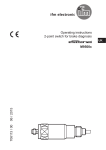
1
Operating instructions
Retro-reflective sensor
UK
704072 / 01 06 / 2011
OGP50x
1 Functions and features
In conjunction with a prismatic reflector or reflective tape the retro-reflective
sensor detects objects and materials without contact and indicates their presence
by a switching signal.
Range 0.03...5 m (on prismatic reflector Ø 80 mm; E20005).
2 Installation
►► Fit the prismatic reflector or the reflective tape behind the object to be detected.
►► Align the retro-reflective sensor to it and and secure it to a bracket.
Maximum range only with accurate alignment.
3 Electrical connection
►► Disconnect power.
►► Connect the unit as follows.
L+
Lload
—
Core colours
2
Cable
Connector
BN
pin 1
BU
pin 3
BK
pin 4
—
pin 2
BN = brown, BU = blue, BK = black
Pin connection
4 Operating and display elements
1: LED
2: [OUT off]
3: [OUT on]
UK
4 Settings
4.1 The sensor is to switch when the object is detected
►► Position the object.
1
►► Press [OUT on] for 2 s.
>> The sensitivity is set to the object.
>> The LED flashes.
►► Remove the object.
2
►► Press [OUT off].
>> The sensitivity is set without object.
>> The LED goes out. The programming is finished.
4.2 The sensor is not to switch when the object is detected
►► Position the object (see figure 1) and press [OUT off] for 2 s.
►► Remove the object (see figure 2) and press [OUT on].
The settings can also be carried out first without object and then with object.
3
4.3 Programming unsuccessful
>> LED flashes quickly, 8 Hz.
Possible causes
• Measured value difference too small.
• Max. programming time of 15 min. exceeded.
4.4 Setting of maximum sensitivity
►► Align the sensor so that no light is reflected.
The sensor is to switch when the object is detected
►► First press [OUT on] and then [OUT off].
The sensor is to switch when the object is not detected
►► First press [OUT off], then [OUT on].
4.5 Locking or unlocking the buttons
The unit can be locked electronically to prevent unintentional settings.
►► Press [OUT on] and [OUT off] simultaneously for
10 s.
>> Acknowledgement is indicated by a change of the
LED status.
5 Operation
►► Check whether the unit operates correctly.
>> The LED lights when the switching output is switched.
6 Maintenance
►► Keep the lens of the sensor free from soiling.
►► For cleaning do not use any solvents or cleaning agents which could damage
the plastic lens.
Technical data and further information at www.ifm.com
4
UK
5