1
Table of Contents
1 Introduction .................................................................................... 1
2 System initialization ........................................................................ 3
2.3 Installation Wizard ..................................................................................................... 5
2.4 Exit the system ......................................................................................................... 10
2.5 Log Off and Switch Login User ................................................................................. 11
3 Live view ....................................................................................... 12
3.1 The Live View page .................................................................................................. 12
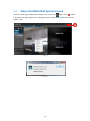
3.2 About the MEGA NVR System Version .................................................................... 18
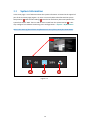
3.3 System Information ................................................................................................. 19
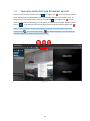
3.4 Two-way audio chat and broadcast control............................................................. 20
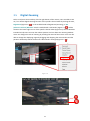
3.5 Digital Zooming ........................................................................................................ 21
3.6 Snapshot Browsing .................................................................................................. 22
3.7 Speed Dome Camera Control .................................................................................. 23
4 System Settings ............................................................................. 29
4.1 System Configurations ............................................................................................. 29
4.2 Storage Settings ....................................................................................................... 32
4.3 User Account Management ..................................................................................... 34
4.4 Hardware Monitoring .............................................................................................. 40
4.5 IP Camera Management .......................................................................................... 41
4.6 Group Settings ......................................................................................................... 51
4.7 Sequence Settings.................................................................................................... 53
4.8 Event Action Settings ............................................................................................... 56
4.9 SMS / Email Settings / FTP Settings ......................................................................... 59
4.10 DO (Digital Output) Settings .................................................................................... 62
ii