1
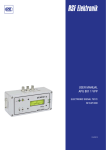
USER MANUAL APG 801 ELECTRONIC SIGNAL TEST/ SET-UP BOX 10/2012 CONTENTS 1. General Description................................................................................................................................................................................................. 3 2. Functional Elements..........................................................................................................................................................................................3 - 5 3. Pin Assignments...................................................................................................................................................................................................... 6 3.1 Linear Encoder Input ......................................................................................................................................................................................... 6 3.2 Cable Output to Readout .................................................................................................................................................................................. 6 4. Commissioning ...................................................................................................................................................................................................... 7 5. Switch Track Signals ............................................................................................................................................................................................. 8 6. Controlling the Linear Encoder Signals with the Graphic Display .................................................................................................................. 8 6.1 Counting Signals ...............................................................................................................................................................................................8 6.2 Reference Pulse ................................................................................................................................................................................................ 9 7. Controlling the Linear Encoder Signals with the Oscilloscope...................................................................................................................... 10 7.1 Control using Current Signals ........................................................................................................................................................................ 10 7.2 Control using Square-wave Signals................................................................................................................................................................ 10 . 02 www.rsf.at 1. GENERAL DESCRIPTION The APG 801 controls the linear encoder scanning signals using square-wave output signals and analogue signal switching with: Standard RI Wide (long) RI (MS 80, MS 82) It is possible to monitor the size and quality of the counting signals and the width and position of the RI. The measurement values are displayed on a LC Display. The output signals of the linked linear encoder can also be monitored through BNC connectors (female) using an oscilloscope. 2.FUNCTIONAL ELEMENTS 03 Linear Encoder Input: Linear encoder connection. An appropriate adapter cable must be used depending on the version. For configuration see section 3.1 Cable Output to Readout: The APG 801 can be connected to the readout and also to the machine control using this cable. There is a 15 pin D-SUB plug on the end of the cable. For configuration see section 3.2 Power Cube Transformer Connection: An external power cube transformer (5 V/1 A, stabilised) is required (included in delivery) to supply the APG 801 and the linked linear encoder. Where no power cube transformer is attached, power is supplied by a linked readout and machine control. N.B. Power consumption is about 1A. BNC female Connectors: Control the linear encoder signals using an oscilloscope. LCD Graphic Display: In sinusoidal operation, the size and quality of the counting signals and the position and width of the reference pulse are displayed. Indicator LEDs Power Supply: These LEDs indicate the source of the +5 V supply for the APG 801 and the linked linear encoder. The APG 801 is supplied with an external power cube transformer. External: (5 V/1 A, stabilised). NC: The APG 801 and the linked linear encoder are fed by the connected readout (or the machine control). Indicator LEDs BNC Connector: These LEDs indicate which signals are in contact with the BNC female connectors. Linear encoder sinusoidal counting signals (sine mode). Linear encoder square-wave output signals. Uref: Reference voltage 2.5 V. Indicator LED Output Signal: This LED lights up if the square-wave output signal on the APG 801 output is switched to high impedance (sine mode). Indicator LED Switch Track Signals: These LEDs indicate the switching status of the linear encoder switch track signals. 04 www.rsf.at Switch 1: This switch is used to select the RI type of the linear encoder to be monitored. Linear encoders with long RI (MS 80, MS 82) can be monitored. Switch 2: This switch is used to select the APG 801 operating mode. Switch 3: This switch is used in sine mode to switch the reference voltage Uref (2.5 V) to the BNC female connectors. All Linear encoders with standard RI and square-wave output with analogue signal switching can be monitored if the appropriate adapter cable is used. The Linear encoder delivers the interpolated square-wave signals. The Linear encoder outputs differential current signals (sine mode). 05 3. PIN ASSIGNMENTS 3.1 Linear Encoder Input 1515pin female pinD-SUB D-SubConnector female connector Pin 1 Signal Test** 2 3 nc nc 4 5 6 RI T2 T1 (RI-)* (90°-)* (0°-)* 7 8 9 10 11 nc +5 V 0V S1 S2 12 13 14 RI T2 T1 (RI+)* (90°+)* (0°+)* 15 nc * ... for analogue signal switching linear encoders with activated test pin (1). **... 5 V in “~” mode. 3.2 Cable Output to Readout 15 connector 15pin pinD-Sub D-SUBmale Connector male Pin 1 2 3 4 5 6 7 8 9 10 11 12 13 14 15 Signal nc nc nc RI T2 T1 nc +5 V 0V S1 S2 RI T2 T1 nc 06 www.rsf.at 4. COMMISSIONING The linear encoder to be monitored is connected to the APG 801 input. An appropriate adapter cable must be used depending on the version. The cable output on the monitoring device is connected to a readout (or machine control). This is necessary only where there is no external power cube transformer serving the APG 801 and the linear encoder or where an evaluation of the square-wave output signals is to be carried out. N.B. Power consumption is about 1 A for 5 V It should also be noted that drops in voltage may occur because of resistance on the power supply line, which means that 5 V are no longer available on the testing apparatus (or on the linked linear encoder). It is preferable, therefore, that the power should be supplied through the external power cube transformer. Connect the power cube transformer to the APG 801. Check the polarity of the low voltage plug when doing this. 0V +5 V A power supply unit with a stabilised output voltage of 5 V / 1 A must be used. Select the linear encoder to be monitored using switch 1. Long RI: MS 80, MS 82 Standard RI: all Linear encoders with square-wave output and analogue signal-switching (testpin) Shift switch 2 to “ ” position (sine mode). Switch on readout and/or power cube transformer. 07 5. SWITCH TRACK-SIGNALS The linear encoder switch track signals continue to be available at the APG 801 output. The switching status of S1 and S2 is displayed by two separate LEDs, irrespective of operating mode. Switch track signal output High = LED lights up. Switch track signal output Low = LED does not light up. 6. CONTROLLING THE LINEAR ENCODER SIGNALS WITH THE GRAPHIC DISPLAY After the supply voltage has been applied, a 2 second welcome graphic appears on the graphic display showing the status of the integral software version. It then switches to measurement mode. The display is only activated in " " - mode. The display is switched off in " " - mode. The display is divided into 2 sections. In the top half the size and quality of the counting signals are displayed. In the bottom half the width and position of the RI signal. Bounding box counting signals Top display bar counting signals Display bar reference pulse Bounding box reference pulse Measurement area Reference pulse visual display 6.1. Counting Signals The width of the display bar depends upon the sum of the signal deviation (amplitude ratio, phase deviation and offset). The position of the bar provides information on signal amplitude. For optimum mounting, the display bar must be within the bounding box. Minimum 9 µA 12.5 µA Maximum 15 µA For signal amplitudes of less than 6 μA, there is an automatic switch-over of the measurement area to a smaller measurement area. For signal amplitudes of more than 16 μA, the error message “SIGNALS TOO LARGE” appears in the display. 08 www.rsf.at 6.2. Reference Pulse The position of switch 1 is crucial to displaying the RI in the graphic display (long RI / standard RI). The display of the display bar depends on the type selected. Traversing the RI mark makes the “RI” display in the lower right hand corner flash. 6.2.1 Linear Encoder with Standard RI RI width: The length of the bar indicates the width of the RI signal. RI position: The RI position is indicated by the position of the bar. 135° 135° = 360° At optimum mounting, the bar must remain within the bounding box. 6.2.2 Linear Encoder with long RI: MS 80, MS 82 RI width: The actual width of the reference pulse for the particular Linear encoder MS 80, MS 82 cannot be shown in the display. It will, however, be possible to see whether the width is within specified limits. ideal too narrow too wide RI position: The bar which is generated to show the RI width is always displayed at 135° (±2 pixels). 09 7. CONTROLLING THE LINEAR ENCODER SIGNALS WITH THE OSCILLOSCOPE The linear encoder signals can be controlled at the BNC-connectors with an oscilloscope. At optimum mounting, the signals must fulfill the requirements of the relevant signal specification. 7.1 Control using Current Signals Shift switch 2 to position “ ”. The graphic display is activated. The output line-driver on the APG 801 is switched to high impedance Shift switch 3 to “Uref” position. The reference voltage on the BNC female connector will be output as Uref. Set the oscilloscope input sensitivity to 0.5 V/div on all channels and set the Y-deflections to screen centre Shift switch 3 to the " " position. (sine mode) The sinusoidal micro current current signals with voltage conversion are output at the BNC female connector. Counting signals: 173.2 mV/µA RI: 400.0 mV/µA Buchse BNC-A BNC-B BNC-C Signal A1 A2 RIa 7.2 Control using Square-wave Signals Shift switch 1 to “ APG 801 output. ” position. The graphic display is switched off. The square-wave signals from the linear encoder are output at the Set the oscilloscope input sensitivity to 2 V/div on all channels. The line-driver signals from the linear encoder are conducted through a line-receiver in the APG and can be picked up at the BNC female connectors. Buchse BNC-A BNC-B BNC-C Signal T1 T2 RI 10 DISTRIBUTION CONTACTS AUSTRIA Corporate Head Quarters RSF Elektronik Ges.m.b.H. A-5121 Tarsdorf 93 +43 62 78 81 92-0 +43 62 78 81 92-79 e-mail: [email protected] internet: www.rsf.at FRANCE HEIDENHAIN FRANCE sarl 2 Avenue de la Christallerie 92310 Sèvres +33 1 41 14 30 00 +33 1 41 14 30 30 e-mail: [email protected] internet: www.heidenhain.fr GREAT BRITAIN HEIDENHAIN (GB) Ltd. 200 London Road Burgess Hill West Sussex RH15 9RD +44 1444 247711 +44 1444 870024 e-mail: [email protected] internet: www.heidenhain.co.uk ITALY HEIDENHAIN ITALIANA S.r.l. Via Asiago, 14 20128 Milano (MI) +39 02 27075-1 +39 02 27075-210 e-mail: [email protected] internet: www.heidenhain.it NETHERLANDS HEIDENHAIN NEDERLAND B.V. Copernicuslaan 34 6710 BB EDE + 31 318 58 18 00 + 31 318 58 18 70 e-mail: [email protected] internet: www.heidenhain.nl SWEDEN HEIDENHAIN Scandinavia AB Storsätragränd 5 SE-12739 Skärholmen +46 8 531 933 50 +46 8 531 933 77 e-mail: [email protected] internet: www.heidenhain.se SWITZERLAND RSF Elektronik (Schweiz) AG Vieristrasse 14 CH-8603 Schwerzenbach +41 44 955 10 50 +41 44 955 10 51 e-mail: [email protected] internet: www.rsf.ch CHINA RSF Elektronik Tian Wei San Jie, Area A, Beijing Tianzhu Airport Industrial Zone Shunyi District, 101312 Beijing P.R. China +86 10 80 42 02 88 +86 10 80 42 02 90 e-mail: [email protected] internet: www.rsf.cn JAPAN HEIDENHAIN K.K. Hulic Kojimachi Bldg., 9F 3-2 Kojimachi, Chiyoda-ku Tokyo, 102-0083 +81 3 3234 7781 +81 3 3262 2539 e-mail: [email protected] internet: www.heidenhain.co.jp KOREA HEIDENHAIN LTD. 202 Namsung Plaza, 9th Ace Techno Tower, 130, Digital-Ro, Geumcheon-Gu, Seoul, Korea 153-782 +82 2 20 28 74 30 e-mail: [email protected] internet: www.rsf.co.kr USA HEIDENHAIN CORPORATION 333 East State Parkway Schaumburg, IL 60173-5337 +1 847 490 11 91 e-mail: [email protected] internet: www.rsf.net Date 10/2012 Art.Nr. 800728-21 Dok.Nr. D800728-01-A-21 Technical adjustments in reserve! Ges.m.b.H. A-5121 Tarsdorf Linear Encoders Cable Systems Precision Graduations Digital Readouts +43 (0)6278 / 8192-0 FAX Certified acc. to DIN EN ISO 9001 DIN EN ISO 14001 +43 (0)6278 / 8192-79 e-mail: [email protected] internet: www.rsf.at