1
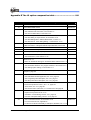
Appendix E The IC option comparative table ................................. 181
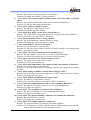
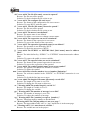
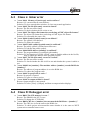
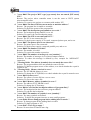
User’s Manual Revision History
Doc. Version
1.0
1.1
Revision Description
User’s Guide initial version
1. Add: A new Dialog “View setting Dialog”, to see section 2.3.7c.
Date
2007/01/03
2007/02/01
2. Add: Chinese Code Converter, to see section 2.7.
3. Add: How to define label, to see section 4.2.
1.2
1. Add: USB ICE points for attention, to see section 1.3, 2.3.7 b, 3.2.
2007/04/06
2. Add: Find dialog of output window, to see section 2.2.8
3. Add: New Debug Menu “Address Break Point”, to see 2.3.5
4. Add: New item of “View setting Dialog” , to see section 2.3.7c
1.3
1.Add: “Step Out “ to see 2.3.5, 2.4, 3.8
2007/05/08
2.Add: sub window of Program ROM at Output Window, to see 2.2.8
1.4
New Menu
2007/05/31
2.0
Combine C and Assembly user manual
2007/06/05
2.1
Add To Grip Tiny C compiler quickly
2007/06/08
2.2
1. Add “Label / Function View”, to see section 2.2.1.
2007/07/03
2. Add “Customize”, to see section 2.3.7e.
2.3
1.Users can declare variable in common registers 0x10~0x1F. Please
reference sec 7.1.
2007/07/12
2.Users can declare bit data type in local field. Please reference sec 7.4.
2.4
1. Add: Call stack View, to see section 2.2.4.
2007/07/25
2. Add: Formation Selection. Only support C Mode, to see section 2.3.2.
3. Add: Debug Option Setting, to see section 2.3.7.
2.5
2.6
1. Modify: Correct about interrupt C system back up description in
Example 1, page 124
2007/09/27
1.Fix: C source code can’t be written over column 512.
2007/11/06
2. Add: Call Stack window supplement, sec. 2.2.4, page 26
3. Add: Long Delay Time description, sec. 3.2.1, page 77
4. Add: Step Over Macro description, sec. 2.3.7, page 62
2.7
1.TCC2 distribution note;
2008/07/10
2.TCC2 interrupt service routine , sec. 7.11, page 132
3. TCC2 menu, sec. 2.3.7 ,page 60
4. Add “Format select “,Edit menu, in C environment. See page 38
2.8
1. Add Q & A in Appendix D;
2008/10/13
2. Replace some pictures in sec. 2.2.6
3. Add filter in connect dialog, see sec. 3.2.1, page 76;
4. Use new code option dialog, see sec. 3.2.2, page 78
2.9
1. Add: “LCD RAM” Window, to see section 2.2.8.
2008/11/20
2. Fix: The content of Q.12, Appendix D
3. Fix the lost of reti inline assembly in example 3, EM78567, sec. 7.11.3
WicePlus C & Assembly User’s Manual
•9