1
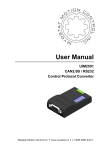
User Manual UIM2501 CAN2.0 / RS232 Control Protocol Converter UIM2501 Please pay attention to the following before using the UIROBOT products: • UIROBOT products meet the specification contained in their particular Data Sheet. • UIROBOT will only work with the customer who respects the Intellectual Property (IP) protection. • Attempts to break UIROBOT’s IP protection feature may be a violation of the local Copyright Acts. If such acts lead to unauthorized access to UIROBOT’s IP work, UIROBOT has a right to sue for relief under that Act. Information contained in this publication regarding controller applications and the like is provided only for your convenience and may be superseded by updates. It is your responsibility to ensure that your application meets with your specifications. UIROBOT MAKES NO REPRESENTATIONS OR WARRANTIES OF ANY KIND WHETHER EXPRESS OR IMPLIED, WRITTEN OR ORAL, STATUTORY OR OTHERWISE, RELATED TO THE INFORMATION, INCLUDING BUT NOT LIMITED TO ITS CONDITION, QUALITY, PERFORMANCE, MERCHANTABILITY OR FITNESS FOR PURPOSE. UIROBOT disclaims all liability arising from this information and its use. Use of UIROBOT products in life support and/or safety applications is entirely at the buyer’s risk, and the buyer agrees to defend, indemnify and hold harmless UIROBOT from any and all damages, claims, suits, or expenses resulting from such use. No licenses are conveyed, implicitly or otherwise, under any UIROBOT intellectual property rights. [Trade Mark/ Layout-design/Patent] The UIROBOT name and logo are registered trademarks of UIROBOT Ltd. in the P.R. China and other countries. UIROBOT’s UIM24XXX series Step Motor Controllers, UIM25XX series CAN-RS232 Converter and their layout designs are patent protected. [UIM2501 Ordering Information] In order to serve you quicker and better, please provide the product number in following format: UIM2501 PART NUMBERING SYSTEM UIM 2 5 0 Category Series UIM Motor Control 2501 CAN/232 Converter 1 Control Connector T = Screw Terminal Note: If not selected, default control connector is T (screw terminal), the code box can be deleted. Examples: UIM2501T, UIM2501 Page 2 M501130405EN UI Robot Technology Co. Ltd UIM2501 CAN/RS232 Control Protocol Converter UIM2501 CAN/RS232 Control Protocol Converter Embedded DSP Microprocessor − − − − Embedded high-performance DSP Simple, intuitive, rich instructions Intelligent, fault-tolerating, user-friend interface MS Windows based VB / VC demo software and corresponding source code provided RS232 Communication − RS232 three wire serial communication − Max baud rate 57600 bps CAN2.0 Active Communication − − − − Active CAN 2.0, 2-wire interface Support 1M bps, long distance(10km) Up to 100 nodes can be connected Differential data bus, high noise immunity Wide Supply Voltage − Wide supply voltage range 6~40VDC GENERAL DESCRIPTION The UIM2501 RS232-CAN Converting Controller is used in conjunction with UIM242XX stepper motor controller to provide a RS232 interface on the user side and a CAN bus interface on the motor side (factory side). With the UIM2501, user will be benefited from the advantages of the CAN network and the simplicity of RS232 protocol, and no need to deal with the complicated CAN protocol, no worry about the communication distance and noise immunity. One UIM2501 controller can network with up to 100 UIM242XX controllers. Interfacing the UIM2501 is simple, intuitive and fault tolerating. Users are not required to have stepper motor driving or CAN protocol knowledge. UIM2501 is compact in size. The enclosure is made of die-cast aluminum to provide a rugged durable protection and improves the heat dissipation. UI Robot Technology Co. Ltd. M501130405EN Page3 UIM2501 TERMINAL DESCRIPYION Figure0-1: Terminal Description To avoid loss of terminal screws, please always keep screws tightened. CANL CANH RS232 DB9 GND V+ DIP Switch Description Screw Terminals Terminal No. Designator Description 1 V+ Supply voltage, 6 - 40VDC 2 GND Supply voltage ground 3 CANH CAN Dominant High 4 CANL CAN Dominant Low RS232 Connector DB-9 (Female Pin) connector, connect to RS232 cable. DIP SWITCH UIM2501 controller has an 8-bit DIP switch, which serves multiple functions. When powering up, DIP1~DIP7 are read as the UIM2501 controller’s ID/address. After powering up, DIP1 and DIP2 are assigned to other RS232 related features (refer to the “RS232 communication” section). DIP8 is used to enable the built-in terminating resistor. Unless necessary, please maintain the DIP positions as shown in following Figure. Figure0-2: Terminal Description Actuator Controller ID Terminating Resistor Enable Page 4 M501130405EN UI Robot Technology Co. Ltd UIM2501 CAN/RS232 Control Protocol Converter TYPICAL APPLICATION UIM2501 converter can work with UIM242XX in fowllwing ways: single slave operation and network operation. Single slave operation means one UIM2501 working with one UIM242 or UID820/828, while network operation means one UIM2501 working with a set of UIM242 and UID820/828 in a CAN network. Typical applications are described below. Single Slave Operation If only one UIM242 or UID820 is used, following wiring scheme (figure 0-3) can be applied. Please note that, this wiring scheme is mandatory when assigning a controller ID to a UIM242 controller (motor is not required). Please note: Both ends of the CAN bus should be terminated with120Ω terminating resistors. As UIM2501 converter has a build-in terminating resistor, user only needs to attach a resistor to the other end of the bus. Furthermore, CANH and CANL should be a twisted wire pair Figure0-3: Wiring Scheme for Standalone Operation Stepper Motor 6 - 40VDC 1 V+ 12 - 40VDC 1 2 UIM2501 Converter 3 4 CANH A+ A- B- B+ 2 GND 3 CH 120Ω CANL Twist Wire Pair 4 CL 5 AG DB9 Port RS232Cable Sensor1 6 S1 Sensor2 7 S2 Sensor3 8 S3 9 P4 UI Robot Technology Co. Ltd. M501130405EN UIM242XX Controller Page5 UIM2501 Network Operation CAN bus provides a reliable and simple network construction scheme. Figure 0-4 provides a typical network wiring solution. The corresponding relation of UIM2501 and UIM242XX is shown in Figure 0-3. Please be aware that: − − − − − A single pair of wires should connect each element of the CAN bus. A star configuration should never be used. Stub length should be shorter than 2cm, and keep these stubs as small as possible. The two ends of the bus should be terminated with 120Ω resistors. When the distance is longer than 100m, a specialized 120 ohm impedance shielding twistedpair cable for CAN bus, should be considered. UIM2501 converter has a build-in terminal resistor. User only needs to attach a resistor at the UIM242 end of the bus. To enable the UIM2501 converter’s terminating resistor, please toggle the DIP8 to ON position. Figure 0-4:Wiring Scheme for Network Operation Control Room RS232 CANH UIM2501 CANL 6-40 VDC Plant 12-40 VDC UIM242xx Motor# 1 Page 6 CANH Stub length < 2cm 12-40 VDC CANL 120Ω UIM242xx Motor# 2 M501130405EN 12-40 VDC UIM242xx Motor# 100 UI Robot Technology Co. Ltd UIM2501 CAN/RS232 Control Protocol Converter INSTRUCTION SET SUMMARY Instruction Description Feedback Header Messag eID Page ADRη; Specify the operation object by node ID η AA D0 18 BDRη; Set RS232 baud rate η AA BD 19 BTRη; Set CAN network communication bit rate index AA BC 20 BTR; Check current CAN network bit rate index AA BC 21 SETη; Assign an ID AA DD 35 gACRη; Set the ACR function of all nodes AA AD 22 gCURη; Set motor phase current for all nodes AA AD 23 gDOUη; Set the TTL level output of P4 ports of all nodes AA AD 24 gMCSη; Set micro-stepping resolution for all nodes AA AD 25 gOFF; Disable the H-Bridge of all nodes AA AD 26 gORG; Set Original Point of all nodes AA AD 27 gPOSη; AA AD 28 AA AD 29 CC D0 30 gSPDη; Setup absolute position control for all nodes Setup encoder based position control for all nodes Record the quantity of all subsidiary nodes and IDs Set motor speed for all nodes AA AD 31 gSTPη; Setup relative position control for all nodes AA AD 32 MDLη; Check the Model / Modules / Firmware of node CC DE 34 MDL; Check the Firmware Version of UIM2501 CC DE 33 gQECη; gREGη; UI Robot Technology Co. Ltd. M501130405EN Page7 UIM2501 CHARACTERISTICS Absolute Maximum Ratings (†) Supply Voltage............................................................................................ -0.3V to 40V Voltage on RX with respect to GND............................................................... -25V to +25V Voltage on TX with respect to GND......................................................... -13.2V to +13.2V Ambient temperature under bias................................................................. -20°C to +85°C Storage temperature................................................................................. -50°C to +150°C †NOTICE: Stresses above those listed under “Absolute Maximum Ratings” may cause permanent damage to the device. This is a stress rating only and functional operation of the device at those or any other conditions above those indicated in the operation listings of this specification is not implied. Exposure to maximum rating conditions for extended periods may affect device reliability. Electrical Characteristics (Ambient Temperature 25°C) Supply Power Voltage 6V-40VDC Current Consumption Max 100mA Communication (Ambient Temperature 25°C) To UIM242 Controller Active CAN 2.0 CAN wiring Method 2-Wire, CANH, CANL CAN bus • Supports 1 Mb/s operation • ISO-11898 standard physical layer requirements • Short circuit protection • High-voltage transient protection • Automatic thermal shutdown protection • Up to 100 nodes can be connected • Differential data bus, high noise immunity To User Device RS232 Physical Connection Three-wire: TX、RX、GND RS232 Baud Rate MAX 57600 bps; Set by instryction, can be reset to 9600 Set Baud Rate User instruction, toggle the DIP1 ro reset to 9600 Environment Requirements Page 8 Cooling Free air Working environment Avoid dust, oil mist and corrosive gases Working temperature -40°C ~ 85°C Humidity <80%RH,no condensation, no frosting Vibration 3G Max Storage temperature -50°C ~ 150°C Size 66.4mm x 38mm x 18mm (L*W*H) Wight 0.1 kg M501130405EN UI Robot Technology Co. Ltd UIM2501 CAN/RS232 Control Protocol Converter Menu general description ..............................................................................................................................3 terminal descripyion ............................................................................................................................4 dip switch ..............................................................................................................................................4 typical application ................................................................................................................................5 INstruction set summary .....................................................................................................................7 characteristics ......................................................................................................................................8 1.0 OVERVIEW ...........................................................................................................................10 1.1 Instruction and Feedback Structure ............................................................................................................ 10 1.2 Motor and I/O Control Functions and Instructions....................................................................................... 10 2.0 RS232 communication ........................................................................................................12 2.1 Settings for User Device RS232 Port.......................................................................................................... 12 2.2 Hand-Shaking ............................................................................................................................................. 12 2.3 Reset Baud Rate to Factory Default 9600 .................................................................................................. 13 2.4 Instruction List............................................................................................................................................. 13 3.0 3.1 4.0 CAN2.0B communication ...................................................................................................14 Instruction List............................................................................................................................................. 14 single and network operation ............................................................................................15 4.1 Controller ID Assignment Instruction(SETADR) ..................................................................................... 15 4.2 Object Specify Instruction(ADR) ............................................................................................................ 15 4.3 Global Control ............................................................................................................................................. 15 4.4 Instruction List............................................................................................................................................. 16 5.0 Instruciton ............................................................................................................................17 1. ADRη Specify the operation object ............................................................................................................. 18 2. BDRη Set RS232 BaudRrate...................................................................................................................... 19 3. BTRη Set CAN network bit rate .................................................................................................................. 20 4. BTR Check CAN network bit rate ............................................................................................................... 21 5. gACRη Set Automatic Current Reduce....................................................................................................... 22 6. gCURη Set current ..................................................................................................................................... 23 7. gDOUη Set the TTL level output................................................................................................................. 24 8. gMCSη Set micro-stepping resolution ........................................................................................................ 25 9. gOFF Disable the H-Bridge......................................................................................................................... 26 10. gORG Set origin point................................................................................................................................. 27 11. gPOSη Set absolute position ...................................................................................................................... 28 12. gQECη Set closed-loop encoder based position ........................................................................................ 29 13. gREG Global register.................................................................................................................................. 30 14. gSPDη Set motor speed ............................................................................................................................. 31 15. gSTPη Set relative position ........................................................................................................................ 32 16. MDL Check the firmware version of UIM2501 ............................................................................................ 33 17. MDLη Check UIM242 model and version ................................................................................................... 34 18. SETη Controller ID Assignment .................................................................................................................. 35 UI Robot Technology Co. Ltd. M501130405EN Page9 UIM2501 1.0 OVERVIEW UIM2501 RS232-CAN Converting Controller is used in conjunction with UIM242 stepper motor controller to provide a RS232 interface on the user side and a CAN bus interface on the motor controller side. UIM2501 Controller’s functions can be summarized as: − Receives RS232 based instructions from user device, converts the instructions into more concise and efficient CAN based instructions, and sends instructions to UIM242 controllers. − Converts CAN messages from UIM242 controllers into RS232 messages, and send back to the user devices. − Coordinates and controls UIM242 controllers in the network. With UIM2501, users do not need know CAN bus protocol well, but can benefit from those advantages of CAN bus, such as high speed(1Mbps), long distance(10km), and hing noise immunity. At the same time, the simple communication interface of RS232 protocol can help users focus on the application, to improve development efficiency. UIM2501 supports 57600 bps RS232 baud rate. The instruction takes less than 2ms (0.002s) to transfer from user machine to UIM242XX. The baud rate can be set by user instruction. UIM2501 supports 1Mbps CAN communication speed. After optimization, all UIM242 instructions take less than 0.1 ms (normally 0.05 ms) to transfer on the bus. CAN bit rate can be set by user instruction to adapt to different distance transmission. UIM2501 has embedded DSP microprocessor. User device can command multiple UIM242 controllers through RS232 using ASCII coded instructions. Instructions for UIM2501 are simple, intuitive and fault-tolerating. For example, in order to command a node ID of 6, the following instructionas are all valid: “SET6;” “SET=6;” “SET:6;” or “SET 6;” even “SET%?&%*6;”. In case that a wrong instruction is entered, the controller will return an ACK of error message. Incorrect instructions will not be executed to prevent accidents. UIM2501 accepts a wide range input voltage from 6 to 40VDC. UI Robot provides free Microsoft Windows XP bases VB / VC demo software and their source code to facilitate the quick start of user device side programming. 1.1 Instruction and Feedback Structure As a protocol converter, UIM2501supports all instructions and conform to all instruction and feedback structures of UIM242XX and UID820/828. Therefore, this information is omitted in this manual. User can refer to the UIM242 and UID820/828 User Manuals for details. 1.2 Motor and I/O Control Functions and Instructions Motor control specific functions, instructions and operations are directly performed by the UIM242 controllers. Digital I/O functions are performed by UID820/828. As a CAN/RS232 Page 10 M501130405EN UI Robot Technology Co. Ltd UIM2501 CAN/RS232 Control Protocol Converter converter, UIM2501 accepts all the instructions described in the UIM242 and UID820/828 User Manuals. User can refer to the UIM242 and UID820/828 User Manuals for detailed information. UI Robot Technology Co. Ltd. M501130405EN Page11 UIM2501 2.0 RS232 COMMUNICATION Through one CAN-RS232 converter (the UIM2501), user device can command multiple UIM242 controllers through RS232 using ASCII coded instructions. The UIM2501 translates the instructions from RS232 to CAN2.0B and sends the instructions to the target controller according to the controller ID that has been specified by user device. UIM2501 is small in size, and it is usually installed close to the user device (less than 1 metre), therefore, it has good communication effect and high-speed. The transfer time is ahout 1ms (0.001s) when the baud rate is 57600. Meanwhile, it takes only 50 ~ 100ms for Simple CAN (custom made by UIrobot) to transfer an instruction. This can ensure the real-time of the control system. UIM2501 controller communicates and exchanges information with user devices through the RS232 serial protocol. The RS232 configuration of user device, the hand-shaking methods, and the instruction used to change the baud rate will be introduce in this Chapter, along with the method to reset the baud rate to factory default. 2.1 Settings for User Device RS232 Port To communicate with UIM242XX, user device needs to have following RS232 port settings: − − − 8 bits data; 1 stop bit; None Parity; 2.2 Hand-Shaking Any out-of-box UIM2501 controller has a factory default baud rate 9600. User can use the 9600 baud rate to connect to a new UIM2501 controller. If the baud rate has been changed, the new baud rate will be stored in the controller’s non-volatile memory (EEPROM). New baud rate will take effect after the controller is restarted. If user device knows the baud rate, it can start sending instructions without hand-shaking. Hand-shaking is more used as a method to check the existence and firmware version of the controller. Under following two situations the UIM2501 will issue the greeting message. when UIM2501 is powering up, and When UIM2501 receives following ASCII instruction: ABC; (case sensitive and ended with a semicolon). Hand-shaking is considered successful, if the user device receives a greeting message starting with a message header of AA, AB, AC. The greeting message from UIM2501 has the following structure: Byte 1 2 3 4 5 6 7 8 10 11 12 13 Value AA AB AC 19 01 00 00 Firmware Version 00 00 FF Page 12 M501130405EN 9 UI Robot Technology Co. Ltd UIM2501 CAN/RS232 Control Protocol Converter Where, AA AB AC denotes the greeting message 19 01 denotes the UIM2501 controller. [Firmware Version] denotes the firmware version. Data is in 7 bits format. Conversion from three 7bits message data to a 16bits integer is illustrated in figure 5-1. 2.3 Reset Baud Rate to Factory Default 9600 In case that user forgets the UIM2501 baud rate and cannot establish the connection, following process can reset the baud rate to the factory default of 9600: − − − − − Reboot the controller. In 10 seconds, toggle the DIP1 (DIP switch 1) for two rounds.每次间隔 1 秒左右。 During toggling, the LED on the controller will flash. If exceed 10 seconds, please restart from the first step. If step 2 is successful, the LED will turn off for one second and re-lit. That indicates the baud rate has been changed to 9600 and ready to use. The BDRη; instruction can be used to change the baud rate from 9600 now. 2.4 Instruction List The following table shows the instructions mentioned in this chapter, the detail of those instructions is descriped at the end of the document. Instruction Description Page BDRη; Set RS232 baud rate η 19 MDL; Check the Firmware Version of UIM2501 33 MDLη; Check the Model / Modules / Firmware of node η 34 UI Robot Technology Co. Ltd. M501130405EN Page13 UIM2501 3.0 CAN2.0B COMMUNICATION UIM2501 and UIM242XX support and realize following bit rate as shown in table 3-1. In the same time, instruction is provided for user to switch between these standard communication bit rates. Purpose of changing the bit rates includes obtaining longer bus length and more stable communication. User can set the CAN network bit rate through setting the BTR (bit rate) index. The BTR switching instruction is BTR η; where,ηis the BTR index. UIM242XX and UIM2501 all have a factory default value of 1, i.e. 800Kbps / 50 m bus length. Generally speaking, every instruction and/or message takes 64 – 128 bits. Table3-1 CANCommunication Bit Rates BTR Index Bit Rate (bps) Bus Length (m) 0 1000K 25 1 800K 50 2 500K 100 3 250K 250 4 125K 500 5 50K 1000 6 20K 2500 7 10K 5000 3.1 Instruction List The following table shows the instructions mentioned in this chapter, the detail of those instructions is descriped at the end of the document. Instruction Description Page BTRη; Set CAN network communication bit rate index η 20 BTR; Check current CAN network bit rate index 21 Page 14 M501130405EN UI Robot Technology Co. Ltd UIM2501 CAN/RS232 Control Protocol Converter 4.0 SINGLE AND NETWORK OPERATION UIM242 controllers can work within a CAN network. Through UIM2501, user device can operate every UIM242 controller in the network. One UIM2501 can communicate with and control single or several UIM242 controller(s). Before operation, every UIM242 controller needs to be assigned a unique identification number (i.e., ID or address). ID is used to identify which object is the instruction send to, and where the ACK is form. Two or more UIM242 controllers with an identical ID in the network may cause the network malfunctioning. User can change the ID by instruction. The process of ID assignment is described in following section. 4.1 Controller ID Assignment Instruction(SET) User can change the ID by instruction. Once an ID is assigned, the ID will be stored in the UIM242XX controller’s non-volatile memory. All new UIM242xx controllers have been assigned a factory default ID of 5. User can change the ID using SETη; instruction.Before assign an ID to a UIM242XX controller, please make sure the UIM2501 controller and the UIM242XX controller are connected together using the standalone operation scheme (Figure 0-3). A motor is not necessary. After the controller and UIM2501 is power on, user can change the ID using SETη; instruction. 4.2 Object Specify Instruction(ADR) To operate a specific UIM242xx controller through UIM2501, user needs to use ADRη; instruction to specify the ID. Then, the fowllowing instruction will be send to the specified controller. After the specifying the Controller ID, user can use UIM242 instructions to control the specified controller. Those instructions are provided in the UIM242 user manual. 4.3 Global Control Besides the object specific operation, UIM2501 can also send commands to all subsidiary UIM242XX controllers. This process is called broadcasting or global control instruction. At some situation, user need to operate all controllers, for example, make all controllers stop at the same time. Especially in an emergency situation, the gOFF; instruction can stop all motors, then an accident can be avoid. Global Instruction Format Global control instructions have the same format as shown below: a leading “g” followed by the normal one-to-one operation instruction. gXXX; Where, UI Robot Technology Co. Ltd. M501130405EN Page15 UIM2501 g denotes the global control instruction. XXX is the object specific operation instructions, e.g., ACR, OFF, etc. Global Instruction ACK Message Except the instruction gREG, BTR, all global instructions have the same ACK message as shown below: AA [QTY] AD FF Where, [QTY] is the quantity of all UIM242xx controllers that are operable. AD is the Message ID of all global instructions. The global instructions are list in section4.4. The details of those instructions are provided in the UIM242 user manual. Except gREG, BTR instruction, the rest ACK message are omitted in this document. 4.4 Instruction List The following table shows the instructions mentioned in this chapter, the detail of those instructions is descriped at the end of the document. Instruction Description Page ADRη; Specify the operation object by node ID η 18 gACRη; Set the ACR function of all nodes 22 gCURη; Set motor phase current for all nodes 23 gDOUη; Set the TTL level output of P4 ports of all nodes 24 gMCSη; Set micro-stepping resolution for all nodes 25 gOFF; Disable the H-Bridge of all nodes 26 gORG; Set Original Point of all nodes 27 gPOSη; Setup absolute position control for all nodes 28 gQECη; Setup encoder based position control for all nodes 29 gREGη; Record the quantity of all subsidiary nodes and IDs 30 gSPDη; Set motor speed for all nodes 31 gSTPη; Setup relative position control for all nodes 32 SETη; Assign an ID 35 Page 16 M501130405EN UI Robot Technology Co. Ltd UIM2501 CAN/RS232 Control Protocol Converter 5.0 INSTRUCITON This chapter describes the detail of the instructions mentioned in this document. As a protocol converter, UIM2501supports all instructions and conform to all instruction and feedback structures of UIM242XX and UID820. Therefore, this information is omitted in this manual. User can refer to the UIM242 and UID820 User Manuals for details. Figure5-1: Conversion from three 7bits message data to a 16bits data Data received(Hex): [XX] [XX] … [1st Byte] [2nd Byte] Receive sequence:earlier 1st Byte 7 6 5 4 3 2 0 0 0 0 0 0 D15 D14 7 2nd Byte 1 [3rd Byte] … [XX] [XX] later 0 0 6 5 4 3 2 D13 D12 D11 D10 D9 1 0 D8 D7 7 6 5 4 3 2 1 0 0 D6 D5 D4 D3 D2 D1 D0 7 D7 6 D6 5 D5 4 D4 3 D3 2 D2 1 D1 0 D0 3rd Byte 16bit Binary Data UI Robot Technology Co. Ltd. 15 14 13 12 11 10 9 D15 D14 D13 D12 D11 D10 D9 M501130405EN 8 D8 Page17 UIM2501 1. ADRη Specify the operation object Format: ADRη; Description: Specify the object for UIM2501 by ID η. η = 5, 6, 7, …, 125; ACK: AA [Controller ID] D0 FF Command: D0 Note: Once an operation object is specified, all object specific instructions will be sent to this specified object (the UIM242xx Controller), UNTILL another operation object (new ID) is specified. After specify object, user can control the corresponding controller through UIM242 instruction. Page 18 >> Message ID of ADR M501130405EN UI Robot Technology Co. Ltd UIM2501 CAN/RS232 Control Protocol Converter 2. BDRη Set RS232 BaudRrate Format: BDRη; Description: Set RS232 BaudRrate η = 9600, 19200, 38400, 56000; Other value of baud rate is also available, but it must be integral multiple of 100. ACK: AA [Reserved] BD FF Command: [Reserved] >> Factory use; BD >> Message ID of instruction BDR. Note: The new baud rate will be stored in the controller’s non-volatile memory (EEPROM). New baud rate will take effect after the controller is restarted. UI Robot Technology Co. Ltd. M501130405EN Page19 UIM2501 3. BTRη Set CAN network bit rate Format: BTRη; Description: Set CAN network bit rate index η. η = 0, 1, 2, …, 7; ACK: AA [BTR#] BC FF Command: [BTR#] >> Desired bit rate index; BC Note: Page 20 >> Message ID of instruction BTR. After fulfills the “BTRη;” instruction, the UIM2501 will automatically perform global registration process, i.e. process “gREG” instruction, and return ACK message. Details can be found in the following section of “gREG” instruction. M501130405EN UI Robot Technology Co. Ltd UIM2501 CAN/RS232 Control Protocol Converter 4. BTR Check CAN network bit rate Format: BTR; Description: Check current CAN network bit rate index. ACK: AA [BTR#] BC FF Command: Refer to BTRη; ACK command. UI Robot Technology Co. Ltd. M501130405EN Page21 UIM2501 5. gACRη Set Automatic Current Reduce Format: gACRη; Description: Set the automatic current reduce rate η for all controllers. η = 0,1,…,99。 η = 0, shut off automatic current reduce. η = 1, automatic current reduce rate is 50%. η = 2,3,…,99, automatic current reduce rate is 2,3,…,99%. ACK: AA [Controller ID] AD FF Command: AD Note: When ACR is enabled, the current will be reduced after motor stops, which means a decrease of holding torque. Value of this instruction will be stored in EEPROM. >> Message ID of global instruction. For only 1232 version controller, η can be set to 2,3,…,99. Page 22 M501130405EN UI Robot Technology Co. Ltd UIM2501 CAN/RS232 Control Protocol Converter 6. gCURη Set current Format: gCURη; Description: Set motor phase current for all nodes. η = 0,1,…,80。 ACK: AA [Controller ID] AD FF Command: AD UI Robot Technology Co. Ltd. >> Message ID of global instruction. M501130405EN Page23 UIM2501 7. gDOUη Set the TTL level output Format: gDOUη; Description: Set the TTL level output of P4 ports of all nodes η = 0, 1 ACK: AA [Controller ID] AD FF Command: AD Page 24 >> Message ID of global instruction. M501130405EN UI Robot Technology Co. Ltd UIM2501 CAN/RS232 Control Protocol Converter 8. gMCSη Set micro-stepping resolution Format: gMCSη; Description: Set micro-stepping resolution for all nodes η = 1,2,4,8,16(integer); η = 1, 2, 4, 8, 16 represents the full, half, quarter, eighth and sixteenth step resolution, respectively. ACK: AA [Controller ID] AD FF Command: AD UI Robot Technology Co. Ltd. >> Message ID of global instruction. M501130405EN Page25 UIM2501 9. gOFF Disable the H-Bridge Format: gOFF; Description: Disable the H-Bridge of all nodes. ACK: AA [Controller ID] AD FF Command: AD Note: User can shutdown all motors using this instruction, especially in an emergency. Page 26 >> Message ID of global instruction. M501130405EN UI Robot Technology Co. Ltd UIM2501 CAN/RS232 Control Protocol Converter 10. gORG Set origin point Format: gORG; Description: Clear absolute position counters (including encoder) of all nodes ACK: AA [Controller ID] AD FF Command: AD UI Robot Technology Co. Ltd. >> Message ID of global instruction. M501130405EN Page27 UIM2501 11. gPOSη Set absolute position Format: gPOSη; Description: Setup absolute position control for all nodes η = - 2,000,000,000…-1, 0, 1 … + 2,000,000,000;(integer) ACK: AA [Controller ID] AD FF Command: AD Page 28 >> Message ID of global instruction. M501130405EN UI Robot Technology Co. Ltd UIM2501 CAN/RS232 Control Protocol Converter 12. gQECη Set closed-loop encoder based position Format: gQECη; Description: Setup closed-loop encoder based position control for all nodes η = - 2,000,000,000…-1, 0, 1 … + 2,000,000,000;(integer) ACK: AA [Controller ID] AD FF Command: AD UI Robot Technology Co. Ltd. >> Message ID of global instruction. M501130405EN Page29 UIM2501 13. gREG Global register Format: gREG; Description: Record the quantity of all subsidiary UIM242 controllers and their IDs ACK: CC [On-line ID] D0 [A1] [A2] [A3] [A4] [A5] [A6] [A7] [A8] FF Command: D0 >> Message ID of gREG; [A1] ~ [A8] >> Received data 1 ~ 8。 [A1] ~ [A8] are the first 8 IDs found. An = 0 means not found. Note: Page 30 The returned QTY servers as an indicator of the health of the network. M501130405EN UI Robot Technology Co. Ltd UIM2501 CAN/RS232 Control Protocol Converter 14. gSPDη Set motor speed Format: gSPDη; Description: Set motor speed for all nodes η = - 65000…-1, 0, 1 … + 65000;(integer) ACK: AA [Controller] AD FF Command: AD UI Robot Technology Co. Ltd. >> Message ID of global instruction. M501130405EN Page31 UIM2501 15. gSTPη Set relative position Format: gSTPη; Description: Setup relative position control for all nodes η = - 2,000,000,000…-1, 0, 1 … + 2,000,000,000;(integer) ACK: AA [Controller ID] AD FF Command: AD Page 32 >> Message ID of global instruction. M501130405EN UI Robot Technology Co. Ltd UIM2501 CAN/RS232 Control Protocol Converter 16. MDL Check the firmware version of UIM2501 Format: MDL; Description: Check the firmware version of UIM2501. ACK: CC [Reserved] DE 19 01 00 00 [V0] [V1] [V2] FF Command: DE >> Message ID of instruction MDL; [V0] ~ [V2] >> Received data 0 ~ 2 [V0] ~ [V2] converted to a 16-bit data which denote the firmware version (Figure5-1) UI Robot Technology Co. Ltd. M501130405EN Page33 UIM2501 17. MDLη Check UIM242 model and version Format: MDLη; Description: Check the Model, installed modules and firmware version of the UIM242 controller with ID = η η = 5, 6,…,125。 ACK: CC [Controller ID] DE 18 02 [CUR] [asb] [V0] [V1] [V2] FF Command: DE >> Message ID of instruction MDL; [CUR] >> Max phase current. e.g., “20” means 2.0 Amper. [asb] >> The installed optional modules [V0] ~ [V2] >> Receiced data 0 ~ 2 [V0] ~ [V2] converted to a 16-bit data which denote the firmware version (Figure 5-1) [asb] has the following structure: Bit 7 6 5 4 3 Meaning 0 Int.QEC Closed-loop Adv. Motion 2 1 0 No. of Sensor Ports For example, if bit 4 is 1, the Advanced Motion Control module is installed. Page 34 M501130405EN UI Robot Technology Co. Ltd UIM2501 CAN/RS232 Control Protocol Converter 18. SETη Controller ID Assignment Format: SETη; Description: Assign an ID η to a UIM242XX controller.。 η = 0, 1, 5, 6,…, 125 , 133 , 134, …,253. η = 0, UIM2501 will communicate with UIM242 through CAN2.0B protocol; η = 1, UIM2501 will communicate with UIM242 through CAN2.0A protocol; η = 5, 6, ...125, single slave, assign an ID 5,6,...125; η = 133,134,...253, network, assign an ID 5,6,...125 to specified controller. ACK: AA [Controller ID] DD FF Command: DD Note: 1、Controller ID of UIM242 can be changed by instruction. Once an ID is assigned, the ID will be stored in the UIM242XX controller’s nonvolatile memory. >> Message ID of SET. 2、All new UIM242xx controllers have been assigned a factory default ID of 5. User can change the ID using SETη; instruction. Before assign an ID to a UIM242XX controller, please make sure the UIM2501 controller and the UIM242XX controller are connected together, a motor is not necessary. After powering up, user can use the instruction to assign an ID to the UIM242XX controller. 3、For only 1232 version UIM2501,η can be set to 0, 1, 133 , 134, …,253; 4、In a network, η can not be set to 5, 6, ...125, otherwise all controllers will have the same ID. 5、If user needs to change the ID of a controller in a network, a controller’s ID must be specified at first, and η should be set to 133,134,...253. Futhermore, UIM2501 must be regard as a gateway in this situation. 6、Communication protocol of UIM2501 will automatic recovery to CAN2.0B when it restarts. UI Robot Technology Co. Ltd. M501130405EN Page35 UIM2501 APPENDIX A DIMENSIONS 单位:mm Units:mm Page 36 M501130405EN UI Robot Technology Co. Ltd