1
CHAPTER 2
BIOS SETUP
The primary function of the BIOS (Basic Input and Output System) is to identify and initiate component
hardware. The BIOS parameters are stored in non-volatile BIOS memory (CMOS). CMOS contents don’t get
erased when the computer is turned off. The following topics are described in this chapter.
•
•
•
•
•
•
•
•
•
•
•
About the Setup Utility on page 14
Entering the Setup Utility on page 15
Standard BIOS Setup on page 17
Advanced BIOS Features on page 18
Advanced Chipset Features on page 20
Integrated Peripherals on page 22
Power Management Setup on page 26
PnP/PCI Configurations on page 28
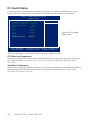
PC Health Status on page 30
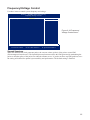
Frequency/Voltage Control on page 31
Other BIOS Options on page 32
About the Setup Utility
The BIOS Setup Utility enables you to configure the following items:
•
Hard drives, diskette drives, and peripherals
•
Video display type and display options
•
Password protection from unauthorized use
•
Power management features
This Setup Utility should be used for the following:
•
When changing the system configuration
•
When a configuration error is detected and you are prompted to make changes to the Setup Utility
•
When trying to resolve IRQ conflicts
•
When making changes to the Power Management configuration
•
When changing the User or Supervisor password
15