1
Chapter 13. D yninst
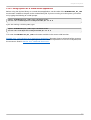
13.2.2. Using Dyninst as a Stand-alone Application
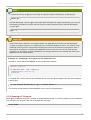
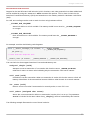
Before using the Dyninst library as a stand-alone application, set the value of the DYNINST API_RT _LIB
environment variable to the path to the runtime library file. If you are running a 64-bit system, you can do
so by typing the following at a shell prompt:
export DYNINSTAPI_RT_LIB=/opt/rh/devtoolset2/root/usr/lib64/dyninst/libdyninstAPI_RT.so.8.0
If you are running a 32-bit system, type:
export DYNINSTAPI_RT_LIB=/opt/rh/devtoolset2/root/usr/lib/dyninst/libdyninstAPI_RT.so.8.0
T his sets the DYNINST API_RT _LIB environment variable in the current shell session.
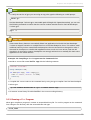
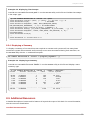
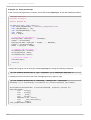
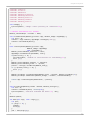
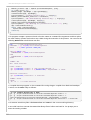
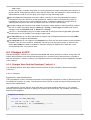
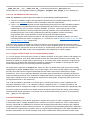
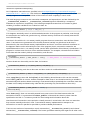
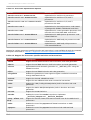
Example 13.1, “Using Dyninst as a Stand-alone Application” illustrates how to write and build a program
to monitor the execution of a user-space process. For a detailed explanation of how to use Dyninst, see
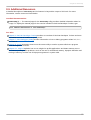
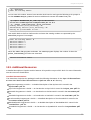
the resources listed in Section 13.3, “Additional Resources”.
77