1
552 User Guide and Technical Information
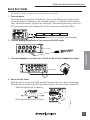
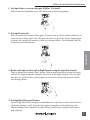
13) Adjust LED Meter brightness.
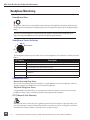
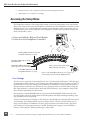
Press and hold the Battery Check button while turning the Headphone Controller.
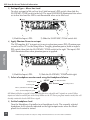
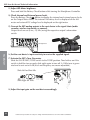
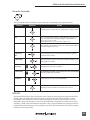
14) Check Internal and External power levels.
Press the Battery Check
button to display the internal and external power levels
on the Output Meter LEDs. The internal AA battery level is displayed on the left
meter and external DC voltage level is displayed on the right meter.
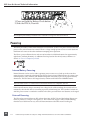
15) Connect the 552 analog outputs to the next device in the signal chain (audio
recorder, wireless transmitter, or camera).
Output levels are set (Line, -10, Mic) using the respective output’s attenuation
switch.
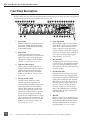
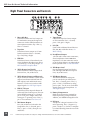
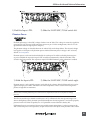
552 Right Panel
Quickstart
16) Set the next device’s input sensitivity to receive the supplied signal.
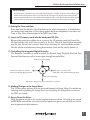
17) Activate the 552’s Tone Generator.
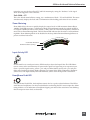
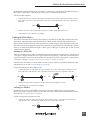
Slide the SLATE MIC/TONE switch to the TONE position. Tone latches on if the
switch is held for two seconds; slide right again to turn off. A 1 kHz tone is generated and is sent out at 0 dB (level and frequency are menu-adjustable).
Slide left for Slate Mic
Slide right for Tone.
18) Adjust the input gain on the next device accordingly.
6
Features and specifications are subject to change. Visit www.sounddevices.com for the latest documentation.