1
Data Transfer
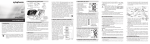
Blood Pressure Data Transfer
NOTE: Data transferring is supported by blood pressure monitor with time function.
•
•
•
•
Make sure blood pressure monitor has power source (batteries or adapter).
Plug the USB jack of the cable into PC USB port.
Open the BP Manager 6.0 software.
Connect USB cable enter ear phone plug into blood pressure monitor data link port, and
then click M Key of blood pressure monitor enter data transfer mode.
Click Data connect to transfer the data.
NOTE: The database must have patient information or it will appear the below information
The Result of the Transferring Blood Pressure Data
NOTE: Error message will be shown when the data date is 2/29 except the leap year. The transfer result will skip
the error data.
1. USB cable disconnection will appear the below information.
NOTE: Please close the BP Manager 6.0, and then open the BP Manager 6.0 after USB cable connection.
12