1
Lazy User’s Manual and Reference
G. Falquet, May 2004
Table of contents
1
2
3
4
5
6
Introduction.................................................................................................................................... 3
Installation...................................................................................................................................... 4
2.1
Requirements......................................................................................................................... 4
2.2
Downloading and installing .................................................................................................. 4
2.3
Starting the Lazy system with the example application....................................................... 4
Using the Node Compiler.............................................................................................................. 8
3.1
With the interactive development environment ................................................................... 8
3.2
In batch mode ...................................................................................................................... 10
Introduction to the Node Schema Language (part I).................................................................. 12
4.1
Principles: node schemas and nodes instances................................................................... 12
4.2
Specifying the contents of a node ....................................................................................... 12
4.2.1
Content elements......................................................................................................... 12
4.2.2
Tuple and non-tuple elements..................................................................................... 13
4.2.3
Selection conditions .................................................................................................... 14
4.3
Links .................................................................................................................................... 14
4.3.1
Navigation links .......................................................................................................... 14
4.3.2
Expand-in-place links ................................................................................................. 15
4.3.3
Inclusion links ............................................................................................................. 16
4.4
Examples.............................................................................................................................. 16
4.5
Some design guidelines....................................................................................................... 17
Creating Hypertext Views on Existing Databases...................................................................... 20
5.1
Keeping the Lazy dictionary in the HSQL database.......................................................... 20
5.2
Installing the Lazy dictionary in an existing database ....................................................... 20
The language (part II).................................................................................................................. 23
6.1
More details on the evaluation of tuple and non-tuple elements ....................................... 23
6.2
Conditions and embedded queries ...................................................................................... 23
6.3
More details on links ........................................................................................................... 24
6.3.1
Generated URLs.......................................................................................................... 24
6.3.2.............................................................................................................................................. 24
6.4
Active Links ........................................................................................................................ 24
6.4.1
Principle....................................................................................................................... 24
6.4.2
Syntax and semantics.................................................................................................. 25
6.4.3
A Remark about access rights .................................................................................... 26
6.5
Inputting Values with Active Links.................................................................................... 26
6.5.1
Input Elements ............................................................................................................ 26
6.5.2
Using the Input Values as Parameters........................................................................ 27
6.6
Active Nodes ....................................................................................................................... 27
6.7
Session Variables ................................................................................................................ 28
6.8
Some design principles ....................................................................................................... 28
6.8.1
Collecting input values ............................................................................................... 29
6.8.2.............................................................................................................................................. 29
6.9
Active Nodes and Links ...................................................................................................... 29
6.10
Designing active nodes ................................................................................................... 30
6.11
Pre-actions ....................................................................................................................... 30
6.12
Global variables............................................................................................................... 30
6.12.1
System variables ......................................................................................................... 30
6.12.2
Input variables............................................................................................................. 30
6.13
Internationalized strings.................................................................................................. 31
7
Managing projects ....................................................................................................................... 32
7.1
Projects ................................................................................................................................ 32
7.2
Connections ......................................................................................................................... 32
7.3
Users .................................................................................................................................... 32
7.4
Datagroups........................................................................................................................... 32
8
Encryption.................................................................................................................................... 33
8.1
Security in Lazy................................................................................................................... 33
8.2
Why encrypt ?...................................................................................................................... 33
8.3
What is encrypted ? ............................................................................................................. 33
8.4
How to migrate to the encrypted form ?............................................................................. 33
9
Language (part III)....................................................................................................................... 35
9.1
Computing with inclusions ................................................................................................. 35
9.2
Java Nodes........................................................................................................................... 35
9.3
How the instantiation process works .................................................................................. 36
9.3.1
translation to SQL ....................................................................................................... 36
9.3.2
order in which things are executed............................................................................. 36
10
Language reference (semantics) ............................................................................................. 37
11
Glossary of terms..................................................................................................................... 41
12
Bibliography ............................................................................................................................ 44
1 Introduction
Lazy is a language and system to publish databases on the Web and to create Web application
interfaces. In fact, Lazy creates hypertext views of a database. A hypertext view is a set of nodes
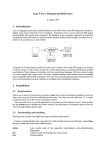
(the Web pages) and hyperlinks that represent the contents of the database. In the declarative approach, the hypertext components (nodes and links) are derived from the database content (relation tuples) according to a hypertext view specification, as shown below.
A hypertext view specification consists of a set of node schemas. Every node (Web page) is
an instance of a node schema written in the Lazy specification language. Node instances are dynamically generated by a node server that takes as input a compiled formed of the node schemas.
A node schema specifies: the table(s) from which the node's content is to be drawn, the selection and ordering criteria, the elements that form the node content, and links to other nodes.
The node definition language is described in sections 4, 6, and 9 of this manual. The node schemas must be compiled in order to be usable by the node server. The compilation process first
checks the schema's syntax, then translates it into a form (in fact SQL queries) that is directly executable by the node server. It is described in section 3.
2 Installation
2.1
Requirements
Since Lazy is entirely written in Java you need a Java 1.4 run-time environment installed on your
machine (you can get it from Java soft http://java.sun.com). Lazy does not work with Java 1.3 or
earlier versions because it uses the new Java encryption scheme.
The Lazy node server is a servlet application. So you need a servlet container (server). You can
either use the tomcat servlet container that comes with the Lazy distribution or download a more
recent version from (http://jakarta.apache.org/).
2.2
Downloading and installing
Download the zip file from http://cui.unige.ch/isi/lazy4/download
1. Unzip or gunzip the file into some directory. This should create a new directory named lazyx.y (x.y is the version number) that contains the following subdirectories :
admin
bin
doc
examples
hsqldb
src
tomcat
Lazy source code of the interactive development and administration hyperspace
scripts to start and manage the Lazy system
documentation
example hyperspaces
the hsql database engine (http://hsqldb.sourceforge.net/ ), with a demo directory
that contains the data of the example Web site.
the Lazy source code
(part of) the tomcat servlet container from the Apache Jakartaproject
(http://jakarta.apache.org/)
webapps/lazy contains the lazy web application (including the lazy node server
servlet)
NOTE. If you already have a tomcat server on your machine, copy tomcat/webapps/lazy to
the webapps directory of your tomcat server and restart tomcat (if required).
2.3
Starting the Lazy system with the example application
Lazy comes with an example web application for a virtual museum. It is comprised of a small
database that stores information about works, artists, exhibition, etc. and a set of hypertext nodes
(dynamically generated Web pages) to navigate and update the museum.
Step 1. Set environment variables
Before running the Lazy system on the example database, you must define the following environment variables:
LAZY_HOME:
JAVA_HOME:
the installation directory of your Lazy system (= the full path of your lazy-x.y
directory)
your java installation home
TOMCAT_HOME: the home directory of your Tomcat server (set it to $LAZY_HOME/tomcat to use
the server that comes with Lazy)
Then you must run a lazyenv script that sets additional variables that depend on these ones.
Unix/Linux/MacOSX
with bourne shell
or bash
Add the following lines to your .login or .bash_profile:
Unix/Linux/MacOSX
with cshell
Place the following lines in your .login or .bash_profile:
export LAZY_HOME=your lazy home directory
export TOMCAT_HOME=$LAZY_HOME/tomcat
### or your own tomcat home
export JAVA_HOME=your java installation directory
source $LAZY_HOME/bin/lazyenv.sh
export LAZY_HOME=your lazy home directory
export TOMCAT_HOME=$LAZY_HOME/tomcat
### or your own tomcat home
export JAVA_HOME=your java installation directory
source $LAZY_HOME/bin/lazyenv.sh
Windows NT/2000/XP
Place the following lines in your autoexec.bat
or define these variables in the System > Advanced > Variables
settings.
set LAZY_HOME=your lazy home directory
### for instance C:\lazy-4.3
set TOMCAT_HOME=%LAZY_HOME%\tomcat
### or your own tomcat home
set JAVA_HOME=your java installation directory
### for instance C:\jsdk1.4.1
run %LAZY_HOME%\bin\lazyenv.bat
Caution. Avoid white spaces and other special characters in these
variables, they will probably cause errors when starting the tomcat
server.
Step 2. Start the database server
Open a new shell/terminal/command window and make sure the environment variables are correctly set. Then type
Unix/Linux/MacOSX
% runServer.sh
Windows NT/2000/XP
C:> cd %LAZY_HOME%\bin
C:> lazyenv
C:> runServer
(do not close the command window!)
Step3. Start the node server (with the provided tomcat servlet container)
Open a new shell/terminal/command window and make sure the environment variables are correctly set. Then type
Unix/Linux/MacOSX
% startns.sh
Windows NT/2000/XP
C:> cd %LAZY_HOME%\bin
C:> lazyenv
C:> startns
(do not close the command window!)
This starts the tomcat servlet container, which is a HTTP server that manages servlets. The node
server is a servlet (named lazy/ns).
Step 4. Start browsing the virtual museum
With
your
preferred
Web
browser,
open
the
example
home
page
at
http://127.0.0.1:8080/lazy and follow the links to the generated nodes (if your Windows
machine is not connected to a network, it may take some time before it realizes that it can connect
to itself, sometimes more than 1 min., you can also try to stop and restart loading).
You can also choose to explore the Lazy system by following the Lazy Administration link.
In this case you'll need to log in as a Lazy administrator (user = admin, password = x).
If you already use ports 8080 and 8007 for another purpose, you can select other ports in the tomcat configuration file $TOMCAT_HOME/conf/server.xml
Step 5. Stop the node server
Open a new shell/terminal/command window and make sure the environment variables are correctly set. Then type
Unix/Linux/MacOSX
% stopns.sh
Windows NT/2000/XP
C:> cd %LAZY_HOME%\bin
C:> lazyenv
C:> stopns
3 Using the Node Compiler
The node compiler checks the syntax of a node schema and translates it into a form that is directly
executable by the node server. It can be used either from the Lazy interactive development environment, or in batch mode from a terminal/command window.
The following paragraphs show how to define and compile a new node for the virtual museum example, both interactively and in batch.
3.1
With the interactive development environment
The interactive development environment can be reached from the Lazy start page
(http://127.0.0.01:8080/lazy) by following the Lazy Administration link. The Lazy administration page has links to projects, users, database connections, etc.
Navigate to the Projects page to see all the currently defined projects. At this point the Lazy
server may ask for a username and password, by default user ADMIN has password x.
To define a new node in the virtual museum, follow the Nodes link of the MW project. It
leads to the list of node schemas of the MW project.
Click the New Node link to create a new node, this opens a node input page. In the text field
type the following node schema text:
node myNode
<h2>("My Artist Index") ,
{
<p>(name," (", birthdate,"-", deathdate , ")" )
}
from artist
Click the Compile button to save and compile the node and return to the list of node schemas.
Now there is a myNode line in the node list with either a red or green ball. The red ball indicates a compilation error. In this case click the pencil icon to edit the node. Once the ball is green
click the Instantiate link
and the the Open button to generate a Web page from this new schema.
3.2
In batch mode
Create a new text file (say myNode.lzy) with the following content :
define
project MW
node myNode
<h2>("My Artist Index") ,
{
<p>(name," (", birthdate,"-", deathdate , ")" )
}
from artist
end
A source file must begin with ’define’ and end with ’end’, it may contain one or more node
schemas. The ’project MW’ statement indicates that this node belongs to the MW project.
Open a new terminal/command window and make sure the environment variables are correctly set and that the lazyenv script has been executed (as indicated in the installation instructions under "Start the node server"). In necessary, start the database server and the node server
(the node compiler stores the compilation result (an executable form of the node schema) into the
database).
Compile and install your node schema by typing (Unix or Windows)
lc myNode.lzy
Once you get an error free compilation, instantiate a node by sending the following URL to
the node server: http://127.0.0.1:8080/lazy/ns?a=myNode . It should display a list of
artists together with their birthdate and deathdate.
The LAZY system is a dynamic system, once a node definition has been modified and recompiled, the new version is immediately available to the clients (there is no site generation
phase). Try modifying myNode, recompiling it and reloading the corresponding page into your
browser.
IMPORTANT NOTE. To speed up complex node generation, the Lazy node server maintains a
server-side node cache. When a node schema is recompiled all its instances must be erased from
the cache. However, in the current version, the batch compiler does not clear the cache. This must
be done manually from the Lazy administration page by clicking the Clear node cache link.
4 Introduction to the Node Schema Language (part I)
This section presents the basic elements of the Lazy node schema language. The examples are
based on a simple database that stores information about a digital museum. The database schema
is as follows ((key attributes are in bold):
Work (wno, author, title, c_date, height, width, picture)
Artist (ano, name, birthdate, deathdate)
Exhibition (exno, title, desc, organizer)
Museum (mno, name, location, URL)
Ownership (work, owner, acquisition)
Art_cnty (artist, country, activity)
Ex_content (work, exhibition, comment)
4.1
Principles: node schemas and nodes instances
The definition of a basic node schema takes the following form:
node node-name [parameter-name, ...]
{ content-specification }
from tables selected by condition
An instance of this schema (an actual hypertext node) is obtained as follows:
1. select the tuples of the specified table(s) that satisfy the given condition
2. for each selected tuple, generate a content according to the content-specification.
For example, a node generated from the schema
node WorksBetween[d1, d2]
{ title, height, width }
from work selected by d1 <= c_date and c_date <= d2
will contain the title, height, and width of all the works of art created between the dates d1 and d2
given as parameters. The actual content of a node instance depends of course on the parameter
values and on the current database contents.
4.2
4.2.1
Specifying the contents of a node
Content elements
The content of a node is specified by a list of elements. An element is either, a database attribute,
or a quoted string, or a number literal, or a parameter name, or an artithmetic expression. An element or a sequence of elements usually has a markup type and attributes (an HTML or XML
tag), defined with the following syntax:
<tag attribute=expression ...>( element , ...)
This notation is an abbreviation of the standard HTML/XML notation
<tag attribute=value ...> element ... </tag >.
We can now refine our previous example by adding HTML tags and white spaces or texts to
produce a niceer HTML document:
node WorksBetween[d1, d2]
{ <p>(<b>(title), " (", c_date, ") ", height, " x ", width) }
from work selected by d1 <= c_date and c_date <= d2
You can try compiling and instantiating this node, as indicated in section 3. The following
screenshot shows the instance WorksBetween[1880, 1920] on the example database.
4.2.2
Tuple and non-tuple elements
While the content elements placed between { and } are generated for each selected tuple, the elements outside or enclosing the { … } are generated only once. They generally serve as titles,
header, or footers that appear only once in a node. In addition, these elements may contain aggregate functions like sum(), max(), min(), count().
Example. The purpose of the following node schema is to display a list of artists born after a
given date d.
node mw_Artist_after[d]
<h2>( "Artists born after ", d ) ,
<ul>(
{<li>(name," (born ",birthdate,") ") }
)
from artist
selected by birthdate >= d order by name
An instance of this node will contain a title (the <h2> element) followed by an unnumbered
list (<ul>) of artists. A typical instance of this schema (with d = 1880) looks like
The non-tuple elements may also contain the usual aggregate functions sum, avg, count, min,
and max, applied to table attributes.
Note that if the selection expression does not yield any tuple, the node will be totally empty.
Even the non-tuple elements are not generated. This property is sometimes useful when one
wants to display something only if a given condition is satisfied.
4.2.3
Selection conditions
The selection condition is a boolean expression made of literal constants (character strings or
numbers), attribute names, parameter names, arithmetic and logical operators, comparison operators, or function calls. The logical operators are and, or, and not. The comparison operators
are: <, <=, =, >=, >, <>, like, is null, is not null. The arithmetic operators are: +, –, *, /. The main
difference with SQL syntax is that strings are delimited by double quotes instead of single quotes.
Embedded queries are not allowed in conditions. However, existential conditions can be expressed with a specific syntax as we will see in section 6.
4.3
Links
The Lazy language provides three kinds of links: the usual (reference) hypertext links, inclusion
links (to build complex contents by including nodes in one another), and expand-in-place links
that are inclusion links triggered by a user action.
4.3.1
Navigation links
Any content element or list of elements can serve as the source anchor of a reference link. An
expression of the form
href target-node-name [parameter-value, ... ]( anchor-element(s) )
defines a reference link to a target node whose source anchor (the clickable text) is the anchor
element(s).
Exemple. Here we have added to the mw_Artist_after schema a link to a node that shows the
works of art of each artist in our.
node mw_Artist_after[d]
<h2>( "Artists born after ", d ) ,
<ul>(
{<li>(name," (born ",birthdate,") ",
href mw_Works_by_artist[ano]("works")) }
)
from artist
selected by birthdate >= d order by name
The mw_Works_by_artist node can be defined as
node mw_Works_by_artist[artist]
{
<p>(<b>(title)," ",c_date, " ", support," ",
height," x ",width
)
},
<p>(href mw_Artist_after[1500]("View artists born after 1500"))
from work selected by author = artist order by c_date
It displays the title, creation date, support, height, and width of all the works created by the artist
whose number is given as parameter. After the work list it contains a link to the list of artists born
after 1500.
4.3.2
Expand-in-place links
In addition to standard hyperlinks (as found in HTML) it is possible to define expand-in-place
links. These links have a different behaviour: when the anchor is clicked, it is replaced, within the
current page, by the referred node.
Replace the href keyword by expand href in the mw_Artist_after node schema, recompile it an try clicking on links in the instance mw_Artist_after[1860].
4.3.3
Inclusion links
The third kind of links is inclusion links. An inclusion link immediately includes the content of
the referred link at the indicated place. An inclusion link does not have any anchor text.
Replace
href mw_Works_by_artist[ano] (name)
by
include mw_Works_by_artist[ano]
in the node schema and recompile it. The node mw_Artist_after[1880] should now look
like this
Inclusion and expand-in-place links are powerful mechanisms to build nodes with rich, heterogeneous, and adaptive contents. Indeed, inclusion and expand-in-place form the basic construct to
jump out of the “relational box”, i.e. to build data presentation that don’t look like tables or list of
record.
In fact, with inclusions it is possible, in most cases, to avoid join expressions in the selection
of expressions of the node schemas.
4.4
Examples
The following node schema presents information about a work of art. It uses a one-row and twocolumn table. The first column (td) presents textual information and the second one displays a
picture of the work. The picture's URL is stored in the database attribute picture, note how this
attribute is used to give its value to the "src" attribute of the "img" element.
This node is based on two tables: work and artist because we want to display the author's
name, which is not in work. So we have to join the two tables with the condition work.author =
artist.ano
In order to show the name of the work's owner we employ another technique, which consists
in including the mw_Owned node (described below).
node mw_Work[id]
{
<table>(
<tr>(
<td>(
<h2>(title), <p>(c_date),
<p>(href mw_Artist[ano] (name)),
<p>(support," ",height," x ",width),
<p>(include mw_Owned[wno], ", " , acquired ) ,
<p>(href mw_Works_by_artist[ano] ("Works") , " by " , name)
),
<td>(
<p>(<img width="200" src=picture>())
)
)
) ,
<hr>() ,
href mw_upd_Work[id]("Update") , " this description"
}
from work, artist
selected by work.author = artist.ano and wno = id
The following node is simply here to display the name of a museum whose number is given as
parameter. Its purpose is to replace a numeric value (here the museum no.) by a more explicit
one. This node is used by mw_Work.
node mw_Owned[w]
href mw_Museum[museum](name)
from ownership, museum
selected by work = w and museum = mno
4.5
Some design guidelines
Designing node schemas that form a good hyperspace is like designing software or buildings:
there is no general method. However, you can find design ideas and a design and analysis methodology in the papers published by the ISI research group [http://cui.unige.ch/isi/reports]. What
follows is a brief presentation of design guidelines that can help you creating a first version of a
hypertext view on a database.
Although a database schema obeys to different design objectives and requirements, it can serve as
a starting point for a hypertext view design. The idea is to create node schemas that correspond to
the database tables and links that correspond to the foreign keys between these tables. It can be
summarized in the following points.
Nodes to display database tuples
For each table T create a node t to display the tuple that corresponds to a key value passed as parameter. The general node pattern is:
node t[p]
{ attributes of T }
from T
selecty by Tkey = p
where TKey is a key of T.
Of course, if the key of T is made of several attributes K1, …, Kn, t must have n parameters
p1, …, pn and the selection condition must be K1 = p1 and … and Kn = pn.
Create hypertext links according to the foreign keys
For each foreign key UK of table U in T, i.e. UK holds a key value of U (it points to a tuple of U),
add a navigation link to u in t:
node t[p]
{ attributes of T ,
href u[UK]("some anchor text") , other links
}
from T selected by Tkey = p
Add inverse links
To allow navigation in the reverse direction (from u to t) it is necessary to create an additional
node to display all the tuples of t that point to a given tuple of u (identified by its key value)
node _t_from_u [ uKey ]
{ href t[K]( K ) }
from T
selected by F = uKey
This node must be accessible from u through an href link:
node u[k]
{ …
href t_from_u[UKey]
…
}
from U selected by Ukey = k
Create entry points
Entry points are starting points for the navigation within your hypertext view. The simplest entry
points are index nodes that display anchors to all or a subset of the tuples of a table. They are defined as follows:
node t_idx
{ ... href t[Tkey](some attribute(s)) ...
}
from T
Inclusion to factor out common parts.
The inclusion mechanism is interesting to re-use nodes and thus to avoid writing many times the
same statements. For instance, the following node defines a node footer (also called navigation
bar) that can be included in many nodes
node mw_To_index
<hr>() ,
href mw_Work_index ("[Work index]") , " " ,
href mw_Artist_index("[Artist index]") , " " ,
href mw_Exhibition_index("[Exhibition index]")
Evolve to a more efficient hypertext design
The hypertext view obtained so far enables the user to view all the information content of the database. However, it is probably not a good hypertext in many respects. In particular, navigation
paths can be too long to reach interconnected data. In http://cui.unige.ch/isi/reports/design-anlsahtv.pdf we present of set of refinement operations that can be applied to a hypertext view to improve its quality.
5 Creating Hypertext Views on Existing Databases
Lazy is aimed at creating hypertext views for existing databases. There are two ways to do this,
depending on where you want to keep the Lazy dictionary. The Lazy dictionary is a set of database tables that store compiled node definitions, project definitions, access rights, etc. You can
either continue having HSQLDB manage the Lazy dictionary (in a the Hsqldb database that
comes with Lazy) or create a fresh Lazy dictionary in the existing database.
5.1
Keeping the Lazy dictionary in the HSQL database
1. Install a JDBC driver for your database management system
If your dbms has an ODBC interface (e.g. MS Access) you can use the
sun.jdbc.odbc.JdbcOdbcDriver driver that comes with the Java installation. All you have to do is
to create an ODBC source connected to your database. Otherwise you'll find the driver either in
your dbms distribution or on specific web sites.
The JDBC driver must visible for the Tomcat server. So put it in $TOMCAT_HOME/lib.
Oracle JDBC drivers for Oracle can be downloaded from Oracle's site, they are called oracle.jdbc.driver.OracleDriver and come in .zip files (e.g. classes12.zip)
Hsqldb the hsqldb driver is called org.hsqldb.jdbcDriver, it comes with the Lazy distribution in
file lazycat/webapps/LAZY/database/hsqldb/lib/hsqldb.jar
One important point is to find the correct URL schema to access your database through
JDBC. Here are some examples:
Oracle thin client jdbc:oracle:thin:@hostname:1521:instancename
ODBC source jdbc:odbc:sourcename
hsqldb jdbc:hsqldb:hsql://hostname
2. Define a new database connection and a new project
a) Go to http://127.0.0.1:8080/lazy/ns?a=ADMIN.all and click the Connections link
b) Create a new database connection.
c) Define a new project and associate it to the new database connection (all the nodes of a project
access the same database, given by the project’s database connection).
d) Start creating node schemas in the new project
That's all
5.2
Installing the Lazy dictionary in an existing database
1. Install the appropriate JDBC driver
(see above)
2. Update Lazy.properties and LazyCompiler.properties
Edit the files L a z y . p r o p e r t i e s and L a z y C o m p i l e r . p r o p e r t i e s in $ T O MCAT_HOME/webapps/lazy/WEB-INF/classes/ and modify the following lines
database.url=your database JDBC URL
database.user=your database user name ('sa' for hsqldb)
database.password=your dataase password (empty for hsqldb)
database.driver=class name of your JDBC driver
Although these files are not accessible form the Web, they should be carefully protected on
your file system since they contain database passwords.
3. Modify the scripts to indicate the location of the JDBC drivers
The JDBC_DRIVER environment variable indicates where the JDBC drivers are. Update its definition in $LAZY_HOME/bin/lazyenv.xxx by adding the location of the the new driver(s).
4. Create the Lazy dictionary
Create the tables that will handle the Lazy dictionary (node definitions, users, roles, grants, etc.).
The $LAZY_HOME/admin directory contains the SQL scripts to create these tables
lzydict-schema.sql
lzydict-hsql-schema.sql
lzydict-ora-schema.sql
admin-schema.sql
admin-hsql-schema.sql
admin-init.sql
the tables that stores node definitions
the same for Hsqldb
the same for Oracle
table schemas for all the security/administration related tables
the same for Hsqldb
initial values for the administration tables
NOTE. Although SQL is supposed to be the standard data definittion, query, and manipulation
language, every DBMS has its own interpretation of that standard. Moreover, many important
functions are left undefined in the standard (data conversion, string manipulation, etc.). Hence the
specific definition scripts and node definitions.
5. Recompile the Lazy administration and development nodes
Compile the node schemas that are in $LAZY_HOME/admin. These nodes define the administration and development environment (to create and compile nodes, manage projects, users, aceess
rights, connections, etc.). This is a good test to see if your LazyCompiler.properties file is
correct. If you forgot to modify this file, the compiled nodes will be stored in the
% cd $LAZY_HOME/admin
% lc icon.lzy
Lazy node compiler 4.0b (--><< the url of your database >>)
project: ICON connectionId: DICTLAZY
node maj
node del
node new
....
% lc node.lzy
...
% lc admin.lzy
...
Optionally reload the virtual museum example
The database schema, data, and node definitions par the museum example are located in
$LAZY_HOME/examples/museum. Define the tables with mw_dbschema_ora.sql or
mw_dbschema_hsql.sql, then load the data by executing mw_data.sql (there are variants in
Macintosh or UTF-8 coding). Finally compile the museum nodes
% lc mw.lzy
% lc mw-contemp-for-hsql.lzy (only if using hsqldb)
% lc mw-updates-hsql.lzy or mw-updates-ora.lzy
Once again, since SQL does not define everything, different nodes had to be defined to cope
with Hsqldb or Oracle (or other) dbms's specificities (like the (non-)automatic conversion of
strings into numbers, auto-increment attributes, sequences, etc.).
6. Start the node server and test the installation
From your Web browser open the URL http://localhost:8080/lazy/ns?a=ADMIN.all
and start browsing the administration and development environment.
6 The language (part II)
6.1
More details on the evaluation of tuple and non-tuple elements
The node compiler translates Lazy expressions into SQL statements that are directly executable
by the node server. Thus, to instantiate a node scheme of the form
node n[p]
x
{y}
z
from T selected by C
the following SQL statements will be executed against the database:
1. (PRE) first row of select x' from T where C'
2. (ITEMS) select y' from T where C'
3. (POST) first row of select z' from T where C'
x', y', and z' are the direct translation of x, y, and z into SQL. The translation principle is as
follows:
attribute name attribute name
"string" 'string' (with ' doubled)
function name function name
parameter name special placeholder that will be replaced by the actual parameter value
before executing the SQL statement
operators and parenthesis same operators and parenthesis
If the from table part is absent from the node schema, the select statement is executed on a
special table, called DUAL, that contains only one tuple. Thus, even for "non-database" or constant nodes, the SQL engine is called.
The current version of the compiler does not check if the attribute and function name really
exist in the database. So, wrong names will cause instantiation errors that will be reported when
instantiating the node.
Note that normally the PRE and POST statements should yield only one row because they
are intended to display aggregate values (SUM, AVG, COUNT, etc.).
Since the semantics of SQL operators and functions may vary from DBMS to DBMS (in fact
SQL is only partially standardized in this respect), the instantiation of a Lazy node may yield different contents, depending on the underlying DBMS. In particular, some DBMS's try to convert
strings to numbers when they appear as argument to arithmetic operators, while others consider
this as an error, or apply string operations.
6.2
Conditions and embedded queries
Embedded queries are not allowed in conditions. However, existential conditions can be expressed with the following syntax
exists (table : condition)
This expression is true if there is at least one tuple in table that satisfies the given condition. It
corresponds to the SQL expression exists (select * from table where condition) For example, the
following node schema generates node instances that contain all the artists who produced at least
one work before the given date d.
node ArtistsWithWorksBefore[d]
{ <p>(name) }
from artist
selected by exists( work : author=artist.ano and c_date < d)
The existential expression can also comprise several variables. An expression of the form
exists (table1 var1, …, tablen : varn: condition) is true if there exist tuples var1 in table1 , …,,
varn in tablen, that make condition true.
One can express universal conditions with expressions of the form
forall (table : condition1 => condition2)
This expression is true if all the tuples in table that satisfy condition1 also satisfy condition2. It
corresponds to the SQL expression not exists (select * from table where condition1 and not
(condition2)). The multi-table form is
forall (table1 var1, …, tablen : varn: condition1 => condition2)
which is true if all the tuples var1, …, varn in table1 × … × tablen that satisfy condition1 also satisfy condition2.
6.3
6.3.1
More details on links
Generated URLs
Normally URLs are automatically generated by the Lazy system when you write an href statement. However, if you want to refer to a Lazy node from a "standard" HTML page, or directly by
entering a URL in the address field of the browser, you must use the following URL scheme:
http://hostname:port/lazy/ns?a=node_name&u=parameter1&u=parameter2&u=...
(the standard port used by the tomcat server is 8080)
For example, to open the node mw_Artist_after[1880] on the local machine you must open
http://127.0.0.1:8080/lazy/ns?a=mw_Artist_after_2&u=1880
6.3.2
6.4
6.4.1
Active Links
Principle
An active node is a node that contains active links. An active link is a reference link (href) that
triggers a database action when traversed. In addition to usual elements, the source anchor of an
active link must have one or more attribute setting elements and exactly one action element. The
general syntax of an active link is
active href node_name[parameters] ( standard-or-attribute-setting-or-action-elements )
An attribute setting element has the form
set attribut_name = expression
and an action element takes one of the following forms:
on "button-label" do insert table-name
on " button-label" do delete table-name[key-attributes]
on " button-label" do update table-name[key-attributes]
So, for instance, the following node has an active link that, when clicked, creates a new tuple
in table T and jumps to node m.
node aNewT [p1, p2]
"If you click the following link, it will insert (",
p1, ", " p2, ") into T ",
active href m (
set A=p1, set B=p2,
on "Insertion" do insert T
)
6.4.2
Syntax and semantics
The link actions perform the basic SQL operations insert, delete, and update.
set A1 = e1, …, set An = en, on "b" do insert T
insert into T(A1, …, An) values(e1, …, en)
on "b" do delete T[K1=e1, …, Kn=en]
delete from T where K1=e1 and … and Kn = en
There exist an abbreviated form:
on "b" do delete T[K1, …, Kn]
is an abbreviation for
on "b" do delete T[K1=K1, …, Kn=Kn]
(when the expressions are simply the attribute values of the displayed tuple)
For instance
node deleteAnyWork
{ <p>( title ,
active href deleteAnyWork (
on "delete" do delete Work[wno]
)
)
}
from Work
[[ picture ]]
set A1 = e1, …, set An = en, on "b" do update T[K1=e1, …, Kn=en]
update T set A1=e1, …, An=en where K1=e1, …, Kn=en
the abbreviated form on "b" do update T[K1, …, Kn] means on "b" do update T[K1=K1, …,
Kn=Kn]
Examples of active links are given in the next subsection.
6.4.3
6.5
6.5.1
A Remark about access rights
Inputting Values with Active Links
Input Elements
Active links are also the standard way to input values to the database. For this, we use attribute
setting elements with input expressions. An input element takes the form:
set attribute-name = expression | textfield(width) | textfield(width, initialvalue) | textarea(nb-lines, width ) | textarea(nb-line, width, initial-value) |
select(expression_list | include node_ref) | free( input-element )
Attribute-name must refer to an attribute of the table mentioned in the action element.
A node to create a new artist
node mw_new_Artist
<h2>("Adding a new artist") ,
active href mw_Artist_index (
<p>("Unique identifier: " , set ano = textfield(10) ,
" (a number)") ,
<p>("Name: ", set name = textfield(60) ),
<p>("Birthdate: ", set birthdate = textfield(10)),
<p>("Deathdate: ", set deathdate = textfield(10)),
on "Add" do insert artist
)
Although this node will act on the "artist" table, by inserting a new tuple, its content does not depend on any particular table. When generated, this node displays the heading text, four input
fields (for ano, name, birthdate, and deathdate), and an"Add" button. When the user clicks on
on"Add", the system takes the input values to form a new tuple, inserts this tuple into the artist
table and then jumps to the node mw_Artist_index. It is not mandatory to define all the table’s
attributes to insert a new tuple, only those that are either part of the primary key or not “nullable”
are required.
The following node enables the user to change the name of a given artist.
node mw_upd_name_Artist[w]
<h2>("Changing the name of artist no. ", w) ,
active href mw_Artist[w] (
<p>("Name: ", set name = textfield(60, name) ),
on "Update" do update artist[ano]
) ,
href mw_Artist[w] ("Don’t change")
from artist selected by ano=w
This one adds 5 to the birth date of an artist (very useful indeed!).
node mw_add5_Artist[w]
<p>("Click on the \"Plus 5\" button to add 5 years to the birth date
of " , name ) ,
active href mw_Artist[w] (
set birthdate = birthdate + 5 ,
on " Plus 5" do update artist[ano]
)
from artist selected by ano=w
6.5.2
Using the Input Values as Parameters
The input values can be used as parameters to the destination node. For instance, the following node reads attribute values for a new artist, creates a tuple when the button is clicked, and
then jump to a node that displays the newly created artist.
node mw_new_Artist_2
<h2>("Adding a new artist") ,
active href mw_Artist[ ! ano ]
<p>("Unique identifier: " , set ano = textfield(10) , " (a mnu
ber)") ,
<p>("Name: ", set name = textfield(60) ),
<p>("Birthdate: ", set birthdate = textfield(10)),
<p>("Deathdate: ", set deathdate = textfield(10)),
on "Add" do insert artist
)
When the "Add" button is clicked, it inserts a new tuple into artist and then jump to the node
mw_Artist[!ano]. The ! ano notation indicates that the value given to the ano attribute in the set
ano = textfield(10) element must serve as parameter to instantiate mw_Artist. In this case, it will
jump to the node that displays the artist with the number we just entered.
6.6
Active Nodes
Active nodes offer yet another means to update the database when navigating a hypertext view.
An active node is a normal node that is equipped with a list of "pre-actions". These are database
actions that are executed just before the instantiation of a node. The syntax for pre-actions is:
node N[parameters]
...
from ...
selected by ...
order by ...
on open { action , ... }
Actions can be either insertions, deletions, or updates expressed with the following syntax:
Insertion
insert tablename [ attribute1 : value1, ..., attributen : valuen]
it corresponds to the SQL statement insert into tablename(attribute1, ..., attribute) values(value1,
..., valuen)
Deletion
delete tablename ( condition )
which corresponds to the SQL statement delete from tablename where condition.
Update
update tablename ( conditions) set [attribute1 : value1, …, attributen : valuen]
which corresponds to the SQL statement update tablename set attribute1 = value1, …, attributen
= valuen where condition.
Pre-actions are particularly useful when updating the database requires several actions on different tables. In addition, these actions can act on the database "behind the scene", without the user
even noticing that his or her navigation did something on the database. For instance, to log the
accesses to a particular node, we could write the following node:
node record_access[par]
// no contents
on open {
insert rec_table[time: sysdate /* for Oracle */, what: par]
}
Then in another node :
node W ...
include record_access["access to node W"]
...
6.7
Session Variables
6.8
Some design principles
There are basically two ways to design active nodes
1. Design "form nodes", like the mw_new_Artist node above, that let the user type in data
in the input fields;
2. Design navigation strategies to collect the requested information through navigation (using parameter passing to transmit data from node to node)
The following nodes show an example of the second design alternative:
node mw_exhibition_content[e]
{ // display the content of exhibition e
title , . . .
}
href mw_select_work[e] ("Add a Work to this exhibition")
from ex_content, work
selected by exhibition=e and work=wno
node mw_select_work[e]
<h3>("Select a work to include in the exhibition") ,
<dl>(
{<dd>( expand href mw_Work[wno](title) , " " ,
href mw_add_work_exh[e, wno]("[Add]")
)
} )
from work
6.8.1
Collecting input values
6.8.2
6.9
Active Nodes and Links
An active node is a node that contains active links. An active link is a reference link (href) that
triggers a database action when traversed. In addition to usual elements, the source anchor of an
active link can have one or more input elements and must have one action element. The general
syntax of an active link is
Active href node-name[parameters] ( standard-or-input-or-action-elements )
An action element takes one of the following forms:
on "button-label" do insert table-name
on " button-label" do delete table-name[key-attributes]
on " button-label" do update table-name[key-attributes]
Parameter values or any expression can be used as input values, as in the following node
node mw_add_work_exh[e, w]
<h3>("Add " , work.title , " to " , exhibition.title) ,
active href mw_Exhibition[e] (
set work = w ,
set exhibition = e ,
<p>("Comment: " , set org_comment = textarea(10, 30)) ,
on "Add" do insert ex_content
)
from exhibition, work
selected by exno = e and wno = w
The set elements must not be confused with assignment statements. The effect of a set takes place
only after the corresponding active link has been followed (by clicking the button. Thus, elements
like
set name = "Zorro", "The name is", name
Will display the value of the name attribute of the currently selected tuple, not "Zorro". More on
this in section 5.6.
6.10 Designing active nodes
6.11 Pre-actions
6.12 Global variables
6.12.1 System variables
The Lazy node server maintains a number of "system variables" taht store information about the
current session. These variables are:
[USER]
[GRP]
[LANG]
the current username
the datagroup the user is working in
the user’s preferred language
They can appera anywhere in the definition of a node (in the content or in the selection part).
Example
6.12.2 Input variables
An input variable is a variable whose value is either entered by the user in an input field (set var =
textarea, textfield, etc.) or obtained as the value of an expression (set var = expr). Variables can
only be set in the definition of an active link. It is important to note that the value of an input
variable is not available until the active link has been followed (by clicking the link’s button).
Hence it cannot be used elsewhere in the node that sets its value (more precisely, reference to the
variable in the node will yield to old value of the variable). However, input variable values can be
passed as parameter to the target node of the active link, with the !variable syntax. Since no database action is to be taken, the link’s button simply has a do navigate action. Within the target
node, and subsequently visited nodes, expressions of the form [variable] will yield the value of
the corresponding input variable.
Example
node Selector[]
// input a word and a level of detail, then go to the search node
active href Works_with_name[ ! word ] (
<p>("Word of the work’s title ", set word = textfield(20)) ,
<p>("Level of detail (1-9)", set detail = textfield(1)),
on "Go" do navigate
)
node Works_with_name[w]
// select works whose title contain w and show them at the specified
level of detail
{ title, … , include W_Description[ [!detail] ] ... }
from works
selected by title like concat("%", concat(w, "%"))
6.13 Internationalized strings
To-be-written
7 Managing projects
7.1
Projects
A project is mechanism to group a set of node schema that have a common purpose. It is similar
to a module in a programming language. The IDE has an environment to manage project (create
new projects, delete them, add, update, and delete nodes in a project).
Every project has a set of properties that are inherited by all its nodes:
a database connection
formatting files (CSS, XSL, background image)
a default node type (HTML or XML)
The full name of a node n belonging to project p is p.n. When refered from a node of the same
project, the p. prefix can be omitted.
7.2
Connections
A database connection is a JDBC connection, it is comprised of a database URL, a JDBC driver
(a class name), a username, and a password. With different projects connected to different databases it is possible to build a single Lazy interface that federates several databases.
After creating a new connection (with the Admin>Connection interface) it is necessary to "reinitialization all connections" in order to activate this connection. A reinitialization is also required
when some database connection has been lost due to a network or database problem.
7.3
Users
A Lazy user is characterized by his or her username and password. Access rights to Lazy nodes
and database tables can be assigned to users. When a new session is established, the user is automatically logged in with ther username PUBLIC. If he or she requests a node that has access restriction, he or she will be asked to enter a username an password.
In node schema, the session variable [[USER]] returns the username.
Note. In the current version session variables are implemented by a string substitution mechanism. If the substring [[variable]] appears in a string it is replaced by the variable’s value. As a
consequence, the string ’[[’ should never appear in this form in a string.
7.4
Datagroups
Datagroups are intended to horizontally partition data between different groups of users.
For instance, the same database could be used to manage data belonging to different departments.
Datagroups are useful when different groups share the same data structures but not the same data.
The global variable [[GRP]] represents the datagroup of the current session.
[[ MORE DETAILS - HOW AND WHY DESIGNING DB-SCHEMAS WITH GROUPS ]]
The dictionary schema given in appendix shows the relationships between all the security and
project management related concepts. It is a UML view of the Lazy dictionary tables.
8 Encryption
8.1
Security in Lazy
Because the property files Lazy.properties and Compiler.properties contain the database password
of the db where the Lazy dictionary (if not the data) is stored, it is of the highest importance to
protect them against unauthorized access. Normally, read access to these files should be granted
only to the Lazy owner.
8.2
Why encrypt ?
Lazy can connect to several databases, the connection password of these databases should be
protected. In addition, the user passwords are stored in the 'dictlazy' database. These password
should also be protected. Finally, an probably most importantly, when Lazy is used to update a
database, important information (such as table names, attribute names, key attribute values, etc.)
may appear (as hidden fields) in the pages sent to the user. A malicious user 1) get information
about the database schema of the application and 2) forge pages containing updates (in forms)
and send them to the server in order to slip wrong data into the database.
8.3
What is encrypted ?
When encryption is turned on, the following items are encrypted
• All user passwords
• All database connection password (except the initial 'lazydict' connection)
• All the table names, attribute names, key attribute values appearing in forms in HTML
pages send to the user.
8.4
How to migrate to the encrypted form ?
The first step consists in choosing a permanent encryption key -- this key will encrypt user passwords and database connection passwords -- it must never change. This key (made of 16 hexadecimal digits) is stored in Lazy.properties as the encrypt.key attribute value.
encrypt.key=<16 hex digits key>
encrypt.off=on in Lazy.properties
Now there is a bootstrap problem: if you turn encryption on, by setting the encryt.off parameter to
on in Lazy.properties, you won't be able to log-in any more because the system will try do decypher the stored passwords before comparing them to the typed passwords. So you'll need to
manually encrypt the ADMIN password in the secure_user database table before proceeding to
the next steps. This can be done by as follows
% $LAZY_HOME/bin/gpwd your-admin-password
33833A88E8F10377 <--- your password encrypted with the Lazy key
In the database :
update secure_users set pwd = '33833A88E8F10377' where userid = 'ADMIN';
Now you can log-in as ADMIN an set the other user's passwords (they will be encrypted)
9 Language (part III)
9.1
Computing with inclusions
9.2
Java Nodes
When complex computations are needed (or simply functions that do not exist in SQL), it is better to express them in an algorithmic language rather than hack “computation-oriented” Lazy
nodes. For this purpose one can define “external nodes”, the content of which are computed by
calling a Java method.
The name of an external node starts with two underscore characters followed by a class name and
a method name. The instantiation of such a node will call the corresponding method to generate a
node content. For instance, a content element of the form include
_MW.artistAbbreviatedName[a] will call the static method artistAbbreviatedName of class MW
and include the resulting string in the node content.
A "node" method must have one of the following signatures
static String methodname(String parameter1, …, String parameterN)
static String methodname(String[] parameter)
class MW {
static String artistAbbreviatedName(String n) {
String af = n;
int x = n.indexOf(" ");
if (x > -1) af = n.charAt(0) + "." + n.substring(x+1);
return af;
}
/* other methods */
}
. The second form is intended to implement nodes with a varying number of parameters.
For instance,
static String concatIf(String [] params) {
String r = "";
for (int i=0; i<params.length-1; i+=2) {
if (params[i].equals("yes")) r += r.params[i+1]
}
return r;
}
This class must be compiled and the .class file stored in the webapps/lazy/WEB-INF/classes directory. Use for instance the following compilation parameters:
javac MW.java -d $TOMCAT_HOME/webapps/lazy/WEB-INF/classes
Accesing the database from an external method
The following Lazy server methods can be invoked from an external method to execute SQL
statements on a database corresponding to a database connection.
class DBServices
/*
* sql : the statement
* db : name of the database connection
* select : must be true for a ’SELECT’ statement and false for
*
an ’INSERT’, ’DELETE’, ’UPDATE’
*/
public
static QueryResult execSQLonDB(String sql,String db, boolean
select)
/*
* executes the sql statement on the LAZYDICT connection
* (the connection to the Lazy dictionary database)
*/
public static QueryResult execSQL(String sql, boolean select)
/*
* Query results are stored in a QueryResult object defined as follows
*/
class QueryResult {
Statement stmt;
public ResultSet result;
public boolean valid = true; // false => error in query processing
public String msg = ""; // error message if valid==false
public String sql;
public int nbUpdated = 0;
Examples:
static String updel(String keyval, String val) {
QueryResult q1 = execSQLonDB(
"delete from T1 where TK=’+keyval+"’", "Z_CONNECTION", false);
QueryResult q2 = execSQLonDB(
"update T2 set A=’"+val+"’ where T2K=’"+keyval+"’",
"Z_CONNECTION", false);
String r="";
if (!q1.valid) r += q1.msg;
if (!q2.valid) r += q2.msg;
return r
}
The DBServices and QueryResult classes are located in webapps/lazy/WEB-INF/classes. To
compile methods that refers to them, it is necessary to add their location to the CLASSPATH. For
instance
javac MW.java -classpath .:$TOMCAT_HOME/webapps/lazy/WEB-INF/classes \
-d $TOMCAT_HOME/webapps/lazy/WEB-INF/classes
9.3
How the instantiation process works
9.3.1
translation to SQL
9.3.2
order in which things are executed
10 Language reference (semantics)
Evaluation principle
startrule = "define"
“project” project_identifier [ “[“ nodetype = (“xml” | “html” | “purexml” | “purehtml”)
“]” ]
{ node_def }
"end".
node_def = "node" node_identifier parameters
[ “cachesize” = number ]
content
from_part
A node schema has a name and a (possibly emtpy) list of parameters. The from, select and order
parts determine the list of database tuples to represent in an instance of this node. The fields define the representation of each tuple and the links to other nodes.
parameters = [ "[" parameter { "," parameter } "]" ]
parameter = identifier
identifier = letter { letter_or_digit | "_" }
content = field { “,” field }
field = ("href" | "expand") link "(" field { "," field } ")"
| "include" link
| "active" "href" active_link "(" field_list ")"
| set_attribute_or_variable
| on_action
| content
A field is either the source anchor of a (possibly active) reference link, or the result of including
some other node instance at that place, or a content element (and XML or HTML element with
embedded elements). The fields that appear in the source anchor of an active link can set attribute
values and define action to undertake when the link is activated.
field_list = field { "," field }
content = element_type [ "(" [ field { , field } ] ")" ]
| simple_expression
| "{" field {"," field } "}".
A content element is either a typed element, made of one or more subfields, or a simple expression. A content element surrounded by { and } is evaluated for each selected tuple. Only one such
element may appear in a node definition.
element_type = "<" element_type_identifier { element_attribute_identifier "=" simple_expression
} ">"
elem_type_identifier = identifier { (':' | '-') identifier }
element_attribute_identifier = identifier { (':' | '-') identifier }
link = ( "include" | "expand""href" | "href" [ "in" target_identifier] )
[project_identifier "."] node_identifier
[ "[" simple_expression | inclusion_link { "," simple_expression | inclusion_link} "]" ]
A link is either an inclusion (include), a reference (href), or an "expand in place" (expand href). It
refers to a target node through its identifier and a list of actual parameter values (expressions).
The parameter values can also be obtained as the result of an inclusion.
active_link = "href" [project_identifier "."] node_identifier
[ "[" simple_expression { "," simple_expression } "]" ]
set_attribute = "set" (attribute_identifier | "parameter" | "parameter_encoding" |
| function_identifier "(" identifier ")" )
"=" (input_field | simple_expression)
Defines the value that will be affected to a tuple attribute by the next "insert" or "update" action.
The set parameter = … form is used to pass a value (an expression or an input value) as parameter to the target node. In this case, the active href node part must not contain parameter values. Parameters are positional they must be given in the order defined in the target node schema.
A set statement automatically defines a session variable that bears the same name as the attribute.
input_field = "textfield" "(" simple_expr [ "," simplexpr ] ")"
| "textarea" "(" simple_expr "," simple_expr [ "," simplexpr ] ")"
| "free" "(" field ")"
| "select" "(" ("include" link | simple_expr { "," simple_expr }) ")"
A "free" input field indicates that the given field completely specifies the input method with html
or xml tags. The input method must provide a value for a parameter named "av".
on_action = "on" string_expression "do" (
"navigate"
| "insert" table_identifier
| ("delete" | "update") table_identifier "[" keyvalue {"," keyvalue} "]"
)
Generate a clickable button with the given label and defines the associated database action. Possible actions are
navigate
no database action, simply navigate to the referred node. This is used to let the user enter variable
values or parameter values
insert t
inserts a new tuple in table t, the attribute values are given by the set attr = ... fields that appear in
the active link anchor.
delete t[a1 = v1, ...]
deletes all the tuples x from table t such that x.a1 = v1, ... . If vi is not specified, the value of the
ai attribute of the current tuple is taken. Thus, to delete the tuple corresponding to the displayed
content, it is sufficient to specify "delete T[K1, K2, ...]" where K1, K2, ... form a key of T and T
is the base table of this node.
update t[a1 = v1, ...]
updates all the specified tuples from table t , set their values for the non key attributes according
to what is specified in the set attr = ... fields.
keyvalue = keyattrident [ "=" first_level_simple_expression ]
from_part = ["from"
table_identifier [alias_identifier] { ',' table_identifier [alias_identifier] }
["distinct"]
select_part group_part order_part
].
group_part = [ "group" "by" identifier {"," identifier} ]
select_part = [ "selected" "by" condition].
order_part = ["order" "by" simple_expression {"," simple_expression}]
condition = ["not"] logical_term { "or" logical_term }
logical_term = logical_factor { "and" logical_factor }
logical_factor = simple_expression ( comparision_op simple_expression
| "is" ["not"] "null" )
comparison_op = "like" | "<" | "<=" | ">" | ">=" | "=" | "<>"
simple_expression = [ "+"|"-"] term {( "+"|"-") term }
term = factor {("*"|"/") factor }
factor = stringconstant
| numberconstant
| function_identifier "(" simple_exression { "," simple_exression } ")"
| [table_identifier '.'] attribute_identifier
| parameter_ident
| "(" expression ")"
Remarks
Aggregate functions (min, max, count, avg) may not appear in content expressions that are repeated for each selected tuple (contents within { and }).
Content expression may not yield a boolean value (because the boolean type does not exist in
SQL). This is not forbidden by the grammar, neither checked by the compiler. Boolean contents
will generate ill-formed SQL statements.
expression = condition
11 Glossary of terms
Node schema
A text, written in the Lazy language, that defines how to construct a node instance (usually an
HTML or XML page). It is comprised of
a selection part
a content part (with links)
and parameters
Node instance
A hypertext node (usually a HTML or XML page) that is part of a hypertext view. It is an instance of a node schema. Its content depends on the schema definition, the actual parameter values, and the current database contents (tables). A node is instantiated each time the user clicks on
a link to the node, or when the node is include in another one (see inclusion link).
Node type
The type of content produced when instantiating a node. Currently defined types are : html, xml,
pure html (no heading tag is generated), pure xml, svg. The node type is specified at project level,
i.e. all the nodes of a project have the same type.
Node server
The role of the node server is to answer to node requests by instantiating the required node
schema with the given parameters. It also performs database actions corresponding to active
links.
Node compiler
The program that checks the syntax of a node and transforms is different parts into SQL statements (which may still contain placeholders for parameters).
Link
A way to interconnect nodes. The source of a link is a content element of a node, its destination is
a node. Lazy links can have four different behaviours: reference (jump), inclusion, expand-inplace, and active .
Reference link
A link from a content element to a node. When the node is instantiated, such a link appears as an
undelined text (an HTML anchor). When it is clicked, the referred node is instantiated an replaces
the current node (the user "jumps" to the referred node.
Expand-in-place link
A link from a content element to a node. When the node is instantiated, such a link appears as an
undelined text (an HTML anchor). When it is clicked, the content of the referred node is instantiated "in-place", it replaces the anchor text.
Inclusion link.
A link intended to include the content of the target node withing the source node, at the link location. Inclusion links are useful to create complex node contents.
Active link.
A link that triggers a dabase action when it is followed.
Project
A set of nodes that make up a hyperspace intended for a specific purpose. All the nodes of a project have the same type (html, xml, purexml, purehtml) and refer to the same database connection. Every node belongs to exactly one project. Thus the full name of a node has the form projectname.nodename .
Database connection
an access to a particular database (schema). It is comprised of a database URL (e.g.
jdbc:hsqldb:hsql://localhost), a JDBC driver class (e.g. org.hsqldb.jdbcDriver), a username, and a
password. The URL and driver are dbms specific (refer to your dbms documentation).
User
a name under which somebody can connect to a Lazy server. By default the username PUBLIC is
used when opening a Lazy session. A user can be defined as "administrator". In this case she will
have full access to every node and data.
Datagroup
a symbolic name for a set of data in a database. A tuple in a table may belong to zero or one datagroup, thus the same table can hold data belonging to different applications. For instance, a single
database can be used to manage different museums. The datagroup of a tuple is indicated by the
value of an attribute reserved for this purpose.
When loging in, a user can select a datagroup, otherwise she will work in her default datagroup.
Role
a role represents a set of access rights to nodes (and database tables). For instance, role VISITOR
can accees the node MUSEUM.artist_index while role CURATOR can access MUSEUM.update_catalog, etc. An access right is thus a pair (role, project.node) or (role, table). The
wildcard form project.* means "all the nodes of this project". The main advantage of roles is to
avoid defining the access rights of each user in each datagroup (see grant).
Grant
when connecting, a user is granted a set of roles. These roles depend on the datagroup she chose
to work in. So, for instance, user JOE could have role VISITOR in the MUSEUM_OF_MODERN_ART datagroup and roles VISITOR and CURATOR in
CITY_MUSEUM. A grant is thus a triple (user, datagroup, role). If datagroup is * it means that
this user has this role in all datagroups.
Servlet
Servlet container
this is an http server that can host servlets written in Java, Apache Tomcat is the reference servlet
container. When the server receives a URL request that correspond to a servlet, it invokes the
doGet or doPost method of this servlet.
12 Bibliography
See http://cui.unige.ch/isi/reports
Appendix A. The Lazy dictionary