1
4. HARDWARE INSTALLATION GUIDE
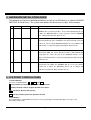
The following are the basic operation guidelines on how to set IDE devices as Optical READER,
WRITERS, or Hard Drives. The system auto detects the drives then assigns Drive numbers.
1
READER
WRITER
HDD
Installed
Installed
No
System Setting Information
When machine is turned on, the system will detect and assign the
READER drive as Source Reader. Then it will automatically be set
as Drive #1. WRITERS will be set by sequence after the READER
drive, starting from Drive #2, Drive #3, etc.
2
No
Installed
No
When machine is turned on, the system will assign the WRITER drive
connected to Port #1 of the controller as the Source Reader and set it
as Drive #1. The rest of the WRITERS will then be set as Writers and
numbered on a sequence beginning from Drive #2 and so on.
3
No
Installed
Installed
When machine is turned on, the system will assign the WRITER drive
connected to HDD, the Source Reader function. It will automatically
assign Drive #1. Then, the rest of the WRITERS will be set as
Writers, and numbered on a sequence beginning from Drive #2, then
to Drive #3, etc.
4
Installed
Installed
Installed
When all Drives are installed, assure that the READER drive is
connected to the HDD. The READER will be set as the Source
Reader and as Drive #1. WRITERS will be set as Writer and
numbered in order from Drive #2, Drive #3, etc.
5. LCD FRONT CONTROL PANEL
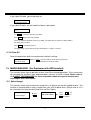
1. Control Buttons
There are 4 control buttons:
,
, ENT and ESC
: UP; backward; used to navigate backward in the menu
: Down; forward; used to navigate forward in the menu
ENT : OK, Enter, Execute the function
ESC : Escape, Used to go back to previous function
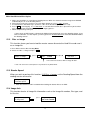
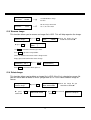
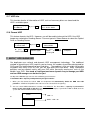
2. LCD Display
The LCD display is a 2x16 Mono LCD screen. The system displays function information, messages, and
instructions on the LCD.
4