1
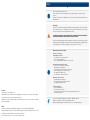
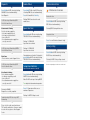
Quick Access for bath (factory setting)
Quick Access 1
Quick Access 2
Quick Access 3
Press 1 ×: Water ON by
36° Celsius and 100%
water flow
Press 2 × briefly: Water ON
by 37° Celsius and 100%
water flow
Press 3 × briefly: Water ON
by 38° Celsius and 100%
water flow
Quick Access 1
Quick Access 2
Quick Access 3
Press 1 ×: water ON temperature and water flow Quick
Access 1
Press 2 × briefly: water ON
temperature and water flow
like Quick Access 2
Press 3 × briefly: water ON
temperature and water flow
like Quick Access 3
Saving Quick Access
Start tub filling measurement (10 liters of water will be filled in automatically)
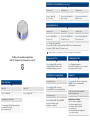
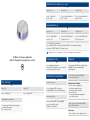
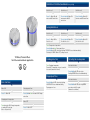
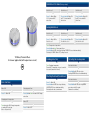
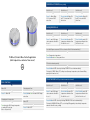
TLI Wheel / Remote Wheel for bath application
(with temperature- and water flow sensor)
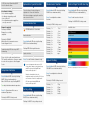
Turn: Change water temperature
Press & hold and turn: Change water flow
Fill in desired water quantity
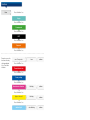
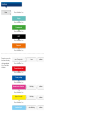
Press & hold until LED color ring is flashing PURPLE. Release knob immediately.
Flashing 2 × PURPLE: Water OFF, setting is saved (average temperature, water flow and filling
quantity which was last set)
Reset Quick Access (Special function must be activated)
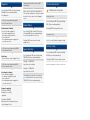
Basic functions
Water ON
Changing water flow
Press 1 ×: Water ON
Press, hold and turn when water ON: Change
water flow
Changing water temperature
Water OFF
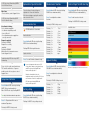
Turn when water ON: Change temperature
according LED color ring.
(blue = cold, red = hot)
Press 1 ×: Water OFF
Quick Access 1
Quick Access 2
Quick Access 3
Press 1 ×: water ON temperature and water flow Quick
Access 1
Press 2 × briefly: water ON
temperature and water flow
like Quick Access 2
Press 3 × briefly: water ON
temperature and water flow
like like Quick Access 3
Press & hold until LED color ring is flashing DARK BLUE. Release knob immediately.
Flashing 2 × DARK BLUE: Water OFF, reset settings (filling quantity is deactivated, temperature
and water flow like factory setting)