1
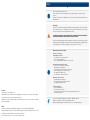
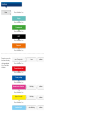
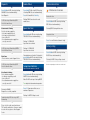
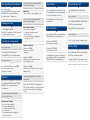
Quick Access for washbasin (factory setting)
Quick Access 1
Quick Access 2
Quick Access 3
Press 1 ×: Water ON
by 12° Celsius
Press 2 × briefly: Water ON
by 30° Celsius
Press 3 × briefly: Water ON
by 40° Celsius
Quick Access 1
Quick Access 2
Quick Access 3
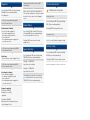
Press 1 ×: Water ON like
Quick Access 1
Press 2 × briefly: Water ON
like Quick Access 2
Press 3 × briefly: Water ON
Like Quick Access 3
Saving Quick Access
Turn: Change water temperature
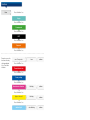
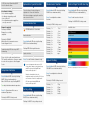
Press & hold until LED color ring is flashing PURPLE. Release knob immediately.
Flashing 2 × PURPLE: Water OFF, setting is saved.
Maximum Quick Access temperature is 38° Celsius (scalding protection temperature).
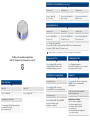
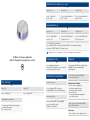
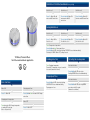
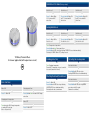
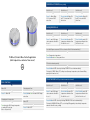
TLI Wheel for washbasin application
with TLC Temperature (temperature sensor)
Basic functions
Water ON
Water OFF
Press 1 ×: Water ON
Press 1 ×: Water OFF
Changing water temperature
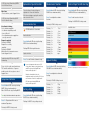
Turn when water ON: Change temperature
according LED color ring.
(blue = cold, red = hot)
Pop up open / close
Scalding protection
Press & hold until LED color ring is
flashing LIGHT BLUE. Release knob
immediately. Pop up open or close.
Turn: Changing temperature.
From ≥ 38° C temperature increase in smaller
increments (more wheel turns)
Activating the cleaning mode
Diagnostic
Deactivate Interface
Press & hold until LED color ring is flashing
ORANGE. Release knob immediately.
Start Diagnostic:
Press & hold until LED color ring is
flashing GREEN. Release knob immediately.
Reactivate Interface
Press & hold until LED color ring GREEN
goes out or wait 45 seconds
(automatic reactivation).
1. LED color ring is illuminating RED:
Check if hot water flows.
No warm water is flowing:
Check the hot water supply line
− Is hot water supply line open?
− Is hot water system activated?
− Is mesh filter ok?
− Are cold and warm water supply linescorrectly connected?