1
AT-WA7400 Management Software User’s Guide
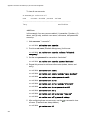
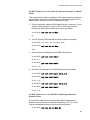
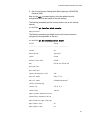
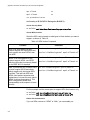
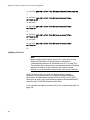
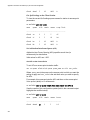
AT-WA7400# set bss wlan0bssInternal dtim-period 3
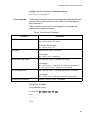
To get the updated value for DTIM interval after you have changed it:
AT-WA7400# get bss wlan0bssInternal dtim-period
3
Set the Fragmentation Threshold
You can specify a fragmentation threshold as a number between 256 and
2,346 to set the frame size threshold in bytes. The fragmentation threshold
is a way of limiting the size of packets (frames) transmitted over the
network. If a packet exceeds the fragmentation threshold set here, the
fragmentation function will be activated and the packet will be sent as
multiple 802.11 frames. If the packet being transmitted is equal to or less
than the threshold, fragmentation will not be used. Setting the threshold to
the largest value (2,346 bytes) effectively disables fragmentation.
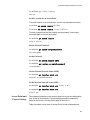
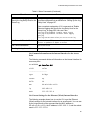
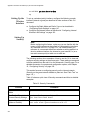
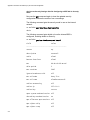
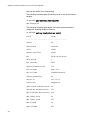
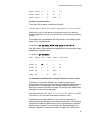
The following command sets the fragmentation threshold to 2000.
AT-WA7400# set radio wlan0 fragmentation-threshold 2000
Set the RTS Threshold
You can specify an RTS Threshold value between 0 and 2347. The RTS
threshold specifies the packet size of a request to send (RTS)
transmission. This helps control traffic flow through the access point,
especially one with a lot of clients.
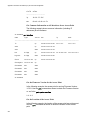
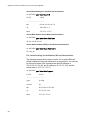
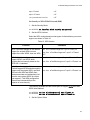
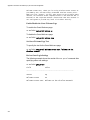
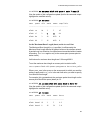
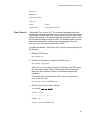
The following command sets the RTS threshold at
AT-WA7400# set radio wlan0 rts-threshold 2346
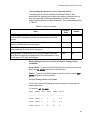
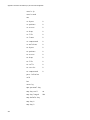
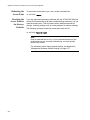
Configure Basic and Supported Rate Sets
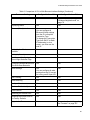
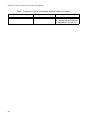
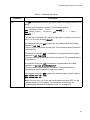
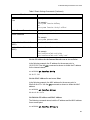
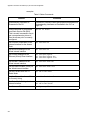
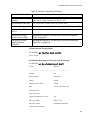
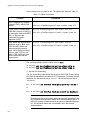
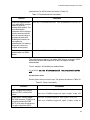
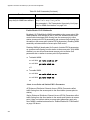
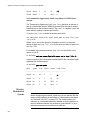
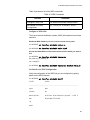
The rate set commands are shown in Table 28.
Table 28. Rate Set Commands
Function
Add a basic rate set
Command
add basic-rate WirelessInterface
rate SomeRate
For example:
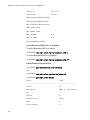
add basic-rate wlan0 rate 48
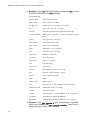
Get current basic rates
get basic-rate
331