1
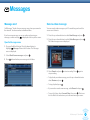
Contents
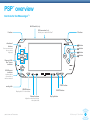
PSP™ (PlayStation® Portable)
overview
3
Text Chat
18
To start a Text Chat
18
Quick Start Guide
4
Multiple Text Chat conversations
19
Get started
5
Services
20
Getting the most from Go!Messenger™
5
Online Help
20
What else do I need?
5
My Account
20
Search
21
Settings
22
Checking and upgrading your
system software
5
Downloading the Go!Messenger™
software
6
Language
22
Register your Go!Messenger™ Account
7
Disconnect from service
22
Log on and activate Go!Messenger™
8
Call History
22
Using Go!Messenger™
10
User profile
23
Open Go!Messenger™
10
Groups
23
Open the Go!Messenger™ menus
10
Blocked Contacts
24
Set Presence
24
Contacts
11
Contacts sorting
24
Add Contacts
11
Ringtones
24
Contacts presence status
12
Save to sent items
25
Make a video call
12
Microphone
25
Make a voice call
13
Adjust message storage
25
Receiving calls
14
Re-verify Account
25
Messages
15
Remove Stored Password
25
Message alert
15
Further help
26
Send a video message
15
Send a voice message
16
Storing messages
17
Go!Messenger™ User Guide
2