1
68
User Guide Supplement — APM Medical
P/L Product Level Maintenance
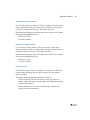
Use P/L Product Level Maintenance (7.20.18.8) to determine how
products are included/excluded from a price list and how they are priced.
Valid values are:
All Products. All products that are attached to the price list division at
the time the price list is approved are on the price list. These products
are not available for editing. This option is not valid for List Price
type.
Generate Products with Breaks. All products that are attached to the
price list division at the time Generate is run are attached to the price
list, and the break values default from the price list header break
values. These products can be edited.
Generate Products NO Breaks. All products that are attached to the
price list division at the time Generate is run are attached to the price
list, but the break values do not default from the price list header
break values. These products can be edited.
Specific Products. Products are manually added to the price list if
their division is the same as that on the price list.
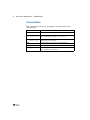
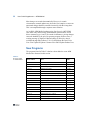
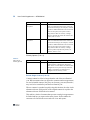
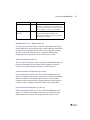
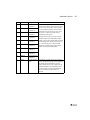
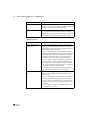
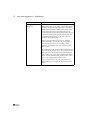
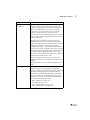
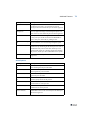
Table 3.3 lists price list product-level codes.
Table 3.3
Price List ProductLevel Codes
Code Reference
Description
10
Generate Products Code 10 lets you enter one or more product
for Groups
groups on the price list. Running Generate
Price List associates all products in specified
product groups with the price list associated
with the same specified product group value.
PrdGrp
Function