1
SLEEP
DESCRIPTION
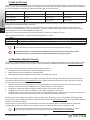
Switches the EYE-02 camera to SLEEP mode.
STATUS
The EYE-02 camera will send back an SMS indicating the current camera status.
Structure: <Remote Access Password> STATUS
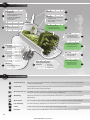
Example: Camera EYE-02 status: SLEEP mode, Time: 12/10/2011 13:56:31, RelayX: Off, RelayY: On
Camera EYE-02
Name of your camera
SLEEP mode
Current camera status
Time:12/11/2009 13:56:31
Time (date) of status report
RelayX: Off
Indicates that RelayX is currently off.
RelayY: On
Indicates that RelayY is currently on.
The name RelayX (RelayY) can be changed using JabloTool.
PICTURE
The EYE-02 camera returns a multimedia message with a picture of the current scene in front of the camera.
The message also contains the current camera status.
Structure: <Remote Access Password> PICTURE
REPORT SMS
The EYE-02 camera sends a report of the 10 latest events. The camera sends up to 5 SMS.
Structure: <Remote Access Password> REPORT SMS
REPORT MMS
The EYE-02 camera sends an MMS with the last alarm event recorded in the camera history.
Structure: <Remote Access Password> REPORT MMS
CREDIT
<USSD>
HELP
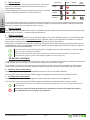
ON / OFF
RelayX / RelayY
This command has been designed especially for prepaid SIM cards. The EYE-02 camera will return a text
message with information about the current credit on your SIM card. This function is provided by your
network operator and might not work correctly on some networks.
Structure: <Remote Access Password> CREDIT < USSD command >
Example: MIKE CREDIT *22#
Where MIKE is remote access password and *22# is example of USSD command supported by operator
to find out the credit balance on prepaid cards. It is different for each network operator.
The camera sends back a text message with a list of the SMS commands.
Structure: <Remote Access Password> HELP
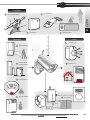
If the camera is enrolled to a wireless relay, this command switches its programmable output. Parameters
are ON or OFF. If you would like to make a pulse on the output, send the command ON <time in seconds>.
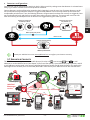
Please see the chapter on External wireless devices.
Structure (for RelayX): <Remote Access Password> <RelayX ON/RelayX OFF/RelayX ON time parameter>
Example: MIKE OFF RelayX Switches OFF RelayX
The possible actions are ON and OFF only. If RelayX/RelayY is set to PULSE mode in JabloTool, it can be
switched ON only. The time parameter is optional. It can be in 01:30:00 or 1h 30m 0s format.
Example: MIKE ON Sprinkler 100s
Switches ON Relay X named «Sprinkler“ for 100 seconds.
RelayX and RelayY can be renamed and operated via JabloTool web interface www.jablotool.com or
via JabloTool software.
4.3 Configuration via SMS commands
Basic configuration settings of EYE-02 camera can be changed via SMS commands. The camera can be configured
from any phone in case it is protected by Remote Access Password or by Configuration Password. If the camera is
protected by Configuration Password, then SMS commands configuring the camera must begin with this password.
If the Configuration Password is not set and camera is protected only by Remote Access Password, then SMS commands
configuring the camera must begin with Remote Access Password.
If you decide not to protect your camera by any of the passwords, you will be able to configure the camera only
from phones entered in the list of camera contacts. The camera confirms configuration commands with an SMS.
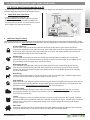
COMMAND
CONFIG PROFILE
DESCRIPTION when camera is protected by Configuration Password
Profile setting, <profile> is HOME, OUTDOOR, GARAGE, SHOP or CARE
Structure: <Configuration Password> PROFILE <Name of requested Profile>
Example: HELEN PROFILE HOME
Where HELEN is configuration password. The command switches the camera to the profile HOME
EYE-02.ENG.MAN.User_Manual.21
- 13 -
User Guide
COMMAND
EN