1
Contents
Read Before Operating ............................................................................................................. 4
1. AutoRAE 2 Automatic Test and Calibration System - General Information .............................. 5
2. Specifications .............................................................................................................................. 7
3. Overview ..................................................................................................................................... 9
3.1.
Standard Package Contents...................................................................................... 13
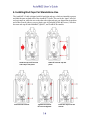
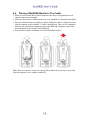
4. Installing End Caps For Stand-Alone Use................................................................................. 14
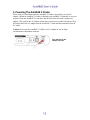
5. Powering The AutoRAE 2 Cradle ............................................................................................. 15
6. Preparing For Bump Testing & Calibration .............................................................................. 16
6.1.
Installing An External Filter .................................................................................... 16
6.2.
Connecting An AC Adapter..................................................................................... 16
6.3.
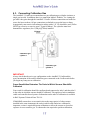
Connecting Calibration Gas ..................................................................................... 17
6.4.
Placing A MultiRAE Monitor In The Cradle .......................................................... 19
6.5.
Placing A ToxiRAE Pro Monitor In The Cradle ..................................................... 20
6.5.1. Installing Adapters In The ToxiRAE Pro Cradle ........................................................ 20
6.5.2. Placing A ToxiRAE Pro Monitor In The Cradle ........................................................ 21
6.6.
Placing A QRAE 3 Monitor In The Cradle ............................................................. 22
6.7.
Warm-Up ................................................................................................................. 22
7. Performing A Bump Test .......................................................................................................... 24
8. Performing A Calibration .......................................................................................................... 25
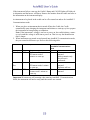
9. Bump And Cal Error And Status Messages .............................................................................. 26
10. Charging An Instrument’s Battery .......................................................................................... 28
11. Removing An Instrument From A Cradle ............................................................................... 28
11.1.
AutoRAE 2 Reports ................................................................................................. 29
12. Printing Reports From An AutoRAE 2 Cradle........................................................................ 31
13. Programming A Stand-Alone AutoRAE 2 Cradle .................................................................. 32
13.1.
Gas Inlet Configuration Settings ............................................................................. 35
13.2.
Selectable Gas Index Values For Gas Config 8 ....................................................... 38
13.3.
Gas Name ................................................................................................................ 39
13.4.
Concentration [Value] ............................................................................................. 39
13.5.
Concentration Unit................................................................................................... 39
13.6.
Purge Time (Sec.) .................................................................................................... 39
13.7.
Soak Time (Sec.) ..................................................................................................... 39
13.8.
Uploading Settings To The AutoRAE 2 Cradle ...................................................... 40
13.9.
Downloading & Uploading Individual Gas Inlet Settings ....................................... 40
13.10.
Saving The Settings File .......................................................................................... 41
13.11.
Recalling Stored Settings ......................................................................................... 41
13.12.
Uploading Settings To Multiple AutoRAE 2 Cradles ............................................. 41
13.13.
Exiting Programming............................................................................................... 41
14. Upgrading Firmware On The AutoRAE 2 Cradle ................................................................... 42
15. Using A Stand-Alone AutoRAE 2 Cradle For Datalog Transfer, Monitor Configuration,
and Firmware Upgrades .......................................................................................................... 45
16. Overview ................................................................................................................................. 46
16.1.
Standard Package Contents...................................................................................... 47
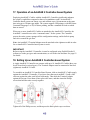
17. Operation of an AutoRAE 2 Controller-based System ........................................................... 48
18. Setting Up an AutoRAE 2 Controller-based System............................................................... 48
18.1.
Installing Batteries For The Real-Time Clock......................................................... 49
18.2.
Attaching An External Filter ................................................................................... 50
19. Powering an AutoRAE 2 Controller-Based System ................................................................ 50
20. Operating A Controller And Attached Cradles ....................................................................... 51