1
Chapter 1 – Introduction
The SoundGrid driver is an ASIO/Core Audio driver that lets you record and play audio to and
from your favorite DAW software. The driver streams audio via Ethernet through your local LAN
port.
In MultiRack version 9.5, you can use up to two drivers at the same time, allowing simultaneous
recording to a second computer.
The SoundGrid driver has two modes:
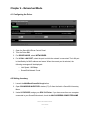
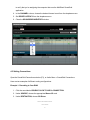
1. Networked. Use this mode when the driver is a part of a SoundGrid network that can
include MultiRack SoundGrid, a SoundGrid DSP server, DiGiGrid I/O interfaces, and
simultaneous DAW playback/recording. Driver channels and audio routing are set in the
MultiRack SoundGrid Inventory and Connections windows. See the Networked Mode
chapter below to learn how to set the driver to this mode.
2. Standalone. Use this mode for MultiRack Native processing or DAW playback and
recording. In this mode, the driver has its own System Inventory tab which lets you
configure your I/O devices.
Waves SoundGrid Driver
User Guide
3