1
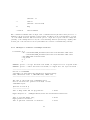
change the line:
> CC = g++
to:
> CC = /usr/bin/g++-4.4 (the full directory path from Step (3) above)
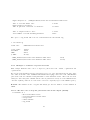
(4-b) To set g++-4.4 as a default compiler, do not edit the Makefile but run the commands,
> which g++
/usr/bin/g++
> sudo rm /usr/bin/g++
> sudo ln -s /usr/bin/g++-4.4 /usr/bin/g++
(find the path of the ‘g++’ command)
(remove the symbolic link of ‘g++’)
(create a new symbolic link from ‘g++’
to ‘g++-4.4’)
(should now be 4.4)
> g++ --version
(5) The user may now run the ‘make’ command in Step (2) of Section 2.2.
2.1.2
Mac OS X instructions (using MacPorts)
(1) Check whether you have other g++ compiler versions installed (4.3 or later), type ‘g++’ then
press the tab key → ,
> g++ (followed by the tab key)
(2) If the list given by Step (1) does not include a g++ compiler of version 4.3 or later, install one
(SortMeRNA was tested with gcc43, gcc44, gcc45, gcc46 and gcc47),
> sudo port selfupdate
> sudo port upgrade outdated
> sudo port install gcc44
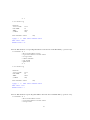
(3-a) To select gcc44 only for compiling SortMeRNA, the user must specify the full path of the
compiler in the Makefile,
change the line:
> CC = g++
to:
> CC = /opt/local/bin/g++-mp-4.4 (the full directory path of the installed compiler)
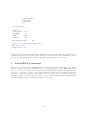
(3-b) To set gcc44 as a default compiler, do not edit the Makefile but run the commands,
> which g++
/opt/local/bin/g++
> sudo rm /opt/local/bin/g++
> sudo ln -s /opt/local/bin/g++-mp-4.4 \
/opt/local/bin/g++
> g++ --version
(find the path of the ‘g++’ command)
(remove the symbolic link of ‘g++’)
(create a new symbolic link from ‘g++’
to ‘g++-mp-4.4’)
(should now be 4.4)
(4) The user may now run the ‘make’ command in Step (2) of Section 2.2. If linking errors occur
4