1
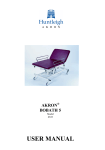
AKRON®
GYNAECOLOGY 3
Model
9932
USER MANUAL
AKRON 9932
Contents
1.
Introduction
2
Warnings, Cautions
General Warnings
2
2
2.
Installation
3
3.
Operation
4
Elevation Controls
Wheel Locking, Seat Extension
Leg Supports, Debris Tray
Instrument Shelf, Arm Loops, Paper Roll Holder
Head Support, Stool & Chair
4
5
6
7
8
Accessories – Operating Instructions
9
Triple Footswitch, Arm Support, Arm Rests
9
5.
Cleaning and Decontamination
10
6.
Troubleshooting
11
7.
Maintenance
11
8.
Warranty and Service
12
4.
13
9.
Revision Status
13
10.
Technical Specification
14
11.
Transport and Storage
15
12.
Environmental Protection
15
"The
mark on this product demonstrates conformity
with the EC Directive 93/42/EEC."
1
AKRON 9932
1. Introduction
Always keep this Operating Manual available for reference.
Warnings & Cautions
WARNINGS
Warnings identify possible hazards in procedures or conditions which, if not correctly followed,
could result in death, injury or other serious adverse reactions.
CAUTIONS
Cautions identify conditions or procedures which, if not correctly followed, could result in equipment
failure or damage.
General Warnings
WARNINGS
Use only accessories that have been designed or approved for use with this couch.
Do not use electric couches in the presence of flammable gasses such as an
anaesthetic agent.
Maximum Load 180 Kg (396 lbs) distributed evenly.
Do not concentrate weight on either side of the couch.
Plug acts as a disconnect device.
Do not allow children to play with the couch at any time.
Adequately supervise children in the proximity of the couch.
2
AKRON 9932
2. Installation
Electric Models
WARNING
Do not insert the 2-pin mains connector directly into a 3-pin 13A mains outlet.
Always use the adapter provided.
Plug acts as a disconnect device.
Use adapter if 3 pin 13A plug is required.
(Order reference 5S0409Z)
Ensure mains supply cable is not stretched when connected.
Ensure, during couch use, no obstacles are in its path.
Ensure hand / foot switch tubes or leads are not trapped by moving parts of the couch.
CAUTION
When not in use, switch couch off.
Battery Backup
CAUTION
Battery Backup is for the unlikely event of mains power failure/not normal use.
The couch should always be used with mains power connected.
The light on the control box indicates mains power is on.
Whilst 'on' batteries are trickle charged – in case of power failure.
To charge the accumulators, the control unit must be activated by shortly pressing one of the switch keys.
3
AKRON 9932
3. Operation
Elevation Controls
WARNING
Safely position patient before elevating couch.
Position all electrical cables away from the moving parts.
Position Handswitch where accidental operation is not possible.
Press
to Raise Couch
Press
to Lower Couch
Press
to Raise Backrest
Press
to Lower Backrest
Press
to Raise Backrest
Press
to Lower Backrest
Handswitch
Backrest Angles = +75º -0º (+ 3º)
Seat Angles = +15º -0º (+ 3º)
4
AKRON 9932
3. Operation
Wheel Locking
WARNING
Lock couch wheels/castors prior to patient transfer or treatment.
Disconnect and coil electrical cord away from moving parts prior to
repositioning couch.
Wheels Locked
Directional Lock
Wheels Unlocked
Seat Extension
CAUTION
Prior to patient positioning, ensure seat extension (if used) is secure.
To remove seat extension:
A)
Loosen locking knob on underside.
B)
Slide seat extension horizontally away from couch.
To refit seat extension:
A)
Locate seat extension into tubes.
B)
Secure by turning locking knob on underside clockwise to tighten.
5
AKRON 9932
3. Operation
Leg Supports
CAUTION
Ensure all locking knobs and levers have been sufficiently tightened before using leg supports.
To adjust leg support:
A)
Slide din rail clamp onto din rail in desired position; secure by
tightening lever.
B)
Locate leg support into din rail clamp and secure in position using
locking knob.
C)
To adjust angle of leg support pad, loosen lever on underside of
pad, adjust to desired position and secure by tightening lever.
D)
If further angle adjustment required, loosen T-lever by turning
anti-clockwise, rotate leg support to desired angle and secure by
tightening T-lever.
Debris Tray
CAUTION
Ensure debris tray is removed and frame positioned under seat prior to patient mounting or
dismounting couch.
A)
To remove tray, lift out of frame and slide frame under seat.
B)
To insert tray, slide frame out and position debris tray into frame.
6
AKRON 9932
3. Operation
Instrument Shelf
CAUTION
Do NOT use as a step as weight bearing may cause damage.
To use instrument shelf:
A)
Slide to position required.
B)
Ensure instrument shelf is 'pushed in' when patient is
dismounting couch.
Arm Rests
CAUTION
Ensure arm loop is secure prior to use.
Paper Roll Holder
A)
Slide din rail clamp onto din rail in desired position.
B)
Locate arm loop into din rail clamp and secure into position
using locking knob.
C)
Adjust position by loosening lever on din rail clamp, sliding
to desired position and secure by tightening lever.
To replace paper roll:
A)
Take hold of paper roll.
B)
Place over plastic tube.
C)
Fit one end of tube over tab on holder.
D)
Gently spring holder to fit other tab into tube.
7
AKRON 9932
3. Operation
Head Support
Adjust Head Support to suit patient by:
A)
Unfastening Velcro strap.
B)
Position where required.
C)
Fasten Velcro straps to secure.
Operators Stool & Chair
*Either chair or stool available as standard (Stipulated on order).
*Alternatively either available as optional accessories.
Operators Stool (Model 8500)
Operators Chair (Model 8600)
8
AKRON 9932
4. Accessories – Operating Instructions
Triple Footswitch (Optional Extra)
To use triple footswitch:
A)
Remove existing handswitch from control box (if fitted).
B)
Plug in D-sub lead into handset port on control box.
Arm Support (Optional Extra)
To adjust arm support:
A)
Slide din rail clamp onto din rail in desired position; secure
by tightening lever.
B)
Locate support into din rail clamp and secure in position
using locking knob.
C)
To adjust angle of arm support pad, loosen lever on
underside of pad, adjust to desired position and secure by
tightening lever.
D)
If further angle adjustment required, loosen T-lever by
turning anti-clockwise, rotate support to desired angle and
secure by tightening T-lever.
Arm Rests (Optional Extra)
Arm Rest down
Arm Rest up
A)
To adjust angle, rotate the knob on the underside of the armrest.
B)
To raise or lower the armrest, simply move to position up or down.
9
AKRON 9932
5. Cleaning and Decontamination
WARNING
Do not use Alkalis or other organic solvents for routine cleaning.
Replace torn or damaged vinyl immediately.
Always cover vinyl with fresh paper or sheet between patients.
If contamination is known or suspected always decontaminate couch before use.
Frequency of routine couch cleaning will depend on exact application.
CLEANING / DECONTAMINATION
Locate couch in a suitable cleaning area with castors disengaged or wheels locked.
1.
Wear protective clothing: plastic disposable apron and gloves.
2.
Disconnect any mains supply and lock couch wheels.
3.
Control handsets can be wiped over using a 70% Isopropranol alcohol wipe.
4.
Prepare a solution of warm water and neutral detergent.
5.
Start at the top of the couch and work your way downwards.
6.
Wipe over head end working towards mid torso.
7.
Wipe over remaining horizontal patient surface, working towards foot end.
8.
Wipe all horizontal parts under the patient surface.
9.
Wipe all vertical parts under the patient surface.
10.
Wipe over shroud (if fitted).
11.
Wipe over all parts of wheels.
12.
Ensure all parts of the couch are dry before re-use.
13.
Safely discard cleaning materials.
14.
Wash hands thoroughly.
If DECONTAMINATING then repeat steps 1) to 14) using a dilute Hypochlorite / warm water mixture
(10,000ppm) instead of warm water and soap.
Put couch back into service.
10
AKRON 9932
6. Troubleshooting – Electric Actuator
Symptom
Actuator will not work
Possible cause
Power disconnected
Action
Ensure mains supply is connected
Fuse blown
Replace fuse in socket
Hand/footswitch disconnected
Check that the hand/foot switch is
fully inserted into the actuator
If the problem persists consult your local Akron Supplier.
7. Maintenance
Check table visually before use.
Carry out routine servicing every six months or more frequently if in heavy use.
Routine servicing or repair must only be performed by suitably qualified person.
WARNING
Before commencing any maintenance activity, disconnect the couch from the
electrical supply.
Plug acts as disconnect device.
Examine the table for any signs of damage. Make sure that all nuts, bolts and other fasteners are tight. Do
not over tighten as this may cause binding.
Upholstery fasteners should be checked, tightened or replaced if necessary.
Check section hinge pins to ensure that no pin protrudes.
Check gas strut controls, throughout the full range of movement for locking and assistance.
Check hydraulic tables for smooth operation and signs of leakage.
WARNING
All electrical checks should be performed by a suitably qualified and licensed
electrician.
Neither BLUE or BROWN wires are to be connected to the earth terminal of a
three pin plug.
Examine the flexible cables for cuts, abrasions, kinking or other deterioration and replace if necessary.
Ensure that the power supply connector plug is securely attached.
Check mains plug connections are tight and fuse is correctly rated (5A).
11
AKRON 9932
8. Warranty and Service (UK only)
Huntleigh Healthcare, Akron Product Division’s standard terms and conditions apply to this couch. A
copy is available upon request. These contain full details of warranty terms and do not limit the statutory
rights of the consumer.
For service or maintenance please contact:
Service Department
Huntleigh Healthcare
310-312 Dallow Road
Luton
Beds
LU1 1TD
Telephone: 01582 745700
Fax:
01582 745869
For information on this product, or any other Huntleigh Healthcare, Akron Product Division’s product,
please contact:
Huntleigh Healthcare
Akron Product Division
1 Farthing Road
Ipswich
IP1 5AP
Telephone: 01473 461042
Fax:
01473 462924
Huntleigh Healthcare, Akron Product Division
A Member of the Huntleigh Technology PLC Group of Companies
© Huntleigh Technology PLC 2003.
If for any reason your couch is being returned, please inform Huntleigh Healthcare, Akron Product
Division prior to sending, and:
1.
2.
3.
4.
Clean the product, as described in the cleaning section.
Pack it in suitable packing.
Attach the decontamination certificate (or other written statement declaring that the product has
been cleaned) to the outside of the package.
Mark the package “Service Department”.
Manufactured in the UK by Huntleigh Healthcare, Akron Product Division. As part of the ongoing
development programme this company reserves the right to modify specifications and materials of this
couch without notice.
12
AKRON 9932
8. Warranty and Service (Outside UK)
Huntleigh Healthcare, Akron Product Division’s standard terms and conditions apply to this couch. A
copy is available upon request. These contain full details of warranty terms and do not limit the statutory
rights of the consumer.
For service, maintenance and any questions regarding this, or any other Huntleigh Healthcare, Akron
Product Division Product, please contact:
Huntleigh Healthcare
Akron Product Division
1 Farthing Road
Ipswich
Suffolk
IP1 5AP
England
Telephone:
Fax:
+44 (0) 1473 461042
+44 (0) 1473 462924
Huntleigh Healthcare, Akron Product Division
A Member of the Huntleigh Technology PLC Group of Companies
© Huntleigh Technology PLC 2003.
If for any reason your couch is being returned, please inform Huntleigh Akron prior to sending and:
1.
2.
3.
4.
Clean the product, as described in the cleaning section.
Pack it in suitable packing.
Attach the decontamination certificate (or other written statement declaring that the product has been
cleaned) to the outside of the package.
Mark the package “Service Department”.
Manufactured in the UK by Huntleigh Healthcare, Akron Product Division. As part of the ongoing
development programme this company reserves the right to modify specifications and materials of this
couch without notice.
9. Revision Status
9932
PAGES
ALL PAGES
PAGE 2
ALL PAGES
VARIOUS
VARIOUS
ISSUE
UM - 01
UM - 02 (DCN958)
UM - 03 (DCN998)
UM - 04 (DCN1058)
UM - 05 (DCN1065)
WRITTEN
J. Austin
J. Barker
J. Barker
J. Barker
J. Barker
13
DATE
22/11/99
30/10/00
30/04/02
05/11/03
16/12/03
AKRON 9932
10. Technical Specification
Akron Gynae 3
9932
Head Length (cm)
Mid Length (cm)
Foot Length (cm)
Width (cm)
Overall Length (cm)
Height Range (cm)
85±1.5
55±1.5
51±1.5
64±1.5
173±3
63±1.5
99±1.5
180 Kg
Electric
Max. Load Weight
Elevation Control
Electrical Data 230v
Voltage
Current
Power
220-240v / 50 Hz
0.8A
24v / 6A
Electrical Data 115v
Voltage
Current
Power
IEC 601-1 Classification:
115v / 60 Hz
1.6A
24v / 6A
Class 1
Type B equipment
Attention consult this manual
14
AKRON 9932
11. Transportation and Storage
Handle with care. Do not drop. Avoid shock or violent impact.
The equipment should be stored in a clean, dry and well ventilated area. The following limits apply
during transport and for a storage period of up to 15 weeks:
Ambient temperature
Relative humidity
Air pressure
-25°C to +70°C
10% to 75%
50 kPa to 106 kPa
The following limits apply to operating conditions or longer periods of storage:
Ambient temperature
Relative humidity
Air pressure
+10°C to +40°C
30% to 75%
70 kPa to 106 kPa
12. Environmental Protection
Dispose of unit in compliance with local regulations.
15
Huntleigh Akron, 1 Farthing Road, Ipswich, Suffolk, IP1 5AP, England
Tel: +44 (0) 1473 461042
Fax: +44 (0) 1473 462924
792-297-05