1
B – User manual K-REA
B.3. Data menu
B.3.1. Title and options
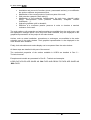
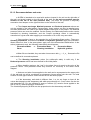
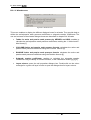
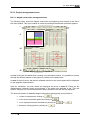
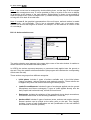
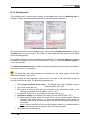
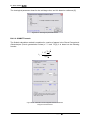
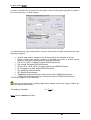
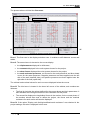
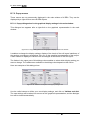
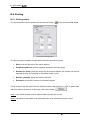
This dialogue box can be displayed by clicking on the Data menu, then on Title and
options. It is used to define the general options of each project.
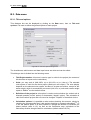
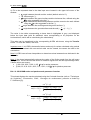
Figure B 14: Title and Options dialogue box
The checkboxes, radio buttons and data input boxes are white and can be edited.
This dialogue box is divided into the following zones:
•
Title/Project number: this zone is used to type in a title for the project (the content of
this box has no impact on the calculation).
•
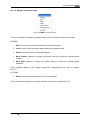
Units: you may work in (MN, MPa, m) or (kN, kPa, m) or (t,t/m2,m). The selected
units system is valid for the whole project (data input and output). The units display
depends on the selected units system, but there is no data conversion, except for the
water weight, which is automatically converted. (kN ,kPa, m) units and a water weight
equal to 10kN/m3 are the default values.
•
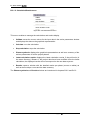
Definition of the project in: this option is used to select whether the vertical axis is
directed upwards (“levels” option) or downwards (“depths” option). This orientation is
valid for the whole project and can never be changed. “Depths” is the default choice.
•
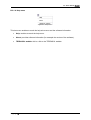
Calculation options: it is possible to take anchors buckling into account, simply by
checking the corresponding box (“add anchors buckling in moments calculation”(1)). It
is not the default option. It is also possible to change the Number of iterations per
phase (default value is 10), as well as the Calculation step, equivalent to the
elementary division along the wall for calculations (default value is 0,5 m).
24/58
April 2008 - Copyright © K-REA – TERRASOL 2004