1
2.2 INSTALLATION PROCESS
2. Installing DYNAM
2.1 System Requirements
To use DYNAM, we recommend the following minimum system requirements:
•
•
•
•
•
•
Windows 95 / 98 / NT 4.0 / 2000 Operating System
200 MHz Processor
64 MB Memory
CD ROM and 3.5” disk drive for installation
2 GB total hard disk capacity with 150 MB reserved for installation
4 MB Graphic’s card and monitor with a resolution of 1024 x 768 pixels
With the exception of the operating system, no product recommendations are made. DYNAM and RSTAB basically run on all systems that fulfill the system requirements. Your
computer does not need to have “Intel Inside”, and it is also unnecessary to have an expensive 3D graphic’s card. Because DYNAM and RSTAB are generally used for extensive
calculations, the phrase “more is better” holds true.
2.2 Installation Process
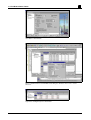
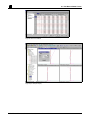
Licensed DYNAM users should follow the installation instructions in the RSTAB manual.
DYNAM will be automatically installed. If there is an authorization fail message when
starting the DYNAM module from RSTAB, the program will run as a limited but functional demo version.
2
DYNAM FOR WINDOWS © 2001 BY ING.-SOFTWARE DLUBAL GMBH