1
Chapter 21 SPICE Model Synthesis
NOTE:
Be aware that the processing time needed to create your models can
be significant. The processing time is proportional to the number of
analysis frequencies times the square of the number of ports in your
circuit.
Creating a Broadband Spice Model
You use the response data created as the result of an em analysis to create a Broadband Spice model. For the best results use an Adaptive sweep (ABS) to analyze
your circuit and produce response data spread evenly over the frequency band.
The following procedure demonstrates the method to be used in the response
viewer. For detailed instructions for setting up a Broadband Model file in the project editor, please refer to Help.
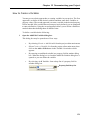
Once you have completed the em analysis of your circuit, do the following to create a Broadband Spice model:
1
Open your project in the response viewer.
2
Select Output ⇒ Broadband Model File from the main menu of the response
viewer.
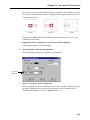
If you have more than one project open in the response viewer, a window appears
which allows you to select the desired project.
3
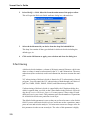
Select the desired project from the project drop list.
You may only create a Broadband Spice Model for one project at a time.
4
Click on the OK button to select the project and close the dialog box.
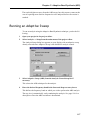
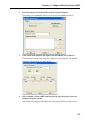
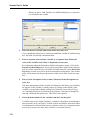
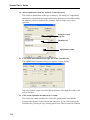
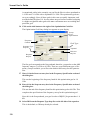
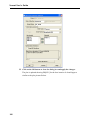
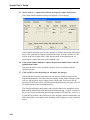
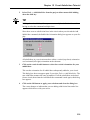
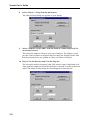
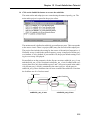
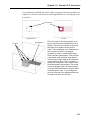
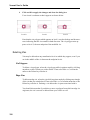
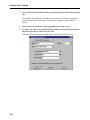
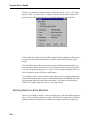
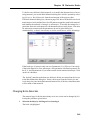
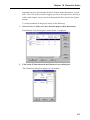
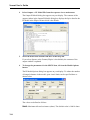
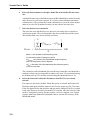
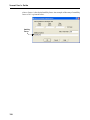
The Output Broadband Model File dialog box appears on your display. You may
access Help by clicking on the Help button or use context sensitive help for an
explanation of a particular control or entry.
5
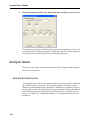
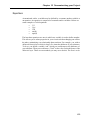
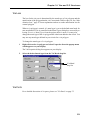
Select the file format of the Broadband Model: PSpice or Spectre from the
Format drop list.
PSpice and Spectre are the two formats of Spice file supported. A PSpice file uses
the extension “.lib” and a Spectre file uses the extension “.scs.”
321