1
APPLICATION AND OPERATION: People
1. On the Home screen, touch
ENGLISH
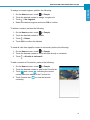
To assign a contact ringtone, perform the following:
> People.
2. Touch the desired contact to assign a ringtone to.
3. Touch
> Set ringtone.
4. Select the desired ringtone and touch OK to confirm.
To delete a contact, perform the following:
1. On the Home screen, touch
> People.
2. Touch the desired contact to delete.
3. Touch
> Delete.
4. Touch OK to confirm the deletion.
To send all calls from specific contact to voicemail, perform the following:
1. On the Home screen, touch
> People.
2. Touch the desired contact to revert all calls directly to voicemail.
3. Touch
> All calls to voicemail.
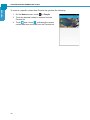
To add a contact to Favorite list, perform the following:
1. On the Home screen, touch
> People.
2. Touch the desired contact to add to the Favorite list.
3. Touch
and it turns
, indicating the current
contact has been added to the Favorite list.
4. Touch Favorite tab (
contact(s).
) to view the favorite
47