1
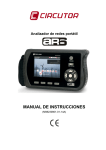
AR6 portable network analyzer
Selection:
The arrow buttons ◄/ ► and ▼/ ▲ move the selection cursor to the desired menu option. Theλ
button is used to confirm the selection and change to the desired display screen.
The options to cancel, delete or confirm entered values are activated by means of the dynamic
function keys, which functions are displayed at the bottom part of the corresponding screen.
7
MAIN MENU
The main menu of the AR6 has various icons that indicate the different configuration and display
options available to the user in a simple and intuitive manner.
Fig.7-1.- Main menu
The main menu icons are:
SETTINGS
SYSTEM INFORMATION
MEASUREMENT MANAGER
MEASUREMENT ANALYSIS
WAVEFORM
METER
PHASORS
QUADRANTS
HARMONICS
Fig.7-2.- Main menu:
User Manual
Page 21 of 69