1
2 Setting Up the SEQUEST Cluster
Setting Up the Slave Nodes: Red Hat Enterprise Linux 4.0
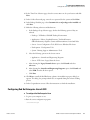
14. In the Time Zone Selection page, select the correct time zone for your location and click
Next.
15. In the Set Root Password page, enter the root password for the system and click Next.
16. In the Package Defaults page, select Customize the set of packages to be installed and
click Next.
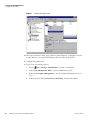
17. Make the following selections and deselections:
a. In the Package Group Selection page, deselect the following options if they are
selected:
• Desktops - X Window, GNOME Desktop Environment
• Applications - Editors, Graphical Internet, Text Based Internet,
Office/Productivity, Graphics, Games and Entertainment, Sound and Video
• Servers - Server Configuration Tools, Web Server, Windows File Server
• Development - Development Tools
• System - Printing Support, Administration Tools
b. Select the following options in the Servers section:
• Applications - Scientific and Engineering Programs
• Servers - FTP Server, Legacy Network Server.
c. After selecting the Legacy Network Server option, click Details and select
rsh-server.
d. After selecting the Scientific and Engineering Programs option, click Details and
select PVM. Deselect all other options.
e. Click Next.
18. Click Next to install the Red Hat Linux software. An installation progress dialog box
appears. The dialog box prompts which CDs are required during the software loading
process.
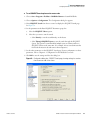
19. In the Congratulations screen, follow the instructions to finish the installation.
Configuring Red Hat Enterprise Linux 4.0 ES
Y To configure Red Hat Enterprise Linux
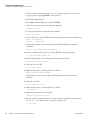
1. Log into your computer as root.
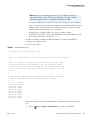
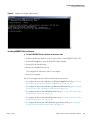
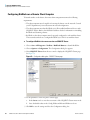
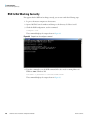
2. Run the service configuration program:
/usr/sbin/ntsysv
Thermo Scientific
SEQUEST Cluster Installation and Operation Manual
51



























































![[incr tsdb()]](http://vs1.manualzilla.com/store/data/005780303_1-7064634619abc733efac654e2a82e90d-150x150.png)