1
palOPTI® Installation Manual
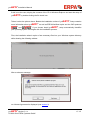
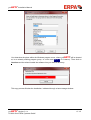
You determine the place within the Windows program menu, where palOPTI® will be located
at, in an already existing program group, or a new one (palOPTI for instance). Then click on
Continue and the wizard installs the software into your desired directory.
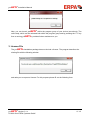
This copy process finishes the installation, indicated through a last message window:
palOPTI® Version 2.1.x
© 2002-2014 ERPA Systeme GmbH
8 / 16