1
CZ-02RT11P
Remote controller
READ THIS MANUAL ATTENTIVELY
BEFORE STARTING UP THE UNIT. DO
NOT THROW IT AWAY. KEEP IT IN YOUR
FILES FOR FUTURE REFERENCE.
IMPROPER
INSTALLATION
OR
ATTACHMENT OF EQUIPMENT OR
ACCESSORIES COULD RESULT IN
ELECTRIC SHOCK, SHORT-CIRCUIT,
LEAKS, FIRE OR OTHER DAMAGE TO
THE EQUIPMENT. BE SURE ONLY TO
USE
ACCESSORIES
MADE
BY
PANASONIC WHICH ARE SPECIFICALLY
DESIGNED FOR THE USE WITH THE
EQUIPMENT
AND
HAVE
THEM
INSTALLED BY A PROFESSIONAL.
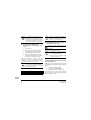
IF UNSURE OF INSTALLATION PROCEDURES OR USE, ALWAYS CONTACT
YOUR DEALER FOR ADVICE AND
INFORMATION.
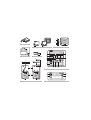
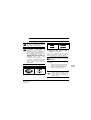
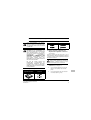
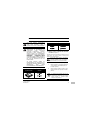
The kit includes the following parts:
Remote controller
Wood screws
Installation manual
Wall plugs
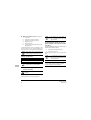
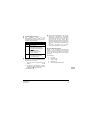
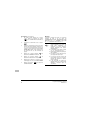
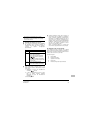
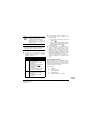
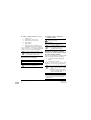
1. Remove the upper part of remote
controller (Refer to figure 1)
Insert a minus screwdriver into the slots (1) in the
lower part of the remote controller (2 places), and
remove the upper part of the remote controller.
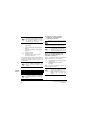
The PC board is mounted in the upper part
of the remote controller. Be careful not to
damage the board with the minus
screwdriver.
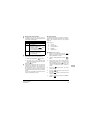
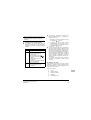
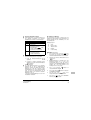
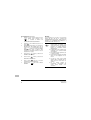
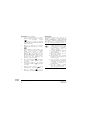
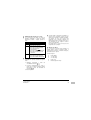
2. Fasten the remote controller
(Refer
to figure 2)
1
for exposed mounting, fasten with the two
included wood screws (Ø4x30) and plugs.
2
for flush-mounting, fasten with the two
included machine screws (M4x16).
NOTE
CZ-02RT11P
Remote controller
4PW15514-1
Machine screws
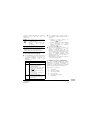
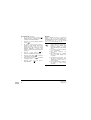
Choose the flattest place possible for
mounting surface. Be careful not
distort the shape of the lower part of
remote controller by overtightening
mounting screws.
the
to
the
the
Installation manual
1