1
User Manual PolyGard® MGC-03
Page 5
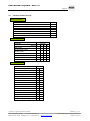
2
Operating Instruction
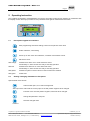
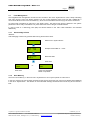
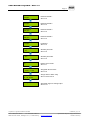
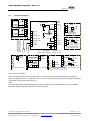
The complete configuration, parameterization and service are made via keypad user interface in combination with
the display screen. Security is provided via four password levels against unauthorised intervention.
Alarm 1
Alarm 2
MSR-Electronic
MGC - 03
2.1
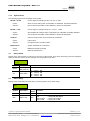
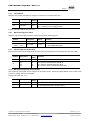
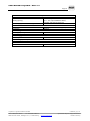
Description Keypad User Interface
Exits programming and saves settings, returns to the previous menu level.
Enters submenus, save setting.
Scrolls up in main menu and submenus, increases or decreases a value.
Moves the cursor.
LED orange:
Flashes when alarm one or more alarms are active.
Permanently on, when at least one relay is manually operated..
LED red:
Flashes when alarm two or more alarms are active.
Permanently on, when at least one relay is manually operated.
LED yellow:
Flashes at system or sensor failure or when maintenance needed.
LED green:
Power LED
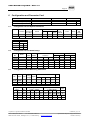
2.2
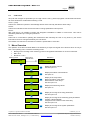
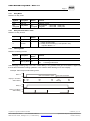
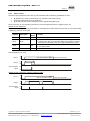
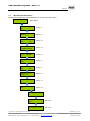
Setting / Changing Parameters or Set points
Open desired menu window.
Code window opens, if no code level approved.
After input of the valid code the cursor jumps on the first position segment to be changed.
Push the cursor onto the position segment, which has to be changed.
Change the parameter / set point.
Save the changed value.
Finished
PolyGard is a registered trademark of MSR
Phone: 0049(0)8531/9004-0
Fax: 0049(0)8531/9004-54
MSR-Electronic GmbH, Würdinger Str. 27, D 94060 Pocking
GAMGC03_E_0115
www.msr-electronic.de
Specification subject to change without notice.
Printed in Germany