1
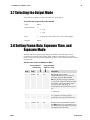
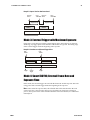
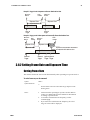
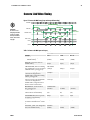
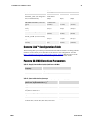
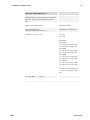
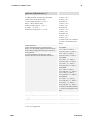
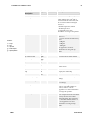
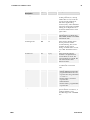
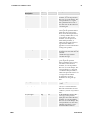
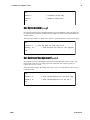
DS-24-02M30 and DS-25-02M30 User’s Manual 21 Overview: Setting Frame Time and Exposure Time The camera’s frame rate (synchronization) can be generated internally through software commands or input externally from a frame grabber/host system. To select how you want the camera’s frame rate to be generated: 1. You must first set the camera mode using the sem command. Refer to section 3.8.1 Setting the Exposure Modes on page 20 for details. 2. Then, when applicable, use the commands ssf (mode 2 only) to set the frame rate and/or set (mode 2 or 6) to set the exposure time. Refer to section 3.8.2 Setting Frame Rate and Exposure Time on page 23 for details. 3.8.1 Setting the Exposure Modes To set the exposure mode, use the command: Syntax: sem i Syntax Elements: i Notes: Exposure mode to use. See Table 8: Overview of Pantera SA 2M30 Exposure Modes on page 20 for a list of available exposure modes. Example: To obtain the current value of the exposure mode, use the command gcp. The following sections explain each mode in detail. sem 4 Mode 2 (Default): Internally Programmable Frame Rate and Exposure Time The parameter being programmed (i.e. frame rate or exposure time) will be the driving factor so that when setting frame rate, exposure time will change to accommodate the new frame rate and visa-versa. Note: If the frame period (the period needed to readout one frame) is less than the exposure time, the frame period will be set by the exposure time. The camera will use electronic shuttering when the exposure time is less than the frame period. DALSA 03-32-10157-02