1
“---“
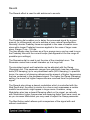
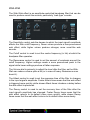
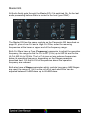
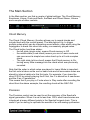
No modulation source is selected.
Note
The note being played. The modulation value follows
the frequency of the
played note (bipolar).
Velocity
The MIDI note-on velocity information. The harder the
key is hit, the higher the modulation value (bipolar).
Aftertouch
The Aftertouch (sometimes called Pressure) MIDI
value. Spectral automatically either uses monophonic
or polyphonic Aftertouch, whatever your keyboard
supports (unipolar).
If this Modulation source doesn't work it is likely that
your keyboard does not support aftertouch.
Aftertouch Sub
Same as Aftertouch but with a different unipolar range.
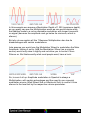
For more info see the “Modulation Source Types” info
box at the start of this section (unipolar)
Pitch Wheel
The value of the Pitch-Wheel is taken as modulation
source, maybe it makes sense to reduce the Pitch
Wheel range on the Settings page to 0 when using the
Pitch Wheel as modulation source. The Pitch Wheel is
bipolar
Pitch Wheel +
Only the positive value of the Pitch-Wheel is taken as
modulation source (when the wheel is moved away
from you), allowing to use the Pitch Wheel in different
ways, depending if its moved up or down (unipolar).
Pitch Wheel -
Only the negative value of the Pitch-Wheel is taken as
modulation source (when the wheel is moved towards
you), allowing to use the Pitch Wheel in different ways,
depending if its moved up or down (unipolar).
Mod Wheel
The MIDI modulation wheel (MIDI CC 1) (unipolar )
Mod Wheel Sub
Same as Mod Wheel but with a different unipolar
range. For more info see the “Modulation Source
Types” info box at the start of this section (unipolar)
Arp Velocity
The Velocity value of each step in the Arpeggiator (if
the Arpeggiator is switched On, Unipolar).