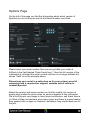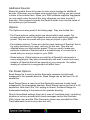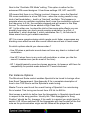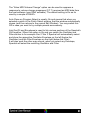
1
cross-modulating an Oscillator cannot be filtered by the corresponding filter.
While on many sounds this will not be an issue, on some you may want to
reduce the harmonics created by cross-modulation. To do so, you can use
this Subsequent Filter.
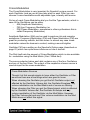
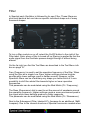
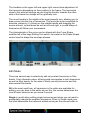
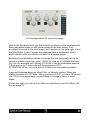
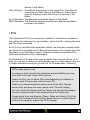
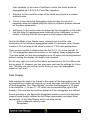
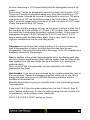
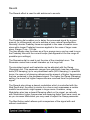
This 18 dB Lowpass is Off and does not affect the sound when the dial is
turned fully clockwise. By turning it counter clockwise the filter frequency is
adjusted from 5 octaves above the operation frequency of the main filter
down to be just the same as the main filters frequency.
This parameter is also available for modulation in the modulation matrix
(Filter LP+ Cutoff). In comparison to the main filter you need a stronger
signal to modulate it, so when you have a modulation of for example
Source=LFO 1, Depth= 0.1 and Destination=Filter 1 Frequency and want
change it so that only the additional filter is modulated, but with the same
intensity, you would adjust to Source=LFO 1, Depth= 0.2 and
Destination=Filter 1 LP+ Cutoff.
Keep in mind that the additional filter is always following the modulation of
the main filter anyway, so usually you wont have to separately modulate it,
except for special effects.
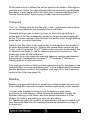
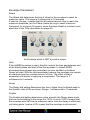
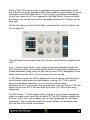
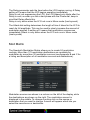
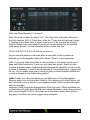
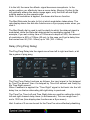
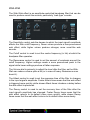
The large display in the filter section which follows next shows the filter
shape which can be edited when clicking on the display. A large editor
which is described later will open below the Oscillator / filter section.
Below the display you find the Load label, which when clicked allows you to
load any factory filter-shape (and any shape you might have created and
saved yourself).
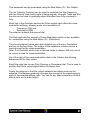
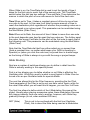
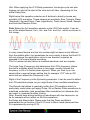
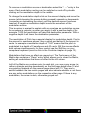
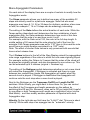
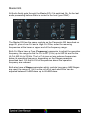
Right of the display are more parameters, starting with the Track dial. It is
used to control the degree to which the filter tracks the played note's
frequency (Note or Pitch Tracking). When set to center no tracking is
applied, when set fully right the filters operation frequency is fully shifted
according to the played notes (higher notes produce higher operation
frequencies).
The full left setting does the opposite: the filter frequency changes exactly
opposite to the notes frequencies.
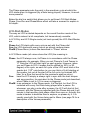
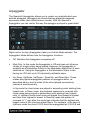
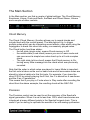
The Env (Envelope) parameter controls the Envelope Amount. It is used to
set the degree to which the filter's envelope affects the Filter operation
frequency. Each filter in Spectral has a dedicated envelope which is located
right below the filter (and which is described on page 34).
Setting Env Amt to the central (neutral) position means that the envelope
has no effect on the filter while both fully right as well as fully left means
that the filter is modulated by the envelope's full range (either positive,
raising the filter frequency or negative, reducing the frequency).