1
Contents
6.7
Page
Heat quantity measurement 29
6.7.1 Introduction ................................................................................................. 29
6.7.2 Installation of the PT100 ............................................................................. 30
6.7.3 Zero adjustment of the PT100 .................................................................... 31
6.8
Main measuring window: „Flow 1“ ......................................................................... 31
6.9
„Flow 2“ measuring window ................................................................................... 32
6.10 „Heat quantity“ measuring window ......................................................................... 33
6.11 Unit selection ......................................................................................................... 34
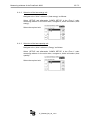
6.11.1 Selection of the flow unit............................................................................. 34
6.11.2 Selection of the heat energy unit ................................................................ 35
6.11.3 Selection of the heat capacity unit .............................................................. 35
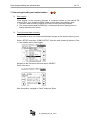
7. Data storage/loading and administration ....................................................................... 36
7.1
Data logging ........................................................................................................... 36
7.2
Time-controlled data recording .............................................................................. 36
7.2.1 Cancel active data logging ......................................................................... 37
7.2.2 Save/load/edit parameters.......................................................................... 38
8. Reading data on the computer........................................................................................ 40
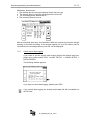
9. Parametering of the inputs and outputs ........................................................................ 41
9.1
Parametering of the 4-20mA outputs ..................................................................... 41
9.2
Colour coding of the 4-20mA output cable ............................................................. 42
9.3
Parametering of the relay ....................................................................................... 45
9.4
Colour coding of the relay output cable ................................................................. 45
10. Calibration....................................................................................................................... 47
10.1 Flow calibration ...................................................................................................... 47
10.2 Calibration of the PT100 ........................................................................................ 47
11. System setup .................................................................................................................. 48
11.1 Change of time and date ........................................................................................ 48
11.2 Change of “Background lighting“ ........................................................................... 48
11.3 Change of the menu language ............................................................................... 49
11.3.1 System setup of „Other“ ............................................................................. 49
11.3.2 Miscellaneous ............................................................................................. 49
12. Troubleshooting ............................................................................................................. 50
12.1 What to do if the pipeline is not completely filled up? ............................................ 51
12.2 The diagnostic windows of the PortaSonic 9000 ................................................... 52
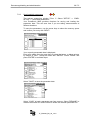
12.2.1 Oscilloscope / Auto-Window ....................................................................... 53
12.2.1.1
Signal propagation ................................................................... 53
13. Maintenance.................................................................................................................... 56
13.1 Opening the meter ................................................................................................. 56
13.2 Changing the SD memory card .............................................................................. 57
13.3 Changing the backup battery ................................................................................. 57
13.4 Connecting the analogue outputs with externally fed supply points....................... 58
13.4.1 Oscilloscope menu ..................................................................................... 58
13.4.2 Signal analysis using oscilloscope ............................................................. 60
13.4.3 Sharpness of Signals.................................................................................. 61
13.4.4 Separating signals (small pipes)................................................................. 62
13.4.5 Activate / Deactivate Auto-Window ............................................................ 64
13.4.6 Diagnostic menu ......................................................................................... 64
UF_PS9000_BA_02_1212