1
R410A
AVH-12V1D
AVH-24V1D
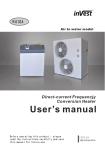
DC Inverter Heat pump unit
User’s manual
Before operation this product,please read the instructions carefully and
save this manual for future.
Thank you for choosing our quality product.
Please read this manual carefully before use and
follow the instructions to operate the unit in order to
prevent damages on the device or injuries to staff.
Specifications are subject to change with product
improvements without prior notice. Please refer to the
specification sticker on the unit for upgraded
specifications.
Working and storage temperature range
Working temperature range: -25℃~55℃
Storage temperature range: -30℃~60℃
Power supply: 220V/50Hz/1Ph
Content
1. Before use
1.1 Safety precautions
1.2 Features and advantages
1.3 System sketch
1.4 Main components
1.5 Outlines and dimensions
1.6 Specifications
1.7 Exploded view
1.8 Main functions
1.9 Water pump
1
3
4
5
8
10
12
16
20
2. Installation
2.1 System figure
2.2 Installation precautions
2.3 Applications
2.4 Installation
2.5 Application of the extra sensor kit
2.6 Control of external electric heater
2.7 Air purging
2.8 Pre Start-up
21
22
24
26
32
34
36
38
3. Usage
3.1 Introduction of operation panel
3.2 Operation instruction
39
40
4. Maintenance
4.1 Failure codes
4.2 Maintenance
4.3 Trouble shooting
43
44
47
5. Wiring diagram
5.1 Wiring diagram
50
1.1 Safety precautions
Special Notice
When the unit is not running in the winter, it is necessary to leave the
power supply connected for Anti-freezing protection.
In cold weather (below 0℃), when the unit is no longer needed, do drain
out all the water inside the system (refers to page 47).
■ Accessories
On receiving the equipment, please check whether the following
accessories are inside the package.
AVH-12V1D/AVH-24 Accessories List
Name
Remarks
Quantity
User's manual
1 piece
Installation & Operation Manual
Extra sensor kit
9M
For detecting the room temperature
Locating Cardboard
1 piece
For locating the installation position
Rubber gasket
4 pieces
For anti-vibration purpose
Filter
1 piece
Keep the water clean
■ Safety precautions
symbols used
Warning
Suggestion
Prohibition
The installation, dismantlement and
maintenance of the unit must be performed
by qualified personnel. It is forbidden to do
any changes to the structure of the unit.
Otherwise injury of person or unit damage
might happen.
Ground e d
The power supply to the heat pump unit
must be grounded.
1
1.1 Safety precautions
The water inside the heat exchanger should contains no chloridion
inside, and PH value among 6~8.
Make sure the power supply to the heat pump
unit is off before any operations are done on the
unit.
Do not insert any foreign objects into the
air outlet grill when the fan motor is
running. Otherwise injury of person or unit
damage might happen.
Make sure no water or other liquid drips
into the electric box of the unit Otherwise the
unit might be damaged.
Do not clog the evaporator by paper or
any other foreign objects, to keep the unit
well ventilated.
ON
OFF
It is mandatory to use a suitable circuit-breaker for
the heat pump and make sure the power supply to the
heater corresponds to the specifications. Otherwise
the unit might be damaged.
Make sure to use a dedicated power line for the
heat pump only. Do not add other appliances to the
line.
2
1.2 Features and advantages
■ Advantages
This unit is using the latest DC inverter technology. It can adjust its
working frequency, so to give out its output according to the loading. It can
work down to -25℃ with good COP.
The unit is designed with easy installation that no refrigerant charging
or copper pipe brazing is required on site. It can be widely used in house
and villa.
This unit is with environment- friendly refrigerant R410A, which also
provides one of the highest energy efficiency ratings in the industry.
Output of the compressor and therefore the energy input requirements are
constantly monitored and adjusted at the most optimum level for the given
indoor and outdoor environmental conditions and the user's desired
demands from the system.
Microprocessor control system contains several enhanced software
features to make the operation of the system most advantageous and
pleasing, under varying environmental conditions.
Special vibration absorbers on the compressor allow operation of the
system with ultra low noise.
Microprocessor is programmed to allow operation under wide range of
input voltages from 160V-260V and soft starting with lower current draw at
each compressor start-up.
Auto-restart function keeps all settings in memory and automatically
resumes the operation after a power failure.
Compressor crankcase heater and bottom plate heater are available
as options for extreme cold conditions, enabling the unit to work in
very low ambient temperatures with much lessened defrost
frequencies. Both these optional heaters are electronically controlled
based on the outdoor ambient temperatures and a sophisticated logic.
Programmable timer function provides unattended operation of the
system.
Acrylic coated enhanced aluminum fins on the coil heat exchanger
extends the fin life against corrosion and allows easier rainwater
wash-down as well as faster defrosts.
3
1.3 System sketch
Copper tubing in all heat exchangers are made by using the latest
developments in the technology of inner grooved tubing by extending the
area of heat exchange in a more compact coil, therefore increasing the
operational efficiency.
■ System sketch
Power input
Compressor
Four-way
valve
Water
pump
Heat
exchanger
Refrigerant
gear
Indoor unit
Filter
Expansion
valve
Outdoor unit
Hot water outlet
Water tank
Cold water inlet
4
Heat exchanger
Water
Filter
Fan motor
Pin
valve
Three-way
valve
1.4 Main components
■ Main components
Expansion valve
Compressor
4-way valve
Heat exchanger
Water pump
Pressure switch
5
1.4 Main components
■ AVH-12V1D
Indoor
Cable Fixture
Refrigerant Connector
Water Inlet
Casing
Front Panel
Cable Fixture
Water Outlet
Water Outlet
Wired Controller
Outdoor
Handle
Refrigerant
Connector
Pressure gauge
Air Inlet
Air Outlet
6
1.4 Main components
■ AVH-24V1D
Indoor
Cable Fixture
Refrigerant
Connector
Water Inlet
Casing
Front Panel
Cable Fixture
Wired Controller
Water Outlet
Outdoor
Handle
Pressure gauge
Air Outlet
Air Inlet
7
Refrigerant
Connector
1.5 Outlines and dimensions
■ AVH-12V1D
Indoor
69
111
Unit: mm
500
50 124
60
200
500
360
65
65
69
147
Outdoor
296
258
Unit: mm
76 0
538
68
320
20
830
258
Refrigerant connector
40
dimension:Φ6.35&Φ12.7
8
495
1.5 Outlines and dimensions
■ AVH-24V1D
Indoor
Unit: mm
111
33
110
30
60
190
500
93
500
68
78
78
220
Outdoor
317
Unit: mm
695
706
70
11
49
49
380
893
326
350
Refrigerant connector
dimension:Φ9.52&Φ12.7
522
836
9
57
1.6 Specifications
■ AVH-12V1D
Type
AVH-12V1D
Single phase220-240V/50Hz/1PH
Capacity Cooling(heating)capacity
Indoor
Dimension
LxDxH
LxDxH
Outdoor
Water connector
Gas connector
Liquid connector
Temp.
Weight
KW
3.8/1.4-5.1
3.3/1.3-4.2
Btu/h
mm
12000/4400-15000 13000/4800-18000
mm
828x320x538
inch
G3/4”
500x500x220
inch
inch
Working range in cooling
℃
Working range in heating
Water outlet temp.
℃
1/4”
0℃~ 55℃
-25℃~ 33℃
℃
Kg
7℃~ 52℃
Indoor
Outdoor
Kg
33
Indoor unit
dB
15
Outdoor unit
dB
rpm
850
Noise
Fan speed
Outdoor unit
Refrigerant
Others
Heating
Cooling
Function
Power supply
18.5
44
Kg
0.845/R410A
Volume flow,max/nom/min
L/s
Room temp sensor
KΩ
0.4/0.23/0.13
5K(25℃)
Indoor coil temp sensor
KΩ
5K(25℃)
5K(25℃)
Outdoor temp sensor
KΩ
Outdoor coil temp sensor
KΩ
5K(25℃)
Outdoor discharge temp sensor
KΩ
50K(25℃)
Rated condition of test:
Cooling: water inlet 12℃, water outlet 7℃,
outdoor dry bulb 35℃, wet bulb 24℃;
Cooling: water inlet 30℃, water outlet 35℃,
outdoor dry bulb 7℃, wet bulb 6℃;
The specifications air subject to change without prior notice.
For actual specifications of the unit, please refer to the specification stickers on the unit.
10
1.6 Specifications
■ AVH-24V1D
Type
AVH-24V1D
Single phase220-240V/50Hz/1PH
Capacity Cooling(heating)capacity
Indoor
Dimension
LxDxH
LxDxH
Outdoor
Water connector
Gas connector
Liquid connector
Temp.
Weight
KW
7.0/3.7-9.0
6.1/2.15-8.05
Btu/h
mm
20810/7200-27500 22520/7911-28390
mm
894x380x706
inch
G3/4”
500x500x220
inch
inch
Working range in cooling
℃
3/8”
0℃~ 55℃
Working range in heating
Water outlet temp.
℃
-25℃~ 33℃
7℃~ 52℃
Indoor
℃
Kg
Outdoor
Kg
52
Indoor unit
dB
25
Outdoor unit
dB
rpm
780
Noise
Fan speed
Outdoor unit
Refrigerant
Others
Heating
Cooling
Function
Power supply
26.5
54
Kg
1.57/R410A
Volume flow,max/nom/min
L/s
0.6/0.395/0.32
5K(25℃)
Room temp sensor
KΩ
Indoor coil temp sensor
KΩ
5K(25℃)
Outdoor temp sensor
KΩ
5K(25℃)
Outdoor coil temp sensor
KΩ
5K(25℃)
Outdoor discharge temp sensor
KΩ
50K(25℃)
Rated condition of test:
Cooling: water inlet 12℃, water outlet 7℃,
outdoor dry bulb 35℃, wet bulb 24℃;
Cooling: water inlet 30℃, water outlet 35℃,
outdoor dry bulb 7℃, wet bulb 6℃;
The specifications air subject to change without prior notice.
For actual specifications of the unit, please refer to the specification stickers on the unit.
11
1.7 Exploded view
■ AVH-12V1D-Indoor unit
24
25
23
22
21
20
NO
1
2
3
4
5
6
7
8
9
10
11
12
13
Name
LCD Controller
Front panel
Electric box cover
Main processor PCB
Wire Clip
Terminal block
Mechanical temp. controller
Bracket for Electronics
Water Pump
Water Pump support
Cover for Electric Heater
Electric Heater
NO
14
15
16
17
18
19
20
21
22
23
24
25
Cable Fixture
12
Name
Wate connector
Casing
Cable Fixture
Gas connector
Liquid connector
Connector to Flexible Pipe
Heat Exchanger
Discharge Valve
Flexible Pipe
Drain Pipe
Sensor
Auto reset pressure switch
1.7 Exploded view
■ AVH-24V1D-Indoor unit
24
25
23
22
21
20
19
18
17
16
15
2
NO
1
2
3
4
5
6
7
8
9
10
11
12
13
3
Name
LCD Controller
Front panel
Electric box cover
Main processor PCB
Wire Clip
Terminal block
Mechanical temp. controller
Bracket for Electronics
Water Pump
Water Pump support
Cover for Electric Heater
Electric Heater
5
4
NO
14
15
16
17
18
19
20
21
22
23
24
25
Cable Fixture
13
6
7 8
9
10
11
12
13
Name
Wate connector
Casing
Cable Fixture
Gas connector
Liquid connector
Connector to Flexible Pipe
Heat Exchanger
Discharge Valve
Flexible Pipe
Drain Pipe
Sensor
Auto reset pressure switch
14
1.7 Exploded view
■ AVH-12V1D-Outdoor unit
2
5
4
1
3
13
6
7
14
8
15
9
10
16
11
12
17
18
20
25
24
23
22
21
NO
1
2
3
4
5
6
7
8
9
10
11
12
13
Name
Top panel
Control box connect panel
Bulkhead
PFC transducer
Condenser
Condenser Heater
Compressor
Bottom plate
Handle
Front panel
Pressure
Axial Fan With External Rotor
NO
14
15
16
17
18
19
20
21
22
23
24
25
Control system
14
Name
Four-way valve
Four-way valve coil
Sensor
Capillary
Filter
Right plate
One way valve
Valve
Big Handle
Gas Connector
Liquid Connector
Valve plate
19
1.7 Exploded view
■ AVH-24V1D-Outdoor unit
23
22
21
24
20
25
19
17
15 16
1
NO
1
2
3
4
5
6
7
8
9
10
11
12
13
2
3
4
Name
5
6
NO
14
15
16
17
18
19
20
21
22
23
24
25
Front panel
Top panel
Outdoor Fan
Outdoor Motor
Motor Bracket
Bulkhead
Terminal Block
Wire Clip
Bottonm Plate
Compressor
Liquid Connector
Gas Connector
F-Way Valve Coil
15
7
11
10
8 9
13
12
18
14
Name
Side Plate
Condenser
Four-way Valve
Condenser
Coil guard
PFC Transducer
Electronic Box
Electronic Expansion Valve
EEV Coil
Compressor Heater
Sensor
Compressor Discharge Sensor
1.8 Main functions
■ Memory function
The unit will recover its latest working settings automatically after
power failure. The compressor restart interval time is 3 minute, to protect
the compressor.
■ Compressor preheating
When the unit is powered on the first time and the compressor is not
working, if outdoor ambient temp is lower than -5℃, compressor starts to
preheat by itself. After compressor works, 3 hours after it stops, if
outdoor ambient temp is lower than -3℃, compressor starts to preheat
by itself.
When compressor is in preheating, if outdoor ambient temp is over 0℃,
or unit needs to start the compressor , compressor preheating stops.
■ Output for external electric heater
When system runs in heating mode (heat pump), ambient temperature
is below 1 0℃, and compressor has been running for 25 minutes, the
controller will check the system every 1 5 minutes. The auxiliary
electrical heater turns on when below conditions are met:
A. Compressor has been running at its highest speed;
B. Set temperature is 3℃higher than water temperature.
C. Water temperature rises less than 1℃ in over 15 minutes.
When water temperature reaches the preset value, and keeps
stable for 1 minute or compressor stops running, this auxiliary electrical
heater turns off, when system begins to do the checking as above.
■ Limit on Water outlet temperature ( when air temperature
works as the set temperature)
When (water outlet temperature) WOT ≥34 ℃, the controller will set
a limit on compressor's running speed, with its current running speed as
maximum.
When WOT ≥36 ℃, compressor's running speed will be lowered
down towards its lowest speed, until water outlet temperature drops below
34 ℃. Then the controller stops lowering compressor's running speed and
16
1.8 Main functions
begin to raise it back, but its maximum speed will be one level lower than its
previous speed before this lowering process.
When WOT≤32 ℃ and compressor keeps on running 60 minutes
without any frequency drop or system shutdown for protection, then the
limit on compressor' s running speed will be released.
When WOT≥38℃ or compressor's running speed is lowered to its
lowest speed but water outlet temperature is still higher than 34℃ after 2
minutes, then compressor stops. After water outlet temperature drops
below 32 ℃, compressor restarts.
■ Defrosting function in heating mode
Below is the procedure of defrosting operation in heating mode:(refer
to EEPROM table for detailed parameter setting)
a) Defrosting operation starts when below conditions are met, when
defrosting light flickers.
1) Condensing coil temperature below -3℃ and lasts for 3 minutes.
2) Compressor has been running for not less than 5 minutes
3) Total running time of compressor is longer than interval between two
defrosting operations
b) When one of below condition is met, the system quits from defrosting
operation
1) Defrosting operation lasts more then 8 minutes;
2) Defrosting operation lasts for more than 10 seconds, and condensing
coil temperature is higher than 17℃.
■ Evaporator overheating protection
When evaporator temperature≥52℃, system enter into evaporator
overheating protection, and compressor lowers down its running
speed towards F1 , until this temperature drops lower than 49℃.
Then compressor takes the speed 1 level lower than its previous
speed before overheating protection as its maximum running speed.
17
1.8 Main functions
When this Temp drops down to 47℃ and lasts for 5 minutes, the limit
on compressor running speed will be released.
If evaporator temperature rises above 55℃ and lasts for 5 seconds,
then compressor stops. And it will resume its normal operation until
this temperature drops down below 47℃.
■ Protection against Compressor's improper operation
During compressor' s start-up or running, if the controller detects no
feedback from compressor, or abnormal loads inside compressor, or
improper start-up, compressor will stops for 3 minutes and then re-start.
(Compressor can re-start at most three times when fed with power; if this
problem still exists, the controller will judge it as compressor drivingfailure, and relevant protection will be triggered. Then compressor can
only be turned on after problem solved and system re-fed with power.
■ Protection against Improper Current
When system running current is bigger than a certain value, controller
will impose relevant limits on compressor' s running frequency, then its
running speed will stop rising.
When this current 0.5A smaller than this certain value,system's
running speed drops by 1Hz/second towards 30Hz,until running current
is smaller than 16A.
When this current is 1A bigger than this certain value,controller will
stop the compressor no matter at what speed it runs.
■ Compressor gas discharge temperature protection
When compressor gas discharge temperature exceeds 92℃, the
controller will keep its running frequency from rising. When this
temperature exceeds 97℃, the controller will record the compressor's
running speed, and lower it down towards 30Hz. If compressor gas
discharge temperature drops below 87℃, then this process stops and
controller adjusts compressor' s running speed according to difference
between room temperature and preset temperature; However, its
18
1.8 Main functions
maximum running frequency will be 1 level lower than recorded value.
When compressor gas discharge temp. is below 92℃ and lasts for
10 minutes, its maximum running frequency will increase by 1 level.
If this discharge temperature exceeds 103℃, the compressor stops,
and outdoor fan motor turns off in 1 5 seconds. And the system turns
on until gas discharge temperature drops below 90 ℃ and compressor
has been off for 3 minutes.
■ Delayed Start-up of Compressor
After compressor stops, it can only restart in 3 minutes (this protection
is functional in cooling mode or when system changes its operation mode
between dehumidification and heating). However, when the unit is
powered the first time, compressor starts up in 1 minute instead, to
ensure proper communication between indoor and outdoor unit.
■ Protection against Low Voltage
When voltage supplied is lower than 190V and this condition lasts for
30 seconds, limits will be imposed on compressor's running speed.
When voltage supplied is higher than 195V, the limitation is
cancelled.
When voltage drops below 158V, the system turns off and relevant
error code will be shown in the wired controller.
When voltage rises back above 162V, the system recovers its operation.
Hz
F10
F7
F6
F4
0
1 5 8 16 2 170
175
18 0
19
185
190
195
V
1.9 Water pump
Setting the pump speed
The pump speed can be selected
on the pump.
The default setting is highest
speed(Ⅲ).If the water flow in the
system is too high(e.g:noise of
runing water in the installation)
the speed can be lowered (Ⅰ/
Ⅱ).
The available external static
pressure (ESP, expressed in
mH 2O) in function of the water
flow (l/min) is shown in the right
picture.
RS-15(for AVH-12V1D)
RS-25(for AVH-24V1D)
20
2.1 System figure
■ System figure.
F2
F1
Tank
drainage
connector
Hot water pipe
Filter
City water
City water pipe
Valve
■ Installation precautions
1.The installation, dismantlement and maintenance of the heat
pump must be performed by qualified personnel.
Minimum space left
> 50cm
2.The unit must be
installed outdoors in
an area with sufficient
clearance to provide
free air circulation
through the coil.
Please refer to the
following figure to
choose the right
place for the unit..
> 3 0cm( Minimum distance
from the front)
>40cm
> 6 5 cm
>50 c m ( M i n i m u m di s t a n c e
fro m th e ba c k)
21
2.2 Installation precautions
3.The indoor unit should be
hang on the wall and keep the
water connector downwards.
4.The outdoor unit should be placed at
least 2M from the lampblack outlet of
kitchen,to keep the unit clean.
>2m
5.All the hot water pipe and water
connections should be insulated, to
reduce the energy loss.
6.A mesh filter must be installed in front of
the water inlet of the unit and water tank, for
keeping the water quality and collecting
impurity contained in the water. Take
care to keep the water filter mesh
towards the bottom. Check valve is
recommended to be installed at both sides
of the filter, so as to clean or change the
filter in a easier way.
7.Shield the unit from direct sunshine, rain
or snow, but never cover the unit which will
cause the bad ventilation.
22
Heat pump
water inlet
Filter
2.2 Installation precautions
8.Please install the drain connector to the unit
when necessary. In some cold areas
(temperature below 0), please don' t use the
drain connector, otherwise it may clogged by ice.
9.Install the unit and water tank close to each other as much as possible to
reduce the distance between them, so to reduce the energy loss.
10.The unit should be free from corrosive and moisture surrounding.
Otherwise the lifetime of the unit might be shortened.
11.Keep the water system with proper water pressure. Add a external pump if
the pressure inside is too small.
12.If the ambient temperature can be lower than 0℃ in winter, ensure that
the whole system is protected against freezing. When using glycol
solution, make sure that the water/ glycol mixture is well proportioned.
23
2.3 Applications
Applications
Application 1: This installation is for supplying sanitary hot water only.
Sanitary hot water
City water inlet
Drainage
Sanitary hot water
Application 2: This installation is for supplying floor heating hot
water only.
Pump 1
Floor Heating
City water inlet
Drainage
Floor Heating
24
2.3 Applications
Application 3: It provides both floor heating hot water and pre-heated
sanitary water.
Pre-heated
City Water
Pump 1
Floor Heating
City water inlet
Drainage
Floor Heating and Pre-heated Sanitary Water
Application 4: It provides hot water for central house heating and hot
water system.
Solar collector
Sanitary Water (Hi. Temp.)
Pump 3
Pump 1
Elec. heater
Room Temp.1
Radiator
E1
Pump 2
Floor Heating
Room Temp.2
City water inlet
Drainage
Heat Pump and Solar System for Heating & Sanitary Water
25
2.4 Installation
■ Indoor unit installation
For the installation of the indoor unit, please refers to the followings:
Locating
cardboard
1.Use the locating cardboard to
2.Drill the holes on the wall.
mark the positions of the indoor unit
on the wall.
Expansion bolt
3.Insert the expansion bolts (Terminal
4.Hang the indoor unit on the
diameter less than 16 mm ) into the
expansion bolts.
holes.
Note: The wall must strong enough to hang the unit on.
weather
enclosure
The refrigerant piping and signal cable
between indoor&outdoor unit should go
through the wall by using a wall sleeve.
26
penetration
sleeve
2.4 Installation
■ Outdoor unit installation
1. The unit must be located on a flat, solid, preferably cemented
surface.
2. when installing the unit, introduce a tilt of 1cm/m for rain water
evacuation
3. when installing the unit in harsh climatic conditions, sub-zero
temperatures, snow, humidity.., it is recommended to raise the unit off the
ground by about 20cm.
4.It is recommended to have a base with following size for these units:
5.Rubber vibration absorbing mountings are recommended.
6.When sitting the unit, take care to leave sufficient free space all around
it for carrying out maintenance.
2
3
1
NO
1
2
3
AVH-12V1D
1028
738
300
AVH-24V1D
1094
906
300
1. Fix the bracket on the wall with expansion bolts.
2. Place the outdoor unit on the bracket. A vibration absorber is
recommended to
reduce the noise of the outdoor unit.
3. Fix the unit to the bracket.
27
2.4 Installation
■ Wiring
Precaution:
1.It is recommended to use a suitable breaker for the heat pump and make
sure the power supply to the heater corresponds to the
specifications. Otherwise the unit might be damaged.
2.The power supply to the heat pump unit must be grounded.
3.Cable should be fixed tightly, to ensure it won't get lossen.
1.Take off the screw on the side of
the unit.
2.Open the indoor unit.
3. Take off the cable fixture and
insert the power cable through the
fixture(customer can choose
which cable fixture is more
convenient, the one on the top or
the one on the bottom of the unit).
4. Connect the power cable to the
terminal block.
Please refers to the wiring diagram
on the indoor unit.
28
2.4 Installation
5. Fix the cable with cable fixture, to
ensure it won't get lossen.
6. Take off the screw on the handle of
the outdoor unit.
7. Take off the small handle.
9. Connect the other side of the
power cable to the outdoor unit,
according to the wiring diagram.
10. Fix the power cable.
11. Wiring done!
29
2.4 Installation
■ Connection of refrigerant pipe
Connector for
refrigerant pipe
Note: When vacuuming the system,
please don't turn on the high/low pressure
valve. Otherwise refrigerant leakage
Connector of
vacuum pump
High/Low
pressure valve
1. Connect the refrigerant piping to the
indoor unit.
2.Connect the other side of the
refrigerant pipe to the outdoor unit.
3. A vacuum pump and pressure
gauge is needed. Connect the
pressure gauge to the vacuum
pump.
4. Take off the copper nut on the high
pressure connector of the unit.
Connect the other pipe of the pressure
gauge to the valuve as shown in the
picture. Open the pressure gauge and
start the vacuum pump.
30
2.4 Installation
6.Use a 5mm hex wrench to open two
valves on the unit as shown in the
picture.
5.Vacuum the unit for at least 15
minutes till negative value shown on
the pressure gauge. Turn off the
vacuum pump and install the cooper
nut back to the high pressure
connector.
Note:Small leakage may happen during the process.This is caused by
the shape change of the o-ring inside due the low temperature. Leakage
stops once the valves are fully opened.
7. Put the copper nut back. Tighten
them with a wrench.
It is recommended to check the leakage with some suds water
after installation.
31
2.5 Application of the extra sensor kit
■ Application of the extra sensor kit
When the customer use our
heat pump unit for house
heating purpose only, he can
connect this extra long
temperature sensor kit to our
wired controller, so the unit can
read the room temperature. In
this way, the unit can provide
hot water to the house heating
Size of the kit: 85*85*30 mm
system when the room
temperature doesn't get the set value, or stop providing hot water when
room temperature meets the set value.
How to install the room temperature sensor kit:
1.Take the short room
temperature sensor
out from the indoor
unit.
2. Open the box of the room temperature
sensor kit.
32
2.5 Application of the extra sensor kit
3.Put the short room temperature sensor
picked up from the indoor unit into the box.
4.Connect the room temperature to the extra
long signal cable, which packed inside the
accessories bag. And then connect the other
side of this extra long signal cable to the
connector inside the indoor unit.
Fixed! Now you can put the room
temperature sensor kit to wherever you want,
to read the room temperature there.
33
2.6 Control of external electric heater
■ Control of external electric heater
Customer can do as followings to connect the a external electric heater to
the unit:
1. Open the indoor unit.
2. Find the relay as marked in red below.
3. Connect the power or signal cable
from the electric heater, to this relay.
One cable should be connected to
position A, while the other cable should
be connected to any one of the
connectors at position B.
4. If according to our heat pump logic, the external electric heater should be
turned ON, our unit will send its signal to this relay, so to close the relay, to
start the electric heater. The maximum allowable current this relay can bear
is 30A.
If directly connect the power cable of the electric heater to our unit, please
refer to the wiring diagram-A in the next page.
If the maximum current of the electric heater is more than 30A, an extra
contactor is needed, please refer to the wiring diagram-B in the next page.
34
2.6 Control of external electric heater
WIRING DIAGRAM-A
WIRING DIAGRAM-B
35
2.7 Air purging
Piping connection figure
Drain pipe
1 Check Valves
2 Filter
3 Shut-off valve
city water
■ Air purging
Indoor unit
Water outlet
F4
Water inlet
water
F3
tank
drainage
connector
F2
Filter
F1
(open)
Ball valve
(open)
(open)
City water
36
Outdoor unit
2.7 Air purging
The whole water system of this unit should be a closed water system.
Because of this, please purge the air inside as following after all the
water pipe connection work finished:
1.Open the water tap at the lowest level, so the air inside the sanitary water
system can be purged out by the pressure of water.
2.Open the filling valve to fill the whole water tank and the water system with
water (this process may take around 20 minutes).
3.Close all the valves when there is water coming out from the end of the
water system.
4.Air purging finished!
Please refers to the following figures:
If the water supply is cut off, the unit will show protection code on its screen.
The customer should cut the power off till the water coming again.
It is necessary to purge the air again when restart the unit after the water was
cut off.
37
2.8 Pre Start-up
■ Pre Start-up
Before starting up the unit, a certain number of verifications must be
performed on the installation to ensure that the unit will operate under the
best possible conditions. The check list below is not exhaustive and should
only be used as a minimum reference basis:
1.Make sure fan rotates freely.
2.Inspect all water piping for flow direction.
3.Verify all system piping is correct for operation as per installation
requirements.
4.Check voltage of the unit power supply and make certain voltage is within
authorized limitations.
5.Make sure the unit is properly grounded.
6.Check the presence of protective and breaking devices.
7.Check all electric connections for tightness.
8.Check all piping for leaks and air is well ventilated.
Unit Start-up
After ensuring all electric connections conform to the local regulations, follow
the Operation Instructions to start-up the unit.
After start-up the unit, if there is a abnormal sound, please shut off the power
supply immediately to ensure the safety of the unit.
38
3.1 Introduction of operation panel
■ Introduction of operation panel
ON/OFF
Timer
MODE
Confirm/
Key Lock
Down-regulation
Up-regulation
Display
Meaning
Function
Heating
When the unit works in heating mode ,
Cooling
When the unit works in cooling mode ,
Hot water
When the unit works in hot water mode ,
Defrosting
When the unit works in defrosting ,
Key lock
When buttons are locked ,
Parameter
setting
When parameter setting is activated ,
is ON.
is ON.
is ON.
is ON.
is ON.
is ON.
value or code
To display temperature, timer, parameter,
error code and so on.
Time
The unit will clear its clock time when power
failure happens.
Water temperature
When water temperature mode is activated,
is ON.
39
3.2 Operation instruction
Set temperature
Timer function
When changing the set temperature,
is ON.
When timer function is activated,
is ON.
■ Operation instruction
Standby
The unit is standby when it is fed with power.
※The unit will clear its clock time when
power failure happens. The customer needs
to set the time again.
ON/OFF
When the unit is standby, press
to turn on
the unit. The unit will work in its last working
mode. Press
again to turn off the unit.
※The unit will recover its latest working settings
automatically after power failure.
Mode selection
Keep on pressing
button to choose water
temperature or air temperature as the set
temperature. When water temperature works
as the set temperature,
is ON;
When air temperature works as the set
temperature,
is OFF.
Mode selection
Press
to choose the unit operation mode. It
comes in the sequence:
→Heating、 →
Cooling、
→ Hot water.
40
3.2 Operation instruction
Temperature setting
When the unit is ON, press once, the set
temperature increases by 1℃; press once,
the set temperature decreases by 1℃. Keep
on pressing
or
, the temperature can be
increased or decreased by 5 ℃.
When changing the set temperature,
ON.
is
Parameter setting
When power is fed and unit is off , press or to
choose target Parameter.
Press to activate parameter setting process
when parameter flickers. User can set its value
with button or
; Press
again to confirm
the setting work: otherwise the setting Value
will not be saved. and the system will exit this
parameter Setting program automatically in 10 seconds, or by
pressing.
Parameter 1
Parameter 1 indicates the
local time. The time is
always presented in the
24-hour system
Parameter 2
This parameter has
no function in this
unit.
41
Parameter 3
Parameter 3 indicates the
duration time for back light. It
can be set to 00, 10, 20, and 30.
While 00 means the back light
is always ON, and 10, 20, and
30 means the duration time for
back light is 10 seconds, 20
seconds and 30 seconds.
3.2 Operation instruction
Timer function
To set the ON timer, press
button.
turns
on and blinks. Press
to set the timer in
hours, and
to set the time in minutes. After it
is done, press
to confirm the ON timer
setting and enter the OFF timer setting, with
blinks. Set the OFF timer by pressing
and
. After this done, press
to confirm
the OFF timer setting, with
shown on the
operation panel, indicating that the timer
setting is finished.
If the ON timer or OFF timer setting is not confirmed by
pressing
, the setting value is not saved.
The timer setting can be cancelled by keeping on pressing
with fading from the operation panel.
▲Timer OFF
▲Timer ON
Timer ON setting doesn't function
when the unit is working. It will be
activated when the unit is turned
OFF.
,
Timer OFF settings only functions
after the unit starts. It can be
activated when the unit is
turned ON.
Key lock
When the unit is ON, press
for 5 seconds, to
lock all the buttons, with shows. Press
for
5 seconds again, to unlock all the buttons.
42
4.1 Failure codes
■ Failure codes
Error
Codes
E0
E1
E2
F2
Ways to check and remedies
Causes
1.Wire connection between wired
controller and PCB open or
short-circuited
2.Wired controller failure.
1.Wire connection between wired
controller and PCB open or
short-circuited
2.Wired controller failure.
2.Change it.
1. temp. sensor open or
short-circuited
1. Measure with a multimeter at 20K to check whether
it is shirt-circuited or open. If yes, change it..
2.temp. sensor resistance
drifting
2.Measure with a multimeter at 50K to check the
sensor resistance. Take ambient temp. into
consideration. If it isdrifting, change it.
3.Temperature sensors not well
connected to the wired controller.
3.Check whether the sensor connection
gets loose. Fasten it.
1. water inlet Temp sensor failure
1.Check whether the sensor connection gets loose.
Fasten it.
2.Wire connection between wired controller and
indoor PCB open or short-circuited.
3.water inlet Temp sensor resistance drifting.
1.Check whether the wire connection
gets loose. Fasten it.
2.Change it.
1.Check whether the wire connection
gets loose. Fasten it.
1.Check whether the sensor connection gets loose.
Fasten it.
2.Wire connection between wired controller and
PCB open or short-circuited.
3.water outlet Temp sensor resistance drifting.
2.water outlet Temp sensor
failure
3.Coil Temp sensor failure
1、Check whether the sensor connection gets loose.
Fasten it.
2、Wire connection between wired controller and
indoor PCB open or short-circuited.
3、Temp sensor resistance drifting. temp. sensor
resistance drifting.
F1
Communication failure
1、Check whether port gets loose. Fasten it.
2、Change the PCB.
3、Change the outdoor PCB
F4
1.Check whether PFC transducer gets loose. Fasten
Compressor drive failure、IPM
it.
failure、IPM protection (overload)、
2.Change PFC transducer.
drive protection
F3
Current or Voltage detector failure
1.Change PCB
F5
EEPROM failure
1、Check whether EEPROM gets loose.
Fasten it.
2.Change EEPROM
43
4.2 Maintenance
Too highr coil Temp in heating
1. Check the water flow of the unit
2. Too high ambient and water Temp. Reduce the set
water Temp.
Too high pipe Temp in cooling
1.Check the water flow of the unit
2.Too low ambient and water Temp.Increase the set water
Temp.
Over-current protection
1.Check the water flow of the unit.
2.Too high (low) ambient, and too high(low) set water
Temp. Decrease or increase the set water Temp.
F7
Too high or too low voltage
1.Check the voltage of the power supply.
2.Change the outdoor PCB
F8
Pressure switch failure
1.Check the pressure of the system
2.Change the pressure switch
F9
EEPROM failure
1.Check whether EEPROM gets loose.
Fasten it.
2.Change outdoor EEPROM
F6
Ambient temp. sensor failure
Fb
Pipe temp. sensor failure
Compressor discharge temp.
sensor failure
1、Check whether the sensor connection gets loose.
Fasten it.
2、Wire connection between wired controller and PCB
open or short-circuited.
3、Temp sensor resistance drifting.
Fc
System protection caused by too
high(low) pressure
1.Measure the high (low) pressure switch with a
multimeter to check whether it is shirt-circuited or open.
If yes, change it.
2.Check the water flow of the unit.
Fd
System protection caused by the
ambient Temp.
1.Check the ambient Temp sensor.
2.Check whether the ambient Temp is too high(low) for
working (Ambient lower than -1℃or higher than 65℃ in
cooling, lower than -25℃ or higher than 33℃ in heating) .
■ Maintenance
1.It is forbidden to change the inner structure and wiring of the unit. Otherwise
injury of person or unit damage might happen.
2.If the unit fails to work properly, please cut the power supply immediately.
The maintenance work must be performed by qualified people.
3.“Failure check list” in this manual is helpful to find out and fix the
failure of the unit.
4.After long time running, the evaporator coil may get dirty, which will
affect the performance of the unit. It is suggested to clean the surface
of the coil occasionally.
44
2、接下来可以查看室内机各零部件和电路,排除故障。
4.2 Maintenance
Maintenance of the electric components
indoor
1、Cut off the power supply.
2. Open the doorofindoor unit and then take off the screws around the
electrical box.
3.Do the maintenance of the electrical parts.
Electrical box
outdoor
1.Cut off the power supply.
2.Take off the screws on the front panel, and take away the front panel.
3.Take off the screws on the right side panel, and take away the right side
panel.
4.Do the maintenance of the electric parts.
5.After done, install the right side panel and front panel back.
Figure 1
Figure 2
45
Opening view of
the unit
4.2 Maintenance
Condenser Coil
The condenser coils donot require any
special maintenance, except when they are
clogged by paper or any other foreign bodies.
Coil
Cleaning is by washing with detergent and
water at low pressure, and then rinsing with
clean water:
1. Before cleaning, make sure the unit is
off.
2. Inner of the unit must be cleaned by qualified person.
3. Donot use gasoline, benzene, detergent etc. to clean the unit. And
donot spray with insecticide. The unit may be damaged. The cleanser
special made for air conditioner cleaning is recommened.
4. Spray air conditioner cleanser into the coils. Let the cleanser sit
for 5 ~ 8 minutes.
5. Then, spray the coil with clean water.
6. An old hairbrush works well for brushing surface dirt and lint off the
fins. Brush in the same direction as the slots between the fins so the bristles
go between the fins.
7. After cleaning, use a soft and dry cloth to clean the unit.
Gas Charging
even under severe operating conditions. If your unit needs recharging,
then it has a leak, and adding refrigerant will not solve the problem. The leak
must be located and repaired.
1.Gas charging must be performed by
qualified person.
2.One can find out whether the system has
enough refrigerant inside by checking the low
pressure inside the system.
46
4.3 Trouble shooting
Cleaning of the filter
The Y-filter must be cleaned occasionally to ensure the water flow of the
water system.
Drainage
please follow the instruction to drain out the water :
1. Shut off all the water inlet.
2.Drain out the water in the water system by opening the water tap at the
highest position of the system.
3.Drain out the water in the tank by opening the valve to the drainage
connector on the tank.
4.Drain out the water in the heat pump system.
2
1
4
3
47
4.3 Trouble shooting
■ Trouble shooting
Malfunction
Remedies
Possible Causes
1.Power supply cut-off
1.Check the power supply.
2.Check whether the unit is well grounded.
If yes, check the fuse and change it if
necessary.
2.Power fuse burnt out
Heat pump
unit is out
of operation
Fan is out
of operation
Low heating
capacity
3.Unit protection
3.If the protection is caused by the failure,
please refers to the failure code list and
fix the failure before restarting the unit.
4.Loose connection of
power cables
4.Check the connections.
5.Compressor failure
5.Replace the compressor.
1.Fan motor wire loose
1.Check the wire connections.
2.Fan motor burnt
2.Change the fan motor.
3.Fan motor relay fails
3.Change the fan motor relay.
1.Coil fins are dirty
1.Clean the evaporator coil
2.Remove any object that blocks the air
circulation of the unit.
3.Inspect the unit for leakage and fix it if any.
Discharge all refrigerant and charge the unit
again with right amount.
2.Air inlet/outlet blocked
3.Lacking of refrigerant.
Too high noise
from the water
pump, or no
water flow
when the
water pump
is running.
1.Check the water filling device. Fill the
system with enough water.
1.Lacking of enough water.
2.Purging the air out.
3.Check all the valves to ensure they are
fully opened.
2.Air inside the water system.
3.Water valve closed.
4.Filter is blocked
4.Clean the filter
1.Too much refrigerant.
1.Discharge all refrigerant and charge the
unit again with right amount.
2.Discharge all refrigerant and charge the
2.Air inside the refrigerant system.
Too high
unit again with right amount.
compressor
3.Check the water flow of the system. Use
discharge
3.Too small water flow
a bigger pump if necessary.
pressure
4.Check the value of the water temperature
sensor, to ensure it works properly.
4.Too high water temperature
Too low
suction
pressure
1.Drier filter blocked
1.Change the drier filter
2.Expansion valve failure
2.Check and replace the expansion valve.
3.Inspect the unit for leakage and fix it if any.
Discharge all refrigerant and charge the unit
again with right amount.
3.Lacking of enough refrigerant
48
4.3 Trouble shooting
1.Check the position and value of the coil
temperature sensor. Replace it if necessary.
1.Coil temperature sensor failure
Unit can
not defrost
2.Air inlet/outlet blocked
properly
2.Remove any object that blocks the air
circulation of the unit. Clean the evaporator
coil occasionally.
The following phenomenon may not be problems. Please contact with a
professional maintenance staff.
NO
1
Malfunction
The unit is
not running
Possible Causes
1.May be caused by compressor restart protection. The interval time
of compressor restart is 3 minutes.
2.Please check whether the circuit breaker, the power supply is open.
When the unit is running, if sound of the running water can be heard
from the system of the unit, it is the sound of running of the
refrigerant. This is not a failure.
2
The unit is
too noisy
3
The unit output temperature setting is too high in cooling mode, or too low in heating
mode. Check whether the room is too big. Check whether there are
is too small
Check whether the air inlet/outlet is blocked. Check whether the
too many people inside the house when unit is in cooling operation.
49
5.1 Wiring diagram
AVH-12V1D outdoor unit
Condensor 4-way
valve
heater
Fan
motor
Compressor
heater
FM
~
C
Y/G
CN423
CN405 CN404
FAN
CN413
ACN
RY401
PCB Board
P7B
DC-
CN5
P10-1 P6B
DC+
U
P10-3 P10-2
W
V
CN403
Module board
CN5B
CN402
CN409
G
Y/G
CN407
G
Y/G
CN410
L
CN408
N
CN423
CN401
connect to
the indoor unit
L
AC-L
S N
CN426 CN428 CN429 CN427 CN414
4-WAY
CN417 CN418 HEAT1
HEAT2
DCDC+
(G)
COMP
Y/G
CN411
S
DC+
CN415
DCCN416
CN406
G
6
CN8C
Outdoor PCB
5
L.E.V
θ
θ
Pipe temp. sensor
Environment
temp. sensor
sensor
P13
L
DC+
P6C
θ Exhaust temp.
High pressure
switch
L AC-L AC-N
P14 P11 P12
P7C
DC-
PFC Reactance
AVH-12V1D indoor unit
Power supply
S L
N
CN204
(G)
PCBBOARD
Cn211
CN212
Y/G
CN201 CN203 CN202 CN213
CN205
CN207
CN208
CN206
High pressure
switch
water inlet temp.
sensor
water outlet temp.
sensor
Coil temp.sensor
Y/G
50
Connect to outdoor unit
Wired controller
CN209
1. Wiring diagram
AVH-24V1D outdoor unit
C
FM
~
L H
N
P6-2 P7-2
DC+ DC-
P5
N
CN414
P0-3
P4
RY401
P0-2
P2
AC-N
CN3
CN2
CN7
CN1
(G)
P7B P10-3 P10-2 P10-1 P6B
DC+
DCU
W
V
S N L
P0-1
P1
AC-L
CN5
P3
S
DC+ DCP6-1 P7-1
CN5B
6
CN8C
¦
Θ
P13
L
¦
Θ
¦
Θ
5
P7C
DCL AC-L AC-N
P14 P11 P12 DC+
P6C
PFC REACTANCE
connect to wired controller
AVH-24V1D indoor unit
Power supply
N
S L
(G)
PCB Board
Cn211
CN212
CN201 CN203 CN202 CN213
CN205
CN207
CN208
CN206
Y/G
High pressure switch
Water inlet temp.
sensor
water outlet temp.
sensor
Coil temp.sensor
Y/G
TAKE CARE !
This diagram is correct at the time of publication. Manufacturing changes could
lead to modifications. Always refer to the diagram supplied with the product.
51
connect to outdoor unit
CN209
CN204
R120400138
V1.1