1
OC Series - Automatic coffee machines
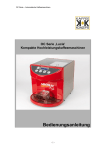
OLC1 Series ‘Lucia’
High performance compact coffee dispenser
Users Handbook
-1-
OC Series - Automatic coffee machines
Every effort has been made to ensure that the information contained in this
manual is up to date and correct. However, the author, publisher or
manufacturer will not accept liability for any loss or damage caused resulting
from any errors in or omissions from information contained in this document.
This document may not be copied without the written permission of Kaffee
Konzepte GmbH & Co.KG
Document change history
Issue
001
002
003
Status
First draft
Second draft
Added extra features
Date
31/08/13
21/11/13
22/05/14
Kaffee-Konzepte GmbH & Co.KG
Rudolf-Diesel-Strasse 2
23611 Bad Schwartau
Germany
Tel:- +49 (0) 451 384 5399
Fax:- +49 (0) 451 384 5388
Email:- [email protected]
-2-
OC Series - Automatic coffee machines
Index of contents
Using the dispenser .........................................................................................4
Quick start ....................................................................................................4
Filling with coffee concentrate...................................................................4
Cleaning the dispenser.................................................................................5
Power save mode:........................................................................................5
Dispenser Set-up mode:...............................................................................5
Changing dispense parameters ................................................................6
Dispenser Calibrate mode: ...........................................................................7
General Specifications ...............................................................................13
-3-
OC Series - Automatic coffee machines
Using the dispenser
Quick start
Remove the dispenser from the carton and place on a stable worktop capable
of supporting a minimum of 20kg/m²
Connect the dispenser to a source of potable water at a pressure between
0.5bar minimum to 10bar maximum. Use a local water authority approved
non-return valve between the hose and the water supply connection point to
comply with local and federal codes. Turn on the water supply and check
there are no leaks.
Use the power cord supplied with the machine to connect the machine to a
source of electrical power providing 230v single phase not less than 13A
Switch on the machine by operating the red switch on the rear of the
dispenser, it will illuminate when power is present. You should then observe
the following:
1. The display and lighting on the front panel will illuminate.
2. The display will show ‘Please wait’ then a name will appear on the top
line (e.g. Kaffee Konzepte or AROMAT) and the word ‘Filling’ on the
lower line. The machine will perform a ‘self check diagnostic’ for a
couple of seconds then the water inlet valve will open and the boiler will
begin to fill.
3. When the boiler is full, the water inlet valve will shut off and the display
lower line will change to ‘Heating’. When the boiler reaches 60°C the
display will change to show the time and boiler temperature on the
lower line. The boiler will continue to heat until it reaches the preset
maximum temperature. (The temperature is preset but if necessary
may be adjusted in ‘Set up mode’).
Filling with coffee concentrate
Place a can or BIB of coffee concentrate into the cooler unit of the machine
via the door in the top of the dispenser and connect appropriately in either of
the following ways;
• For a can: Defrost the can fully and give it a shake to stir up the coffee
solids. Open the ring pull and insert the suction tube into the can.
• For a BIB: Defrost the BIB fully and give it a shake to stir up the coffee
solids. Firmly attach the suction tube connector to the BIB.
-4-
OC Series - Automatic coffee machines
Prime the system with concentrate by pressing and holding the ‘STOP’ button
and then briefly press the ‘Water’ button, release both buttons when you hear
the pump run, the system will then run its priming function automatically.
When the coffee concentrate runs out, replace the BIB or can and prime as
described above. A sold out system is available as an optional extra.
Cleaning the dispenser
Wipe down the dispenser with a clean damp soft cloth using hot water with a
mild detergent added to remove splash marks etc. Do not use abrasive
cleaning materials, or solvents.
Whenever a BIB is replaced, the cleaning adapter supplied with the dispenser
should be fitted to the suction hose BIB connector and placed in the cleaning
bottle supplied with the dispenser which has been filled with hot water above
75°C from the dispenser and mixed with a suitable food safe sanitising agent
in the correct ratio as stated on the Sanitiser packaging. Press and hold the
‘STOP’ button and also press the ‘Cup’ button until ‘Clean cycle’ is shown in
the display, release both buttons, place a 1 litre water container below both of
the outlet nozzles then press the ‘Water’ button to start the cleaning cycle.
This will run for 15 seconds causing hot water to rinse out both nozzles.
Discard the water collected.
Replace the coffee concentrate and prime as described above.
Power save mode:
To conserve energy and reduce running costs, after approximately half an
hour of non-use the dispenser will switch to ‘Power save mode’ switching off
the boiler and dispenser illumination.
Pressing any button will exit ‘Power save mode’, the display will show ‘Please
wait’ until the machine is again ready to dispense.
Dispenser Set-up mode:
Switch off at the power button on the rear of the dispenser, hold down the
‘STOP’ button while the display shows ‘Please wait’, then release the ‘STOP’
button when ‘Set up’ is displayed. The display will now show the firm and
software versions installed.
Set-up mode enables the selection buttons to be enabled or disabled and
provides the ability to modify a dispense to suit the user.
Press the ‘STOP’ button and the display will change to ‘Press selection’,
pressing the STOP button again will enter ‘Calibrate’ mode, pressing the
‘STOP’ button again will leave ‘Set up’ mode.
-5-
OC Series - Automatic coffee machines
Changing dispense parameters
1. The display shows:
Press Selection
2. Press the Selection button to be modified.
The display will show (for example):
Cup = Enabled
3. The selection button name is shown and if the selection button is
enabled or disabled.
Press the selection button again to toggle between ‘Enabled’ and
‘Disabled’.
4. Press ‘STOP again to enable or disable preset volume dispensing;
press ‘Cup’ to enable or disable this feature. If ‘Disabled’ is selected
then pressing ‘STOP’ again will jump to ‘Strength setting’. The default
setting is - ‘Enabled’.
5. Press the ‘STOP’ button to step to the dispense size setting.
The display will show (for example):
Size =
38
Press , + or Press the ‘CUP’ button (-) to reduce the volume of water dispensed, or
the ‘MUG’ button (+) to increase the volume of water dispensed.
To set a new volume of an unknown amount place the receptacle you
want to fill, for example a cup or a mug or a jug below the nozzle and
then press the ‘JUG’ button. Water will begin to flow from the nozzle
into the receptacle. When sufficient water is in the receptacle, press the
‘JUG’ button again to stop the flow of water.
If the volume of water dispensed is too low or too much, use the ‘CUP’
button (-) to reduce or the ‘MUG’ button (+) to increase the volume of
water dispensed, or press the ‘JUG’ to start again.
-6-
OC Series - Automatic coffee machines
6. Press the ‘STOP’ button to step to the coffee strength setting
The display will show
Strength =
XX : 1
XX is a number between 10 and 50
The strength is expressed as a ratio of water to coffee concentrate e.g.
25:1 equals 25 parts water to 1 part coffee concentrate.
Press the ‘CUP’ button (-) to lower the ratio which will increase the
strength of the drink dispensed, or the ‘MUG’ button (+) to increase the
ratio which will decrease the strength of the drink dispensed.
For example 20:1 is stronger than 30:1
Dispenser Calibrate mode:
1. Switch on the dispenser and let it run until the heaters turn off and the
water is hot.
2. Switch off the dispenser with the red power button on the rear of the
dispenser,
3. Wait 2 seconds, then press and hold down the ‘STOP’ button and
switch the dispenser back on again.
The display will show
Setup
Release the Stop button
and the display will change
to:-
Press Selection
4. Press the ‘Jug’ Button
The display will show
Jug enabled
Pressing the ‘Jug’ button
toggles between enabled
and disabled.
Set to Jug enabled
-7-
OC Series - Automatic coffee machines
5. Press the ‘STOP’ button
The display will show
Preset enabled
Pressing the ‘Jug’ button
toggles between enabled
and disabled.
Set to Preset enabled
6. Press the ‘STOP’ button
The display will show
Size = XXX
Press , + or 7. Place a 1 litre measuring beaker below the outlet nozzle and press the
‘Jug’ button.
Water will be dispensed into the beaker; when the water level is
around 900ml then press the ‘Jug’ button again. The water will
continue to flow for a short time until approximately 1litre has been
dispensed. (Note the ‘Size’ number shown in the display for use as a
guide).
8. If the volume dispensed is below 1 litre, press the ‘Cup’ button to add
water or the ‘Water’ button to decrease the water to the next try (Note
use the ‘Size’ number shown in the display as a guide, initially adjust in
steps of 10, then smaller steps as you get closer to 1 litre).
9. Press the ‘STOP’ button
The display will show
Strength =
XX:1
10. Use the ‘Water’ or ‘Cup’ button as necessary to set the strength to 20:1
11. Switch off the dispenser with the red power button on the rear of the
dispenser,
-8-
OC Series - Automatic coffee machines
12. Wait 2 seconds, then press and hold down the ‘STOP’ button and
switch the dispenser back on again.
The display will show
Setup
Release the Stop button
and the display will change
to:-
Press Selection
13. When ‘Press selection’ is displayed press the ‘STOP’ button again.
The display will show
Then press the ‘Jug’
button
Calibrate?
The display will show
Max temperature
= XX
This sets the normal boiler maximum temperature in degrees Celsius;
use the ‘Water’ button (-) to reduce or the ‘Cup’ button (+) to increase
the water temperature.
14. Press the ‘STOP’ button
The display will show
Calibrate temp
XX°C
Remove the small rubber stopper from the tank top and place a digital
thermometer into the tank through the hole, use the ‘Cup’ button (+)
and the ‘Mug’ button (-) to adjust the water temperature shown on the
display to the actual temperature shown on the Thermometer. Always
replace the rubber stopper in the tank lid when you are finished to stop
steam from the boiler causing problems in the machine.
15. Press the ‘STOP’ button
The display will show
Pressing the ‘Mug’ button
will enable this function
and ‘Cup’ will disable it.
Heat during
Selection = No
-9-
OC Series - Automatic coffee machines
16. Press the ‘STOP’ button
The display will show
Pressing the ‘Cup’ button
will enable this function
and ‘Mug’ will disable it.
Coffee enabled
Set to Coffee enabled
17. Press the ‘STOP’ button
The display will show
Pressing the ‘Cup’ button
will enable this function
and ‘Mug’ will disable it.
Water enabled
Set to Water disabled
18. Press the ‘STOP’ button
The display will show
Pressing the ‘Cup’ button
will decrease the time and
‘Mug’ will increase the
time.
Coffee wash time
= 0.5 seconds
19. Press the ‘STOP’ button
The display will show
Peris offset
= XXX
Note the number shown
(It may be a minus number).
Pressing the ‘Cup’ button will
decrease the offset and ‘Mug’ will
increase the offset.
20. Press the ‘STOP’ button
Pressing the ‘Cup’ or
‘Mug’ buttons will scroll
through
the
names
available
The display will show
Machine Intro
(Name of Firm)
21. Press the ‘STOP’ button
The display will show
Name of Firm
XX°C
- 10 -
OC Series - Automatic coffee machines
22. Fit the cleaning adapter to the BIB connector on the dispenser suction
hose in the cooler unit.
23. Fill the cleaning bottle with water and place it in the cooler unit, place
the metal tube of the cleaning adapter in the water in the bottle.
24. Press the ‘STOP’ and ‘Water’ buttons together to prime the coffee
pump tube with water.
25. Place a 100ml measuring cylinder below the outlet nozzle, and press
the ‘Jug’ button. An amount of water will be dispensed into the
measuring cylinder. Make a note of the volume of water dispensed.
26. Switch the dispenser off then on again while keeping the ‘STOP’ button
pressed until the display shows:Setup
27. Press the ‘STOP’ button a few times until the display shows
Then press the ‘Jug’
button
Calibrate?
28. Press the ‘STOP’ button a few times until the display shows
Note the number shown
(maybe a minus number)
Peris offset
= XXX
29. With reference to the volume of water dispensed in line item 22 above
you are aiming for 50ml, use the ‘Water’ (-) and ‘Cup’ (+) buttons to
adjust the volume of water dispensed. Adjust in steps of 10 to start with
and reduce the size of the steps as you get closer to 50ml.
30. Press the ‘STOP’ button a few times until
The display shows
Name of Firm
XX°C
31. Go back to step 22 above and repeat steps 22 to 26 until 50ml is
dispensed.
- 11 -
OC Series - Automatic coffee machines
32. When 50ml is dispensed, Press the ‘STOP’ button a few times until the
display shows:Calibrate?
33. Scroll through Setup and reset the both water and coffee to ‘Enabled’
34. Press the ‘STOP’ button until
The display shows
Name of Firm
XX°C
Then the dispenser is calibrated.
Reset the ‘Jug’ Selection button to your required strength and drink volume as
shown in ‘Changing dispense parameters’ above.
- 12 -
OC Series - Automatic coffee machines
General Specifications
Length:
Width:
Height:
Weight empty:
Weight operational:
Construction:
Flow rate:
Boiler capacity:
Product Capacity:
Drip tray capacity (plastic):
Minimum inlet water pressure:
Maximum inlet water pressure:
Operating voltage:
Frequency:
Power:
LED illumination:
46.5cm
33cm
35cm
13kg (typical)
17kg (typical)
Stainless steel and ABS Plastic
up to 250 Cups per hours (typical)
3 litres
1 litre can or 1 litre, 1.5 litre or 2 litre BIB
0.8 litres
0.2 bar (2.9PSI)
10.0 bar (145PSI)
220 -250v AC
50/60Hz
2.75kW @ 230vAC single phase
Cup area white (standard)
Colour changing display
- 13 -
OC Series - Automatic coffee machines
Kaffee-Konzepte GmbH & Co.KG
Rudolf-Diesel-Strasse 2
23611 Bad Schwartau
Germany
Office Telephone Number: - +49 (0) 451 384 5399
Fax Number: - +49 (0) 451 384 5388
Service Department Telephone Number (English): - +49 (0) 451
300 3772
Hours: - 9 a.m. to 5 p.m.
Email: - [email protected]
DIN 10531
WEEE Nr. DE24378360
- 14 -