1
im Vertrieb von
CAMBOARD
Electronics
Contents
Contents
1
2
2.1
2.2
3
3.1
3.2
3.3
4
5
5.1
5.2
Introduction
Getting Started
Recycling Kramer Products
Quick Start
Overview
Using Shielded Twisted Pair Cable
About the Power Connect™ Feature
Recommendations for Best Performance
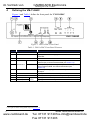
Defining the VM-114H4C
Using the VM-114H4C
Connecting the VM-114H4C
Acquiring the EDID
1
1
1
2
4
4
5
5
6
7
7
8
5.2.1
Disabling/Enabling Deep Color Support
5.3
5.4
Connecting to the VM-114H4C via RS-232
RS-232, IR Control and Pass-through
9
10
5.4.1
5.4.2
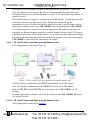
RS-232 Control and Pass-through Using the VM-114H4C
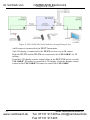
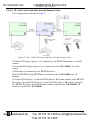
Local IR Control and IR Pass-through Using the VM-114H4C
10
10
6
7
8
9
10
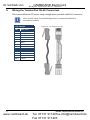
Wiring the Twisted Pair RJ-45 Connectors
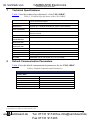
Technical Specifications
Default Communication Parameters
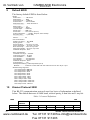
Default EDID
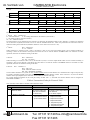
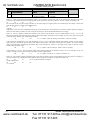
Kramer Protocol 2000
14
15
15
16
16
9
Figures
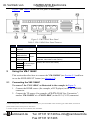
Figure 1: VM-114H4C Front Panel
Figure 2: VM-114H4C Rear Panel
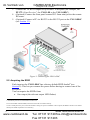
Figure 3: Connecting the VM-114H4C
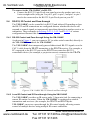
Figure 4: VM-114H4C RS-232 Control and Pass-through
Figure 5: VM-114H4C IR Control and Pass-through Example One
Figure 6: VM-114H4C IR Control and Pass-through Example Two
Figure 7: VM-114H4C IR Control and Pass-through Example Three
Figure 8: TP Pinout Wiring
www.camboard.de
6
7
8
10
11
12
13
14
i
Tel. 07131 [email protected]
Fax 07131 911203