1
APS User Manual
Rev. 0.0
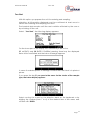
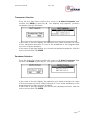
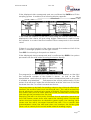
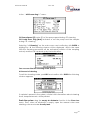
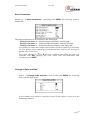
The selection of the farmer is done by setting the cursor on the desired
farmer conferming with ENTER. If the sequence of the farmers respects the
programmed tour, the system automatically presents the next farmer
evidencing code and name following the inserted list.
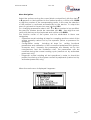
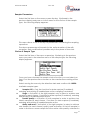
If the sampling system is enabled (procedure to be effected always during
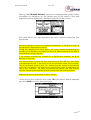
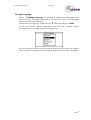
the phase of Tour start), press key F1 PUMP PERFORMANCE on the lower
toolbar, it is possible to change the performance in liters per hour, in the
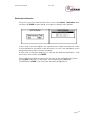
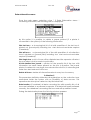
right hand display appears:
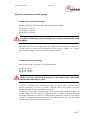
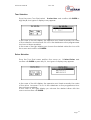
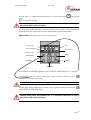
In this window using the function keys F2(REDUCE PERFORMAN) and
F3(INCREASE PERFORMAN), the operator may choose one of the proposed
performances.
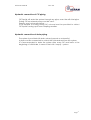
This value will be used by the computer for the calculation of the sample
volume and the setting of the rotation speed of the sampler motors. Press
ESC or wait 5 seconds, you will turn to the previous menu.
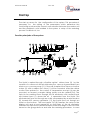
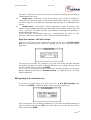
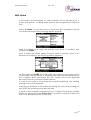
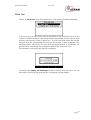
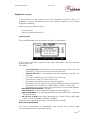
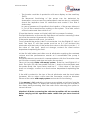
Proceeding with the milk intake sequence, having inserted the farmer
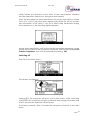
code and having confirmed the operation, the following display appears:
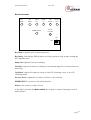
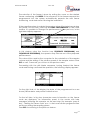
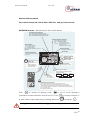
On the right side of the display the data of the programmed tour are
shown (farmer data and position inside the tour.
On the left side, in big size characters some information on the farmer
code are displayed, an information panel in the centre with help
messages informing the operator on the next step (for example “press a
key”, “Waiting for farmer code” ecc. In the lower bar the progressive liters
are shown during the sampling phase.
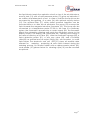
Press ESC for returning to the previous window.
Page 21