1
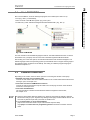
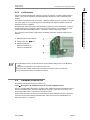
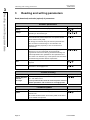
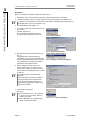
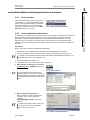
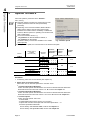
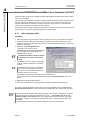
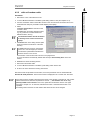
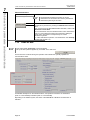
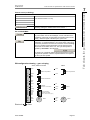
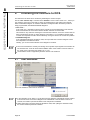
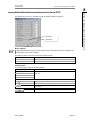
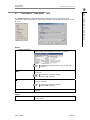
User manual COM-SIPOS 2 Installation and program start 2 Installation and program start 2.5.1 via null modem cable To install the cable between laptop and SIPOS 5 actuator, open the cover of the local control unit of the actuator which is fastened with screws. Connect the 9-pin plug of the null modem cable to the 9-pin interface plug (SUB-D socket) inside the actuator. This plug is located on the control PCB, see Fig. 1 and 2. Only use the null modem cable that is supplied with the software. Any damage on the actuator electronics caused by using wrong cables will void warranty! Fig. 1: Control PCB ECOTRON In case the computer used has no serial COM port but a USB port, a USB to serial adapter must be used. After installation of the adapter, please double-check the COMport of the USB adapter. This can be done under ”Start Control Panel All Control Panel Items Device Manager Ports“. Actuators delivered from Jan. 2004 are equipped with an integrated bootstrap slide and RESET button and can be connected to a standard null modem cable, see Fig. 3! Actuators delivered until Dec. 2003, see Fig. 4, have to be connected to a special null modem cable, which has the following wiring (only pins 2, 3 and 5)! PC Fig. 2: Control PCB PROFITRON Fig. 3: Control PCB with RESET button SIPOS RxD 2 2 RxD TxD 3 3 TxD Fig. 4: Control PCB without GND 2.5.2 5 5 GND RESET button via computer cable For actuators with an external COM-SIPOS connection, the RS232 interface is located in a dust and water tight round plug connector with quick disconnect coupling (9-pin Sub-D) on the electrical connection, see Fig. 5. Remove the protective cap of the round plug connector on the actuator to fit the computer cable between laptop and the SIPOS 5 actuator. The cap is provided with a plastic band for retention. Connect the round plug of the computer cable to the round plug connector at the actuator connection. Fig. 5: External COM-SIPOS interface Page 8 Y070.024/GB