1
im Vertrieb von
CAMBOARD
Electronics
Contents
Figures
Figure 1: FC-3ETH Ethernet Controller
Figure 2: XPort™ Installer Main Dialog Box
Figure 3: Device Found on the Network
Figure 4: IP Address Assignment Dialog Box
Figure 5: FC-3ETH Web-Manager
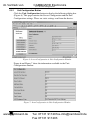
Figure 6: Server Configuration in Unit Configuration Window
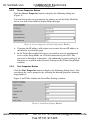
Figure 7: Port Configuration in Unit Configuration Window
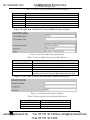
Figure 8: Server Properties in Unit Configuration Window
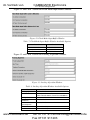
Figure 9: Serial Port Settings Window
Figure 10: Connect Mode Settings Window
Figure 11: Dedicated Connection Window
Figure 12: Flush Mode Input Buffer Window
Figure 13: Packing Algorithm Window
Figure 14: Additional Settings Window
Figure 15: Connecting the FC-3ETH in the Passive Routing Mode
Figure 16: Setting the FC-3ETH to the Passive Routing Mode
Figure 17: Connecting the FC-3ETH in the Active Routing Mode
Figure 18: Setting the FC-3ETH (Unit 1) to the Active Routing Mode
Figure 19: Setting the FC-3ETH (Unit 2) to the Active Routing Mode
Figure 20: Com Port Redirector Welcome Screen
Figure 21: Setup Complete Dialog Box
Figure 22: Com Port Redirector Configuration Window
Figure 23: Port Setup Window
Figure 24: IP Service Setup Dialog Box
Figure 25: Port Settings Window
Figure 26: Silent Mode Checked in RDCfg Window
Figure 27: Choosing the COM Port
5
7
8
8
10
11
11
12
12
13
13
14
14
15
16
16
17
17
18
19
19
20
20
22
22
24
25
Tables
Table 1: Terminology Used in this User Manual
Table 2: FC-3ETH Ethernet Controller Functions
Table 3: Web Manager Window Buttons
Table 4: Serial Port Settings Window Available Options
Table 5: Connect Mode Settings Available Options
Table 6: Dedicated Connection Window Functions
Table 7: Flush Mode Input Buffer Window Available Options
Table 8: Packing Algorithm Window Available Options
Table 9: Additional Settings Window Available Options
Table 10: Port Settings Description
Table 11: Technical Specifications of the FC-3ETH Ethernet Controller
ii
www.camboard.de
4
5
10
13
13
13
14
14
15
23
26
KRAMER: SIMPLE CREATIVE TECHNOLOGY
Tel. 07131 911201
[email protected]
Fax 07131 911203