1
Industrial PCs OPC6012/6015
24
6.2 USB CONNECTIONS
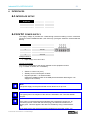
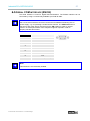
The USB interfaces are used for connecting peripherals with USB connection. These
interfaces comply with the USB 2.0 standard requirements.
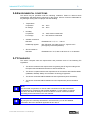
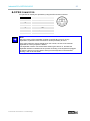
PIN-NUMBER
SIGNAL NAME
1
VDC
2
D-
3
D+
4
GND
Note:
The device supports a maximum of 8 external USB mass storage devices. If a USB
Flash SSD is integrated, a maximum of 7 USB mass storage devices can be
connected.
Note:
The USB interfaces can be individually locked by using the "Lock USB" software
tool.
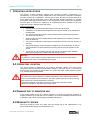
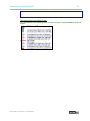
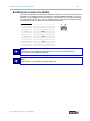
USB CONNECTION IN THE FRONT PANEL
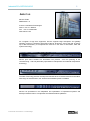
One USB interface can be accessed from the front. The interface is located under a plastic
cover underneath the display. The cover has a tab on the right-hand side, which is used for
opening. The plastic cover of the USB interface must be returned in protective position
after use.
Pos : 30 /D atentec hni k/Schnitts tell en/PS2/Kombi Buc hs e für VMT 60xx @ 2\mod_1268840073235_6.doc @ 7482 @
© ads-tec GmbH • Heinrich-Hertz-Str. 1 • D-72622 Nürtingen