1
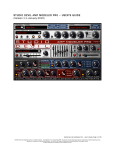
TH2 Manual
SEARCH
Search the database for a particular Sound or Variation
OVERVIEW PANEL
The Overview panel shows an interactive view of the full TH2 Sound Chain. You can easily modify the composition of
each Sound Chain by way of simple mouse actions.
Fig 4 - Overview
MODULE VIEW PANEL
The Module view panel shows a zoomed coordinated view of the sound chain. This view allows for a full editing capability of all parameters of the single modules in the Sound Chain. In order to have the Module view focus on one particular
module in the Sound Chain, just click on the module itself in the Overview.
Fig 5 - Module View
SMART PANEL
The Smart panel has 8 customizable controls that you can easily program in order to control as many parameters at
same time as you want and need.
Fig 6 - Smart Panel
FOOTER PANEL
The Footer panel contains BPM (Beat Per Minute) Tempo controls, a complimentary display and buttons.
Fig 7 - Footer Panel
Overloud™ is a trademark of Almateq srl • All Specifications subject to change without notice
Made in Italy • www.overloud.com
6