1
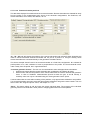
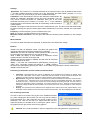
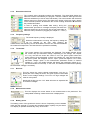
"Display"
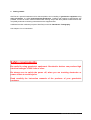
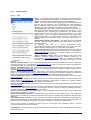
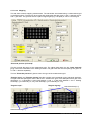
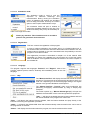
This tab gives access to the
user changeables of the
display.
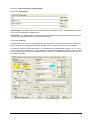
Pseudo section
The color scale of the boxes
within the pseudosections can
be set. The same color scale
will be used for the resistivity
(rho) and phase angle (phi)
display as well. The colors may
be interpolated for a more
detailed view.
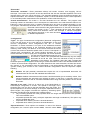
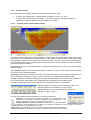
If the checkbox "while mouse
moves over pseudosection.." is
checked, the
program will
display the rho and phi values by a label hint near the mouse pointer. This way, the
user can have a first look at the measured data.
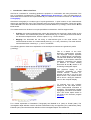
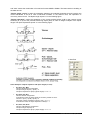
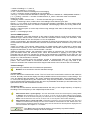
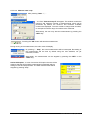
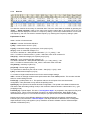
Show ...
The user may choose the displays on the right side of the main form. For example,
the checkbox "Date and time" will display the current date and time at the lower right
corner on the right side of the main form.
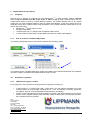
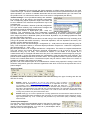
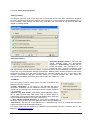
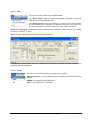
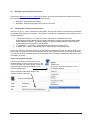
"more ..."
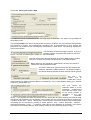
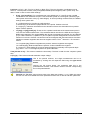
This tab allows additional user
settings.
Language: Prefered language.
Do automatic backup of data:
The data will be saved into the
displayed file within the <Windows
user application\GeoTest> folder. This
option can be very useful to avoid
data missing due to a sudden
breakdown of the notebook
battery. The backup data can be
read using the main menu by
"File - read backup file".
Measurement sound: Play a sound after each measurement or not.
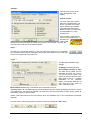
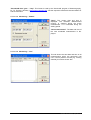
"Factory reset": All user made settings (except software key) are cleared by deleting the INI file. If there
is a software key, this will not be deleted. The user has to quit and restart the program. During restart all
parameters are set to default values.
"Test": This button allows some test routines, which are available only for the manufacturer (password
required).
The user has to make the programm accept his choices by clicking the "Set" button.
GeoTest user manual ● page 27 of 41