1
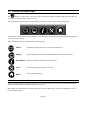
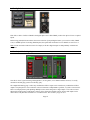
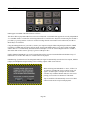
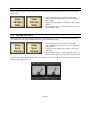
There is an overload at indicator at the top of these meters. When potentially distortion-causing clipping occurs, this
indicator turns red and the associated text reads “OVER”. For an input, the Over indicator will activate when there are
three full-scale samples in a row, which indicates a high probability that clipping has occurred. For the outputs, the
Over indicator is an accurate reflection of an actual overload condition and the attenuation should be performed on the
input sources or digital outputs themselves when this occurs.
Before we explore how to route sources, we need to take a look at the “Single Tap Source Select” button, because this
impacts the way that sources are enabled.
3.4.8.6
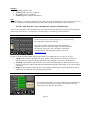
Single Tap Source Select
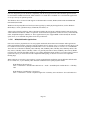
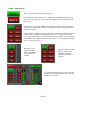
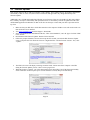
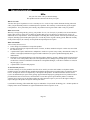
One of the advantages of the Touch Screen GUI, is that
we can offer user-preferred options for the way onscreen
buttons behave, a big advantage over standard, fixedfunction hardware buttons. This is one such option.
1.
2.
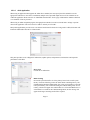
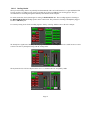
For this parameter, Checked is the default. In this state, pressing an INPUT source button will instantly turn
that source OFF to ON or ON to OFF, the same function as the ON/OFF button below the fader. This allows for
quicker one-touch selection and muting of INPUT sources. However, the selected source will be present instantly
with full volume on first press or a previously set volume level.
When Unchecked, pressing an input source will only bring that source into focus. One must then press the
ON/OFF button to make the source active. The advantage is that you would have the opportunity to adjust the
level of that source before it is sent to the output. This mode would be typical for live use, where making an input
source live at full volume could have ear-shattering consequences.
For the remainder of this section, when mention is made of enabling sources whether this is accomplished by the
Single Tap method (Single Tap Source Select = ON) or Two Tap (Single Tap Source Select = OFF) will be left up to
the reader.
Page 32