1
User Guide
BlackBerry Curve 8330 Smartphone
SWD-363038-0311083614-001
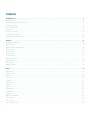
Contents
BlackBerry basics..................................................................................................................................................................................................................................9
Switch applications..........................................................................................................................................................................................................................................9
Assign an application to a Convenience key................................................................................................................................................................................................9
Set owner information......................................................................................................................................................................................................................................9
Turn on standby mode......................................................................................................................................................................................................................................9
About links.........................................................................................................................................................................................................................................................9
Create a link for a PIN....................................................................................................................................................................................................................................10
BlackBerry basics shortcuts...........................................................................................................................................................................................................................10
BlackBerry basics troubleshooting...............................................................................................................................................................................................................10
Shortcuts.................................................................................................................................................................................................................................................11
BlackBerry basics shortcuts...........................................................................................................................................................................................................................10
Phone shortcuts................................................................................................................................................................................................................................................11
Camera and video camera shortcuts.............................................................................................................................................................................................................11
Media shortcuts............................................................................................................................................................................................................................................... 12
Message shortcuts...........................................................................................................................................................................................................................................12
Typing shortcuts.............................................................................................................................................................................................................................................. 13
Search shortcuts.............................................................................................................................................................................................................................................. 13
Attachment shortcuts.....................................................................................................................................................................................................................................14
Browser shortcuts............................................................................................................................................................................................................................................14
Map shortcuts..................................................................................................................................................................................................................................................15
Calendar shortcuts.......................................................................................................................................................................................................................................... 15
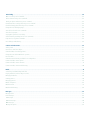
Phone...................................................................................................................................................................................................................................................... 17
Phone basics.....................................................................................................................................................................................................................................................17
Emergency calls...............................................................................................................................................................................................................................................18
Volume..............................................................................................................................................................................................................................................................20
Voice mail..........................................................................................................................................................................................................................................................21
Speed dial......................................................................................................................................................................................................................................................... 21
Conference calls..............................................................................................................................................................................................................................................22
Caller ID............................................................................................................................................................................................................................................................22
Call logs............................................................................................................................................................................................................................................................23
Call forwarding................................................................................................................................................................................................................................................25
Smart dialing....................................................................................................................................................................................................................................................27
TTY support......................................................................................................................................................................................................................................................28
Multiple phone numbers................................................................................................................................................................................................................................28
Phone options.................................................................................................................................................................................................................................................29
Phone shortcuts................................................................................................................................................................................................................................................11
Phone troubleshooting...................................................................................................................................................................................................................................32
Voice dialing.........................................................................................................................................................................................................................................33
Make a call using a voice command............................................................................................................................................................................................................33
Dial an extension using a voice command..................................................................................................................................................................................................33
Check your phone number using a voice command..................................................................................................................................................................................33
Check the wireless coverage level using a voice command.....................................................................................................................................................................33
Check the battery power level using a voice command............................................................................................................................................................................33
Change the voice dialing language.............................................................................................................................................................................................................33
Turn off choice lists for voice commands....................................................................................................................................................................................................34
Turn off voice prompts...................................................................................................................................................................................................................................34
Set playback options for voice dialing.........................................................................................................................................................................................................34
Set the matching sensitivity level for voice commands............................................................................................................................................................................34
Improve voice recognition of numbers........................................................................................................................................................................................................35
Voice dialing troubleshooting.......................................................................................................................................................................................................................35
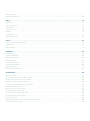
Camera and video camera..................................................................................................................................................................................................................37
Take a picture .................................................................................................................................................................................................................................................37
Zoom in to or out from a subject...................................................................................................................................................................................................................37
View the number of remaining pictures......................................................................................................................................................................................................37
Change the size of the viewfinder for a picture.........................................................................................................................................................................................37
Record a video.................................................................................................................................................................................................................................................37
View the amount of memory available for recording videos....................................................................................................................................................................38
Camera and video camera options...............................................................................................................................................................................................................38
Camera and video camera shortcuts.............................................................................................................................................................................................................11
Camera and video camera troubleshooting...............................................................................................................................................................................................40
Media......................................................................................................................................................................................................................................................41
Transferring and downloading media files..................................................................................................................................................................................................41
Playing media files and recording voice notes.......................................................................................................................................................................................... 43
Managing media files.....................................................................................................................................................................................................................................45
Viewing pictures.............................................................................................................................................................................................................................................49
Managing pictures..........................................................................................................................................................................................................................................51
Media card options.........................................................................................................................................................................................................................................52
Media shortcuts...............................................................................................................................................................................................................................................12
Media troubleshooting...................................................................................................................................................................................................................................54
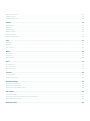
Messages...............................................................................................................................................................................................................................................57
Message basics................................................................................................................................................................................................................................................57
Email messages...............................................................................................................................................................................................................................................62
PIN messages.................................................................................................................................................................................................................................................69
SMS text messages.........................................................................................................................................................................................................................................70
MMS messages................................................................................................................................................................................................................................................72
Message list options.......................................................................................................................................................................................................................................75
Message shortcuts...........................................................................................................................................................................................................................................12
Message troubleshooting..............................................................................................................................................................................................................................80
Typing....................................................................................................................................................................................................................................................85
Typing basics...................................................................................................................................................................................................................................................85
Typing input methods....................................................................................................................................................................................................................................87
Spelling checker.............................................................................................................................................................................................................................................88
Custom dictionary..........................................................................................................................................................................................................................................90
AutoText............................................................................................................................................................................................................................................................91
Typing shortcuts..............................................................................................................................................................................................................................................13
Typing troubleshooting..................................................................................................................................................................................................................................93
Search....................................................................................................................................................................................................................................................95
Messages, attachments, and web pages.....................................................................................................................................................................................................95
Organizer data................................................................................................................................................................................................................................................97
Search shortcuts..............................................................................................................................................................................................................................................13
Attachments.........................................................................................................................................................................................................................................99
Attachment basics..........................................................................................................................................................................................................................................99
Document attachments................................................................................................................................................................................................................................101
Spreadsheet attachments.............................................................................................................................................................................................................................101
Media attachments.......................................................................................................................................................................................................................................102
Presentation attachments...........................................................................................................................................................................................................................103
vCard contact attachments.........................................................................................................................................................................................................................104
Attachment shortcuts.....................................................................................................................................................................................................................................14
Attachment troubleshooting.......................................................................................................................................................................................................................105
Synchronization................................................................................................................................................................................................................................. 107
About synchronization..................................................................................................................................................................................................................................107
Reconcile email messages over the wireless network.............................................................................................................................................................................107
Delete email messages over the wireless network..................................................................................................................................................................................107
Prerequisites: Wireless data synchronization...........................................................................................................................................................................................108
Synchronize organizer data over the wireless network..........................................................................................................................................................................108
About synchronization conflicts.................................................................................................................................................................................................................108
Manage email reconciliation conflicts.......................................................................................................................................................................................................108
Manage data synchronization conflicts....................................................................................................................................................................................................109
About backing up and restoring device data............................................................................................................................................................................................109
Prerequisites: Wireless data restoration...................................................................................................................................................................................................109
Delete all device data...................................................................................................................................................................................................................................109
Empty the deleted items folder on your computer from your device...................................................................................................................................................109
Synchronization troubleshooting................................................................................................................................................................................................................110
Browser.................................................................................................................................................................................................................................................113
Browser basics................................................................................................................................................................................................................................................113
Browser bookmarks........................................................................................................................................................................................................................................117
Web feeds........................................................................................................................................................................................................................................................119
Browser options..............................................................................................................................................................................................................................................121
Browser security............................................................................................................................................................................................................................................124
Browser push.................................................................................................................................................................................................................................................126
Browser shortcuts............................................................................................................................................................................................................................................14
Browser troubleshooting..............................................................................................................................................................................................................................128
Applications........................................................................................................................................................................................................................................129
Add an application........................................................................................................................................................................................................................................129
View properties for an application.............................................................................................................................................................................................................129
Delete a third-party application.................................................................................................................................................................................................................129
Receive a device password prompt before you add an application......................................................................................................................................................129
View the size of an application database..................................................................................................................................................................................................129
About upgrading the BlackBerry Device Software..................................................................................................................................................................................130
Prerequisites: Upgrading the BlackBerry Device Software over the wireless network.....................................................................................................................130
Upgrade the BlackBerry Device Software.................................................................................................................................................................................................130
Return to the previous version of the BlackBerry Device Software.......................................................................................................................................................130
Delete the previous version of the BlackBerry Device Software............................................................................................................................................................131
Application troubleshooting.........................................................................................................................................................................................................................131
Maps......................................................................................................................................................................................................................................................133
Map basics......................................................................................................................................................................................................................................................133
Navigation......................................................................................................................................................................................................................................................134
Maps bookmarks............................................................................................................................................................................................................................................135
Map options...................................................................................................................................................................................................................................................136
Map shortcuts..................................................................................................................................................................................................................................................15
Maps troubleshooting...................................................................................................................................................................................................................................138
GPS technology..................................................................................................................................................................................................................................139
About GPS technology...................................................................................................................................................................................................................................19
Get your GPS location..................................................................................................................................................................................................................................139
Prevent others from tracking your location..............................................................................................................................................................................................139
GPS technology troubleshooting................................................................................................................................................................................................................139
Contacts................................................................................................................................................................................................................................................141
Contact basics................................................................................................................................................................................................................................................141
Customizing contacts...................................................................................................................................................................................................................................143
Categories......................................................................................................................................................................................................................................................144
Mailing lists....................................................................................................................................................................................................................................................146
Multiple address books.................................................................................................................................................................................................................................147
Contact list options.......................................................................................................................................................................................................................................147
Contact troubleshooting..............................................................................................................................................................................................................................148
Calendar...............................................................................................................................................................................................................................................151
Calendar basics..............................................................................................................................................................................................................................................151
Meetings.........................................................................................................................................................................................................................................................153
Calendar options...........................................................................................................................................................................................................................................155
Multiple calendars........................................................................................................................................................................................................................................158
Calendar shortcuts..........................................................................................................................................................................................................................................15
Calendar troubleshooting............................................................................................................................................................................................................................159
Tasks......................................................................................................................................................................................................................................................161
Task basics......................................................................................................................................................................................................................................................161
Categories......................................................................................................................................................................................................................................................144
Task list options.............................................................................................................................................................................................................................................164
Memos..................................................................................................................................................................................................................................................167
Memo basics...................................................................................................................................................................................................................................................167
Categories......................................................................................................................................................................................................................................................144
Memo list options.........................................................................................................................................................................................................................................169
Alarm.....................................................................................................................................................................................................................................................171
About the alarm..............................................................................................................................................................................................................................................171
Turn on the alarm...........................................................................................................................................................................................................................................171
Silence the alarm............................................................................................................................................................................................................................................171
Calculator............................................................................................................................................................................................................................................173
Use the calculator.........................................................................................................................................................................................................................................173
Convert a measurement...............................................................................................................................................................................................................................173
Bluetooth technology........................................................................................................................................................................................................................175
Bluetooth technology basics........................................................................................................................................................................................................................175
Bluetooth technology options......................................................................................................................................................................................................................177
Bluetooth technology troubleshooting......................................................................................................................................................................................................180
Date and time.....................................................................................................................................................................................................................................183
Set the date and time...................................................................................................................................................................................................................................183
Get the date and time from the wireless network automatically..........................................................................................................................................................183
Date and time troubleshooting...................................................................................................................................................................................................................183
Notification profiles..........................................................................................................................................................................................................................185
Notification basics........................................................................................................................................................................................................................................185
LED notification.............................................................................................................................................................................................................................................187
Custom notification......................................................................................................................................................................................................................................188
Notification profile troubleshooting..........................................................................................................................................................................................................190
BlackBerry Messenger.......................................................................................................................................................................................................................191
Contacts.......................................................................................................................................................................................................................................................... 191
Conversations................................................................................................................................................................................................................................................193
Availability.....................................................................................................................................................................................................................................................195
Display and keyboard.......................................................................................................................................................................................................................197
Backlighting...................................................................................................................................................................................................................................................197
Display options..............................................................................................................................................................................................................................................197
Keyboard options..........................................................................................................................................................................................................................................199
Themes...........................................................................................................................................................................................................................................................200
Display troubleshooting...............................................................................................................................................................................................................................201
Language............................................................................................................................................................................................................................................203
Change the display language.....................................................................................................................................................................................................................203
Add a display language...............................................................................................................................................................................................................................203
Delete a display language...........................................................................................................................................................................................................................203
About typing input languages....................................................................................................................................................................................................................203
Change the typing input language..............................................................................................................................................................................................................88
Switch typing input methods........................................................................................................................................................................................................................87
Turn off the shortcut for switching typing input languages..................................................................................................................................................................204
Change the input options for SureType technology...............................................................................................................................................................................204
Change the voice dialing language.............................................................................................................................................................................................................33
Change the display options for contacts...................................................................................................................................................................................................148
Language troubleshooting..........................................................................................................................................................................................................................205
Wireless network coverage..............................................................................................................................................................................................................207
Find information about wireless coverage indicators.............................................................................................................................................................................207
Turn off a wireless connection ...................................................................................................................................................................................................................207
Network connection indicators..................................................................................................................................................................................................................207
Turn on wireless coverage notification......................................................................................................................................................................................................188
Check the wireless coverage level using a voice command.....................................................................................................................................................................33
Turn off data service....................................................................................................................................................................................................................................208
About roaming..............................................................................................................................................................................................................................................208
Verify the status of network connections and services..........................................................................................................................................................................208
Wireless network coverage troubleshooting............................................................................................................................................................................................209
Power, battery, and memory.............................................................................................................................................................................................................211
Turn off your device.......................................................................................................................................................................................................................................211
Set your device to turn on and turn off automatically..............................................................................................................................................................................211
Check the battery power level......................................................................................................................................................................................................................211
Check the battery power level using a voice command............................................................................................................................................................................33
Reset the device.............................................................................................................................................................................................................................................211
Extend battery life..........................................................................................................................................................................................................................................211
View the amount of available memory on your device............................................................................................................................................................................212
Best practice: Optimizing your device performance................................................................................................................................................................................212
Security................................................................................................................................................................................................................................................213
Security basics...............................................................................................................................................................................................................................................213
Password keeper............................................................................................................................................................................................................................................214
Encryption......................................................................................................................................................................................................................................................216
Memory cleaning...........................................................................................................................................................................................................................................218
Certificates.....................................................................................................................................................................................................................................................219
Certificate servers.........................................................................................................................................................................................................................................225
Key stores.......................................................................................................................................................................................................................................................227
Smart cards...................................................................................................................................................................................................................................................229
Software tokens............................................................................................................................................................................................................................................232
About PGP keys.............................................................................................................................................................................................................................................232
About security self-tests..............................................................................................................................................................................................................................233
Verify security software ..............................................................................................................................................................................................................................233
Security troubleshooting............................................................................................................................................................................................................................. 233
Third-party application control......................................................................................................................................................................................................235
About permissions for third-party applications.......................................................................................................................................................................................235
Reset connection permissions for third-party applications ..................................................................................................................................................................235
About direct Internet connections for third-party applications............................................................................................................................................................235
Set up a direct Internet connection for a third-party application........................................................................................................................................................235
Set permissions for a third-party application..........................................................................................................................................................................................235
Connection permissions for third-party applications.............................................................................................................................................................................236
Interaction permissions for third-party applications..............................................................................................................................................................................236
Data permissions for third-party applications.........................................................................................................................................................................................237
BrickBreaker......................................................................................................................................................................................................................................239
About BrickBreaker......................................................................................................................................................................................................................................239
BrickBreaker capsules.................................................................................................................................................................................................................................239
BrickBreaker scoring....................................................................................................................................................................................................................................240
Play BrickBreaker.........................................................................................................................................................................................................................................240
Adjust the volume...........................................................................................................................................................................................................................................20
Set the paddle speed...................................................................................................................................................................................................................................240
Submit a score to the BrickBreaker high score web site.........................................................................................................................................................................241
Check the high scores on the BrickBreaker web site..............................................................................................................................................................................241
Service books.....................................................................................................................................................................................................................................243
About service books.....................................................................................................................................................................................................................................243
Accept a service book .................................................................................................................................................................................................................................243
Delete a service book...................................................................................................................................................................................................................................243
Troubleshooting................................................................................................................................................................................................................................245
BlackBerry basics troubleshooting...............................................................................................................................................................................................................10
Phone troubleshooting...................................................................................................................................................................................................................................32
Voice dialing troubleshooting.......................................................................................................................................................................................................................35
Media troubleshooting...................................................................................................................................................................................................................................54
Message troubleshooting..............................................................................................................................................................................................................................80
Typing troubleshooting..................................................................................................................................................................................................................................93
Attachment troubleshooting.......................................................................................................................................................................................................................105
Synchronization troubleshooting................................................................................................................................................................................................................110
Browser troubleshooting..............................................................................................................................................................................................................................128
Application troubleshooting.........................................................................................................................................................................................................................131
Maps troubleshooting...................................................................................................................................................................................................................................138
Contact troubleshooting..............................................................................................................................................................................................................................148
Calendar troubleshooting............................................................................................................................................................................................................................159
Bluetooth technology troubleshooting......................................................................................................................................................................................................180
Date and time troubleshooting...................................................................................................................................................................................................................183
Notification profile troubleshooting..........................................................................................................................................................................................................190
Display troubleshooting...............................................................................................................................................................................................................................201
Language troubleshooting..........................................................................................................................................................................................................................205
Wireless network coverage troubleshooting............................................................................................................................................................................................209
Security troubleshooting.............................................................................................................................................................................................................................233
Diagnostic reports........................................................................................................................................................................................................................................256
Glossary..............................................................................................................................................................................................................................................259
Legal notice........................................................................................................................................................................................................................................263
BlackBerry basics
Switch applications
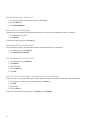
1. In any application, press the Menu key.
2. Click Switch Application.
3. Perform one of the following actions:
• If the application that you want to switch to appears, highlight an application and press the Enter key.
• If the application that you want to switch to does not appear, highlight Home Screen and press the Enter key.
Assign an application to a Convenience key
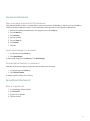
Your BlackBerry® device has one Convenience key on the left side of the device and one on the right side. Depending on your theme, you
might not be able to change the application that is assigned to a Convenience key.
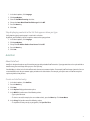
1.
2.
3.
4.
In the device options, click Screen/Keyboard.
Set the Convenience Key Opens fields.
Press the Menu key.
Click Save.
Set owner information
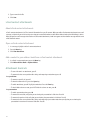
Owner information appears on your BlackBerry® device screen when the device is locked.
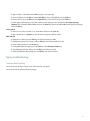
1.
2.
3.
4.
In the device options, click Owner.
Type your contact information.
Press the Menu key.
Click Save.
Turn on standby mode
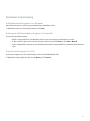
If you are not on a call, you can turn on standby mode to avoid pressing keys accidentally when you are not using your BlackBerry® device.
Hold the Mute key.
To turn off standby mode, press the Mute key again.
About links
Links appear on your BlackBerry® device as underlined text. You can have links to various items such as phone numbers, web sites, and
email addresses and can use these links to make calls, visit web sites, or start composing messages quickly.
9
Create a link for a PIN
You can create a link for a PIN in messages, calendar entries, tasks, or memos. If you click the link, you can send a PIN message.
When typing text, type pin: and the PIN.
BlackBerry basics shortcuts
• To move the cursor, roll the trackball.
• To move back a screen, press the Escape key.
• To move to a list item or menu item, type the first letter of the item.
• To select or clear a check box, press the Space key.
• To view available values in a field, press the Alt key.
• To switch applications, hold the Alt key and press the Escape key. Continue to hold the Alt key and highlight an application.
Release the Alt key.
• To return to the Home screen or application list, press the End key.
• To delete a highlighted item, press the Backspace/Delete key.
BlackBerry basics troubleshooting
No application opens when I press a Convenience key
Verify that you have not deleted the application that you assigned to the key.
Assign a different application to the key.
Some features are not available on my device
Depending on your wireless service plan or the type of email account that is associated with your BlackBerry® device, some features might
not be available on your device.
If your device is associated with an email account that uses a BlackBerry® Enterprise Server, your organization might not have set up some
features or might prevent you from using some features or options. If an administrator has set an option for you, a red lock indicator
appears beside the option field.
For more information about the features that are available on your device, contact your wireless service provider or administrator.
10
Shortcuts
BlackBerry basics shortcuts
• To move the cursor, roll the trackball.
• To move back a screen, press the Escape key.
• To move to a list item or menu item, type the first letter of the item.
• To select or clear a check box, press the Space key.
• To view available values in a field, press the Alt key.
• To switch applications, hold the Alt key and press the Escape key. Continue to hold the Alt key and highlight an application.
Release the Alt key.
• To return to the Home screen or application list, press the End key.
• To delete a highlighted item, press the Backspace/Delete key.
Phone shortcuts
• To answer a call, press the Send key.
• To insert a plus sign (+) when typing a phone number, press the O key.
• To add an extension to a phone number, press the X key. Type the extension number.
• To set up speed dial for a contact, on the Home screen or in the phone, hold a key.
• To turn on the speakerphone during a call, press the Speakerphone key. To turn off the speakerphone during a call, press the
Speakerphone key.
• To switch the audio path to wired headphones during a call, press the Speakerphone key. To switch back to the previous audio
path, press the Speakerphone key again.
• To check your voice mail, hold 1.
• To type a letter in a phone number field, press the Alt key and the letter key.
• To view your contact list in the phone, hold the Send key.
• To switch phone numbers, in the phone, click your active phone number. Click a phone number.
Camera and video camera shortcuts
• To take a picture, press the Right Convenience key.
• To zoom in to a subject before taking a picture, press the Volume Up key.
• To zoom out from a subject before taking a picture, press the Volume Down key.
• To change the flash mode for a picture or to turn on low-light mode for a video, press the Space key.
11
Media shortcuts
• To pause a video or song, press the Mute key. To resume playing a video or song, press the Mute key.
• To move to the controls at the bottom of the screen when you are viewing a list of songs, press the Space key.
• To play the next song in a category, press N.
• To play the previous song in a category, press P.
• To amplify the volume for songs, ring tones, and videos, press the Volume Up key until you reach the highest volume setting.
Press the Volume Up key four times quickly.
• To rotate a picture, press L.
• To zoom in to a picture, press 3. To zoom to the original picture size, press 7.
• To zoom out from a picture, press 9. To zoom to the original picture size, press 7.
• To fit a picture to the screen size, press 1.
Message shortcuts
In a message
• To reply to a message, press R.
• To reply to all in an email message or a PIN message, press L.
• To forward a message, press F.
• To file a highlighted email message, press I.
• To view the email address of a contact, highlight the contact in an email message. Press Q. To view the display name, press Q
again.
• To move to the last cursor position after you close and reopen a received email message or PIN message, press G.
In a message list
• To open a highlighted message, press the Enter key.
• To compose a message from a message list, press C.
• To mark a message as opened or unopened, press the Alt key and U.
• To view received messages, press the Alt key and I.
• To view sent messages, press the Alt key and O.
• To view voice mail messages, press the Alt key and V.
• To view SMS text messages, press the Alt key and S.
• To view call logs, press the Alt key and P.
• To view all your messages, press the Escape key.
Move around a message list
• To move up a screen, press the Shift key and the Space key.
• To move down a screen, press the Space key.
12
• To move to the top of a message list, press T.
• To move to the bottom of a message list, press B.
• To move to the next date, press N.
• To move to the previous date, press P.
• To move to the next unopened item, press U.
• To move to the next related message, press J.
• To move to the previous related message, press K.
Typing shortcuts
• To insert a period, press the Space key twice. The next letter is capitalized.
• To capitalize a letter, hold the letter key until the capitalized letter appears.
• To type the alternate character on a key, press the Alt key and the character key.
• To type an accented or special character, hold the letter key and roll the trackball to the left or right. For example, to type ü, hold
U and roll the trackball to the left until ü appears. Release the letter key when the accented or special character appears.
• To type a number in a number field, press a number key. You do not need to press the Alt key.
• To type a number in a text field, hold the Alt key and press the number key.
• To turn on NUM lock, press the Alt key and the Left Shift key. To turn off NUM lock, press the Shift key.
• To turn on CAP lock, press the Alt key and the Right Shift key. To turn off CAP lock, press the Shift key.
• To switch typing input languages, in the device options, on the Language screen, verify that the Use Input Language
Shortcut field is set to Yes. Hold the Alt key and press the Enter key. Continue to hold the Alt key and highlight a language.
Release the Alt key.
Insert symbols
• To insert an at sign (@) or a period (.) in an email address field, press the Space key.
• To type a symbol, press the Symbol key. Type the letter that appears below the symbol.
Work with text
• To highlight a line of text, press the Shift key and roll the trackball up or down.
• To highlight text character by character, hold the Shift key and roll the trackball left or right.
• To cancel a text selection, press the Escape key.
• To cut highlighted text when typing, press the Shift key and the Backspace/Delete key.
• To copy highlighted text when typing, press the Alt key and click the trackball.
• To paste highlighted text when typing, press the Shift key and click the trackball.
Search shortcuts
• To search for a contact in a list of contacts, type the contact name or initials separated by a space.
• To search for text in a message, press S.
13
• To search for text in an attachment or on a web page, press F.
• To search for text in a presentation attachment, verify that you are viewing the presentation in text view or in text and slide view.
Press F.
Attachment shortcuts
• To search for text in an attachment, press F.
• To move to the last cursor position after closing and reopening an attachment, press G.
In a spreadsheet
• To move to a specific cell, press G.
• To view the content of a cell, press the Space key.
• To switch worksheets, press V. Highlight a worksheet. Press the Enter key.
• To view hidden columns or rows, press H. To hide the columns or rows, press H.
In a presentation
• To switch presentation views, press M.
• To move to the next slide, verify that you are viewing the presentation in slide view. Press N.
• To move to the previous slide, verify that you are viewing the presentation in slide view. Press P.
• To move to the last cursor position after closing and reopening a presentation attachment, verify that you are viewing the
presentation in text view or in text and slide view. Press G.
Browser shortcuts
• To insert a period (.) in the web address field, press the Space key.
• To insert a slash mark (/) in the web address field, press the Shift key and the Space key.
• To stop loading a web page, press the Escape key.
• To close the browser, hold the Escape key.
On a web page
• To switch between Column view and Page view, press Z.
• To move to a specific web page, press G.
• To return to the home page, press H.
• To open the bookmark list, press K.
• To add a bookmark, press A.
• To view a list of web pages that you have visited recently, press I.
• To refresh a web page, press R.
• To view the web page address for a link, highlight a link. Press L.
• To view the web page address for a web page, press P.
• To save a web page to a message list, press S.
14
• To follow a link, highlight or pause on the link. Press the Enter key.
• To hide the banner, press U. To view the banner, press U.
• To open the browser options, in the browser, press O.
• To hide the browser, press D.
Navigate a web page
• To move up a screen, press the Shift key and the Space key.
• To move down a screen, press the Space key.
• To move to the top of a web page, press T.
• To move to the bottom of a web page, press B.
Map shortcuts
• To zoom in to a map, press I.
• To zoom out from a map, press O.
• To view status information at the top of a map, press U. To hide status information at the top of a map, press U.
• To view tracking information at the bottom of a map, press the Space key. To hide tracking information at the bottom of a map,
press the Space key.
• To move to the next direction on a route, press N.
• To move to the previous direction on a route, press P.
Calendar shortcuts
For shortcuts to work in Day view, in the general calendar options, change the Enable Quick Entry field to No.
• To schedule an appointment, press C.
• To change to Agenda view, press A.
• To change to Day view, press D.
• To change to Week view, press W.
• To change to Month view, press M.
• To move to the next day, week, or month, press the Space key.
• To move to the previous day, week, or month, press the Shift key and the Space key.
• To move to the current date, press T.
• To move to a specific date, press G.
15
16
Phone
Phone basics
Find your phone number
In the phone, your phone number appears at the top of the screen. If you have more than one phone number associated with your
BlackBerry® device, your active phone number appears at the top of the screen.
Make a call
1. On the Home screen or in the phone, perform one of the following actions:
• Type a phone number.
• Type part of a contact name. Highlight a contact or phone number.
2. Press the
key.
To end the call, press the
key.
Answer a second call
1. Press the Menu key.
2. Click Answer - Hold Current.
To return to the first call, press the Menu key.Click Flash.
Mute a call
During a call, press the Mute key.
To turn mute off, press the Mute key again.
Turn on the speakerphone
During a call, press the Speakerphone key.
To turn off the speakerphone, press the Speakerphone key again.
Do not hold the BlackBerry® device near your ear while you use the speakerphone. Hearing damage can occur. For more information, see
the safety and product information booklet for your device.
Dial an extension
1. Press the X key.
2. Type the extension number.
17
Dial using numbers or letters
When you type a letter in a phone number, your BlackBerry® device dials the number that is associated with the letter on a conventional
phone keypad.
• To type a number, press a number key.
• To type a letter, hold the Alt key. Press the letter key.
Switch applications during a call
1. During a call, press the Menu key.
2. Click Home Screen.
Note: If you switch to a different application and you want to end the call, press the End key.
Make a call when the device is locked
Verify that dialing from the Lock screen is turned on.
1. On the Lock screen, press the Enter key.
2. Click Place Call.
3. Perform one of the following actions:
• Type a phone number.
• Type part of a contact name. Click a contact or phone number.
4. Press the Send key.
To end the call, press the End key.
About using a headset
You can purchase an optional headset to use with your BlackBerry® device.
In the phone, you can use a headset button to answer or end a call, or turn on or turn off mute during a call. You can also use a headset
button to make a call using a voice command.
Depending on your headset, you might also be able to use a headset button to pause, resume, skip, or adjust the volume of a song or a
video in the media application.
For more information about using the headset, see the documentation that came with your headset.
Emergency calls
About emergency calls
Your BlackBerry® device is designed to make emergency calls even when it is locked. If the connection to the wireless network is turned
off when you initiate an emergency call, your device is designed to connect to the wireless network automatically.
18
You can only make emergency calls by typing official emergency access numbers (for example, 911 in North America).
About Emergency Callback Mode
When you end an emergency call, the BlackBerry® device enters Emergency Callback Mode. This mode enables the operator to call you
back or determine your approximate location. Depending on your service provider, Emergency Callback Mode is active for five minutes or
is canceled when you make a non-emergency call.
In Emergency Callback Mode, you cannot send and receive messages or browse web pages.
Your device exits Emergency Callback Mode at any time if you make a non-emergency call.
About GPS technology
Depending on your wireless service provider, you might be able to use location-based applications and location-based services on your
BlackBerry® device to get your GPS location. Location-based applications can use your GPS location to provide you with other locationbased information. For example, a location-based application could use your GPS location to provide you with driving directions.
If your device is connected to a CDMA network and you make an emergency call or your device is in emergency callback mode, an emergency
operator might be able to use GPS technology to estimate your location.
Note: In an emergency, always provide the emergency operator with as much information as possible. Emergency operators might not be
able to estimate your location using only GPS technology.
If your device does not have an internal GPS receiver or your wireless service provider does not support location-based services and you
want to use GPS technology, you can pair your BlackBerry device with a Bluetooth® enabled GPS receiver. For more information, contact
your wireless service provider.
Make an emergency call
• If your keyboard or BlackBerry® device is unlocked, in the phone, type the emergency number. Press the Send key.
• If your keyboard or device is locked, press the Enter key. Click Emergency Call. Click Yes.
Turn on GPS technology
Depending on your wireless service provider, the GPS options that appear on your BlackBerry® device might differ slightly from the options
that appear in this task.
1.
2.
3.
4.
5.
In the device options, click Advanced Options.
Click GPS.
Change the GPS Services field to Location On.
Press the Menu key.
Click Save.
To turn off GPS technology, change the GPS Services field to Location Off.
19
Volume
Adjust the volume
• To increase the volume, press the Volume Up key.
• To decrease the volume, press the Volume Down key.
Change the default volume for calls
You can increase or decrease the default volume for calls. The higher the volume percentage, the louder the volume.
1.
2.
3.
4.
5.
6.
In the phone, press the Menu key.
Click Options.
Click General Options.
Change the Default Call Volume field.
Press the Menu key.
Click Save.
Improve sound quality during a call
You can only change sound quality for the earpiece on your BlackBerry® device.
1. During a call, press the Menu key.
2. Click Enhance Call Audio.
3. Select a bass or treble option.
Improve sound quality for all calls
You can only change sound quality for the earpiece on your BlackBerry® device.
1.
2.
3.
4.
5.
6.
20
In the phone, press the Menu key.
Click Options.
Click General Options.
Change the Enhance Call Audio field.
Press the Menu key.
Click Save.
Voice mail
Check your voice mail
Verify that you have a voice mail access number.
Depending on your theme, you might be able to check your voice mail from the Home screen.
1. In the phone, press the Menu key.
2. Click Call Voice Mail.
Change the voice mail access number
If a voice mail access number is not already set on your BlackBerry® device, you can type the access number for a different voice mail
system. If you have more than one phone number associated with your device, you can only set the voice mail access number for the active
phone number.
1.
2.
3.
4.
5.
6.
In the phone, press the Menu key.
Click Options.
Click Voice Mail.
Type a voice mail access number and a password.
Press the Menu key.
Click Save.
Speed dial
Set up speed dial for a contact
1.
2.
3.
4.
5.
In the phone, press the Menu key.
Click View Speed Dial List.
Click an unassigned key.
Click New Speed Dial.
Click a contact.
To make a call using speed dial, in the phone, on the Home screen, in a message, or in a message list, hold the key that you assigned to
the contact.
Change the contact assigned to a speed dial key
1.
2.
3.
4.
In the phone, press the Menu key.
Click View Speed Dial List.
Click a contact or phone number.
Perform one of the following actions:
21
• To change the contact that is assigned to a speed dial key, click Edit. Click a new contact.
• To assign the contact to a different speed dial key, click Move. Roll the trackball to move the contact to the new speed dial key.
Click the trackball.
• To delete the contact from the speed dial list, click Delete.
Conference calls
Make a conference call
You cannot add more than two contacts to a conference call.
1.
2.
3.
4.
5.
During a call, press the Menu key.
Click Conference Call.
Type a phone number or highlight a contact.
Press the Send key.
During the second call, press the Send key.
Create a phone number link for a conference call
1. Type a phone number for the conference call bridge.
2. Type X and the access code.
Leave a conference call
Verify that your wireless service provider supports this feature.
If you make a conference call, you can leave the conference call and the call continues without you.
1. During a conference call, press the Menu key.
2. Click Flash.
Caller ID
Add a caller ID picture for a contact
1.
2.
3.
4.
5.
6.
7.
22
In the address book, highlight a contact.
Press the Menu key.
Click Add Picture.
Highlight a picture.
Press the Menu key.
Click Select.
Center the picture in the box.
8. Press the Menu key.
9. Click Crop and Save.
Change the caller ID picture for a contact
1.
2.
3.
4.
5.
6.
7.
8.
9.
10.
11.
12.
In the address book, highlight a contact.
Press the Menu key.
Click Edit.
Highlight the caller ID picture.
Press the Menu key.
Click Replace Picture.
Highlight a picture.
Press the Menu key.
Click Select.
Center the picture in the box.
Press the Menu key.
Click Crop and Save.
Delete the caller ID picture for a contact
1.
2.
3.
4.
5.
6.
7.
In the address book, highlight a contact.
Press the Menu key.
Click Edit.
Click the caller ID picture.
Click Delete Picture.
Press the Menu key.
Click Save.
Call logs
About call logs
Call logs include the date on which you called your contact, the phone number that you called, and the duration of the call. You can also
add notes to your call logs. You can view call logs in the phone or, depending on how you set your call logging options, you can view call
logs in a message list. Depending on your theme, missed calls might also appear on the Home screen.
Your BlackBerry® device stores call logs for 30 days.
23
View call logs in a message list
1.
2.
3.
4.
In the phone, press the Menu key.
Click Options.
Click Call Logging.
Select an option for a call log type.
To hide call logs in a message list, select the None option.
Add notes to a call log
1.
2.
3.
4.
5.
6.
7.
8.
In the phone, highlight a call log.
Press the Menu key.
Click View History.
Press the Menu key.
Click Add Notes.
Type call notes.
Click the trackball.
Click Save.
Change call log notes
1.
2.
3.
4.
5.
6.
7.
8.
In the phone, highlight a call log.
Press the Menu key.
Click View History.
Press the Menu key.
Click Edit Notes.
Change the call notes.
Click the trackball.
Click Save.
Send a call log
1.
2.
3.
4.
5.
24
In the phone, highlight a call log.
Press the Menu key.
Click View History.
Press the Menu key.
Click Forward.
Delete call log notes
1.
2.
3.
4.
5.
6.
7.
8.
9.
In the phone, highlight a call log.
Press the Menu key.
Click View History.
Press the Menu key.
Click Edit Notes.
Press the Menu key.
Click Clear Field.
Click the trackball.
Click Save.
Call forwarding
About call forwarding
Depending on your wireless service provider, one or more call forwarding phone numbers might already be available on your BlackBerry®
device. You might not be able to change or delete these phone numbers or add new ones. If you have more than one phone number
associated with your BlackBerry® device, you can only change call forwarding options for the active phone number.
For more information, contact your wireless service provider.
Prerequisites: Call forwarding
• Verify that your wireless service plan includes this service.
Forward calls
Verify that you have one or more call forwarding numbers.
1.
2.
3.
4.
5.
6.
7.
In the phone, press the Menu key.
Click Options.
Click Call Forwarding.
Press the Menu key.
Click a call forwarding number.
Press the Menu key.
Click Save.
To stop forwarding calls, change the Forward All Calls field to Do Not Forward.
25
Add a call forwarding phone number
1.
2.
3.
4.
5.
6.
7.
8.
9.
In the phone, press the Menu key.
Click Options.
Click Call Forwarding.
Press the Menu key.
Click New Number.
Type a phone number.
Press the Enter key.
Press the Menu key.
Click Close.
Change a call forwarding phone number
You can only change call forwarding phone numbers that you have added.
1.
2.
3.
4.
5.
6.
7.
8.
9.
In the phone, press the Menu key.
Click Options.
Click Call Forwarding.
Press the Menu key.
Click Edit Numbers.
Click a phone number.
Click Edit.
Change the phone number.
Click the trackball.
Delete a call forwarding phone number
You can only delete call forwarding phone numbers that you have added.
1.
2.
3.
4.
5.
6.
7.
26
In the phone, press the Menu key.
Click Options.
Click Call Forwarding.
Press the Menu key.
Click Edit Numbers.
Click a phone number.
Click Delete.
Smart dialing
About smart dialing
You can change smart-dialing options to specify a default country code and area code for phone numbers. If you specify a default country
code and area code, when you make calls, you only need to dial a country code and area code when the codes differ from the codes that
you specified in the smart-dialing options.
In the smart-dialing options, you can also specify the main phone number for an organization that you call frequently. If you specify a
phone number for an organization, you can call a contact at the organization quickly by dialing the contact's extension only. Likewise,
when you add a contact from the organization to your address book, you only need to type the contact's extension.
Set the default country code and area code
1.
2.
3.
4.
5.
6.
7.
In the phone, press the Menu key.
Click Options.
Click Smart Dialing.
Set the Country Code and Area Code fields.
In the National Number Length field, set the default length for phone numbers in your country.
Press the Menu key.
Click Save.
Note: When you calculate the default length for phone numbers, include your area code and local number, but do not include your country
code or the National Direct Dialing prefix.
Set options for dialing extensions
1.
2.
3.
4.
5.
6.
7.
8.
In the phone, press the Menu key.
Click Options.
Click Smart Dialing.
In the Number field, type the main phone number for an organization.
Set how long the BlackBerry® device waits before dialing an extension.
In the Extension Length field, set the default length for extensions.
Press the Menu key.
Click Save.
27
TTY support
About TTY support
When you turn on TTY support and you connect your BlackBerry® device to a TTY device, you can make calls to and receive calls from TTY
devices. Your BlackBerry device is designed to convert received calls to text that you can read on your TTY device.
Prerequisites: TTY support
• Verify that your wireless service provider supports this feature.
• Verify that your TTY device operates at 45.45 bits per second.
• Verify that you have inserted the TTY device connector into the headset jack on your BlackBerry® device. If your TTY device is
designed for use with a 2.5-mm headset jack, you must use an adapter accessory to connect your TTY device to your
BlackBerry device. To get an adapter accessory that Research In Motion has approved for use with your BlackBerry device, visit
www.shopblackberry.com.
Turn on TTY support
1.
2.
3.
4.
5.
6.
In the phone, press the Menu key.
Click Options.
Click TTY.
Set the TTY Mode field to Yes.
Press the Menu key.
Click Save.
A TTY indicator appears in the device status section of the screen.
To turn off TTY support, set the TTY Mode field to No.
Multiple phone numbers
About multiple phone numbers
Your BlackBerry® device might support more than one phone number, or your device might be associated with a phone number provided
by your wireless service provider and an enterprise voice phone number provided by your organization.
If you have more than one phone number associated with your device, you can switch the phone number that you use as your active phone
number. You make calls from and receive calls to your active phone number. During a call, you can use your active phone number only.
For example, you cannot place one call on hold and make a second call using another phone number.
28
Switch the active phone number
Verify that your BlackBerry® device is connected to the wireless network.
1.
2.
3.
4.
In the phone options, click General Options.
Change the Active Line field.
Press the Menu key.
Click Save.
Phone options
Turn on dialing from the Lock screen
1.
2.
3.
4.
5.
In the device options, click Security Options.
Click General Settings.
Set the Allow Outgoing Calls While Locked field to Yes.
Press the Menu key.
Click Save.
Sort phone numbers or contacts on the Phone screen
1.
2.
3.
4.
In the phone, press the Menu key.
Click Options.
Click General Options.
Perform one of the following actions:
• To sort phone numbers or contacts by frequency of use, set the Phone List View field to Most Used.
• To sort contacts alphabetically by contact name, set the Phone List View field to Name.
• To sort phone numbers or contacts by recency of use, set the Phone List View field to Most Recent.
5. Press the Menu key.
6. Click Save.
To sort phone numbers or contacts by call logs again, set the Phone List View field to Call Log.
Hide or display your phone number when you make calls
The wireless network can override the option that you choose.
1.
2.
3.
4.
In the phone, press the Menu key.
Click Options.
Click General Options.
Perform one of the following actions:
29
• To request that your phone number is hidden, set the Restrict My Identity field to Always.
• To request that your phone number is displayed, set the Restrict My Identity field to Never.
• To request that the network decide whether to hide or display your phone number, set the Restrict My Identity field to Network
Determined.
5. Press the Menu key.
6. Click Save.
Turn off the prompt that appears before you delete items
You can turn off the prompt that appears before you delete messages, call logs, contacts, calendar entries, tasks, memos, or passwords.
1.
2.
3.
4.
5.
6.
In an application, press the Menu key.
Click Options.
If necessary, click General Options.
Change the Confirm Delete field to No.
Press the Menu key.
Click Save.
Stop ending calls when you insert your device in the holster
1.
2.
3.
4.
5.
6.
In the phone, press the Menu key.
Click Options.
Click General Options.
Set the Auto End Calls field to Never.
Press the Menu key.
Click Save.
Answer calls automatically when you remove your device from the holster
1.
2.
3.
4.
5.
6.
In the phone, press the Menu key.
Click Options.
Click General Options.
Change the Auto Answer Calls field to Out Of Holster.
Press the Menu key.
Click Save.
Reset a call timer
1. In the phone, press the Menu key.
2. Click Status.
30
3.
4.
5.
6.
Click Last Call or Total Calls.
Click Clear Timer.
Press the Menu key.
Click Save.
About telecoil mode
In telecoil mode, the magnetic signal of the BlackBerry® device is modified to an appropriate level and frequency response to be picked
up by hearing aids that are equipped with telecoils.
Turn on telecoil mode
Verify that your BlackBerry® device supports telecoil mode. For more information, contact your wireless service provider.
1.
2.
3.
4.
5.
6.
In the phone, press the Menu key.
Click Options.
Click Hearing Aid Mode.
Set the Mode Enabled field to Telecoil.
Press the Menu key.
Click Save.
The H-T telecoil indicator appears in the device status section of the screen.
Phone shortcuts
• To answer a call, press the Send key.
• To insert a plus sign (+) when typing a phone number, press the O key.
• To add an extension to a phone number, press the X key. Type the extension number.
• To set up speed dial for a contact, on the Home screen or in the phone, hold a key.
• To turn on the speakerphone during a call, press the Speakerphone key. To turn off the speakerphone during a call, press the
Speakerphone key.
• To switch the audio path to wired headphones during a call, press the Speakerphone key. To switch back to the previous audio
path, press the Speakerphone key again.
• To check your voice mail, hold 1.
• To type a letter in a phone number field, press the Alt key and the letter key.
• To view your contact list in the phone, hold the Send key.
• To switch phone numbers, in the phone, click your active phone number. Click a phone number.
31
Phone troubleshooting
I cannot make or receive calls
Try performing the following actions:
• Verify that your BlackBerry® device is connected to the wireless network.
• If you have traveled to another country and you have not changed your smart-dialing options, dial the full phone number,
including the country code and area code, for your contact.
• If you are not receiving calls, verify that call forwarding is turned off.
• If you have more than one phone number associated with your device, you can make calls using the active phone number only.
I cannot make calls using a voice command
Try performing the following actions:
• Verify that your BlackBerry® device is connected to the wireless network.
• If you are using a Bluetooth® enabled device, such as a handsfree car kit or wireless headset, verify that the Bluetooth enabled
device supports this feature and that you have paired the Bluetooth enabled device with your BlackBerry device.
• Verify that your keyboard is unlocked.
• Verify that the language that you use to say voice commands is the same as the voice dialing language that you have set in the
language options. Certain languages might not be supported.
My device does not recognize names or numbers in voice commands
Try performing the following actions:
• Say the first name and the last name of your contact.
• If your BlackBerry® device does not often identify matches, set the matching sensitivity level to reject less.
• If your device often identifies incorrect matches, set the matching sensitivity level to reject more.
• Improve voice recognition of numbers.
I cannot check my voice mail
If you have more than one phone number associated with your BlackBerry® device and you are trying to check your voice mail using a
shortcut key, your device calls the voice mail access number for your active phone number.
Try checking the voice mail for your alternate phone number.
I cannot join a call
If your BlackBerry® device is associated with an enterprise voice phone number, you cannot join a call that you make from or receive to
your enterprise voice phone number with a call that you make from or receive to the phone number provided by your wireless service
provider.
32
Voice dialing
Make a call using a voice command
If you are using a Bluetooth® enabled device, such as a handsfree car kit or wireless headset, verify that the Bluetooth enabled device
supports this feature and that you have paired the Bluetooth enabled device with your BlackBerry® device.
You cannot make calls to emergency numbers using voice commands.
1. In the voice dialing application, wait for the sound.
2. Say "Call" and a contact name or phone number.
To end the call, press the End key.
Dial an extension using a voice command
Verify that you have set smart dialing options.
You can dial extensions only within your company.
Say "Call extension" and the extension number.
Check your phone number using a voice command
1. In the voice dialing application, wait for the sound.
2. Say "Check my phone number."
Check the wireless coverage level using a voice command
1. In the voice dialing application, wait for the sound.
2. Say "Check coverage."
Check the battery power level using a voice command
1. In the voice dialing application, wait for the sound.
2. Say "Check battery."
Change the voice dialing language
Verify that your BlackBerry® Device Software supports multiple languages. For more information, contact your wireless service provider
or administrator.
1. In the device options, click Language.
2. Change the Voice Dialing Language field.
33
3. Press the Menu key.
4. Click Save.
Turn off choice lists for voice commands
If your BlackBerry® device identifies more than one possible match to a voice command, your device presents you with a list of possible
matches, or a choice list. You can turn off choice lists so that your device always selects the best match and dials the phone number
automatically.
1.
2.
3.
4.
In the device options, click Voice Dialing.
Set the Choice Lists field to Always Off.
Press the Menu key.
Click Save.
Turn off voice prompts
After you say a command, you might be prompted for further information or clarification. You can turn off voice prompts using a voice
command.
1. In the voice dialing application, wait for the sound.
2. Say "Turn prompts off."
To turn on voice prompts again, say "Turn prompts on. "
Set playback options for voice dialing
After you say the phone number or contact that you want to call, your BlackBerry® device plays your choice back for you. You can set
different playback options.
1. In the device options, click Voice Dialing.
2. Perform any of the following actions:
• To turn off playback for phone numbers, set the Digit Playback field to Disabled.
• To turn off playback for contacts, set the Name Playback field to Disabled.
• To set how quickly playback for contacts occurs, set the Name Playback Speed field.
• To set the playback volume for contacts, set the Name Playback Volume field.
3. Press the Menu key.
4. Click Save.
Set the matching sensitivity level for voice commands
1. In the device options, click Voice Dialing.
2. Perform one of the following actions:
34
• To increase matches, set the Sensitivity field closer to Reject Less.
• To reduce the number of incorrect matches, set the Sensitivity field closer to Reject More.
3. Press the Menu key.
4. Click Save.
Improve voice recognition of numbers
1.
2.
3.
4.
In the device options, click Voice Dialing.
Press the Menu key.
Click Adapt Digits.
Complete the instructions on the screen.
Voice dialing troubleshooting
I cannot make calls using a voice command
Try performing the following actions:
• Verify that your BlackBerry® device is connected to the wireless network.
• If you are using a Bluetooth® enabled device, such as a handsfree car kit or wireless headset, verify that the Bluetooth enabled
device supports this feature and that you have paired the Bluetooth enabled device with your BlackBerry device.
• Verify that your keyboard is unlocked.
• Verify that the language that you use to say voice commands is the same as the voice dialing language that you have set in the
language options. Certain languages might not be supported.
My device does not recognize names or numbers in voice commands
Try performing the following actions:
• Say the first name and the last name of your contact.
• If your BlackBerry® device does not often identify matches, set the matching sensitivity level to reject less.
• If your device often identifies incorrect matches, set the matching sensitivity level to reject more.
• Improve voice recognition of numbers.
35
36
Camera and video camera
Take a picture
1. In the camera, click the trackball.
2. Perform one of the following actions:
• To take another picture, click the
icon.
• To set the picture as a caller ID picture or Home screen background, click the
• To rename and save the picture, click the
• To send the picture, click the
icon.
• To delete the picture, click the
icon.
icon.
icon.
Zoom in to or out from a subject
In the camera, perform one of the following actions:
• To zoom in, roll the trackball up.
• To zoom out, roll the trackball down.
View the number of remaining pictures
In the camera, if the viewfinder is not occupying the full screen, the approximate number of pictures that you can save appears in the
lower-left corner of the screen.
Change the size of the viewfinder for a picture
In the camera, press the Symbol key.
Record a video
Verify that you have inserted a media card into your BlackBerry® device.
1. In the video camera, click the trackball.
2. To pause recording, click the trackball.
3. Perform one of the following actions:
• To resume recording, click the
icon.
• To stop recording and save the video, click the
icon.
37
• To play the video, click the
icon.
• To rename and save the video, click the
• To delete the video, click the
icon.
• To send the video, click the
icon.
icon.
View the amount of memory available for recording videos
In the video camera, the approximate amount of memory available for recording videos appears in the lower-left corner of the screen.
Camera and video camera options
Change the location for storing pictures or videos
1. In the camera or video camera, press the Menu key.
2. Click Options.
3. Perform one of the following actions:
• In the camera, change the Store Pictures and Folder fields.
• In the video camera, change the Folder field.
4. Press the Menu key.
5. Click Save.
Change the default size of the viewfinder
You can hide the status information that appears at the bottom of the screen and view subjects using the full screen.
1.
2.
3.
4.
5.
In the camera, press the Menu key.
Click Options.
Change the Viewfinder Mode field.
Press the Menu key.
Click Save.
Change options for pictures or videos to compensate for different lighting conditions
1. In the camera or video camera, press the Menu key.
2. Click Options.
3. Perform any of the following actions:
• To change the default flash mode for pictures, change the Default Flash Setting field.
• To turn on low-light mode for videos, change the Video Light field.
38
• To compensate for the current lighting conditions, change the White Balance field.
Change the video size and format
1.
2.
3.
4.
5.
In the video camera, press the Menu key.
Click Options.
Change the Video Format field.
Press the Menu key.
Click Save.
Set picture size
1.
2.
3.
4.
5.
In the camera, press the Menu key.
Click Options.
Set the Picture Size field.
Press the Menu key.
Click Save.
Set picture quality
You can set the fineness of detail that the camera captures in pictures. The finer the detail of a picture, the more memory the picture
requires.
1.
2.
3.
4.
5.
In the camera, press the Menu key.
Click Options.
Set the Picture Quality field.
Press the Menu key.
Click Save.
Apply a color effect to pictures
You can apply a sepia or black-and-white color effect to pictures that you take.
1.
2.
3.
4.
5.
In the camera, press the Menu key.
Click Options.
Change the Color Effect field.
Press the Menu key.
Click Save.
39
Camera and video camera shortcuts
• To take a picture, press the Right Convenience key.
• To zoom in to a subject before taking a picture, press the Volume Up key.
• To zoom out from a subject before taking a picture, press the Volume Down key.
• To change the flash mode for a picture or to turn on low-light mode for a video, press the Space key.
Camera and video camera troubleshooting
I cannot save pictures or videos
Your BlackBerry® device memory or media card might not have enough available memory to store pictures or videos.
Try performing the following actions:
• If you are trying to save a picture to your device memory, delete old data or messages from your device.
• If you are trying to save a picture or video on your media card, delete old media files.
• In the camera options, verify that the Picture Quality field is not set to Superfine. Superfine pictures use more memory than
fine or normal pictures.
• Increase the maximum amount of memory available for pictures.
The flash dims or turns off
If the battery power level drops below 20 percent, the flash dims to conserve battery power. In cold temperatures, when the battery power
level drops below 20 percent, the flash might turn off.
Some pictures that I take are blurry
In low lighting conditions, the camera might compensate for the lack of exposure by using a slower shutter speed. If you move the camera
before the shutter clicks, the picture might be blurry. If the camera is using a slower shutter speed and the viewfinder is not occupying
the full screen, an exclamation point indicator appears at the bottom of the screen.
40
Media
Transferring and downloading media files
About transferring media files
You can connect your BlackBerry® device to your computer to transfer files between your device and your computer, or you can use
Bluetooth® technology to send media files to or receive media files from a Bluetooth enabled device.
If you connect your device to your computer, you can transfer files between your media card and your computer using mass storage mode,
or you can transfer media files between your device and your computer using the media manager tool of the BlackBerry® Desktop
Manager. For more information about using the media manager tool, see the Media Manager Online Help.
If you turn on media card encryption and you transfer files to your media card using mass storage mode or Bluetooth technology, your
device does not encrypt the transferred files. If you transfer encrypted files from your media card using mass storage mode or Bluetooth
technology, you cannot decrypt the files on your computer or on a Bluetooth enabled device.
Transfer a file between your device and your computer using the Roxio Media Manager
1. Connect your BlackBerry® device to your computer.
2. On your computer, open the BlackBerry® Desktop Manager.
3. Double-click Media Manager.
4. Drag a file or folder from one location to another.
For more information about transferring and managing media files, see the online help that is available in the Roxio® Media Manager.
Transfer a file between your device and your computer in mass storage mode
Verify that mass storage mode is turned on.
1.
2.
3.
4.
Connect your BlackBerry® device to your computer.
On your computer, double-click My Computer.
In the Devices with Removable Storage section, click Removable Disk.
Drag a file from one location to another.
To exit mass storage mode, disconnect your device from your computer.
Save a song or video from a web page
1.
2.
3.
4.
In the browser, click a link for a song or video.
Click Save.
Type a name for the song or video.
Click Save.
41
Receive a media file using Bluetooth technology
Verify that Bluetooth® technology is turned on and that your BlackBerry® device is paired with a Bluetooth enabled device.
1.
2.
3.
4.
5.
In the media application, click a media type.
Press the Menu key.
Click Receive Using Bluetooth.
Click Yes.
Click Save.
Send a media file
If you send a media file using Bluetooth® technology, verify that Bluetooth technology is turned on and that your BlackBerry® device is
paired with a Bluetooth enabled device.
You can only send media files that you added.
1.
2.
3.
4.
5.
In the media application, click a media type.
If necessary, click a category.
Highlight a media file.
Press the Menu key.
Click one of the following menu items:
• Send As Email
• Send As MMS
• Send Using Bluetooth
Download a ring tone
Verify that your wireless service provider supports this feature.
1.
2.
3.
4.
In the media application, click Ring Tones.
Click All Ring Tones.
Press the Menu key.
Click Download Ring Tones.
Download a Home screen background
Verify that your wireless service provider supports this feature.
1.
2.
3.
4.
42
In the media application, click Pictures.
Click My Pictures.
Press the Menu key.
Click Download Images.
Playing media files and recording voice notes
Play a media file
1. In the media application, click a media type.
2. If necessary, click a category.
3. Click a song, ring tone, video, or voice note.
Play a song or video on a web page
1. In the browser, click a link for a song or video.
2. Click Open.
Shuffle songs
1. In the media application, click Music.
2. Perform one of the following actions:
• To shuffle all songs, click Shuffle Songs.
• To shuffle all the songs in a category, click a category. Click a song. Press the Menu key. Click Shuffle.
To stop shuffling songs, press the Menu key. Click Shuffle.
Pause a media file
When playing a song, video, or voice note, click the pause icon.
To resume playing the song, video, or voice note, click the play icon.
Fast-forward or rewind a media file
1. When playing a song, video, or voice note, click the progress bar.
2. Roll the trackball to the right or left.
3. Click the trackball.
Play the next or previous song in a category
1. When playing a song, press the Menu key.
2. Click Next Track or Previous Track.
Repeat a media file
1. In the media application, click a media type.
43
2.
3.
4.
5.
If necessary, click a category.
Click a song, video, or voice note.
Press the Menu key.
Click Repeat.
To stop repeating a song, video, or voice note, press the Menu key. Click Repeat.
Search for a media file
1. In the media application, click a media type.
2. If necessary, click a category.
3. In the Find field, type part or all of a name for a song, ring tone, video, or voice note.
Switch applications during a song
1. Press the End key.
2. Click an application.
To return to the media application, press the Menu key. Click Now Playing.
Record a voice note
1. In the media application, click Voice Notes.
2. Click Record.
3. Click the record icon.
4. Perform any of the following actions:
• To pause recording, click the pause icon. To resume recording, click the record icon.
• To stop recording, click the pause icon. Click the stop icon.
Adjust the volume
• To increase the volume, press the Volume Up key.
• To decrease the volume, press the Volume Down key.
Amplify the volume
You can amplify the volume for songs, ring tones, and videos.
1.
2.
3.
4.
5.
44
In the media application, press the Menu key.
Click Options.
Change the Audio Boost field to On.
Press the Menu key.
Click Save.
Improve sound quality for media files
You can only improve sound quality when you use stereo headphones with your BlackBerry® device.
1. In the media application, press the Menu key.
2. Click Options.
3. Change the Equalizer field.
Keep backlighting on when you play a video
1.
2.
3.
4.
5.
In the media application, press the Menu key.
Click Options.
Change the Turn Off Auto Backlighting field to No.
Press the Menu key.
Click Save.
About using a headset
You can purchase an optional headset to use with your BlackBerry® device.
In the phone, you can use a headset button to answer or end a call, or turn on or turn off mute during a call. You can also use a headset
button to make a call using a voice command.
Depending on your headset, you might also be able to use a headset button to pause, resume, skip, or adjust the volume of a song or a
video in the media application.
For more information about using the headset, see the documentation that came with your headset.
Managing media files
Playlists
About playlists
You can create both standard and automatic playlists for songs. You create a standard playlist by manually adding songs that are on your
BlackBerry® device. You create an automatic playlist by specifying criteria for artists, albums, or genres of songs. When you add a song
to your device that meets the criteria, your device adds it to the playlist automatically. An indicator appears beside automatic playlists in
your list of playlists.
Create a standard playlist
1. In the media application, click Music.
2. Click Playlists.
45
3.
4.
5.
6.
7.
8.
9.
10.
11.
Click New Playlist.
Click Standard Playlist.
Type a name for the playlist.
Press the Menu key.
Click Add Songs.
Click a song.
To add more songs, repeat steps 6 to 8.
Press the Menu key.
Click Save.
Create an automatic playlist
1.
2.
3.
4.
5.
6.
7.
8.
9.
10.
In the media application, click Music.
Click Playlists.
Click New Playlist.
Click Automatic Playlist.
Type a name for the playlist.
Click the plus sign (+) beside Artists, Albums, or Genres.
Click an artist, album, or genre.
To add more criteria, repeat steps 6 and 7.
Press the Menu key.
Click Save.
Change an automatic playlist
1.
2.
3.
4.
In the media application, click Music.
Click Playlists.
Click an automatic playlist.
Perform any of the following actions:
• To add an artist, album, or genre, click the plus sign (+) beside Artists, Albums, or Genres. Click an artist, album, or genre.
• To delete an artist, album, or genre, click the corresponding minus sign (-).
5. Press the Menu key.
6. Click Save.
Add a song to a standard playlist
1. In the media application, click Music.
2. Click a category.
3. Highlight a song, artist, album, or genre.
46
4. Press the Menu key.
5. Click Add to Playlist.
6. Click a standard playlist.
Change the order of songs in a standard playlist
1.
2.
3.
4.
5.
6.
7.
8.
9.
10.
In the media application, click Music.
Click Playlists.
Click a standard playlist.
Highlight a song.
Press the Menu key.
Click Move.
Roll the trackball to the new location.
Click the trackball.
Press the Menu key.
Click Save.
Delete a song from a standard playlist
1.
2.
3.
4.
5.
6.
In the media application, click Music.
Click Playlists.
Click a standard playlist.
Highlight a song.
Press the Menu key.
Click Delete.
Rename a playlist
1.
2.
3.
4.
5.
6.
7.
In the media application, click Music.
Click Playlists.
Highlight a playlist.
Press the Menu key.
Click Rename.
Type a name for the playlist.
Click Save.
Delete a playlist
1. In the media application, click Music.
2. Click Playlists.
47
3. Highlight a playlist.
4. Press the Menu key.
5. Click Delete.
View properties for a media file
1.
2.
3.
4.
5.
In the media application, click a media type.
If necessary, click a category.
Highlight a media file.
Press the Menu key.
Click Properties.
Change the amount of memory available for media files
1. In the media application, press the Menu key.
2. Click Options.
3. Perform any of the following actions:
• To change the maximum amount of BlackBerry® device memory available for all media files, change the Device Memory
Limit field.
• To change the minimum amount of device memory available for pictures, change the Reserved Pictures Memory field.
4. Press the Menu key.
5. Click Save.
Rename a media file
You can only rename songs, ring tones, videos, or voice notes that you added.
1.
2.
3.
4.
5.
6.
7.
8.
In the media application, press the Menu key.
Click Explore.
Navigate to a folder that contains songs, ring tones, videos, or voice notes.
Highlight a song, ring tone, video, or voice note.
Press the Menu key.
Click Rename.
Type a name for the file.
Click Save.
Move a media file
You can only move songs, ring tones, videos, or voice notes that you added.
1. In the media application, press the Menu key.
2. Click Explore.
48
3.
4.
5.
6.
Navigate to a folder that contains media files.
Highlight a media file.
Press the Menu key.
Click Move.
7. Click a folder.
8. Click Move Here.
Delete a media file
You can only delete songs, ring tones, videos, or voice notes that you added.
1.
2.
3.
4.
5.
In the media application, click a media type.
If necessary, click a category.
Highlight a song, ring tone, video, or voice note.
Press the Menu key.
Click Delete.
Note: If you delete a ring tone that you use in a notification profile, the notification profile uses the default ring tone.
Viewing pictures
View a picture
1. In the media application, click Pictures.
2. Click a category.
3. Click a picture.
Use a picture as the Home screen background
1.
2.
3.
4.
In the media application, click Pictures.
Click My Pictures.
Highlight a picture.
Press the
key.
5. Click Set As Home Screen Image.
To clear the picture from the Home screen, press the
key. Click Reset Home Screen Image.
View pictures as a slide show
1. In the media application, click Pictures.
2. Click My Pictures.
3. Highlight a picture.
49
4. Press the Menu key.
5. Click View Slide Show.
To close the slide show, press the Escape key.
Change the number of seconds between slides in a slide show
1.
2.
3.
4.
5.
In the media application, press the Menu key.
Click Options.
Change the Slide Show Interval field.
Press the Menu key.
Click Save.
View pictures in a list
1. In the media application, click Pictures.
2. Click My Pictures.
3. Press the Menu key.
4. Click View List.
Zoom in to or out from a picture
1. In a picture, press the Menu key.
2. Click Zoom.
3. Roll the trackball up or down.
To zoom back to the original picture size, press the Menu key. Click View Actual Size.
Pan a picture
Verify that you have zoomed in to the picture.
In a picture, roll the trackball.
Rotate a picture
1. In a picture, press the Menu key.
2. Click Rotate.
The picture turns 90 degrees in a clockwise direction.
50
Managing pictures
Add a picture folder
1.
2.
3.
4.
5.
In the media application, click Pictures.
Click My Pictures.
Press the Menu key.
Click New Folder.
Type a name for the folder.
6. Click Save.
Save a picture
Save picture files, such as .jpg, .png, .gif, or .bmp files, to the BlackBerry® device memory or a media card.
1.
2.
3.
4.
Open a picture attachment or highlight a picture on a web page.
Press the Menu key.
Click Save Image.
Click Save.
Sort pictures
1.
2.
3.
4.
5.
In the media application, press the Menu key.
Click Options.
Change the Sort By field.
Press the Menu key.
Click Save.
Rename a picture or picture folder
You can only rename pictures or picture folders that you added.
1.
2.
3.
4.
5.
6.
7.
In the media application, click Pictures.
Click My Pictures.
Highlight a picture or picture folder.
Press the Menu key.
Click Rename.
Type a name for the picture or picture folder.
Click Save.
51
Move a picture
You can only move pictures that you added.
1.
2.
3.
4.
5.
6.
7.
8.
In the media application, click Pictures.
Click My Pictures.
Highlight a picture.
Press the Menu key.
Click Move.
Highlight a picture folder.
Press the Menu key.
Click Move Here.
Delete a picture or picture folder
You can only delete pictures or picture folders that you added.
1.
2.
3.
4.
5.
In the media application, click Pictures.
Click My Pictures.
Highlight a picture or picture folder.
Press the Menu key.
Click Delete.
Media card options
About media cards
Insert a microSD media card into your BlackBerry® device to extend the memory that is available on your device for storing media files
such as songs, ring tones, videos, or pictures. For more information about inserting a media card into your device, see the printed
documentation that came with your device.
About media card encryption
Media card encryption is designed to protect the data that you store on the media card that is inserted in your BlackBerry® device. You
can encrypt the files on your media card using a media card encryption key, your device password, or both.
You can set media card encryption to include or exclude media files.
Encrypt the files on a media card
To encrypt files on the media card that is inserted in your BlackBerry® device using your device password, verify that you have set a device
password.
52
1. In the device options, click Media Card.
2. Perform one of the following actions:
• To encrypt files using an encryption key that your device generates for your media card, set the Encryption Mode field to
Device.
• To encrypt files using your device password, set the Encryption Mode field to Security Password.
• To encrypt files using a media card encryption key and your device password, set the Encryption Mode field to Security
Password & Device.
3. To encrypt media files on your media card, set the Encrypt Media Files field to Yes.
4. Press the Menu key.
5. Click Save.
To turn off media card encryption, set the Encryption Mode field to None.
Format a media card
1. In the device options, click Media Card.
2. Press the Menu key.
3. Click Format Card.
View the amount of available memory on a media card
Verify that media card support is turned on.
In the device options, click Media Card.
Turn on mass storage mode manually
1.
2.
3.
4.
5.
6.
Connect your BlackBerry® device to your computer.
In the device options, click Media Card.
Verify that the Mass Storage Mode Support field is set to On.
Verify that the Auto Enable Mass Storage Mode When Connected field is set to No or Prompt.
Press the Menu key.
Click Enable USB Mass Storage.
Turn off the mass storage mode prompt
1. In the device options, click Media Card.
2. Perform one of the following actions:
• To turn on mass storage mode automatically when you connect your BlackBerry® device to your computer, set the Auto Enable
Mass Storage Mode When Connected field to Yes.
• To turn on mass storage mode manually when you connect your device to your computer, set the Auto Enable Mass Storage
Mode When Connected field to No.
53
3. Press the Menu key.
4. Click Save.
Turn off mass storage mode support
1.
2.
3.
4.
In the device options, click Media Card.
Set the Mass Storage Mode Support field to Off.
Press the Menu key.
Click Save.
Turn off media card support
1.
2.
3.
4.
In the device options, click Media Card.
Set the Media Card Support field to Off.
Press the Menu key.
Click Save.
Media shortcuts
• To pause a video or song, press the Mute key. To resume playing a video or song, press the Mute key.
• To move to the controls at the bottom of the screen when you are viewing a list of songs, press the Space key.
• To play the next song in a category, press N.
• To play the previous song in a category, press P.
• To amplify the volume for songs, ring tones, and videos, press the Volume Up key until you reach the highest volume setting.
Press the Volume Up key four times quickly.
• To rotate a picture, press L.
• To zoom in to a picture, press 3. To zoom to the original picture size, press 7.
• To zoom out from a picture, press 9. To zoom to the original picture size, press 7.
• To fit a picture to the screen size, press 1.
Media troubleshooting
I cannot play a song or video on a web page
Your BlackBerry® device might not support the size or file format of the song or video file.
I cannot open media files
Try performing the following actions:
54
• If you are trying to open a media file on your BlackBerry® device and your device is connected to your computer, disconnect
your device from the computer or turn off mass storage mode.
• If you are trying to open a media file on your computer using mass storage mode, verify that you have closed the media manager
tool of the BlackBerry® Desktop Manager.
• If you are trying to open a media file on your computer using the media manager tool of the BlackBerry Desktop Manager, verify
that mass storage mode is turned off on your device.
• If you encrypted the media files on your media card using a media card encryption key and you are trying to open an encrypted
media file using your computer or a device other than the BlackBerry device that you used to encrypt the file, insert the media
card into the BlackBerry device that you used to encrypt the file. In the media card options, change the Encryption Mode field
to None or Security Password.
My device does not recognize my media card
Disconnect your BlackBerry® device from your computer. Turn off mass storage mode support. Format the media card.
My device is not using the correct ring tone or Home screen background
If you are using a ring tone or Home screen background picture that you encrypted on your media card using your BlackBerry® device
password and you reset your device, unlock your device.
55
56
Messages
Message basics
Composing messages
Check spelling
You can check spelling in messages, calendar entries, tasks, or memos that you create.
1. In a message, calendar entry, task, or memo, press the Menu key.
2. Click Check Spelling.
3. Perform any of the following actions:
• To accept the suggested spelling, click the highlighted word.
• To ignore the suggested spelling, press the Escape key.
• To ignore all instances of the suggested spelling, press the Menu key. Click Ignore All.
• To add the word to the custom dictionary, press the Menu key. Click Add To Dictionary.
• To stop checking spelling, press the Menu key. Click Cancel Spell Check.
Save a draft of a message
1. When composing a message, press the Menu key.
2. Click Save Draft.
Set the importance level for a message
You can set the importance level for an email message, PIN message, or MMS message.
1.
2.
3.
4.
5.
When composing a message, press the Menu key.
Click Options.
Set the Importance field.
Press the Menu key.
Click Save.
Blind carbon copy a contact
You can blind carbon copy a contact in an email message, a PIN message, or an MMS message.
1. When composing a message, press the Menu key.
2. Click Add Bcc.
57
Add a signature
Verify that your BlackBerry® device is associated with an email account that uses a BlackBerry® Enterprise Server that supports this
feature. For more information, contact your administrator. If you use the BlackBerry® Internet Service, see the BlackBerry Internet Service
Online Help for more information.
1.
2.
3.
4.
5.
6.
7.
In a message list, press the Menu key.
Click Options.
Click Email Settings.
Set the Use Auto Signature field to Yes.
Type a signature.
Press the Menu key.
Click Save.
Your signature is added to email messages after you send them.
Delete the disclaimer from an email message
If your BlackBerry® device is associated with an email account that uses a BlackBerry® Enterprise Server that supports this feature, the
BlackBerry Enterprise Server might add a disclaimer to email messages after you send them. You cannot change this disclaimer.
1. When composing an email message, press the Menu key.
2. Click Remove Disclaimer.
To add the disclaimer again, press the Menu key. Click Add Disclaimer.
Create a link for a PIN
You can create a link for a PIN in messages, calendar entries, tasks, or memos. If you click the link, you can send a PIN message.
When typing text, type pin: and the PIN.
Sending messages
Send an email message
1. In a message list, press the
key.
2. Click Compose Email.
3. In the To field, perform one of the following actions:
• Type an email address.
• Type a contact name.
• Type part of a contact name. Click a contact.
4. Type a message.
5. Press the
key.
6. Click Send.
58
Send a PIN message
1. In a message list, press the Menu key.
2. Click Compose PIN.
3. In the To field, perform one of the following actions:
• Type a PIN. Click the trackball.
• Type a contact name. Click the trackball.
• Type part of a contact name. Click a contact.
4. Type a message.
5. Press the Menu key.
6. Click Send.
Send an SMS text message
1. In a message list, press the
key.
2. Click Compose SMS.
3. Perform one of the following actions:
• If the contact is not in your address book, click Use Once. Type an SMS phone number (include the country code and area code)
or an email address. Click the trackball.
• If the contact is in your address book, click a contact.
4. Type a message.
5. Click the trackball.
6. Click Send.
Send an MMS message
1. In a message list, press the
key.
2. Click Compose MMS.
3. Perform one of the following actions:
• If the contact is not in your address book, click [Use Once]. Click Email or Phone. Type an email address or an MMS phone
number. Click the trackball.
• If the contact is in your address book, click a contact. Click an email address or MMS phone number.
4. Type a message.
5. Press the
key.
6. Click Send.
Reply to a message
1. In a message, click the trackball.
59
2. Click Reply or Reply to All.
Forward a message
You cannot forward MMS messages that contain content that is copyright protected.
1. In a message, press the Menu key.
2. Perform one of the following actions:
• Click Forward.
• Click Forward As. Click a message type.
Resend a message
1. In a sent message, press the Menu key.
2. Perform one of the following actions:
• To change the message, click Edit. Change the message. Click the trackball. Click Send.
• To change the recipients, click Edit. Highlight a contact. Press the Menu key. Click Change Address. Click a new contact. Click
the trackball. Click Send.
• To resend the message without changing it, click Resend.
Stop a message from sending
Verify that you are not in a wireless coverage area and your BlackBerry® device is not connected to the wireless network. A clock icon
should appear beside the message.
1. In a message list, highlight the message.
2. Press the Menu key.
3. Click Delete.
Managing messages
Open a message
If your BlackBerry® device is associated with more than one email address, you might be able to open messages from the message list for
a specific email address.
In a message list, click a message.
If you open an MMS message and the content does not appear, press the Menu key. Click Retrieve.
Save a message
1. In a message, press the Menu key.
2. Click Save.
60
Search for text in a message, in an attachment, or on a web page
To search for text in a presentation attachment, verify that you are viewing the presentation in text view or in text and slide view.
1.
2.
3.
4.
In a message, in an attachment, or on a web page, press the Menu key.
Click Find.
Type the text.
Press the Enter key.
To search for the next instance of the text, press the Menu key. Click Find Next.
Mark a message as opened or unopened
In a message list, perform one of the following actions:
• Highlight a message. Press the Menu key. Click Mark Opened or Mark Unopened.
• Highlight a date field. Press the Menu key. Click Mark Prior Opened. Click Mark Opened.
View an address instead of a display name
1. In a message, click a contact.
2. Click Show Address.
To view the display name again, click a contact. Click Show Name.
View messages in a specific folder
You can view email messages and MMS messages in a specific folder.
1. In a message list, press the Menu key.
2. Click View Folder.
3. Click a folder.
Delete a message
1. In a message, press the Menu key.
2. Click Delete.
Delete multiple messages
In a message list, perform one of the following actions:
• To delete a range of messages, highlight a message. Hold the Alt key. Roll the trackball up or down. Release the Alt key. Press
the Menu key. Click Delete Messages.
• To delete all message prior to a certain date, highlight a date field. Press the Menu key. Click Delete Prior. Click Delete.
Note: Email messages that you delete using the Delete Prior menu item are not deleted from the email application on your computer
during email reconciliation.
61
Email messages
Email message basics
Send an email message
1. In a message list, press the
key.
2. Click Compose Email.
3. In the To field, perform one of the following actions:
• Type an email address.
• Type a contact name.
• Type part of a contact name. Click a contact.
4. Type a message.
5. Press the
key.
6. Click Send.
Delete the original text from a reply message
1. When replying to a message, press the Menu key.
2. Click Delete Original Text.
File an email message
Verify that wireless email reconciliation is turned on.
1.
2.
3.
4.
5.
6.
In a message list, highlight an email message.
Press the Menu key.
Click File.
Highlight a message folder.
Press the Menu key.
Click File.
Add, change, or delete an email message folder
You can add, change, or delete email message folders in the email application on your computer. If wireless email reconciliation is turned
on, your BlackBerry® device receives changes that you make to the email message folder on your computer over the wireless network.
If wireless email reconciliation is turned off or is not available for your device, reconcile the changes using the email settings tool of the
BlackBerry® Desktop Manager. For more information about email reconciliation, see theBlackBerry Desktop Software Online Help.
62
Forward messages from a specific email message folder to your device
Verify that your BlackBerry® device is associated with an email account that uses a BlackBerry® Enterprise Server that supports this
feature. For more information, contact your administrator.
1.
2.
3.
4.
5.
6.
7.
8.
In a message list, press the Menu key.
Click Options.
Click Email Settings.
Press the Menu key.
Click Folder Redirection.
Select the check box beside an email message folder.
Press the Menu key.
Click Save.
Note: If you click the Select All menu item, all email messages, including email messages that appear in the sent items folder in the email
application on your computer, appear on your device.
Stop storing messages sent from your device on your computer
1. In a message list, press the Menu key.
2. Click Options.
3. Click Email Settings.
4. Change the Save Copy In Sent Folder field to No.
5. Press the Menu key.
6. Click Save.
Stop storing messages sent from your computer on your device
1.
2.
3.
4.
5.
6.
7.
8.
In a message list, press the Menu key.
Click Options.
Click Email Settings.
Press the Menu key.
Click Folder Redirection.
Clear the check box beside the Sent Items folder.
Press the Menu key.
Click Save.
63
Email message filters
About email message filters
You can create email message filters to specify which email messages are forwarded to your BlackBerry® device and which remain in the
email application on your computer.
Email message filters are applied to email messages based on the order in which they appear in your list of email message filters. If you
create multiple email message filters that could apply to the same email message, you must decide which one should be applied first by
placing that filter higher in the list.
Create an email message filter
Verify that your BlackBerry® device is associated with an email account that uses a BlackBerry® Enterprise Server that supports this
feature. For more information, contact your administrator. If you use the BlackBerry® Internet Service, see the BlackBerry Internet Service
Online Help for more information.
1.
2.
3.
4.
5.
6.
7.
8.
9.
In a message list, press the Menu key.
Click Options.
Click Email Filters.
Press the Menu key.
Click New.
Type a name for the email message filter.
Set the email message filter options.
Press the Menu key.
Click Save.
Create an email message filter based on a contact or subject
1.
2.
3.
4.
5.
6.
7.
In a message list, highlight an email message.
Press the Menu key.
Click Filter Sender or Filter Subject.
Type a name for the email message filter.
Set the email message filter options.
Press the Menu key.
Click Save.
Options for email message filters
From:
64
Specify one or more contacts or email addresses that the email message filter should search for in the From field of email messages.
Separate multiple contacts or email addresses with a semicolon (;). To specify that the email message filter should search for all
contacts or email addresses that contain specific text, type the text and use an asterisk (*) as a wildcard character to represent the
rest of the contact or email address.
Sent To:
Specify one or more contacts or email addresses that the email message filter should search for in the Sent To field of email messages.
Separate multiple contacts or email addresses with a semicolon (;). To specify that the email message filter should search for all
contacts or email addresses that contain specific text, type the text and use an asterisk (*) as a wildcard character to represent the
rest of the contact or email address.
Sent directly to me:
Set whether the email message filter applies to email messages that include your email address in the To field.
CC to me:
Set whether the email message filter applies to email messages that include your email address in the CC field.
BCC to me:
Set whether the email message filter applies to email messages that include your email address in the BCC field.
Importance:
Set the importance level of email messages that the email message filter applies to.
Sensitivity:
Set the sensitivity level of email messages that the email message filter applies to.
Action:
Set whether email messages that the email message filter applies to are forwarded to your BlackBerry® device. If email messages are
forwarded, specify whether they are forwarded with high importance or with the email message header only.
Turn on an email message filter
1.
2.
3.
4.
In a message list, press the Menu key.
Click Options.
Click Email Filters.
Select the check box beside an email message filter.
Change an email message filter
1.
2.
3.
4.
5.
In a message list, press the Menu key.
Click Options.
Click Email Filters.
Highlight an email message filter.
Press the Menu key.
65
6.
7.
8.
9.
Click Edit.
Change the options for the email message filter.
Press the Menu key.
Click Save.
Prioritize email message filters
1.
2.
3.
4.
5.
6.
7.
8.
In a message list, press the Menu key.
Click Options.
Click Email Filters.
Highlight an email message filter.
Press the Menu key.
Click Move.
Roll the trackball to the new location.
Click the trackball.
Delete an email message filter
1.
2.
3.
4.
5.
6.
In a message list, press the Menu key.
Click Options.
Click Email Filters.
Highlight an email message filter.
Press the Menu key.
Click Delete.
Email message options
Check spelling automatically before sending email messages
1.
2.
3.
4.
In the device options, click Spell Check.
Select the Spell Check Email Before Sending option.
Press the Menu key.
Click Save.
Set an out-of-office reply
Verify that your BlackBerry® device is associated with an email account that uses a BlackBerry® Enterprise Server that supports this
feature. For more information, contact your administrator.
1. In a message list, press the Menu key.
2. Click Options.
66
3.
4.
5.
6.
Click Email Settings.
Change the Use Out Of Office Reply field to Yes.
Type a reply.
If you use IBM® Lotus Notes®, in the Until field, set the date on which the out-of-office reply should turn off.
7. Press the Menu key.
8. Click Save.
To turn off the out-of-office reply, change the Use Out Of Office Reply field to No.
Request delivery or read confirmation for email messages
Verify that your wireless service provider supports this feature.
1.
2.
3.
4.
5.
In a message list, press the Menu key.
Click Options.
Click Email Settings.
If necessary, change the Message Services field to the email account that uses the BlackBerry Internet Service.
Perform any of the following actions:
• To send read notification when a sender requests it, change the Send Read Receipts field.
• To request delivery or read notification when you send email messages, change the Confirm Delivery and Confirm Read fields.
6. Press the Menu key.
7. Click Save.
View email messages in plain text format
1.
2.
3.
4.
5.
6.
In a message list, press the Menu key.
Click Options.
Click Email Settings.
Change the Enable HTML Email field to No.
Press the Menu key.
Click Save.
Stop loading pictures in HTML email messages
1.
2.
3.
4.
5.
6.
In a message list, press the Menu key.
Click Options.
Click Email Settings.
Change the Show Images Automatically field to No.
Press the Menu key.
Click Save.
To view pictures in an HTML email message, press the Menu key. Click Get Images.
67
Hide filed email messages
1.
2.
3.
4.
5.
6.
In a message list, press the Menu key.
Click Options.
Click General Options.
Change the Hide Filed Messages field to Yes.
Press the Menu key.
Click Save.
Receive only the first section of long email messages
1.
2.
3.
4.
5.
6.
In a message list, press the Menu key.
Click Options.
Click General Options.
Change the Auto More field to No.
Press the Menu key.
Click Save.
To download more of an email message, press the Menu key. Click More or More All.
Change the email address that you use to send messages or meeting invitations
Verify that your BlackBerry® device is associated with more than one email address.
1.
2.
3.
4.
5.
In the device options, click Advanced Options.
Click Default Services.
Change the Messaging (CMIME) field or the Calendar (CICAL) field.
Press the Menu key.
Click Save.
Stop forwarding email messages to your device
Verify that your BlackBerry® device is associated with an email account that uses a BlackBerry® Enterprise Server that supports this
feature. For more information, contact your administrator.
1.
2.
3.
4.
5.
6.
In a message list, press the Menu key.
Click Options.
Click Email Settings.
Change the Send Email to Handheld field to No.
Press the Menu key.
Click Save.
To forward email messages to your device again, change the Send Email to Handheld field to Yes.
68
PIN messages
About PIN messages
A PIN uniquely identifies BlackBerry® devices and BlackBerry enabled devices on the wireless network. If you have contacts who use a
BlackBerry device or a BlackBerry enabled device and you know their PIN number, you can send them PIN messages. PIN messages are
not routed through your email account.
When your PIN message is delivered to the recipient, in a message list, a D appears with a check mark beside the PIN message.
Find your PIN
In the device options, click Status.
Send a PIN message
1. In a message list, press the Menu key.
2. Click Compose PIN.
3. In the To field, perform one of the following actions:
• Type a PIN. Click the trackball.
• Type a contact name. Click the trackball.
• Type part of a contact name. Click a contact.
4. Type a message.
5. Press the Menu key.
6. Click Send.
Set a high importance level for received PIN messages
1.
2.
3.
4.
5.
6.
In a message list, press the Menu key.
Click Options.
Click General Options.
Set the Make PIN Messages Level 1 field to Yes.
Press the Menu key.
Click Save.
69
SMS text messages
SMS text message basics
About SMS text messages
With an SMS phone number, you can send and receive SMS text messages. An SMS phone number is a phone number that your wireless
service provider sets up for SMS text messaging. If you have more than one phone number associated with your BlackBerry® device, your
device sends SMS text messages using the first phone number that appears in the drop-down list at the top of the phone screen.
You can send SMS text messages to contacts who have SMS phone numbers. You can also forward SMS text messages as PIN or email
messages.
Find your SMS phone number
In the phone, your phone number appears at the top of the screen. If your wireless service provider has set up your BlackBerry® device
for SMS text messaging, this number is also your SMS phone number.
If you have more than one phone number associated with your device, the first phone number that appears in the drop-down list at the
top of the screen is your SMS phone number.
Send an SMS text message
1. In a message list, press the
key.
2. Click Compose SMS.
3. Perform one of the following actions:
• If the contact is not in your address book, click Use Once. Type an SMS phone number (include the country code and area code)
or an email address. Click the trackball.
• If the contact is in your address book, click a contact.
4. Type a message.
5. Click the trackball.
6. Click Send.
Add a contact to an SMS text message
You can send an SMS text message to up to ten recipients.
1. When composing an SMS text message, press the Menu key.
2. Click Add Recipient.
3. Click a contact.
70
Delete the history from an SMS text message
1. When replying to an SMS text message, press the Menu key.
2. Click Remove History.
Options for SMS text messages
Turn off AutoText for SMS text messages
1.
2.
3.
4.
In the device options, click SMS.
Set the Disable AutoText field to Yes.
Press the Menu key.
Click Save.
View more of the history in SMS text messages
1.
2.
3.
4.
In the device options, click SMS.
Set the Number of Previous Items field.
Press the Menu key.
Click Save.
Request delivery notification for all SMS text messages
Depending on your wireless service provider, this option might not appear.
1.
2.
3.
4.
In the device options, click SMS.
Set the Delivery Reports field to On.
Press the Menu key.
Click Save.
Set how long your service center attempts to send SMS text messages
If you send an SMS text message and it cannot be delivered immediately, your service center tries to send the SMS text message for the
amount of time set in the Validity Period field. Depending on your wireless service provider, this option might not appear.
1.
2.
3.
4.
In the device options, click SMS.
Set the Validity Period field.
Press the Menu key.
Click Save.
71
MMS messages
MMS message basics
About MMS messages
With an MMS phone number, you can send and receive MMS messages that contain media files such as .jpg, .gif, .wbmp, .midi, .vcf
(vCard®), .ics (iCalendar), .avi, .mpg, or .mov files. An MMS phone number is a phone number that your wireless service provider sets up
for MMS messaging. If you have more than one phone number associated with your BlackBerry® device, your device sends MMS messages
using the first phone number that appears in the drop-down list at the top of the Phone screen.
Prerequisites: MMS messaging
• Verify that your BlackBerry® device supports MMS messaging.
• Verify that your wireless service plan includes this service.
For more information, contact your wireless service provider or administrator.
Find your MMS phone number
In the phone, your phone number appears at the top of the screen. If your wireless service provider has set up your BlackBerry® device
for MMS messaging, this number is also your MMS phone number.
If you have more than one phone number associated with your device, the first phone number that appears in the drop-down list at the
top of the screen is your MMS phone number.
Send an MMS message
1. In a message list, press the
key.
2. Click Compose MMS.
3. Perform one of the following actions:
• If the contact is not in your address book, click [Use Once]. Click Email or Phone. Type an email address or an MMS phone
number. Click the trackball.
• If the contact is in your address book, click a contact. Click an email address or MMS phone number.
4. Type a message.
5. Press the
key.
6. Click Send.
Create a slide show in an MMS message
1. When composing an MMS message, press the Menu key.
72
2. Click one of the following menu items:
• Attach Picture
• Attach Audio
• Attach Video
• Attach Voice Note
3. Click a media file.
4. To add another media file, repeat steps 1 to 3.
5. To customize the slide show, perform any of the following actions:
• To add text to a slide, highlight the empty field below the attachment. Type text.
• To change how long a slide appears, change the Slide Duration field.
• To move an item on a slide, click the item. Click Move Field. Roll the trackball to the new location. Click the trackball.
MMS message attachments
Attach a media file to an MMS message
1. When composing an MMS message, press the Menu key.
2. Click one of the following menu items:
• Attach Picture
• Attach Audio
• Attach Video
• Attach Voice Note
3. Click a media file.
Attach an appointment to an MMS message
You can only send nonrecurring appointments in MMS messages. If you attach a meeting, the list of meeting participants is not included
in the attachment.
1.
2.
3.
4.
5.
When composing an MMS message, press the Menu key.
Click Attach Appointment.
Highlight an appointment.
Press the Menu key.
Click Continue.
Add an appointment to your calendar from an MMS message
1. In an MMS message, highlight an iCalendar attachment.
2. Press the Menu key.
3. Click View Appointment.
73
4. Press the Menu key.
5. Click Add To Calendar.
Add a contact to your address book from an MMS message
1.
2.
3.
4.
5.
In an MMS message, highlight a vCard® attachment.
Press the Menu key.
Click View Attachment.
Press the Menu key.
Click Add Contact.
Save a media file from an MMS message
1. In an MMS message, press the Menu key.
2. Click one of the following menu items:
• Save Image
• Save Audio
• Save Ringtone
• Save Video
• Save Voice Note
MMS message options
Request delivery or read notification for an MMS message
1. When composing an MMS message, press the Menu key.
2. Click Options.
3. Perform any of the following actions:
• To receive notification when the message is delivered to the recipient, set the Confirm Delivery field to Yes.
• To receive notification when the recipient opens the message, set the Confirm Read field to Yes.
4. Press the Menu key.
5. Click Save.
Request delivery notification or read notification for all MMS messages
1. In the device options, click MMS.
2. In the Notifications section, perform any of the following actions:
• To receive notification when MMS messages are delivered to recipients, change the Confirm Delivery field to Yes.
• To receive notification when recipients open MMS messages, change the Confirm Read field to Yes.
74
3. Press the Menu key.
4. Click Save.
View the size of an MMS message before sending it
1. In an MMS message, press the Menu key.
2. Click Options.
The Estimated Size field displays the size of the MMS message.
Stop receiving MMS messages when roaming
1.
2.
3.
4.
In the device options, click MMS.
Set the Multimedia Reception and Automatic Retrieval fields to Home Only.
Press the Menu key.
Click Save.
Block MMS messages
1.
2.
3.
4.
In the device options, click MMS.
In the Message Filtering section, select the Reject Anonymous Messages check box or the Reject Advertisements check box.
Press the Menu key.
Click Save.
Message list options
Turn off the prompt that appears before you delete items
You can turn off the prompt that appears before you delete messages, call logs, contacts, calendar entries, tasks, memos, or passwords.
1.
2.
3.
4.
5.
6.
In an application, press the Menu key.
Click Options.
If necessary, click General Options.
Change the Confirm Delete field to No.
Press the Menu key.
Click Save.
Turn off the prompt that appears when you mark messages as opened
1. In a message list, press the Menu key.
2. Click Options.
3. Click General Options.
75
4. Change the Confirm Mark Prior Opened field to No.
5. Press the Menu key.
6. Click Save.
Set how long your device stores messages
1.
2.
3.
4.
5.
6.
In a message list, press the Menu key.
Click Options.
Click General Options.
Set the Keep Messages field.
Press the Menu key.
Click Save.
To restore messages, set the Keep Messages field to a longer period of time. Messages that you received on your BlackBerry® device
within the set period of time appear in a message list.
Use color to differentiate work messages from other messages
Verify that your BlackBerry® device is associated with an email account that uses a BlackBerry® Enterprise Server.
1. In the device options, click Security Options.
2. Click General Settings.
3. Perform any of the following actions:
• To set a background color for email messages that are sent to your device through a BlackBerry Enterprise Server, change the
Enterprise Messages field.
• To set a background color for messages that are not sent to your device through a BlackBerry Enterprise Server, change the
Other Messages field.
4. Press the Menu key.
5. Click Save.
Note: PIN messages might use the background color that you have set for work email messages. For more information, contact your
administrator.
Change how a message list displays messages
1.
2.
3.
4.
76
In a message list, press the Menu key.
Click Options.
Click General Options.
Perform any of the following actions:
• To view more of the subject line, change the Display Message Header On field to 2 lines.
• To change the order of the subject line and sender, change the Display Order field.
• To change how messages are separated, change the Separators field.
5. Press the Menu key.
6. Click Save.
About multiple message lists
Depending on your email setup option, you might be able to associate your BlackBerry® device with more than one email account. For
example, you might be able to associate your device with a work email account and one or more personal email accounts. If you associate
your device with more than one email account, multiple message lists might appear on your device. In a message list for a specific email
account, you can open and manage email messages for that email account, and you can send messages using the email address for the
email account. For more information about associating your device with more than one email account, see the BlackBerry Internet
Service Online Help.
Depending on your theme, a separate message list might appear for SMS text messages and MMS messages.
Use one message list or multiple message lists
By default, your BlackBerry® device theme determines whether SMS text messages appear in the same message list as email messages.
1.
2.
3.
4.
In a message list, press the Menu key.
Click Options.
Click General Options.
Perform one of the following actions:
• To use one message list for all messages, set the SMS and Email Inboxes field to Combined.
• To separate SMS text messages from email messages, set the SMS and Email Inboxes field to Separate.
5. Press the Menu key.
6. Click Save.
Hide the new or unopened message indicator
1.
2.
3.
4.
In a message list, press the Menu key.
Click Options.
Click General Options.
Perform one of the following actions:
• To hide the new message indicator, change the Display New Message Indicator field to No.
• To hide the unopened message indicator, change the Display Message Count field to None.
5. Press the Menu key.
6. Click Save.
Hide sent messages
1. In a message list, press the Menu key.
2. Click Options.
77
3.
4.
5.
6.
Click General Options.
Change the Hide Sent Messages field to Yes.
Press the Menu key.
Click Save.
View call logs in a message list
1.
2.
3.
4.
In the phone, press the Menu key.
Click Options.
Click Call Logging.
Select an option for a call log type.
To hide call logs in a message list, select the None option.
Block incoming messages
If your BlackBerry® device is associated with an email account that uses a BlackBerry® Enterprise Server, you might not be able to block
PIN messages from contacts in your organization. For more information, contact your administrator.
1.
2.
3.
4.
5.
In the device options, click Security Options.
Click Firewall.
Select the check box beside one or more message types.
Press the Menu key.
Click Save.
Note: Even though you do not receive blocked messages on your device, blocked messages might contribute to data usage in your wireless
service plan. You can stop email messages from being forwarded to your device without contributing to data usage by turning off email
message forwarding or using email message filters.
Allow messages from contacts in your address book or allowed sender list
1.
2.
3.
4.
5.
In the device options, click Security Options.
Click Firewall.
Select the Address book contacts check box or the Specific address check box.
Press the Menu key.
Click Save.
Add a contact to your allowed sender list
Verify that you have set your BlackBerry® device to allow messages from contacts in your allowed sender list.
1.
2.
3.
4.
78
In the device options, click Security Options.
Click Firewall.
Press the Menu key.
Click Configure Exceptions.
5. Press the Menu key.
6. Click one of the following menu items:
• Add Email Address
• Add Phone Number
• Add PIN
7.
8.
9.
10.
Type the contact information.
Press the Enter key.
Press the Menu key.
Click Save.
Reset a blocked message counter
1.
2.
3.
4.
5.
In the device options, click Security Options.
Click Firewall.
Highlight a message type.
Press the Menu key.
Click Reset Count or Reset All Counts.
Message shortcuts
In a message
• To reply to a message, press R.
• To reply to all in an email message or a PIN message, press L.
• To forward a message, press F.
• To file a highlighted email message, press I.
• To view the email address of a contact, highlight the contact in an email message. Press Q. To view the display name, press Q
again.
• To move to the last cursor position after you close and reopen a received email message or PIN message, press G.
In a message list
• To open a highlighted message, press the Enter key.
• To compose a message from a message list, press C.
• To mark a message as opened or unopened, press the Alt key and U.
• To view received messages, press the Alt key and I.
• To view sent messages, press the Alt key and O.
• To view voice mail messages, press the Alt key and V.
• To view SMS text messages, press the Alt key and S.
• To view call logs, press the Alt key and P.
79
• To view all your messages, press the Escape key.
Move around a message list
• To move up a screen, press the Shift key and the Space key.
• To move down a screen, press the Space key.
• To move to the top of a message list, press T.
• To move to the bottom of a message list, press B.
• To move to the next date, press N.
• To move to the previous date, press P.
• To move to the next unopened item, press U.
• To move to the next related message, press J.
• To move to the previous related message, press K.
Message troubleshooting
I cannot send messages
Try performing the following actions:
• Verify that your BlackBerry® device is connected to the wireless network. If you are not in a wireless coverage area, your device
should send messages when you return to a wireless coverage area.
• If the menu item for sending a message does not appear, verify that you have added an email address, a PIN, or a phone number
for your contact.
• If you created an email address or added an existing email address to your device using the email setup screen in the setup
wizard, verify that you have received an activation message on your device from the BlackBerry® Internet Service. If you have
not received an activation message (the message might take a short period of time to arrive), in the setup wizard, open the
email setup screen to send a service book to your device.
• If you have not received a registration message from the wireless network, register your device. In the device options, click
Advanced Options. Click Host Routing Table. Press the Menu key. Click Register Now.
• Generate an encryption key.
• Verify that data service is turned on.
• Resend the message.
I am not receiving messages
Try performing the following actions:
• Verify that your BlackBerry® device is connected to the wireless network. If you are not in a wireless coverage area, you should
receive messages when you return to a wireless coverage area.
80
• If you created an email address or added an existing email address to your device using the email setup screen in the setup
wizard, verify that you have received an activation message on your device from the BlackBerry® Internet Service. If you have
not received an activation message (the message might take a short period of time to arrive), in the setup wizard, open the
email setup screen to send a service book to your device.
• If you have not received a registration message from the wireless network, register your device. In the device options, click
Advanced Options. Click Host Routing Table. Press the Menu key. Click Register Now.
• Verify that data service is turned on.
• If you use email message filters, verify that the options for email message filters are set correctly.
• Verify that email message forwarding is turned on and that you have selected all the email message folders, including your
inbox folder, that you want to receive email messages from.
• Verify that your device is not blocking messages. For more information, contact your administrator.
I cannot file email messages
Try performing the following actions:
• Verify that wireless email reconciliation is turned on.
• If your email message folders do not appear on your BlackBerry® device, reconcile your email messages using the email settings
tool of the BlackBerry® Desktop Manager. For more information, see the BlackBerry Desktop Software Online Help.
I cannot send SMS text messages
Try performing the following actions:
• Verify that your BlackBerry® device is connected to the wireless network. If you are not in a wireless coverage area, your device
should send the messages when you return to a wireless coverage area.
• Verify that your wireless service plan includes this service.
I am not receiving SMS text messages
Try performing the following actions:
• Verify that your BlackBerry® device is connected to the wireless network. If you are not in a wireless coverage area, you should
receive messages when you return to a wireless coverage area.
• Verify that your wireless service plan includes this service.
I received notification of a new message, but no new messages appear in my message list
If you have set your BlackBerry® device to hide filed messages and you receive a new message from an email message folder in the email
application on your computer other than your inbox, your device files the message.
Some messages no longer appear on my device
If your BlackBerry® device memory is full, your device deletes the oldest messages from a message list. Your device does not delete saved
messages.
81
If wireless email reconciliation is turned on, and, in the message options, the Delete On field is set to Mailbox & Handheld, email messages
that you delete in the email application on your computer are also deleted from your device.
A message or attachment does not appear or is truncated
Try performing the following actions:
• Wait for a short period of time. Your BlackBerry® device receives long messages and attachments in sections.
• If "More available" appears at the end of the message or attachment, press the Menu key. Click More or More All.
• If you are downloading an attachment, cancel the download and wait for a short period of time. Try downloading the attachment
again.
HTML email messages do not appear correctly
Try performing the following actions:
• Verify that your BlackBerry® device is associated with an email account that uses a BlackBerry® Enterprise Server that supports
this feature. For more information, contact your administrator.
• Wait for a short period of time. Your device receives long messages and attachments in sections.
• Try viewing your message in plain text. Press the Menu key. Click Get Plain Text.
Some email message folders appear dimmed
If you cannot forward email messages from an email message folder, the check box beside the folder appears dimmed.
Try performing the following actions:
• Wait for a few seconds. The email message folders might become available after a short period of time.
• Turn off wireless email reconciliation, and then turn it on again.
Email message filters are not working correctly
Try performing the following actions:
• Verify that your email message filters are turned on.
• Verify that your email message filters appear in the order that you want your BlackBerry® device to apply them to email messages.
I cannot attach a file to an MMS message
Depending on your wireless service provider, if you attach a video, you might not be able to attach another file or create a slide show.
Try performing the following actions:
• Verify that the file is a .vcf (vCard®) file, an .ics (iCalendar) file, or a media file (for example, a .jpg, .gif, or .midi file).
• Verify that the file is not copyright protected.
• If MMS templates are available for your BlackBerry® device, use a blank template to compose your MMS message.
82
I cannot use a shortcut to view one type of message in a message list
If you switch BlackBerry® devices and you restore device data from your previous device to your current device, the message list shortcuts
for your previous device replace the message list shortcuts for your current device.
To view the shortcuts for viewing one type of message in a message list, view your list of saved searches.
83
84
Typing
Typing basics
Type a symbol
1. Press the Symbol key.
2. Type the letter that appears below the symbol.
Type an accent or special character
To type an accented or special character, hold the letter key and roll the trackball to the left or right. For example, to type ü, hold U and
roll the trackball to the left until ü appears.
Cut, copy, and paste text
1.
2.
3.
4.
5.
With text highlighted, press the Menu key.
Click Cut or Copy.
Place the cursor where you want to insert the cut or copied text.
Press the Menu key.
Click Paste.
Clear a field
1. When typing text, press the Menu key.
2. Click Clear Field.
Highlight a line of text
1.
2.
3.
4.
Place the cursor where you want to highlight the line of text.
Press the Menu key.
Click Select.
Roll the trackball up or down.
Highlight text character by character
1. Place the cursor where you want to highlight the text.
2. Press the Menu key.
3. Click Select.
85
4. Roll the trackball left or right.
Cancel a text selection
1. With text selected, press the Menu key.
2. Click Cancel Selection.
Set the cursor speed
1.
2.
3.
4.
In the device options, click Screen/Keyboard.
Set the Key Rate field.
Press the Menu key.
Click Save.
Set the default currency symbol
1.
2.
3.
4.
In the device options, click Screen/Keyboard.
Set the Currency Key field.
Press the Menu key.
Click Save.
Turn on key tones
1.
2.
3.
4.
In the device options, click Screen/Keyboard.
Set the Key Tone field to On.
Press the Menu key.
Click Save.
Use shortcut keys on the Home screen
By default, shortcuts for the Home screen are turned off so that you can dial phone numbers from the Home screen.
1.
2.
3.
4.
5.
6.
In the phone, press the Menu key.
Click Options.
Click General Options.
Change the Dial From Home Screen field to No.
Press the Menu key.
Click Save.
To dial phone numbers from the Home screen, change the Dial From Home Screen field to Yes.
86
Typing input methods
About typing in Arabic or Russian
If your BlackBerry® Device Software supports multiple languages and your keyboard displays Arabic or Russian letters, you can type in
Arabic or Russian using the SureType® input method or the multi-tap input method.
When you use the SureType input method, you press the letter key for each letter in a word once, even if two letters appear on the key. As
you type, a list of possible letter combinations and words appears on the screen. SureType technology selects letter combinations or words
from the list based on context. If you try to type a word or letter combination (for example, a web address or an abbreviation) that
SureType technology does not recognize, you can use the list that appears on the screen to build the word letter by letter. SureType
technology is designed to "learn" new words or letter combinations that you type and add them to your custom dictionary.
When you use the multi-tap input method, you press a letter key once to type the first letter on a key and twice to type the second letter,
if a second letter appears on the key.
SureType technology is the default typing input method for most fields. Multi-tap is the default for phone number and password fields.
You can set your typing input method for all fields to multi-tap.
Type in Arabic or Russian using SureType technology
Verify that your keyboard displays Arabic or Russian letters.
1. Press the letter key for each letter in a word until you have typed the entire word.
2. If your BlackBerry® device does not recognize the word that you have typed, perform one of the following actions:
• To highlight an item in the list that appears when you type, roll the trackball.
• To select a highlighted item from the list that appears when you type and continue typing the same word, press the Enter key.
• To select a highlighted item from the list that appears when you type and start a new word, press the Space key.
Type in Arabic or Russian using multi-tap
Verify that your keyboard displays Arabic or Russian letters.
If you have set your typing input method to multi-tap or you are typing a phone number or password, perform one of the following actions:
• To type the first letter on a key, press the letter key once.
• To type the second letter on a key, press the letter key twice.
Switch typing input methods
You can only switch typing input methods if the typing input language for your BlackBerry® device is Arabic or Russian.
1. In the device options, click Language.
2. Perform one of the following actions:
• To use the multi-tap input method, set the Input Language field to <Language> Multitap.
87
• To use the SureType® input method, set the Input Language field to <Language>.
3. Press the Menu key.
4. Click Save.
Change the typing input language
Verify that your BlackBerry® Device Software supports multiple languages. For more information, contact your wireless service provider
or administrator.
1.
2.
3.
4.
In the device options, click Language.
Change the Input Language field.
Press the Menu key.
Click Save.
Typing tips for the Korean typing input method
• To type the alternate character on a key, press the key twice.
• To type a number, hold the number key.
• To convert a Hangul character to its equivalent Chinese character, in the device options, on the Language screen, verify that the
Use Space for Han Homonyms check box is selected. Highlight the character. Press the Space key.
Spelling checker
Check spelling
You can check spelling in messages, calendar entries, tasks, or memos that you create.
1. In a message, calendar entry, task, or memo, press the Menu key.
2. Click Check Spelling.
3. Perform any of the following actions:
• To accept the suggested spelling, click the highlighted word.
• To ignore the suggested spelling, press the Escape key.
• To ignore all instances of the suggested spelling, press the Menu key. Click Ignore All.
• To add the word to the custom dictionary, press the Menu key. Click Add To Dictionary.
• To stop checking spelling, press the Menu key. Click Cancel Spell Check.
Check spelling automatically before sending email messages
1. In the device options, click Spell Check.
2. Select the Spell Check Email Before Sending option.
3. Press the Menu key.
88
4. Click Save.
Change options for checking spelling
You can change the type and length of words that the spelling checker includes when checking spelling.
1.
2.
3.
4.
In the device options, click Spell Check.
Select or clear the check box beside one or more options.
Press the Menu key.
Click Save.
Add a word to the custom dictionary
1.
2.
3.
4.
5.
6.
In the device options, click Spell Check.
Click Custom Dictionary.
Press the Menu key.
Click New.
Type a word or letter combination.
Click the trackball.
Change a word in the custom dictionary
1.
2.
3.
4.
5.
6.
7.
In the device options, click Spell Check.
Click Custom Dictionary.
Highlight a word.
Press the Menu key.
Click Edit.
Change the word.
Click the trackball.
Delete a word from the custom dictionary
1.
2.
3.
4.
5.
In the device options, click Spell Check.
Click Custom Dictionary.
Highlight a word.
Press the Menu key.
Click Delete.
89
Custom dictionary
About the custom dictionary
If the typing input language for your BlackBerry® device is Arabic or Russian, and you type a word or letter combination that your device
does not recognize, your device adds the word or letter combination to the custom dictionary. You can also add words or letter combinations
manually to the custom dictionary.
Your device deletes words from the custom dictionary if you do not use them.
Add a custom dictionary item
Verify that the typing input language is set to Arabic or Russian.
1. In the device options, click Custom Dictionary.
Press the Menu key.
Click New.
Type a word or letter combination.
Click the trackball.
Click Save.
2.
3.
4.
5.
6.
Change a custom dictionary item
Verify that the typing input language is set to Arabic or Russian.
1.
2.
3.
4.
5.
In the device options, click Custom Dictionary.
Click a custom dictionary item.
Change the custom dictionary item.
Click the trackball twice.
Click Save.
Delete custom dictionary items
Verify that the typing input language is set to Arabic or Russian.
1. In the device options, click Custom Dictionary.
2. Perform one of the following actions:
• To delete one custom dictionary item, highlight an item. Press the Menu key. Click Delete.
• To delete all custom dictionary items, press the Menu key. Click Clear Custom Dictionary.
Stop adding items to the custom dictionary automatically
Verify that the typing input language is set to Arabic or Russian.
90
1.
2.
3.
4.
In the device options, click Language.
Click Input Options.
Clear the Auto Word Learning check box.
Change the Learn Words From Email Messages field to Off.
5. Press the Menu key.
6. Click Save.
Stop displaying contacts in the list that appears when you type
Verify that the typing input language is set to Arabic or Russian.
By default, your BlackBerry® device recognizes contacts when you type them.
1.
2.
3.
4.
5.
In the device options, click Language.
Click Input Options.
Change the Use Address Book as Data Source field to Off.
Press the Menu key.
Click Save.
AutoText
About AutoText
AutoText is designed to replace specific text that you type with preloaded AutoText entries. If you type text that can be replaced with an
AutoText entry, the text changes after you press the Space key.
Your BlackBerry® device has built-in AutoText entries that correct common mistakes. For example, AutoText changes hte to the. You can
create AutoText entries for your common typing mistakes or for abbreviations. For example, you might create an AutoText entry that
replaces ttyl with talk to you later.
Create an AutoText entry
1.
2.
3.
4.
5.
In the device options, click AutoText.
Press the Menu key.
Click New.
In the Replace field, type the text to replace.
In the With field, perform one of the following actions:
• Type replacement text.
• To insert a macro (for example, the current date or time), press the Menu key. Click Insert Macro.
6. In the Using field, perform one of the following actions:
• To capitalize the entry exactly as you typed it, click Specified Case.
91
• To capitalize the entry according to the context, click SmartCase.
7. Set the language.
8. Press the Menu key.
9. Click Save.
Turn off AutoText for SMS text messages
1.
2.
3.
4.
In the device options, click SMS.
Set the Disable AutoText field to Yes.
Press the Menu key.
Click Save.
Change an AutoText entry
1.
2.
3.
4.
5.
In the device options, click AutoText.
Click an AutoText entry.
Change the AutoText entry.
Click the trackball.
Click Save.
Delete an AutoText entry
1.
2.
3.
4.
In the device options, click AutoText.
Highlight an AutoText entry.
Press the Menu key.
Click Delete.
Undo an AutoText change
Press the Backspace/Delete key twice.
Typing shortcuts
• To insert a period, press the Space key twice. The next letter is capitalized.
• To capitalize a letter, hold the letter key until the capitalized letter appears.
• To type the alternate character on a key, press the Alt key and the character key.
• To type an accented or special character, hold the letter key and roll the trackball to the left or right. For example, to type ü, hold
U and roll the trackball to the left until ü appears. Release the letter key when the accented or special character appears.
• To type a number in a number field, press a number key. You do not need to press the Alt key.
92
• To type a number in a text field, hold the Alt key and press the number key.
• To turn on NUM lock, press the Alt key and the Left Shift key. To turn off NUM lock, press the Shift key.
• To turn on CAP lock, press the Alt key and the Right Shift key. To turn off CAP lock, press the Shift key.
• To switch typing input languages, in the device options, on the Language screen, verify that the Use Input Language
Shortcut field is set to Yes. Hold the Alt key and press the Enter key. Continue to hold the Alt key and highlight a language.
Release the Alt key.
Insert symbols
• To insert an at sign (@) or a period (.) in an email address field, press the Space key.
• To type a symbol, press the Symbol key. Type the letter that appears below the symbol.
Work with text
• To highlight a line of text, press the Shift key and roll the trackball up or down.
• To highlight text character by character, hold the Shift key and roll the trackball left or right.
• To cancel a text selection, press the Escape key.
• To cut highlighted text when typing, press the Shift key and the Backspace/Delete key.
• To copy highlighted text when typing, press the Alt key and click the trackball.
• To paste highlighted text when typing, press the Shift key and click the trackball.
Typing troubleshooting
I cannot check spelling
You can only check spelling in English, French, German, Italian, and Spanish.
You can only check the spelling of text that you type.
93
94
Search
Messages, attachments, and web pages
Search for messages
You can search for messages on your BlackBerry® device. You might also be able to search for messages in the email application on your
computer or in another integrated email account if your device is associated with an email account that uses the BlackBerry® Internet
Service or a BlackBerry® Enterprise Server that supports this feature.
1.
2.
3.
4.
5.
In a message list, press the Menu key.
Click Search.
Specify the search criteria.
Press the Menu key.
Perform one of the following actions:
• To search for messages without saving your search criteria, click Search.
• To save the search criteria, click Save. Type a title. Press the Menu key. Click Save.
• To search for messages using the criteria from your last search, click Last. Press the Menu key. Click Search.
Note: If you search for messages, your device does not search attachments.
To stop a search, press the Escape key.
Search criteria
Search Type:
Change whether you search for messages on your device or for messages in an email application on your computer or in another
integrated email account.
Name:
Specify one or more contacts or email addresses that your BlackBerry® device should search for in messages. You can also specify
part of a name to widen the search.
In:
Change the type of address field that your device should search in for the name or email address.
Subject:
Specify one or more words that your device should search for in the subject of messages.
Message:
Specify one or more words that your device should search for in the body of messages.
Include Encrypted Messages:
95
Specify whether your device searches encrypted messages, plain text messages, and digitally signed messages.
Service:
If your device is associated with more than one email address, change the email account that your device should search in for messages.
Folder:
Change the folder that your device should search for messages in.
Show:
Change the status of messages that your device should search for.
Type:
Change the type of messages that your device should search for.
Manage message search results
You can manage results of searches for messages in an email application on your computer or in another integrated email account.
1. In the search results, highlight a message.
2. Press the Menu key.
3. Perform one of the following actions:
• To view more available search results, click Get More Results.
• To add a message to a message list, click Add.
• To add all the messages to a message list, click Add All.
• To delete a message from the search results, click Delete.
• To delete the search results, click Delete Search.
• To start a new search, click Search.
CAUTION: If you delete a message from the message search results, the message is also deleted from the email application on your
computer or another integrated email account.
Search for messages by contact or subject
You can search for messages on your BlackBerry® device by contact or subject.
1. In a message list, highlight a message.
2. Press the Menu key.
3. Click one of the following menu items:
• Search Sender
• Search Recipient
• Search Subject
Search for text in a message, in an attachment, or on a web page
To search for text in a presentation attachment, verify that you are viewing the presentation in text view or in text and slide view.
96
1.
2.
3.
4.
In a message, in an attachment, or on a web page, press the Menu key.
Click Find.
Type the text.
Press the Enter key.
To search for the next instance of the text, press the Menu key. Click Find Next.
View a list of saved searches
1.
2.
3.
4.
In a message list, press the Menu key.
Click Search.
Press the Menu key.
Click Recall.
Change a saved search
1.
2.
3.
4.
5.
6.
In the list of saved searches, highlight a search.
Press the Menu key.
Click Edit Search.
Edit the search criteria.
Press the Menu key.
Click Save.
Delete a saved search
1. In the list of saved searches, highlight a search.
2. Press the Menu key.
3. Click Delete Search.
Organizer data
Search for organizer data
You can search for organizer data on your BlackBerry® device that contains specific information.
1. In the search application, perform any of the following actions:
• In the Text field, type text or a phone number to search for.
• In the Name field, specify a contact name to search for.
2. Select the check box beside one or more applications.
3. Press the Menu key.
97
4. Click Search.
Note: If you type more than one word in the Text or Name field, only items that contain all the words appear.
To stop a search, press the Escape key.
Search for contacts in your organization's address book
Verify that your BlackBerry® device is associated with an email account that uses a BlackBerry® Enterprise Server that supports this
feature. For more information, contact your administrator.
1.
2.
3.
4.
In the address book, press the Menu key.
Click Lookup.
Type part or all of a contact name.
Click the trackball.
Manage address lookup results
1. In the address lookup results, highlight a contact.
2. Press the Menu key.
3. Perform one of the following actions:
• To add a contact to your address book, click Add.
• To add all the contacts, click Add All.
• To view information for a contact, click View.
• To delete a contact from the address lookup results, click Delete.
• To delete the address lookup results, click Delete Lookup.
• To start a new address lookup, click Lookup.
Search shortcuts
• To search for a contact in a list of contacts, type the contact name or initials separated by a space.
• To search for text in a message, press S.
• To search for text in an attachment or on a web page, press F.
• To search for text in a presentation attachment, verify that you are viewing the presentation in text view or in text and slide view.
Press F.
98
Attachments
Attachment basics
About attachments
You can view several attachment types on your BlackBerry® device, including .zip, .htm, .html, .doc, .dot, .ppt, .pdf, .wpd, .txt, .vcf, and .xls
files. You can also view .bmp, .gif, .jpg, .png, .tif, and .wmf files, and play .wav and .mp3 files.
If you save an email message that contains an attachment that you have previewed, the email message and the attachment are stored in
the device memory until you delete the email message.
You can download attachments and store them in the device memory. You can also store attachments on a media card. If you delete an
email message that contains an attachment you have downloaded, the attachment is stored in the device memory or on the media card
until you delete it from your device.
To change attachments that you download, you can use third-party editing applications that are designed for use on BlackBerry devices.
If Word to Go™ by DataViz® is available on your device, you can use this application to change some document attachments. For more
information about Word to Go, visit www.dataviz.com.
Open an attachment
Verify that your BlackBerry® device is associated with an email account that uses the BlackBerry® Internet Service or a BlackBerry®
Enterprise Server that supports this feature. For more information, contact your wireless service provider or administrator.
1.
2.
3.
4.
5.
In a message, press the Menu key.
If necessary, click Retrieve Attachment Information.
Click Open Attachment.
If necessary, on the Attachments screen, click an attachment.
If necessary, in the dialog box, click an option.
Download an attachment
Verify that your BlackBerry® device is associated with an email account that uses the BlackBerry® Internet Service or a BlackBerry®
Enterprise Server that supports this feature. For more information, contact your wireless service provider or administrator.
1.
2.
3.
4.
5.
6.
7.
In a message, highlight an attachment.
Press the Menu key.
Click Download Attachment.
Click Download.
Highlight the folder that you want to save the attachment in.
Press the Menu key.
Click Select Folder.
99
Stop downloading an attachment
1. In a message, highlight an attachment that you are downloading.
2. Press the Menu key.
3. Click Cancel Download.
Open a link in an attachment
Some attachments might contain links to embedded content, such as tables, pictures, footnotes, text boxes, or comments.
1. In an attachment, click a link.
2. Click Retrieve.
To return to the attachment, press the Escape key.
View properties for an attachment
You can view the size, author, publication date, and other attachment properties for an attachment.
1. In an attachment, press the Menu key.
2. Click Retrieve Info or View Info.
Set font options for an attachment
1.
2.
3.
4.
5.
In an attachment, press the Menu key.
Click Options.
Set the font fields.
Press the Menu key.
Click Save.
Search for text in a message, in an attachment, or on a web page
To search for text in a presentation attachment, verify that you are viewing the presentation in text view or in text and slide view.
1.
2.
3.
4.
In a message, in an attachment, or on a web page, press the Menu key.
Click Find.
Type the text.
Press the Enter key.
To search for the next instance of the text, press the Menu key. Click Find Next.
100
Document attachments
Open a password-protected .pdf file attachment
Verify that your BlackBerry® device is associated with an email account that uses the BlackBerry® Internet Service or a BlackBerry®
Enterprise Server that supports this feature. For more information, contact your wireless service provider or administrator.
1. When the "Password protected document" message appears, press the Escape key.
2. Press the Menu key.
3. Click Password.
4.
5.
6.
7.
Type the password.
Press the Enter key.
Click Retrieve.
Click Yes.
View tracked changes in a document
1. In a document, press the Menu key.
2. Click Show Changes.
To hide tracked changes, press the Menu key. Click Hide Changes.
View the table of contents in a document
Depending on the document type, you might not be able to view the table of contents.
1. In a document, press the Menu key.
2. Click Table of Contents.
To move to a specific heading, click a heading.
Spreadsheet attachments
Move to a specific cell
1.
2.
3.
4.
In a spreadsheet, click the trackball.
Click Go to Cell.
Type the cell co-ordinates.
Click the trackball.
101
View the content of a cell
In a spreadsheet cell, click the trackball.
View a list of worksheets
1. In a spreadsheet, press the Menu key.
2. Click Table of Contents.
To move to a specific worksheet, click a worksheet.
Switch worksheets
1. In a spreadsheet, press the Menu key.
2. Click Next Sheet or Prev Sheet.
Change the size of a column
In a spreadsheet, perform one of the following actions:
• To change the size of a column, click the column label. Click a size.
• To view all the text in a column, click the column label. Click Fit.
• To change the size of all the columns in the spreadsheet, click the unmarked column label in the upper-left corner of the
spreadsheet. Click a size.
• To change the column size for all spreadsheets, press the Menu key. Click Options. Set the Column Width field. Press the
Menu key. Click Save.
Set display options for a spreadsheet
1. In a spreadsheet, press the Menu key.
2. Click Options.
3. Perform any of the following actions:
• To view the gridlines in the spreadsheet, set the Show Gridlines field to Yes.
• To label spreadsheet rows with numbers and columns with letters, set the Display Labels field to Yes.
4. Press the Menu key.
5. Click Save.
Media attachments
View a list of pages in a multi-page .tif file attachment
You can view a list of pages in a multi-page .tif file attachment, such as a scanned fax document saved as a .tif file.
102
1. In a multi-page .tif file attachment, press the Menu key.
2. Click Table of Contents.
To move to a specific page, click a page.
Switch pages in a multi-page .tif file attachment
1. In a multi-page .tif file attachment, press the Menu key.
2. Click Next Page or Prev Page.
Presentation attachments
Switch presentation views
1. In a presentation, press the Menu key.
2. Perform one of the following actions:
• To view text only, click View Text.
• To view text and slides, click View Both.
To view the presentation in its original format, click View Slides.
Switch slides
1. In a presentation, press the Menu key.
2. Click Next Slide or Prev Slide.
Rotate a slide
1. When viewing a presentation in slide view, click a slide.
2. Click Rotate.
Zoom in to or out from a slide
1. When viewing a presentation in slide view, click a slide.
2. Click Zoom.
3. Roll the trackball up or down.
To zoom back to the original slide size, press the Menu key. Click Fit to Screen.
Save a slide
1. When viewing a presentation in slide view, press the Menu key.
2. Click Save Slide.
103
3. Type a name for the file.
4. Click Save.
vCard contact attachments
About vCard contact attachments
vCard® contact attachments (.vcf files) contain information for a specific contact. When you add a vCard contact attachment to an email
message, recipients of your email message can view your contact information or add it to the address book on their BlackBerry® device.
When you open an email message that contains a vCard contact attachment, a book icon appears at the end of the message with the name
of the attached contact.
Open a vCard contact attachment
1. In a message, highlight a vCard® contact attachment.
2. Press the Menu key.
3. Click View Attachment.
Add a contact to your address book from a vCard contact attachment
1. In a vCard® contact attachment, press the Menu key.
2. Click Add to Address Book or Update Address.
Attachment shortcuts
• To search for text in an attachment, press F.
• To move to the last cursor position after closing and reopening an attachment, press G.
In a spreadsheet
• To move to a specific cell, press G.
• To view the content of a cell, press the Space key.
• To switch worksheets, press V. Highlight a worksheet. Press the Enter key.
• To view hidden columns or rows, press H. To hide the columns or rows, press H.
In a presentation
• To switch presentation views, press M.
• To move to the next slide, verify that you are viewing the presentation in slide view. Press N.
• To move to the previous slide, verify that you are viewing the presentation in slide view. Press P.
• To move to the last cursor position after closing and reopening a presentation attachment, verify that you are viewing the
presentation in text view or in text and slide view. Press G.
104
Attachment troubleshooting
A skipped content bar appears in a document
More attachment content is available for you to download to your BlackBerry® device.
To download the content, click the skipped content bar. Click More.
A message or attachment does not appear or is truncated
Try performing the following actions:
• Wait for a short period of time. Your BlackBerry® device receives long messages and attachments in sections.
• If "More available" appears at the end of the message or attachment, press the Menu key. Click More or More All.
• If you are downloading an attachment, cancel the download and wait for a short period of time. Try downloading the attachment
again.
A question mark appears on a slide
A question mark appears on a slide if your BlackBerry® device has not downloaded the slide.
To download the slide, highlight the slide. Press the Menu key. Click Retrieve.
105
106
Synchronization
About synchronization
The wireless data synchronization feature is designed to synchronize organizer data (contacts, calendar entries, tasks, and memos) between
your BlackBerry® device and the email application on your computer over the wireless network.
The wireless email reconciliation feature is designed to reconcile email messages between your device and the email application on your
computer over the wireless network. When you file or delete email messages on your device, these email messages should be filed or
deleted in your email application. Likewise, any changes that you make to email messages in the email application on your computer
should be reflected on your device.
If wireless data synchronization or wireless email reconciliation is not available on your device or you have turned them off, you can use
the synchronization tool of the BlackBerry® Desktop Manager to synchronize your organizer data and email messages. For more
information, see the BlackBerry Desktop Software Online Help.
Reconcile email messages over the wireless network
Set the Wireless Reconcile option for each email address that is associated with your BlackBerry® device.
1.
2.
3.
4.
5.
6.
In a message list, press the Menu key.
Click Options.
Click Email Reconciliation.
Set the Wireless Reconcile field to On.
Press the Menu key.
Click Save.
To stop reconciling email messages over the wireless network, set the Wireless Reconcile field to Off.
Delete email messages over the wireless network
Set the Delete On option for each email address that is associated with your BlackBerry® device.
1.
2.
3.
4.
5.
6.
In a message list, press the Menu key.
Click Options.
Click Email Reconciliation.
Set the Delete On field.
Press the Menu key.
Click Save.
It takes a short period of time for messages to be deleted over the wireless network.
To delete messages on your device only, set the Delete On field to Handheld.
107
Prerequisites: Wireless data synchronization
• Verify that you have synchronized your organizer data using the synchronization tool of the BlackBerry® Desktop Manager. For
more information, see the BlackBerry Desktop Software Online Help.
• Verify that your BlackBerry® device is associated with an email account that uses a BlackBerry® Enterprise Server that supports
this feature. For more information, contact your administrator.
Synchronize organizer data over the wireless network
1. In the address book, a calendar, the task list, or the memo list, press the Menu key.
2. Click Options.
3.
4.
5.
6.
To synchronize calendar entries, click a calendar.
Change the Wireless Synchronization field to Yes.
Press the Menu key.
Click Save.
To stop synchronizing organizer data over the wireless network, change the Wireless Synchronization field to No.
About synchronization conflicts
A synchronization conflict occurs when you change the same email message or organizer data item on your BlackBerry® device and in
the email application on your computer.
If you reconcile your email messages using wireless email reconciliation, on your device, you can set whether the email messages on your
device or the email messages on your computer take precedence when an email reconciliation conflict occurs.
If you synchronize your organizer data using wireless data synchronization, the organizer data on your computer takes precedence over
the organizer data on your device when a data synchronization conflict occurs.
Manage email reconciliation conflicts
Set the On Conflicts option for each email address that is associated with your BlackBerry® device.
1.
2.
3.
4.
5.
6.
108
In a message list, press the Menu key.
Click Options.
Click Email Reconciliation.
Set the On Conflicts field.
Press the Menu key.
Click Save.
Manage data synchronization conflicts
You can change how conflicts that occur during organizer data synchronization are resolved by turning off wireless data synchronization,
changing conflict resolution options, and synchronizing organizer data using the synchronization tool of the BlackBerry® Desktop
Manager. For more information about managing conflicts that occur during organizer data synchronization, see the BlackBerry Desktop
Software Online Help.
About backing up and restoring device data
If you have installed the BlackBerry® Desktop Software on your computer, you can back up and restore most of your BlackBerry® device
data, including messages, organizer data, fonts, saved searches, and browser bookmarks using the backup and restore tool of the
BlackBerry® Desktop Manager. For more information, see the BlackBerry Desktop Software Online Help.
If your device is associated with an email account that uses a BlackBerry® Enterprise Server, you might be able to restore synchronized
organizer data to your device over the wireless network. To restore synchronized organizer data over the wireless network, you must have
an activation password. For more information, contact your administrator.
Prerequisites: Wireless data restoration
• Verify that your BlackBerry® device is associated with an email account that uses a BlackBerry® Enterprise Server that supports
this feature. For more information, contact your administrator.
• Verify that your administrator has provided you with an enterprise activation password.
• Verify that your device is connected to the wireless network.
Delete all device data
Verify that you have a backup copy of your BlackBerry® device data.
CAUTION: If you have turned on content protection, the process for deleting all device data can take up to an hour to complete. You
cannot stop the process after you start it. If you reset your device, the process continues after the device restarts.
1.
2.
3.
4.
5.
6.
7.
In the device options, click Security Options.
Click General Settings.
Press the Menu key.
Click Wipe Handheld.
To delete all third-party applications from your device, select the Include third-party applications check box.
Click Continue.
Type blackberry.
Empty the deleted items folder on your computer from your device
Verify that your BlackBerry® device is associated with an email account that uses a BlackBerry® Enterprise Server that supports this
feature and that wireless email reconciliation is turned on. For more information, contact your administrator.
109
1.
2.
3.
4.
In a message list, press the Menu key.
Click Options.
Click Email Reconciliation.
Press the Menu key.
5. Click Purge Deleted Items.
Synchronization troubleshooting
Email messages are not reconciling over the wireless network
Try performing the following actions:
• Verify that your BlackBerry® device is connected to the wireless network.
• Verify that wireless email reconciliation is turned on.
• Reconcile email messages manually. In a message list, press the Menu key. Click Reconcile Now.
I am not receiving email messages from personal folders on my computer
If your BlackBerry® device is associated with a Microsoft® Outlook® email account, you must use the synchronization tool of the BlackBerry®
Desktop Manager to reconcile email messages in personal folders. For more information, see the BlackBerry Desktop Software Online
Help.
Email messages are not being deleted over the wireless network
Try performing the following actions:
• If you delete multiple email messages on your BlackBerry® device, highlight the email messages and press the Backspace/
Delete key. If you delete multiple email messages using the Delete Prior menu item, the email messages are not deleted during
wireless email reconciliation.
• In the email reconciliation options, verify that the Delete On field is set to Mailbox & Handheld.
Organizer data is not synchronizing over the wireless network
Try performing the following actions:
• Verify that your BlackBerry® device is connected to the wireless network.
• Verify that wireless data synchronization is turned on in the address book, calendar, task list, and memo list.
• If you use the BlackBerry® Internet Service, you must use the synchronization tool of the BlackBerry® Desktop Manager to
synchronize calendar data. For more information, see the BlackBerry Desktop Software Online Help.
110
Custom address book field data is not appearing on my computer
You can only synchronize the data in a custom address book field with a text field in the email application on your computer. For example,
you cannot add a contact's birthday to a custom address book field on your BlackBerry® device and synchronize it with the email application
on your computer, because the birthday field is a date field in the email application on your computer.
Some characters in calendar entries do not appear correctly after synchronization
If you schedule appointments or meetings on your BlackBerry® device that contain special characters or accents, your computer might
not support these characters.
On your computer, verify that you are using the correct default code page and that the correct font support is installed on your computer.
For more information, see the documentation for the operating system on your computer.
111
112
Browser
Browser basics
Browsing web pages
Visit a web page
Depending on your wireless service provider, multiple browsers might appear on your BlackBerry® device. For more information about the
charges associated with using each browser, contact your wireless service provider.
1. In the browser, perform one of the following actions:
• If a web address field appears on the screen, type a web address.
• If a web address field does not appear on the screen, press the
key. Click Go To. Type a web address.
2. Click the trackball.
Search the Internet
Verify that your BlackBerry® device is associated with an email account that uses a BlackBerry® Internet Service that supports this feature.
For more information, contact your wireless service provider.
1. In the browser, perform one of the following actions:
• If the Search here field appears on the screen, type the search terms.
• If the Search here field does not appear on the screen, press the Menu key. Click Go To. Type the search terms.
2. Press the Enter key.
About browser views
You can view web pages in Column view or Page view. Column view displays web pages in a mobile view format. Page view displays web
pages in a wide screen format that is similar to the format that the browser on your computer uses to display web pages. You can also set
the default browser view so that your BlackBerry® device selects the most appropriate browser view automatically.
Switch browser views
1. On a web page, press the Menu key.
2. Click Column View or Page View.
Zoom in to a web page
Verify that you are viewing the web page in Page view.
113
On a web page, click the trackball.
To zoom out from the web page, press the Escape key.
Move back or forward a web page
1. On a web page, press the Menu key.
2. Click Back or Forward.
Move through a web page line by line
1. On a web page, press the Menu key.
2. Click Select Mode.
To select only links and fields as you move through a web page, press the Menu key. Click View Mode.
Refresh a web page
1. On a web page, press the Menu key.
2. Click Refresh.
Save a web page to a message list
A saved web page displays content that was current at the time that you saved the web page.
1. On a web page, press the Menu key.
2. Click Save Page.
3. Click OK.
Stop loading a web page
1. When a web page is loading, press the Menu key.
2. Click Stop.
Search for text in a message, in an attachment, or on a web page
To search for text in a presentation attachment, verify that you are viewing the presentation in text view or in text and slide view.
1.
2.
3.
4.
In a message, in an attachment, or on a web page, press the Menu key.
Click Find.
Type the text.
Press the Enter key.
To search for the next instance of the text, press the Menu key. Click Find Next.
View a list of web pages you visited recently
1. On a web page, press the Menu key.
114
2. Click History.
Return to the home page
1. On a web page, press the Menu key.
2. Click Home.
Close the browser
1. In the browser, press the Menu key.
2. Click Close.
Viewing, copying, and forwarding addresses
View the address for a web page
1. On a web page, press the Menu key.
2. Click Page Address.
View the address for a link or picture
1. On a web page, highlight or pause on a link or picture.
2. Press the Menu key.
3. Click Link Address or Image Address.
Copy an address for a web page, link, or picture
1. On a web page, perform one of the following actions:
• Highlight or pause on a link. Press the Menu key. Click Link Address.
• Highlight or pause on a picture. Press the Menu key. Click Image Address.
• Press the Menu key. Click Page Address.
2. Click Copy Address.
To paste the address, press the Menu key. Click Paste.
Send a web page address
1. On a web page, press the Menu key.
2. Click Send Address.
3. Click a message type.
To return to the browser after you send the message, press the Escape key.
115
Send a link or picture from a web page
1.
2.
3.
4.
5.
On a web page, highlight or pause on a link or picture.
Press the Menu key.
Click Link Address or Image Address.
Click Send Address.
Click a message type.
To return to the browser after you send the message, press the Escape key.
Viewing pictures and playing media files
Play a song or video on a web page
1. In the browser, click a link for a song or video.
2. Click Open.
Save a song or video from a web page
1.
2.
3.
4.
In the browser, click a link for a song or video.
Click Save.
Type a name for the song or video.
Click Save.
View a full picture on a web page
1. On a web page, highlight or pause on a picture.
2. Press the Menu key.
3. Click Full Image.
Zoom in to or out from a picture
1. In a picture, press the Menu key.
2. Click Zoom.
3. Roll the trackball up or down.
To zoom back to the original picture size, press the Menu key. Click View Actual Size.
116
Browser bookmarks
About bookmarks for web pages
You can add bookmarks for web pages that you visit frequently. When you add a bookmark, you can set whether you want the browser to
check the web page for updates periodically. Bookmarks for web pages that have been updated since the last time you visited them appear
in italic.
Add a bookmark for a web page
1.
2.
3.
4.
5.
On a web page, press the Menu key.
Click Add Bookmark.
In the Auto Synchronize field, set how often the browser should check for updates to the web page.
In the Start time field, set the time of day when the browser should start checking for updates.
Click Add.
If you visit the web page offline, the browser displays the content that was current the last time that you viewed the web page online.
Change a bookmark for a web page
1.
2.
3.
4.
5.
6.
7.
On a web page, press the Menu key.
Click Bookmarks.
Highlight a bookmark.
Press the Menu key.
Click Edit Bookmark.
Change the bookmark.
Click Accept.
Send a bookmark for a web page
1.
2.
3.
4.
5.
6.
On a web page, press the Menu key.
Click Bookmarks.
Highlight a bookmark.
Press the Menu key.
Click Send Bookmark.
Click a message type.
To return to the browser after you send the message, press the Escape key.
117
Delete a bookmark for a web page
1.
2.
3.
4.
5.
On a web page, press the Menu key.
Click Bookmarks.
Highlight a bookmark.
Press the Menu key.
Click Delete Bookmark.
Add a bookmark folder for web pages
1.
2.
3.
4.
5.
On a web page, press the Menu key.
Click Bookmarks.
Highlight a bookmark folder.
Press the Menu key.
Click Add Subfolder.
File a bookmark for a web page
1.
2.
3.
4.
5.
6.
7.
On a web page, press the Menu key.
Click Bookmarks.
Highlight a bookmark.
Press the Menu key.
Click Move Bookmark.
Roll the trackball to the new location.
Click the trackball.
Rename a bookmark folder for web pages
You can only rename folders that you created.
1. Highlight a folder.
2. Press the Menu key.
3. Click Rename Folder.
Delete a bookmark folder for web pages
You can only delete folders that you created.
1. Highlight a folder.
2. Press the Menu key.
3. Click Delete Folder.
118
Web feeds
About web feeds
Web feeds provide you with information about updates to web site content. You can open a web feed to view a list of titles and descriptions
for updated web site content. For example, if you open a sports web feed for a news web site, you can scan a list of sports stories that the
web site has published since the last time that you checked the web feed. If a title interests you, you can view the web feed content, or if
an audio version of the content is available, you can listen to the web feed content.
You can open web feeds on web pages, or you can subscribe to web feeds and open them from your bookmark list. In your bookmark list,
web feeds that have been updated since the last time you checked them appear in italic. In a web feed, unopened web feed titles appear
in bold.
If one or more web feeds are available on a web page, the Add Web Feed option appears in the menu.
Subscribe to a web feed
1.
2.
3.
4.
5.
6.
On a web page, press the Menu key.
Click Add Web Feed.
Select the check box beside a web feed.
In the Auto Synchronize field, set how often the browser should check for updates to the web feed.
In the Start time field, set the time of day when the browser should start checking for updates.
Click Add.
View web feed content
1. In a web feed, highlight a title.
2. Press the Menu key.
3. Perform one of the following actions:
• To view a summary of the story, click Show Description.
• To view the full story, click Read Story.
To hide a description, highlight a title. Press the Menu key. Click Hide Description.
Listen to web feed content
If your BlackBerry® device is associated with an email account that uses the BlackBerry® Internet Service, you can listen to web feed
content that does not exceed 5 MB. If your BlackBerry device is associated with an email account that uses the BlackBerry® Enterprise
Server, you might not be able to listen to web feed content that exceeds 128 KB. For more information, contact your administrator.
1. In a web feed, highlight a title.
2. Press the Menu key.
3. Click Get Audio.
119
Mark a web feed title as opened or unopened
In a web feed, perform one of the following actions:
• Highlight a title. Press the Menu key. Click Mark Opened or Mark Unopened.
• Highlight a date field. Press the Menu key. Click Mark Prior Opened.
Change a web feed
1.
2.
3.
4.
5.
6.
7.
On a web page, press the Menu key.
Click Bookmarks.
Highlight a web feed.
Press the Menu key.
Click Edit Bookmark.
Change the web feed.
Click Accept.
File a web feed
1.
2.
3.
4.
5.
6.
7.
On a web page, press the Menu key.
Click Bookmarks.
Highlight a web feed.
Press the Menu key.
Click Move Bookmark.
Roll the trackball to the new location.
Click the trackball.
Delete a web feed
1.
2.
3.
4.
5.
120
On a web page, press the Menu key.
Click Bookmarks.
Highlight a web feed.
Press the Menu key.
Click Delete Bookmark.
Browser options
Change the default browser view
1.
2.
3.
4.
5.
In the browser, press the Menu key.
Click Options.
Click General Properties.
Change the Default View field.
Press the Menu key.
6. Click Save Options.
Change the home page or start page
Depending on your wireless service provider, you might not be able to change the home page.
1.
2.
3.
4.
In the browser, press the Menu key.
Click Options.
Click Browser Configuration.
Perform any of the following actions:
• In the Home Page Address field, type a web address.
• Change the Start Page field.
5. Press the Menu key.
6. Click Save Options.
Change JavaScript options
1.
2.
3.
4.
In the browser, press the Menu key.
Click Options.
Click Browser Configuration.
Select any of the following check boxes:
• Support JavaScript
• Allow JavaScript popups
• Terminate slow running scripts
5. Press the Menu key.
6. Click Save Options.
Change options for pictures and animation on web pages
1. In the browser, press the Menu key.
121
2. Click Options.
3. Perform any of the following actions:
• To stop displaying pictures, click Browser Configuration. Change the Show Images field.
• To change the quality of pictures, click General Properties. Change the Image Quality field.
• To change the number of times that animated graphics repeat, click General Properties. Change the Repeat Animations field.
4. Press the Menu key.
5. Click Save Options.
Change display options for web pages
1. In the browser, press the Menu key.
2. Click Options.
3. Perform any of the following actions:
• To view a cursor in Column view, click General Properties. Select the Enable cursor in column view check box.
• To view background images, click Browser Configuration. Select the Use Background Images check box.
• To stop viewing foreground and background colors, click Browser Configuration. Clear the Use Foreground and Background
Colors check box.
• To change the browsing experience, click Browser Configuration. Change the Emulation Mode field.
4. Press the Menu key.
5. Click Save Options.
Change font options for web pages
1.
2.
3.
4.
In the browser, press the Menu key.
Click Options.
Click General Properties.
Perform any of the following actions:
• Change the Default Font Family and Default Font Size fields.
• Change the Minimum Font Style and Minimum Font Size fields.
5. Press the Menu key.
6. Click Save Options.
Set the character encoding for all web pages
By default, your BlackBerry® device uses the optimal character encoding for a web page.
1. On a web page, press the Menu key.
2. Click Set Encoding.
3. Clear the Auto mode check box.
122
4. Set the Default charset field.
5. Click OK.
Receive a prompt before closing the browser or running a script
1.
2.
3.
4.
In the browser, press the Menu key.
Click Options.
Click General Properties.
Select any of the following check boxes:
• Prompt Before Closing Browser On Escape
• Prompt Before Closing Modified Pages
• Prompt Before Running WML Scripts
5. Press the Menu key.
6. Click Save Options.
Clear a browser cache
1.
2.
3.
4.
In the browser, press the Menu key.
Click Options.
Click Cache Operations.
Beside a cache type, click Clear.
Clear the browser history
1.
2.
3.
4.
In the browser, press the Menu key.
Click Options.
Click Cache Operations.
Click Clear History.
About browser configurations
The browser on your BlackBerry® device supports multiple browser configurations for optimizing your browsing experience.
If your BlackBerry device is associated with an email account that uses a BlackBerry® Enterprise Server that supports the BlackBerry
Browser, you can use the BlackBerry Browser configuration to browse the Internet and your organization's intranet. If you use the
BlackBerry Browser configuration, you might not be able to change some browser options.
You can use the Internet Browser configuration to access web pages that enable you to subscribe to BlackBerry web push services or
access ring tones. Depending on your wireless service provider, the Internet Browser configuration might not be available on your device
or might use a different name. For more information about the Internet Browser configuration, contact your wireless service provider.
123
You can use the WAP Browser configuration to access web pages from your wireless service provider that enable you to configure your
account information and subscribe to services such as voice mail.
Set the default browser configuration
1.
2.
3.
4.
5.
In the device options, click Advanced Options.
Click Browser.
Set the Default browser configuration field.
Press the Menu key.
Click Save.
Browser security
About TLS
The BlackBerry® Browser configuration is designed to use TLS or SSL to encrypt data that your device sends or receives over the Internet
through the BlackBerry® Enterprise Server. Communication between your device and the BlackBerry Enterprise Server is encrypted using
Triple DES. Communication between the BlackBerry Enterprise Server and content servers is encrypted using SSL or TLS. To increase
security, you can set up TLS for HTTP connections between your device and the BlackBerry Enterprise Server and use Triple DES encryption
for all other communication between your device and the BlackBerry Enterprise Server.
About WTLS
The WAP Browser configuration is designed to use WTLS to encrypt data that your BlackBerry® device sends and receives over the Internet
through a WAP gateway. Communication between your device and the WAP gateway is encrypted using WTLS. Communication between
the WAP gateway and content servers is encrypted using TLS or SSL.
Manage browser security
1.
2.
3.
4.
5.
In the device options, click Security Options.
Click TLS or WTLS.
Set the security options.
Press the Menu key.
Click Save.
TLS options
TLS Default:
Specify the type of TLS or SSL connection that your browser uses for HTTP connections. To use a direct TLS or SSL connection, change
this field to Handheld. To use Triple DES and TLS or SSL, change this field to Proxy.
124
Allow HTTP Redirections:
Specify whether a prompt appears before a secure web page redirects your browser to another web page.
Protocol:
Specify the protocol that your BlackBerry® device uses for TLS connections between the browser and content servers.
Encryption Strength:
Specify whether your browser only accepts and sends data that is encrypted using 128-bit encryption. To accept and send only data
that is encrypted using 128-bit encryption, change this field to Strong Only. To accept and send data that is encrypted using 128bit encryption or 56-bit encryption, change this field to Allow Weak.
Allow FIPS Algorithms Only:
Specify whether your browser accepts and sends data that is encrypted using only FIPS-approved algorithms.
Prompt for Server Trust:
Specify whether a prompt appears when your browser tries to connect to an untrusted content server that your device does not have
an authentication certificate for.
Prompt for Domain Name:
Specify whether a prompt appears when your browser tries to connect to a content server and the domain name on the authentication
certificate for the content server does not match the web address that the browser is trying to connect to.
Prompt for Certificate:
Specify whether a prompt appears when your browser tries to connect to a content server. You might want a prompt to appear if your
device has more than one certificate that you use to authenticate with content servers.
Prompt if Client Cert Not Found:
Specify whether a prompt appears when your browser tries to connect to a content server, but your device does not have a certificate
that can be used to authenticate with the content server.
Default Client Cert:
Specify the certificate that your browser uses to authenticate with content servers.
WTLS options
Encryption Strength:
Specify whether your browser only accepts and sends data that is encrypted using 128-bit encryption. To accept and send only data
that is encrypted using 128-bit encryption, change this field to Strong Only. To accept and send data that is encrypted using 128bit encryption or 56-bit encryption, change this field to Allow Weak.
Prompt for Server Trust:
Specify whether a prompt appears when your browser tries to connect to an untrusted content server that your device does not have
an authentication certificate for.
125
Add a trusted content server
Add content servers to your trusted content server list to accelerate the authentication process when you are authenticating with a content
server.
1.
2.
3.
4.
5.
In the device options, click Security Options.
Click TLS.
Press the Menu key.
Click Add Host.
Perform one of the following actions:
• If the TLS Default field is set to Proxy, in the Host Name field, type the web address for the content server.
• If the TLS Default field is set to Handheld, in the Host Name field, type the web address for the content server. Set the
Certificate field to the client certificate that you want to use to authenticate with the content server.
6. Click OK.
7. Press the Menu key.
8. Click Save.
Browser push
About browser push
Browser push is designed to push information from a web application to your BlackBerry® device as the information becomes available.
For example, you can use browser push to receive updates for weather reports, stock quotes, or breaking news. When your device receives
an update, a new browser push message might appear in a message list or, an icon on the Home screen or in the application list might
change to indicate that new information is available. The web application might also push updated information to your browser cache
without notifying you. If information is pushed to your browser cache, the information is available on your device even when your device
is not connected to the wireless network.
Your device supports different types of browser push messages. Service loading messages and service indication messages include updated
information. Other browser push messages include messages that appear in your browser cache.
Turn off browser push
1. In the device options, click Advanced Options.
2. Click Browser Push.
3. Perform one of the following actions:
• To reject all browser push messages, clear the Enable Push, Enable MDS Push, and Enable WAP Push check boxes.
• To reject browser push messages through a BlackBerry® Enterprise Server or BlackBerry® Internet Service, clear the Enable
MDS Push check box.
• To reject browser push messages through WAP gateways, clear the Enable WAP Push check box.
126
4. Press the Menu key.
5. Click Save.
Browser push options
Process MDS:
Set whether your BlackBerry® device accepts browser push messages from the BlackBerry® Enterprise Server or BlackBerry® Internet
Service.
MDS Hosts:
Set whether your device accepts push messages from all BlackBerry Enterprise Servers or BlackBerry Internet Services, or no
BlackBerry Enterprise Servers or BlackBerry Internet Services.
Process SMSC:
Set whether your device accepts SMS-based browser push messages.
SMSC Hosts:
Set which SMSC hosts your device accepts browser push messages from. To accept browser push messages from a specific SMSC
host, type the phone number for the SMSC host.
Process IP:
Set whether your device accepts browser push messages that web applications send through a WAP gateway.
IP Hosts:
Set which WAP gateways your device accepts browser push messages from. To accept browser push messages from a specific IP host,
type the IP address for the WAP gateway.
Browser shortcuts
• To insert a period (.) in the web address field, press the Space key.
• To insert a slash mark (/) in the web address field, press the Shift key and the Space key.
• To stop loading a web page, press the Escape key.
• To close the browser, hold the Escape key.
On a web page
• To switch between Column view and Page view, press Z.
• To move to a specific web page, press G.
• To return to the home page, press H.
• To open the bookmark list, press K.
• To add a bookmark, press A.
• To view a list of web pages that you have visited recently, press I.
• To refresh a web page, press R.
127
• To view the web page address for a link, highlight a link. Press L.
• To view the web page address for a web page, press P.
• To save a web page to a message list, press S.
• To follow a link, highlight or pause on the link. Press the Enter key.
• To hide the banner, press U. To view the banner, press U.
• To open the browser options, in the browser, press O.
• To hide the browser, press D.
Navigate a web page
• To move up a screen, press the Shift key and the Space key.
• To move down a screen, press the Space key.
• To move to the top of a web page, press T.
• To move to the bottom of a web page, press B.
Browser troubleshooting
No browser is available on my device
Try performing the following actions:
• Verify that your BlackBerry® device is connected to the wireless network.
• Verify that your wireless service plan includes this service.
I cannot set up automatic synchronization for bookmarks
When you add a bookmark, you can only set the Auto Synchronize and Start Time fields if content protection is turned off.
I cannot play a song or video on a web page
Your BlackBerry® device might not support the size or file format of the song or video file.
128
Applications
Add an application
1.
2.
3.
4.
On a web page, highlight a link for an application.
Press the Menu key.
Click Download.
Click OK.
View properties for an application
1. In the device options, click Advanced Options.
2. Click Applications.
3. Click an application.
Delete a third-party application
1.
2.
3.
4.
5.
In the device options, click Advanced Options.
Click Applications.
Highlight a third-party application.
Press the Menu key.
Click Delete.
Receive a device password prompt before you add an application
Verify that you have set a BlackBerry® device password.
1.
2.
3.
4.
5.
In the device options, click Security Options.
Click General Settings.
Change the Prompt on application install field to Yes.
Press the Menu key.
Click Save.
View the size of an application database
1. In the device options, click Status.
2. Press the Menu key.
3. Click Database Sizes.
129
About upgrading the BlackBerry Device Software
You can upgrade the BlackBerry® Device Software over the wireless network, or if you have installed the BlackBerry® Desktop Software
on your computer, you can upgrade the BlackBerry Device Software using the application loader tool of the BlackBerry® Desktop
Manager. For more information about upgrading using the BlackBerry Desktop Manager, see the BlackBerry Desktop Software Online
Help.
When a BlackBerry Device Software upgrade is available for you to download over the wireless network, a Wireless Upgrade icon appears
on the Home screen. The available upgrade might be a complete software upgrade or a software update only. If the available upgrade is
a complete software upgrade, your BlackBerry device data is backed up and restored over the wireless network during the installation
process.
The duration of the upgrade process can range from 15 minutes to 2 hours, depending on the type of upgrade, the amount of device data,
and the number of applications on your device. You can use your device when you download the software, but you cannot use your device
or make emergency calls when you install the software.
For more information, contact your wireless service provider or administrator.
Prerequisites: Upgrading the BlackBerry Device Software over the wireless network
• Verify that your BlackBerry® device is connected to the wireless network.
• Verify that the battery power level is 50 percent or higher.
• If you have installed the BlackBerry® Desktop Software on your computer, verify that your device is not connected to your computer.
Upgrade the BlackBerry Device Software
You can use your BlackBerry® device when you download BlackBerry® Device Software but not when you install the software.
If content protection is turned on, you might need to type your password at various times during the installation process.
1. On the Home screen, click the Wireless Upgrade icon.
2. Complete the instructions on the screen.
Note: During the installation process, your device might reset multiple times.
Return to the previous version of the BlackBerry Device Software
You can only return to the previous version of the BlackBerry® Device Software within 30 days of upgrading the software.
1.
2.
3.
4.
130
In the device options, click Advanced Options.
Click Wireless Upgrade.
Click Previous upgrade succeeded.
Click Downgrade.
Delete the previous version of the BlackBerry Device Software
If you upgrade your BlackBerry® Device Software, your BlackBerry device deletes the previous version of the software after 30 days. To
increase the amount of available memory on your device, you can remove the previous version manually.
1.
2.
3.
4.
5.
In the device options, click Advanced Options.
Click Wireless Upgrade.
Click Previous upgrade succeeded.
Press the Menu key.
Click Delete Downgrade Data.
Application troubleshooting
I cannot add applications
Try performing the following actions:
• Verify that your BlackBerry® device is connected to the wireless network.
• Verify that your device has enough memory to add the application.
My device does not have enough available memory to upgrade the BlackBerry Device Software
Try performing the following actions:
• Delete media files, display languages, or third-party applications that you do not use.
• Transfer media files that you have stored in the BlackBerry® device memory to a media card.
131
132
Maps
Map basics
Get directions
1. On a map, press the Menu key.
2. Click Get Directions.
3. Perform one of the following actions to specify a starting location:
• To specify your current location, click Where I Am.
• To specify a new location, click Enter An Address.
• To specify a saved location, click From Favorites.
• To specify a location for a contact, click From Address Book.
• To specify a recently viewed location for a contact, click the location.
4. Repeat step 3 to specify an ending location.
To get directions from the ending location to the starting location, press the Menu key. Click Reverse Directions.
View directions as a route on a map
When viewing text directions, click View On Map.
To view text directions again, press the Menu key. Click View Directions.
Send a route or a map
1. On a map, press the Menu key.
2. Click Send Directions or Send Location.
3. Click a message type.
View a location on a map
1. On a map, press the Menu key.
2. Click Find Location.
3. Perform one of the following actions:
• To view your current location, click Where I Am.
• To view a new location, click Enter An Address. To type location information in specific address fields, select the Advanced
check box.
• To view a saved location, click From Favorites.
• To view a location for a contact, click From Address Book.
133
• To view a location that you viewed recently, click the location.
View a list of points of interest near a location
You can search for points of interest such as businesses, airports, schools, parks, or landmarks.
1. On a map, press the Menu key.
2. Click Local Search.
3. Type the point of interest information.
4. Click the trackball.
View points of interest on a map
When viewing a list of points of interest, click View On Map.
To view a list of points of interest again, press the Menu key. Click View Businesses.
Track your movement
Verify that you have set a GPS receiver to use when you track your movement.
1. On a map, click the trackball.
2. Click Start GPS Navigation.
To stop tracking your movement, press the Menu key. Click Stop GPS Navigation.
Navigation
Zoom in to a direction on a route
1. On a map, highlight a direction on a route.
2. Press the Menu key.
3. Click Zoom To Point.
Zoom in to or out from a map
1. On a map, click the trackball.
2. Perform one of the following actions:
• To zoom in, roll the trackball up.
• To zoom out, roll the trackball down.
3. Click the trackball.
134
Pan a map
Roll the trackball.
Maps bookmarks
Add a bookmark for a location or route
1. On a map, press the Menu key.
2. Click Add To Favorites.
Change a bookmark for a location or route
1.
2.
3.
4.
5.
6.
7.
8.
9.
On a map, press the Menu key.
Click Find Location.
Click From Favorites.
Highlight a bookmark.
Press the Menu key.
Click Edit.
Change the bookmark.
Press the Menu key.
Click Save.
Delete a bookmark for a location or route
1.
2.
3.
4.
5.
6.
On a map, press the Menu key.
Click Find Location.
Click From Favorites.
Highlight a bookmark.
Press the Menu key.
Click Delete.
Add a bookmark folder for locations or routes
1.
2.
3.
4.
On a map, press the Menu key.
Click Find Location.
Click From Favorites.
Press the Menu key.
135
5. Click Add Subfolder.
File a bookmark for a location or route
1.
2.
3.
4.
5.
6.
7.
8.
On a map, press the Menu key.
Click Find Location.
Click From Favorites.
Highlight a bookmark.
Press the Menu key.
Click Move.
Roll the trackball to the new location.
Click the trackball.
Map options
Set the GPS receiver that you use to track your movement
1.
2.
3.
4.
5.
On a map, press the Menu key.
Click Options.
Change the GPS Data Source field.
Press the Menu key.
Click Save.
Clear the map cache
1.
2.
3.
4.
On a map, press the Menu key.
Click Options.
Press the Menu key.
Click Clear Cache.
View status information at the top of a map
You can view the battery power level, wireless coverage level indicators, the time, and satellite and Bluetooth® connection information at
the top of maps.
1.
2.
3.
4.
136
On a map, press the Menu key.
Click Options.
Change the Hide Title Bar field to No.
Press the Menu key.
5. Click Save.
To hide the status information again, change the Hide Title Bar field to Yes.
View north at the top of a map
By default, when you are tracking your movement, the direction that you are moving appears at the top of the map.
1. On a map, press the Menu key.
2. Click North Up.
To view the direction that you are moving at the top of the map again, press the Menu key. Click Track Up.
Hide the tracking information at the bottom of a map
1. When tracking your movement on a map, press the Menu key.
2. Click Hide Dashboard.
To view the tracking information again, press the Menu key. Click Show Dashboard.
Keep backlighting on when you track your movement
By default, backlighting turns off automatically after a timeout to conserve battery power. You can change maps options so that backlighting
remains on when you track your movement unless the battery power level drops below a specified percentage.
1. On a map, press the Menu key.
2. Click Options.
3. Change the Backlight Timeout When field.
4. Press the Menu key.
5. Click Save.
Add GPS location information to pictures
You can add the latitude and longitude coordinates for your current location to pictures that you take.
1.
2.
3.
4.
5.
In the camera, press the Menu key.
Click Options.
Change the Geotagging field to Enabled.
Press the Menu key.
Click Save.
To stop adding GPS location information to pictures, set the Geotagging field to Disabled.
View GPS location information for a picture on a map
When you highlight a picture that includes GPS location information, a globe indicator appears beside the file name in the lower-left
corner of the screen.
1. In the media application, click Pictures.
2. Click a category.
137
3. Highlight a picture that includes GPS location information.
4. Press the Menu key.
5. Click View on Map.
Map shortcuts
• To zoom in to a map, press I.
• To zoom out from a map, press O.
• To view status information at the top of a map, press U. To hide status information at the top of a map, press U.
• To view tracking information at the bottom of a map, press the Space key. To hide tracking information at the bottom of a map,
press the Space key.
• To move to the next direction on a route, press N.
• To move to the previous direction on a route, press P.
Maps troubleshooting
Diagonal lines appear on a map
Diagonal lines appear on a map when your BlackBerry® device loads a new map or when your device is not connected to the wireless
network.
If diagonal lines appear for a long period of time, verify that your device is connected to the wireless network.
138
GPS technology
About GPS technology
Depending on your wireless service provider, you might be able to use location-based applications and location-based services on your
BlackBerry® device to get your GPS location. Location-based applications can use your GPS location to provide you with other locationbased information. For example, a location-based application could use your GPS location to provide you with driving directions.
If your device is connected to a CDMA network and you make an emergency call or your device is in emergency callback mode, an emergency
operator might be able to use GPS technology to estimate your location.
Note: In an emergency, always provide the emergency operator with as much information as possible. Emergency operators might not be
able to estimate your location using only GPS technology.
If your device does not have an internal GPS receiver or your wireless service provider does not support location-based services and you
want to use GPS technology, you can pair your BlackBerry device with a Bluetooth® enabled GPS receiver. For more information, contact
your wireless service provider.
Get your GPS location
1.
2.
3.
4.
In the device options, click Advanced Options.
Click GPS.
Press the Menu key.
Click Refresh GPS.
The longitude and latitude coordinates for your current location appear.
Prevent others from tracking your location
If your BlackBerry® device is associated with an email account that uses a BlackBerry® Enterprise Server, your administrator might be
able to track the location of your device.
1.
2.
3.
4.
5.
In the device options, click Advanced Options.
Click GPS.
Change the Location Tracking field to No.
Press the Menu key.
Click Save.
GPS technology troubleshooting
I cannot use GPS technology
Try performing the following actions:
139
• If you are outdoors, move away from buildings and expose your device to open sky.
• If you are indoors, move close to a window.
• If you have paired your BlackBerry® device with a Bluetooth® enabled GPS receiver, verify that the Bluetooth enabled GPS
receiver is turned on.
• If you are using GPS technology for the first time, wait a short period of time for your device to get your GPS location.
140
Contacts
Contact basics
Add a contact
1. In the address book, press the
2.
3.
4.
5.
key.
Click New Address.
Type the contact information.
Press the Menu key.
Click Save.
Add a contact from a message, call log, or web page
1.
2.
3.
4.
5.
6.
In a message, a call log, or on a web page, highlight a contact.
Press the Menu key.
Click Add to Address Book.
Type the contact information.
Press the Menu key.
Click Save.
Name a custom address book field
If you change the name of a custom address book field, it changes for all contacts.
1.
2.
3.
4.
When adding or changing a contact, click the User1, User2, User3, or User4 field.
Click Change Field Name.
Type a name for the custom address book field.
Press the Enter key.
You can synchronize custom address book fields on your BlackBerry® device with the email application on your computer. For more
information about synchronizing custom address book fields, see the BlackBerry Desktop Software Online Help.
About pauses and waits
Use a pause or a wait to separate additional numbers, for example a password or extension, from a main phone number. After dialing the
main phone number, your BlackBerry® device either pauses before dialing the additional numbers (pause) or prompts you to type them
(wait).
141
Add a pause or a wait to a phone number
1.
2.
3.
4.
5.
After typing the main part of a phone number in a phone number field, press the Menu key.
Click Add Pause or Add Wait.
Type the additional numbers.
Press the Menu key.
Click Save.
View a contact
In the address book, click a contact.
Change a contact
1.
2.
3.
4.
5.
6.
In the address book, highlight a contact.
Press the Menu key.
Click Edit.
Change the contact information.
Press the Menu key.
Click Save.
Delete a contact
1. In the address book, highlight a contact.
2. Press the Menu key.
3. Click Delete.
Search for contacts in your organization's address book
Verify that your BlackBerry® device is associated with an email account that uses a BlackBerry® Enterprise Server that supports this
feature. For more information, contact your administrator.
1.
2.
3.
4.
In the address book, press the Menu key.
Click Lookup.
Type part or all of a contact name.
Click the trackball.
Manage address lookup results
1. In the address lookup results, highlight a contact.
2. Press the Menu key.
142
3. Perform one of the following actions:
• To add a contact to your address book, click Add.
• To add all the contacts, click Add All.
• To view information for a contact, click View.
• To delete a contact from the address lookup results, click Delete.
• To delete the address lookup results, click Delete Lookup.
• To start a new address lookup, click Lookup.
Customizing contacts
About custom ring tones
You can assign a custom ring tone to a contact without changing other notifications.
Custom ring tone options appear with your contacts and your notification profiles. When you assign a custom ring tone to a contact, a
new profile exception appears with your notification profiles as "Calls From <contact>". Notification profile exceptions are shared between
your contacts and your notification profiles and changes that you make in one application are made in the other application.
Your BlackBerry® device bases the volume for custom ring tones on the volume that you set in the active notification profile.
Assign a ring tone to a contact
1.
2.
3.
4.
5.
6.
7.
8.
In the address book, highlight a contact.
Press the Menu key.
Click Edit.
Press the Menu key.
Click Add Custom Ring Tone.
Change the Custom Ring Tone field.
Press the Menu key.
Click Save.
Add a caller ID picture for a contact
1.
2.
3.
4.
5.
6.
In the address book, highlight a contact.
Press the Menu key.
Click Add Picture.
Highlight a picture.
Press the Menu key.
Click Select.
143
7. Center the picture in the box.
8. Press the Menu key.
9. Click Crop and Save.
Change the caller ID picture for a contact
1.
2.
3.
4.
5.
6.
7.
8.
9.
10.
11.
12.
In the address book, highlight a contact.
Press the Menu key.
Click Edit.
Highlight the caller ID picture.
Press the Menu key.
Click Replace Picture.
Highlight a picture.
Press the Menu key.
Click Select.
Center the picture in the box.
Press the Menu key.
Click Crop and Save.
Delete the caller ID picture for a contact
1.
2.
3.
4.
5.
6.
7.
In the address book, highlight a contact.
Press the Menu key.
Click Edit.
Click the caller ID picture.
Click Delete Picture.
Press the Menu key.
Click Save.
Categories
About categories
You can create categories to group your contacts, tasks, and memos. You can also narrow the contacts, tasks, and memos that appear
based on categories.
Category names are not case sensitive. More than one category can apply to a contact, task, or memo. If you use IBM® Lotus Notes®, you
can apply more than one category to a task on your BlackBerry® device, but only one category synchronizes with the task in Lotus
Notes.
144
Categories are shared between the address book, the task list, and the memo list and changes that you make in one application are made
in all applications.
Create a category for contacts, tasks, or memos
1.
2.
3.
4.
5.
6.
In the address book, task list, or memo list, press the Menu key.
Click Filter.
Press the Menu key.
Click New.
Type a name for the category.
Press the Enter key.
Categorize a contact, task, or memo
1.
2.
3.
4.
5.
When creating or changing a contact, task, or memo, press the Menu key.
Click Categories.
Select the check box beside a category.
Press the Menu key.
Click Save.
Sort contacts, tasks, or memos by category
1. In the address book, task list, or memo list, press the Menu key.
2. Click Filter.
3. Select the check box next to a category.
Delete a contact, task, or memo from a category
1.
2.
3.
4.
5.
When changing a contact, task, or memo, press the Menu key.
Click Categories.
Clear the check box beside the category.
Press the Menu key.
Click Save.
Delete a category
1.
2.
3.
4.
In the address book, task list, or memo list, press the Menu key.
Click Filter.
Highlight a category.
Press the Menu key.
145
5. Click Delete.
Note: When you delete a category, contacts, tasks, or memos in the category are not deleted.
Mailing lists
About mailing lists
You can use mailing lists when you send email, PIN, SMS text, or MMS messages.
Mailing lists that you create on your BlackBerry® device do not appear in the email application on your computer.
Create a mailing list
1.
2.
3.
4.
5.
6.
7.
8.
9.
In the address book, press the Menu key.
Click New Group.
Type a name for the mailing list.
Press the Menu key.
Click Add Member.
Click a contact.
To add another contact, repeat steps 4 to 6.
Press the Menu key.
Click Save Group.
Change a mailing list
1.
2.
3.
4.
5.
In the address book, highlight a mailing list.
Press the Menu key.
Click Edit Group.
Click a contact.
Click one of the following menu items:
• Add Member
• Change Member
• Delete Member
6. Press the Menu key.
7. Click Save Group.
Note: When you delete a contact from a mailing list, the contact remains in your address book.
146
View a mailing list
In the address book, click a mailing list.
To view the details for a contact in the mailing list, click a contact. Click View Member.
Delete a mailing list
1. In the address book, highlight a mailing list.
2. Press the Menu key.
3. Click Delete Group.
Multiple address books
About multiple address books
If your BlackBerry®device is associated with multiple email accounts, you might have contacts from each address book on your device.
For example, if your device is associated with a work email account and a personal email account, you might be able to view your work
address book and your personal address book on your device. For more information, contact your wireless service provider.
Switch address books
Verify that you have multiple address books on your BlackBerry® device.
1. In an address book, press the Menu key.
2. Click Select Address Book.
3. Click an address book.
Change the default address book
Verify that you have multiple address books on your BlackBerry® device.
1.
2.
3.
4.
5.
In the device options, click Advanced Options.
Click Default Services.
Change the Address Book (SYNC) field.
Press the Menu key.
Click Save.
Contact list options
Sort contacts or tasks
1. In the address book or task list, press the Menu key.
147
2.
3.
4.
5.
Click Options.
If necessary, click General Options.
Change the Sort By field.
Press the Menu key.
6. Click Save.
Change the display options for contacts
You can change how your contacts appear in all applications, including the phone, message list, address book, and calendar.
1.
2.
3.
4.
In the device options, click Language.
Change the Name Display field.
Press the Menu key.
Click Save.
Turn off the prompt that appears before you delete items
You can turn off the prompt that appears before you delete messages, call logs, contacts, calendar entries, tasks, memos, or passwords.
1.
2.
3.
4.
5.
6.
In an application, press the Menu key.
Click Options.
If necessary, click General Options.
Change the Confirm Delete field to No.
Press the Menu key.
Click Save.
View the number of contacts stored on your device
1. In the address book, press the Menu key.
2. Click Options.
3. Click an address book.
The Number of Entries field displays the number of contacts that are stored in the address book.
Contact troubleshooting
Custom address book field data is not appearing on my computer
You can only synchronize the data in a custom address book field with a text field in the email application on your computer. For example,
you cannot add a contact's birthday to a custom address book field on your BlackBerry® device and synchronize it with the email application
on your computer, because the birthday field is a date field in the email application on your computer.
148
Caller ID pictures are not appearing on my device
If your BlackBerry® device is associated with a Microsoft® Outlook® 2000 email account and you add a picture for a contact in the email
application on your computer, verify that the file name for the picture is ContactPicture.jpg.
149
150
Calendar
Calendar basics
About calendar views
You can view your appointments and meetings in one of four calendar views. Day, Week, and Month views display all your appointments
and meetings for the selected time period. Agenda view displays all your scheduled appointments and meetings in a list. Agenda view
also displays free time that you have between appointments.
Switch calendar views
1. In a calendar, press the Menu key.
2. Click a view.
Move around a calendar
1. In a calendar, press the Menu key.
2. Perform one of the following actions:
• To move to a specific date, click Go To Date.
• To move to the current date, click Today.
• To move forward or back by a time period, click Prev or Next.
Schedule an appointment
1. In a calendar, press the
2.
3.
4.
5.
6.
key.
Click New.
Type the appointment information.
If the appointment recurs, change the Recurrence field.
Press the Menu key.
Click Save.
Schedule an appointment quickly in Day view
In the general calendar options, verify that the Enable Quick Entry field is set to Yes.
1. In Day view, beside the start time, type the subject of the appointment.
2. Type a location in parentheses.
3. To change the end time, roll the trackball.
151
4. Click the trackball.
If you have multiple calendars on your BlackBerry®device, the appointment appears in your default calendar.
Schedule a meeting
Verify that your BlackBerry® device is associated with an email account that uses the BlackBerry® Internet Service or a BlackBerry®
Enterprise Server that supports this feature. For more information, contact your wireless service provider or administrator.
1.
2.
3.
4.
5.
6.
7.
8.
9.
In a calendar, press the Menu key.
Click New.
Type the meeting information.
Press the Menu key.
Click Invite Attendee.
Click a contact.
To add another contact to your meeting, repeat steps 4 to 6.
Press the Menu key.
Click Save.
Recurrence fields
Every:
Set the frequency of the daily, weekly, or monthly recurring appointment, meeting, or task.
Relative Date:
Set whether the monthly or yearly recurring appointment, meeting, or task recurs on a relative date (for example, on the last Friday
of each month).
Check spelling
You can check spelling in messages, calendar entries, tasks, or memos that you create.
1. In a message, calendar entry, task, or memo, press the Menu key.
2. Click Check Spelling.
3. Perform any of the following actions:
• To accept the suggested spelling, click the highlighted word.
• To ignore the suggested spelling, press the Escape key.
• To ignore all instances of the suggested spelling, press the Menu key. Click Ignore All.
• To add the word to the custom dictionary, press the Menu key. Click Add To Dictionary.
• To stop checking spelling, press the Menu key. Click Cancel Spell Check.
152
Open an appointment or a meeting
In a calendar, click an appointment or a meeting.
Delete an appointment or a meeting
1. In a calendar, highlight an appointment or a meeting.
2. Press the Menu key.
3. Click Delete.
Switch days in Day view
To move from one day to another using the navigation bar in the upper-right corner of the screen, click a day.
Meetings
Schedule a meeting
Verify that your BlackBerry® device is associated with an email account that uses the BlackBerry® Internet Service or a BlackBerry®
Enterprise Server that supports this feature. For more information, contact your wireless service provider or administrator.
1.
2.
3.
4.
5.
6.
7.
8.
9.
In a calendar, press the Menu key.
Click New.
Type the meeting information.
Press the Menu key.
Click Invite Attendee.
Click a contact.
To add another contact to your meeting, repeat steps 4 to 6.
Press the Menu key.
Click Save.
Recurrence fields
Every:
Set the frequency of the daily, weekly, or monthly recurring appointment, meeting, or task.
Relative Date:
Set whether the monthly or yearly recurring appointment, meeting, or task recurs on a relative date (for example, on the last Friday
of each month).
153
Respond to a meeting invitation
1. In a meeting invitation, press the Menu key.
2. Click one of the following menu items:
• Accept or Accept with Comments
• Tentative or Tentative with Comments
• Decline or Decline with Comments
Note: If you delete a meeting invitation from a message list before you accept or decline it, the meeting is deleted from the email application
on your computer.
View your calendar when responding to a meeting
1. In a meeting invitation, press the Menu key.
2. Click View Calendar.
To return to the meeting invitation, press the Escape key.
Check availability of meeting participants
Verify that your BlackBerry® device is associated with an email account that uses a BlackBerry® Enterprise Server that supports this
feature. For more information, contact your administrator.
You can only check availability of meeting participants in your organization.
1. In a meeting or meeting invitation, below the list of meeting participants, click View Availability.
2. Perform any of the following actions:
• To select the next time that all meeting participants are available, click Next Available Time.
• To view a list of the statuses that are associated with the colored bars on the screen (for example, busy or tentative), press the
Menu key. Click Show Legend.
Change the list of participants for a meeting
Verify that you are the meeting organizer.
1. In a meeting, in the Accepted or Declined field, click a contact.
2. Click one of the following menu items:
• Invite Attendee
• Change Attendee
• Remove Attendee
3. Press the Menu key.
4. Click Save.
154
Send an email message to all meeting participants
1. In a meeting, meeting invitation, or meeting response, press the Menu key.
2. Click Email All Attendees.
Contact a meeting participant
1. In a meeting, meeting invitation, or meeting response, highlight a contact.
2. Press the Menu key.
3. Click a message type or Call <contact>.
Calendar options
Change the default calendar view
1.
2.
3.
4.
5.
6.
In a calendar, press the Menu key.
Click Options.
Click General Options.
Change the Initial View field.
Press the Menu key.
Click Save.
Change the default reminder time for calendar entries
1.
2.
3.
4.
5.
6.
In a calendar, press the Menu key.
Click Options.
Click General Options.
Change the Default Reminder field.
Press the Menu key.
Click Save.
Change the start and end time for days
1.
2.
3.
4.
5.
In a calendar, press the Menu key.
Click Options.
Click General Options.
Change the Start of Day and End of Day fields.
Press the Menu key.
155
6. Click Save.
Change the snooze time for reminders
1.
2.
3.
4.
5.
6.
In a calendar or task list, press the Menu key.
Click Options.
If necessary, click General Options.
Change the Snooze field.
Press the Menu key.
Click Save.
Change the email address that you use to send messages or meeting invitations
Verify that your BlackBerry® device is associated with more than one email address.
1. In the device options, click Advanced Options.
Click Default Services.
Change the Messaging (CMIME) field or the Calendar (CICAL) field.
Press the Menu key.
Click Save.
2.
3.
4.
5.
View tasks in a calendar
1.
2.
3.
4.
5.
6.
In a calendar, press the Menu key.
Click Options.
Click General Options.
Change the Show Tasks field to Yes.
Press the Menu key.
Click Save.
Change the first day of the week
1.
2.
3.
4.
5.
6.
156
In a calendar, press the Menu key.
Click Options.
Click General Options.
Change the First Day of Week field.
Press the Menu key.
Click Save.
Hide free time in Agenda view
1.
2.
3.
4.
5.
6.
In a calendar, press the Menu key.
Click Options.
Click General Options.
Change the Show Free Time in Agenda View field to No.
Press the Menu key.
Click Save.
View more of the subject line for appointments in Agenda view
1.
2.
3.
4.
5.
6.
In a calendar, press the Menu key.
Click Options.
Click General Options.
Change the Show End Time in Agenda View field to No.
Press the Menu key.
Click Save.
Change how long your device stores calendar entries
1.
2.
3.
4.
5.
6.
In a calendar, press the Menu key.
Click Options.
Click General Options.
Change the Keep Appointments field.
Press the Menu key.
Click Save.
Your BlackBerry® device deletes calendar entries that are older than the number of days that you set.
To restore calendar entries, change the Keep Appointments field to a longer period of time. Calendar entries that you received on your
device within the set period of time appear in a calendar.
Turn off the prompt that appears before you delete items
You can turn off the prompt that appears before you delete messages, call logs, contacts, calendar entries, tasks, memos, or passwords.
1.
2.
3.
4.
5.
6.
In an application, press the Menu key.
Click Options.
If necessary, click General Options.
Change the Confirm Delete field to No.
Press the Menu key.
Click Save.
157
View the number of calendar entries stored in a calendar
1. In a calendar, press the Menu key.
2. Click Options.
3. Click a calendar.
The Number of Entries field displays the number of entries that are stored in the calendar.
Multiple calendars
About multiple calendars
If your BlackBerry® device is associated with multiple email accounts, you might have multiple calendars on your device. For example, if
your device is associated with a work email account and a personal email account, you might be able to view your work calendar and your
personal calendar on your device. If you have multiple calendars on your device, you can schedule and manage appointments and meetings
in each calendar. For more information, contact your wireless service provider.
Switch calendars
Verify that you have multiple calendars on your BlackBerry® device.
1. In a calendar, press the Menu key.
2. Click Select Calendar.
3. Click a calendar.
Use color to differentiate calendars
Verify that you have multiple calendars on your BlackBerry® device.
1.
2.
3.
4.
5.
6.
In a calendar, press the Menu key.
Click Options.
Click a calendar.
Change the Appointment Color field.
Press the Menu key.
Click Save.
Change the calendar that reminds you of appointments
Verify that you have multiple calendars on your BlackBerry® device.
1.
2.
3.
4.
158
In a calendar, press the Menu key.
Click Options.
Click a calendar.
Change the Display Reminders field.
5. Press the Menu key.
6. Click Save.
Change the default calendar
Verify that you have multiple calendars on your BlackBerry® device.
1.
2.
3.
4.
5.
In the device options, click Advanced Options.
Click Default Services.
Change the Calendar (CICAL) field.
Press the Menu key.
Click Save.
Calendar shortcuts
For shortcuts to work in Day view, in the general calendar options, change the Enable Quick Entry field to No.
• To schedule an appointment, press C.
• To change to Agenda view, press A.
• To change to Day view, press D.
• To change to Week view, press W.
• To change to Month view, press M.
• To move to the next day, week, or month, press the Space key.
• To move to the previous day, week, or month, press the Shift key and the Space key.
• To move to the current date, press T.
• To move to a specific date, press G.
Calendar troubleshooting
I cannot schedule appointments that span multiple days
If you use IBM® Lotus Notes®, you cannot schedule appointments that span multiple days.
I cannot set some fields when scheduling appointments
If you use IBM® Lotus Notes®, you can only change the Subject, Location, Reminder, and Notes fields and the Mark as Private check box
when you change a recurring appointment or meeting.
Some characters in calendar entries do not appear correctly after synchronization
If you schedule appointments or meetings on your BlackBerry® device that contain special characters or accents, your computer might
not support these characters.
159
On your computer, verify that you are using the correct default code page and that the correct font support is installed on your computer.
For more information, see the documentation for the operating system on your computer.
160
Tasks
Task basics
Create a task
1.
2.
3.
4.
5.
6.
7.
In the task list, press the Menu key.
Click New.
Type the task information.
Set a due date for the task.
If the task recurs, set the Recurrence field.
Press the Menu key.
Click Save.
Recurrence fields
Every:
Set the frequency of the daily, weekly, or monthly recurring appointment, meeting, or task.
Relative Date:
Set whether the monthly or yearly recurring appointment, meeting, or task recurs on a relative date (for example, on the last Friday
of each month).
Change a task
1.
2.
3.
4.
5.
6.
In the task list, highlight a task.
Press the Menu key.
Click Open.
Change the task information.
Press the Menu key.
Click Save.
Change the status of a task
1. In the task list, highlight a task.
2. Press the Menu key.
3. Perform one of the following actions:
• To mark the task as complete, click Mark Completed.
161
• To mark the task as deferred, in progress, or waiting, click Open. Set the Status field. Press the Menu key. Click Save.
Hide completed tasks
1. In the task list, press the Menu key.
2. Click Hide Completed.
Send a task or memo
1.
2.
3.
4.
In the task list or memo list, highlight a task or memo.
Press the Menu key.
Click Forward As.
Click a message type.
Check spelling
You can check spelling in messages, calendar entries, tasks, or memos that you create.
1. In a message, calendar entry, task, or memo, press the Menu key.
2. Click Check Spelling.
3. Perform any of the following actions:
• To accept the suggested spelling, click the highlighted word.
• To ignore the suggested spelling, press the Escape key.
• To ignore all instances of the suggested spelling, press the Menu key. Click Ignore All.
• To add the word to the custom dictionary, press the Menu key. Click Add To Dictionary.
• To stop checking spelling, press the Menu key. Click Cancel Spell Check.
Delete a task
1. In the task list, highlight a task.
2. Press the Menu key.
3. Click Delete.
Categories
About categories
You can create categories to group your contacts, tasks, and memos. You can also narrow the contacts, tasks, and memos that appear
based on categories.
162
Category names are not case sensitive. More than one category can apply to a contact, task, or memo. If you use IBM® Lotus Notes®, you
can apply more than one category to a task on your BlackBerry® device, but only one category synchronizes with the task in Lotus
Notes.
Categories are shared between the address book, the task list, and the memo list and changes that you make in one application are made
in all applications.
Create a category for contacts, tasks, or memos
1.
2.
3.
4.
5.
6.
In the address book, task list, or memo list, press the Menu key.
Click Filter.
Press the Menu key.
Click New.
Type a name for the category.
Press the Enter key.
Categorize a contact, task, or memo
1.
2.
3.
4.
When creating or changing a contact, task, or memo, press the Menu key.
Click Categories.
Select the check box beside a category.
Press the Menu key.
5. Click Save.
Sort contacts, tasks, or memos by category
1. In the address book, task list, or memo list, press the Menu key.
2. Click Filter.
3. Select the check box next to a category.
Delete a contact, task, or memo from a category
1.
2.
3.
4.
5.
When changing a contact, task, or memo, press the Menu key.
Click Categories.
Clear the check box beside the category.
Press the Menu key.
Click Save.
Delete a category
1. In the address book, task list, or memo list, press the Menu key.
163
2.
3.
4.
5.
Click Filter.
Highlight a category.
Press the Menu key.
Click Delete.
Note: When you delete a category, contacts, tasks, or memos in the category are not deleted.
Task list options
Sort contacts or tasks
1.
2.
3.
4.
5.
6.
In the address book or task list, press the Menu key.
Click Options.
If necessary, click General Options.
Change the Sort By field.
Press the Menu key.
Click Save.
Change the snooze time for reminders
1.
2.
3.
4.
5.
6.
In a calendar or task list, press the Menu key.
Click Options.
If necessary, click General Options.
Change the Snooze field.
Press the Menu key.
Click Save.
View tasks in the calendar
1.
2.
3.
4.
5.
In the calendar, press the Menu key.
Click Options.
Set the Show Tasks field to Yes.
Press the Menu key.
Click Save.
Turn off the prompt that appears before you delete items
You can turn off the prompt that appears before you delete messages, call logs, contacts, calendar entries, tasks, memos, or passwords.
1. In an application, press the Menu key.
2. Click Options.
164
3.
4.
5.
6.
If necessary, click General Options.
Change the Confirm Delete field to No.
Press the Menu key.
Click Save.
View the number of tasks or memos stored on your device
1. In the task list or memo list, press the Menu key.
2. Click Options.
The Number of Entries field displays the number of tasks or memos that are stored on your BlackBerry® device.
165
166
Memos
Memo basics
Create a memo
1.
2.
3.
4.
5.
In the memo list, press the Menu key.
Click New.
Type the memo information.
Press the Menu key.
Click Save.
Change a memo
1.
2.
3.
4.
5.
6.
In the memo list, highlight a memo.
Press the Menu key.
Click Edit.
Change the memo information.
Click the trackball.
Click Save.
Send a task or memo
1.
2.
3.
4.
In the task list or memo list, highlight a task or memo.
Press the Menu key.
Click Forward As.
Click a message type.
Check spelling
You can check spelling in messages, calendar entries, tasks, or memos that you create.
1. In a message, calendar entry, task, or memo, press the Menu key.
2. Click Check Spelling.
3. Perform any of the following actions:
• To accept the suggested spelling, click the highlighted word.
• To ignore the suggested spelling, press the Escape key.
• To ignore all instances of the suggested spelling, press the Menu key. Click Ignore All.
• To add the word to the custom dictionary, press the Menu key. Click Add To Dictionary.
167
• To stop checking spelling, press the Menu key. Click Cancel Spell Check.
Delete a memo
1. In the memo list, highlight a memo.
2. Press the Menu key.
3. Click Delete.
Categories
About categories
You can create categories to group your contacts, tasks, and memos. You can also narrow the contacts, tasks, and memos that appear
based on categories.
Category names are not case sensitive. More than one category can apply to a contact, task, or memo. If you use IBM® Lotus Notes®, you
can apply more than one category to a task on your BlackBerry® device, but only one category synchronizes with the task in Lotus
Notes.
Categories are shared between the address book, the task list, and the memo list and changes that you make in one application are made
in all applications.
Create a category for contacts, tasks, or memos
1.
2.
3.
4.
5.
6.
In the address book, task list, or memo list, press the Menu key.
Click Filter.
Press the Menu key.
Click New.
Type a name for the category.
Press the Enter key.
Categorize a contact, task, or memo
1.
2.
3.
4.
5.
168
When creating or changing a contact, task, or memo, press the Menu key.
Click Categories.
Select the check box beside a category.
Press the Menu key.
Click Save.
Sort contacts, tasks, or memos by category
1. In the address book, task list, or memo list, press the Menu key.
2. Click Filter.
3. Select the check box next to a category.
Delete a contact, task, or memo from a category
1.
2.
3.
4.
5.
When changing a contact, task, or memo, press the Menu key.
Click Categories.
Clear the check box beside the category.
Press the Menu key.
Click Save.
Delete a category
1.
2.
3.
4.
5.
In the address book, task list, or memo list, press the Menu key.
Click Filter.
Highlight a category.
Press the Menu key.
Click Delete.
Note: When you delete a category, contacts, tasks, or memos in the category are not deleted.
Memo list options
Turn off the prompt that appears before you delete items
You can turn off the prompt that appears before you delete messages, call logs, contacts, calendar entries, tasks, memos, or passwords.
1.
2.
3.
4.
5.
6.
In an application, press the Menu key.
Click Options.
If necessary, click General Options.
Change the Confirm Delete field to No.
Press the Menu key.
Click Save.
View the number of tasks or memos stored on your device
1. In the task list or memo list, press the Menu key.
169
2. Click Options.
The Number of Entries field displays the number of tasks or memos that are stored on your BlackBerry® device.
170
Alarm
About the alarm
In the BlackBerry® device alarm, you can set the alarm to sound at the same time everyday or only on weekdays. You can also set a snooze
time for the alarm and adjust the alarm volume.
If you turn off your device by pressing the Power key, or by clicking Turn Power Off and selecting Turn Off, the alarm is designed to sound
at the correct time even if the device is turned off.
Turn on the alarm
1. In the alarm, change the Daily Alarm field to On or Weekdays Only.
2. Change the alarm options.
In the device status section of the screen, a bell indicator appears.
Silence the alarm
• If snooze is not turned on, press any key.
• If snooze is turned on, click Snooze.
171
172
Calculator
Use the calculator
• To press a key in the calculator, press the corresponding key on the BlackBerry® device keyboard.
Convert a measurement
1. In the calculator, type a number.
2. Press the Menu key.
3. Perform one of the following actions:
• To convert the number from imperial to metric, click To Metric.
• To convert the number from metric to imperial, click From Metric.
4. Click a conversion type.
173
174
Bluetooth technology
Bluetooth technology basics
About Bluetooth technology
Bluetooth® technology is designed to enable you to establish a wireless connection between your BlackBerry® device and a Bluetooth
enabled device, such as a handsfree car kit or wireless stereo headset. After you pair your BlackBerry device with a Bluetooth enabled
device, you can connect to that Bluetooth enabled device when the device is within range of your BlackBerry device (a typical range is
approximately 10 meters).
When you turn on Bluetooth technology or when you connect your BlackBerry device to another Bluetooth enabled device, Bluetooth icons
appear in the device status section of the screen. For more information about Bluetooth icons, see the printed documentation that came
with your BlackBerry device.
Turn on Bluetooth technology
1. In the device options, click Bluetooth.
2. Press the
key.
3. Click Enable Bluetooth.
To turn off Bluetooth® technology, press the
key. Click Disable Bluetooth.
Pair with a Bluetooth enabled device
Some Bluetooth® enabled devices have a passkey that you must type before you can pair with them.
1.
2.
3.
4.
5.
In the Bluetooth setup application, click Search for devices from here or Allow another device to find me.
Click OK.
If necessary, click a Bluetooth enabled device.
If necessary, type the passkey for the Bluetooth enabled device on your BlackBerry® device.
If necessary, type the passkey for the Bluetooth enabled device on the Bluetooth enabled device.
Connect to a Bluetooth enabled device
Verify that Bluetooth® technology is turned on and that your BlackBerry® device is paired with a Bluetooth enabled device.
1. In the device options, click Bluetooth.
2. Click a Bluetooth enabled device.
3. Click Connect.
175
Switch to a paired Bluetooth enabled device during a call
Verify that Bluetooth® technology is turned on and that your BlackBerry® device is paired with a Bluetooth enabled device.
1. During a call, press the Menu key.
2. Click Activate <Bluetooth device>.
Share contacts with a paired Bluetooth enabled car kit
Verify that Bluetooth® technology is turned on and that your BlackBerry® device is paired with a Bluetooth enabled car kit.
1.
2.
3.
4.
5.
In the device options, click Bluetooth.
Click a Bluetooth enabled car kit.
Click Connect.
Press the Menu key.
Click Transfer Address Book.
Receive a media file using Bluetooth technology
Verify that Bluetooth® technology is turned on and that your BlackBerry® device is paired with a Bluetooth enabled device.
1.
2.
3.
4.
5.
In the media application, click a media type.
Press the Menu key.
Click Receive Using Bluetooth.
Click Yes.
Click Save.
Forward a media file
If you forward a media file using Bluetooth® technology, verify that Bluetooth technology is turned on and that your BlackBerry® device
is paired with a Bluetooth enabled device.
You can only forward media files that you added.
1.
2.
3.
4.
5.
176
In the media application, click a media type.
If necessary, click a category.
Highlight a media file.
Press the Menu key.
Click one of the following menu items:
• Send As Email
• Send As MMS
• Send Using Bluetooth
Rename a paired Bluetooth enabled device
1.
2.
3.
4.
5.
6.
In the device options, click Bluetooth.
Click a paired Bluetooth® enabled device.
Click Device Properties.
In the Device Name field, change the name for the Bluetooth enabled device.
Press the Menu key.
Click Save.
Delete a paired Bluetooth enabled device
Verify that your BlackBerry® device is not connected to the Bluetooth® device.
1. In the device options, click Bluetooth.
2. Click a Bluetooth enabled device.
3. Click Delete Device.
Bluetooth technology options
Prevent your device from sharing contacts with Bluetooth enabled devices
1.
2.
3.
4.
5.
6.
In the device options, click Bluetooth.
Press the Menu key.
Click Options.
Change the Address Book Transfer field.
Press the Menu key.
Click Save.
To share contacts with Bluetooth® enabled devices again, change the Address Book Transfer field to All Entries.
Restrict outgoing calls
1.
2.
3.
4.
5.
6.
In the device options, click Bluetooth.
Press the Menu key.
Click Options.
Set the Allow outgoing calls field to Never or If Unlocked.
Press the Menu key.
Click Save.
177
Make your BlackBerry device discoverable
1.
2.
3.
4.
5.
6.
In the device options, click Bluetooth.
Press the Menu key.
Click Options.
Set the Discoverable field to Yes.
Press the Menu key.
Click Save.
Change the pairing name for your BlackBerry device
1.
2.
3.
4.
5.
6.
In the device options, click Bluetooth.
Press the Menu key.
Click Options.
In the Device Name field, type a name for your BlackBerry® device.
Press the Menu key.
Click Save.
Turn off Bluetooth connection notification
1.
2.
3.
4.
5.
6.
In the device options, click Bluetooth.
Press the Menu key.
Click Options.
Change the LED Connection Indicator field to Off.
Press the Menu key.
Click Save.
To turn on Bluetooth® connection notification again, change the LED Connection Indicator field to On.
Turn off the prompt that appears when connecting or pairing
1.
2.
3.
4.
5.
6.
In the device options, click Bluetooth.
Click a Bluetooth® enabled device.
Click Device Properties.
Set the Trusted field to Yes.
Press the Menu key.
Click Save.
To turn on the prompt again, set the Trusted field to No.
178
Turn off a Bluetooth profile
1.
2.
3.
4.
5.
6.
In the device options, click Bluetooth.
Press the Menu key.
Click Options.
Clear the check box beside one or more Bluetooth® profiles.
Press the Menu key.
Click Save.
Bluetooth profiles
Headset (HSP)
This profile allows you to connect your BlackBerry® device to Bluetooth® enabled headsets that support the Headset profile.
Handsfree (HFP)
This profile allows you to connect your device to Bluetooth enabled headsets and car kits that support the Handsfree profile.
Serial Port Profile
This profile allows you to connect your device to Bluetooth enabled devices that support desktop connectivity, wireless bypass, and
data transfer.
Desktop Connectivity
This service allows you to connect your device to a Bluetooth enabled computer that is running BlackBerry® Desktop Software so that
you can synchronize your organizer data.
Wireless Bypass
This service allows you to connect your device to a Bluetooth enabled computer that is running BlackBerry® Desktop Software so that
you can send and receive email messages and synchronize your organizer data without using a connection to the wireless network.
Your device must be associated with an email account that uses a BlackBerry® Enterprise Server.
Data Transfer
This service allows you to connect your device to Bluetooth enabled devices that support the transfer of data such as media files.
Dial-Up Networking (DUN)
This profile allows you to use your device as a modem when it is connected to a Bluetooth enabled computer that is running BlackBerry
Desktop Software.
Audio Source (A2DP)
This profile allows you to output audio to Bluetooth enabled devices that support stereo audio such as stereo headsets, speakers, and
car kits.
A/V Remote Control (AVRCP)
179
This profile allows you to use the buttons on a Bluetooth enabled headset to perform actions such as adjusting the volume or playing
the next or previous media file on your BlackBerry device.
Encrypt data that you send or receive using Bluetooth technology
Verify that the Bluetooth® enabled device supports data encryption.
1.
2.
3.
4.
5.
6.
In the device options, click Bluetooth.
Press the Menu key.
Click Options.
Change the Security Level field to High+Encryption.
Press the Menu key.
Click Save.
Turn off automatic reconnection to Bluetooth enabled devices
By default, when you turn on your BlackBerry® device, your device attempts to connect to the last Bluetooth® enabled device you used.
1.
2.
3.
4.
5.
6.
In the device options, click Bluetooth.
Press the Menu key.
Click Options.
Change the Connect on Power Up field to No.
Press the Menu key.
Click Save.
Bluetooth technology troubleshooting
I cannot type a passkey on a Bluetooth enabled device
If you cannot type a passkey on a Bluetooth® enabled device, the passkey might already be defined.
On your BlackBerry® device, in the Enter passkey for <device name> field, try typing 0000.
My list of paired Bluetooth enabled devices does not appear
Try performing the following actions:
• Verify that Bluetooth® technology is turned on.
• Verify that you have added Bluetooth enabled devices to the paired Bluetooth enabled devices list.
I cannot pair with a Bluetooth enabled device
Try performing the following actions:
• Verify that your BlackBerry® device is compatible with the Bluetooth® enabled device. For more information, see the
documentation that came with the Bluetooth enabled device.
180
• Allow the Bluetooth enabled device to discover your BlackBerry device. In the Bluetooth setup application, click Allow another
device to find me.
• Turn off encryption for Bluetooth connections between your BlackBerry device and the Bluetooth enabled device. In the device
options, click Bluetooth. Click a Bluetooth enabled device. Click Device Properties. Change the Encryption field to
Disabled. Press the Menu key. Click Save.
I cannot share contacts with a paired Bluetooth enabled device
Try performing the following actions:
• Verify that Bluetooth® technology is turned on.
• Verify that your BlackBerry® device is paired with the Bluetooth enabled device.
• Verify that, in the Bluetooth options, the Address Book Transfer field is not set to Disabled.
• Verify that your BlackBerry device is connected to a Bluetooth enabled device that supports the Handsfree profile or the Object
Push profile. For more information about supported profiles, see the documentation that came with the Bluetooth enabled
device.
181
182
Date and time
Set the date and time
1.
2.
3.
4.
In the device options, click Date/Time.
Set the date and time.
Press the Menu key.
Click Save.
Get the date and time from the wireless network automatically
1. In the device options, click Date/Time.
2. Change the Time Zone field.
3. Perform one of the following actions:
• To get the date and time from the wireless network that your BlackBerry® device is connected to, change the Date/Time
Source field to Network.
• To get the date and time from the BlackBerry network, change the Date/Time Source field to BlackBerry.
4.
5.
6.
7.
Press the Menu key.
Click Update Time.
Press the Menu key.
Click Save.
To set the time yourself, change the Date/Time Source field to Off.
Date and time troubleshooting
The time on my device is incorrect
Try performing the following actions:
• If you have traveled to a different time zone, set the Time Zone field to display the correct time zone.
• If you have set the Date/Time Source field to Network, try setting the Date/Time Source field to BlackBerry.
183
184
Notification profiles
Notification basics
About notification profiles
Notification profiles define how your BlackBerry® device notifies you of calendar and task reminders, and incoming messages, calls, and
browser content. Your device has six preloaded profiles: Loud, Vibrate, Quiet, Normal, Phone Only, and Off.
You can change preloaded notification profiles or create new ones. In your notification profiles, you can set different notification options
for different items, set ring tones, or set the volume for notification. If you set notification volume to Escalating, the notification volume
gradually increases.
Change your ring tone
1.
2.
3.
4.
5.
6.
7.
8.
In the notification profile list, click Advanced.
Highlight a notification profile.
Press the Menu key.
Click Show Tunes.
Click a media folder that contains songs, ring tones, or voice notes.
Highlight a song, ring tone, or voice note.
Press the Menu key.
Click Set As Phone Tune.
Switch notification profiles
In the profile list, click a notification profile.
Create a notification profile
1.
2.
3.
4.
5.
6.
7.
8.
9.
In the profile list, click Advanced.
Press the Menu key.
Click New Profile.
Type a name for the profile.
Highlight an item.
Press the Menu key.
Click Edit.
Set notification options.
Press the Menu key.
185
10.
11.
12.
13.
Click Save.
To set notification options for another item, repeat steps 5 through 10.
Press the Menu key.
Click Save.
Change a notification profile
1.
2.
3.
4.
5.
6.
7.
In the profile list, click Advanced.
Highlight a notification profile.
Press the Menu key.
Click Edit.
Change the notification profile.
Press the Menu key.
Click Save.
Delete a notification profile
You can only delete notification profiles that you created.
1.
2.
3.
4.
In the profile list, click Advanced.
Highlight a notification profile.
Press the Menu key.
Click Delete.
Prevent notification during calls
1.
2.
3.
4.
5.
6.
7.
8.
9.
10.
11.
12.
13.
186
In the profile list, click Advanced.
Highlight a notification profile.
Press the Menu key.
Click Edit.
Highlight an item.
Press the Menu key.
Click Edit.
Change the Notify Me During Calls field to No.
Press the Menu key.
Click Save.
To change the Notify Me During Calls field for another item, repeat steps 5 to 10.
Press the Menu key.
Click Save.
Silence your device
In the profile list, perform one of the following actions:
• To receive LED notification only, click Quiet.
• To receive vibrate notification only, click Vibrate.
• To turn off all notification, including notification profile exceptions and LED notification, click Off.
Download a ring tone
Verify that your wireless service provider supports this feature.
1.
2.
3.
4.
In the media application, click Ring Tones.
Click All Ring Tones.
Press the Menu key.
Click Download Ring Tones.
LED notification
LED notification
The LED light on the top of your BlackBerry® device flashes different colors to indicate different statuses.
Green:
You are in a wireless coverage area.
Blue:
Your device is connected to a Bluetooth® enabled device.
Red:
A new message has arrived and your selected notification profile is set to notify you using the LED.
If you are using your device with a smart card, your device is accessing data on the smart card.
Amber:
The battery power level for your device is low.
Turn off Bluetooth connection notification
1.
2.
3.
4.
5.
In the device options, click Bluetooth.
Press the Menu key.
Click Options.
Change the LED Connection Indicator field to Off.
Press the Menu key.
187
6. Click Save.
To turn on Bluetooth® connection notification again, change the LED Connection Indicator field to On.
Turn on wireless coverage notification
1.
2.
3.
4.
In the device options, click Screen/Keyboard.
Set the LED Coverage Indicator field to On.
Press the Menu key.
Click Save.
When your BlackBerry® device is connected to the wireless network, the LED light flashes green.
To turn off wireless coverage notification again, set the LED Coverage Indicator field to Off.
Custom notification
About custom notification
You can create notification profile exceptions to receive different notification for incoming messages and calls from specific contacts. For
example, you can create a notification profile exception that uses the Loud profile for incoming messages and calls from a specific contact,
regardless of your active notification profile.
Your BlackBerry® device applies notification profile exceptions in the order in which they appear in the notification profile exception list.
If you create multiple notification profile exceptions that include the same contact, place the notification profile exception that you want
your device to apply first in the list.
Your device has one preloaded notification profile exception for important calls. You can add contacts to this notification profile exception,
or you can delete it.
Set custom notification for calls or messages from a specific contact
1.
2.
3.
4.
5.
6.
7.
8.
9.
10.
11.
12.
188
In the notification profile list, click Advanced.
Press the Menu key.
Click New Exception.
In the Exception field, type a name for the notification profile exception.
In the From field, press the Menu key.
Click Add Name.
Click a contact.
To add another contact, repeat steps 5 to 7.
In the Use Profile field, change the notification profile that the exception is based on.
Change the Custom Ring Tone field.
Press the Menu key.
Click Save.
Change the order of notification profile exceptions
1.
2.
3.
4.
5.
6.
In the profile list, click Advanced.
Highlight a notification profile exception.
Press the Menu key.
Click Move.
Roll the trackball to the new location.
Click the trackball.
Change a notification profile exception
1.
2.
3.
4.
5.
6.
7.
In the profile list, click Advanced.
Highlight a notification profile exception.
Press the Menu key.
Click Edit.
Change the notification profile exception information.
Press the Menu key.
Click Save.
Change the list of contacts for a notification profile exception
1.
2.
3.
4.
5.
6.
In the profile list, click Advanced.
Highlight a notification profile exception.
Press the Menu key.
Click Edit.
In the From field, press the Menu key.
Click one of the following menu items:
• Add Name
• Change Name
• Delete Name
Delete a notification profile exception
1.
2.
3.
4.
In the profile list, click Advanced.
Highlight a notification profile exception.
Press the Menu key.
Click Delete.
189
About custom ring tones
You can assign a custom ring tone to a contact without changing other notifications.
Custom ring tone options appear with your contacts and your notification profiles. When you assign a custom ring tone to a contact, a
new profile exception appears with your notification profiles as "Calls From <contact>". Notification profile exceptions are shared between
your contacts and your notification profiles and changes that you make in one application are made in the other application.
Your BlackBerry® device bases the volume for custom ring tones on the volume that you set in the active notification profile.
Assign a ring tone to a contact
1.
2.
3.
4.
5.
6.
7.
8.
In the address book, highlight a contact.
Press the Menu key.
Click Edit.
Press the Menu key.
Click Add Custom Ring Tone.
Change the Custom Ring Tone field.
Press the Menu key.
Click Save.
Notification profile troubleshooting
My device is vibrating more times than expected
For calls, the number of times that the BlackBerry® device vibrates is not determined by the number of vibrations that you set in your
notification profile. The device vibrates until the caller or the wireless network ends the connection.
I am not receiving notification for incoming calls or messages
Try performing the following actions:
• In the notification profile list, verify that the Off notification profile is not selected.
• In a notification profile exception, verify that the Custom Ring Tone field is not set to Mute.
I cannot change some fields in a Calls From notification profile exception
If you assign a custom ring tone to a contact in the address book, a Calls From notification profile exception appears in the notification
profile list. Because these notification profile exceptions are for calls only, you can only change the Custom Ring Tone field.
190
BlackBerry Messenger
Contacts
Add a contact
You must invite contacts to use BlackBerry® Messenger before they are added to your contact list.
1. In BlackBerry Messenger, on the contact list screen, press the Menu key.
2. Click Add a Contact.
3. Perform one of the following actions:
• If the contact is not in your address book, highlight Use Once. Press the Menu key. Click Request by Email or Request by
PIN. Type an email address or PIN. Press the Enter key.
• If the contact is in your address book, highlight a contact. Press the Menu key. Click Request (Email) or Request (PIN).
4. Perform one of the following actions:
• If you want to set a password, and have turned on invitation passwords, type a question and answer. Click OK.
• If you do not want to set a password, and have turned on invitation passwords, click Cancel to proceed to the next step.
5. Perform one of the following actions:
• To add a custom message to your invitation, type a message. Click OK.
• To use the default invitation message, click OK.
Turn on invitation passwords
If you turn on invitation passwords, a question and password screen appears each time you invite a contact.
1.
2.
3.
4.
5.
In BlackBerry® Messenger, on the contact list screen, press the Menu key.
Click Options.
Change the Ask Password Question When Adding Contacts field to Yes.
Press the Menu key.
Click Save.
Note: To turn off invitation passwords again, change the Ask Password Question When Adding Contacts field to No.
Respond to an invitation
1. In BlackBerry® Messenger, in the Requests group, highlight an invitation.
2. Click the trackball.
3. Click one of the following menu items:
• Accept
• Decline
191
• Remove
Note: If you click Remove, the contact who sent the invitation does not receive confirmation that your email address is a correct email
address.
Turn off invitation forwarding options
If you turn off invitation forwarding, contacts that you invite can only accept invitations from the original email address or PIN that you
sent the invitation to. If those contacts try to accept the invitation from a different email address or PIN, their acceptance is rejected.
1.
2.
3.
4.
5.
In BlackBerry® Messenger, on the contact list screen, press the Menu key.
Click Options.
Change the Allow Forwarding of Requests field to No.
Press the Menu key.
Click Save.
Note: If you use a BlackBerry® Enterprise Server for IBM® Lotus® Domino®, BlackBerry Enterprise Server for Novell® GroupWise®, or the
BlackBerry® Internet Service, when you send an invitation and the recipient accepts, you might not be notified.
Delete a contact
1. In BlackBerry® Messenger, on the contact list screen, highlight a contact.
2. Press the Menu key.
3. Click Delete Contact.
View a contact's information
1. In BlackBerry® Messenger, on the contact list screen, highlight a contact.
2. Press the Menu key.
3. Click Contact Info.
Rename a contact
1.
2.
3.
4.
5.
In BlackBerry® Messenger, on the contact list screen, highlight a contact.
Press the Menu key.
Click Rename Contact.
Type a name.
Click OK.
Add a group
1. In BlackBerry® Messenger, on the contact list screen, press the Menu key.
2. Click Add Group.
3. Type a name for the group.
192
4. Click OK.
Move a contact to a different group
A contact can only be in one group at a time. If you move a contact to a group, the contact is moved out of the group it was in originally.
1.
2.
3.
4.
In BlackBerry® Messenger, on the contact list screen, highlight a contact.
Press the Menu key.
Click Move Contact.
Click a group.
Rename a group
1.
2.
3.
4.
5.
In BlackBerry® Messenger, on the contact list screen, highlight a group.
Press the Menu key.
Click Rename Group.
Type a name for the group.
Click OK.
Delete a group
You must move your contacts out of a group before you can delete that group. There must be at least one group in your BlackBerry
Messenger contact list; you cannot delete the last remaining group in your contact list.
1. In BlackBerry® Messenger, highlight a group.
2. Press the Menu key.
3. Click Delete Group.
Conversations
Start a conversation
1.
2.
3.
4.
5.
In BlackBerry® Messenger, on the contact list screen, highlight a contact.
Press the Menu key.
Click Start Conversation.
Type a message.
Press the Enter key.
Open a conversation
Conversations appear in the conversation list and in the main message list.
1. In BlackBerry® Messenger, in the conversation list, highlight a contact.
193
2. Click the trackball.
Add an emoticon
1. When composing a message, press the Symbol key twice.
2. Click an emoticon.
Send a file to a contact
1.
2.
3.
4.
During a BlackBerry Messenger conversation, click the trackball.
Click Send a File.
Navigate to a folder that contains pictures or audio files.
Click a file.
Ping a contact
When you ping a contact, the contact's BlackBerry® device vibrates.
1. During a BlackBerry Messenger conversation, click the trackball.
2. Click Ping Contact.
Turn off ping vibration
1.
2.
3.
4.
5.
In BlackBerry® Messenger, on the contact list screen, press the Menu key.
Click Options.
Change the Vibrate When Receiving a Ping field to No.
Press the Menu key.
Click Save.
To turn on ping vibration again, change the Vibrate When Receiving a Ping field to Yes.
Prevent conversations from appearing in the main message list
1.
2.
3.
4.
5.
In BlackBerry® Messenger, on the contact list screen, press the Menu key.
Click Options.
Change the Show Conversations in Message List field to No.
Press the Menu key.
Click Save.
To view conversations in the main message list again, change the Show Conversations in Message List field to Yes.
Start a conference
1. In BlackBerry® Messenger, during a conversation, press the Menu key.
194
2. Click Invite.
3. In the drop-down list, click a contact.
4. Click OK.
Copy a conversation history
When you copy a conversation history, you can paste it into other BlackBerry® device applications.
1. In BlackBerry® Messenger, during a conversation, press the Menu key.
2. Click Copy History.
Clear a conversation history
1. In BlackBerry® Messenger, during a conversation, press the Menu key.
2. Click Clear History.
End a conversation
1. In BlackBerry® Messenger, during a conversation, press the Menu key.
2. Click End Conversation.
Change your display name
1.
2.
3.
4.
In BlackBerry® Messenger, on the contact list screen, press the Menu key.
Click Edit My Info.
Type a display name.
Click OK.
Availability
Change your availability status
1.
2.
3.
4.
5.
In BlackBerry® Messenger, on the contact list screen, press the Menu key.
Click My Status.
Click Available or Unavailable.
Type a message that contacts can see when they view your contact information.
Click OK.
When you change your availability status to unavailable, you receive BlackBerry Messenger messages, but you are not notified.
195
Receive notification when a contact becomes available
1. In BlackBerry® Messenger, on the contact list screen, highlight an unavailable contact.
2. Press the Menu key.
3. Click Set Alert.
196
Display and keyboard
Backlighting
About backlighting
The screen and keyboard on your BlackBerry® device are designed to be lit so that you can use your device in various lighting conditions.
The backlighting is designed to adjust automatically depending on lighting conditions in your environment.
Set the brightness of the backlighting
1.
2.
3.
4.
In the device options, click Screen/Keyboard.
Set the Backlight Brightness field.
Press the Menu key.
Click Save.
Set how long backlighting remains on
1.
2.
3.
4.
In the device options, click Screen/Keyboard.
Set the Backlight Timeout field.
Press the Menu key.
Click Save.
Stop backlighting from dimming automatically
1.
2.
3.
4.
In the device options, click Screen/Keyboard.
Change the Automatically Dim Backlight field to Off.
Press the Menu key.
Click Save.
Display options
Use a picture as the Home screen background
1. In the media application, click Pictures.
2. Click My Pictures.
3. Highlight a picture.
197
4. Press the
key.
5. Click Set As Home Screen Image.
To clear the picture from the Home screen, press the
key. Click Reset Home Screen Image.
Download a Home screen background
Verify that your wireless service provider supports this feature.
1.
2.
3.
4.
In the media application, click Pictures.
Click My Pictures.
Press the Menu key.
Click Download Images.
Set the display font
1.
2.
3.
4.
In the device options, click Screen/Keyboard.
Set the font fields.
Press the Menu key.
Click Save.
About organizing applications
Depending on your theme, application icons can appear on the Home screen or in an application list. If your theme uses an application
list, the first few applications in the application list might also appear on the Home screen.
Add an application folder
1.
2.
3.
4.
5.
In the application list, press the Menu key.
Click Add Folder.
Type a name for the folder.
To change the folder icon, in the Icon field, click the trackball. Roll the trackball to highlight a folder icon. Click a folder icon.
Click Add.
Move an application icon
1.
2.
3.
4.
198
In the application list, highlight an application icon.
Press the Menu key.
Click Move.
Perform one of the following actions:
• To move the application icon, roll the trackball to the new location. Click the trackball.
• To move the application icon into an application folder, click an application folder.
• To move the application icon out of an application folder, click the Up folder.
Hide an application icon
Depending on your theme, you might not be able to hide some application icons.
1. In the application list, highlight an application icon.
2. Press the Menu key.
3. Click Hide.
To view a hidden application, press the Menu key. Click Show All.
Delete an application folder
1. In the application list, highlight an application folder.
2. Press the Menu key.
3. Click Delete.
Keyboard options
Turn on key tones
1.
2.
3.
4.
In the device options, click Screen/Keyboard.
Set the Key Tone field to On.
Press the Menu key.
Click Save.
Turn off trackball sounds
1.
2.
3.
4.
In the device options, click Screen/Keyboard.
Set the Audible Roll field to Mute.
Press the Menu key.
Click Save.
To turn on trackball sounds again, set the Audible Roll field to Click.
Set the cursor speed
1.
2.
3.
4.
In the device options, click Screen/Keyboard.
Set the Key Rate field.
Press the Menu key.
Click Save.
199
Assign an application to a Convenience key
Your BlackBerry® device has one Convenience key on the left side of the device and one on the right side. Depending on your theme, you
might not be able to change the application that is assigned to a Convenience key.
1.
2.
3.
4.
In the device options, click Screen/Keyboard.
Set the Convenience Key Opens fields.
Press the Menu key.
Click Save.
Set the trackball sensitivity
You can set how the trackball responds to your touch. A high sensitivity level requires less pressure than a lower sensitivity level.
1.
2.
3.
4.
In the device options, click Screen/Keyboard.
Set the Horizontal Sensitivity and Vertical Sensitivity fields.
Press the Menu key.
Click Save.
Turn on standby mode
If you are not on a call, you can turn on standby mode to avoid pressing keys accidentally when you are not using your BlackBerry® device.
Hold the Mute key.
To turn off standby mode, press the Mute key again.
Themes
About themes
Depending on your wireless service provider, you might be able to set a theme on your BlackBerry® device that changes how items such
as applications, indicators, words, and icons appear. Themes might be preloaded on your device, or you might be able to download themes
that are in .cod file format.
Switch themes
1. In the device options, click Theme.
2. Click a theme.
Delete a theme
You can only delete themes that you have downloaded to your BlackBerry® device.
1. In the device options, click Theme.
2. Highlight a theme.
200
3. Press the Menu key.
4. Click Delete.
Download a theme
Verify that your wireless service provider supports this feature.
1. In the device options, click Theme.
2. Press the Menu key.
3. Click Download Themes.
Display troubleshooting
My device screen turns off
When you do not use your BlackBerry® device for a period of time, the screen turns off to conserve battery power.
To turn on the screen, click the trackball or press a key.
My display changed
Depending on your theme, display options, such as your font and Home screen background, might change when you switch themes.
201
202
Language
Change the display language
Verify that your BlackBerry® Device Software supports multiple languages. For more information, contact your wireless service provider
or administrator.
1.
2.
3.
4.
In the device options, click Language.
Change the Language field.
Press the Menu key.
Click Save.
Add a display language
You can add a display language using the application loader tool of the BlackBerry® Desktop Manager. For more information about adding
applications, including display languages, see the BlackBerry® Desktop Software Online Help.
Delete a display language
In the setup wizard, complete the instructions on the Language Removal screen.
About typing input languages
You can set a typing input language to use when you type. The typing input language can be different from the display language. When
you set a typing input language, AutoText and other typing options change to the selected language. For example, you might use your
BlackBerry® device in French, but type messages in English.
Change the typing input language
Verify that your BlackBerry® Device Software supports multiple languages. For more information, contact your wireless service provider
or administrator.
1.
2.
3.
4.
In the device options, click Language.
Change the Input Language field.
Press the Menu key.
Click Save.
Switch typing input methods
You can only switch typing input methods if the typing input language for your BlackBerry® device is Arabic or Russian.
1. In the device options, click Language.
203
2. Perform one of the following actions:
• To use the multi-tap input method, set the Input Language field to <Language> Multitap.
• To use the SureType® input method, set the Input Language field to <Language>.
3. Press the Menu key.
4. Click Save.
Turn off the shortcut for switching typing input languages
Verify that your BlackBerry® Device Software supports multiple languages. For more information, contact your wireless service provider
or administrator.
1.
2.
3.
4.
In the device options, click Language.
Change the Use Input Method Shortcut field to No.
Press the Menu key.
Click Save.
To turn on the shortcut for switching typing input languages, change the Use Input Method Shortcut field to Yes. To receive notification
when you switch typing input languages, change the Notify me field to Yes.
Change the input options for SureType technology
1.
2.
3.
4.
5.
In the device options, click Language.
Click Input Options.
Change the input options.
Press the Menu key.
Click Save.
Change the voice dialing language
Verify that your BlackBerry® Device Software supports multiple languages. For more information, contact your wireless service provider
or administrator.
1.
2.
3.
4.
In the device options, click Language.
Change the Voice Dialing Language field.
Press the Menu key.
Click Save.
Change the display options for contacts
You can change how your contacts appear in all applications, including the phone, message list, address book, and calendar.
1. In the device options, click Language.
2. Change the Name Display field.
204
3. Press the Menu key.
4. Click Save.
Language troubleshooting
Some characters do not appear correctly on my device
The BlackBerry® Enterprise Server or BlackBerry® Internet Service that is associated with your BlackBerry® device might not support the
characters. For more information, contact your wireless service provider or administrator.
205
206
Wireless network coverage
Find information about wireless coverage indicators
Your BlackBerry® device uses various indicators to indicate the current wireless coverage level. For more information about wireless
coverage indicators, see the printed documentation that came with your device.
Turn off a wireless connection
You should turn off wireless connections in certain places, such as on an airplane or in a hospital. For more information, see the safety
and product information booklet for your BlackBerry® device.
1. On the Home screen or in the application list, click Manage Connections.
2. Perform one of the following actions:
• To turn off a wireless connection, clear the check box beside the connection type.
• To turn off all wireless connections, click Turn All Connections Off.
To turn on a wireless connection again, select the check box beside the connection type or click Restore Connections.
Network connection indicators
Mobile network
Green:
Your BlackBerry® device is connected to the wireless network.
Yellow:
Your connection to the wireless network is turned on, but your device is not connected to the network or you are in a wireless coverage
area in which you can only call emergency numbers.
Red:
Your connection to the wireless network is turned off.
Bluetooth
Green:
Your device is connected to another Bluetooth® enabled device.
Yellow:
Bluetooth technology is turned on, but your device is not connected to another Bluetooth enabled device.
Red:
Bluetooth technology is turned off.
207
Turn on wireless coverage notification
1.
2.
3.
4.
In the device options, click Screen/Keyboard.
Set the LED Coverage Indicator field to On.
Press the Menu key.
Click Save.
When your BlackBerry® device is connected to the wireless network, the LED light flashes green.
To turn off wireless coverage notification again, set the LED Coverage Indicator field to Off.
Check the wireless coverage level using a voice command
1. In the voice dialing application, wait for the sound.
2. Say "Check coverage."
Turn off data service
Depending on your wireless service plan, you might be able to turn off data service (email, PIN and MMS messages, and browser service)
on your BlackBerry® device so that only phone and SMS text messaging services are available. For more information, contact your wireless
service provider.
1. In the device options, click Mobile Network.
2. Perform one of the following actions:
• To turn off data service, change the Data Services field to Off.
• To turn off data service when roaming, change the Data Services field to Off When Roaming.
3. Press the Menu key.
4. Click Save.
About roaming
In most cases, your BlackBerry® device automatically connects to an appropriate wireless network when you travel outside your wireless
service provider's wireless coverage area.
An indicator appears on your device to let you know that you are roaming outside of your wireless service provider's wireless coverage
area. You might also have to provide login information before you can access the wireless network. For more information about roaming,
contact your wireless service provider.
Verify the status of network connections and services
1. On the Home screen or in the application list, click Manage Connections.
2. Click Services Status.
208
Wireless network coverage troubleshooting
I cannot connect to a wireless network
Try performing the following actions:
• Verify that you have turned on the connection to the wireless network.
• If you have set a specific speed for wireless network connections, verify that you are in a wireless coverage area that supports
the connection speed.
209
210
Power, battery, and memory
Turn off your device
Depending on your theme, the location or name for Turn Power Off might differ from the location or name in this procedure. For more
information about application locations and names, see the printed documentation that came with your device.
• If you have not set your BlackBerry® device to turn on and turn off automatically at specific times, hold the Power key.
• If you have set your device to turn on and turn off automatically at specific times, on the Home screen, click Turn Power Off. If
you want the device to stay turned off until you press the Power key, click Full Power Off. If you want the device to turn on again
at the specified time or for alarm or calendar reminders, click Turn Off.
Set your device to turn on and turn off automatically
1.
2.
3.
4.
5.
6.
7.
In the device options, click Auto On/Off.
Set the Weekday field to Enabled.
Specify the times when the BlackBerry® device should turn on and off on weekdays.
Set the Weekend field to Enabled.
Specify the times when the device should turn on and off on weekends.
Press the Menu key.
Click Save.
Check the battery power level
In the device options, click Status.
Check the battery power level using a voice command
1. In the voice dialing application, wait for the sound.
2. Say "Check battery."
Reset the device
Remove and reinsert the battery.
Extend battery life
Try performing the following actions:
• Set the BlackBerry® device to turn on and turn off automatically.
211
•
•
•
•
Turn off the connection to a wireless network when you are not in a wireless coverage area.
Delete the original message when you send a reply.
Lower the brightness of the backlighting.
Turn off the flash in the camera.
• Send a message to multiple contacts using Add To, Add Cc, or Add Bcc.
• Charge your device regularly.
View the amount of available memory on your device
1. Remove and reinsert the battery.
2. In the device options, click Status.
The File Free field displays the amount of available memory on your BlackBerry® device.
Best practice: Optimizing your device performance
Try to maintain at least 400 KB of available memory on your BlackBerry®device. To increase the amount of available memory, try deleting
items that you do not need from your device. Consider the following guidelines:
• Delete old email and MMS messages, especially messages with attachments.
• Delete contacts that are already in your organization's address book.
• Delete media files from the device memory.
• Delete applications and languages that you do not use.
• If you recently upgraded the BlackBerry® Device Software over the wireless network, delete the previous version of the BlackBerry
Device Software.
• Clear the browser cache.
To use less memory, try changing options for email messages, calendar entries, and media files. Consider the following guidelines:
•
•
•
•
•
•
•
•
212
Reduce the amount of time that your device stores email messages and calendar entries.
Stop forwarding email messages to your device when your device is connected to your computer.
Receive only the first section of long email messages.
Store media files on a media card.
Reduce the maximum amount of device memory available for all media files.
Reduce the minimum amount of device memory available for pictures.
If you take a picture, verify that the picture quality is set to Normal.
Reduce the picture quality in the browser.
Security
Security basics
About the device password
If you type your BlackBerry® device password incorrectly, you might be prompted to type blackberry before you can continue. When you
try to type your password again, the characters that you type appear on the screen.
If you exceed the number of allowed password attempts, your device deletes all your device data for security reasons.
Set a device password
1.
2.
3.
4.
5.
In the device options, click Security Options.
Click General Settings.
Set the Password field to Enabled.
Press the Menu key.
Click Save.
To turn off the BlackBerry® device password, set the Password field to Disabled.
Change the device password
1.
2.
3.
4.
In the device options, click Security Options.
Click General Settings.
Press the Menu key.
Click Change Password.
Lock the device
Verify that you have set a BlackBerry® device password.
On the Home screen or in the application list, click Lock.
To unlock your device, on the Lock screen, click the trackball. Click Unlock. Type your device password. Press the Enter key.
Lock the keyboard
If you do not set a BlackBerry® device password, you can lock your keyboard to avoid making calls and pressing keys accidentally.
On the Home screen or in the application list, click Keyboard Lock.
To unlock the keyboard, press the asterisk (*) key and the Send key.
213
Set a limit for device password attempts
1.
2.
3.
4.
5.
In the device options, click Security Options.
Click General Settings.
Set the Number of Password Attempts field.
Press the Menu key.
Click Save.
Password keeper
About the password keeper
Use the password keeper to store all your passwords in one place. The password keeper is designed to protect your passwords with a
password keeper password. When you type this password, the password keeper decrypts your passwords.
You can also use the password keeper to generate random passwords that contain numbers, letters, and symbols.
Add a password to the password keeper
1.
2.
3.
4.
5.
In the password keeper, press the Menu key.
Click New.
Type the password information.
Click the trackball.
Click Save.
Generate a random password
1.
2.
3.
4.
5.
6.
7.
In the password keeper, press the Menu key.
Click New.
Press the Menu key.
Click Random Password.
Type the password information.
Click the trackball.
Click Save.
Set criteria for randomly generated passwords
1. In the password keeper, press the Menu key.
2. Click Options.
214
3. Set the random password fields.
4. Press the Menu key.
5. Click Save.
View a password in the password keeper
In the password keeper, click a password.
Change a password in the password keeper
1.
2.
3.
4.
5.
6.
In the password keeper, highlight a password.
Press the Menu key.
Click Open.
Change the password information.
Click the trackball.
Click Save.
Hide passwords in the password keeper
1. In the password keeper, press the Menu key.
2. Click Options.
3. Set the Show Password field to No.
4. Press the Menu key.
5. Click Save.
To show passwords in the password keeper again, set the Show Password field to Yes.
Turn off the prompt that appears before you delete items
You can turn off the prompt that appears before you delete messages, call logs, contacts, calendar entries, tasks, memos, or passwords.
1.
2.
3.
4.
5.
6.
In an application, press the Menu key.
Click Options.
If necessary, click General Options.
Change the Confirm Delete field to No.
Press the Menu key.
Click Save.
Delete a password from the password keeper
1. In the password keeper, highlight a password.
2. Press the Menu key.
215
3. Click Delete.
Change the password keeper password
1. In the password keeper, press the Menu key.
2. Click Change Password.
Copy a password
1. In the password keeper, highlight a password.
2. Press the Menu key.
3. Click Copy Username or Copy Password.
To clear the clipboard, press the Menu key. Click Clear Clipboard.
Note: Passwords are not encrypted when they are on the clipboard.
Prevent password copying
1.
2.
3.
4.
In the password keeper, press the Menu key.
Click Options.
Set the Allow Clipboard Copy field to No.
Press the Menu key.
5. Click Save.
Set a limit for password attempts in the password keeper
1.
2.
3.
4.
5.
In the password keeper, press the Menu key.
Click Options.
Set the Password Attempts field.
Press the Menu key.
Click Save.
Encryption
About content protection
Content protection is designed to encrypt your BlackBerry® device data. When content protection is turned on, your device uses a private
key to encrypt data as it is stored on the device, including data that your device receives when it is locked. Your device decrypts data as
you access it.
You can set content protection to include or exclude your contacts. If you turn on content protection for contacts and you receive a call
when the device is locked, the caller name does not appear on the screen.
216
When you lock your device, an open lock indicator appears in the device status section of the screen to indicate that your device is deleting
a copy of the private key from the temporary device memory. A lock indicator appears when the device has deleted the key.
Protect your device data
Verify that you have set a BlackBerry® device password.
1.
2.
3.
4.
5.
In the device options, click Security Options.
Click General Settings.
Change the Content Protection field to Enabled.
Press the Menu key.
Click Save.
Set content protection strength
Verify that content protection is turned on.
You can set the strength of the encryption that your BlackBerry® device uses to protect data that you receive when your device is locked.
1.
2.
3.
4.
5.
In the device options, click Security Options.
Click General Settings.
Set the Strength field.
Press the Menu key.
Click Save.
About encryption keys
If your BlackBerry® device is associated with an email account that uses a BlackBerry® Enterprise Server or BlackBerry® Desktop
Redirector, your device is designed to use an encryption key to protect data as it travels between the BlackBerry Enterprise Server or
BlackBerry Desktop Redirector and your device.
You should generate a new encryption key every 2 weeks.
Generate an encryption key
Verify that your BlackBerry® device is associated with an email account that uses a BlackBerry® Enterprise Server that supports this
feature. For more information, contact your administrator. If your device is associated with an email account that uses a BlackBerry
Enterprise Server that does not support this feature, you can generate an encryption key using the email settings tool of the BlackBerry®
Desktop Manager. For more information, see the BlackBerry Desktop Software Online Help.
1.
2.
3.
4.
In the device options, click Security Options.
Click General Settings.
Click a service.
Click Regenerate Encryption Key.
217
About content compression
Content compression is designed to reduce the size of your BlackBerry® device data while maintaining the integrity of that data. When
content compression is turned on, your device compresses all device data, including messages, contacts, calendar entries, tasks, and
memos. You should keep content compression turned on.
If content compression and content protection are turned on, your device compresses device data before encrypting it.
Memory cleaning
About memory cleaning
Memory cleaning is designed to delete sensitive data from your BlackBerry® device memory. Examples of sensitive data include sensitive
data in the cache for the key store browser, unencrypted data from email messages, LDAP authentication passwords, and data from
certificate and key searches.
When memory cleaning is turned on, the memory cleaning application is designed to delete sensitive data automatically in the following
situations:
•
•
•
•
•
when you insert your device in a holster
when you do not use your device for a specified period of time
when you synchronize with your computer
when you change the time or the time zone for your device
when you lock your device
Turn on memory cleaning
1.
2.
3.
4.
5.
In the device options, click Security Options.
Click Memory Cleaning.
Change the Status field to Enabled.
Press the Menu key.
Click Save.
Change when your device deletes sensitive data from the device memory
1. In the device options, click Security Options.
2. Click Memory Cleaning.
3. Perform any of the following actions:
• To prevent your BlackBerry® device from deleting sensitive data from the device memory when you insert your device in a
holster, change the Clean When Holstered field to No.
218
• To prevent your device from deleting sensitive data from the device memory when your device remains idle for a specified period
of time, change the Clean When Idle field to No.
• To change how long your device waits after you stop using it before it deletes sensitive data from the device memory, change
the Idle Timeout field.
4. Press the Menu key.
5. Click Save.
Delete sensitive application data from the device memory
1.
2.
3.
4.
In the device options, click Security Options.
Click Memory Cleaning.
In the Registered Cleaners section, click an application.
Perform one of the following actions:
• To delete sensitive data for the highlighted application, click Clean <Application>. Click OK.
• To delete sensitive data for all applications, click Clean Now.
View the icon for the memory cleaning application on the Home screen
1.
2.
3.
4.
5.
In the device options, click Security Options.
Click Memory Cleaning.
Change the Show Icon on Home Screen field to Yes.
Press the Menu key.
Click Save.
Certificates
Certificate basics
Download a certificate from an LDAP certificate server
1.
2.
3.
4.
5.
6.
7.
8.
In the device options, click Security Options.
Click Certificates.
Press the Menu key.
Click Fetch Certificates.
Specify the search criteria.
Press the Menu key.
Click Search.
Click a certificate.
219
9. Click Add Certificate to Key Store.
View properties for a certificate
1. In the device options, click Security Options.
2. Click Certificates.
3. Click a certificate.
Certificate properties
Revocation Status:
This field displays the revocation status of the certificate at a specified date and time.
Trust Status:
This field displays the trust status of the certificate chain. A certificate can be explicitly trusted (the certificate itself is trusted),
implicitly trusted (the root certificate in the certificate chain is trusted on your BlackBerry® device), or not trusted (the certificate is
not explicitly trusted and the root certificate in the certificate chain is not trusted or does not exist on your device).
Expiration Date:
This field displays the date that the certificate issuer specified as the expiration date of the certificate.
Certificate Type:
This field displays the certificate format. Your device supports X.509 and WTLS certificate formats.
Public Key Type:
This field displays the standard to which the public key complies. Your device supports RSA®, DSA, Diffie-Hellman, and ECC keys.
Subject:
This field displays information about the certificate subject.
Issuer:
This field displays information about the certificate issuer.
Serial Number:
This field displays the certificate serial number in hexadecimal format.
Key Usage:
This field displays approved uses of the public key.
Subject Alt Name:
This field displays an alternate email address for the certificate subject, if an alternate email address is available.
SHA1 Thumbprint:
This field displays the SHA-1 digital thumbprint of the certificate.
220
MD5 Thumbprint:
This field displays the MD5 digital thumbprint of the certificate.
View one type of certificate in the certificate list
1.
2.
3.
4.
In the device options, click Security Options.
Click Certificates.
Press the Menu key.
Click one of the following menu items:
• Show My Certs
• Show Others Certs
• Show CA Certs
• Show Root Certs
To view all the certificates on your BlackBerry® device, press the Menu key. Click Show All Certs.
Send a certificate
When you send a certificate, your BlackBerry® device sends the public key, but does not send the corresponding private key.
1.
2.
3.
4.
5.
In the device options, click Security Options.
Click Certificates.
Highlight a certificate.
Press the Menu key.
Click Send via Email or Send via PIN.
Delete a certificate
1.
2.
3.
4.
5.
In the device options, click Security Options.
Click Certificates.
Highlight a certificate.
Press the Menu key.
Click Delete.
View the certificate chain for a certificate
1.
2.
3.
4.
5.
In the device options, click Security Options.
Click Certificates.
Highlight a certificate.
Press the Menu key.
Click Show Chain.
221
Certificate status
Certificate status indicators
:
The certificate has a corresponding private key that is stored on your BlackBerry® device or a smart card.
:
The certificate chain is trusted and valid, and the revocation status of the certificate chain is good.
:
The revocation status of the certificate chain is unknown, or a public key for a certificate in the certificate chain is weak.
:
The certificate is untrusted or revoked, or a certificate in the certificate chain is untrusted, revoked, expired, not valid, or cannot be
verified.
Check the revocation status of a certificate or certificate chain
1.
2.
3.
4.
5.
In the device options, click Security Options.
Click Certificates.
Highlight a certificate.
Press the Menu key.
Click Fetch Status or Fetch Chain Status.
Change the trust status of a certificate
1.
2.
3.
4.
5.
6.
In the device options, click Security Options.
Click Certificates.
Highlight a certificate.
Press the Menu key.
Click Trust or Distrust.
If necessary, perform one of the following actions:
• To trust the highlighted certificate, click Selected Certificate.
• To trust the highlighted certificate and all the other certificates in the chain, click Entire Chain.
Revoke a certificate
If you revoke a certificate, the certificate is revoked only in the key store on your BlackBerry® device. Your device does not update the
revocation status on the certificate authority or CRL servers.
222
1.
2.
3.
4.
In the device options, click Security Options.
Click Certificates.
Highlight a certificate.
Press the Menu key.
5.
6.
7.
8.
Click Revoke.
Click Yes.
Change the Reason field.
Click OK.
To cancel a certificate hold, highlight the certificate. Press the Menu key. Click Cancel Hold.
Certificate revocation reasons
Unknown:
The revocation reason does not match any of the predefined reasons.
Key Compromise:
A person who is not the key subject might have discovered the private key value.
CA Compromise:
Someone might have revealed the private key of the certificate issuer.
Change in Affiliation:
The certificate subject no longer works for the organization.
Superseded:
A new certificate is replacing an existing certificate.
Cessation of Operation:
The certificate subject no longer requires the certificate.
Certificate Hold:
You want to revoke the certificate temporarily.
Certificate options
Change the display name for a certificate
1.
2.
3.
4.
5.
In the device options, click Security Options.
Click Certificates.
Highlight a certificate.
Press the Menu key.
Click Change Label.
223
6. Type a display name for the certificate.
7. Click OK.
Add an email address to a certificate
1.
2.
3.
4.
5.
6.
7.
8.
In the device options, click Security Options.
Click Certificates.
Highlight a certificate.
Press the Menu key.
Click Associate Addresses.
Click the trackball.
Click Add Address.
Perform one of the following actions:
• Click a contact.
• Click Use Once. Type an email address. Click the trackball.
9. Press the Menu key.
10. Click Save.
Turn off the display name prompt that appears when you add a certificate to the key store
1.
2.
3.
4.
5.
6.
7.
8.
9.
In the device options, click Security Options.
Click Certificates.
Press the Menu key.
Click Fetch Certificates.
Press the Menu key.
Click Options.
Change the Prompt for Label field to No.
Press the Menu key.
Click Save.
When you add a certificate, your BlackBerry® device uses the certificate subject as the name for the certificate.
Turn off the fetch status prompt that appears when you add a certificate to the key store
1.
2.
3.
4.
5.
6.
224
In the device options, click Security Options.
Click Certificates.
Press the Menu key.
Click Fetch Certificates.
Press the Menu key.
Click Options.
7. Perform one of the following actions:
• To download the revocation status of a certificate when you add it to the key store, change the Fetch Status field to Yes.
• To add a certificate to the key store without downloading the revocation status, change the Fetch Status field to No.
8. Press the Menu key.
9. Click Save.
Certificate shortcuts
• To view the certificate issuer, press the Space key.
• To view the properties of a certificate, press the Enter key.
• To view the security level of a certificate, press the Alt key and L.
• To view the serial number of a certificate, press the Alt key and S.
• To view certificates for certificate authorities, press the Alt key and C.
• To view personal certificates and certificates for other people, press the Alt key and E.
• To view personal certificates, press the Alt key and P.
• To view certificates for other people, press the Alt key and O.
• To view root certificates, press the Alt key and R.
• To view all certificates, press the Alt key and A.
Certificate servers
Add a certificate server
1.
2.
3.
4.
5.
6.
7.
In the device options, click Security Options.
Click Certificate Servers.
Press the Menu key.
Click New Server.
Specify information for the certificate server.
Press the Menu key.
Click Save.
Change connection information for a certificate server
1.
2.
3.
4.
5.
In the device options, click Security Options.
Click Certificate Servers.
Highlight a certificate server.
Press the Menu key.
Click Edit.
225
6. Change connection information for the certificate server.
7. Press the Menu key.
8. Click Save.
Connection options for LDAP certificate servers
Friendly Name:
Type a display name for the certificate server.
Server Name:
Type the network address of the certificate server.
Base Query:
Type the base query information for the certificate server using X.509 certificate syntax (for example, o=test.rim.net).
Port:
Type the port number for your organization’s network. The default port number is 389.
Authentication Type:
Specify whether you must log in to the certificate server.
Connection Type:
Specify whether your BlackBerry® device uses an SSL connection or a TLS connection to connect to the certificate server.
Connection options for OCSP and CRL servers
Friendly Name:
Type a display name for the certificate server.
Server URL:
Type the web address of the certificate server.
Send connection information for a certificate server
1.
2.
3.
4.
5.
In the device options, click Security Options.
Click Certificate Servers.
Highlight a certificate server.
Press the Menu key.
Click Email Server or PIN Server.
Delete a certificate server
1. In the device options, click Security Options.
226
2.
3.
4.
5.
Click Certificate Servers.
Highlight a certificate server.
Press the Menu key.
Click Delete.
Key stores
About the key store
The key store on your BlackBerry® device might store the following items. To access these items in the key store, you must type a key store
password.
•
•
•
•
•
•
•
•
personal certificates (certificate and private key pairs)
certificates that you download using the certificate synchronization tool of the BlackBerry® Desktop Manager
certificates that you download from an LDAP certificate server
certificates that you add from a message
personal PGP® keys (public and private key pairs)
PGP public keys that you download from an LDAP certificate server
PGP public keys that you add from a message
root certificates that are included in the BlackBerry® Desktop Software
Change the key store password
1.
2.
3.
4.
In the device options, click Security Options.
Click Key Stores.
Press the Menu key.
Click Change Password.
Change when your device deletes the key store password
1.
2.
3.
4.
5.
In the device options, click Security Options.
Click Key Stores.
Change the Private Key Password Timeout field.
Press the Menu key.
Click Save.
To access private keys after your BlackBerry® device deletes the key store password, you must type your key store password.
Add contacts to your address book automatically when you add items to the key store
1. In the device options, click Security Options.
227
2.
3.
4.
5.
Click Key Stores.
Change the Key Store Address Injector field to Enabled.
Press the Menu key.
Click Save.
Change the service that your device uses to download certificates
Depending on your organization, you might not be able to change the service that you use to download certificates. For more information,
contact your administrator.
1.
2.
3.
4.
5.
In the device options, click Security Options.
Click Key Stores.
Change the Certificate Service field.
Press the Menu key.
Click Save.
Turn off automatic backup of key store data
By default, items in the key store on your BlackBerry® device are backed up or restored when you back up or restore your device data. If
you do not want to back up your private key to or restore your private key from your computer for security reasons, you can turn off
automatic backup and restore of key store data.
1.
2.
3.
4.
5.
In the device options, click Security Options.
Click Key Stores.
Change the Allow Key Store Backup/Restore field to No.
Press the Menu key.
Click Save.
To turn on automatic backup of key store data, change the Allow Key Store Backup/Restore field to Yes.
Change the refresh rate for certificate revocation lists
1.
2.
3.
4.
5.
In the device options, click Security Options.
Click Key Stores.
Change the Certificate Status Expires After field.
Press the Menu key.
Click Save.
Your BlackBerry® device downloads a new revocation status automatically when your device uses a key store item with a status that is
older than the time limit that you set.
Reject certificate revocation lists from unverified CRL servers
1. In the device options, click Security Options.
2. Click Key Stores.
228
3. Change the Accept Unverified CRLs field to No.
4. Press the Menu key.
5. Click Save.
Your BlackBerry® device rejects certificate revocation lists from CRL servers that the BlackBerry® MDS Connection Service cannot verify.
Smart cards
About using a smart card with your device
Smart cards store certificates and private keys. You can use a smart card reader to import certificates from a smart card to the key store
on your BlackBerry® device, but you cannot import private keys. As a result, private key operations such as signing and decryption use
the smart card, and public key operations such as verification and encryption use the public certificates on your device.
If you use a smart card certificate to authenticate to your device, after you connect your smart card reader to your device, your device
requests authentication from the smart card each time that you unlock your device.
If the S/MIME Support Package for BlackBerry® devices is installed on your device, you can use smart card certificates to send S/MIMEprotected messages.
About two-factor authentication
Two-factor authentication, which requires an item that you have (for example, a smart card) and an item that you know (for example, a
pass phrase), is designed to provide additional security for your BlackBerry® device. You can use a smart card for two-factor authentication
when you log in to your device, or you can use a software token for two-factor authentication when you use your device with RSA® software
as a hardware token.
If you use two-factor authentication, you must type your pass phrase when you
•
•
•
•
unlock your device
change a general security option on your device
change a smart card option
use your device with RSA software
Prerequisites: Two-factor authentication
• Verify that you have set a BlackBerry® device password.
• Verify that you know the smart card password. You should have received this password when you received your smart card.
Turn on two-factor authentication
1. In the device options, click Security Options.
2. Click General Settings.
3. Change the User Authenticator field to Enabled.
229
4. Press the Menu key.
5. Click Save.
Import a certificate from a smart card
1.
2.
3.
4.
5.
6.
7.
8.
9.
In the device options, click Security Options.
Click Certificates.
Press the Menu key.
Click Import Smart Card Certs.
Type your smart card password.
Select the check box beside a certificate.
Click OK.
Type your key store password.
Click OK.
Lock your device when you remove your smart card from your smart card reader
1.
2.
3.
4.
5.
In the device options, click Security Options.
Click Smart Card.
Change the Lock On Card Removal field to Enabled.
Press the Menu key.
Click Save.
About smart password entry
If you use two-factor authentication and your BlackBerry® device password or smart card password is numeric, you might be able to use
smart password entry in some password fields. When smart password entry is turned on, your device is designed to remember the format
of a password that you type in a password field. When you type the password again, your device applies a smart password filter to the
password field. If the password is numeric, a 123 indicator appears beside the password field and you do not have to press the Alt key to
type numbers. If the password is alphanumeric, an ABC indicator appears beside the password field.
Prerequisites: Smart password entry
• Verify that the correct smart card driver and smart card reader driver are installed on your BlackBerry® device.
• Verify that two-factor authentication is turned on.
Turn off smart password entry
You can turn off smart password entry to reduce the chance that someone might guess your BlackBerry® device password or smart card
password based on the smart password filter that your device applies to password fields.
1. In the device options, click Security Options.
230
2.
3.
4.
5.
Click General Settings.
Set the Smart Password Entry field to Disabled.
Press the Menu key.
Click Save.
To turn on smart password entry again, set the Smart Password Entry field to Enabled.
Switch smart password filters
In a blank password field, press the Enter key.
The indicator for the new smart password filter appears beside the password field.
Prerequisites: Authentication certificates
• Verify that the correct smart card driver and smart card reader driver are installed on your BlackBerry® device.
• Verify that you have imported a certificate from your smart card that you can use for signing and verification. For more information,
see the user guide supplement for the S/MIME Support Package for BlackBerry® devices.
• Verify that you have set a device password.
• Verify that two-factor authentication is turned on.
• Verify that you have the smart card password. You should have received this password when you received your smart card.
Use a certificate to authenticate your smart card
If you use a certificate to authenticate your smart card, the certificate authenticates your smart card whenever you use your smart card
to unlock your BlackBerry® device.
1.
2.
3.
4.
5.
In the device options, click Security Options.
Click General Settings.
Set the Authentication Certificate field.
Press the Menu key.
Click Save.
To stop using a certificate to authenticate your smart card, set the Authentication Certificate field to None.
Check the status of your authentication certificate automatically
1.
2.
3.
4.
5.
In the device options, click Security Options.
Click General Settings.
Change the Certificate Status Check field.
Press the Menu key.
Click Save.
If your BlackBerry® device checks the status of your authentication certificate and finds that it is revoked or expired, your device locks.
231
Store the pass phrase for your smart card in the device memory
1.
2.
3.
4.
5.
In the device options, click Security Options.
Click Smart Card.
Change the PIN Caching field to Enabled.
Press the Menu key.
Click Save.
Your BlackBerry® device stores the pass phrase for the same length of time as it stores your key store password.
Turn off notification for smart card connections
1.
2.
3.
4.
5.
In the device options, click Security Options.
Click Smart Card.
Change the LED Session Indicator field to Disabled.
Press the Menu key.
Click Save.
To turn on notification for smart card connections, change the LED Session Indicator field to Enabled.
Software tokens
About software tokens
You might need a software token to log in to a VPN. A software token includes a token code that your BlackBerry® device regenerates
periodically and a PIN. For more information about software tokens, contact your administrator.
Change the PIN for a software token on your device
1.
2.
3.
4.
In the device options, click Security Options.
Click Software Tokens.
Click a software token.
Click Specify PIN.
About PGP keys
You can use PGP® keys if you install the PGP® Support Package for BlackBerry® devices. For more information, see the user guide
supplement for the PGP Support Package for BlackBerry devices.
232
About security self-tests
Security self-tests are designed to verify that security software is implemented correctly on your BlackBerry® device. The tests should run
automatically when your device restarts.
Verify security software
1.
2.
3.
4.
In the device options, click Security Options.
Click General Settings.
Press the Menu key.
Click Verify Security Software.
Security troubleshooting
I cannot download a certificate
If you changed the connection type that your BlackBerry® device uses to connect to the LDAP certificate server, try switching to the default
connection type.
I cannot unlock my device using my smart card
Try performing the following actions:
• Verify that the correct smart card is inserted in the smart card reader.
• Verify that the smart card is inserted in the smart card reader correctly.
• Verify that you typed the smart card password correctly. You should have received this password when you received your smart
card.
• If you use a certificate to authenticate your smart card, verify that the certificate is not revoked or expired.
My device prompts me to make an emergency call when I type a password
If your BlackBerry® device password contains a combination of letters that corresponds to an emergency access number, your device
might prompt you to make an emergency call when you type your device password.
To continue typing your device password, press the Escape key.
233
234
Third-party application control
About permissions for third-party applications
You can set permissions that control how third-party applications on your BlackBerry® device interact with the other applications on your
device. For example, you can control whether third-party applications can access data or the Internet, make calls, or use Bluetooth®
connections.
If you have added third-party applications to your device, the device firewall is designed to prevent these applications from sending or
receiving data without your knowledge. Before a third-party application sends or receives data, a dialog box prompts you to accept or
deny the connection request. If you turn off the prompt, you can reset the firewall options to receive the connection prompt again.
Reset connection permissions for third-party applications
1.
2.
3.
4.
In the device options, click Security Options.
Click Firewall.
Press the Menu key.
Click Reset Settings.
About direct Internet connections for third-party applications
Some third-party applications that you add to your BlackBerry® device might require a direct TCP or HTTP connection to the Internet. For
example, a stock price application might need to connect to the Internet to retrieve the latest stock prices. You might have to set the APN
that the third-party application uses for this connection.
Set up a direct Internet connection for a third-party application
Verify that you have an APN and that you have the user name and password for the APN. For more information, contact your wireless
service provider.
1.
2.
3.
4.
5.
In the device options, click Advanced Options.
Click TCP.
Type the APN information.
Press the Menu key.
Click Save.
Set permissions for a third-party application
Note: Changing permissions for third-party applications can significantly affect the operation of applications on your BlackBerry® device.
For more information about how changing these permissions might affect the operation of the applications on your device, contact your
wireless service provider or administrator.
235
1.
2.
3.
4.
In the device options, click Advanced Options.
Click Applications.
Highlight a third-party application.
Press the Menu key.
5. Perform one of the following actions:
• To set permissions for the highlighted third-party application, click Edit Permissions.
• To set permissions for all third-party applications, click Edit Default Permissions.
6.
7.
8.
9.
Expand Connections, Interactions, or User Data.
Change the permission fields.
Press the Menu key.
Click Save.
Connection permissions for third-party applications
USB:
Set whether third-party applications can use physical connections, such as a USB cable or RS-232 cable, that you have set up for
your BlackBerry® device.
Bluetooth:
Set whether third-party applications can use Bluetooth® connections.
Phone:
Set whether third-party applications can make calls or access call logs.
Location (GPS):
Set whether third-party applications can use your GPS location information.
Company Network:
Set whether third-party applications can access the Internet or your organization's intranet using your organization's network.
Carrier Internet:
Set whether third-party applications can access the Internet through your wireless service provider (for example, using a direct
Internet connection or a WAP gateway).
Interaction permissions for third-party applications
Interprocess Communication:
Specify whether third-party applications can communicate and share data with other applications on your BlackBerry® device.
Device Settings Modification:
Specify whether third-party applications can turn on or turn off your device or change device options, such as display options.
236
Media Access:
Specify whether third-party applications can access media files on your device.
Module Management:
Specify whether third-party applications can add or delete application modules or access module information such as an application
name or version.
Theme Data Injection:
Specify whether your device can use third-party applications as a source for customized themes.
Keystroke Injection:
Specify whether third-party applications can simulate actions, such as pressing a key on your device.
Browser Filtering:
Specify whether third-party applications can register browser filters with the browser on your device to add, change, or delete web
site content before it appears in your browser.
Screen Capturing:
Specify whether third-party applications can take screen shots of the device screen.
Security Timer Reset:
Specify whether third-party applications can reset the duration that your device remains unlocked after you stop using it.
Data permissions for third-party applications
Email:
Set whether third-party applications can access email, SMS text, or PIN messages on your BlackBerry® device.
PIM:
Set whether third-party applications can access organizer data such as contacts, calendar entries, tasks, or memos.
Files:
Set whether third-party applications can access files that you store on your device. For example, you can set whether third-party
applications can access files that you transfer to your device using the media manager tool of the BlackBerry® Desktop Manager or
Bluetooth® technology.
Key Store:
Set whether third-party applications can access certificates or keys in the key store on your device.
Key Store Medium Security:
Set whether third-party applications can access certificates or keys in the key store if your device caches the key store password.
237
238
BrickBreaker
About BrickBreaker
The object of BrickBreaker is to destroy bricks using a paddle and a ball. During the game, capsules fall from the bricks that you destroy.
The capsules provide you with different mechanisms for destroying bricks or controlling the ball or paddle.
When you hit the ball with your paddle 50 times on any level, the bricks descend one space every few seconds.
BrickBreaker capsules
Long:
This capsule makes the paddle longer.
Slow:
This capsule slows down the ball.
Gun:
This capsule enables you to shoot three bullets at the bricks; a bullet can destroy unbreakable bricks.
Laser:
This capsule enables you to shoot unlimited laser beams at the bricks.
Multi:
This capsule puts four balls in play.
Catch:
This capsule enables you to catch and hold the ball.
Flip:
This capsule changes the direction of the paddle.
Wrap:
This capsule enables you to move the paddle beyond the edge of the screen.
Bomb:
This capsule destroys the next brick that you hit and damages nearby bricks.
Life:
This capsule gives you an additional life.
239
BrickBreaker scoring
Catching a capsule:
50 points
Shooting a brick with the gun:
50 points
Hitting a brick with the ball:
10 points
Shooting a brick with the laser:
5 points
Damaging a brick with a bomb:
5 points
Play BrickBreaker
• To move the paddle, roll the trackball.
• To release the ball in catch mode, press the Space key.
• To shoot the laser or gun, press the Space key.
Adjust the volume
• To increase the volume, press the Volume Up key.
• To decrease the volume, press the Volume Down key.
Set the paddle speed
1. In BrickBreaker, press the Menu key.
2. Click Options.
3. Perform any of the following actions:
• To set the paddle speed, set the Paddle movement speed field.
• To accelerate the paddle as you roll the trackball, select the Paddle acceleration check box.
4. Press the Menu key.
5. Click Save.
240
Submit a score to the BrickBreaker high score web site
1. In BrickBreaker, press the Menu key.
2. Click Send High Score.
Check the high scores on the BrickBreaker web site
1. In BrickBreaker, press the Menu key.
2. Click High Scores.
241
242
Service books
About service books
Service books determine which services are available on your BlackBerry® device.
Your wireless service provider or administrator can send service books to your device over the wireless network. If your device is associated
with an email account that uses a BlackBerry® Enterprise Server, you can also receive service books on your device by connecting your
device to the BlackBerry® Desktop Manager.
Accept a service book
1.
2.
3.
4.
5.
In the device options, click Advanced Options.
Click Service Book.
Highlight the new service book.
Press the Menu key.
Click Accept.
Delete a service book
1.
2.
3.
4.
5.
In the device options, click Advanced Options.
Click Service Book.
Highlight a service book.
Press the Menu key.
Click Delete.
To restore a service book, press the Menu key. Click Undelete.
243
244
Troubleshooting
BlackBerry basics troubleshooting
No application opens when I press a Convenience key
Verify that you have not deleted the application that you assigned to the key.
Assign a different application to the key.
Some features are not available on my device
Depending on your wireless service plan or the type of email account that is associated with your BlackBerry® device, some features might
not be available on your device.
If your device is associated with an email account that uses a BlackBerry® Enterprise Server, your organization might not have set up some
features or might prevent you from using some features or options. If an administrator has set an option for you, a red lock indicator
appears beside the option field.
For more information about the features that are available on your device, contact your wireless service provider or administrator.
Phone troubleshooting
I cannot make or receive calls
Try performing the following actions:
• Verify that your BlackBerry® device is connected to the wireless network.
• If you have traveled to another country and you have not changed your smart-dialing options, dial the full phone number,
including the country code and area code, for your contact.
• If you are not receiving calls, verify that call forwarding is turned off.
• If you have more than one phone number associated with your device, you can make calls using the active phone number only.
I cannot check my voice mail
If you have more than one phone number associated with your BlackBerry® device and you are trying to check your voice mail using a
shortcut key, your device calls the voice mail access number for your active phone number.
Try checking the voice mail for your alternate phone number.
245
I cannot join a call
If your BlackBerry® device is associated with an enterprise voice phone number, you cannot join a call that you make from or receive to
your enterprise voice phone number with a call that you make from or receive to the phone number provided by your wireless service
provider.
Voice dialing troubleshooting
I cannot make calls using a voice command
Try performing the following actions:
• Verify that your BlackBerry® device is connected to the wireless network.
• If you are using a Bluetooth® enabled device, such as a handsfree car kit or wireless headset, verify that the Bluetooth enabled
device supports this feature and that you have paired the Bluetooth enabled device with your BlackBerry device.
• Verify that your keyboard is unlocked.
• Verify that the language that you use to say voice commands is the same as the voice dialing language that you have set in the
language options. Certain languages might not be supported.
My device does not recognize names or numbers in voice commands
Try performing the following actions:
• Say the first name and the last name of your contact.
• If your BlackBerry® device does not often identify matches, set the matching sensitivity level to reject less.
• If your device often identifies incorrect matches, set the matching sensitivity level to reject more.
• Improve voice recognition of numbers.
Media troubleshooting
I cannot play a song or video on a web page
Your BlackBerry® device might not support the size or file format of the song or video file.
I cannot open media files
Try performing the following actions:
• If you are trying to open a media file on your BlackBerry® device and your device is connected to your computer, disconnect
your device from the computer or turn off mass storage mode.
• If you are trying to open a media file on your computer using mass storage mode, verify that you have closed the media manager
tool of the BlackBerry® Desktop Manager.
246
• If you are trying to open a media file on your computer using the media manager tool of the BlackBerry Desktop Manager, verify
that mass storage mode is turned off on your device.
• If you encrypted the media files on your media card using a media card encryption key and you are trying to open an encrypted
media file using your computer or a device other than the BlackBerry device that you used to encrypt the file, insert the media
card into the BlackBerry device that you used to encrypt the file. In the media card options, change the Encryption Mode field
to None or Security Password.
My device does not recognize my media card
Disconnect your BlackBerry® device from your computer. Turn off mass storage mode support. Format the media card.
My device is not using the correct ring tone or Home screen background
If you are using a ring tone or Home screen background picture that you encrypted on your media card using your BlackBerry® device
password and you reset your device, unlock your device.
Message troubleshooting
I cannot send messages
Try performing the following actions:
• Verify that your BlackBerry® device is connected to the wireless network. If you are not in a wireless coverage area, your device
should send messages when you return to a wireless coverage area.
• If the menu item for sending a message does not appear, verify that you have added an email address, a PIN, or a phone number
for your contact.
• If you created an email address or added an existing email address to your device using the email setup screen in the setup
wizard, verify that you have received an activation message on your device from the BlackBerry® Internet Service. If you have
not received an activation message (the message might take a short period of time to arrive), in the setup wizard, open the
email setup screen to send a service book to your device.
• If you have not received a registration message from the wireless network, register your device. In the device options, click
Advanced Options. Click Host Routing Table. Press the Menu key. Click Register Now.
• Generate an encryption key.
• Verify that data service is turned on.
• Resend the message.
I am not receiving messages
Try performing the following actions:
• Verify that your BlackBerry® device is connected to the wireless network. If you are not in a wireless coverage area, you should
receive messages when you return to a wireless coverage area.
247
• If you created an email address or added an existing email address to your device using the email setup screen in the setup
wizard, verify that you have received an activation message on your device from the BlackBerry® Internet Service. If you have
not received an activation message (the message might take a short period of time to arrive), in the setup wizard, open the
email setup screen to send a service book to your device.
• If you have not received a registration message from the wireless network, register your device. In the device options, click
Advanced Options. Click Host Routing Table. Press the Menu key. Click Register Now.
• Verify that data service is turned on.
• If you use email message filters, verify that the options for email message filters are set correctly.
• Verify that email message forwarding is turned on and that you have selected all the email message folders, including your
inbox folder, that you want to receive email messages from.
• Verify that your device is not blocking messages. For more information, contact your administrator.
I cannot file email messages
Try performing the following actions:
• Verify that wireless email reconciliation is turned on.
• If your email message folders do not appear on your BlackBerry® device, reconcile your email messages using the email settings
tool of the BlackBerry® Desktop Manager. For more information, see the BlackBerry Desktop Software Online Help.
I received notification of a new message, but no new messages appear in my message list
If you have set your BlackBerry® device to hide filed messages and you receive a new message from an email message folder in the email
application on your computer other than your inbox, your device files the message.
Some messages no longer appear on my device
If your BlackBerry® device memory is full, your device deletes the oldest messages from a message list. Your device does not delete saved
messages.
If wireless email reconciliation is turned on, and, in the message options, the Delete On field is set to Mailbox & Handheld, email messages
that you delete in the email application on your computer are also deleted from your device.
A message or attachment does not appear or is truncated
Try performing the following actions:
• Wait for a short period of time. Your BlackBerry® device receives long messages and attachments in sections.
• If "More available" appears at the end of the message or attachment, press the Menu key. Click More or More All.
• If you are downloading an attachment, cancel the download and wait for a short period of time. Try downloading the attachment
again.
248
HTML email messages do not appear correctly
Try performing the following actions:
• Verify that your BlackBerry® device is associated with an email account that uses a BlackBerry® Enterprise Server that supports
this feature. For more information, contact your administrator.
• Wait for a short period of time. Your device receives long messages and attachments in sections.
• Try viewing your message in plain text. Press the Menu key. Click Get Plain Text.
Some email message folders appear dimmed
If you cannot forward email messages from an email message folder, the check box beside the folder appears dimmed.
Try performing the following actions:
• Wait for a few seconds. The email message folders might become available after a short period of time.
• Turn off wireless email reconciliation, and then turn it on again.
Email message filters are not working correctly
Try performing the following actions:
• Verify that your email message filters are turned on.
• Verify that your email message filters appear in the order that you want your BlackBerry® device to apply them to email messages.
I cannot use a shortcut to view one type of message in a message list
If you switch BlackBerry® devices and you restore device data from your previous device to your current device, the message list shortcuts
for your previous device replace the message list shortcuts for your current device.
To view the shortcuts for viewing one type of message in a message list, view your list of saved searches.
I cannot send SMS text messages
Try performing the following actions:
• Verify that your BlackBerry® device is connected to the wireless network. If you are not in a wireless coverage area, your device
should send the messages when you return to a wireless coverage area.
• Verify that your wireless service plan includes this service.
I am not receiving SMS text messages
Try performing the following actions:
• Verify that your BlackBerry® device is connected to the wireless network. If you are not in a wireless coverage area, you should
receive messages when you return to a wireless coverage area.
• Verify that your wireless service plan includes this service.
249
I cannot attach a file to an MMS message
Depending on your wireless service provider, if you attach a video, you might not be able to attach another file or create a slide show.
Try performing the following actions:
• Verify that the file is a .vcf (vCard®) file, an .ics (iCalendar) file, or a media file (for example, a .jpg, .gif, or .midi file).
• Verify that the file is not copyright protected.
• If MMS templates are available for your BlackBerry® device, use a blank template to compose your MMS message.
Typing troubleshooting
I cannot check spelling
You can only check spelling in English, French, German, Italian, and Spanish.
You can only check the spelling of text that you type.
Attachment troubleshooting
A skipped content bar appears in a document
More attachment content is available for you to download to your BlackBerry® device.
To download the content, click the skipped content bar. Click More.
A message or attachment does not appear or is truncated
Try performing the following actions:
• Wait for a short period of time. Your BlackBerry® device receives long messages and attachments in sections.
• If "More available" appears at the end of the message or attachment, press the Menu key. Click More or More All.
• If you are downloading an attachment, cancel the download and wait for a short period of time. Try downloading the attachment
again.
A question mark appears on a slide
A question mark appears on a slide if your BlackBerry® device has not downloaded the slide.
To download the slide, highlight the slide. Press the Menu key. Click Retrieve.
250
Synchronization troubleshooting
Email messages are not reconciling over the wireless network
Try performing the following actions:
• Verify that your BlackBerry® device is connected to the wireless network.
• Verify that wireless email reconciliation is turned on.
• Reconcile email messages manually. In a message list, press the Menu key. Click Reconcile Now.
I am not receiving email messages from personal folders on my computer
If your BlackBerry® device is associated with a Microsoft® Outlook® email account, you must use the synchronization tool of the BlackBerry®
Desktop Manager to reconcile email messages in personal folders. For more information, see the BlackBerry Desktop Software Online
Help.
Email messages are not being deleted over the wireless network
Try performing the following actions:
• If you delete multiple email messages on your BlackBerry® device, highlight the email messages and press the Backspace/
Delete key. If you delete multiple email messages using the Delete Prior menu item, the email messages are not deleted during
wireless email reconciliation.
• In the email reconciliation options, verify that the Delete On field is set to Mailbox & Handheld.
Organizer data is not synchronizing over the wireless network
Try performing the following actions:
• Verify that your BlackBerry® device is connected to the wireless network.
• Verify that wireless data synchronization is turned on in the address book, calendar, task list, and memo list.
Custom address book field data is not appearing on my computer
You can only synchronize the data in a custom address book field with a text field in the email application on your computer. For example,
you cannot add a contact's birthday to a custom address book field on your BlackBerry® device and synchronize it with the email application
on your computer, because the birthday field is a date field in the email application on your computer.
Some characters in calendar entries do not appear correctly after synchronization
If you schedule appointments or meetings on your BlackBerry® device that contain special characters or accents, your computer might
not support these characters.
On your computer, verify that you are using the correct default code page and that the correct font support is installed on your computer.
For more information, see the documentation for the operating system on your computer.
251
Browser troubleshooting
No browser is available on my device
Try performing the following actions:
• Verify that your BlackBerry® device is connected to the wireless network.
• Verify that your wireless service plan includes this service.
I cannot set up automatic synchronization for bookmarks
When you add a bookmark, you can only set the Auto Synchronize and Start Time fields if content protection is turned off.
I cannot play a song or video on a web page
Your BlackBerry® device might not support the size or file format of the song or video file.
Application troubleshooting
I cannot add applications
Try performing the following actions:
• Verify that your BlackBerry® device is connected to the wireless network.
• Verify that your device has enough memory to add the application.
My device does not have enough available memory to upgrade the BlackBerry Device Software
Try performing the following actions:
• Delete media files, display languages, or third-party applications that you do not use.
• Transfer media files that you have stored in the BlackBerry® device memory to a media card.
Maps troubleshooting
Diagonal lines appear on a map
Diagonal lines appear on a map when your BlackBerry® device loads a new map or when your device is not connected to the wireless
network.
If diagonal lines appear for a long period of time, verify that your device is connected to the wireless network.
252
Contact troubleshooting
Custom address book field data is not appearing on my computer
You can only synchronize the data in a custom address book field with a text field in the email application on your computer. For example,
you cannot add a contact's birthday to a custom address book field on your BlackBerry® device and synchronize it with the email application
on your computer, because the birthday field is a date field in the email application on your computer.
Caller ID pictures are not appearing on my device
If your BlackBerry® device is associated with a Microsoft® Outlook® 2000 email account and you add a picture for a contact in the email
application on your computer, verify that the file name for the picture is ContactPicture.jpg.
Calendar troubleshooting
I cannot schedule appointments that span multiple days
If you use IBM® Lotus Notes®, you cannot schedule appointments that span multiple days.
I cannot set some fields when scheduling appointments
If you use IBM® Lotus Notes®, you can only change the Subject, Location, Reminder, and Notes fields and the Mark as Private check box
when you change a recurring appointment or meeting.
Some characters in calendar entries do not appear correctly after synchronization
If you schedule appointments or meetings on your BlackBerry® device that contain special characters or accents, your computer might
not support these characters.
On your computer, verify that you are using the correct default code page and that the correct font support is installed on your computer.
For more information, see the documentation for the operating system on your computer.
Bluetooth technology troubleshooting
I cannot type a passkey on a Bluetooth enabled device
If you cannot type a passkey on a Bluetooth® enabled device, the passkey might already be defined.
On your BlackBerry® device, in the Enter passkey for <device name> field, try typing 0000.
My list of paired Bluetooth enabled devices does not appear
Try performing the following actions:
• Verify that Bluetooth® technology is turned on.
253
• Verify that you have added Bluetooth enabled devices to the paired Bluetooth enabled devices list.
I cannot pair with a Bluetooth enabled device
Try performing the following actions:
• Verify that your BlackBerry® device is compatible with the Bluetooth® enabled device. For more information, see the
documentation that came with the Bluetooth enabled device.
• Allow the Bluetooth enabled device to discover your BlackBerry device. In the Bluetooth setup application, click Allow another
device to find me.
• Turn off encryption for Bluetooth connections between your BlackBerry device and the Bluetooth enabled device. In the device
options, click Bluetooth. Click a Bluetooth enabled device. Click Device Properties. Change the Encryption field to
Disabled. Press the Menu key. Click Save.
I cannot share contacts with a paired Bluetooth enabled device
Try performing the following actions:
• Verify that Bluetooth® technology is turned on.
• Verify that your BlackBerry® device is paired with the Bluetooth enabled device.
• Verify that, in the Bluetooth options, the Address Book Transfer field is not set to Disabled.
• Verify that your BlackBerry device is connected to a Bluetooth enabled device that supports the Handsfree profile or the Object
Push profile. For more information about supported profiles, see the documentation that came with the Bluetooth enabled
device.
Date and time troubleshooting
The time on my device is incorrect
Try performing the following actions:
• If you have traveled to a different time zone, set the Time Zone field to display the correct time zone.
• If you have set the Date/Time Source field to Network, try setting the Date/Time Source field to BlackBerry.
Notification profile troubleshooting
My device is vibrating more times than expected
For calls, the number of times that the BlackBerry® device vibrates is not determined by the number of vibrations that you set in your
notification profile. The device vibrates until the caller or the wireless network ends the connection.
254
I am not receiving notification for incoming calls or messages
Try performing the following actions:
• In the notification profile list, verify that the Off notification profile is not selected.
• In a notification profile exception, verify that the Custom Ring Tone field is not set to Mute.
I cannot change some fields in a Calls From notification profile exception
If you assign a custom ring tone to a contact in the address book, a Calls From notification profile exception appears in the notification
profile list. Because these notification profile exceptions are for calls only, you can only change the Custom Ring Tone field.
Display troubleshooting
My device screen turns off
When you do not use your BlackBerry® device for a period of time, the screen turns off to conserve battery power.
To turn on the screen, click the trackball or press a key.
My display changed
Depending on your theme, display options, such as your font and Home screen background, might change when you switch themes.
Language troubleshooting
Some characters do not appear correctly on my device
The BlackBerry® Enterprise Server or BlackBerry® Internet Service that is associated with your BlackBerry® device might not support the
characters. For more information, contact your wireless service provider or administrator.
Wireless network coverage troubleshooting
I cannot connect to a wireless network
Try performing the following actions:
• Verify that you have turned on the connection to the wireless network.
• If you have set a specific speed for wireless network connections, verify that you are in a wireless coverage area that supports
the connection speed.
255
Security troubleshooting
I cannot download a certificate
If you changed the connection type that your BlackBerry® device uses to connect to the LDAP certificate server, try switching to the default
connection type.
I cannot unlock my device using my smart card
Try performing the following actions:
• Verify that the correct smart card is inserted in the smart card reader.
• Verify that the smart card is inserted in the smart card reader correctly.
• Verify that you typed the smart card password correctly. You should have received this password when you received your smart
card.
• If you use a certificate to authenticate your smart card, verify that the certificate is not revoked or expired.
My device prompts me to make an emergency call when I type a password
If your BlackBerry® device password contains a combination of letters that corresponds to an emergency access number, your device
might prompt you to make an emergency call when you type your device password.
To continue typing your device password, press the Escape key.
Diagnostic reports
About diagnostic reports
Diagnostic reports provide wireless configuration and connection information for your BlackBerry® device. If you cannot connect to the
wireless network or access services such as email messaging, your wireless service provider or administrator might ask you to run and
submit a diagnostic report. Your wireless service provider or administrator can use the report to help you troubleshoot the problem.
Run a diagnostic report
1.
2.
3.
4.
5.
256
In the device options, click Mobile Network.
Press the Menu key.
Click Diagnostics Test.
Press the Menu key.
Click Run.
View a diagnostic report
1.
2.
3.
4.
5.
6.
In the device options, click Mobile Network.
Press the Menu key.
Click Diagnostics Test.
Highlight a report.
Press the Menu key.
Click View Report.
Submit a diagnostic report
1.
2.
3.
4.
5.
6.
In the device options, click Mobile Network.
Press the Menu key.
Click Diagnostics Test.
Highlight a report.
Press the Menu key.
Click Email Report or PIN Report.
Delete a diagnostic report
1.
2.
3.
4.
5.
6.
In the device options, click Mobile Network.
Press the Menu key.
Click Diagnostics Test.
Highlight a report.
Press the Menu key.
Click Delete or Delete All.
Set a default recipient for diagnostic reports
If you set the default recipient, each time that you submit a diagnostic report, your BlackBerry® device sends the report to that recipient.
If you want to specify a recipient each time that you submit a report, do not set the default recipient.
1.
2.
3.
4.
5.
6.
7.
8.
In the device options, click Mobile Network.
Press the Menu key.
Click Diagnostics Test.
Press the Menu key.
Click Options.
Type the contact information.
Press the Menu key.
Click Save.
257
I cannot run or submit a diagnostic report
Try performing the following actions:
• Try running the diagnostic report again. In the diagnostic report, press the Menu key. Click Repeat All Steps.
• If you cannot submit a diagnostic report to an email address, try submitting the report to a PIN. Likewise, if you cannot submit
a diagnostic report to a PIN, try submitting the report to an email address.
View the version number of the BlackBerry Device Software on your device
In the device options, click About.
To return to the device options, press the Escape key three times.
258
Glossary
ADN
abbreviated dialing number
APN
access point name
BCC
blind carbon copy
BlackBerry enabled device
A BlackBerry enabled device is a device with BlackBerry Connect software, a device with BlackBerry Built-In software, or a device
that is running the BlackBerry Application Suite. BlackBerry enabled devices provide users with access to BlackBerry device
applications and BlackBerry services.
BlackBerry MDS
BlackBerry® Mobile Data System
CC
carbon copy
CMIME
Compressed Multipurpose Internet Mail Extensions
CRL
certificate revocation list
DSA
Digital Signature Algorithm
ECC
Elliptic Curve Cryptography
FDN
Fixed Dialing Number
FIPS
Federal Information Processing Standards
GPS
Global Positioning System
HTTP
Hypertext Transfer Protocol
259
IP
Internet Protocol
LDAP
Lightweight Directory Access Protocol
LED
light-emitting diode
mass storage mode
Mass storage mode enables users to transfer files between a media card and their computer when they connect their BlackBerry
device to their computer.
MCC
mobile country code
MMS
Multimedia Messaging Service
MNC
mobile network code
PIN
personal identification number
SDN
service dialing number
SHA
Secure Hash Algorithm
S/MIME
Secure Multipurpose Internet Mail Extensions
SMS
Short Message Service
SMSC
Short Message Service Center
SSL
Secure Sockets Layer
TCP
Transmission Control Protocol
260
TLS
Transport Layer Security
Triple DES
Triple Data Encryption Standard
TTY
teletype
VPN
virtual private network
WAP
Wireless Application Protocol
WML
Wireless Markup Language
WTLS
Wireless Transport Layer Security
261
262
Legal notice
©2008 Research In Motion Limited. All rights reserved. BlackBerry®, RIM®, Research In Motion®, SureType® and related trademarks,
names, and logos are the property of Research In Motion Limited and are registered and/or used as trademarks in the U.S., Canada, and
countries around the world.
Bluetooth is a trademark of Bluetooth SIG. DataViz and Word to Go are trademarks of DataViz. IBM, Domino, Lotus, and Lotus Notes are
trademarks of International Business Machines Corporation. JavaScript is a trademark of Sun Microsystems, Inc. Microsoft and Outlook
are trademarks of Microsoft Corporation. Novell and GroupWise are trademarks of Novell, Inc. PGP is a trademark of PGP Corporation.
Roxio is a trademark of Sonic Solutions. RSA is a trademark of RSA Security. vCard is a trademark of the Internet Mail Consortium. All
other trademarks are the properties of their respective owners.
Portions of the BlackBerry® Device Software are copyright © 2007-2008 The FreeType Project (www.freetype.org). All rights reserved.
The BlackBerry smartphone and other devices and/or associated software are protected by copyright, international treaties, and various
patents, including one or more of the following U.S. patents: 6,278,442; 6,271,605; 6,219,694; 6,075,470; 6,073,318; D445,428; D433,460;
D416,256. Other patents are registered or pending in the U.S. and in various countries around the world. Visit www.rim.com/patents for
a list of RIM (as hereinafter defined) patents.
This documentation including all documentation incorporated by reference herein such as documentation provided or made available at
www.blackberry.com/go/docs is provided or made accessible "AS IS" and "AS AVAILABLE" and without condition, endorsement, guarantee,
representation, or warranty of any kind by Research In Motion Limited and its affiliated companies ("RIM") and RIM assumes no
responsibility for any typographical, technical, or other inaccuracies, errors, or omissions in this documentation. In order to protect RIM
proprietary and confidential information and/or trade secrets, this documentation may describe some aspects of RIM technology in
generalized terms. RIM reserves the right to periodically change information that is contained in this documentation; however, RIM makes
no commitment to provide any such changes, updates, enhancements, or other additions to this documentation to you in a timely manner
or at all.
This documentation might contain references to third-party sources of information, hardware or software, products or services including
components and content such as content protected by copyright and/or third-party web sites (collectively the "Third Party Products and
Services"). RIM does not control, and is not responsible for, any Third Party Products and Services including, without limitation the content,
accuracy, copyright compliance, compatibility, performance, trustworthiness, legality, decency, links, or any other aspect of Third Party
Products and Services. The inclusion of a reference to Third Party Products and Services in this documentation does not imply endorsement
by RIM of the Third Party Products and Services or the third party in any way.
EXCEPT TO THE EXTENT SPECIFICALLY PROHIBITED BY APPLICABLE LAW IN YOUR JURISDICTION, ALL CONDITIONS,
ENDORSEMENTS, GUARANTEES, REPRESENTATIONS, OR WARRANTIES OF ANY KIND, EXPRESS OR IMPLIED, INCLUDING WITHOUT
LIMITATION, ANY CONDITIONS, ENDORSEMENTS, GUARANTEES, REPRESENTATIONS OR WARRANTIES OF DURABILITY, FITNESS
FOR A PARTICULAR PURPOSE OR USE, MERCHANTABILITY, MERCHANTABLE QUALITY, NON-INFRINGEMENT, SATISFACTORY
QUALITY, OR TITLE, OR ARISING FROM A STATUTE OR CUSTOM OR A COURSE OF DEALING OR USAGE OF TRADE, OR RELATED TO
THE DOCUMENTATION OR ITS USE, OR PERFORMANCE OR NON-PERFORMANCE OF ANY SOFTWARE, HARDWARE, SERVICE, OR
ANY THIRD PARTY PRODUCTS AND SERVICES REFERENCED HEREIN, ARE HEREBY EXCLUDED. YOU MAY ALSO HAVE OTHER RIGHTS
THAT VARY BY STATE OR PROVINCE. SOME JURISDICTIONS MAY NOT ALLOW THE EXCLUSION OR LIMITATION OF IMPLIED
WARRANTIES AND CONDITIONS. TO THE EXTENT PERMITTED BY LAW, ANY IMPLIED WARRANTIES OR CONDITIONS RELATING TO
THE DOCUMENTATION TO THE EXTENT THEY CANNOT BE EXCLUDED AS SET OUT ABOVE, BUT CAN BE LIMITED, ARE HEREBY LIMITED
TO NINETY (90) DAYS FROM THE DATE YOU FIRST ACQUIRED THE DOCUMENTATION OR THE ITEM THAT IS THE SUBJECT OF THE
CLAIM.
263
TO THE MAXIMUM EXTENT PERMITTED BY APPLICABLE LAW IN YOUR JURISDICTION, IN NO EVENT SHALL RIM BE LIABLE FOR ANY
TYPE OF DAMAGES RELATED TO THIS DOCUMENTATION OR ITS USE, OR PERFORMANCE OR NON-PERFORMANCE OF ANY
SOFTWARE, HARDWARE, SERVICE, OR ANY THIRD PARTY PRODUCTS AND SERVICES REFERENCED HEREIN INCLUDING WITHOUT
LIMITATION ANY OF THE FOLLOWING DAMAGES: DIRECT, CONSEQUENTIAL, EXEMPLARY, INCIDENTAL, INDIRECT, SPECIAL,
PUNITIVE, OR AGGRAVATED DAMAGES, DAMAGES FOR LOSS OF PROFITS OR REVENUES, FAILURE TO REALIZE ANY EXPECTED
SAVINGS, BUSINESS INTERRUPTION, LOSS OF BUSINESS INFORMATION, LOSS OF BUSINESS OPPORTUNITY, OR CORRUPTION OR
LOSS OF DATA, FAILURES TO TRANSMIT OR RECEIVE ANY DATA, PROBLEMS ASSOCIATED WITH ANY APPLICATIONS USED IN
CONJUNCTION WITH RIM PRODUCTS OR SERVICES, DOWNTIME COSTS, LOSS OF THE USE OF RIM PRODUCTS OR SERVICES OR
ANY PORTION THEREOF OR OF ANY AIRTIME SERVICES, COST OF SUBSTITUTE GOODS, COSTS OF COVER, FACILITIES OR SERVICES,
COST OF CAPITAL, OR OTHER SIMILAR PECUNIARY LOSSES, WHETHER OR NOT SUCH DAMAGES WERE FORESEEN OR UNFORESEEN,
AND EVEN IF RIM HAS BEEN ADVISED OF THE POSSIBILITY OF SUCH DAMAGES.
TO THE MAXIMUM EXTENT PERMITTED BY APPLICABLE LAW IN YOUR JURISDICTION, RIM SHALL HAVE NO OTHER OBLIGATION,
DUTY, OR LIABILITY WHATSOEVER IN CONTRACT, TORT, OR OTHERWISE TO YOU INCLUDING ANY LIABILITY FOR NEGLIGENCE OR
STRICT LIABILITY.
THE LIMITATIONS, EXCLUSIONS, AND DISCLAIMERS HEREIN SHALL APPLY: (A) IRRESPECTIVE OF THE NATURE OF THE CAUSE OF
ACTION, DEMAND, OR ACTION BY YOU INCLUDING BUT NOT LIMITED TO BREACH OF CONTRACT, NEGLIGENCE, TORT, STRICT
LIABILITY OR ANY OTHER LEGAL THEORY AND SHALL SURVIVE A FUNDAMENTAL BREACH OR BREACHES OR THE FAILURE OF THE
ESSENTIAL PURPOSE OF THIS AGREEMENT OR OF ANY REMEDY CONTAINED HEREIN; AND (B) TO RIM AND ITS AFFILIATED
COMPANIES, THEIR SUCCESSORS, ASSIGNS, AGENTS, SUPPLIERS (INCLUDING AIRTIME SERVICE PROVIDERS), AUTHORIZED RIM
DISTRIBUTORS (ALSO INCLUDING AIRTIME SERVICE PROVIDERS) AND THEIR RESPECTIVE DIRECTORS, EMPLOYEES, AND
INDEPENDENT CONTRACTORS.
IN ADDITION TO THE LIMITATIONS AND EXCLUSIONS SET OUT ABOVE, IN NO EVENT SHALL ANY DIRECTOR, EMPLOYEE, AGENT,
DISTRIBUTOR, SUPPLIER, INDEPENDENT CONTRACTOR OF RIM OR ANY AFFILIATES OF RIM HAVE ANY LIABILITY ARISING FROM OR
RELATED TO THE DOCUMENTATION.
Prior to subscribing for, installing, or using any Third Party Products and Services, it is your responsibility to ensure that your airtime service
provider has agreed to support all of their features. Installation or use of Third Party Products and Services with RIM's products and services
may require one or more patent, trademark, copyright, or other licenses in order to avoid infringement or violation of third party rights.
You are solely responsible for determining whether to use Third Party Products and Services and if any third party licenses are required
to do so. If required you are responsible for acquiring them. You should not install or use Third Party Products and Services until all
necessary licenses have been acquired. Any Third Party Products and Services that are provided with RIM's products and services are
provided as a convenience to you and are provided "AS IS" with no express or implied conditions, endorsements, guarantees,
representations, or warranties of any kind by RIM and RIM assumes no liability whatsoever, in relation thereto. Your use of Third Party
Products and Services shall be governed by and subject to you agreeing to the terms of separate licenses and other agreements applicable
thereto with third parties, except to the extent expressly covered by a license or other agreement with RIM.
The terms of use of any RIM product or service are set out in a separate license or other agreement with RIM applicable thereto. NOTHING
IN THIS DOCUMENTATION IS INTENDED TO SUPERSEDE ANY EXPRESS WRITTEN AGREEMENTS OR WARRANTIES PROVIDED BY RIM
FOR PORTIONS OF ANY RIM PRODUCT OR SERVICE OTHER THAN THIS DOCUMENTATION.
Licensed by QUALCOMM Incorporated under one or more of the following United States Patents and/or their counterparts in other
nations:
4,901,307
264
5,490,165
5,056,109
5,504,773
5,101,501
5,506,865
5,109,390
5,511,073
5,228,054
5,535,239
5,267,261
5,544,196
5,267,262
5,568,483
5,337,338
5,600,754
5,414,796
5,657,420
5,416,797
5,659,569
5,710,784
5,778,338
BlackBerry® Curve™ 8330 smartphone model number: RBU21CW
Research In Motion Limited
295 Phillip Street
Waterloo, ON N2L 3W8
Canada
Research In Motion UK Limited
200 Bath Road
Slough, Berkshire SL1 3XE
United Kingdom
Published in Canada
265