1
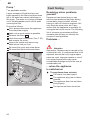
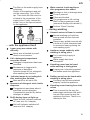
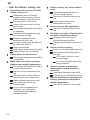
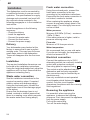
en
Index
Safety instructions . . . . . . . . . . . . .
Getting to know your appliance . .
Water softener . . . . . . . . . . . . . . . .
Filling the salt dispenser . . . . . . . .
Adding rinse aid . . . . . . . . . . . . . . .
Utensils . . . . . . . . . . . . . . . . . . . . . .
Detergent . . . . . . . . . . . . . . . . . . . .
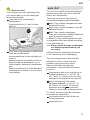
auto 3in1 . . . . . . . . . . . . . . . . . . . . .
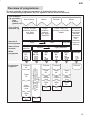
Overview of programmes . . . . . . .
4
6
6
7
8
9
12
13
15
Washing dishes . . . . . . . . . . . . . . .
Additional functions . . . . . . . . . . . .
Maintenance and care . . . . . . . . . .
Fault finding . . . . . . . . . . . . . . . . . .
Customer Service . . . . . . . . . . . . .
Information . . . . . . . . . . . . . . . . . . .
Installation . . . . . . . . . . . . . . . . . . . .
Waste disposal . . . . . . . . . . . . . . . .
16
18
18
20
23
23
24
25
en
Safety instructions
Delivery
Immediately check the packaging and
dishwasher for any damage which may
have been caused in transit. Do not use
a damaged appliance, but consult your
supplier.
Please dispose of packaging material
properly.
Installation
Install and connect the appliance
according to the installation and
assembly instructions.
The dishwasher must NOT be
connected to the power supply during
installation.
Ensure that the protective conductor
system of the domestic electricity
supply has been installed correctly.
Electrical connection conditions must
correspond with the specifications on
the rating plate of the dishwasher.
If the dishwasher is to be installed
in a high-sided unit, ensure that the unit
is attached properly and also at the
rear.
Built-under and built-in appliances
should always be installed under a
continuous work surface which is
attached to the adjacent cupboards, in
order to ensure that the appliance is
entirely stable.
After the appliance has been installed,
the mains plug should still be easily
accessible.
Not on all models:
The plastic housing on the water input
contains an electrically operated valve.
The connecting wires are inside the
inlet hose. Do not cut through this hose
and do not immerse the plastic housing
in water.
4
Warning
For safety reasons, if the appliance is not
fitted in a recess, thereby making a side
wall accessible, the door hinge area
should be covered at the side.
(Risk of injury)
Covers are available as optional
accessories from customer services or
specialist stores.
In daily use
Warning
Knives and other sharp-pointed utensils
must be placed with the points down
in the cutlery basket or horizontally in
the utensils basket.
Use the dishwasher only in the
household and only for its designed
purpose, i.e. for washing domestic
dishes.
Do not lean or sit on the open door.
The appliance could tip.
Please note that free-standing
appliances may tip over if the baskets
are overloaded.
The water in the appliance is not
drinking water.
Do not add any solvents to the washing
chamber. Danger of explosion!
Open the door carefully when
the programme is still running. There
is a risk of hot water spraying out of
the appliance.
To prevent injuries, e.g. caused
by stumbling, open the dishwasher
only briefly in order to load and unload
the dishwasher.
Read and observe the safety
nformation and instructions for use on
the packaging for cleaning and rinsing
agents.
en
Children in the household
If fitted, use the childproof lock. An
exact description can be found in the
back of the envelope.
Do not allow children to play with
or operate the appliance.
Keep children away from detergents
and rinse aid. These may cause
chemical burns in the mouth, throat and
eyes or asphyxiation.
Keep children away from an open
dishwasher. There could still be
detergent residue inside.
If the appliance is installed at eye-level,
ensure when opening and closing the
door that children are not caught
or crushed between the appliance door
and the cupboard door situated below.
Childproof lock (button lock)
You can secure your appliance from being
unintentionally switched over (e.g.
improper operation by children).
Activating the button lock:
Select the required programme.
Hold down the button B for
is indicated
approx. 4 sec. until this
on the digital display.
If any button is pressed while the
programme is running, this
is indicated
on the digital display. It is not possible to
end (reset) the programme.
Deactivating the button lock:
Hold down the button B for
approx. 4 sec. until the display
goes
out.
At the end of the programme (
on the
digital display) the button lock is cancelled.
If there is a power failure, the button lock
is retained. Whenever a programme
is restarted, the button lock must
be reactivated.
Damage
The appliance may be repaired and
opened up by a technician only. First
disconnect the appliance from the
power supply. Pull out the mains plug
(do not tug the power cord!) or switch
off the fuse. Turn off the tap.
Disposal
Make redundant appliances unusable
to prevent subsequent accidents.
Dispose of the appliance in an
environmentally friendly manner.
Warning
Children could get locked in the appliance
(risk of suffocation) or get stuck in other
positions.
Therefore: Remove the mains plug, cut the
mains wire and set aside. Damage the
door lock so that the door can no longer
be closed.
You will need to purchase the
following before using the
dishwasher for the first time:
– special salt for use in dishwashers
– detergent
– rinse-aid
Only use products, which are suitable for
dishwashers.
5
en
Getting to know your
appliance
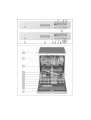
Diagrams of the control panel and the
interior of the appliance can be found
in the envelope at the front.
Individual positions are referred to in
the text.
Control panel
1
2
3
4
5
6
7
8
9
Main switch
Door opener
Digital display
Time delay
Additional options *
Programme buttons
Programme sequence indicator
Salt refill indicator
Rinse-aid refill indicator
Appliance interior
20
21
22
23
24
25
26
27
28
29
30
31
Upper basket with additional cup
rack
Additional cutlery basket for the
top basket*
Top spray arm
Bottom spray arm
Dispenser for salt
Filters
Cutlery basket
Bottom basket
Lock for detergent dispenser
Dispenser for rinse aid
Detergent dispenser
Rating plate
* some models
6
Water softener
In order to rinse dishes and glasses
satisfactorily, the dishwasher requires soft
water, i.e. containing little or no lime,
otherwise water stains will be left behind
on crockery and glasses, etc.
If the tap water exceeds a certain level of
hardness, it must be softened, i.e.
decalcified, so that it can be used in the
dishwasher.
This is achieved by adding a special salt
to the water softener inside the
dishwasher.
The water softener, that is the required
amount of salt, is set up according to how
hard the tap water is.
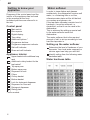
Setting up the water softener
Determine the level of hardness of your
tap water. Your local water company or
service agent can help you with this.
Identify setting from the following water
hardness table.
Water hardness table
en
Close the door.
Hold down programme button B and
press 1 main switch until the digital
display illuminates, then release the
buttons.
The LED for button B flashes and
the digital display displays the factory
setting
.
To change the setting,
press programme button B .
Each time the button is pressed, the set
value increases by 1; after
, the
.
setting goes back to
Switch off the main switch 1 . The
chosen setting has now been stored.
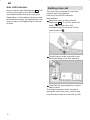
Filling the salt dispenser
Salt must always be filled before the
appliance is switched on, so that excess
salt solution is immediately flushed away
to prevent corrosion.
Open the screw-type cap of the
compartment 24 .
Before using the appliance for the first
time, pour about 1 litre of water in the
salt container.
Then refill with salt (not cooking salt)
until the salt container is full
(max. 1.5 kg). When you refill the salt,
water is being displaced and drains off.
The LOW SALT indicator 8 on the front
panel will light up initially but will extinguish
again after a short period when the salt
solution has become sufficiently
concentrated.
, it is not
When the control is set to
necessary to fill up with salt as none will
be consumed while the dishwasher is
operating. The LOW SALT indicator is
switched off. If the control is set between
and
, then salt must be added
to the dispenser.
Warning
Do not pour detergent into the container
for special salt. This would destroy the
water softener.
7
en
Salt refill indicator
As soon as the salt refill indicator 8 is lit
on the control panel, refill with salt
immediately before the next rinse cycle.
Depending on the washing frequency and
the hardness setting, the regeneration salt
may not have to be topped up for several
months.
Adding rinse aid
The rinse aid is required for stain-free
utensils and clear glasses.
Use only rinse aid for domestic
dishwashers.
Open the cover on the rinse-aid
dispenser 29 . To do this, press the
mark (1 ) on the cover and
simultaneously lift the cover on the
control plate (2 ).
Carefully pour in the rinse aid to just
below the edge of the filler opening.
Close the lid, ensuring that you hear it
snap closed.
To prevent excessive foam formation
during the next rinse cycle, remove any
rinse aid which has run over with a cloth.
8
en
Adjusting the amount of
rinse-aid
The amount of rinse-aid added to the
water can be varied by adjusting the
stepless control. The rinse-aid control has
been set to ”4” in the factory.
Do not alter the setting of the rinse-aid
control unless streaks (turn knob towards
”–”) or water marks (turn knob towards ”+”)
are left on the dishes.
29
Rinse aid controller
Rinse-aid refill indicator
As soon as the rinse-aid refill indicator
lights up on the control panel 9 ,
refill with rinse aid.
If using detergent products with integrated
rinse aid, the rinse-aid refill indicator
can be switched off (see “Switching
the rinse-aid refill indicator off and on”
in the “auto 3in1” chapter).
Utensils
Not suitable
Cutlery and utensils made of wood.
Fragile decorative glasses,
hand-crafted and antique utensils.
These decorative items are not
dishwasher-proof.
Plastic parts sensitive to hot water.
Copper and tin utensils.
Utensils which are soiled with ash,
wax, lubricating grease or ink.
Absorbent materials such as sponges
and cloths.
Aluminium and silver parts have a
tendency to discolour and fade during the
wash cycle. Even some types of glass
(e.g. crystal glass objects) may turn cloudy
after many wash cycles.
Recommendation:
In future buy utensils which are identified
as dishwasher-proof.
Damage to glassware and other
dishes
Possible causes:
type of glass or manufacturing process
chemical composition of detergent
water temperature and duration of
dishwasher programme.
Suggested remedy:
Use glassware or porcelain dishes that
have been marked ’dishwasher–proof’
by the manufacturer.
Use a mild detergent that is described
as ’kind to dishes’. If necessary, seek
further information from detergent
manufacturers.
Select a programme with as low a
temperature and as short a duration as
possible.
To prevent damage, take glass and
cutlery out of the dishwasher as soon
as possible after the programme has
ended.
9
en
Loading the dishwasher
Pots and pans
Remove large food remnants.
It is not necessary to rinse them off
under running water.
When loading the dishwasher, ensure
that
D all utensils are secure and cannot
fall over.
D the openings of all receptacles are
face down.
D curved or indented utensils are at
an incline, allowing water to drain.
D the two spray arms can rotate freely.
Very small items should not be washed in
the dishwasher as they could easily fall out
of the baskets.
Lower basket
27
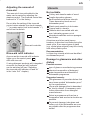
Removing the dishes
To prevent water dripping from the top
basket onto the dishes in the lower basket,
we recommend that you empty the lower
basket first and then the top basket.
Cups and glasses
Upper basket
20
Cutlery
Cutlery should be placed in the
dishwasher always unsorted and with the
eating surface pointing downwards. The
spray jet is then better able to reach the
individual parts.
To prevent injuries, place long, pointed
accessories and knives on the étagère
(some models) or on the knife shelf
(available as an accessory).
Folding spikes *
* on applicable models
To improve stacking of pots and pans, the
spikes can be folded down.
* not included with all models
10
en
Shelf *
* not on all models
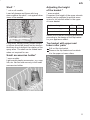
Lean tall glasses and those with long
stems against the shelf – not against other
items to be washed.
Adjusting the height
of the basket *
* some models
If required, the height of the upper utensils
basket can be adjusted to provide more
space for tall utensils either in the upper
or lower basket.
Appliance height in cm
81
86
Max. ø in cm upper
20/25* 20/25*
max. ø in cm lower
30/25* 34/29*
Select one of the two following procedures
according to the design of the top basket
for your appliance model:
Long items, serving cutlery, salad servers
or knives should be placed on the shelf so
that they do not obstruct the rotation of the
spray arms. The shelf can be folded back
when not required for use.
Top basket with upper and
lower roller pairs
Pull out the top basket.
Remove the top basket and re-attach
it to the upper or lower rollers.
Small accessories holder*
* some models
Light-weight plastic accessories, e.g. cups,
lids, etc. can be held securely in the small
accessories holder.
11
en
Top basket with side levers
(Rackmatic)
Pull out the top basket.
To lower the basket, press in one lever
and then the other situated on the left
and right of the basket exterior, holding
the basket firmly on the sides of the
upper edge to prevent it from falling
down.
Detergent
You can use commercially available liquid
or powder proprietary detergents for
dishwashers or TABS (do not use
handwash!).
If phosphate-free detergents are used with
hard tap water, white deposits may be
deposited more easily on utensils and
the container walls. This can be remedied
by adding more detergent.
See detergent packaging to determine
whether a detergent is suitable for silver
parts.
If you have any other questions, we
recommend that you contact the helplines
of the detergent manufacturers.
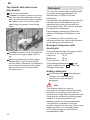
Detergent dispenser with
dosing aid
To raise the basket, hold the basket on
the sides of the upper edge and lift it
up.
Before re-inserting the basket again,
ensure that it is at the same height
on both sides. Otherwise, the appliance
door cannot be closed and the upper
spray arm will not be connected to
the water circuit.
The graduated detergent dispenser helps
you pour in the correct amount.
Lower line:
15 ml
Middle line:
25 ml
Full to the brim: 40 ml
If the detergent dispenser 30 is still
closed, press the lock 28 to open the
detergent dispenser.
Adding detergent
Fill the dispenser 30 with detergent.
Dosage: see manufacturer’s
instructions on the detergent
packaging.
Note
The cleaning tabs from various
manufacturers exhibit differing dissolving
properties, so washing power may not
develop fully during short programmes and
there may be undissolved cleaning agent
residue. It is recommended to use
washing powder for these programmes.
The Intensive programme (on some
models) requires one tab only. When using
washing powder, you can apply some
of this cleaning agent to the inside of
the appliance’s door.
12
en
auto 3in1
Reduce costs!
If your dishes are only moderately dirty,
you may be able to use less detergent
than recommended.
Close the lid on the detergent
compartment.
Press down the lid (1) until it clicks
shut (2).
If you are using detergent in tablet form,
read the manufacturer’s
recommendations on the packaging in
order to
determine where the tablets should be
placed inside the dishwasher (e.g. in
cutlery basket, detergent compartment,
etc.).
Make sure that the lid on the detergent
compartment is closed, even if you are
using tablets.
The use of so-called combined detergent
products may make the use of rinse aid
and/or salt unnecessary.
There are currently several types of
combined detergent products available.
2in1: They contain detergent and rinse
aid or salt function.
3in1: They contain detergent, rinse aid
and salt function.
4in1: They contain a detergent,
rinse-aid, salt function and an additional
glass protection component.
In addition, other combined products with
a comparable effect are offered according
to the manufacturer.
>>> Always check the type of detergent
or combined product which you
are using!
Always follow the operating instructions
or the information on the packaging.
The rinse programme is automatically
adjusted in order to obtain the best
possible rinsing and drying result.
Observe the following important
information if using combined cleaning
products:
Regeneration salt is not required up to
a water hardness of 21_ dH (37_ fH,
26_ Clarke, 3.7 mmol/l) only. No other
settings on the appliance are required.
Salt is still required if the water
hardness is above 21_ dH (37_ fH,
26_Clarke, 3.7 mmol/l). Fill the salt
dispenser with salt 24 and select
setting 6 on the water softening system.
If in doubt, please contact the detergent
manufacturer, especially if:
the utensils are very wet at the end
of the programme.
limescale forms.
13
en
Note
Optimum rinsing and drying results can be
obtained by using standard detergents in
conjunction with separate application of
salt and rinse aid.
Observance of the operating instructions
or information on the packaging of the
combined detergents determines their
effectiveness.
Note
Even if the rinse aid and/or salt refill
indicator is lit, the rinse programme runs
correctly when 3in1 products are used.
If the rinse aid refill indicator 9 or salt
refill 8 indicator is defective and you
would like to switch it off, proceed as
follows:
Switching the rinse aid refill
indicator off and on
You can switch the rinse aid refill indicator
9 on or off. This function can be
changed as follows.
Close the door.
Hold down the programme button 4
and press the main switch 1 until the
digital display lights up, then release the
buttons.
3 is indicated on the digital display
(rinse aid refill indicator on).
By pressing the programme button
4 , you can switch off
or switch
the rinse aid indicator.
on
Switch off the main switch 1 ;
the setting is saved.
14
Switching the salt refill
indicator / water softening
system off and on
Close the door.
Hold down the programme button B
and switch on the main switch 1 ,
then release the buttons.
The illuminated button B and the
factory-set value
on the digital
display flash.
To change the setting: press the
programme button B .
Each time the button is pressed, the set
value increases by one; when the value
is reached, the display jumps
back to
(the salt refill indicator /
water softening system has been
switched off).
Switch off the main switch 1 .
The set value is stored within the
device.
Approx. 4 litres of water are required to
regenerate the water softening system.
As a result, the water consumption per
rinse cycle increases by 0 to maximum
4 litres depending on the water hardness
setting.
Note
If you use the detergent and rinse aid
separately or switch from combined
detergents to standard cleaning products,
ensure that the rinse aid refill indicator has
been switched on and the water softening
system has been set to the correct water
hardness.
en
Overview of programmes
The max. possible number of programmes is illustrated in this overview.
The corresponding programmes for your appliance can be found on the fascia.
Type of Dishes
e.g. porcelain,
Non-sensitive
pans,
cutlery,
glasses, etc.
Soups, soufflés,
potatoes, pastries,
rice, eggs,
fried food
Amount of
food remnants
State of food
remnant
Wash
programme
Programmesequence
Delicate
Soups,
potatoes,
pastries,
rice, eggs,
fried food
Coffee, cake, milk,
sausage, cold drinks,
salads
Large
Very
adhesive
Intensive
70_
Prerinse
40_
Clean
70_
Intermediate
rinse
Little
Auto
55_-70_
Mixed
Very little
Rinse off if
the dishes
have been
stacked
for several
days in
the
dishwash
er prior to
washing.
Lightly Adhesive
Medium
The programme sequence is
optimised and adjusted according
to the degree of soiling on the
utensils.
Type of food
remnants e.g.
Mixed
Eco
50_
Gentle
40_
Quick
45_
Prerinse
Prerinse
Clean
50_
Clean
40_
Clean
45_
Intermediate
rinse
Intermediate
rinse
Intermediate
rinse
Clean
65_
Clean
55_
Clean
55_
Dry
Dry
Prerinse
Prerinse
Clean
70_
Dry
Dry
15
en
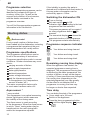
Programme selection
The most appropriate programme can be
identified by comparing the type of
crockery, cutlery, etc., as well as the
amount and condition of food remains,
with the details contained in the
programme overview.
If the turbidity is greater, the water is
drained and is replaced with fresh water. In
this way water consumption can be
reduced by approx. 4 litres.
Switching the dishwasher ON
Turn on the tap.
Set main switch 1 to ON.
Indicators light up according to the last
programme that was selected.
This same programme will run again if
no other programme button 6 is
pressed.
The numerical display 3 shows the
expected duration of the programme.
The programme starts automatically.
You will find the appropriate programme
information in the introduction.
Washing dishes
Reduce costs!
If only a small number of dishes have
been loaded into the dishwasher, selecting
a programme that operates at the next
lowest temperature will usually suffice.
Programme sequence indicator
7
Your dishes are being cleaned.
Programme specifications
The programme specifications can be
found in the summary of instructions.
Programme specifications refer to normal
conditions. Greater deviations may occur
due to:
varying amounts of dishes
water supply temperature
water pipe pressure
ambient temperature
mains voltage tolerances
and the tolerances specific
to the appliance (e.g. temperature,
amount of water, etc.)
The water consumption values refer
to a set water hardness value of 4.
Your dishes are being rinsed.
Your dishes are being dried.
Remaining running time display
When the appliance has started, the
expected programme running time is
displayed. The programmed running time
is affected by the water temperature, the
number of dishes, as well as the degree
of soiling. If these conditions are changed,
the running time (depending on the
selected programme) can vary greatly.
As the effect is not detected until a
programme is running, the time may
be longer or shorter than expected.
Aqua sensor *
Time delay
* some models
The Aquasensor is an optical measuring
device (light barrier) which measures
the turbidity of the rinsing water.
The Aqua sensor is used according
to the programme. When the Aqua sensor
is active, “clean” rinsing water may be
transferred into the next rinsing bath
and/or the temperature adjusted.
You can delay the start of the programme
in 1-hour steps up to 24 hours.
Switch on the appliance.
Press the timer programming button
4 until the digital display 3 jumps
.
to
16
en
Keep pressing the timer programming
button until the required time is
displayed.
To delete the timer programming,
keep pressing the button until
is displayed.
You can change your programme
selection at any time until the
programme starts.
End of programme
The programme has ended when a figure
appears in the numerical
display 3 .
Switching the dishwasher OFF
Several minutes after the programme has
ended:
Set the main switch 1 to OFF.
Turn the water tap off.
(Does not apply when Aqua-Stop unit
has been fitted)
Remove dishes, etc. when they have
cooled down.
At the end of the programme please open
the door fully and not partially when
emptying the dishwasher. Any escaping
water vapour could damage sensitive
worktops.
Interrupting the programme
Switch off the main switch 1 .
The lit display goes out. The programme
is saved.
If there is a warm water connection or if
the machine has already heated up and
the appliance door was opened, leave
the door open for several minutes and
then close. Otherwise, expansion may
cause the appliance door to spring open.
Switch on the main switch again.
Terminating the programme
(Reset)
Simultaneously press programme
buttons A and C for approx. 3 sec.
.
The numerical display indicates
The programme sequence lasts
approx. 1 min.
Switch off the main switch 1 .
Changing the programme
When the appliance is switched on, the
programme can be changed
within minutes.
If the programme is changed
subsequently, programme sections
(e.g. Cleaning) which have already started
run to the end. The new remaining time
consists of the remaining time of the
previous programme section and the
remaining time of the newly selected
programme.
Intensive drying
In the final rinse the appliance operates
at a higher temperature and therefore an
improved drying result is obtained.
(Caution if utensils are fragile!)
Close the door.
Hold down programme button A and
press main switch until 1 the digital
display illuminates.
Release both buttons.
The LED for button A flashes and
the digital display 3 displays the factory
(off) or
(on).
setting
To change the setting, press
programme button A .
Switch off the main switch 1 .
17
en
Additional functions
* on some models additional functions
5
can be set with the buttons.
Soaking *
The soaking cycle runs before the main
programme and must be selected before
the programme starts. In this additional
programme cooking utensils, e.g. pans,
bowls, etc., can be soaked and prerinsed
in the bottom basket.
It is recommended to put approx. 5 g of
detergent on the door.
Saving time (VarioSpeed) *
The >>Save time<< function can reduce
the running time by approx. 20% to 50%
depending on the selected rinse
programme. The particular change in
the running time is indicated on the time
remaining display. To obtain optimum
cleaning and drying results at a reduced
running time, water and energy
consumption are increased.
Half load*
If you have only a few items to wash (e.g.
glasses, cups, plates), you can switch to
“Half load”. The “half load” additional
function saves water, energy and time. It is
recommended to put a little less detergent
in the detergent dispenser than for a full
load.
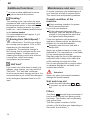
Maintenance and care
A regular inspection and maintenance of
your machine will help to prevent faults.
This saves time and prevents problems.
Overall condition of the
machine
Check washing chamber for grease
and limescale deposits.
If you find such deposits:
Fill the detergent dispenser with
detergent, start the appliance without
utensils in the programme which has
the highest wash temperature.
Clean the appliance with detergents/
appliance cleaners which are particularly
suitable for use with dishwashers.
Regularly wipe the door seal with a
damp cloth.
Never use a steam cleaner to clean your
dishwasher. The manufacturer is not liable
for any consequential damage.
Regularly wipe the front of the appliance
and panel with a damp cloth; water and
a little washing-up liquid will suffice.
Do not use sponges with a rough surface
or abrasive detergents, as these could
scratch the surfaces.
Attention!
Never use other chlorinated household
detergents! Health hazard!
Salt and rinse aid
Check the refill indicators 8
9 .
If required, top up the salt and/or rinse
aid.
Filters
The filters 25 prevent larger remnants of
food or other objects from getting inside
the pump. This residue can occasionally
clog up the filters.
The filter system consists of a filter
cylinder, a flat fine filter and, depending on
the model, a microfilter (*).
18
en
Inspect the filters for obstructions every
time the dishwasher has been used.
By unscrewing the filter cylinder, you
can remove the filter system. Remove
any food remnants and clean the filters
under running water.
Spray arms
Lime and remnants of food in the washing
water can block the nozzles in the spray
arms 22 and 23 and the arm
mountings .
Inspect the nozzles in the spray arms
for blocked holes due to remnants of
food.
If necessary, pull the lower arm 23
upwards and lift it off.
Unscrew the upper spray arm 22 .
Clean both spray arms under running
water.
Reassembly:
Insert the filter system and screw down
with the filter cylinder.
3
2
1
0
Refit the spray arms. Ensure that the
lower arm has locked into place and the
upper one is screwed tight.
19
en
Pump *
* on applicable models
Larger remnants of food that have not
been trapped by the filters and have been
left in the water can cause a blockage in
the pump. The water is no longer pumped
out of the dishwasher and it can be seen
covering the filter.
Proceed as follows:
First, always disconnect the appliance
from the power supply.
Ladle out as much water as possible.
Remove the filters 25 .
Undo the screw in the cover (Torx T 20)
and remove the cover.
Inspect the inside and remove any
obstructions that you find.
Re-insert the cover and screw down.
Re-insert the filters and screw down.
Torx T20
2
1
20
Fault finding
Resolving minor problems
yourself
Experience has shown that you can
resolve most problems that arise during
normal daily usage yourself, without
having to call out a service engineer. Not
only does this save costs, but it also
means that the appliance is available for
use again that much sooner. The following
list of common occurrences and their
remedies should help you identify the
causes of most problems.
Problems ...
Attention
Remember: Repairs may be carried out by
a technician only. If a component has to be
replaced, ensure that only original spare
parts are used. Improper repairs or use of
non-original spare parts may cause
considerable damage and put the user at
considerable risk.
... when the appliance
is switched on
The appliance does not start.
The mains fuse has tripped.
The appliance plug has not been
inserted.
The appliance door has not been
shut properly.
The tap has not been turned on.
en
The filter on the water supply hose
is blocked.
Switch off the appliance and pull
out the mains plug. Turn off the
tap. Then clean the filter which is
situated at the connection of the
supply hose. Finally, restore the
power, turn on the tap and switch
on the appliance.
Water remains inside appliance
after programme has ended
Blockage or kink in drainage hose.
Pump is jammed.
Filters are blocked.
The programme is still running.
Wait for the programme to end
(numerical display will indicate 0).
Perform “Reset” function.
... during washing
... with the appliance itself
Lower spray arm rotates with
difficulty
Spray arm is blocked by small
items or food remains.
Lid in detergent compartment
cannot be closed
Detergent compartment has been
overfilled.
Mechanism is clogged with
remnants of detergent.
Indicator lamps do not extinguish
after washing has finished.
Indicator lamps do not extinguish
after washing has finished
Main switch is still set to ON.
Remnants of detergent stuck inside
dispenser
Compartment was damp when it
was filled up with detergent.
Compartment must be dry before
detergent is added.
Refill display does not light up.
Rinse aid refill indicator switched
off. (see auto 3in1 chapter)
Salt refill indicator switched off.
(see auto 3in1 chapter)
Unusual amount of foam is created
Normal washing up liquid has
been poured into the rinse-aid
container.
Remove any spilled rinse aid with
a cloth as it could otherwise lead
to excessive foaming during the
next washing cycle.
Appliance stops suddenly while
washing is taking place
Cut in electricity supply to
appliance.
Water supply has been
interrupted.
Knocking sound can be heard
while washing is taking place
A spray arm is knocking against
the dishes inside the appliance.
Rattling sound can be heard while
washing is taking place
Crockery has not been stacked
properly inside the appliance.
Knocking sound coming from inlet
valves
This is caused by the way the
water pipes have been laid and it
has no effect upon the way the
appliance functions. There is no
remedy for this.
21
en
... with the dishes, cutlery, etc.
Remnants of food are stuck to the
dishes, cutlery, etc.
Dishwasher was not loaded
properly. Jets of water could not
reach all parts of the dishes, etc.
Too many items in the rack.
Items in the rack were touching
each other.
Not enough detergent was added
to dispenser.
Selected wash programme was
not intensive enough.
Rotation of spray arm was
obstructed by dish, etc.
Nozzles in spray arm are blocked
by remnants of food.
Filters are blocked.
Filters have been incorrectly fitted.
Waste-water pump is jammed.
Plastic items are discoloured
Not enough detergent was added
to dispenser.
White stains are left on crockery,
glasses have a milky appearance
Not enough detergent was added
to input compartment.
Amount of rinse-aid was set too
low.
Although water is quite hard, no
salt has been put in appliance.
Water softener was set too low.
Lid on salt container is not
screwed tight.
If you used a phosphate-free
detergent, try a detergent
containing phosphates and
compare results.
22
Dishes, cutlery, etc. have not been
dried
Selected programme did not
include drying function.
Amount of rinse-aid was set too
low.
Items were removed from
dishwasher too soon.
Glasses have a dull appearance
Amount of rinse-aid was set too
low.
Tea stains or traces of lipstick have
not been completely removed
Detergent does not have a
sufficient bleaching effect.
Washing temperature was set too
low.
Traces of rust on cutlery
Cutlery is not sufficiently rustproof.
Salt content in washing water is
too high.
Lid on salt container is not
screwed tight.
Too much salt was spilt while
filling container.
Glasses become clouded and
discoloured; coating cannot be
wiped off
Unsuitable detergent was used.
Glasses are not dishwasher-proof.
Smears left behind on glasses and
cutlery; glasses have acquired a
metallic appearance
Amount of rinse-aid set too high.
en
Customer Service
Please call your local service agent, if you
are not able to resolve any problem
yourself. The name of your nearest service
agent is shown in the Customer Service
address list. When you call, please provide
details of the model number (1) and the
production (FD) number (2) which are
shown on the nameplate 31 on the
appliance door.
1
FD
2
Attention
Please note that a visit by the customer
service technician in the event of a fault or
one of the problems previously discussed
is not free of charge even during the
warranty period.
Information
Notes on comparison tests
You will find details of the conditions for
the comparison tests on the additional
”Notes on comparison tests” sheet. The
consumption values for the relevant
programmes are given in the introduction.
General
Built-under and integrated appliances
which are subsequently installed as
free-standing appliances must be
secured to prevent them from falling
over, e.g. by screwing them to the wall
or by installing them under a continuous
worktop which is screwed to the
adjoining units.
For Swiss version only:
The appliance can be installed without
difficulty between wooden and plastic
walls in a kitchen range. If the appliance
is not connected via a plug, the
installation side must feature an all-pole
disconnector with a contact gap of at
least 3 mm in order to satisfy the
relevant safety regulations.
23
en
Installation
The dishwasher must be connected by
a qualified technician to ensure correct
operation. The specifications for supply,
drainage and connected load must fulfil
the required criteria as stated in the
following paragraphs or in the installation
instructions.
Install the appliance in the following
sequence:
– Check the delivery
– Install the appliance
– Connect the waste water
– Connect the fresh water
– Connect the power supply
Delivery
Your dishwasher was checked at the
factory to ensure that it was in perfect
working order. This may have left some
small water stains in the dishwasher.
These will disappear after the first rinse
cycle.
Installation
The required installation dimensions can
be found in the installation instructions.
Using the height-adjustable feet, adjust the
appliance until it is level. Ensure that the
appliance is standing firmly.
Waste water connection
See the installation instructions for the
required connection steps. If required,
attach a siphon with drainage spigot.
Using the enclosed parts, connect the
waste water hose to the drainage spigot
of the siphon.
Ensure that the drainage hose is not
kinked, crushed or twisted (ensure that
there is no sealing cover which prevents
the waster water from flowing away!).
24
Fresh water connection
Using the enclosed parts, connect the
fresh water connection to the tap
according to the installation instructions.
Ensure that the fresh water connection is
not kinked, crushed or twisted.
When replacing the appliance, always
connect a new water supply hose to the
water supply. The old supply hose must
not be re-used.
Water pressure:
Minimum 0,05 MPa (0,5 bar) – maximum
1 MPa (10 bar).
If the water pressure is higher, install a
pressure reducing valve.
Flow rate:
Minimum of 10 litres per minute.
Water temperature:
We recommend that you use cold water.
If you do use hot water, the temperature
should not exceed 60 °C.
Electrical connection
Connect the appliance only to 230 V
alternating current via a correctly installed
socket with protective conductor.
See rating plate for required fusing 31 .
The socket must be attached near the
dishwasher and be freely accessible.
The connection may be modified by an
electrician only.
Use only a residual-current-operated
circuit-breaker which features the
symbol. Only this circuit breaker
guarantees compliance with the currently
valid regulations.
Removing the appliance
It is essential, when removing the
appliance, to observe the following
sequence: First, disconnect the appliance
from the power supply.
Pull out the mains plug.
Turn off the water supply.
en
Disconnect the waste water and fresh
water connections.
Loosen the fastening screws under the
worktop. If fitted, remove the base panel.
Pull out the appliance, carefully pulling the
hose behind.
Transporting the dishwasher
Drain water from the dishwasher. Secure
all loose parts. The appliance should only
be transported in an upright position.
If the appliance is not kept upright
during transport, any water left inside
may seep into the control module and
cause subsequent errors with
programme functions.
The appliance must be drained in the
following sequence:
Turn on the tap.
Close the door.
Set main switch to ON.
Select the B programme. The
programme duration in minutes is
shown in the numerical display.
Wait for approximately 4 minutes.
Terminate the programme by
pressing A and C
simultaneously.
The time display changes to
.
Wait a further minute and then
switch the appliance off.
Turn off the tap.
Waste disposal
Disposal
Old appliances are not worthless rubbish.
Valuable raw materials can be reclaimed
by recycling old appliances.
Pull out the mains plug of the redundant
appliance. Cut off the power cord and
discard with mains plug.
To prevent children from locking
themselves in the appliance and
suffocating, destroy the door lock
and childproof lock (if fitted).
You received your new appliance in
a protective shipping carton. All packaging
materials are environmentally friendly and
recyclable.
Please contribute to a better environment
by disposing of packaging materials in an
environmentally-friendly manner. All plastic
parts of the appliance are identified by
internationally standardised symbols
(e.g. >PS< polystyrene).
When the appliance is being disposed of,
the plastic waste can be sorted for
environmentally-friendly recycling.
Please ask your dealer or inquire at your
local authority about current means of
disposal.
Protection from freezing
temperatures
If the appliance is installed in a location
where there is a risk of freezing
temperatures (e.g. in a holiday home), all
water must be completely drained out of
the interior (see “Transporting the
dishwasher”).
Turn OFF the tap, disconnect the supply
hose and allow to drain.
25
en
Disposal of the packaging
Please dispose of the packaging
material in an environmentally
friendly manner.
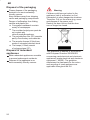
Keep children away from shipping
carton and packaging components.
Danger of suffocation from folding
cartons and plastic film.
D Corrugated cardboard consists
mainly of wastepaper.
D The moulded polystyrene parts do
not contain any
chlorofluorohydrocarbons.
D The polyethylene film (PE) consists
partly of secondary raw materials.
D The wooden frames (if fitted) are
made of untreated residual wood.
D The hoops (if fitted) consist
of polypropylene (PP).
Disposal of redundant
appliances
Make redundant appliances unusable
to prevent subsequent accidents.
Dispose of the appliance in an
environmentally friendly manner.
26
Warning
Children could become locked in the
appliance (risk of suffocation) or find
themselves in other dangerous situations.
Therefore: Pull out the mains plug, sever
and dispose of the power cord.
Destroy the door lock so that the door
can no longer be closed.
This appliance is labelled in accordance
with European Directive 2002/96/EG
concerning used electrical and electronic
appliances (waste electrical and electronic
equipment – WEEE). The guideline
determines the framework for the return
and recycling of used appliances as
applicable throughout the EU.
Child-proof lock *
40
41
42
Switch on the child-proof lock
Open the door with child-proof lock
switched on
Switch off the child-proof lock
When the door is open, the child-proof lock
offers no protection.
Baking sheet spray head *
Large sheets or grilles and plates which have a diameter greater than 30 cm (gourmet
plates, pasta plates, dinner plates) can be cleaned with the aid of the spray head.
To do this, remove the top basket and insert the spray head as illustrated in the diagram.
To ensure that the spray jet can reach all parts, arrange the baking sheets as illustrated
(max. 4 baking sheets and 2 grilles).
Never operate the dishwasher without the top basket or baking sheet spray head!
* some models
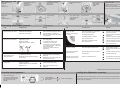
Summary of instructions for dishwasher
en
Brief and handy:
everything your dishwasher
needs...
Before using for the first
time, read the installation
and operating instructions!
Adjusting the water softening system *
Request the water hardness
value in your area from your
water supply company and
enter it here ...
Quickly sorted
Read off the correct setting for your water hardness
– Each time button B is pressed, the setting increases by 1;
after H:07, the setting goes back to H:00 .
– Switch off the main switch. The chosen setting has now
been stored.
* only before first use
of the appliance or if
the water hardness
changes
Fill with special salt
Dissolves limescale (not required for set value 0!)
Only before using
the dishwasher
for the first time
pour approx. 1 l /
2 pt water into the
salt opening.
Unscrew
the lid.
Fill with rinse aid
Pour in max.
1.5 kg / 3 lb 5 oz
salt (never detergent!)
Everything is sparkling clean ...
Press mark 1,
lift up lid 2.
Fill with detergent
Warning,
When the display shows 0:00 (end of programme),
press On/Off switch
Push the lid
shut, press.
PLOP!
Intensive
70_
Auto
55_/65_
Eco
50_
Gentle
40_
Quick
45_
Prerinse
2:15
1,60
16
13
1:25-2:20
1,05-1,60
10-17
–
2:20
1,05
12
–
1:12
0,80
14
11
0:30
0,70
10
–
0:19
0,05
4
–
Duration: hs/mins
Switch off the appliance Everything O.K...
Pour in
detergent.
Quick, economical or intensive
The programme data are laboratory readouts according to
European Standard EN 50242.
In practice, deviations are possible.
Press On/Off switch, running time of the
chosen programme appears
Close the
lid. CLICK!
combination
products are not
suitable for all
programmes,
follow manufacturer’s instructions.
This overview shows the maximum number of programmes
available. You’ll find the corresponding programmes of your
device on your control panel.
Switch on appliance
Pour in
rinse aid.
Very dirty dishes, a lot of detergent ...
If required, open
the lid (press the
pin).
Select programme
Screw on the
lid. Switch on
dishwasher
immediately.
Refill whenever level indicator is light!
Programme Overview
9000 155 371 How to adjust the water softening system
– Hold down programme button B and press main switch
until the digital display illuminates, then release the buttons.
The LED for button B flashes and the digital display
displays the factory setting H:04.
Energy Consumption: kWh
Water Consumption: litres
With Aquasensor
Additional programmes **
Soak
...crockery in the lower
basket, programme
starts automatically,
remember to add an
extra 5g of cleaning
agent when the door
unlocks.
Time reduction/
time saving
...shortens the
cleaning time, reduces
the drying.
Increased flexibility ...
h.
Time selection
...switches on as soon as
you press the time
selection button:
Alters the programme
start in hourly steps
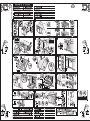
Maintenance and care
Cleaning the waste-water pump *
For perfect rinsing results ...
* With some models
Strainers ...
Check, if
required, clean
Rotate filter
cylinder, remove
filter system ...
rinse under
flowing water ...
Insert ...
Screw in filter
system NOTE
MARK!
Spray arms ...
Remove
blockages/deposits
Pull lower arm
upwards ...
Unscrew upper
arm ...
Clean spray nozzles
under flowing water
(perhaps with
toothpick) ...
– Ladle out water and remove filters
– Unscrew cover (Torx T20)
– Check area of fan impeller for foreign objects
– Screw in cover and insert filters
Insert lower arm ...
Screw in upper arm
Eliminating minor faults yourself ...
... Self–help pays!
Fault
Possible Cause
Remedy
Residual water in the device
Waste-water pump blocked
Clean waste-water pump (see above).
Dishes not clean
Close and switch on appliance or
terminate programme (see Terminating
the programme).
Sand or grainy residues
on dishes
Programme not yet ended
Device does not work/stops
Plastic parts / parts of
dishes discoloured
Cutlery rusty
Supply fitting not open
Open supply fitting.
Supply hose kinked
Lay supply hose without kinks.
Supply fitting jammed or calcified
1. Unscrew water connection.
2. Clean filter in the water connection.
3. Flow rate must be min. 9 l/min when
the water inlet is open.
If the flow rate is less, replace the
supply fitting.
Too little cleaning product
Discoloration caused by food colourings
(tomato sauce)
Fault
Stains and streaks
Possible Cause
Remedy
Utensils are situated too close to each
other or on top of each other
Spread out the utensils, avoid contact
between the utensils.
Too little cleaning product
Follow manufacturer’s specifications
(detergent).
Unsuitable programme selected
Select more intensive programme.
Spray nozzles blocked
Clean spray arms (see above).
Filters dirty, not installed securely
Clean the strainers (see above).
Spray arms blocked
Arrange the utensils so that the spray
arms can rotate freely.
Rinse aid dosage too high / too low
Streaks: Reduce dosage.
Water or limescale stains: Increase
dosage.
Milky residues on dishes
(can be removed)
Water softening system incorrectly set;
Set water softening system correctly.
no special salt
Refill with special salt.
Milky film, glasses cloudy /
dull (cannot be removed)
Glasses not dishwasher-proof.
Use dishwasher-proof glasses.
Follow manufacturer’s specifications
(detergent).
Discoloration is quite safe; fades after
subsequent rinse cycles.
Cutlery not rust-proof
Hard knife blades are more susceptible
Use dishwasher-proof cutlery.
Extraneous rust
Never wash rusting parts in the
appliance.
Use glass-friendly cleaning products.
Further advice can be found in the instruction manual
Stopping the programme ...
Press and hold the two
reset buttons simultaneously for
approximately 3 seconds while
the programme is running
(RESET)
Loading the dishwasher correctly ...
”0:00” appears
The programme will stop
after 1 minute
Switch off the appliance.
Arrange dishwasher-proof utensils (having removed any ash, wax, grease, ink, sticky labels; remove,
large remnants of jam, dairy products and food) according to the operating instructions and check that
the spray arms can rotate freely.