1
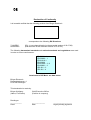
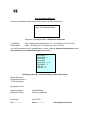
HS - Test instrument
1
2
3
5
4
6
7
8
NO.
Component
Function
1.
2.
3.
4.
5.
6.
7.
8.
Lab. safety socked, red
Lab. safety socket, red
Lab. safety socket, black
Lab. safety socket, black
LED, red
LED, green
Rotary control
Button
Connection (+) test specimen
Connection (+) tester
Connection (-) tester
Connection (-) test specimen
Short circuit LED
Test LED
Voltage adjustment 0-500V
Test button
Test procedure:
First, set the desired voltage with the rotary control. For particularly precise measurements, a multimeter
can be connected in parallel. If a short circuit occurs during a test, the red LED will light up. If only the green
LED lights up, the test is satisfactory. Current is only consumed when the test button is pressed. This button
must not be locked home when the instrument is stored. The tester is fitted with a current limiter and is set to
3 mA at higher voltages. Despite this, the tester should only be used by trained personnel.
Connections
Lab. safety sockets are only safe if the appropriate plug is used. Extra caution should be exercised
if a standard (4 mm) plug is used.
Changing the battery:
If the green LED fails to light up when the test button is pressed, the battery is drained and must be
replaced. To do this, unscrew the four base screws and install a new 9V (monobloc) battery. Please
check that the battery is of the alkaline type.
Note: The tester is proof against feedback up to 500V.
B