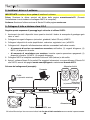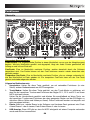
1
User Guide (English)
Introduction
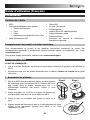
Box Contents
•
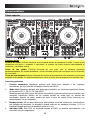
NS7II
•
USB Cable
•
2 Platter Assemblies:
•
Spindle Screw
•
o
Aluminum Platter
•
Allen Wrench
o
Slipmat
•
Serato DJ software (download)
o
Vinyl
•
Quickstart Guide
o
45 RPM Adapter (attached)
•
User Guide
•
Safety & Warranty Manual
IEC Power Cable
Product Registration and Support
For the latest information about this product (system requirements, compatibility information, etc.) and
product registration, visit numark.com/ns7ii.
For additional product support, visit numark.com/support.
Quick Start
BEFORE GETTING STARTED:
•
Read the Safety & Warranty Manual before using the NS7II.
•
Make sure all items listed in the Box Contents are included.
1. Assemble the Platters
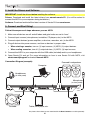
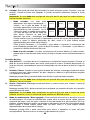
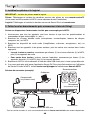
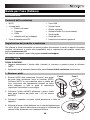
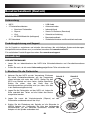
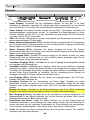
1. Remove the NS7II from the packaging. Remove the two
platter assemblies from package (underneath the NS7II
controller). Place the NS7II is on a flat, stable surface for
operation. Ensure unit has adequate air flow to all ventilation
ports (especially if installed in a case).
Step 2
Step 3
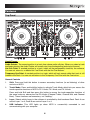
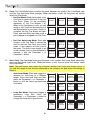
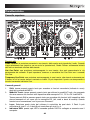
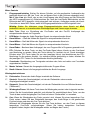
2. Place the platter onto the NS7II by aligning the pins in the
bottom of the platter with the holes in the NS7II's motor.
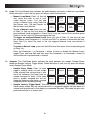
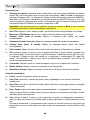
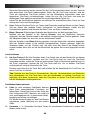
3. Place the slipmat onto the platter, then place the vinyl over
the slipmat.
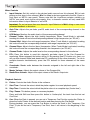
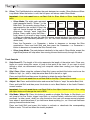
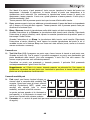
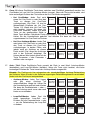
4. Line up the notch in the spindle with the screw in the vinyl's 45 RPM
Adapter. Use the allen wrench (included) to tighten the screw, locking
the adapter to the spindle.
3
Step 4