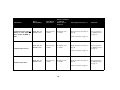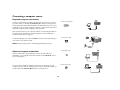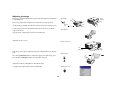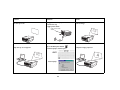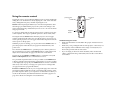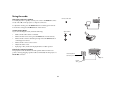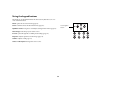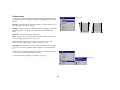
1
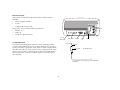
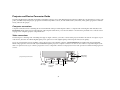
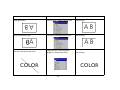
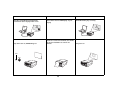
6538Gen_UG.qxd 11/17/03 1:11 PM Page 3 ™ DLP Projector USER’S USER’S GUIDE GUIDE 6538Gen_UG.qxd 11/17/03 1:11 PM Page 4 WARNING: This product contains chemicals, including lead, known to the State of California to cause birth defects or other reproductive harm. Wash hands after handling. WARNING: This product has a lamp which contains a very small amount of mercury. Dispose of it as required by local, state, or federal ordinances and regulations. For more information, see www.eiae.org This entire user’s guide is available on the enclosed CD as an Adobe Acrobat pdf file in the following languages: English, French, German, Italian, Norwegian, Portuguese, Spanish, Russian, Japanese, Korean, Traditional Chinese, Simplified Chinese. Before using this projector, please read these instructions. Le mode d'emploi complet est disponible sur le CD joint sous forme de fichier pdf d'Adobe Acrobat dans les langues suivantes : anglais, français, allemand, italien, norvégien, portugais, espagnol, russe, japonais, coréen, chinois traditionnel, chinois simplifié. Avant d'utiliser ce projecteur, veuillez lire ces instructions. Die vollständige Benutzeranleitung ist auf der im Lieferumfang enthaltenen CD als Adobe Acrobat PDF-Datei in den folgenden Sprachen verfügbar: Englisch, Französisch, Deutsch, Italienisch, Norwegisch, Portugiesisch, Spanisch, Russisch, Japanisch, Koreanisch, Traditionelles Chinesisch und Vereinfachtes Chinesisch. Bitte lesen Sie diese Anweisungen vor der Verwendung des Projektors. La presente guida è disponibile sul CD allegato, come file Adobe Acrobat pdf, nelle seguenti lingue: inglese, francese, tedesco, italiano, norvegese, portoghese, spagnolo, russo, giapponese, coreano, cinese tradizionale e cinese semplificato. Prima di usare questo proiettore, leggere le seguenti istruzioni. Hele denne brukerhåndboken finnes på den vedlagte CD-en som en Adobe Acrobat pdf-fil på følgende språk: Engelsk, fransk, tysk, italiensk, norsk, portugisisk, spansk, russisk, japansk, koreansk, tradisjonell og forenklet kinesisk. Les diss anvisningene før projektoren tas i bruk. Este guia do usuário completo está disponível no CD anexo, como um arquivo pdf do Adobe Acrobat nos seguintes idiomas: inglês, francês, alemão, italiano, norueguês, português, espanhol, russo, japonês, coreano, chinês tradicional, chinês simplificado. Antes de utilizar este projetor, leia estas instruções. Este manual de uso está disponible en su totalidad en el CD incluido, como archivo pdf de Adobe Acrobat, en los siguientes idiomas: inglés, frances, alemán, italiano, noruego, português, español, ruso, japonés, coreano, chino tradicional, chino simplificado. Antes de usar el proyector, lea estas instrucciones. Ⱦɚɧɧɨɟ ɪɭɤɨɜɨɞɫɬɜɨ ɩɨɥɶɡɨɜɚɬɟɥɹ ɜ ɩɨɥɧɨɦ ɨɛɴɟɦɟ ɩɪɟɞɫɬɚɜɥɟɧɨ ɧɚ ɩɪɢɥɚɝɚɟɦɨɦ ɤɨɦɩɚɤɬ-ɞɢɫɤɟ ɜ ɜɢɞɟ pdf-ɮɚɣɥɚ Adobe Acrobat ɧɚ ɫɥɟɞɭɸɳɢɯ ɹɡɵɤɚɯ: ɚɧɝɥɢɣɫɤɨɦ, ɮɪɚɧɰɭɡɫɤɨɦ, ɧɟɦɟɰɤɨɦ, ɢɬɚɥɶɹɧɫɤɨɦ, ɧɨɪɜɟɠɫɤɨɦ, ɩɨɪɬɭɝɚɥɶɫɤɨɦ, ɢɫɩɚɧɫɤɨɦ, ɪɭɫɫɤɨɦ, ɹɩɨɧɫɤɨɦ, ɤɨɪɟɣɫɤɨɦ, ɬɪɚɞɢɰɢɨɧɧɨɦ ɢ ɭɩɪɨɳɟɧɧɨɦ ɤɢɬɚɣɫɤɨɦ. ɉɟɪɟɞ ɢɫɩɨɥɶɡɨɜɚɧɢɟɦ ɩɪɨɟɤɬɨɪɚ, ɩɪɨɱɢɬɚɣɬɟ ɞɚɧɧɵɟ ɢɧɫɬɪɭɤɰɢɢ. ŘųKПП .ŴЕ<R$Ű֞ඤŜūʼnƐ CD Ű Adobe Acrobat ų PDF :P༜ŭŜūऄⲟŚƑūʼnƃŞЖᜑų➸⠰ųKПП .Ɨřߓ᰻ʼnŤťŖƃŞЖ␣⠰Е:NX⠰Е.)⠰Е$O⠰Е3PП⠰ЕBP-P⠰Е?X⠰ЕR⠰ЕᎣᒍ⠰Е⺩ઞ⠰Е‱ת Ԟઞ⠰Е↭תԞઞ⠰ЖŘų<R$Ɨ᰻ŞƐ߰ŰЕKПП .Ɨ྿şŏ⠿ƄŔťŚʼnЖ &' $GREH$FUREDWSGI Adobe Acrobat (PDF) 동봉된 CD에는 Adobe Acrobat pdf 파일 형식의 사용 설명서가 영어, 프랑스어, 독일어, 이탈리아어, 노르웨이어, 포르투갈어, 스페인어, 러시아어, 일본어, 한국 어, 중국어(번체 및 간체)로 제공됩니다. 이 프로젝터를 사용하기 전에 다음 지침을 읽으십시오. Declaration of Conformity FCC Warning We declare under our sole responsibility that this projector conform to the following directives and norms: Note: This equipment has been tested and found to comply with the limits for a Class B digital device, pursuant to part 15 of the FCC Rules. These limits are designed to provide reasonable protection against harmful interference in a residential installation. This equipment generates, uses and can radiate radio frequency energy and, if not installed and used in accordance with the instructions, may cause harmful interference to radio communications. However, there is no guarantee that interference will not occur in a particular installation. If this equipment does cause harmful interference to radio or television reception, which can be determined by turning the equipment off and on, the user is encouraged to try to correct the interference by one or more of the following measures: --Reorient or relocate the receiving antenna. --Increase the separation between the equipment and receiver. --Connect the equipment into an outlet on a circuit different from that to which the receiver is connected. --Consult the dealer or an experienced radio/TV technician for help. EMC Directive 89/336/EEC, Amended by 93/68/EEC EMC: EN 55022 EN 55024 EN 61000-3-2 EN 61000-3-3 Low Voltage Directive 73/23/EEC, Amended by 93/68/EEC Safety: EN 60950: 2000 February, 2004 Trademarks Apple, Macintosh, and PowerBook are trademarks or registered trademarks of Apple Computer, Inc. IBM is a trademark or registered trademark of International Business Machines, Inc. Microsoft, PowerPoint, and Windows are trademarks or registered trademarks of Microsoft Corporation. Adobe and Acrobat are trademarks or registered trademarks of Adobe Systems Incorporated. Canada This Class B digital apparatus complies with Canadian ICES-003. Cet appareil numérique de la classe B est conforme à la norme NMB-003 du Canada. This User’s Guide applies to model GEN101. Agency Approvals UL, CUL, GOST Other specific Country Approvals may apply. Please see product certification label. We reserve the right to alter product offerings and specifications at any time without notice. 3 If you are experienced in setting up projection systems, use the Quick Setup card that is included with the projector. For complete details on connecting and operating the projector, refer to this User’s Guide. Table of Contents Introduction Positioning the projector Projector and Device Connector Guide Computer connections Video connections Connecting a computer source Required computer connections Optional computer connections Displaying a computer source image Adjusting the image Using the projector with Windows 98 for the first time Connecting a video device Video device connections Composite video connection S-video connection VGA connection Displaying video Adjusting the image Shutting down the projector Troubleshooting your setup Using the remote control Using the audio Using the keypad buttons Optimizing computer images Presentation features Optimizing video images Customizing the projector Using the menus Picture menu Settings menu Maintenance Cleaning the Lens Replacing the Projection Lamp Cleaning the Lamp Housing Screens Using the security lock Appendix Projected Image Size Red LED Behavior and Projector Errors 6 8 9 9 9 12 12 12 13 14 15 17 18 18 18 19 20 20 22 22 30 31 32 33 33 34 34 35 36 39 42 42 42 44 44 45 45 45 4 Important Operating Considerations for Safety • Place the projector in a horizontal position no greater than 15 degrees off axis. • Locate the projector in a well-ventilated area without any obstructions to intake or exhaust vents. Do not place the projector on a tablecloth or other soft covering that may block the vents. • Locate the projector at least 4' (1.2 m) away from any heating or cooling vents. • Use only the power cord provided. A surge-protected power strip is recommended. • Refer to this manual for proper startup and shutdown procedures. • In the unlikely event of the lamp rupturing, discard any edible items placed in the surrounding area and thoroughly clean the area along all sides of the projector. Wash hands after cleaning the area and handling the ruptured lamp. This product has a lamp which contains a very small amount of mercury. Dispose of it as required by local, state or federal ordinances and regulations. For more information see www.eiae.org. .6m) 2 ft ( Do not place objects or people in the 2 foot (.6m) area along the front of the projector. For ceiling mount applications, this area should be 5 feet (1.5m). Follow these instructions to help ensure image quality and lamp life over the life of the projector. 5 ft (1.5m) 5 Introduction speaker keypad Your new digital projector is simple to connect, easy to use, and straightforward to maintain. It is a versatile projector that is flexible enough for business presentations and home video viewing too. It has native SVGA 800x600 resolution and is compatible with a wide variety of computers and video devices, including: • power cord connector power switch Most standard VCRs, DVD players (progressive and interlaced), progressive DVD, HDTV sources, TV and satellite tuners, camcorders, video games, and laser disc players. • IBM-compatible computers, including laptops, up to 1024x768 resolution. • Apple® Macintosh® and PowerBook® computers up to 1024x768 resolution. remote control receiver (IR) adjustable foot release focus (thin ring) zoom (thick ring) tethered lens cap Accessories The standard accessories that came with your projector can be found on the included packing list. lamp housing door security lock connector panel adjustable foot 6 Connector Panel The projector provides both computer and video connection options, including: • M1 for computer and video • S-video • Composite RCA audio/video RCA audio/visual The projector also provides the following connectors: • Monitor out • Audio out • 12 volt DC output (see below) 12 volt DC output 12 volt DC output +12v The 3.5mm mini-jack trigger provides a 12 volt DC output. It provides a constant output while the projector is on. It has numerous uses. For example, if you connect your projection screen to the 12 volt DC output with the cable that came with your screen, when you turn on the projector the screen will move down; when you turn the projector off, the screen will return to the storage position. To use the 12 volt DC output, you must first remove the safety plug. M1computer monitor audio out S-video ground 3.5mm plug 12 volt DC output to, for example, screen relay (see screen manufacturer for details) 7 Positioning the projector 12 • • ft. • f t. Position the projector within 10 feet (3m) of your power source and within 6 feet (1.8m) of your video device (unless you purchase extension cables). To ensure adequate cable access, do not place the projector within 6 inches (.15m) of a wall or other object. 4.8 ft. Projection angle in 4:3 mode (default) Position the projector the desired distance from the screen. The distance from the lens of the projector to the screen, the zoom setting, and the video format determine the size of the projected image. The top illustration to the right shows three projected image sizes. For more information about image sizes at different distances, see “Projected Image Size” on page 45. bottom of image 1.22 ft above center of lens • See “Connecting a video device” on page 17 for additional information on 16:9 and 4:3 modes. lens center 10 ft high image The image exits the projector at a given angle. This image offset is 112.2% when the projector is in 4:3 mode (default mode). This means that if you have an image 10’ high, the bottom of the image will be 1.22’ above the center of the lens. This image offset is 132.9% when the projector is in 16:9 mode. This means that if you have an image 10’ high, the bottom of the image will be 3.29’ above the center of the lens. 19 ft. 7.5 ft. 10 ft high image If you are installing the projector on the ceiling, refer to the installation guide that comes with the Ceiling Mount Kit for more information. To turn the image upside down, see “Ceiling” on page 39. We recommend using an authorized ceiling mount. • ft. • 5 Position the projector on a flat surface at a right angle to the screen. The projector must be at least 4.9 feet (1.49m) from the projection screen. 3 3. • .5 To determine where to position the projector, consider the size and shape of your screen, the location of your power outlets, and the distance between the projector and the rest of your equipment. Here are some general guidelines: Projection angle in 16:9 mode bottom of image 3.29 ft above center of lens 8 lens center Projector and Device Connector Guide The following illustration and table should help you find the connectors to use and obtain the best resolution possible from your input devices, such as computers, standard VCRs, DVD players (progressive and interlaced), HDTV sources, TV and satellite tuners, camcorders, video games (progressive and interlaced), and laser disc players. Computer connections Computer connections involve attaching the VGA and USB ends of the provided computer cable to a computer and connecting the other end (M1) to the Computer In input on the projector. The USB part of the computer cable allows you to advance slides in a PowerPoint™ presentation via a remote control. See page 12 for computer/projector setup information. Video connections The first step for connecting video is deciding what type of output connector you want to connect to the projector. If there is more than one output on your video device, select the one with the highest quality. Your options are S-video (higher quality) and Composite video (lesser quality). If you are connecting the projector to HDTV sources, the projector’s M1 computer connector, labeled Computer In, should be used. Keep in mind that HDTV and progressive sources should only be handled through the projector’s computer connector. You can also use an M1 to Component adapter (available as an optional accessory) to connect a progressive source’s component connectors to the projector. The S-video port does not function with progressive sources. audio/visual (composite) projector input connectors 12 volt DC output computer in monitor S-video (HDTV and (out) audio out progressive sources) 9 Video Device Standard Broadcast TV (not HDTV) via: cable, digital cable, satellite TV, DVD, or VCR Standard Video Camera Video Compatibility If Your Device Connector Is Attach to Adapter or Labeled Connector on Projector For Setup Instructions, see Comments NTSC, PAL, and SECAM formats Composite video or S-video Composite video or S-video Composite video connection on page 18. Not for progressive (i.e. HDTV) sources. See page 11. S-video connection on page 18 NTSC, PAL, and SECAM formats Composite video or S-video Composite video or S-video Composite video connection on page 18. Not for progressive (i.e. HDTV) sources. See page 11. S-video connection on page 18 Standard Video Game NTSC, PAL, and SECAM formats Composite video or S-video Composite video or S-video Composite video connection on page 18. S-video connection on page 18 10 Not for progressive (i.e. HDTV) sources. See page 11. Video Device Video Compatibility If Your Device Connector Is Attach to Adapter or Labeled Connector on Projector For Setup Instructions, see Comments 1080i, 720p VGA Computer In VGA connection on page 19 Not for Component 480i. Component video Computer In via optional M1 to Component adapter M1 to Component adapter on page 19 1080i, 720p VGA Computer In VGA connection on page 19 Component 480p Component video Computer In via optional M1 to Component adapter M1 to Component adapter on page 19 1080i, 720p VGA Computer In VGA connection on page 19 Component 480p Component video Computer In via optional M1 to Component adapter M1 to Component adapter on page 19 HDTV (High Definition TV) Progressive DVD Progressive Video Game 11 Not for Component 480i. Not for Component 480i. Connecting a computer source Required computer connections connect computer cable Connect one end of the provided computer cable (see page 17 for connecting video devices) to the blue M1 Computer In connector on the projector. Connect the other ends (USB and VESA) to the USB and VGA ports on your computer. If you are using a desktop computer, you will need to disconnect the monitor cable from the computer’s video port first. This connection allows you to advance slides in a PowerPoint presentation using the remote. USB drivers must be installed to use the USB feature. For more information, see page 16. connect power cable Connect the black power cord to the Power connector on the side of the projector and to your electrical outlet. NOTE: Always use the power cord that shipped with the projector. Optional computer connections connect audio cable To have sound with your presentation, connect an audio cable (not included) to your computer and to the red and/or white Audio In connectors on the projector. connect monitor cable If you are using a desktop computer and want to see the image on your computer screen as well as on the projection screen, connect the computer’s monitor cable to the Monitor Out connector on the projector. 12 Displaying a computer source image remove lens cap Remove the lens cap. Toggle the Power switch on the side of the projector to the On position. toggle Power switch The LED flashes green and the fans start to run. When the lamp comes on, the start up screen displays and the LED is steady green. It can take a minute for the image to achieve full brightness. ? No start up screen? Get help on page 22. Turn on your computer. turn on computer The computer’s image should appear on the projection screen. If it doesn’t, press the Computer button on the projector’s keypad. If your computer has Windows 98 as its operating system, see “Using the projector with Windows 98 for the first time” on page 15 regarding the driver setup process. Make sure your laptop’s external video port is active. activate laptop’s external port monitor key or LCD/CRT key Many laptops do not automatically turn on their external video port when a projector is connected. Usually a key combination like FN + F8 or CRT/LCD key turns the external display on and off. Locate a function key labeled CRT/LCD or a function key with a monitor symbol. Press FN and the labeled function key simultaneously. Refer to your laptop’s documentation to learn your laptop’s key combination. FN key ? No laptop image? Try pressing the Auto Image button on the keypad. Get help on page 23. 13 Adjusting the image adjust height If necessary, adjust the height of the projector by pressing the release button to extend the foot. rotate leveling foot If necessary, rotate the leveling foot located at the rear of the projector. elevator foot Avoid placing your hands near the hot exhaust vent in front of the projector. Position the projector the desired distance from the screen at a 90 degree angle to the screen. release button adjust distance See page 45 for a table listing screen sizes and distances. Adjust the zoom or focus. adjust zoom or focus focus (thin ring) If the image is not square, adjust the keystone using the buttons on the keypad. adjust keystone Press the top Keystone button to reduce the upper part of the image, and press the bottom Keystone button to reduce the lower part. Adjust the Contrast or Brightness in the Picture menu. adjust Picture menu See page 36 for help with these menu adjustments. 14 zoom (thick ring) Using the projector with Windows 98 for the first time a The first time you connect a computer running Windows 98 to the projector, the computer recognizes the projector as “new hardware” and the Add New Hardware Wizard appears. Follow these instructions to use the Wizard to load the correct driver (which was installed with your Windows operating system). If you are running Windows 2000 or Windows ME, skip these steps and go to “Adjusting the image” on page 14. b a Click Next to begin searching for the driver. b Make sure “Search for the best driver” is selected, then click Next. c c Uncheck any checked boxes, then click Next. Windows automatically locates the driver. If this driver has been removed, reload the driver using your Windows operating system CD. d d When Windows finds the driver, you are ready to install it. Click Next. 15 Skip this page if you did not connect a USB mouse cable For Windows 98: • If you connected the USB cable, the Add New Hardware Wizard appears again. Drivers must be installed to use the USB functionality. • The Wizard launches three times. The first time it detects a USB Composite Device. The second time a USB Human Interface Device (for the keyboard). The third time it detects a USB Human Interface Device (for the mouse). For Windows 2000, Windows ME, and Windows XP: • The USB drivers are automatically installed. 16 Connecting a video device 4:3 screen You can connect video devices such as VCRs, DVD players, camcorders, digital cameras, video game consoles, HDTV receivers, and TV tuners to the projector. There is also an audio input via the red and white A/V connectors. You can connect the audio directly to the projector to get sound from the built-in speaker, or you can connect the audio to your stereo system via the Audio Out connector. 16:9 screen Do Not Use 4:3 mode You can connect the projector to most video devices that can output video. You cannot directly connect the coaxial cable that enters your house from a cable or satellite company, the signal must pass through a tuner first. Examples of tuners are digital cable boxes, VCRs, digital video recorders, and satellite TV boxes. Basically, any device that can change channels is considered a tuner. Before connecting your projector, you should decide which aspect ratio you want to use. The projector’s Aspect Ratio setting is accessed through the projector’s Picture Menu. See page 36 for more information. 16:9 mode What is Aspect Ratio? Aspect ratio is the ratio of the image width to image height. TV screens are usually 4:3, which is the default for this projector. HDTV and most DVDs are 16:9. If you’re projecting onto a screen, the size/shape of the screen may determine which aspect ratio to use. If you are projecting onto a blank wall, you don’t have the screen size restriction. What you plan to project will also help you choose between 4:3 and 16:9. Most TV shows are 4:3, while most movies are 16:9. Native mode (NTSC only) If a have a 16:9 screen then you should select an aspect ratio of 16:9 for anamorphic movies or HDTV, and Native for 4:3 content. If you have a 4:3 screen you should still use 16:9 for anamorphic movies or HDTV, but you also have the option of using either 4:3 (to fill the screen) or Native (for direct pixel mapping) for 4:3 content. Keep in mind that anamorphic movies only appear correctly if the DVD player is set to output to a 16:9 television. 17 Video device connections Composite video connection Plug the provided A/V cable’s yellow connector into the video-out connector on the video device. Plug the other yellow connector into the yellow Video 2 connector on the projector. connect A/V cable Plug a white connector into the left audio out connector on the video device and plug a red connector into the right audio out connector on the video device. Plug the remaining white connector into the white audio in connector on the projector, and plug the remaining red connector into the red audio in connector on the projector. Keep in mind that video output from composite connections are not as high quality as S-video. S-video connection If your video device uses a round, seven-prong S-video connector, plug an S-video cable (available as an optional accessory) into the S-video connector on your video device and into the S-video connector on the projector. Use the A/V cable’s red and white audio connectors as described directly above (the yellow connectors on the A/V cable are not used). Keep in mind that S-video delivers higher quality video output than composite. connect S-video and A/V cables 18 VGA connection If your video device has a 15-pin VGA output, plug one end of the included computer cable into the VGA connector on your video source. This connector may be labeled “To Monitor” on the video source. Plug the M1 computer end of the cable into the Computer In connector on the projector. Do not plug the USB end of this cable into the video device. connect computer and A/V cables Use the A/V cable’s red and white audio connectors as described on the previous page (the yellow connectors on the A/V cable are not used). M1 to Component adapter To connect a progressive scan DVD or HD source, use an M1 to Component adapter (available as an optional accessory). Connect one end of a component cable (not provided) into the adapter. Connect the M1 end of the adapter into the Computer 1 connector on the projector. connect power cable Connect the power cord to the Power connector on the side of the projector and to your electrical outlet. NOTE: Always use the power cord that shipped with the projector. 19 Displaying video remove lens cap Remove the lens cap. Toggle the Power switch on the side of the projector to the On position. toggle Power switch The LED flashes green and the fans start to run. When the lamp comes on, the start-up screen is displayed and the LED is steady green. It can take a minute for the image to achieve full brightness. ? No start up screen? Get help on page 23. Plug in and turn on your video device. turn on video device The video device’s image should appear on the projection screen. If it doesn’t, press the Video button on the keypad. ? No image? Try pressing the Source or Auto Image Get help on page 23. Adjusting the image adjust height rotate leveling foot Adjust the height of the projector by pressing the release button to extend the foot. Rotate the leveling foot at the rear of the projector, if necessary. elevator foot Position the projector the desired distance from the screen at a 90 degree angle to the screen. adjust distance See page 45 for a table listing screen sizes and distances to the screen. 20 release button Adjust the zoom and focus. adjust zoom and focus focus (thin ring) If the image is not square, adjust the keystone using the buttons on the keypad. Press the top Keystone button to reduce the upper part of the image, and press the bottom Keystone button to reduce the lower part. adjust keystone adjust volume Adjust the volume on the keypad or remote. Adjust the Contrast, Brightness, Color, Tint, or Aspect Ratio in the Picture menu. See page 36 for help with the menus and these adjustments. adjust Picture menu options including Aspect Ratio For Aspect Ratio, keep in mind that DVD players must be configured for 16:9 in order to view the highest quality image. For more information regarding Aspect Ratio, see page 17. 21 zoom (thick ring) Shutting down the projector Troubleshooting your setup The projector automatically displays a black screen after no active source is detected for 30 minutes. This black screen helps preserve the life of the projector. The image returns when an active source is detected or a remote or keypad button is pressed. If your image appears correctly on the screen, skip to the next section. If it does not, troubleshoot the setup. The LED on top of the projector indicates the state of the projector and can help you troubleshoot. Screen Save Table 1: LED behavior and meaning You can make the black screen appear after a preset number of minutes by turning on the Screen Save feature in the Settings>System menu. See page 39. Power Save The projector also has a Power Save feature that automatically turns the lamp off after no active sources are detected and no user interaction with the projector is performed for 20 minutes. By default, this feature is off. See page 39. LED color/behavior Meaning solid green The power switch has been toggled on and the software has initialized or the projector has been powered off via the remote. blinking green The power switch has been toggled on and the software is initializing, or the projector is powering down and the fans are running to cool the lamp. blinking red A fan or lamp failure has occurred. Make sure the vents aren’t blocked (see page 28). Turn off the projector and wait one minute, then turn the projector on again. If the projector has been working exceeded its lamp life (page 42), replace the lamp and reset the lamp timer. Contact your dealer if the problem persists. Turning off the projector You can turn the projector off simply by toggling the power switch to the off position. You can also press the remote’s Power button to place the projector in the Off state while it is running. When the Power button is pressed twice (once to start the power-down process and a second time to verify that you want to power the projector off), the lamp turns off and the LED blinks green for one (1) minute while the fans continue to run to cool the lamp. While the LED is blinking green, the projector does not accept any keypad and remote control input. see page 45 for more information solid red When the lamp has cooled, the LED lights solid green and the fans slow down to minimal speed. To turn off the projector, toggle the power switch to the off position. An unidentifiable error: please contact your dealer The following tables show common problems. In some cases, more than one possible solution is provided. Try the solutions in the order they are presented. When the problem is solved, you can skip the additional solutions. NOTE: Once the projector has been toggled off, you must wait for one (1) minute before turning the projector on again. This allows the lamp to properly cool. However, if the remote was used to power the projector to the Off state you do not need to wait one minute to turn it on again. 22 Problem Solution Result no start up screen plug power cord in projector’s left side remove lens cap toggle power switch correct image toggle power switch on side press the Computer button activate laptop’s external port only start up screen appears A Startu p Scree n Start u Scre p en computer image projected A restart laptop 23 A Problem Solution Result no computer image, just the words “Signal out of range” press the Auto Image button on keypad computer image projected A Signa l rang out of e adjust computer refresh rate in Control Panel>Display>Settings>Advanced>Adapter (location varies by operating system) you may also need to set a different resolution on your computer, as shown in the following problem, “image fuzzy or cropped” 24 A A Problem Solution Result image fuzzy or cropped set your computer’s display resolution to the native resolution of the projector (Start>Settings>Control Panel>Display>Settings tab) select 800x600 image clear and not cropped AA A A For a laptop, disable laptop monitor or turn-on dualdisplay mode move projector, adjust zoom, adjust height image not centered on screen correct image adjust horizontal or vertical position in Picture>Advanced menu 25 Problem Solution Result image not square adjust Keystone on keypad square image image not sharp adjust Sharpness (video sources only) in the Picture>Advanced menu correct image AB AB image does not fit 4:3 or 16:9 screen change aspect ratio to 4:3 or 16:9 in Picture>Aspect ratio menu 26 correct image Problem Solution Result image upside down turn off ceiling in Settings>System menu correct image AB image reversed left to right AB turn off rear in Settings>System menu correct image A projected colors don’t match source AB adjust color, tint, color temperature, brightness, contrast in the menus COLOR correct image COLOR 27 Problem Solution Result The video embedded in my PowerPoint presentation does not play on the screen Turn off the internal LCD display on your laptop Embedded video plays correctly A B A lamp won’t turn on, LED blinking red A B make sure vents aren’t blocked, turn off the projector and allow it to cool for one minute LED lamp turns on Start u Scre p en 28 B Problem Solution Result “Change lamp” message appears at startup or lamp won’t turn on and LED blinking red lamp must be replaced (see page 42) lamp turns on Start u Scre p en LED replace lamp 29 Using the remote control previous button next button The remote uses two (2) provided AA batteries. They are easily installed by sliding the cover off the remote’s back, aligning the + and - ends of the batteries, sliding them into place, and then replacing the cover. Caution: When replacing the batteries, be aware that using batteries other than the type provided with the projector may risk severe damage to the remote. When disposing of the batteries, be sure to do so in an environmentally proper manner. navigation buttons To operate, point the remote at the projection screen or at the projector (not at the computer). The range of optimum operation is about 15 feet (4.5m). Pressing the remote’s Power button when the projector’s Power toggle switch is in the Off position does not cause the projector to power up. You need to put the projector’s Power toggle switch in the On position to let the remote power on the projector. Troubleshooting the remote • When the projector is running, you can press the remote’s Power button to place the projector in the Off state (see page 22 for shutdown info) and power it off. Make sure the batteries are installed in the proper orientation and are not dead. • Press the remote’s Menu button to open the projector’s menu system. Use the arrow buttons to navigate, and the Select button to select features and adjust values in the menus. See page 35 for more info on the menus. Make sure you’re pointing the remote at the projector or the screen, not the computer, and are within the remote range of 15 feet (4.5m). For best results, point the remote at the screen. • If you are trying to advance PowerPoint slides, make sure the USB cable is connected. If using a USB cable, make sure the correct drivers are installed. The remote also has Volume and Mute buttons to control the sound, and Video and Computer buttons to switch between sources. Two presentation-specific features are also provided. Use the Blank button to display a blank screen instead of the current slide (you can choose which color is displayed, see page 40); use the Effect button to invoke a user-definable action, such as freeze, or change your aspect ratio for viewing DVDs (see page 40 to learn to program this button). Previous and Next buttons allow you to navigate through your PowerPoint presentation while in Slide Show mode. Connect the USB connector on the provided computer cable to your computer to use these buttons. When you do this for the first time, the Add New Hardware wizard may appear. See page 16 for details on loading the correct USB drivers. 30 Using the audio connect audio cable Using the projector’s speakers To use the projector’s speaker, connect your source to the Audio In connectors (L and/or R) on the projector’s composite connectors. To adjust the volume, press the Volume buttons on the keypad or remote. To mute the sound, press the Mute button on the remote. Troubleshooting Audio If you aren’t hearing the audio, check the following: • Make sure the audio cable is connected. • Make sure mute is not active (press the Mute button on the remote). • Make sure the volume is turned up enough. Press the Volume button on the keypad or remote. • Make sure the correct source is active. • Adjust the audio source. • If playing a video, make sure the playback has not been paused. adjust volume Connecting external speakers The projector can be attached to external speakers that have their own power source by plugging a speaker cable (not included) into the projector’s Audio Out connector. external speakers with own power source audio out speaker cable 31 Using the keypad buttons Most buttons are described in detail in other sections, but here is an overview of their functions: Menu–opens the on-screen menus (page 35). menu navigation buttons Select–confirms choices made in the menus (page 35). Up/Down arrows–navigates to and adjusts settings in the menus (page 35). Auto Image–resets the projector to the source. Presets–cycles through the available preset settings (page 37). Keystone–adjusts squareness of the image (page 14). Volume–adjusts sound (page 31). Video and Computer–changes the active source. 32 Optimizing computer images Presentation features After your computer is connected properly and the computer’s image is on the screen, you can optimize the image using the onscreen menus. For general information on using the menus, see page 35. Several features are provided to make giving presentations easier. Here is an overview, details are found in the menu section. • Adjust the Phase, Tracking, or Horizontal or Vertical position in the Advanced menu (page 38). The Effect button on the remote allows you to assign various features to the button. The default effect is About, which displays information about the projector and current source. You can select among Blank, Mute, Aspect Ratio, Source, Auto Image, Freeze, and About. See page 40 for details. The freeze effect allows you to freeze the displayed image. This is useful if you want to make changes on your computer without your audience seeing them. The mask effect allows you to cover part of the image with a black curtain. • Once you have optimized the image for a particular source, you can save the settings using Presets. This allows you to quickly recall these settings later (page 37). The Blank button on the remote allows you to display a blank screen instead of the active source. You can determine the color of this screen (page 40). • The Startup Logo option lets you change the default start up screen to a blank or default screen (page 40). • Two options, Power Save and Screen Save, are provided to automatically shut down the projector after several minutes of inactivity or display a black screen. This helps preserve lamp life (page 39). • Adjust the Keystone, Contrast, or Brightness in the Picture menu (page 36). • Change the Aspect Ratio. Choose the option that best fits your input source (page 36). • Adjust the Color Temperature in the Advanced menu (page 38). • • 33 Optimizing video images Customizing the projector After your video device is connected properly and the image is on the screen, you can optimize the image using the onscreen menus. For general information on using the menus, see page 35. You can customize the projector for your specific setup and needs. See page 39 to page 41 for details on these features. • For rear projection, turn rear mode on in the Settings>System menu. • Adjust the Keystone, Contrast, Brightness, Color, or Tint in the Picture menu (page 36). • For ceiling mounted projection, turn ceiling mode on in the Settings>System menu. • Change the Aspect Ratio. Choose the option that best fits your input source (page 36). • Specify which source the projector checks first for active video during power-up. • The remote’s Effect button allows you to assign various features to the button. The default effect is About, which displays information about the projector and current source. You can select among Blank, Mute, Aspect Ratio, Source, Auto Image, Freeze, and About. See page 40 for details. • Specify the function of the Effect button on the remote. • Turn the projector’s display messages on and off. • Turn on power saving features. • Specify blank screen colors and start up logos. • Select a Sharpness setting (page 38). • Specify the language viewed on the menus. • Use the Color Control to adjust the color gain (page 38). • Save settings for the active source as a preset. • Adjust the Color Temperature. Select a listed warmth value (page 38). • Turn on Overscan to remove noise on the edges of the image. 34 Using the menus keypad navigation buttons Main menu To open the menus, press the Menu button on the keypad or remote. (The menus automatically close after 60 seconds if no buttons are pressed.) The Main menu appears. Use the arrow buttons to move up and down to highlight the desired submenu, then press the Select button. To change a menu setting, highlight it, press Select, then use the up and down arrow buttons to adjust the value, select an option using radio buttons, or turn the feature on or off using check boxes. Press Select to confirm your changes. Use the arrows to navigate to another setting. When your adjustments are complete, navigate to Previous or Exit, then press Select to go to the previous menu; press the Menu button at any time to close the menus. Settings menu Picture menu Dots appears before the menu name. The number of dots indicate menu’s level, ranging from one (the Main menu) to four (the most nested menus). dots The menus are grouped by usage: • The Picture menu provides image adjustments. • The Settings menu provides set-up type adjustments that are not changed often. • The About menu provides a read-only display of information about the projector and source. Certain menu items may not be visible or may be grayed depending upon a particular source being connected. For example, Sharpness is only available for video sources and is not visible when a computer source is active. Menu options are grayed out only if the source if selected but no signal is present. For example, if the projector is set to a video source but the source, such as a DVD player, is turned off video menu options are grayed out. About menu 35 Picture menu Picture menu To adjust the following settings, highlight the setting, press Select, use the up and down arrows to adjust the values, then press Select to confirm the changes. Keystone: adjusts the image vertically and makes a squarer image. You can also adjust keystone from the keypad. Contrast: controls the degree of difference between the lightest and darkest parts of the picture and changes the amount of black and white in the image. increasing keystone decreasing keystone Brightness: changes the intensity of the image. Color: adjusts a video image from black and white to fully saturated color. The color setting applies to video sources only. Tint: adjusts the red-green color balance in the image of NTSC video images. The tint setting applies to NTSC video sources only. Aspect Ratio: Aspect ratio is the ratio of the image width to image height. TV screens are usually 4:3. HDTV and most DVDs are 16:9. The default is 4:3. Select Native to see the unmodified input with no resizing by the projector. Select 16:9 to watch enhanced widescreen DVDs. For more information regarding Aspect Ratio, see page 17. Aspect ratio 36 Presets: Presets are provided that optimize the projector for displaying computer presentations, photographs, film images, and video images. Film input is material originally captured on a film camera, like a movie; video input is material originally captured on a video camera, like a TV show or sporting event. You can use the preset as a starting point, then further customize the settings for each source. The settings you customize are saved in the preset for each source. To restore the factory default settings, choose Factory Reset in the Settings>Service menu (page 41). Presets Save User Settings There is also a user-definable preset. To set a preset for the current source, adjust the image, select Save User in the Presets menu, then select Yes. You can recall these settings in the future by selecting the User 1 preset. 37 Advanced menu Sharpness: (video sources only) changes the clarity of the edges of a video image. Select a sharpness setting. Advanced menu Color Space: This option applies to computer and component video sources. It allows you to select a color space that has been specifically tuned for the input signal. When Auto is selected, the projector automatically determines the standard. To choose a different setting, turn off Auto, then choose RGB for computer sources, choose either SMPTE240, REC709 or REC601 for component video sources. Sharpness Color Temperature: changes the intensity of the colors. Select a listed relative warmth value. Color Space Color Temperature Color Control: allows you to individually adjust the gain (relative warmth of the color) and the offset (the amount of black in the color) of the red, green, and blue colors. Video Standard: when it is set to Auto, the projector attempts to automatically pick the video standard based on the input signal it receives. (The video standard options may vary depending on your region of the world.) If the projector is unable to detect the correct standard, the colors may not look right or the image may appear “torn.” If this happens, manually select a video standard by selecting NTSC, PAL, or SECAM from the Video Standard menu. Overscan: (video sources only) removes noise around the video image. Color Control Sync Threshold Adjust: If a hardware device, such as a DVD player, is not syncing properly with the projector, select this option to help it to sync when connected to the projector. The following four (4) options are for computer sources only. Phase: adjusts the horizontal phase of a computer source. Tracking: adjusts the vertical scan of a computer source. Video Standard Horizontal/Vertical Position: adjusts the position of a computer source. White Peaking: increases the brightness of whites that are near 100%. 38 Settings menu Settings menu Audio: allows adjustments to Volume of the internal speaker and allows a chime to play when starting the projector. Adjustments can also be made from the projector’s keypad and the remote. Audio Sources: Power-up Source determines which source the projector checks first for active video during power-up. When the Autosource feature is On, the projector automatically finds the active source, checking the selected Power-up Source first. The source options are Computer 1 for a computer, progressive DVD, or HDTV source, and Video 1 (for S-video connections), and Video 2 (for composite video connections) for video sources. When this feature is Off, the projector defaults to the source selected in Power-up Source. To display another source, you must manually select one by pressing the Computer or Video button on the remote or keypad. Sources Power-up Source System>Rear: reverses the image so you can project from behind a translucent screen. Ceiling: turns the image upside down for ceiling-mounted projection. Low Power: toggles between on and off. Turn it on to lower the light output of the lamp. This also lowers the fan speed, making the projector quieter. Display Messages: displays status messages (such as “Searching” or “Mute”) in the lower-left corner of the screen. Screen Saver Off: prevents your computer from going into Screen Save mode. Power Save: automatically turns the lamp off after no signals are detected for 20 minutes. After 10 additional minutes with no signal, the projector powers down. If an active signal is received before the projector powers down, the image will be displayed. After an additional 10 minutes with no signal, the projector powers down and can be toggled off. If an active signal is received before the projector powers down, the image will be displayed. When Power Save is enabled, Screen Save is disabled. Screen Trigger controls the 12 volt DC output switch on the connector panel. Screen Save automatically blanks the screen with a black color after no signals are detected for a preset number of minutes. The image returns when an active source is detected or a remote or keypad button is pressed. System menu Screen Save 39 Startup Logo: allows you to display a blank screen instead of the default screen at startup, and when no source is detected. Startup Logo Blank Screen: determines what color is displayed when you press the Blank button on the remote. Blank Screen Effect Key: allows you to assign a different function to the Effect button on the remote, allowing you to quickly and easily use the effect. Highlight an effect and press Select to choose a different one. • Blank: displays an empty screen. • Mute: turns off all sound. • Aspect Ratio: toggles among 4:3, 16:9, and Native (see page 17 and page 36). Set as the Effect Key, it can allow you to switch the Aspect Ratio for DVDs. • Source: cycles through available sources. • Auto Image: resets the projector to the source (page 32). • Freeze: pauses the projected image. • About: the default effect. It opens a window with projector and source information. Effect Key 40 Language: allows you to select a language for the onscreen display. Language menu Service: To use these features, highlight them and press Select. Service menu Factory Reset: restores all settings to their default. Lamp Reset: resets the lamp hours used counter in the About menu to zero. Do this only after changing the lamp. Service Code: only used by authorized service personnel. About: provides information about the projector and the active source. Showing the About box is the default action assigned to the Effect button. About menu 41 Maintenance Cleaning the Lens 1 Apply a non-abrasive camera lens cleaner to a soft, dry cloth. • Avoid using an excessive amount of cleaner, and don’t apply the cleaner directly to the lens. Abrasive cleaners, solvents or other harsh chemicals might scratch the lens. 2 Lightly wipe the cleaning cloth over the lens in a circular motion. If you don’t intend to use the projector immediately, replace the lens cap. Replacing the Projection Lamp The lamp hours used timer in the About menu counts the number of hours the lamp has been in use. Twenty hours before the lamp life expires, the message “Change lamp” appears on the screen at startup. If the maximum lamp time is exceeded, the lamp will not light. In this case, after replacing the lamp you must reset the lamp hours by simultaneously pressing both Volume buttons on the keypad and holding them for 10 seconds. Lamp hours used turn off and unplug projector wait 30 minutes NOTE: You can order new lamp housings from your dealer. See the Packing list for information. Use only a replacement lamp with the same type and rating as the original lamp. 1 Turn off the projector and unplug the power cord. 2 Wait 30 minutes to allow the projector to cool thoroughly. 3 Turn the projector on its side so that the lamp door is facing you. Using a flat-blade screwdriver, gently pry the lamp door from the projector by placing the screwdriver blade into the space between the top of the lamp door and the projector. lamp door 42 4 Loosen the two captive screws that attach the lamp housing to the projector. lamp connector 5 Detach the lamp connector from the projector by depressing the locking lamp cable tab on the connector and lightly pulling it free. WARNING: To avoid burns, allow the projector to cool for at least 30 minutes before you replace the lamp. Do not drop the lamp housing or touch the glass bulb! The glass may shatter and cause injury. lamp housing Be extremely careful when removing the lamp housing. In the unlikely event that the bulb ruptures, small glass fragments may be generated. The lamp housing is designed to contain these fragments, but use caution when removing the lamp housing. Before replacing the lamp, clean the lamp compartment and dispose of cleaning materials. Wash hands after lamp replacement. This product has a lamp which contains a very small amount of mercury. Dispose of it as required by local, state or federal ordinances and regulations. For more information see www.eiae.org. captive screw connector 6 Carefully remove the lamp housing. Dispose of the lamp in an environ- lamp cable locking tab mentally proper manner. 7 Install the new lamp housing and tighten the screws. lamp housing 8 Re-attach the lamp connector to the projector. The locking tab should captive screw engage when the connector is fully plugged in. 9 Replace the lamp door. 10 Plug in the power cord and toggle the Power switch to turn the projector back on. 11 To reset the lamp hour timer, navigate to the Settings>Service menu Service menu and select Lamp Reset. See page 41 for details. 43 Cleaning the Lamp Housing Screens In dirty or dusty environments, the two dust filter screens in the lamp housing can become clogged, causing high temperatures and premature lamp failure. Routine maintenance to remove dust from the screens lowers the lamp operating temperature and prolongs lamp life. To maximize lamp life you should clean the screen every 250 hours. lamp housing lamp 1 Remove the lamp housing. two screens (one on each side of the lamp housing) 2 Examine the dust filter screens on the lamp housing. If necessary, use a vacuum cleaner set on low power to clean the screens. Be careful not to disturb any internal components when cleaning the screens. 3 Replace the lamp housing and lamp door. Using the security lock The projector has a security lock for use with a cable lock system. Refer to the information that came with the lock for instructions on how to use it. security lock 44 Appendix Red LED Behavior and Projector Errors Projected Image Size If the projector is not functioning properly and the LED is blinking red, consult Table 3 to determine a possible cause. There are two-second pauses between the blinking cycles. Table 3: Table 2: Range of distance to the screen for a given screen size for the projector Red LED Behavior Explanation One (1) blink The lamp won't strike after five (5) attempts. Check the lamp and lamp door installations for loose connections. Two (2) blinks The lamp counter hours have exceeded lamp life hours. Replace the lamp and reset the lamp hours counter. Three (3) blinks The projector has shut down. Check to see if the lamp door is open. If the lamp door is closed, toggle off the projector and wait one minute, then toggle the projector on again. If the lamp does not strike after one minute, replace the lamp. Contact your dealer (see page 30) for repair if replacing the lamp does not solve the problem. Four (4) blinks The fan has failed. Contact your dealer (see page 30) for repair or replacing the fan. Five (5) blinks The projector is overheating. Check for a blocked air vent. Contact your dealer (see page 30) for repair if clearing the air vents does not solve the problem. Distance to screen Diagonal Screen Size (inches/m) 40/1 50/1.3 60/1.5 100/2.5 150/3.8 200/5.1 Image Width (inches/m) 32/0.8 40/1 48/1.2 80/2 120/3.1 160/4.1 Maximum distance (feet/m) 5.8/1.8 7.8/2.4 8.8/2.7 14.6/4.5 22.6/6.9 30.5/9.3 Minimum Distance (feet/m) 4.8/1.5 6,5/2.0 7.5/2.3 12.4/3.8 19.03/5.8 25.2/7.7 45 16x9 vs 4x3 screen aspect 17 800x600 resolution 6 connectors on projector 10, 11 Contrast 36 customizing the projector 34 A D About 40, 41 Accessories 6 Advance menu 38 advancing slides 12 Aspect Ratio 40 Aspect ratio 36 aspect ratio 17 Audio 39 Audio In connector 12, 18, 31 audio input 17 Audio Out 17 Autosource 39 Display Messages 39 Drivers USB 16 Windows 98 16 DVDs 36 B HDTV 6, 9, 36 Horizontal 38 Numerics E Effect button 33, 34 Effect Key 40 F Factory Reset 41 focus 14, 21 H Blank button 33 Blank Screen 40 blinking green 22 blinking red 22 Brightness 36 I IBM-compatible computers 6 image size 8 image optimization 33 image size projected 45 C cable box 17 Color 36 Color Control 38 Color Space 38 Color Temperature 38 compatibility IBM-compatible 6 Macintosh 6 video devices 6 Computer In connector 12 connecting video device 17 connector panel 7 K keypad buttons projector 32 keystone adjustment 14, 21 L Lamp Housing Screens cleaning 44 lamp replacement 42 Lamp Reset 41 Language 41 LED 22 46 blinking green 22 solid green 22 LED Behavior red 45 LED behavior 22 leveling foot 20 Low Power 39 keypad buttons 32 maintenance 42 positioning 8 setting up 8 troubleshooting problems 22 turning off 22 R M M1 to Component adapter 19 Macintosh computers compatibility 6 maintaining the projector 42 Menu button 35 menu usage 35 Monitor Out connector 12 Mute button 31 Rear 39 Red LED behavior 45 remote control advancing slides 12, 30 Effect key 30 laser pointer 30 Previous/Next buttons 30 usage 30 replacing the lamp 42 O S optimizing images 33 optimizing video 34 Overscan 38 Screen Aspect 17 Screen Save 22, 39 Screen Saver Off 39 Screen Trigger 39 security lock 44 Service 41 Service Code 41 Settings menu 39 sharpness 38 solid green 22 solid red 22 Sources 39 standard accessories 6 Startup Logo 40 S-video connector 18 Sync Threshhold Adjust 38 System 39 P Phase 38 Picture menu 36 Power connector 12 power cord 12, 19 Power Save 22, 39 Power switch 13 Power-up Source 39 presentation features 33 Presets 37 projection distance 8 projector connecting video devices 17 connector panel 7 customization 34 47 T Tint 36 Tracking 38 troubleshooting 22 turning off projector 22 TV tuner 17 U USB, connecting 12 Using 30 V Vertical 38 video optimizing 34 Video Standard 38 volume adjustment 21 Volume button 31 W Windows 2000 16 Windows 98 15 Windows ME 16 Windows XP 16 Z zoom 14, 21 48 6538Gen_UG.qxd 11/17/03 1:11 PM Page 2 ™ DLP Projector